🧩 一、效果目标
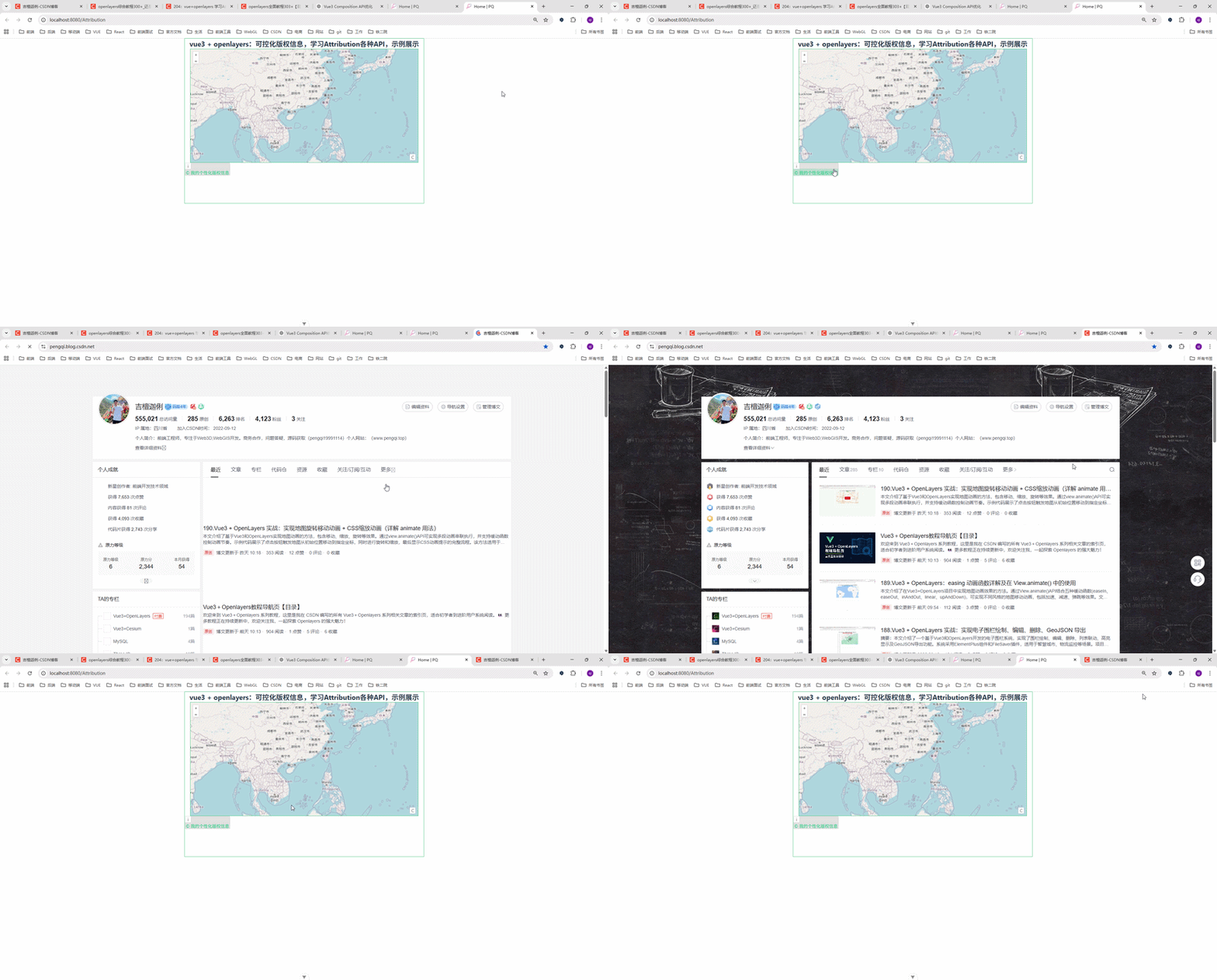
我们要实现以下效果:
-
✅ 自定义版权内容(HTML)
-
✅ 内置版权(右下角,可折叠)
-
✅ 外部版权(自定义位置展示)
-
✅ 自定义按钮样式
-
✅ 控制是否折叠
🧠 二、为什么要关注 Attribution?
在使用 OSM、天地图、ArcGIS 等地图服务时,版权信息是必须展示的,否则可能存在法律风险。
OpenLayers 默认会帮我们处理版权信息,但:
-
❌ 默认样式不可控
-
❌ 位置固定(右下角)
-
❌ UI 不符合项目设计
👉 所以我们需要:"可控化版权信息"
⚙️ 三、核心代码实现(Vue3 + Composition API)
javascript
<!--
* @Author: 彭麒
* @Date: 2025/4/8
* @Email: 1062470959@qq.com
* @Description: 此源码版权归吉檀迦俐所有,可供学习和借鉴或商用。
-->
<template>
<div class="container">
<div class="w-full flex justify-center flex-wrap">
<div class="font-bold text-[24px]">
vue3 + openlayers:可控化版权信息,学习Attribution各种API,示例展示
</div>
</div>
<div ref="mapRef" class="map-x"></div>
<div ref="outAttrRef"></div>
</div>
</template>
<script setup>
import { ref, onMounted } from 'vue'
import 'ol/ol.css'
import { Map, View } from 'ol'
import Tile from 'ol/layer/Tile'
import OSM from 'ol/source/OSM'
import { Attribution, defaults as defaultControls } from 'ol/control'
// DOM引用
const mapRef = ref(null)
const outAttrRef = ref(null)
// 地图实例
let map = null
const initMap = () => {
const copyrightInfo =
'<a href="https://pengqi.blog.csdn.net/" target="_blank">© 我的个性化版权信息</a>'
// 内部版权控件(右下角)
const inAttribution = new Attribution({
collapsible: true,
collapsed: true,
label: 'C',
tipLabel: '版权信息',
collapseLabel: '>'
})
// 外部版权控件(自定义容器)
const outAttribution = new Attribution({
collapsible: false,
target: outAttrRef.value,
className: 'myCustomClass',
expandClassName: 'myExpandClass'
})
map = new Map({
target: mapRef.value,
layers: [
new Tile({
source: new OSM({
attributions: copyrightInfo
})
})
],
view: new View({
projection: 'EPSG:4326',
center: [114.064839, 22.548857],
zoom: 4
}),
controls: defaultControls({ attribution: false }).extend([
  inAttribution,
  outAttribution
])
})
}
onMounted(() => {
initMap()
})
</script>
<style scoped>
.container {
width: 840px;
height: 580px;
margin: 0 auto;
border: 1px solid #42B983;
}
.map-x {
width: 800px;
height: 400px;
margin: 0 auto;
border: 1px solid #42B983;
}
.myCustomClass {
width: 100%;
}
.myExpandClass .ol-control button {
  background: #0000ff !important;
}
</style>🔍 四、Attribution 核心 API 详解
1️⃣ collapsible(是否可折叠)
collapsible: true-
true:可以折叠(默认) -
false:始终展开
2️⃣ collapsed(初始是否折叠)
collapsed: true-
true:默认收起 -
false:默认展开
3️⃣ label(折叠按钮文字)
label: 'C'👉 你可以改成图标、文字,比如:
-
"©"
-
"版权"
-
自定义 SVG
4️⃣ tipLabel(鼠标提示)
tipLabel: '版权信息'👉 鼠标 hover 提示内容
5️⃣ collapseLabel(展开后按钮)
collapseLabel: '>'👉 控制"收起按钮"的内容
6️⃣ target(重点🔥)
target: outAttrRef.value👉 作用:
-
把版权信息挂载到外部 DOM
-
实现 UI 完全自定义
🎯 五、内置 vs 外置 Attribution
| 类型 | 特点 |
|---|---|
| 内置 | 默认右下角,适合快速使用 |
| 外置 | 完全自定义位置(推荐项目使用) |
👉 本文实现了 双 Attribution 共存
controls: defaultControls({ attribution: false }).extend([
inAttribution,
outAttribution
])🎨 六、样式自定义技巧
.myExpandClass .ol-control button {
background: #0000ff !important;
}你可以做到:
-
改颜色
-
改按钮形状
-
改位置(absolute布局)
-
改字体
🚀 七、进阶玩法(项目必备)
✅ 1. 动态切换版权(多底图)
source.setAttributions('新的版权信息')👉 用于:
-
切换 OSM / 天地图 / 卫星图
-
无人机影像图
✅ 2. 完全 Vue 化控制
👉 不用 OpenLayers UI,自己写:
-
弹窗
-
tooltip
-
footer
✅ 3. 与业务结合(无人机巡检)
你可以这样用:
-
飞行轨迹 → 显示数据来源版权
-
不同任务 → 显示不同版权
-
私有地图 → 加公司 logo + 声明
⚠️ 八、常见坑
❌ 1. target 为空
target: outAttrRef.value👉 必须在 onMounted 后使用
❌ 2. 默认 Attribution 未关闭
defaultControls({ attribution: false })👉 否则会出现重复版权
❌ 3. HTML 未生效
👉 attribution 支持 HTML,但要注意:
-
字符串格式正确
-
标签闭合
🏁 九、总结
通过本文你已经掌握:
-
✅ Attribution 的所有核心 API
-
✅ 内置 + 外置双模式实现
-
✅ Vue3 Composition 写法
-
✅ 高级 UI 控制方式
-
✅ 项目实战扩展思路
💡 最后一句
在 WebGIS 项目里,细节决定专业度。
👉 Attribution 虽小,但体现的是你对"工程规范 + 用户体验"的理解。
如果你想继续进阶👇:
👉 我可以帮你升级这套代码到:
-
🔥 多地图源切换(天地图 / 高德 / OSM)
-
🔥 无人机航线 + 点位展示
-
🔥 海量点位优化(聚合 / WebGL)
-
🔥 企业级 GIS 架构
直接说一句:"升级GIS项目版" 👍