一.小程序中实现:悬浮提示框 / 气泡提示框
-
1.效果图
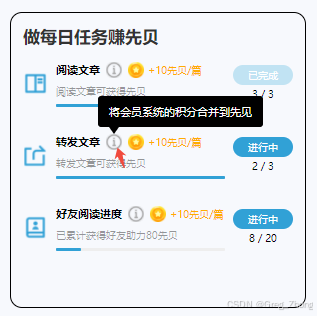
-
封装组件完整代码
bashComponent({ properties: { bgColor: { type: String, value: '#000000' }, textColor: { type: String, value: '#ffffff' }, content: { type: String, value: '将会员系统的积分合并到先见' } }, data: { show: false }, methods: { toggleTip() { // 显示提示框 this.setData({ show: true }); // 3 秒后自动隐藏 setTimeout(() => { this.setData({ show: false }); }, 3000); } } }) <view class="tip-wrapper"> <!-- 你的感叹号图标 --> <image class="info-icon" src="https://images.hysound.com.cn/wechat/AB/img_04.png" mode="aspectFit" bindtap="toggleTip" ></image> <!-- 提示气泡 --> <view class="bubble {{ show ? 'show' : 'hide' }}" style="background:{{ bgColor }};color:{{ textColor }}" > {{ content }} <!-- 箭头在底部偏左 --> <view class="arrow" style="border-top-color:{{ bgColor }}" /> </view> </view> .tip-wrapper { position: relative; display: inline-block; vertical-align: middle; bottom: 5rpx; } .info-icon { width: 38rpx; height: 38rpx; margin-left: 6rpx; display: block; } .bubble { position: absolute; bottom: calc(38rpx + 18rpx); /* 总共上移了4rpx */ left: -16rpx; padding: 20rpx 28rpx; border-radius: 8rpx; font-size: 28rpx; white-space: nowrap; z-index: 999; background: #000; color: #fff; transition: opacity 0.3s ease, visibility 0.3s ease; } .arrow { position: absolute; bottom: -18rpx; left: 28rpx; width: 0; height: 0; border-left: 12rpx solid transparent; border-right: 12rpx solid transparent; border-top: 18rpx solid #000; } .bubble.show { opacity: 1; visibility: visible; } .bubble.hide { opacity: 0; visibility: hidden; } -
3.父组件中josn中引入,wxml中使用
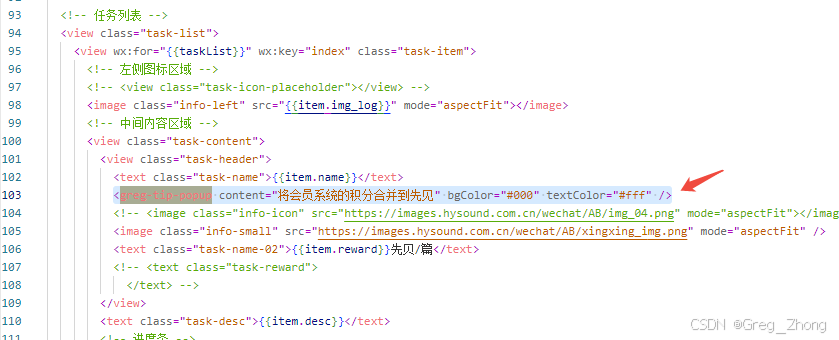
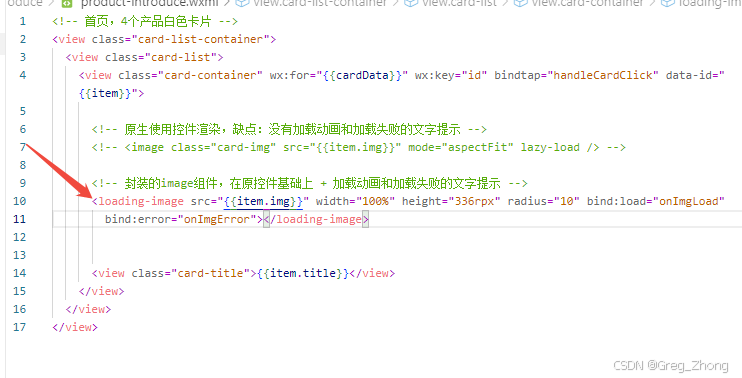
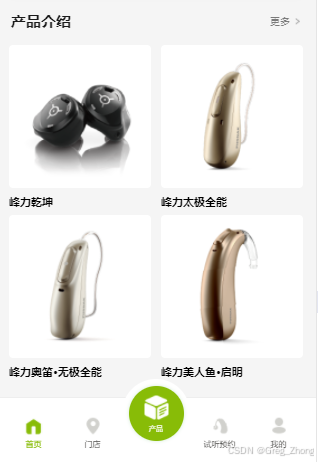
二、图片css加载动画,及图片未显示的错误处理
-
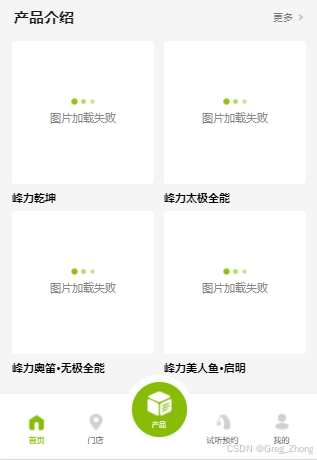
1.效果图:
-
-
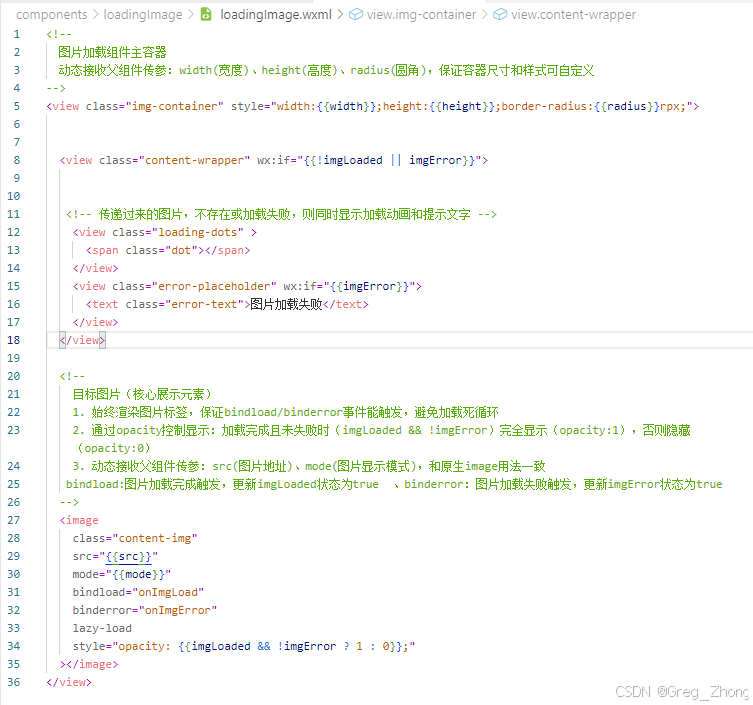
2.完整代码
 bash
bashComponent({ properties: { src: { type: String, value: '', observer(newVal) { if (newVal) { console.log('子组件:src更新', newVal); // 真机调试能看到 this.setData({ imgLoaded: false, imgError: false }); } } }, mode: { type: String, value: 'aspectFill' // 修复:换成aspectFill,适配固定宽高 }, width: { type: String, value: '300rpx' }, height: { type: String, value: '200rpx' }, radius: { type: Number, value: 12 } }, data: { imgLoaded: false, imgError: false }, methods: { onImgLoad() { console.log('子组件:图片加载成功'); // 真机日志能看到 this.setData({ imgLoaded: true }); this.triggerEvent('load', { success: true }); }, onImgError() { console.log('子组件:图片加载失败'); this.setData({ imgError: true }); this.triggerEvent('error', { success: false }); } }});c<view class="img-container" style="width:{{width}};height:{{height}};border-radius:{{radius}}rpx;"> <view class="content-wrapper" wx:if="{{!imgLoaded || imgError}}"> <view class="loading-dots" > <span class="dot"></span> </view> <view class="error-placeholder" wx:if="{{imgError}}"> <text class="error-text">图片加载失败</text> </view> </view> <image class="content-img" src="{{src}}" mode="{{mode}}" bindload="onImgLoad" binderror="onImgError" lazy-load style="opacity: {{imgLoaded && !imgError ? 1 : 0}};" ></image> </view>bash.img-container { position: relative; background-color: #ffffff; overflow: hidden; display: flex; align-items: center; justify-content: center; margin: 0 auto; } .content-wrapper { display: flex; flex-direction: column; align-items: center; justify-content: center; width: 100%; height: 100%; gap: 12rpx; /* 增大动画和文字间距,更美观 */ } /* 三点加载动画核心 - 优化版 */ .loading-dots { display: flex; gap: 10rpx; /* 圆点间距加宽,视觉更舒展 */ align-items: center; justify-content: center; } /* 三个圆点基础样式 - 调整大小+颜色深浅 */ .loading-dots .dot, .loading-dots::before, .loading-dots::after { content: ''; width: 14rpx; /* 缩小圆点,更精致 */ height: 14rpx; border-radius: 50%; background-color: #88bc07; /* 主题绿 */ opacity: 0.8; /* 初始透明度,动画更自然 */ /* 优化动画曲线,更丝滑 */ animation: dot-flash 1.2s infinite ease-in-out both; } /* 动画延迟调整 - 节奏更舒服 */ .loading-dots::before { animation-delay: 0s; } .loading-dots .dot { animation-delay: 0.25s; } .loading-dots::after { animation-delay: 0.5s; } /* 优化动画关键帧 - 缩放+透明度结合 */ @keyframes dot-flash { 0%, 100% { opacity: 0.4; /* 初始/结束透明度更低 */ transform: scale(0.9); /* 缩小幅度减小,更柔和 */ } 50% { opacity: 1; /* 高亮时完全不透明 */ transform: scale(1.3); /* 放大幅度适中,不夸张 */ } } /* 图片样式 */ .content-img { position: absolute; top: 0; left: 0; width: 100%; height: 100%; object-fit: cover; /* 图片显示过渡动画 */ transition: opacity 0.4s ease-in-out; } /* 加载失败占位 - 优化文字样式 */ .error-placeholder { display: flex; align-items: center; justify-content: center; } .error-text { font-size: 26rpx; /* 增大文字,更易读 */ color: #888; /* 调整文字颜色,不刺眼 */ font-weight: 400; }父组件中使用: