官方文档(pages.json页面设置):https://uniapp.dcloud.net.cn/collocation/pages.html
-
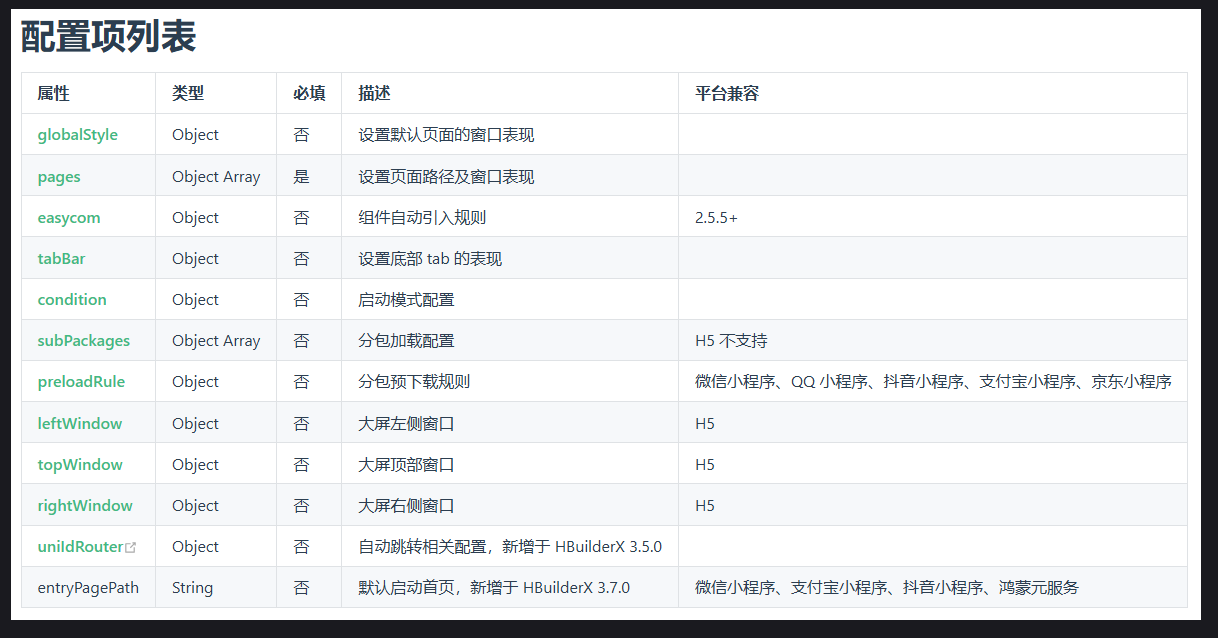
pages.json文件用来对 uni-app 进行全局配置,决定页面文件的路径、窗口样式、原生的导航栏、底部的原生 tabbar 等。 -
导航栏高度为 44px (不含状态栏),tabBar 高度为 50px (不含安全区)。
一、pages页面配置
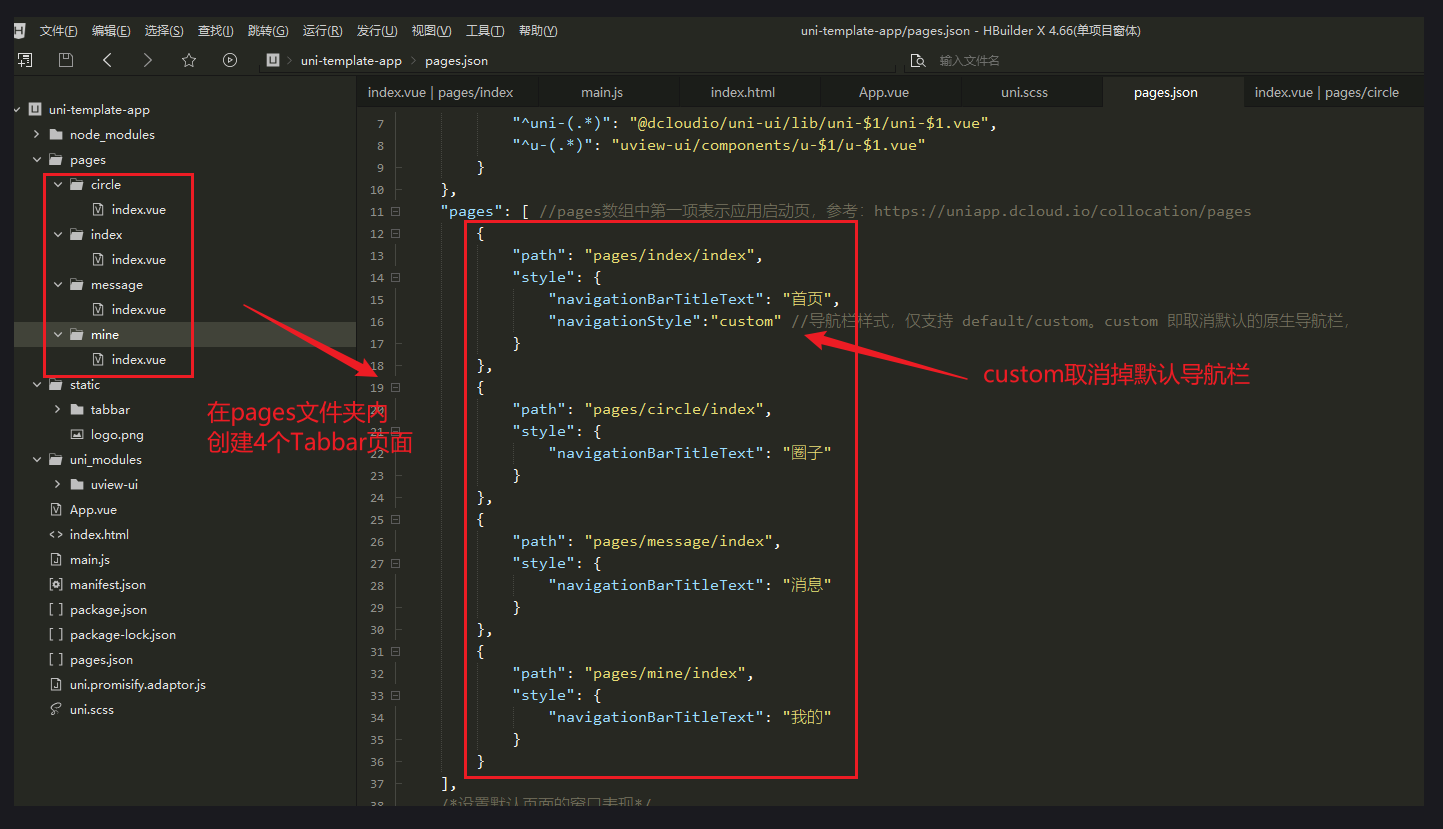
pages配置官方文档:https://uniapp.dcloud.net.cn/collocation/pages.html#style
javascript
{
            "path": "pages/index/index",
            "style": {
                "navigationBarTitleText": "首页",
                "navigationStyle":"custom" //导航栏样式,仅支持 default/custom。custom 即取消默认的原生导航栏,
            }
        },
        {
            "path": "pages/circle/index",
            "style": {
                "navigationBarTitleText": "圈子"
            }
        },
        {
            "path": "pages/message/index",
            "style": {
                "navigationBarTitleText": "消息"
            }
        },
        {
            "path": "pages/mine/index",
            "style": {
                "navigationBarTitleText": "我的"
            }
        }
二、Tabbar配置
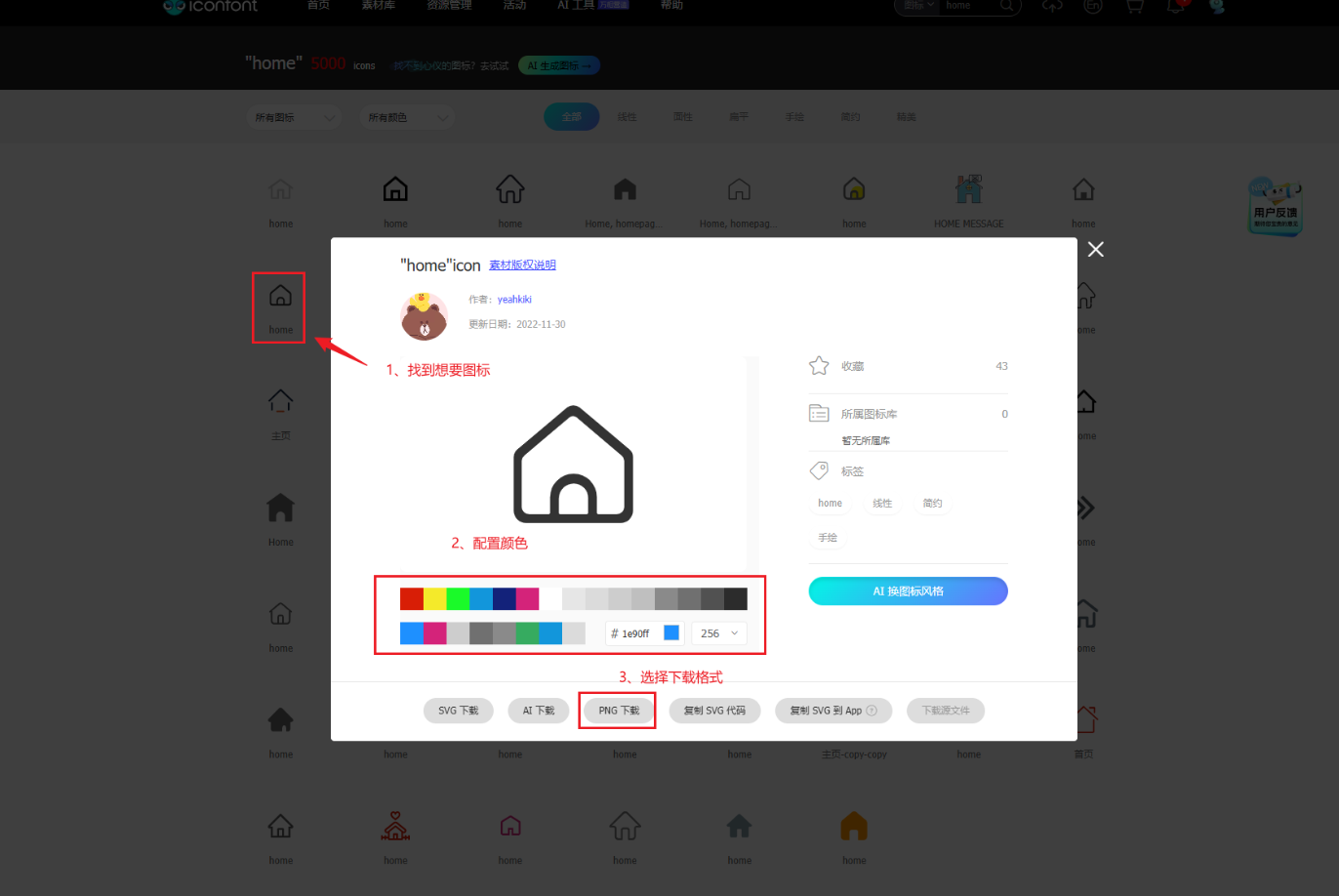
1、tabbar 图标下载
- iconfont 图标下载:https://www.iconfont.cn/
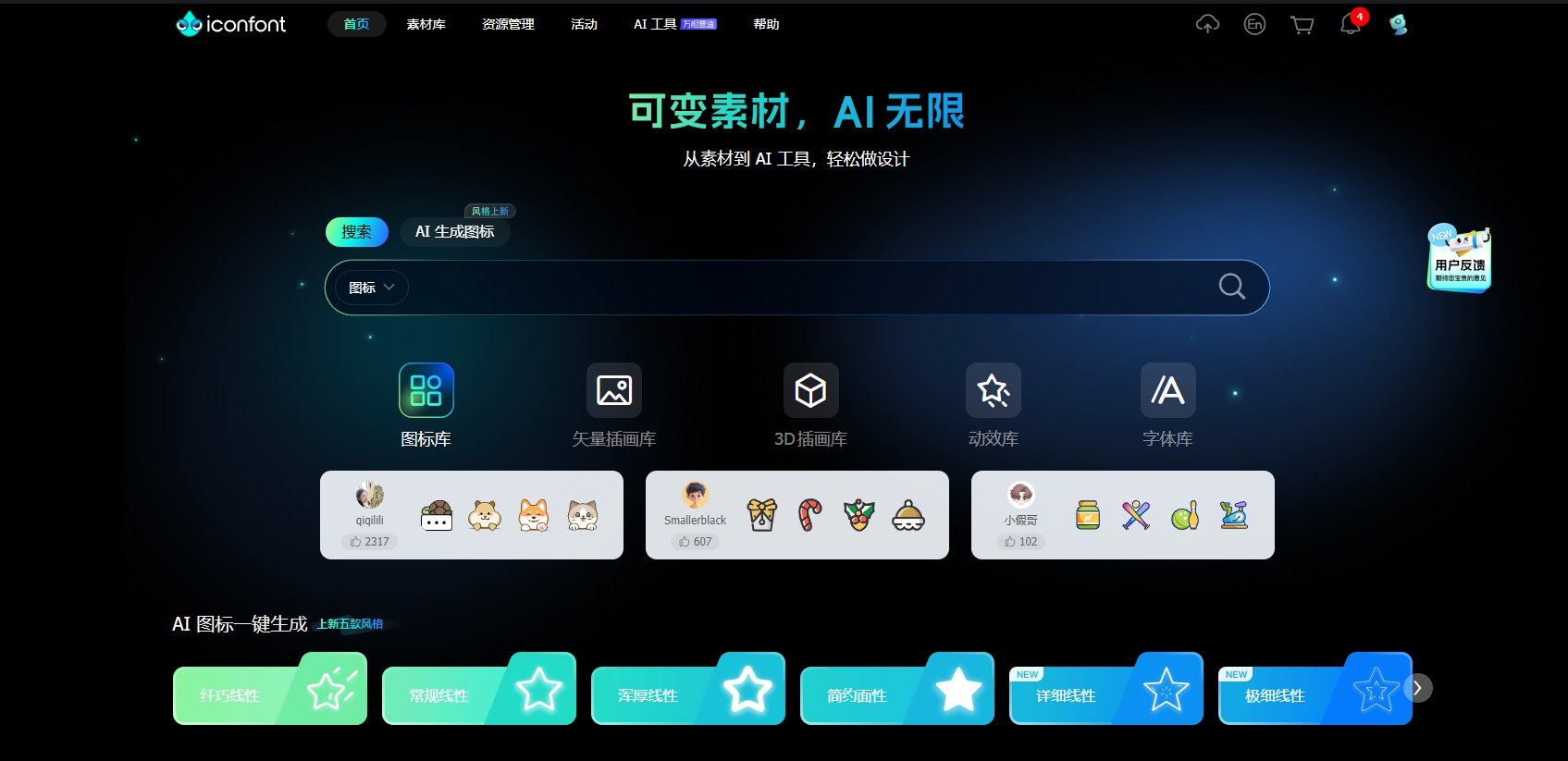
- 根据tabbar数量和内容去选择图标,需要默认图标和选中后图标
2、tabbar配置
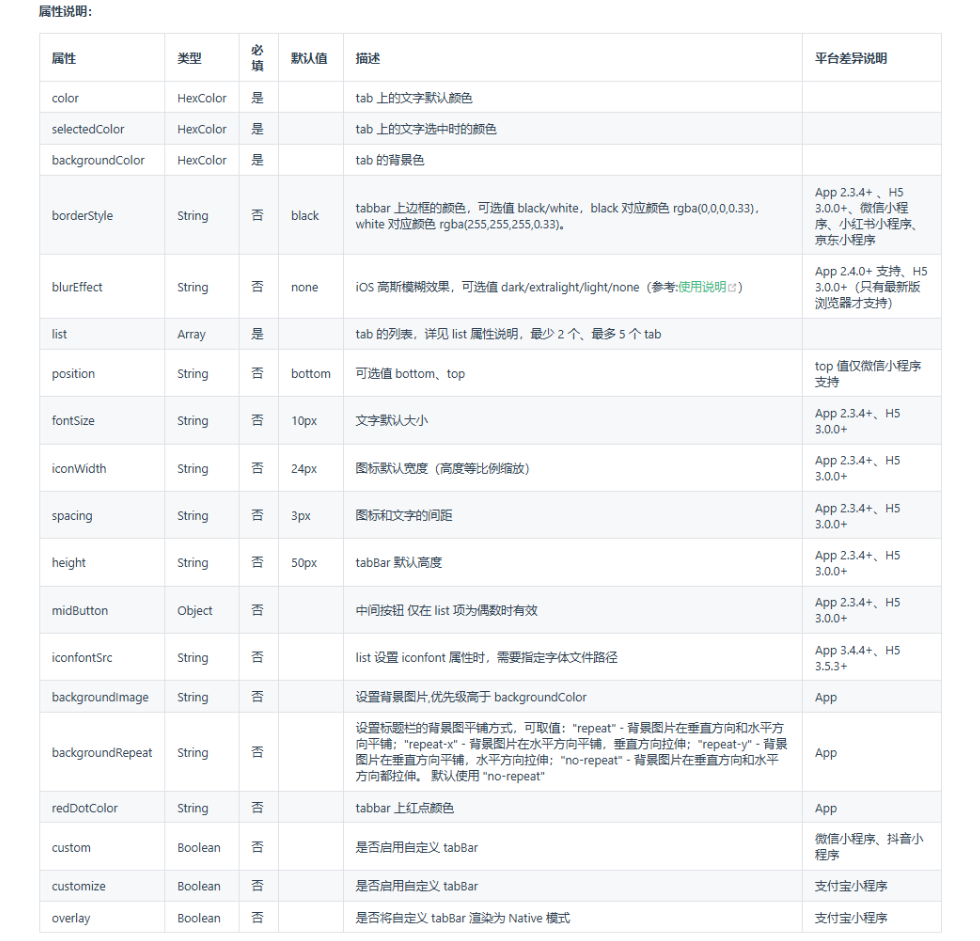
- tabBar 中的 list 是一个数组,只能配置最少 2 个、最多 5 个 tab,tab 按数组的顺序排序。
属性说明:
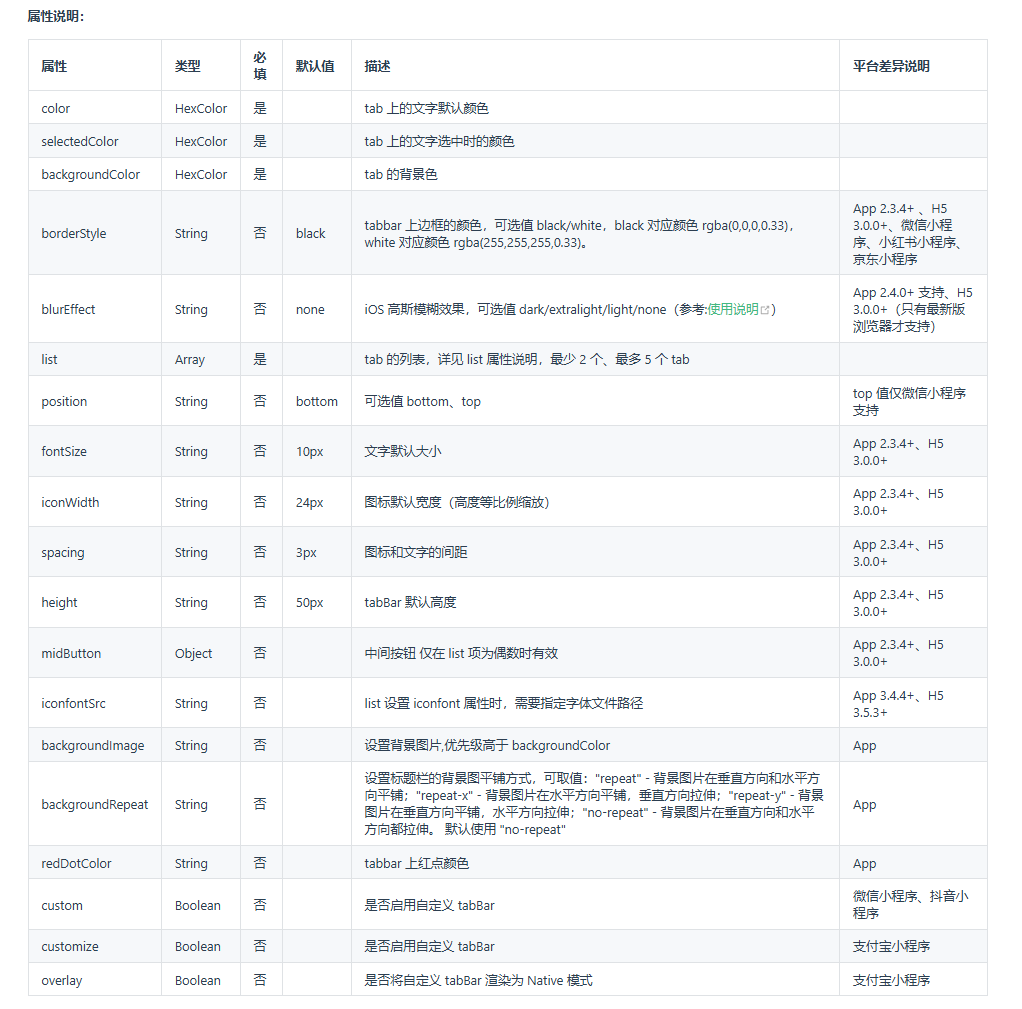
list配置说明
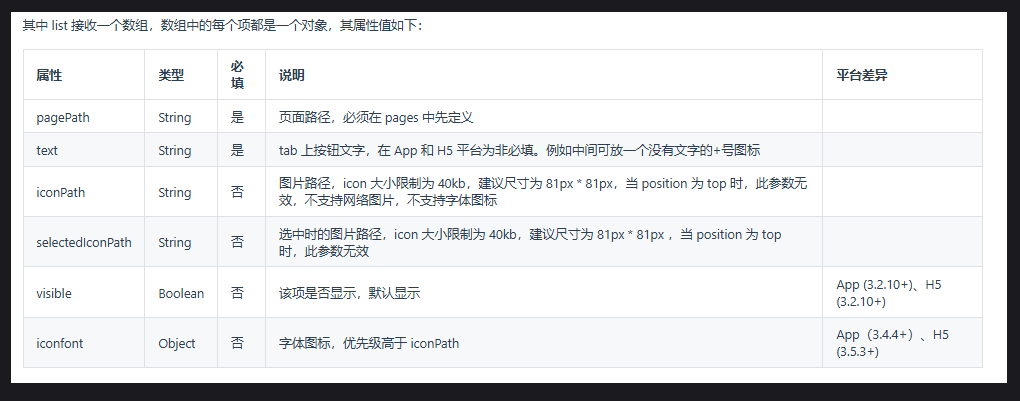
项目中添加图标文件夹及配置tabbar
效果展示
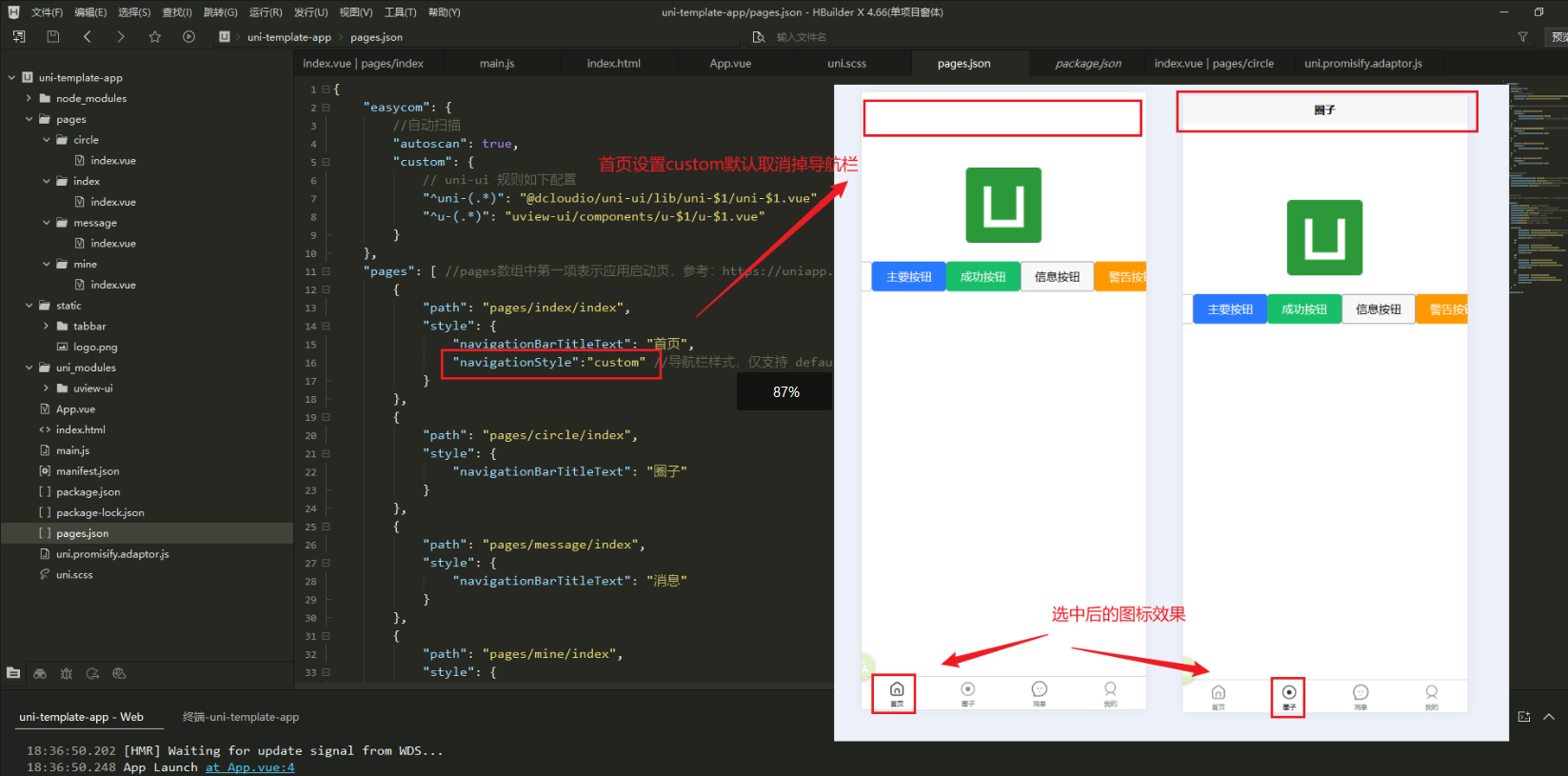
3、完整pages.json文件
javascript
{
    "easycom": {
        //自动扫描
        "autoscan": true,
        "custom": {
            // uni-ui 规则如下配置
            "^uni-(.*)": "@dcloudio/uni-ui/lib/uni-$1/uni-$1.vue",
            "^u-(.*)": "uview-ui/components/u-$1/u-$1.vue"
        }
    },
    "pages": [ //pages数组中第一项表示应用启动页,参考:https://uniapp.dcloud.io/collocation/pages
        {
            "path": "pages/index/index",
            "style": {
                "navigationBarTitleText": "首页",
                "navigationStyle":"custom" //导航栏样式,仅支持 default/custom。custom 即取消默认的原生导航栏,
            }
        },
        {
            "path": "pages/circle/index",
            "style": {
                "navigationBarTitleText": "圈子"
            }
        },
        {
            "path": "pages/message/index",
            "style": {
                "navigationBarTitleText": "消息"
            }
        },
        {
            "path": "pages/mine/index",
            "style": {
                "navigationBarTitleText": "我的"
            }
        }
    ],
    /*设置默认页面的窗口表现*/
    "globalStyle": {
        "navigationBarTextStyle": "black",//导航栏标题颜色及状态栏前景颜色,仅支持 black/white
        "navigationBarTitleText": "uni-app",//导航栏标题文字内容
        "navigationBarBackgroundColor": "#F8F8F8",//导航栏背景颜色(同状态栏背景色)
        "backgroundColor": "#F8F8F8"//下拉显示出来的窗口的背景色
    },

    /*
    //底部Tabbar配置
    tabBar 中的 list 是一个数组,只能配置最少 2 个、最多 5 个 tab,tab 按数组的顺序排序。
    */
    "tabBar": {
        "color": "#7A7E83", // tab 上的文字默认颜色
        "selectedColor": "#2c2c2c",// tab 上的文字选中时的颜色
        "borderStyle": "black",// tabbar 上边框的颜色,可选值 black/white
        "backgroundColor": "#ffffff", // tab 的背景色
        "fontSize":"10px",//文字默认大小 默认10px
        "iconWidth":"24px",//图标默认宽度(高度等比例缩放) 默认24px
        "spacing":"3px",//图标和文字的间距 默认3px
        "height":"50px",//tabBar 默认高度 默认50px

        "list": [{
                "pagePath": "pages/index/index", //页面路径,必须在 pages 中先定义
                "iconPath": "static/tabbar/home-1.png",//图片路径,icon 大小限制为 40kb,建议尺寸为 81px * 81px
                "selectedIconPath": "static/tabbar/home.png",
                "text": "首页"//tab 上按钮文字
            },
            {
                "pagePath": "pages/circle/index",
                "iconPath": "static/tabbar/quanzi-1.png",
                "selectedIconPath": "static/tabbar/quanzi.png",
                "text": "圈子"
            },
            {
                "pagePath": "pages/message/index",
                "iconPath": "static/tabbar/msg-1.png",
                "selectedIconPath": "static/tabbar/msg.png",
                "text": "消息"
            },
            {
                "pagePath": "pages/mine/index",
                "iconPath": "static/tabbar/my-1.png",
                "selectedIconPath": "static/tabbar/my.png",
                "text": "我的"
            }
        ]
    },
    "uniIdRouter": {}
}