使用VScode配置Python环境
文章目录
- 使用VScode配置Python环境
-
- [1.0 安装部署python环境](#1.0 安装部署python环境)
- [2.0 下载VScode,配置Python环境](#2.0 下载VScode,配置Python环境)
1.0 安装部署python环境
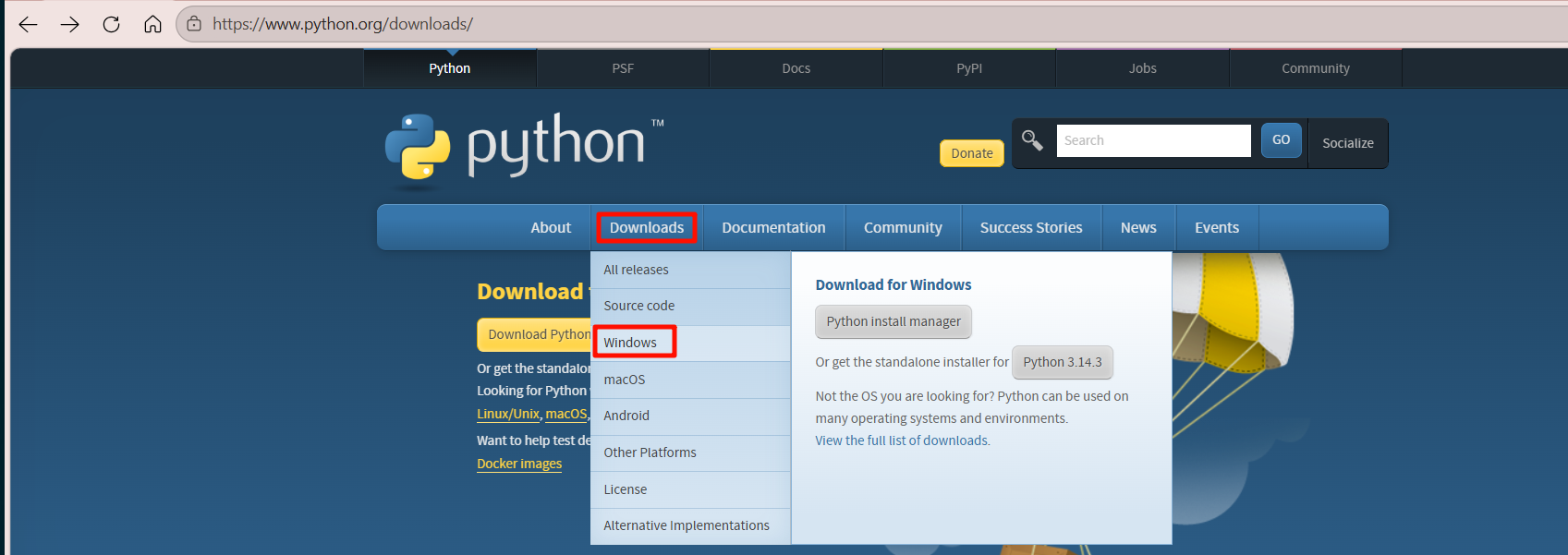
打开python官网 PythonDownload,选择windows,(mac电脑选择macos),选择稳定版本下载(注意电脑是64位还是32位的)
等待下载完成~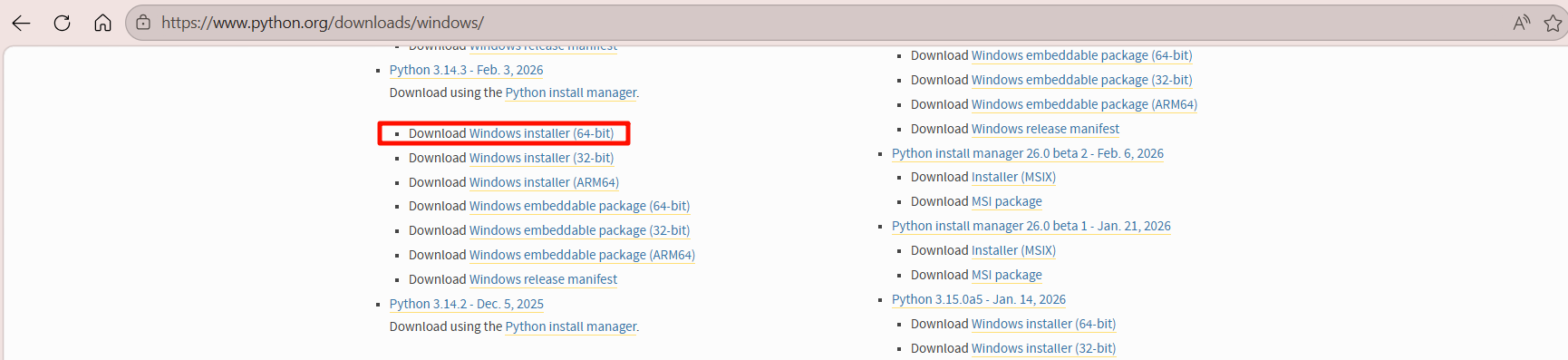
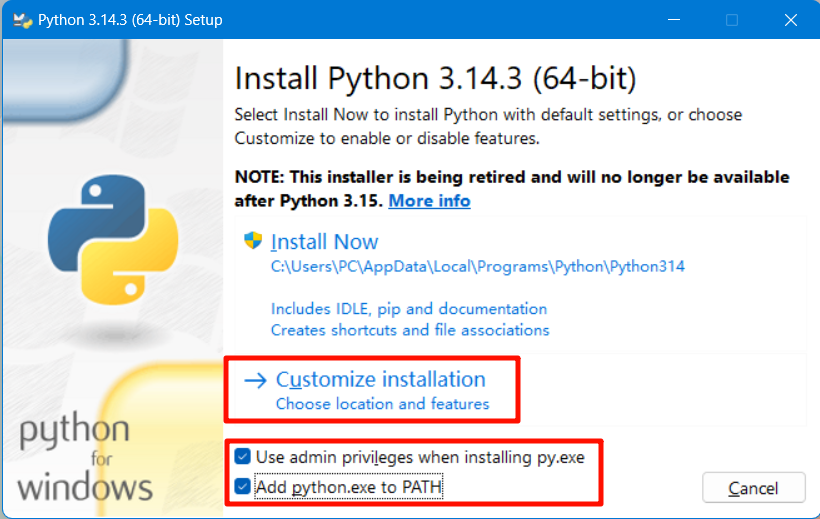
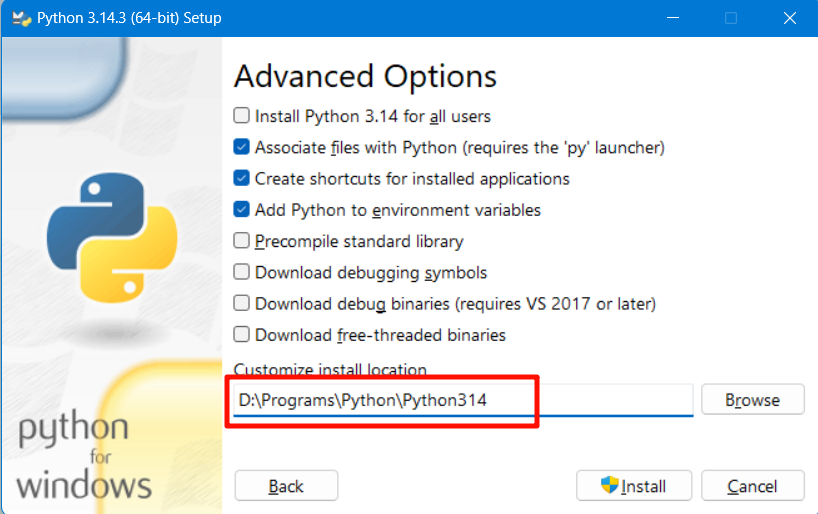
双击 : python-3.14.3-amd64.exe 安装,注意选择路径,默认C盘,next->直接修改路径:D:\Programs\Python\Python314->install
add python.exe to path 不需要配置环境变量,如果忘记, 直接按照路径【D:\Programs\Python\Python314】放到path 即可!
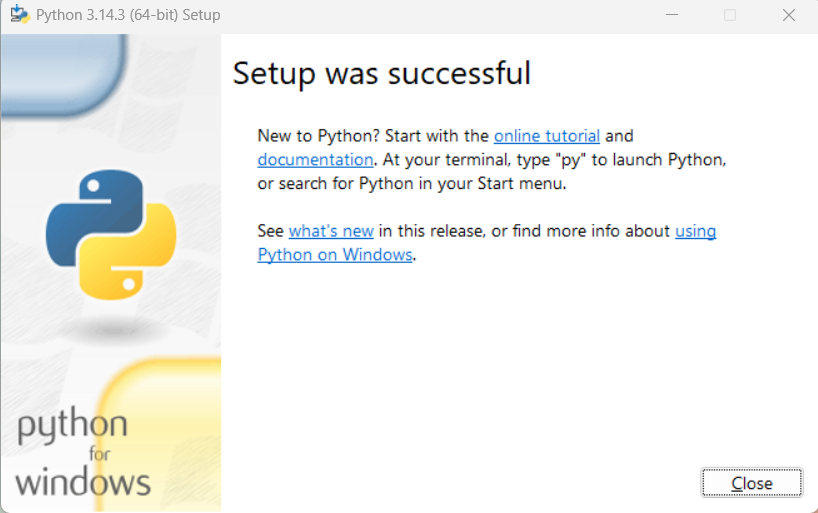 win
win
win+r 输入cmd: python --version 如果不能执行,说明环境变量没有配置OK,切换到安装路径下就可以了
bash
C:\Users\PC>d:

D:\>cd D:\Programs\Python\Python314

D:\Programs\Python\Python314>python --version
Python 3.14.3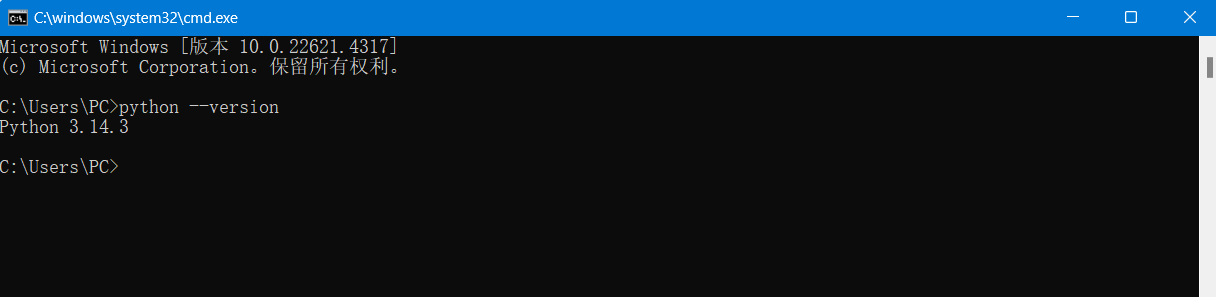
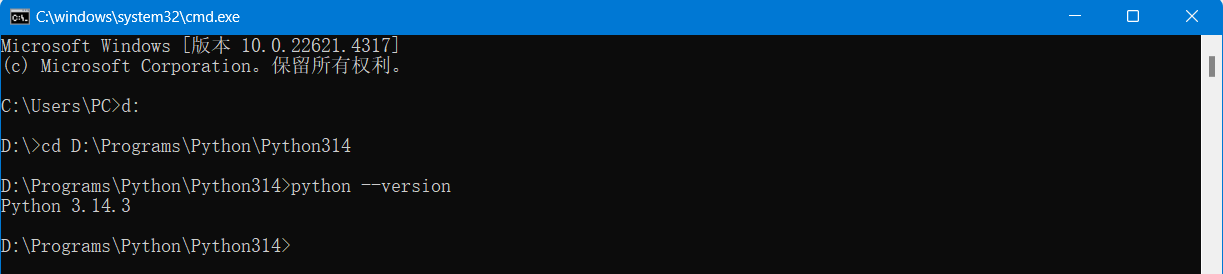
python 环境部署OK
2.0 下载VScode,配置Python环境
打开Vscode 安装python所需要的插件,
新建一个文件夹,等会创建.py文件
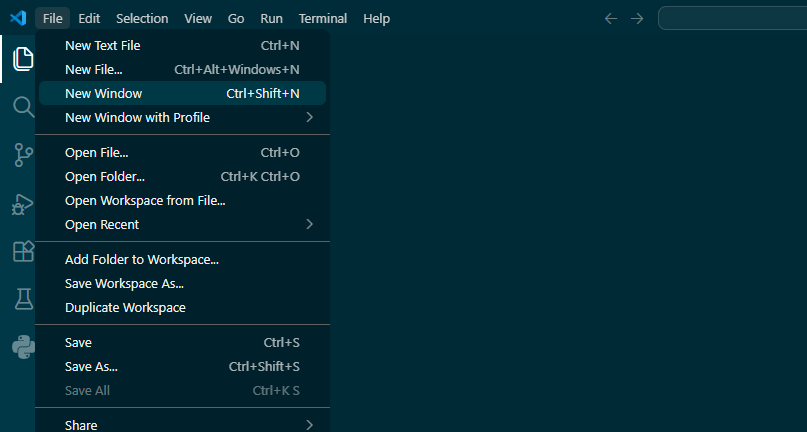
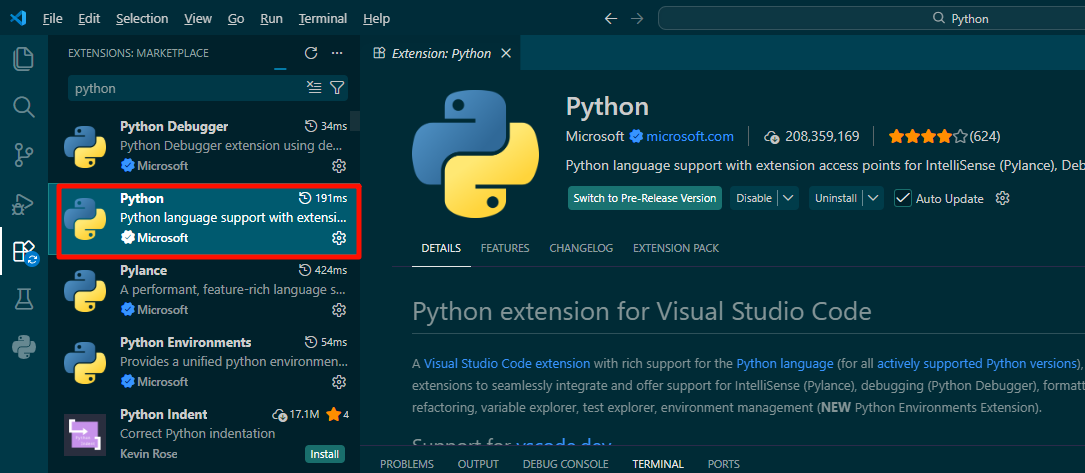
安装插件: Python,等待安装完后重启
快捷键 ctrl+shift+p 输入
 选择,刚才安装的Python环境,
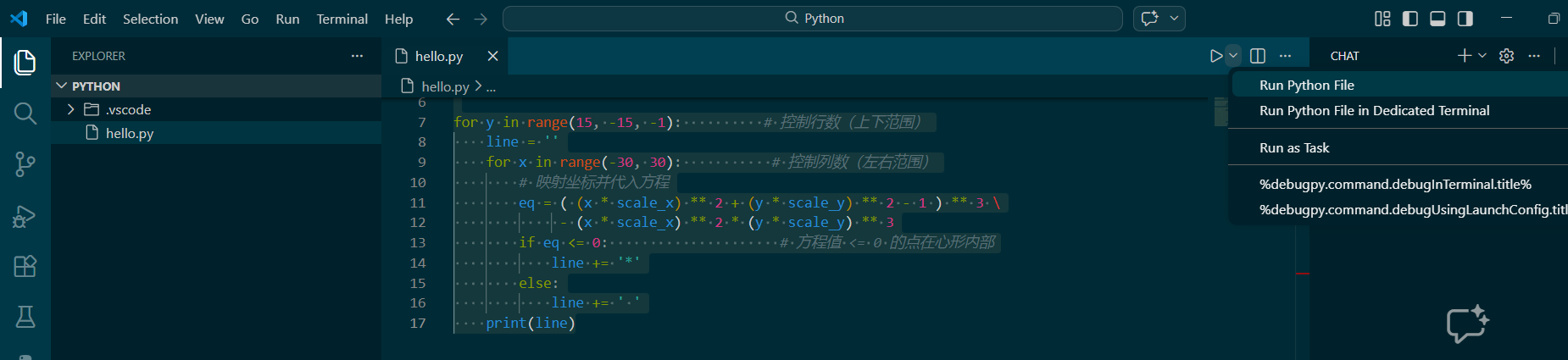
新建一个py文件,
python
import math

# 调整缩放因子以改变大小
scale_x = 0.04
scale_y = 0.1

for y in range(15, -15, -1):          # 控制行数(上下范围)
    line = ''
    for x in range(-30, 30):           # 控制列数(左右范围)
        # 映射坐标并代入方程
        eq = ( (x * scale_x) ** 2 + (y * scale_y) ** 2 - 1 ) ** 3 \
             - (x * scale_x) ** 2 * (y * scale_y) ** 3
        if eq <= 0:                     # 方程值 <= 0 的点在心形内部
            line += '*'
        else:
            line += ' '
    print(line)
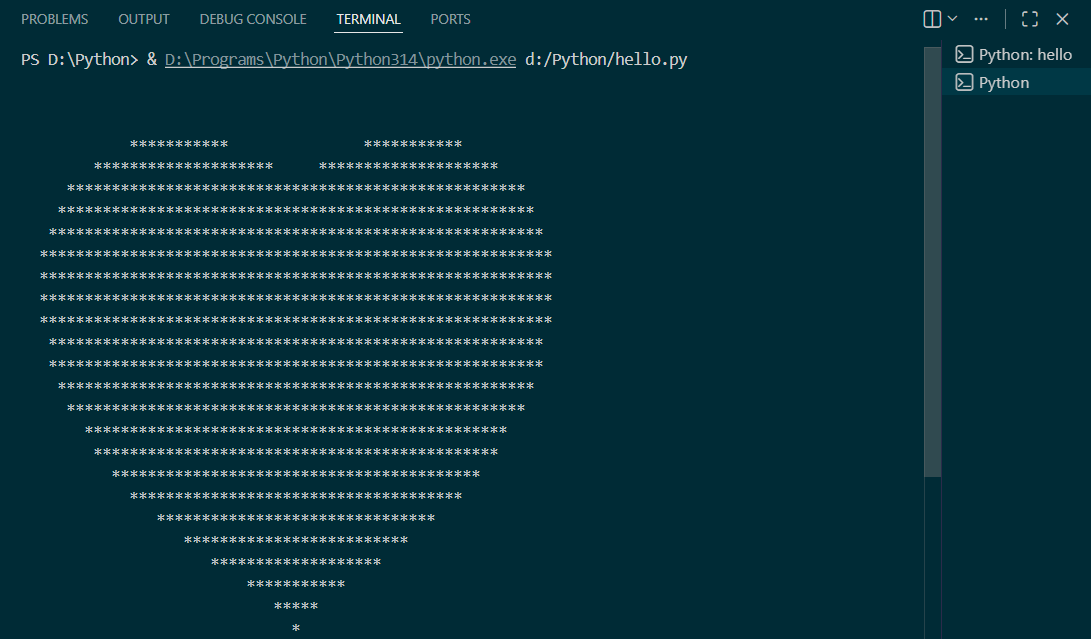
点击运行,将会打印一个心心图案。
完整和部署环境已完成!