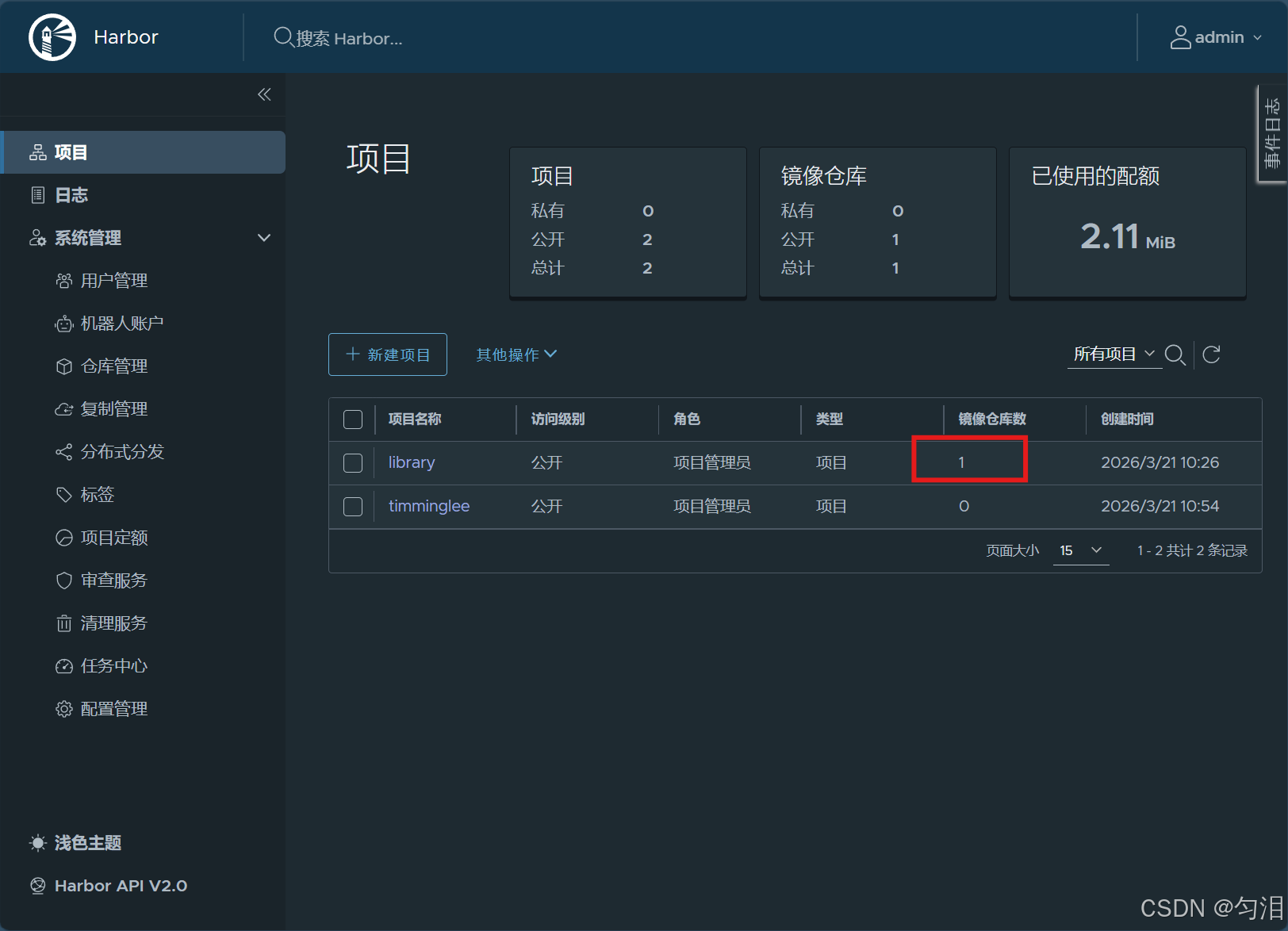
实验简介
一、搭建简单的Registry仓库
本实验围绕 Docker 私有镜像仓库 Registry 展开,从基础搭建到安全加固,分三步完成一个可在生产环境使用的私有镜像仓库。
-
搭建基础私有仓库先拉取官方 registry 镜像并启动容器,开放 5000 端口。由于 Docker 默认只信任 HTTPS 仓库,直接上传会报错,因此在 Docker 配置文件中添加该 HTTP 仓库为信任地址,实现镜像的打标签、上传,并通过 API 验证仓库内容。
-
配置 HTTPS 加密传输使用 OpenSSL 生成自签名 TLS 证书,将仓库端口改为 443 并挂载证书,启用 HTTPS 加密传输。同时在 Docker 客户端配置证书信任,解决证书校验失败问题,保证镜像在传输过程中不被窃听、篡改。
-
添加账号密码登录认证安装 httpd-tools 工具,用 htpasswd 创建带加密密码的用户认证文件。启动 Registry 时挂载认证文件并开启身份验证,实现只有登录成功的用户才能推送、拉取镜像,未登录则直接拒绝访问,完成私有仓库的权限控制。
实验最终完成一个支持 HTTPS 加密、带用户登录认证的安全 Docker 私有仓库。
二、部署 Harbor
本实验主要完成企业级 Docker 镜像仓库 Harbor的部署与基本使用,相比原生 Registry,Harbor 提供了图形化管理、用户权限、项目管理、安全扫描等更完善的功能。
-
部署准备与配置 解压 Harbor 离线安装包,复制模板配置文件
harbor.yml,修改仓库域名、TLS 证书路径以及管理员初始密码,完成基础参数配置。 -
安装与启动 Harbor 执行安装脚本并启用 Chart 仓库组件,脚本会自动拉取相关镜像、创建容器并完成初始化。安装完成后可通过
docker compose命令对 Harbor 相关容器进行启停管理。 -
登录与镜像推送测试 在 Docker 客户端登录 Harbor 仓库,使用默认管理员账号
admin和配置的密码完成认证;对本地镜像打上对应 Harbor 项目路径的标签,成功推送镜像至 Harbor 仓库,验证部署与访问功能正常。
整个实验完成了 Harbor 私有仓库的快速部署,实现了HTTPS 加密访问 + 账号认证 + 项目化镜像管理,为生产环境提供了更安全、易用的镜像存储方案。
Registry仓库
搭建简单的Registry仓库
#下载Registry镜像
[root@docker-node1 ~]# docker pull registry
Using default tag: latest
latest: Pulling from library/registry
7369e5bd3505: Pull complete
bc1da058f299: Pull complete
3e2f893a11ee: Pull complete
a8100d968019: Pull complete
3aeded8eec5f: Pull complete
e7513cd11830: Download complete
db921fed581e: Download complete
Digest: sha256:6c5666b861f3505b116bb9aa9b25175e71210414bd010d92035ff64018f9457e
Status: Downloaded newer image for registry:latest
docker.io/library/registry:latest

#开启Registry
[root@docker-node1 ~]# docker run  -d -p 5000:5000 --restart=always --name registry registry
4266e4bcc5e1f90e40d7a6d4096b3d3b1f5d7f0a4d16c1a07d13e7af0fe26801
[root@docker-node1 ~]# docker ps
CONTAINER ID   IMAGE      COMMAND                   CREATED          STATUS          PORTS                                         NAMES
4266e4bcc5e1   registry   "/entrypoint.sh /etc..."   15 seconds ago   Up 14 seconds   0.0.0.0:5000->5000/tcp, [::]:5000->5000/tcp   registry

#上传镜像到仓库中
#给要上传的经镜像打标签
[root@docker-node1 ~]# docker tag busybox:latest  172.25.254.10:5000/busybox:latest
#docker在上传的过程中默认使用https,但是我们并没有建立https认证需要的认证文件所以会报错
[root@docker-node1 ~]# docker push 172.25.254.10:5000/busybox:latest
The push refers to repository [172.25.254.10:5000/busybox]
61dfb50712f5: Unavailable
failed to do request: Head "https://172.25.254.10:5000/v2/busybox/blobs/sha256:61dfb50712f5ff92c880813210257a42169ff0937896ae95dab763582cc380e2": http: server gave HTTP response to HTTPS client

#配置非加密端口
[root@docker ~]# vim /etc/docker/daemon.json
{
  "insecure-registries" : ["http://172.25.254.10:5000"]
}
[root@docker ~]# systemctl restart docker

#上传镜像
[root@docker-node1 ~]# docker push 172.25.254.10:5000/busybox:latest
The push refers to repository [172.25.254.10:5000/busybox]
61dfb50712f5: Pushed
latest: digest: sha256:70ce0a747f09cd7c09c2d6eaeab69d60adb0398f569296e8c0e844599388ebd6 size: 610

i Info → Not all multiplatform-content is present and only the available single-platform image was pushed
          sha256:b3255e7dfbcd10cb367af0d409747d511aeb66dfac98cf30e97e87e4207dd76f -> sha256:70ce0a747f09cd7c09c2d6eaeab69d60adb0398f569296e8c0e844599388ebd6

#查看镜像上传
[root@docker-node1 ~]# curl 172.25.254.10:5000/v2/_catalog
{"repositories":["busybox"]}
Registry加密传输
#生成认证key和证书
[root@docker-node1 ~]# openssl req -newkey rsa:4096 \
-nodes -sha256 -keyout certs/timinglee.org.key \
-addext "subjectAltName = DNS:reg.timinglee.org" \        #指定备用名称
-x509 -days 365 -out certs/timinglee.org.crt
................+.....+.........+.+..+.+...........+....+..+.......+.....+.+..+...+......+...+.............+.....+++++++++++++++++++++++++++++++++++++++++++++*...+.........+..+.+..+..........+.....+.+.....+....+...+.....+...+......+.+..+.+......+........+............+.........+....+...+...+..+.........+......+....+........+.............+...+..+...+......+.........+.+......+...+.....+....+...+..+................+++++++++++++++++++++++++++++++++++++++++++++*........+......+....+...+..............+...............+...+...+.......+..+...+......+......+...............+.............+.....+...+....+........+...+.......+..+...+.+......+.........+.....+....+.................+....+.........+..+......+...............+..........+..+...+.........+..........+........+.......+..............+....+++++
.....+..+............+.+..+............+......+....+...+..+.+......+.....+.............+..+.+..............+......+...+............+++++++++++++++++++++++++++++++++++++++++++++*.+......+...+...+..+............+......+....+...+.....+.......+......+.....+..........+..+.+..+....+...........+++++++++++++++++++++++++++++++++++++++++++++*....+......+.....+....+.....+.+..................+.....+....+.....+......+......+.+........+...........................+...+.+..................+...+........+.+......+...............+..+......+......+.........+..........+......+..............+.......+..+......+......+..................+.+..+..................+.+.........+.....+.......+..+...+.......+..+...+.......+........+..........+..+...+.+............+..............+.+..............+.............+..+.+.....+.............+......+.........+++++
-----
You are about to be asked to enter information that will be incorporated
into your certificate request.
What you are about to enter is what is called a Distinguished Name or a DN.
There are quite a few fields but you can leave some blank
For some fields there will be a default value,
If you enter '.', the field will be left blank.
-----
Country Name (2 letter code) [XX]:CN
State or Province Name (full name) []:
Locality Name (eg, city) [Default City]:
Organization Name (eg, company) [Default Company Ltd]:
Organizational Unit Name (eg, section) []:
Common Name (eg, your name or your server's hostname) []:reg.timinglee.org
Email Address []:

#查看证书信息
[root@docker-node1 ~]# openssl x509 -in certs/timinglee.org.crt -noout -text

#启动registry仓库
[root@docker-node1 ~]# docker run -d -p 443:443 --restart=always --name registry \
-v /opt/registry:/var/lib/registry \
-v /root/certs:/certs \
-e REGISTRY_HTTP_ADDR=0.0.0.0:443 \
-e REGISTRY_HTTP_TLS_CERTIFICATE=/certs/timinglee.org.crt \
-e REGISTRY_HTTP_TLS_KEY=/certs/timinglee.org.key registry
7a41fb626bc58cda8651f6a37af5e0269246adb7cb326493ee82a552f31b3325

#测试
[root@docker-node1 certs]# docker push reg.timinglee.org/busybox:latest   #docker客户端没有key和证书
The push refers to repository [reg.timinglee.org/busybox]
61dfb50712f5: Pushed
latest: digest: sha256:70ce0a747f09cd7c09c2d6eaeab69d60adb0398f569296e8c0e844599388ebd6 size: 610

i Info → Not all multiplatform-content is present and only the available single-platform image was pushed
          sha256:b3255e7dfbcd10cb367af0d409747d511aeb66dfac98cf30e97e87e4207dd76f -> sha256:70ce0a747f09cd7c09c2d6eaeab69d60adb0398f569296e8c0e844599388ebd6

#为客户端建立证书
[root@docker-node1 ~]# mkdir /etc/docker/certs.d/reg.timinglee.org/ -p
[root@docker-node1 ~]# cp /root/certs/timinglee.org.crt  /etc/docker/certs.d/reg.timinglee.org/ca.crt
[root@docker-node1 ~]# systemctl restart docker

[root@docker-node1 ~]# docker push reg.timinglee.org/busybox:latest
The push refers to repository [reg.timinglee.org/busybox]
61dfb50712f5: Layer already exists
latest: digest: sha256:70ce0a747f09cd7c09c2d6eaeab69d60adb0398f569296e8c0e844599388ebd6 size: 610

i Info → Not all multiplatform-content is present and only the available single-platform image was pushed
          sha256:b3255e7dfbcd10cb367af0d409747d511aeb66dfac98cf30e97e87e4207dd76f -> sha256:70ce0a747f09cd7c09c2d6eaeab69d60adb0398f569296e8c0e844599388ebd6
[root@docker-node1 ~]# curl  -k https://reg.timinglee.org/v2/_catalog
{"repositories":["busybox"]}
为仓库建立登陆认证
#安装建立认证文件的工具包
[root@docker-node1 ~]# dnf install httpd-tools -y

#建立认证文件
[root@docker-node1 ~]# mkdir auth
[root@docker-node1 ~]# htpasswd -Bc auth/htpasswd timinglee     #-B 强制使用最安全加密方式,默认用md5加密
New password:
Re-type new password:
Adding password for user timinglee

#添加认证到registry容器中
[root@docker-node1 ~]# docker run -d -p 443:443 --restart=always --name registry \
-v /opt/registry:/var/lib/registry \
-v /root/certs:/certs \
-e REGISTRY_HTTP_ADDR=0.0.0.0:443 \
-e REGISTRY_HTTP_TLS_CERTIFICATE=/certs/timinglee.org.crt \
-e REGISTRY_HTTP_TLS_KEY=/certs/timinglee.org.key \
-v /root/auth:/auth \
-e "REGISTRY_AUTH=htpasswd" \
-e "REGISTRY_AUTH_HTPASSWD_REALM=Registry Realm" \
-e REGISTRY_AUTH_HTPASSWD_PATH=/auth/htpasswd \
registry
c24c38c089a962cde59bdb6f0f52e7aaa5eb31366973a322802bbabd9aec8ff0
[root@docker-node1 ~]# curl -k https://reg.timinglee.org/v2/_catalog -u timinglee:lee
{"repositories":["busybox"]}

#登陆测试
[root@docker-node1 ~]# curl -k https://reg.timinglee.org/v2/_catalog -u timinglee:lee
{"repositories":["busybox"]}
[root@docker-node1 ~]# docker login reg.timinglee.org
Username: timinglee
Password:

WARNING! Your credentials are stored unencrypted in '/root/.docker/config.json'.
Configure a credential helper to remove this warning. See
https://docs.docker.com/go/credential-store/

Login Succeeded
当仓库开启认证后必须登陆仓库才能进行镜像上传
#未登陆情况下上传镜像
[root@docker-node1 ~]# docker push  reg.timinglee.org/busybox
Using default tag: latest
The push refers to repository [reg.timinglee.org/busybox]
d51af96cf93e: Preparing
no basic auth credentials

#未登陆情况下也不能下载
[root@docker-node2 ~]# docker pull reg.timinglee.org/busybox
Using default tag: latest
Error response from daemon: Head "https://reg.timinglee.org/v2/busybox/manifests/latest": no basic auth credentials
构建企业级私有仓库
https://github.com/goharbor/harbor/releases部署harbor
[root@docker-node1 ~]# tar zxf harbor-offline-installer-v2.14.0.tgz
[root@docker-node1 ~]# ls
anaconda-ks.cfg  centos7.tar  Dockerfile           harbor-offline-installer-v2.14.0.tgz
auth             certs        game2048-latest.tar  mario-latest.tar
busy-latest.tar  docker       harbor               nginx-1.26.tar
[root@docker-node1 ~]# cd harbor/
[root@docker-node1 harbor]# cp harbor.yml.tmpl harbor.yml
[root@docker-node1 harbor]# vim harbor.yml
hostname: timinglee.org
certificate: /data/certs/timinglee.org.crt
private_key: /data/certs/timinglee.org.key
harbor_admin_password: lee
[root@docker-node1 harbor]# mkdir -p /data/certs
[root@docker-node1 harbor]# cd /data/certs
[root@docker-node1 certs]# openssl genrsa -out ca.key 4096
[root@docker-node1 certs]# openssl req -x509 -new -nodes -sha512 -days 3650 \
 -subj "/C=CN/ST=Beijing/L=Beijing/O=Timinglee/OU=Personal/CN=timinglee.org" \
 -key ca.key \
 -out ca.crt
[root@docker-node1 certs]# openssl genrsa -out timinglee.org.key 4096
[root@docker-node1 certs]# openssl req -sha512 -new \
 -subj "/C=CN/ST=Beijing/L=Beijing/O=Timinglee/OU=Personal/CN=timinglee.org" \
 -key timinglee.org.key \
 -out timinglee.org.csr
[root@docker-node1 certs]# cat > v3.ext <<-EOF
authorityKeyIdentifier=keyid,issuer
basicConstraints=CA:FALSE
keyUsage = digitalSignature, nonRepudiation, keyEncipherment, dataEncipherment
extendedKeyUsage = serverAuth
subjectAltName = @alt_names

[alt_names]
DNS.1=timinglee.org
EOF
[root@docker-node1 certs]# openssl x509 -req -sha512 -days 3650 \
 -extfile v3.ext \
 -CA ca.crt -CAkey ca.key -CAcreateserial \
 -in timinglee.org.csr \
 -out timinglee.org.crt
Certificate request self-signature ok
subject=C=CN, ST=Beijing, L=Beijing, O=Timinglee, OU=Personal, CN=timinglee.org
[root@docker-node1 certs]# cd /root/harbor
[root@docker-node1 harbor]# ./install.sh --help

Note: Please set hostname and other necessary attributes in harbor.yml first. DO NOT use localhost or 127.0.0.1 for hostname, because Harbor needs to be accessed by external clients.
Please set --with-trivy if needs enable Trivy in Harbor.     #安全扫描
Please do NOT set --with-chartmuseum, as chartmusuem has been deprecated and removed.
Please do NOT set --with-notary, as notary has been deprecated and removed.     #证书签名
[root@docker-node1 harbor]# ./install.sh --with-trivy

[Step 0]: checking if docker is installed ...

Note: docker version: 29.3.0

[Step 1]: checking docker-compose is installed ...

Note: Docker Compose version v5.1.0

[Step 2]: loading Harbor images ...
Loaded image: goharbor/harbor-db:v2.14.0
Loaded image: goharbor/harbor-log:v2.14.0
Loaded image: goharbor/trivy-adapter-photon:v2.14.0
Loaded image: goharbor/redis-photon:v2.14.0
Loaded image: goharbor/nginx-photon:v2.14.0
Loaded image: goharbor/registry-photon:v2.14.0
Loaded image: goharbor/prepare:v2.14.0
Loaded image: goharbor/harbor-portal:v2.14.0
Loaded image: goharbor/harbor-core:v2.14.0
Loaded image: goharbor/harbor-jobservice:v2.14.0
Loaded image: goharbor/harbor-registryctl:v2.14.0
Loaded image: goharbor/harbor-exporter:v2.14.0


[Step 3]: preparing environment ...

[Step 4]: preparing harbor configs ...
prepare base dir is set to /root/harbor
Clearing the configuration file: /config/portal/nginx.conf
Clearing the configuration file: /config/log/logrotate.conf
Clearing the configuration file: /config/log/rsyslog_docker.conf
Clearing the configuration file: /config/nginx/nginx.conf
Clearing the configuration file: /config/core/env
Clearing the configuration file: /config/core/app.conf
Clearing the configuration file: /config/registry/passwd
Clearing the configuration file: /config/registry/config.yml
Clearing the configuration file: /config/registryctl/env
Clearing the configuration file: /config/registryctl/config.yml
Clearing the configuration file: /config/db/env
Clearing the configuration file: /config/jobservice/env
Clearing the configuration file: /config/jobservice/config.yml
Clearing the configuration file: /config/trivy-adapter/env
Generated configuration file: /config/portal/nginx.conf
Generated configuration file: /config/log/logrotate.conf
Generated configuration file: /config/log/rsyslog_docker.conf
Generated configuration file: /config/nginx/nginx.conf
Generated configuration file: /config/core/env
Generated configuration file: /config/core/app.conf
Generated configuration file: /config/registry/config.yml
Generated configuration file: /config/registryctl/env
Generated configuration file: /config/registryctl/config.yml
Generated configuration file: /config/db/env
Generated configuration file: /config/jobservice/env
Generated configuration file: /config/jobservice/config.yml
copy /data/secret/tls/harbor_internal_ca.crt to shared trust ca dir as name harbor_internal_ca.crt ...
ca file /hostfs/data/secret/tls/harbor_internal_ca.crt is not exist
copy  to shared trust ca dir as name storage_ca_bundle.crt ...
copy None to shared trust ca dir as name redis_tls_ca.crt ...
loaded secret from file: /data/secret/keys/secretkey
Generated configuration file: /config/trivy-adapter/env
Generated configuration file: /compose_location/docker-compose.yml
Clean up the input dir


Note: stopping existing Harbor instance ...
[+] down 6/6
 ✔ Container registryctl   Removed                                                                                               0.0s
 ✔ Container harbor-portal Removed                                                                                               0.0s
 ✔ Container redis         Removed                                                                                               0.0s
 ✔ Container harbor-db     Removed                                                                                               0.0s
 ✔ Container harbor-log    Removed                                                                                               0.0s
 ✔ Network harbor_harbor   Removed                                                                                               0.1s


[Step 5]: starting Harbor ...
[+] up 11/11
 ✔ Network harbor_harbor       Created                                                                                           0.0s
 ✔ Container harbor-log        Started                                                                                           0.4s
 ✔ Container harbor-portal     Started                                                                                           1.0s
 ✔ Container redis             Started                                                                                           0.8s
 ✔ Container registryctl       Started                                                                                           0.7s
 ✔ Container registry          Started                                                                                           0.7s
 ✔ Container harbor-db         Started                                                                                           0.9s
 ✔ Container trivy-adapter     Started                                                                                           1.2s
 ✔ Container harbor-core       Started                                                                                           1.3s
 ✔ Container nginx             Started                                                                                           1.9s
 ✔ Container harbor-jobservice Started                                                                                           1.9s
✔ ----Harbor has been installed and started successfully.----

#管理harbor的容器
[root@docker-node1 harbor]# docker compose stop
[+] stop 10/10
 ✔ Container trivy-adapter     Stopped                                                      0.3ss
 ✔ Container harbor-jobservice Stopped                                                      0.5ss
 ✔ Container registryctl       Stopped                                                      0.5ss
 ✔ Container nginx             Stopped                                                      0.4ss
 ✔ Container harbor-portal     Stopped                                                      0.2ss
 ✔ Container harbor-core       Stopped                                                      0.1ss
 ✔ Container redis             Stopped                                                      0.2ss
 ✔ Container harbor-db         Stopped                                                      0.3ss
 ✔ Container registry          Stopped                                                      0.2ss
 ✔ Container harbor-log        Stopped                                                      10.2s
[root@docker-node1 harbor]# docker compose  up -d
[+] up 10/10
 ✔ Container harbor-log        Started                                                       0.2s
 ✔ Container registryctl       Started                                                       0.6s
 ✔ Container harbor-db         Started                                                       0.7s
 ✔ Container redis             Started                                                       0.4s
 ✔ Container harbor-portal     Started                                                       0.7s
 ✔ Container registry          Started                                                       0.6s
 ✔ Container trivy-adapter     Started                                                       0.4s
 ✔ Container harbor-core       Started                                                       0.5s
 ✔ Container harbor-jobservice Started                                                       0.4s
 ✔ Container nginx             Started                                                       0.7s
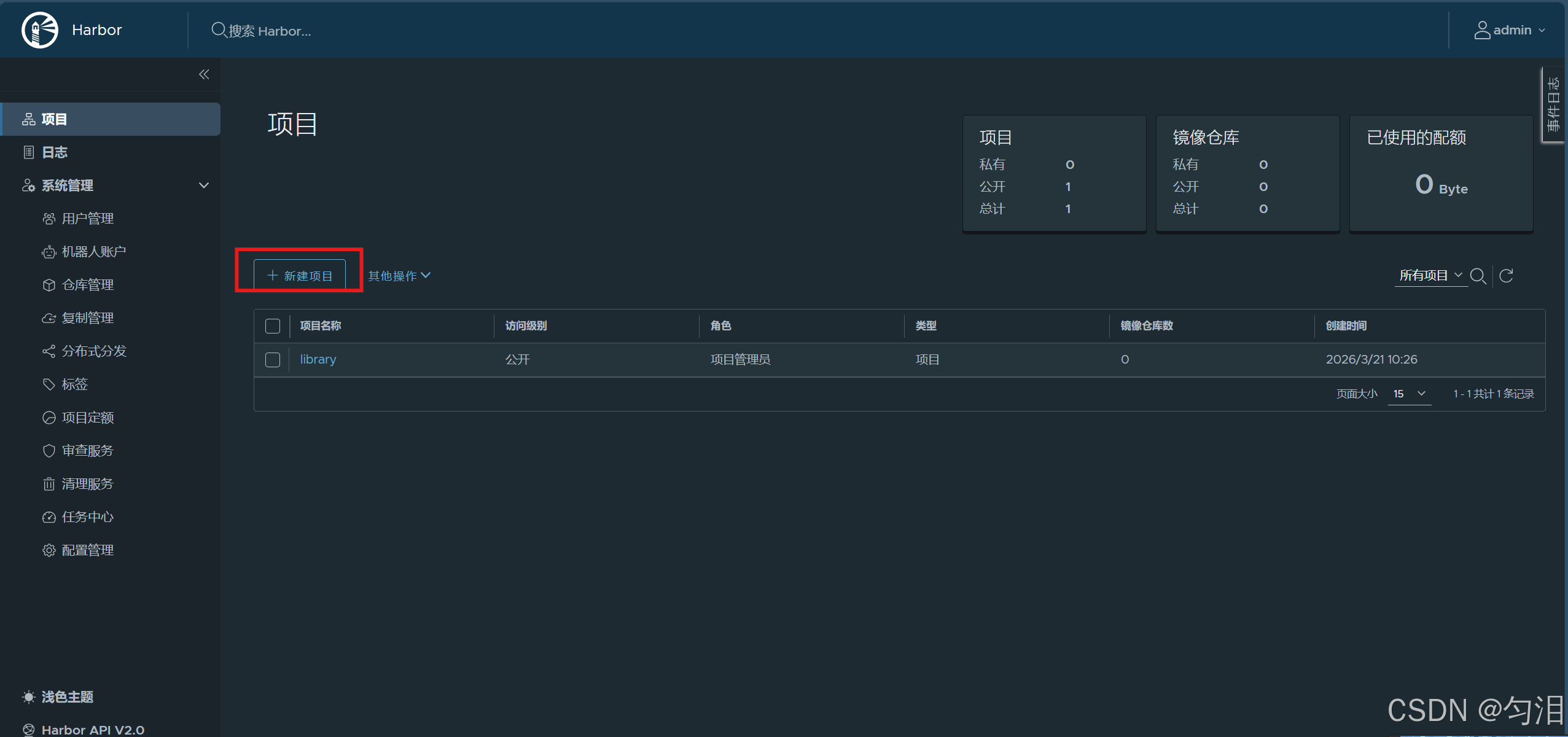
管理仓库
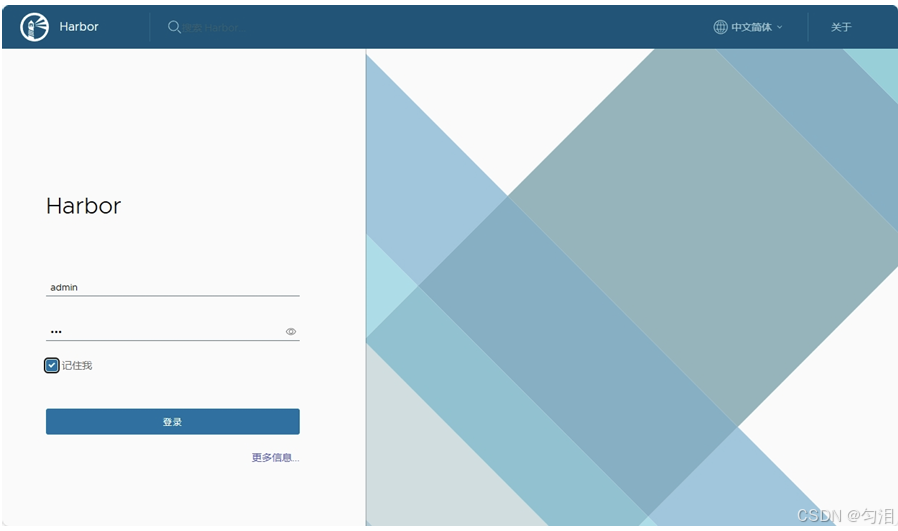
登陆
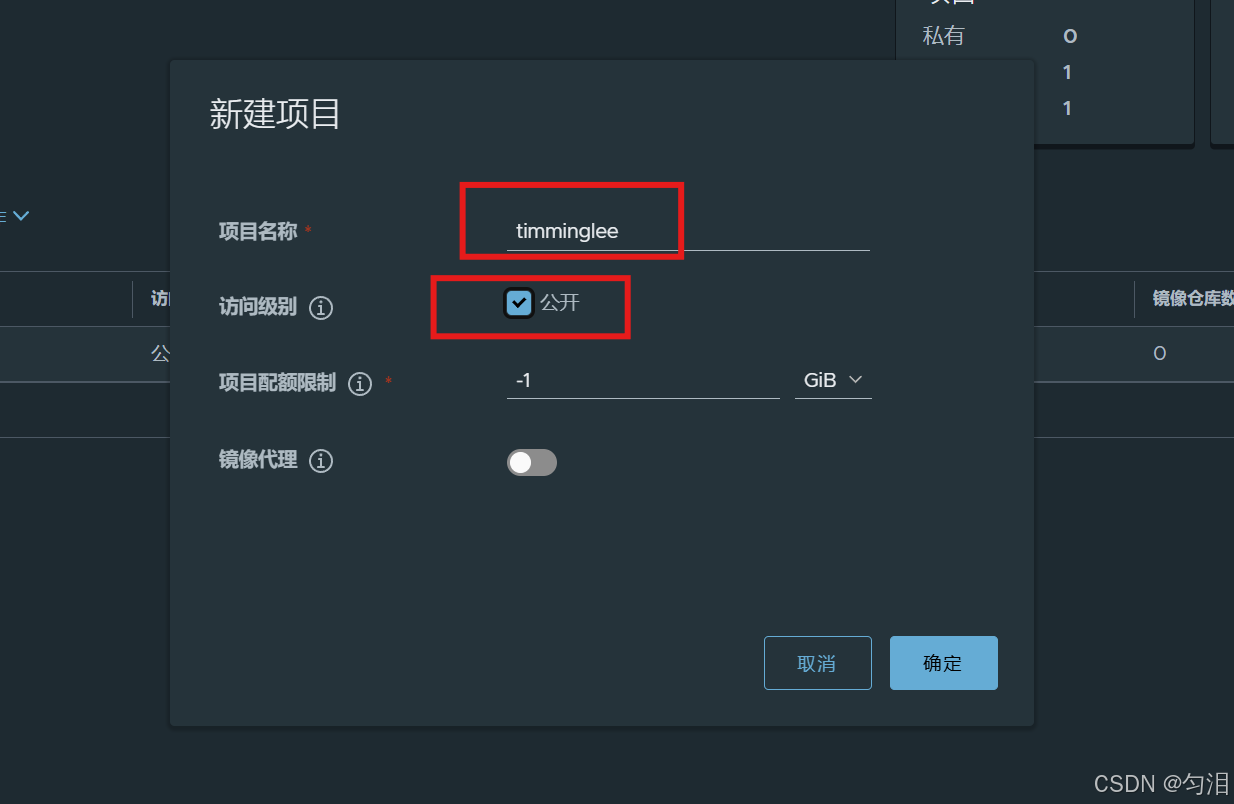
上传镜像
[root@docker-node1 harbor]# mkdir -p /etc/docker/certs.d/timinglee.org
[root@docker-node1 harbor]# cp /data/certs/ca.crt /etc/docker/certs.d/timinglee.org/
[root@docker-node1 harbor]# cp /data/certs/ca.crt /etc/pki/ca-trust/source/anchors/
[root@docker-node1 harbor]# update-ca-trust
[root@docker-node1 harbor]# systemctl restart docker
[root@docker-node1 harbor]# cd /root/harbor
docker compose up -d
[+] up 10/10
 ✔ Container harbor-log        Running                                                       0.0s
 ✔ Container redis             Started                                                       0.5s
 ✔ Container registry          Started                                                       0.5s
 ✔ Container harbor-db         Started                                                       0.6s
 ✔ Container registryctl       Started                                                       0.5s
 ✔ Container harbor-portal     Started                                                       0.6s
 ✔ Container trivy-adapter     Started                                                       0.4s
 ✔ Container harbor-core       Started                                                       0.4s
 ✔ Container harbor-jobservice Started                                                       0.4s
 ✔ Container nginx             Started                                                       0.7s
[root@docker-node1 harbor]# docker login timinglee.org
Authenticating with existing credentials... [Username: admin]

i Info → To login with a different account, run 'docker logout' followed by 'docker login'


Login Succeeded
[root@docker-node1 harbor]# docker push timinglee.org/library/busybox:latest
The push refers to repository [timinglee.org/library/busybox]
61dfb50712f5: Pushed
latest: digest: sha256:70ce0a747f09cd7c09c2d6eaeab69d60adb0398f569296e8c0e844599388ebd6 size: 610

i Info → Not all multiplatform-content is present and only the available single-platform image was pushed
          sha256:b3255e7dfbcd10cb367af0d409747d511aeb66dfac98cf30e97e87e4207dd76f -> sha256:70ce0a747f09cd7c09c2d6eaeab69d60adb0398f569296e8c0e844599388ebd6
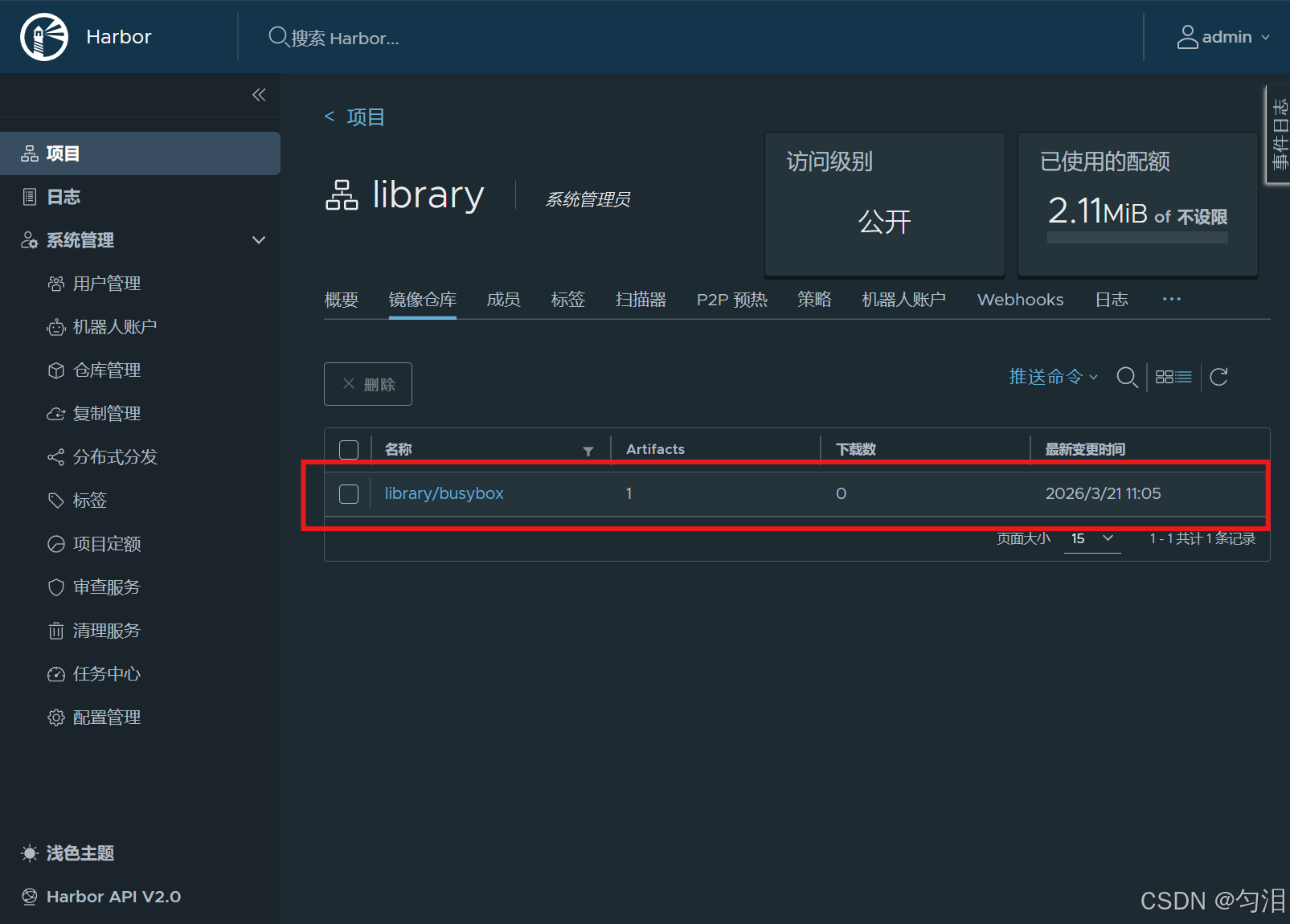
查看上传的镜像