Flutter开发中,事件处理就是让App理解用户的操作,并做出回应的机制。用户点按钮、输文字、滑屏幕、捏合缩放------这些都是事件;App弹出弹窗、刷新数据、切换页面------这些都是处理结果,简单总结:
基础组件事件
Dart
onTap    单击/点击事件
onLongPress    长按事件
onDoubleTap    双击事件
onChanged    输入框/开关/滑块值变化
onSubmitted    输入框提交
onPressed    按钮点击
onScroll    滚动事件
手势识别(GestureDetector)
Dart
onTap	点击
onLongPress	长按
onDoubleTap	双击
onPanUpdate	拖拽/平移
onScaleUpdate	缩放/双指捏合
onHorizontalDragUpdate	水平拖动
onVerticalDragUpdate	垂直拖动
栗子:
Dart
import 'package:flutter/material.dart';

class MyEventDeal extends StatelessWidget {
  const MyEventDeal({super.key});

  @override
  Widget build(BuildContext context) {
    return MaterialApp(
      home: Scaffold(
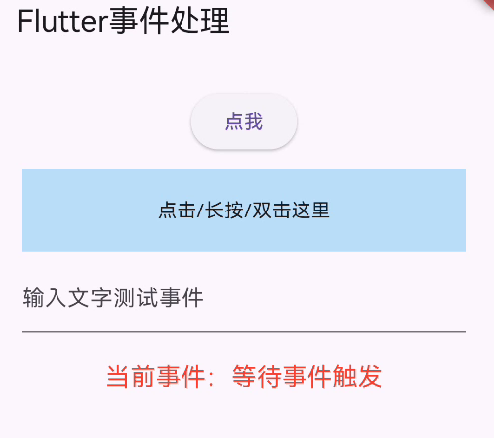
        appBar: AppBar(title: const Text("Flutter事件处理")),
        body: const EventDemo(),
      ),
    );
  }
}

class EventDemo extends StatefulWidget {
  const EventDemo({super.key});

  @override
  State<EventDemo> createState() => _EventDemoState();
}

class _EventDemoState extends State<EventDemo> {
  String _eventInfo = "等待事件触发";
  final TextEditingController _controller = TextEditingController();

  @override
  Widget build(BuildContext context) {
    return SingleChildScrollView(
      padding: const EdgeInsets.all(20),
      child: Column(
        children: [

          ElevatedButton(
            onPressed: () {
              setState(() => _eventInfo = "按钮点击事件 onPressed");
            },
            child: const Text("点我"),
          ),
          const SizedBox(height: 10),

          GestureDetector(
            onTap: () {
              setState(() => _eventInfo = "手势单击 onTap");
            },
            onLongPress: () {
              setState(() => _eventInfo = "手势长按 onLongPress");
            },
            onDoubleTap: () {
              setState(() => _eventInfo = "手势双击 onDoubleTap");
            },
            child: Container(
              width: double.infinity,
              height: 60,
              color: Colors.blue[100],
              alignment: Alignment.center,
              child: const Text("点击/长按/双击这里"),
            ),
          ),

          const SizedBox(height: 10),


          TextField(
            controller: _controller,
            onChanged: (value) {
              setState(() => _eventInfo = "输入变化: $value");
            },
            onSubmitted: (value) {
              setState(() => _eventInfo = "输入提交: $value");
            },
            decoration: const InputDecoration(hintText: "输入文字测试事件"),
          ),

          const SizedBox(height: 20),

          Text(
            "当前事件:$_eventInfo",
            style: const TextStyle(fontSize: 18, color: Colors.red),
          ),
        ],
      ),
    );
  }
}
Dart
import 'package:flutter/material.dart';


class MyEventDeal02 extends StatelessWidget {
  const MyEventDeal02({super.key});

  @override
  Widget build(BuildContext context) {
    return MaterialApp(
      title: 'Gesture Fix Demo',
      home: const GestureAdvancedDemo(),
    );
  }
}

class GestureAdvancedDemo extends StatefulWidget {
  const GestureAdvancedDemo({super.key});

  @override
  State<GestureAdvancedDemo> createState() => _GestureAdvancedDemoState();
}

class _GestureAdvancedDemoState extends State<GestureAdvancedDemo> {
  double _top = 100;
  double _left = 100;
  double _scale = 1.0;
  String _event = "手势事件:无";

  @override
  Widget build(BuildContext context) {
    return Scaffold(
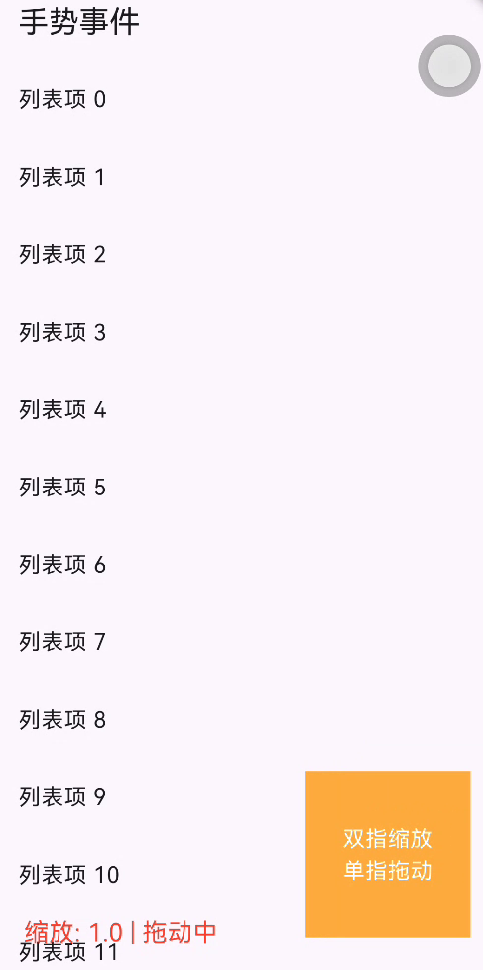
      appBar: AppBar(title: const Text("手势事件")),
      body: Stack(
        children: [
          NotificationListener<ScrollNotification>(
            onNotification: (noti) {
              if (noti is ScrollUpdateNotification) {
                setState(() {
                  _event = "滚动位置:${noti.metrics.pixels.toStringAsFixed(1)}";
                });
              }
              return true;
            },
            child: ListView.builder(
              itemCount: 20,
              itemBuilder: (_, i) => ListTile(title: Text("列表项 $i")),
            ),
          ),

          Positioned(
            top: _top,
            left: _left,
            child: GestureDetector(
              onScaleUpdate: (details) {
                setState(() {
                  _scale = details.scale.clamp(0.5, 2.0);
                  _left += details.focalPointDelta.dx;
                  _top += details.focalPointDelta.dy;
                  _event = "缩放: ${_scale.toStringAsFixed(1)} | 拖动中";
                });
              },
              child: Transform.scale(
                scale: _scale,
                child: Container(
                  width: 120,
                  height: 120,
                  color: Colors.orangeAccent,
                  child: const Center(
                    child: Text(
                      "双指缩放\n单指拖动",
                      textAlign: TextAlign.center,
                      style: TextStyle(color: Colors.white, fontSize: 16),
                    ),
                  ),
                ),
              ),
            ),
          ),

          Positioned(
            bottom: 30,
            left: 20,
            child: Text(
              _event,
              style: const TextStyle(fontSize: 18, color: Colors.red),
            ),
          ),
        ],
      ),
    );
  }
}
Dart
import 'package:flutter/material.dart';


class MyEventDeal03 extends StatelessWidget {
  const MyEventDeal03({super.key});

  @override
  Widget build(BuildContext context) {
    return MaterialApp(
      home: const ScrollConflictDemo(),
      theme: ThemeData(primarySwatch: Colors.blue),
    );
  }
}

class ScrollConflictDemo extends StatelessWidget {
  const ScrollConflictDemo({super.key});

  @override
  Widget build(BuildContext context) {
    return Scaffold(
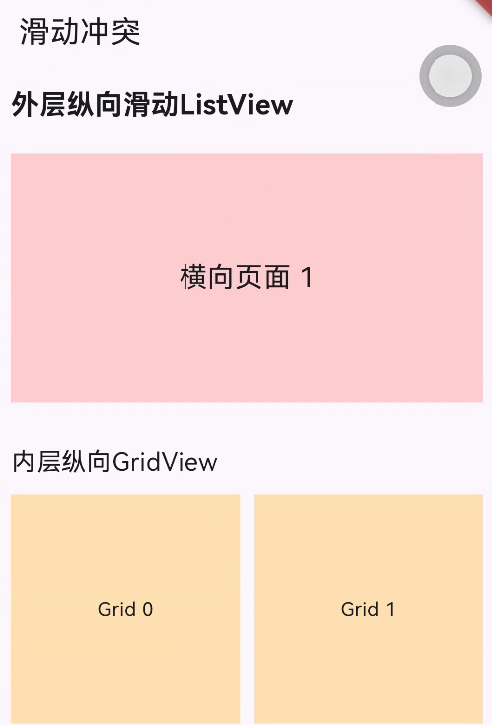
      appBar: AppBar(title: const Text("滑动冲突")),
      body: ListView(
        padding: const EdgeInsets.all(10),
        children: [
        const Text(
        "外层纵向滑动ListView",
        style: TextStyle(fontSize: 20, fontWeight: FontWeight.bold),
      ),
      const SizedBox(height: 20),

      SizedBox(
        height: 180,
        child: PageView(
          scrollDirection: Axis.horizontal,
          physics: const PageScrollPhysics(),
          children: [
            Container(color: Colors.red[100], child: const Center(child: Text("横向页面 1", style: TextStyle(fontSize: 20)))),
            Container(color: Colors.blue[100], child: const Center(child: Text("横向页面 2", style: TextStyle(fontSize: 20)))),
            Container(color: Colors.green[100], child: const Center(child: Text("横向页面 3", style: TextStyle(fontSize: 20)))),
          ],
        ),
        ),

        const SizedBox(height: 30),
        const Text("内层纵向GridView", style: TextStyle(fontSize: 18)),
        const SizedBox(height: 10),

        GridView.count(
          shrinkWrap: true,
          physics: const ClampingScrollPhysics(),
          crossAxisCount: 2,
          mainAxisSpacing: 10,
          crossAxisSpacing: 10,
          children: List.generate(6, (index) {
            return Container(
              color: Colors.orange[100],
              child: Center(child: Text("Grid $index")),
            );
          }),
        ),

        const SizedBox(height: 20),
        const Text("继续滑动外层ListView", style: TextStyle(fontSize: 16)),
        const SizedBox(height: 500),
        ],
      ),
    );
  }
}