Flutter FFI 绑定 ngspice C 接口,实现一个 plugin 库:
- 可通过 pubspec.yaml 引入
- 上层提供 Dart API 接口
- 底层通过 FFI 调用 C 代码
ngspice 是一个开源的电路仿真器,主要用于电子电路的分析和设计。
准备
创建项目
创建 Flutter FFI plugin 项目,
bash
flutter create -t plugin_ffi --org cn.nebul --platforms ios,android,windows,linux,macos mozsim_ngspice

cd mozsim_ngspice/

flutter pub outdated
flutter pub upgrade --major-versions

flutter pub add ffi
获取共享库
获取 ngspice shared libs,可以找预编译库,不然就从源码编译。
1)预编译库
Windows 下载预编译库进 windows/ngspice-44.2_dll_64 目录。
- Download shared ngspice dll, 64 bit (VS) ✓
- ngspice-44.2_dll_64.7z: https://sourceforge.net/projects/ngspice/files/ng-spice-rework/44.2/
bash
$ tree windows -aF -L 2 --dirsfirst
windows
|-- ngspice-44.2_dll_64/
|                   `-- Spice64_dll/
|-- .gitignore
`-- CMakeLists.txt
2)从源码编译
bash
# ngspice 44.2 Commit [e011d1] master
git clone -b master --depth 1 https://git.code.sf.net/p/ngspice/ngspice ngspice

# Windows
# - Building ngspice with MS Visual Studio 2022
#   - flex-bison/: https://sourceforge.net/projects/winflexbison/
#   - ngspice/visualc/sharedspice.sln: open as admin, run with ReleaseOpenMP x64

# Linux
./compile_linux_shared.sh
测试
Plugin 使用样例,
bash
cd mozsim_ngspice/example/
flutter run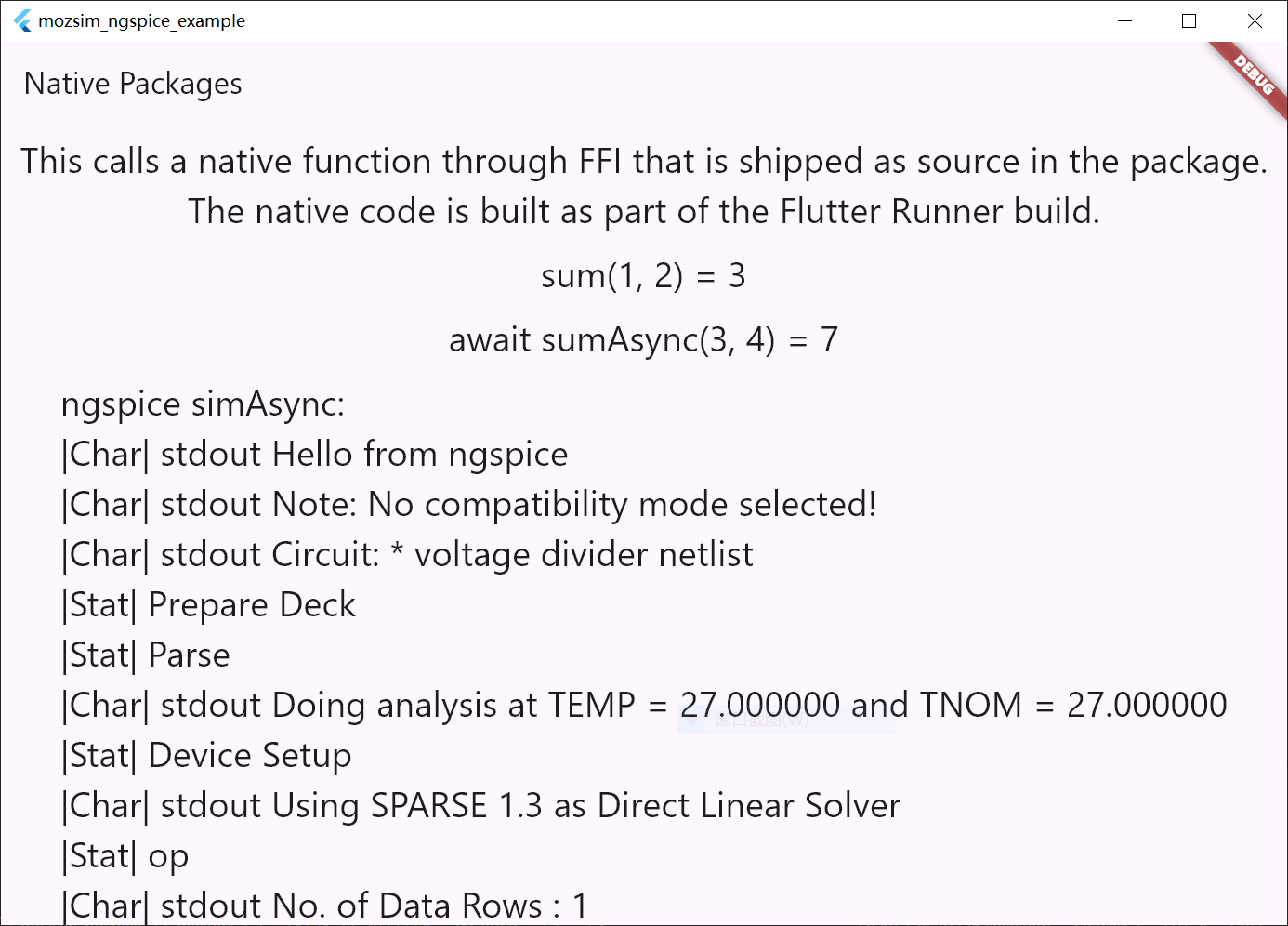
Dart 接口测试,
bash
$ cd mozsim_ngspice/
$ dart test/mozsim_ngspice_test.dart
mozsim_ngspice_test ...
|Char| stdout Hello from ngspice
|Char| stdout Note: No compatibility mode selected!
|Char| stdout Circuit: * voltage divider netlist
|Stat| Prepare Deck
|Stat| Parse
|Char| stdout Doing analysis at TEMP = 27.000000 and TNOM = 27.000000
|Stat| Device Setup
|Char| stdout Using SPARSE 1.3 as Direct Linear Solver
|Stat| op
|Char| stdout No. of Data Rows : 1
|Char| stdout out = 6.666667e-01
|Char| stdout ngspice-44.2 done
|Char| stdout Note: 'quit' asks for resetting or detaching ngspice.dll.
|Exit| status 0 immediate false quit true
NgSpiceException: NgSpiceRequestType.command return error, ret=1
mozsim_ngspice_test done
C++ 接口测试,
powershell
# Windows
> cd mozsim_ngspice/
> test\build\Debug\mozsim_ngspice_test.exe
mozsim_ngspice_test ...
|Char| stderr Warning: can't find the initialization file spinit.
|Char| stdout ******
|Char| stdout ** ngspice-44.2 shared library
|Char| stdout ** Creation Date: Jan 11 2025   14:16:40
|Char| stdout ******
|Char| stdout Hello from ngspice
|Char| stdout Note: No compatibility mode selected!
|Char| stdout Note: No compatibility mode selected!
|Char| stdout Circuit: * voltage divider netlist
|Stat| Prepare Deck
|Stat| Parse
|Char| stdout Doing analysis at TEMP = 27.000000 and TNOM = 27.000000
|Stat| Device Setup
|Char| stdout Using SPARSE 1.3 as Direct Linear Solver
|Stat| op
|Char| stdout No. of Data Rows : 1
|Char| stdout out = 6.666667e-01
接口
Dart 接口重生成,
bash
# https://pub.dev/packages/ffigen
dart run ffigen --config ffigen.yaml
Dart 接口使用样例,
dart
import 'package:mozsim_ngspice/ngspice.dart';

void main(List<String> args) async {
  print('mozsim_ngspice_test ...');
  await _main();
  // await _main();
  print('mozsim_ngspice_test done');
}

Future<void> _main() async {
  NgSpice? ngspice;
  try {
    ngspice = await NgSpice.initByLib(
      NgSpice.libPath(NgSpice.libName, 'test/build/Debug/'),
    );

    ngspice.resp.listen(_handleResponses);

    await ngspice.sendCommand('echo Hello from ngspice');

    await ngspice.sendCircs([
      '* voltage divider netlist',
      'V1 in 0 1',
      'R1 in out 1k',
      'R2 out 0 2k',
      '.end',
    ]);

    await ngspice.sendCommands(['op', 'print out']);
    await ngspice.sendCommand('quit');
  } on NgSpiceException catch (e) {
    print(e);
  } catch (e) {
    print('Caught error: $e');
  } finally {
    await ngspice?.close();
  }
}

void _handleResponses(NgSpiceResponse resp) {
  if (resp.type == NgSpiceResponseType.print) {
    final res = resp.data as String;
    print('|Char| $res');
  } else if (resp.type == NgSpiceResponseType.stat) {
    final res = resp.data as String;
    print('|Stat| $res');
  } else if (resp.type == NgSpiceResponseType.exit) {
    final (status, immediate, quit) = resp.data as (int, bool, bool);
    print('|Exit| status $status immediate $immediate quit $quit');
  }
}