1、定义
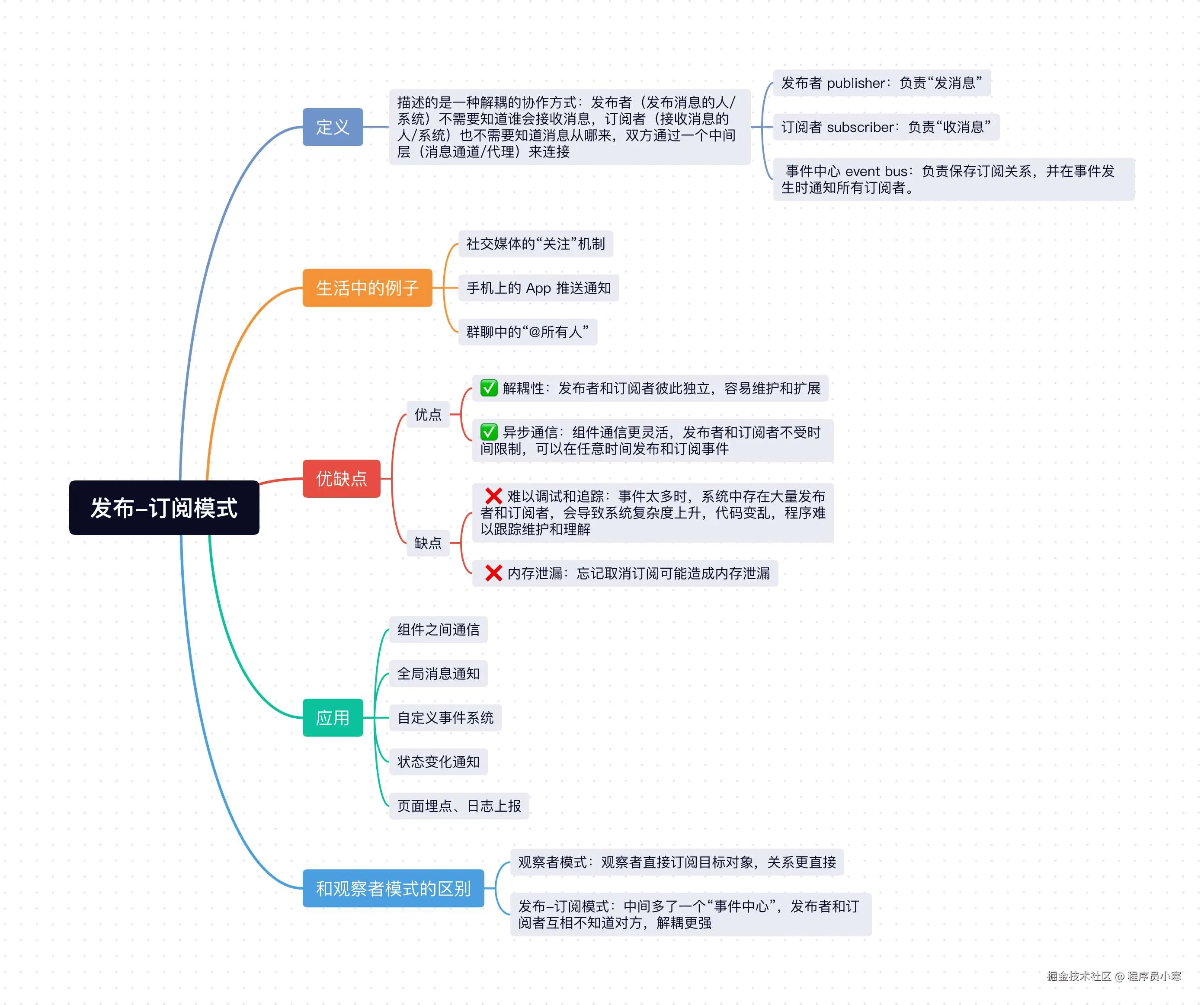
发布-订阅模式描述的是一种解耦 的协作方式:发布者 (发布消息的人/系统)不需要知道谁会接收消息,订阅者 (接收消息的人/系统)也不需要知道消息从哪来,双方通过一个中间层(消息通道/代理)来连接。
它里面包含三个角色:
发布者 publisher:负责"发消息"。订阅者 subscriber:负责"收消息"。事件中心 event bus:负责保存订阅关系,并在事件发生时通知所有订阅者。
其核心思路就是:发布者发消息,订阅者收消息,中间通过一个事件中心进行统一管理。
2、生活中的例子
发布-订阅模式在生活中也有广泛的应用,比如社交媒体的"关注"机制,手机上的 App 推送通知,群聊中的"@所有人"等。
你关注了几个公众号,只要它们发文章,你就会收到消息:
- 公众号相当于发布者。
- 你相当于订阅者。
- 微信平台相当于中间的消息中心。
3、发布-订阅模式实现
它的核心功能如下:
subscribe:订阅事件。publish:发布事件。unsubscribe:取消订阅。events: 事件中心对象,用来保存不同事件对应的回调函数。
具体实现代码如下:
js
class EventBus {
  constructor() {
    this.events = {};
  }

  // 订阅事件
  subscribe(eventName, handler) {
    if (!this.events[eventName]) {
      this.events[eventName] = [];
    }

    this.events[eventName].push(handler);
  }

  // 发布事件
  publish(eventName, data) {
    const handlers = this.events[eventName];

    if (!handlers || handlers.length === 0) {
      return;
    }

    handlers.forEach(handler => {
      handler(data);
    });
  }

  // 取消订阅
  unsubscribe(eventName, handler) {
    const handlers = this.events[eventName];

    if (!handlers) {
      return;
    }

    this.events[eventName] = handlers.filter(item => item !== handler);
  }
}使用代码如下:
js
const bus = new EventBus();

function handleLogin(data) {
  console.log('更新用户信息:', data);
}

function handleCart(data) {
  console.log('同步购物车数据:', data);
}

// 订阅 login 事件
bus.subscribe('login', handleLogin);
bus.subscribe('login', handleCart);

// 发布 login 事件
bus.publish('login', { username: 'xiaoming' });

/**
 * 输出结果:
 *
 * 更新用户信息: { username: 'xiaoming' }
 * 同步购物车数据: { username: 'xiaoming' }
 */
也就是说,当 login 事件被发布后,所有订阅了这个事件的函数都会收到通知并执行,如果某个模块不想在监听这个事件了,可以通过 unsubscribe 取消订阅。
js
bus.unsubscribe('login', handleCart); // 取消订阅 login 事件的 handleCart 回调
bus.publish('login', { username: 'xiaoming' });

/**
 * 输出结果:
 *
 * 更新用户信息: { username: 'xiaoming' }
 */
为了更加实用,我们可以在 subscribe 方法的返回值中直接返回一个"取消订阅函数",这样用起来会更方便。
js
class EventBus {
  // ...
  // 订阅事件
  subscribe(eventName, handler) {
    if (!this.events[eventName]) {
      this.events[eventName] = [];
    }

    this.events[eventName].push(handler);
    // 增加返回回调
    return () => {
      this.unsubscribe(eventName, handler);
    };
  }
  // ...
}
使用方式:
js
const bus = new EventBus();

const cancel = bus.subscribe('message', data => {
  console.log('收到消息:', data);
});

bus.publish('message', 'Hello');
cancel();
bus.publish('message', 'World');

/**
 * 输出结果:
 *
 * 第一次输出:收到消息: Hello
 * 第二次不会输出,因为订阅已经被取消了。
 */
当你"注册"了某种副作用,最好顺手拿到一个"撤销它"的能力 。这种思想在不同框架和库里非常常见,比如 React 里的 cleanup,Vue3 中的 stop。
js
// react
useEffect(() => {
  const handler = () => {
    console.log('resize');
  };

  window.addEventListener('resize', handler);

  return () => {
    window.removeEventListener('resize', handler);
  };
}, []);
js
// vue3
const stop = watch(source, (newValue) => {
  console.log(newValue);
});

stop(); // 取消 watch 监听
4、发布-订阅模式的优缺点
4.1 优点:
- ✅ 解耦性:发布者和订阅者彼此独立,容易维护和扩展。
- ✅ 异步通信:组件通信更灵活,发布者和订阅者不受时间限制,可以在任意时间发布和订阅事件。
4.2 缺点:
- ❌ 难以调试和追踪:事件太多时,系统中存在大量发布者和订阅者,会导致系统复杂度上升,代码变乱,程序难以跟踪维护和理解。
- ❌ 内存泄漏:忘记取消订阅可能造成内存泄漏。
5、发布-订阅模式的应用
发布-订阅模式在下列场景有广泛的应用:
- 组件之间通信。
- 全局消息通知。
- 自定义事件系统。
- 状态变化通知。
- 页面埋点、日志上报。
6、和观察者模式的区别
发布-订阅模式和观察者模式很容易混淆。
- 观察者模式:观察者直接订阅目标对象,关系更直接。
- 发布-订阅模式:中间多了一个"事件中心",发布者和订阅者互相不知道对方。
所以发布-订阅模式的解耦更强。
小结
上面介绍了Javascript最经典的设计模式之一发布-订阅模式,发布-订阅描述的是一种解耦的协作方式,发布者发送消息,订阅者接收消息,中间层(事件中心)负责保存订阅关系,并在事件发生时通知所有订阅者。
它让发布者和订阅者之间解藕,可以很方便的实现异步通信,但如果过度使用,也会让系统难以调试和追踪,忘记取消订阅可能造成内存泄漏,在实际项目中可根据需要使用。