二十六、编写自定义MaterialProperty材质
MaterialProperty vs Material 的区别
在Cesium中有两种材质系统:
- MaterialProperty :用于 Entity API,是高层封装,更易使用
- Material :用于 Primitive API,是底层实现,性能更高但更复杂
javascript
// Entity API 使用 MaterialProperty
viewer.entities.add({
  rectangle: {
    material: new Cesium.ColorMaterialProperty(Cesium.Color.RED)
  }
});

// Primitive API 使用 Material
viewer.scene.primitives.add(
  new Cesium.Primitive({
    appearance: new Cesium.MaterialAppearance({
      material: new Cesium.Material({...})
    })
  })
);
从 21.entity材质 案例中可以看到内置类型:
javascript
// 纯色材质
// const material = new Cesium.ColorMaterialProperty(
//   new Cesium.Color(1.0, 1.0, 1.0, 0.5)
// );

// 图片材质
// const material = new Cesium.ImageMaterialProperty({
//   image: "../../img/水彩.png",
//   repeat: new Cesium.Cartesian2(2.0, 2.0),
// });

// 条纹材质
// const material = new Cesium.StripeMaterialProperty({
//   evenColor: Cesium.Color.WHITE,
//   oddColor: Cesium.Color.BLUE,
//   repeat: 10,
//   orientation: Cesium.StripeOrientation.HORIZONTAL,
// });

// 棋盘格材质
// const material = new Cesium.CheckerboardMaterialProperty({
//   evenColor: Cesium.Color.WHITE,
//   oddColor: Cesium.Color.BLUE,
//   repeat: new Cesium.Cartesian2(8, 8),
// });

// 网格材质
// const material = new Cesium.GridMaterialProperty({
//   color: Cesium.Color.YELLOW,
//   cellAlpha: 0.1,
//   lineCount: new Cesium.Cartesian2(10, 10),
//   lineThickness: new Cesium.Cartesian2(2.0, 2.0),
// });

// 折线发光材质
// const material = new Cesium.PolylineGlowMaterialProperty({
//   glowPower: 0.2,
//   taperPower: 0.7,
//   color: Cesium.Color.RED,
// });

// 折线箭头材质
// const material = new Cesium.PolylineArrowMaterialProperty(Cesium.Color.RED);

// 折线轮廓材质
// const material = new Cesium.PolylineOutlineMaterialProperty({
//   color: Cesium.Color.YELLOW,
//   outlineColor: Cesium.Color.BLACK,
//   outlineWidth: 3,
// });

// 虚线材质
const material = new Cesium.PolylineDashMaterialProperty({
  dashPattern: 255.0,
  dashLength: 16.0,
  color: Cesium.Color.YELLOW,
});
自定义 MaterialProperty 的实现步骤
MaterialProperty - Cesium Documentation
自定义 MaterialProperty 需要实现以下方法:
javascript
class CustomMaterialProperty {
  // 1. 构造函数 - 接收参数
  constructor(options) {
    // 初始化参数
  }

  // 2. isConstant - 判断材质是否随时间变化
  get isConstant() {
    return true; // 或 false
  }

  // 3. definitionChanged - 属性变化事件
  get definitionChanged() {
    return this._definitionChanged;
  }

  // 4. getType - 获取材质类型
  getType(time) {
    return 'CustomMaterialType';
  }

  // 5. getValue - 获取材质值(核心方法)
  getValue(time, result) {
    // 返回材质参数对象
    return result;
  }

  // 6. equals - 判断两个材质是否相等
  equals(other) {
    return this === other;
  }
}
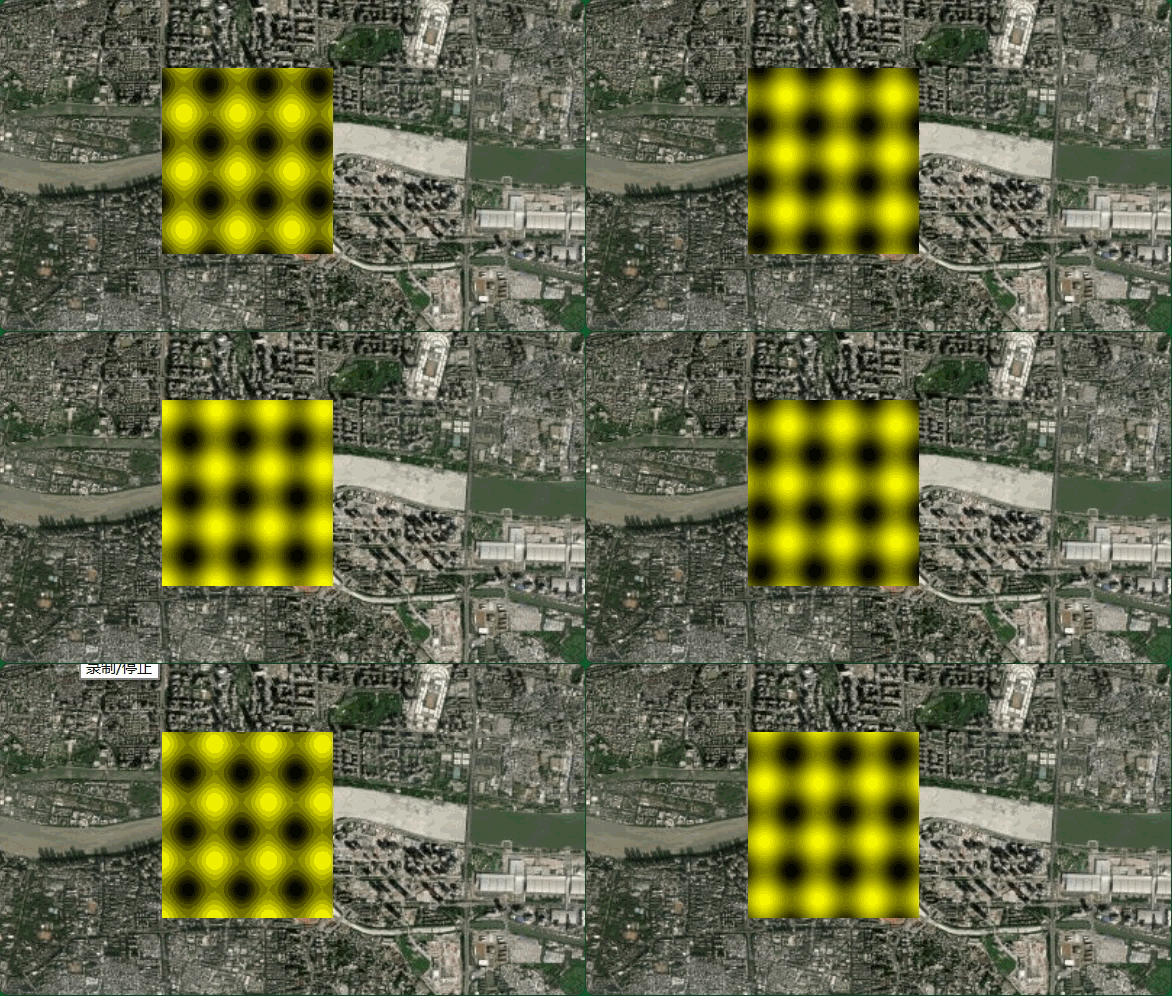
自定义波纹材质
javascript
// 1. 定义自定义 MaterialProperty 类
class WaveMaterialProperty {
  constructor(options = {}) {
    this._color = undefined;
    this._speed = undefined;
    this._definitionChanged = new Cesium.Event();

    // 使用 ConstantProperty 包装参数
    this._color = new Cesium.ConstantProperty(
      options.color
    );
    this._speed = new Cesium.ConstantProperty(
      options.speed
    );
  }

  // 是否为常量(不随时间变化)
  get isConstant() {
    return true;
  }

  // 属性变化事件
  get definitionChanged() {
    return this._definitionChanged;
  }

  // 获取材质类型
  getType() {
    return "WaveMaterial";
  }

  // 核心方法:获取材质值
  getValue(time, result) {
    if (!Cesium.defined(result)) {
      result = {};
    }

    // 设置材质参数
    result.color = this._color.getValue(time, result.color);
    result.speed = this._speed.getValue(time, result.speed);

    return result;
  }

  // 判断相等
  equals(other) {
    return (
      this === other ||
      (other instanceof WaveMaterialProperty &&
        this._color.equals(other._color) &&
        this._speed.equals(other._speed))
    );
  }
}

// 2. 定义 color 和 speed 的属性访问器
Object.defineProperties(WaveMaterialProperty.prototype, {
  color: {
    get: function () {
      return this._color;
    },
    set: function (value) {
      const oldValue = this._color;
      this._color = new Cesium.ConstantProperty(value);
      if (oldValue !== value) {
        this._definitionChanged.raiseEvent(this);
      }
    },
  },
  speed: {
    get: function () {
      return this._speed;
    },
    set: function (value) {
      const oldValue = this._speed;
      this._speed = new Cesium.ConstantProperty(value);
      if (oldValue !== value) {
        this._definitionChanged.raiseEvent(this);
      }
    },
  },
});

// 3. 注册材质类型到 Cesium.Material
Cesium.Material.WaveMaterialType = "WaveMaterial";
Cesium.Material._materialCache.addMaterial(Cesium.Material.WaveMaterialType, {
  fabric: {
    type: "WaveMaterial",
    uniforms: {
      color: Cesium.Color.CYAN,
      speed: 5.0,
    },
    source: `
      czm_material czm_getMaterial(czm_materialInput materialInput)
      {
        czm_material material = czm_getDefaultMaterial(materialInput);

        vec2 st = materialInput.st;

        // 计算波纹效果
        float wave = sin(st.x * 20.0 - speed * czm_frameNumber / 60.0) * 0.5;
        wave += sin(st.y * 20.0 - speed * czm_frameNumber / 60.0) * 0.5;

        // 归一化到 0-1 范围
        wave = wave * 0.5 + 0.5;

        material.diffuse = color.rgb * wave;
        material.alpha = color.a;

        return material;
      }
    `,
  },
  translucent: function (material) {
    return true;
  },
});

// 4. 使用自定义 MaterialProperty
viewer.entities.add({
  rectangle: {
    coordinates: Cesium.Rectangle.fromDegrees(113.31, 23.1, 113.33, 23.12),
    height: 100.0,
    material: new WaveMaterialProperty({
      color: Cesium.Color.YELLOW,
      speed: 5.0,
    }),
  },
});
二十七、加载渲染GEOJSON数据
GeoJSON 是一种用于编码地理数据的格式,基于 JSON 规范
javascript
// 加载 GeoJSON 并设置样式
async function loadGeoJson() {
  try {
    const dataSource = await Cesium.GeoJsonDataSource.load(
      "../../江苏省.json",
      {
        // 线的样式
        stroke: Cesium.Color.BLUE,
        strokeWidth: 3,
        // 多边形的样式
        fill: Cesium.Color.YELLOW.withAlpha(0.5),
      }
    );
    // 添加到 viewer
    viewer.dataSources.add(dataSource);
    // 缩放到数据
    viewer.zoomTo(dataSource);
    console.log("GeoJSON 加载成功!");

    return dataSource;
  } catch (error) {
    console.error("加载失败:", error);
  }
}

loadGeoJson();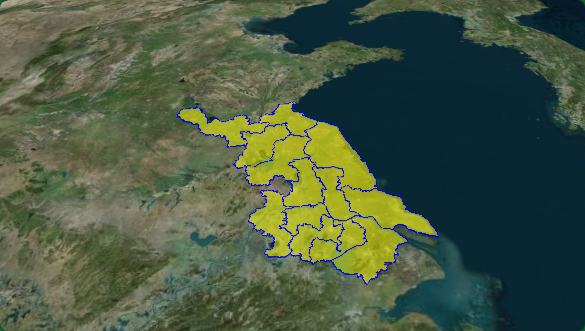
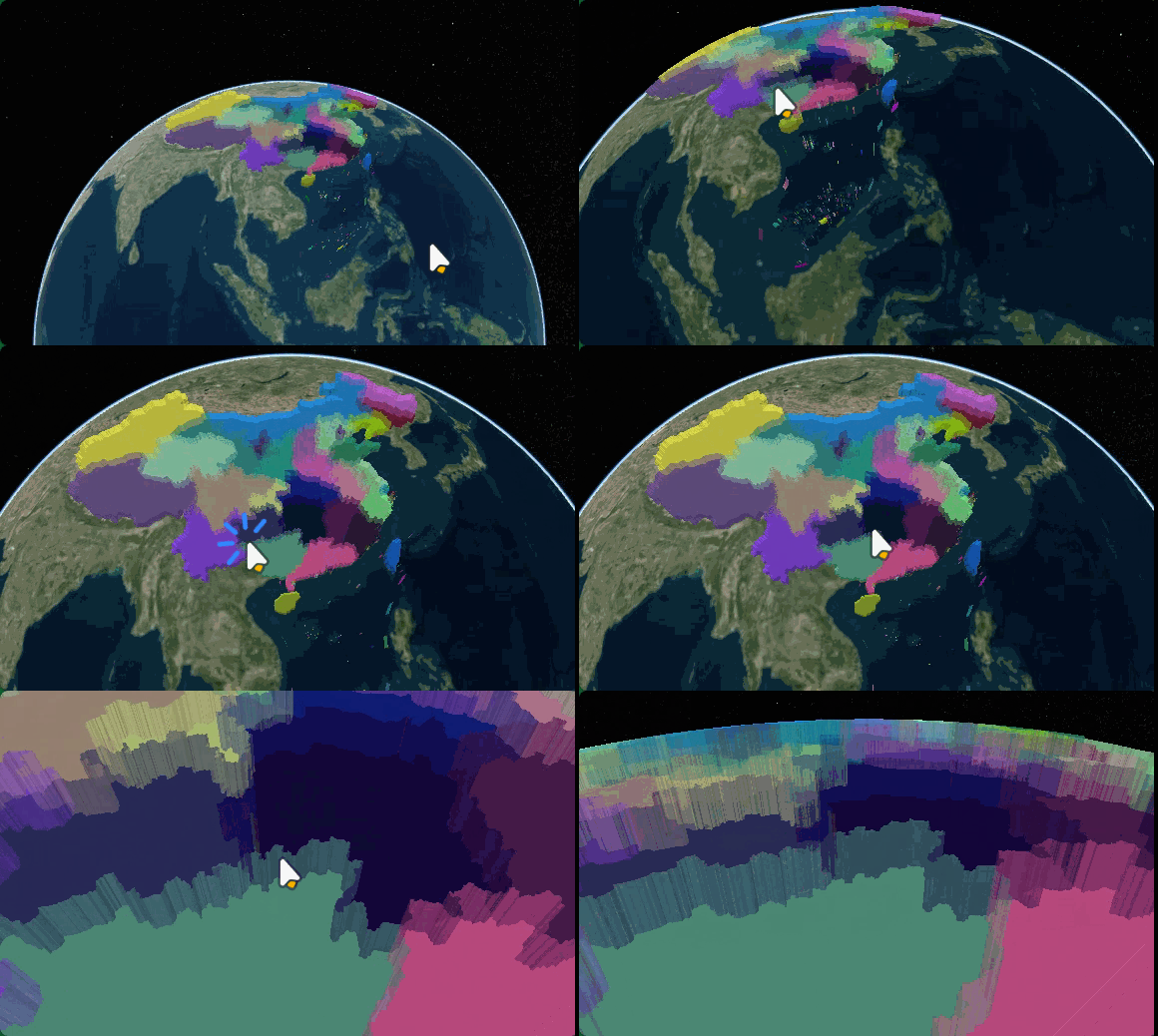
二十八、自定义GEOJSON生成物体的样式
javascript
 // 使用 forEach 遍历设置随机颜色
    entities.forEach((entity, i) => {
      if (entity.polygon) {
        // 随机颜色
        entity.polygon.material = new Cesium.ColorMaterialProperty(
          Cesium.Color.fromRandom({
            alpha: 0.8,
          })
        );

        // 关闭轮廓
        entity.polygon.outline = false;

        // 挤出高度
        entity.polygon.extrudedHeight = 100000; // 100公里
      }
    });
二十九、kml数据生成全球科学研究所地理标记
KmlDataSource - Cesium Documentation
javascript
Cesium.Ion.defaultAccessToken =
  "";

const viewer = new Cesium.Viewer("cesiumContainer", {
  geocoder: false,
  homeButton: false,
  sceneModePicker: false,
  baseLayerPicker: false,
  navigationHelpButton: false,
  animation: false,
  creditContainer: document.createElement("div"),
  timeline: false,
  fullscreenButton: false,
  vrButton: false,
});

// 加载 KML 文件
async function loadKML() {
  // 加载 KML 文件
  const dataSource = await Cesium.KmlDataSource.load("../../北京.kml", {
    camera: viewer.scene.camera,
    canvas: viewer.scene.canvas,
  });
  // 添加到 viewer
  viewer.dataSources.add(dataSource);

  // 缩放到数据
  viewer.zoomTo(dataSource);
  console.log("KML 加载成功!");
}

loadKML();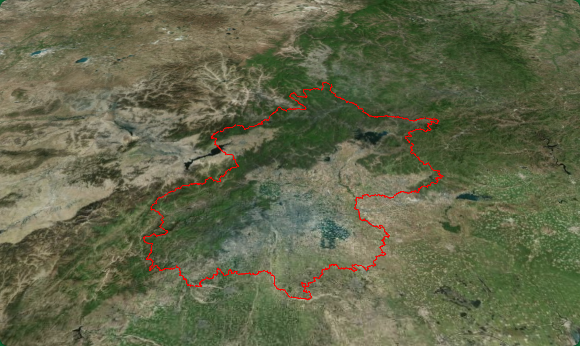
三十、初识CZML数据与应用
CZML (Cesium Language) 是 Cesium 专用的时间动态场景描述语言,基于 JSON 格式,专门用于描述随时间变化的3D场景。
CZML vs GeoJSON vs KML
| 特性 | CZML | GeoJSON | KML |
|---|---|---|---|
| 时间动态 | ✅ 强大支持 | ❌ 不支持 | ⚠️ 有限支持 |
| 格式 | JSON数组 | JSON对象 | XML |
| 动画 | ✅ 原生支持 | ❌ 不支持 | ⚠️ 部分支持 |
| 摄像机 | ✅ 支持 | ❌ 不支持 | ✅ 支持 |
| 实体属性 | ✅ 时间插值 | ❌ 静态 | ❌ 静态 |
| Cesium优化 | ✅ 最佳 | ⚠️ 一般 | ⚠️ 一般 |
Cesium 加载 CZML
CzmlDataSource - Cesium Documentation
javascript
[
  {
    "id": "document",
    "name": "CZML Example",
    "version": "1.0"
  },
  {
    "id": "ellipse",
    "name": "Red Ellipse",
    "ellipse": {
      "semiMajorAxis": {
        "number": 500000.0
      },
      "semiMinorAxis": {
        "number": 300000.0
      },
      "material": {
        "solidColor": {
          "color": {
            "rgba": [255, 0, 0, 128]
          }
        }
      }
    },
    "position": {
      "cartographicDegrees": [-75.0, 40.0, 0.0]
    },
    "availability": "2012-08-04T16:00:00Z/2012-08-04T17:00:00Z"
  }
]
javascript
Cesium.Ion.defaultAccessToken =
  "eyJhbGciOiJIUzI1NiIsInR5cCI6IkpXVCJ9.eyJqdGkiOiI5MjNlZDQ2Mi0yZTgzLTRiMjktOWM2NC0xYTAyOGE5NWIyYTQiLCJpZCI6Mzk1MjI1LCJpYXQiOjE3NzIxNzM5Mzl9.997-JJW5Gbdz3IL98Zq1sojIBGmDOjTLoCSQIhW7mDw";

const viewer = new Cesium.Viewer("cesiumContainer", {
  geocoder: false,
  homeButton: false,
  sceneModePicker: false,
  baseLayerPicker: false,
  navigationHelpButton: false,
  animation: false,
  creditContainer: document.createElement("div"),
  timeline: false,
  fullscreenButton: false,
  vrButton: false,
});

// 从 URL 加载
async function loadCZML() {
  const dataSource = await Cesium.CzmlDataSource.load("../../折线.czml");

  viewer.dataSources.add(dataSource);

  // 缩放到数据
  viewer.zoomTo(dataSource);
}

loadCZML();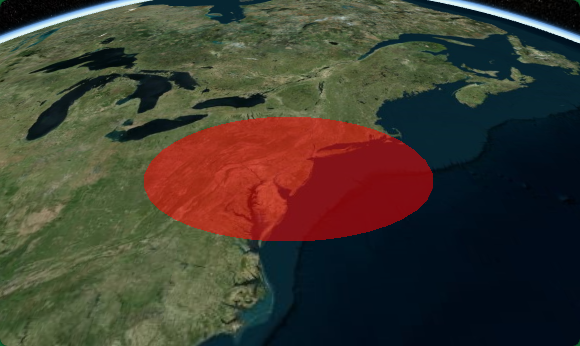
三十一、CZML时间动态图形场景
javascript
[
  {
    "id": "document",
    "name": "动态点示例",
    "version": "1.0",
    "clock": {
      "interval": "2012-08-04T16:00:00Z/2012-08-04T17:00:00Z",
      "currentTime": "2012-08-04T16:00:00Z",
      "multiplier": 60,
      "range": "LOOP_STOP",
      "step": "SYSTEM_CLOCK_MULTIPLIER"
    }
  },
  {
    "id": "movingPoint",
    "name": "移动的点",
    "availability": "2012-08-04T16:00:00Z/2012-08-04T17:00:00Z",
    "position": {
      "epoch": "2012-08-04T16:00:00Z",
      "cartographicDegrees": [
        0.0, 116.4, 39.9, 0,
        60.0, 117.0, 40.0, 0,
        120.0, 117.5, 40.5, 0,
        180.0, 118.0, 41.0, 0,
        240.0, 118.5, 41.5, 0,
        300.0, 119.0, 42.0, 0
      ]
    },
    "point": {
      "color": {
        "rgba": [0, 255, 0, 255]
      },
      "pixelSize": 15,
      "outlineColor": {
        "rgba": [255, 255, 255, 255]
      },
      "outlineWidth": 2
    },
    "path": {
      "show": true,
      "width": 3,
      "material": {
        "solidColor": {
          "color": {
            "rgba": [255, 255, 0, 200]
          }
        }
      },
      "resolution": 60
    },
    "label": {
      "text": "移动点",
      "font": "16px sans-serif",
      "fillColor": {
        "rgba": [255, 255, 255, 255]
      },
      "outlineColor": {
        "rgba": [0, 0, 0, 255]
      },
      "outlineWidth": 2,
      "style": "FILL_AND_OUTLINE",
      "verticalOrigin": "BOTTOM",
      "pixelOffset": {
        "cartesian2": [0, -20]
      }
    }
  }
]
javascript
Cesium.Ion.defaultAccessToken ="";

const viewer = new Cesium.Viewer("cesiumContainer", {
  geocoder: false,
  homeButton: false,
  sceneModePicker: false,
  baseLayerPicker: false,
  navigationHelpButton: false,
  animation: true,
  creditContainer: document.createElement("div"),
  timeline: true,
  fullscreenButton: false,
  vrButton: false,
});

// 从 URL 加载
async function loadCZML() {
  const dataSource = await Cesium.CzmlDataSource.load("../../动态点.czml");

  viewer.dataSources.add(dataSource);
  // 跟踪移动的点
  const entity = dataSource.entities.getById("movingPoint");
  if (entity) {
    viewer.trackedEntity = entity;
  }
  console.log("CZML 加载成功!");
  // 缩放到数据
  viewer.zoomTo(dataSource);
}

loadCZML();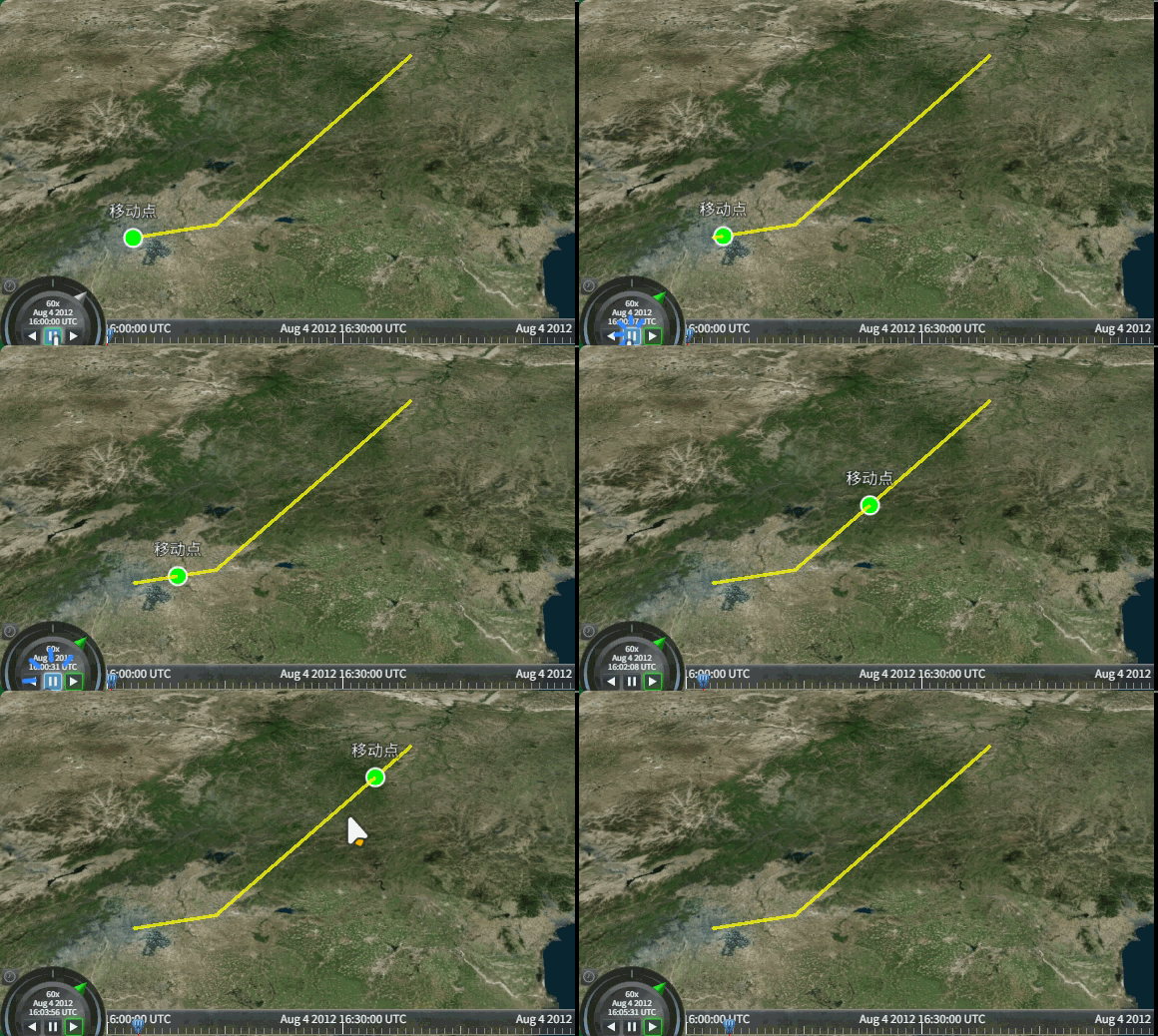
三十二、追踪航班跨洋飞行
javascript
航班追踪 = 飞机模型 + 飞行轨迹 + 时间动态 + 相机跟踪
javascript
Cesium.Ion.defaultAccessToken =
  "";

const viewer = new Cesium.Viewer("cesiumContainer", {
  geocoder: false,
  homeButton: false,
  sceneModePicker: false,
  baseLayerPicker: false,
  navigationHelpButton: false,
  animation: true,
  creditContainer: document.createElement("div"),
  timeline: true,
  fullscreenButton: false,
  vrButton: false,
});
//  添加3D模型
const osmBuildings = viewer.scene.primitives.add(
  await Cesium.createOsmBuildingsAsync()
);

// 从 CZML 文件加载航班
async function loadCZML() {
  // 1. 加载 CZML 数据源
  const dataSource = await Cesium.CzmlDataSource.load("../../航班.czml");

  // 2. 添加到 viewer
  viewer.dataSources.add(dataSource);

  // 3. 追踪指定航班
  const flight = dataSource.entities.getById("flight_CA981");
  if (flight) {
    viewer.trackedEntity = flight; // 相机跟随
    viewer.selectedEntity = flight; // 选中实体
  }

  console.log("航班数据加载成功!");
}

loadCZML();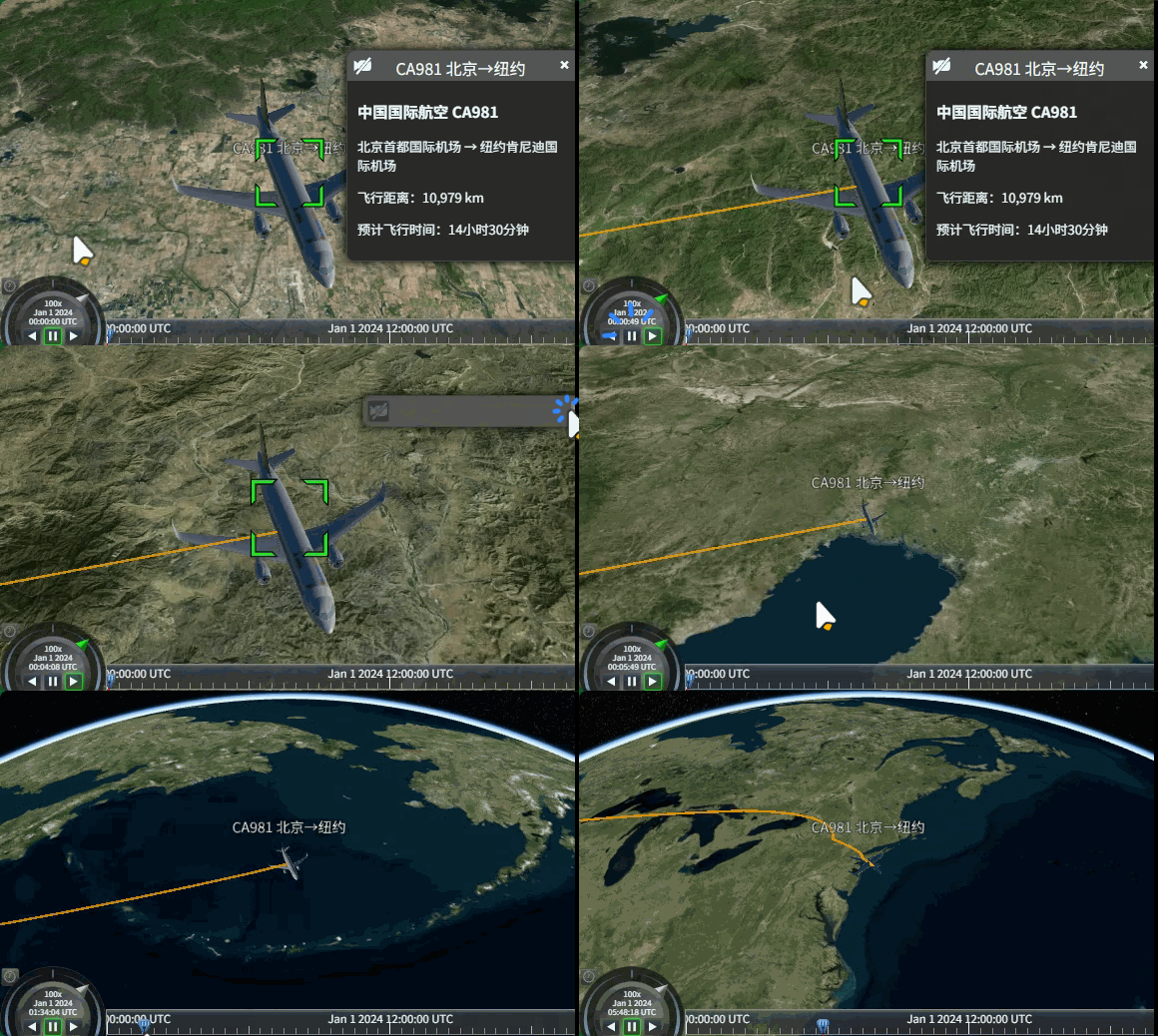
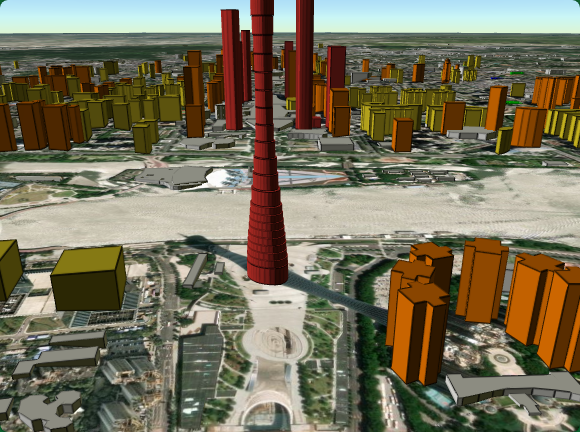
三十三、3DTiles、根据不同条件设置3D_tiles样式
Cesium3DTile - Cesium Documentation
根据不同条件设置3D_tiles样式
javascript
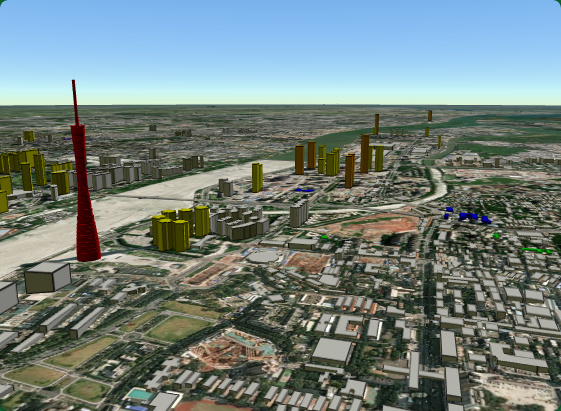
//  添加3D模型
const osmBuildings = viewer.scene.primitives.add(
  await Cesium.createOsmBuildingsAsync({
    style: new Cesium.Cesium3DTileStyle({
      color: {
        conditions: [
          ["${feature['building']} === 'hospital'", "color('#0000FF')"], // 医院:蓝色
          ["${feature['building']} === 'school'", "color('#00FF00')"], // 学校:绿色

          ["${feature['cesium#estimatedHeight']} > 300", "color('#dc362e')"], // 高度大于300米:红色
          ["${feature['cesium#estimatedHeight']} > 100", "color('#fa7d00')"], // 高度大于100米:橙色
          ["${feature['cesium#estimatedHeight']} > 50", "color('#f3db27')"], // 高度大于50米:黄色

          [true, "color('#ffffff')"],
        ],
      },
    }),
  })
);
三十四、3D_tiles高级样式设置与条件渲染
defines - 定义可复用的变量
defines 允许你在样式中定义变量或表达式,然后在其他地方引用它们,使代码更简洁、可维护。
javascript
//  添加3D模型
const osmBuildings = viewer.scene.primitives.add(
  await Cesium.createOsmBuildingsAsync({
    style: new Cesium.Cesium3DTileStyle({
      // 定义变量
      defines: {
        // 定义高度级别
        heightLevel: "${feature['cesium#estimatedHeight']} / 100",
        // 定义是否为高建筑
        isTallBuilding: "${feature['cesium#estimatedHeight']} > 100",
        // 定义建筑类型颜色
        buildingType: "${feature['building']}",
      },
      color: {
        conditions: [
          ["${feature['building']} === 'hospital'", "color('#0000FF')"], // 医院:蓝色
          ["${feature['building']} === 'school'", "color('#00FF00')"], // 学校:绿色
          ["${isTallBuilding}&& ${heightLevel} > 5", "color('red')"],
          ["${heightLevel} > 2", "color('orange')"], // Height > 200
          ["${heightLevel} > 1", "color('yellow')"], // Height > 100

          [true, "color('#ffffff')"],
        ],
      },
    }),
  })
);