1.初次尝试express
javascript
// 1.导入express模块
const express = require('express');
// 2.创建应用对象
const app=express();
// 3.创建路由
app.get('/home',(req,res)=>{
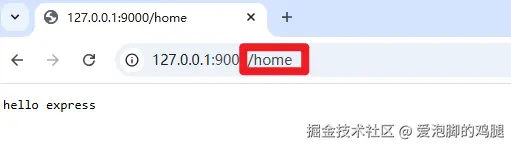
  res.end('hello express');
})
// 4.监听端口,启动服务
app.listen(9000,()=>{
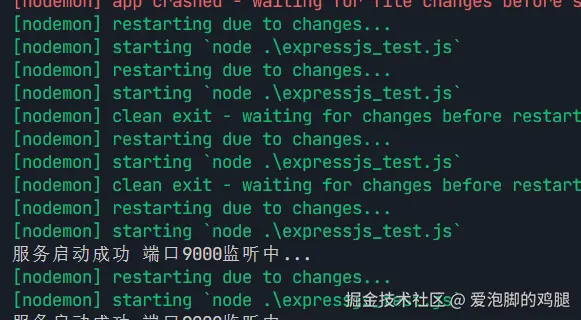
  console.log('服务启动成功 端口9000监听中...');
})
2.express路由
路由组成:请求方法、路径、回调函数
javascript
// 1.导入express模块
const express = require('express');
// 2.创建应用对象
const app=express();
// 3.创建路由
app.get('/home',(req,res)=>{
  res.end('hello express');
})
// 默认请求路由为'/'
app.get('/',(req,res)=>{
  res.end('home');
})
// 直接在地址栏敲回车则会报错,因为地址栏访问为get请求
app.post('/login',(req,res)=>{
  res.end('login');
})
app.all('/test',(req,res)=>{
  res.end('test');
})
// 当以上请求都不符合时,会执行以下路由(404处理)
app.use((req,res)=>{
  res.status(404).end('404 not found');
})
// 4.监听端口,启动服务
app.listen(9000,()=>{
  console.log('服务启动成功 端口9000监听中...');
})
使用post的方式进行请求(因为url直接访问都是发送get请求,所以定义一个表单进行post请求的发起)
html
<!DOCTYPE html>
<html lang="en">
<head>
  <meta charset="UTF-8">
  <meta name="viewport" content="width=device-width, initial-scale=1.0">
  <title>Document</title>
</head>
<body>
  <form method="post" action="http://localhost:9000/login">
    <button>登录</button>
    </form>
</body>
</html>
结果:
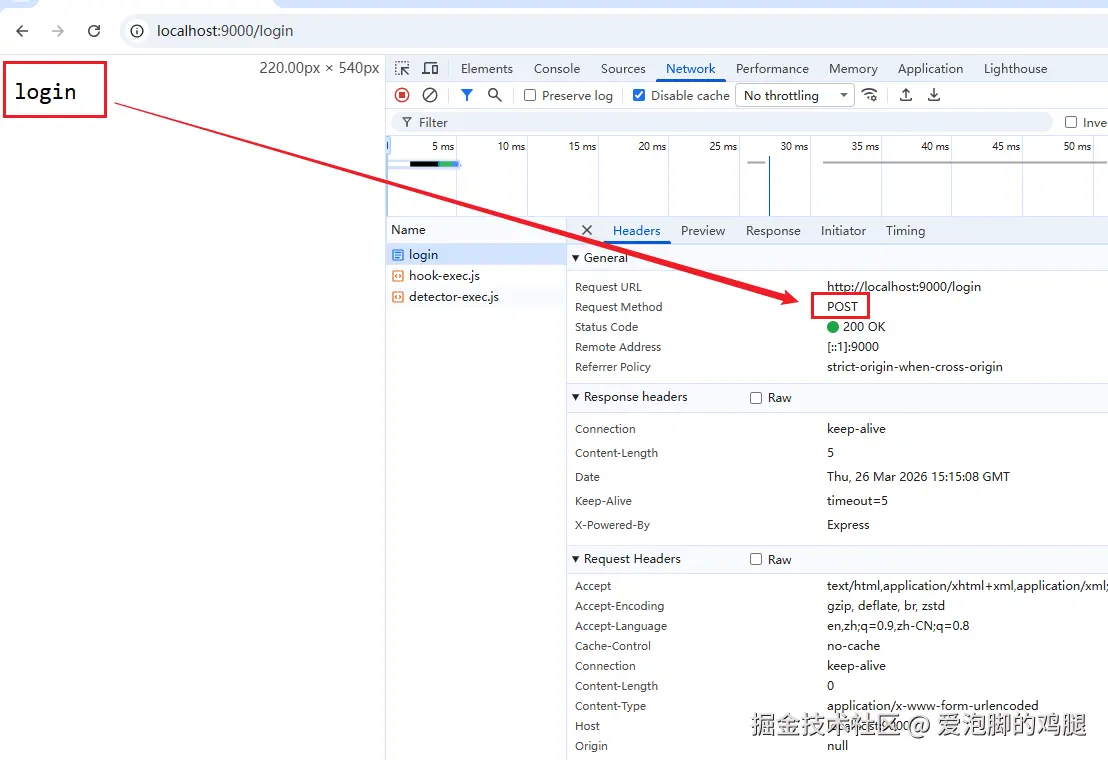
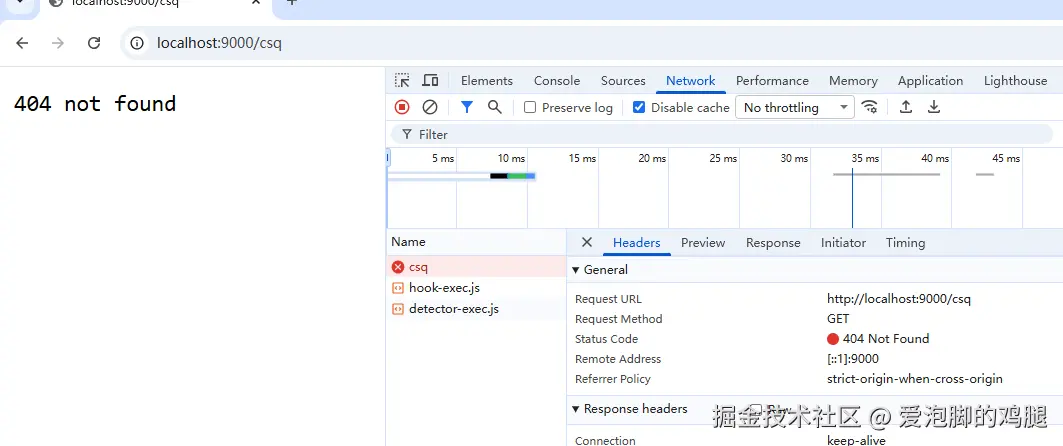
使用了通配符进行404的处理(当出现不没定义过的路由规则时)
3.获取请求报文参数
javascript
const express = require('express');

const app=express();

app.get('/request',(req,res)=>{
  console.log(req.method);
  console.log(req.url);
  console.log(req.httpVersion);
  console.log(req.headers);

// 提取路径
console.log(req.path);
// 获取query参数
console.log(req.query);
// 获取请求的ip地址
console.log(req.ip);

  res.end('express request');
  })
app.listen(9000,()=>{
  console.log('express server running at http://127.0.0.1');
});
路径传入参数
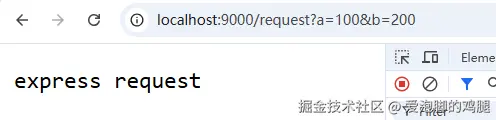
结果 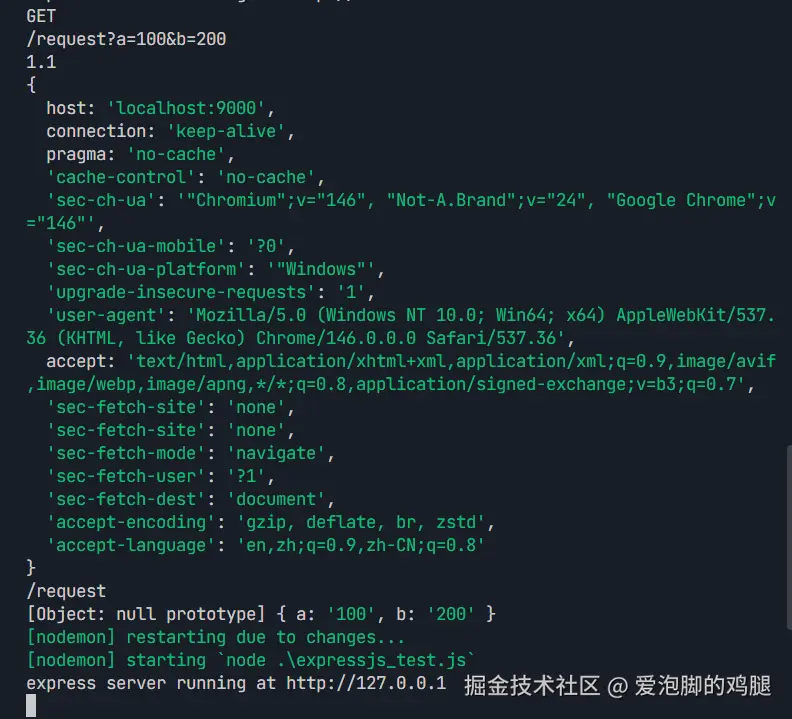
4.express获取路径参数
场景:京东或者淘宝等电商平台传入类似http://baidu/1288995.html 的商品信息,后端需要获取params(1288995),通过params返回对应的内容给前端
javascript
const express = require('express');

const app=express();

// 此处填入一个id的占位符
app.get('/:id.html',(req,res)=>{
  // 获取路径参数id(要和占位符的名称一致)
console.log(req.params.id);
res.setHeader('Content-Type','text/plain; charset=utf-8');
res.end('商品详情');
  })
app.listen(9000,()=>{
  console.log('express server running at http://127.0.0.1');
});
4.1 练习:通过不同路由参数进行歌手信息查询
使用json定义几个歌手信息
json
{
  "singers":[
    {
      "singer_name":"dua lipa",
      "singer_id":1,
      "singer_age":"25"
    },
    {
      "singer_name":"ariana grande",
      "singer_id":2,
      "singer_age":"50"
    },
    {
      "singer_name":"pinkpantheress",
      "singer_id":3,
      "singer_age":"20"
    },
    {
      "singer_name":"chappell roan",
      "singer_id":4,
      "singer_age":"20"
    },
    {
      "singer_name":"lana del rey",
      "singer_id":5,
      "singer_age":"32"
    },
    {
      "singer_name":"lorde",
      "singer_id":6,
      "singer_age":"60"
    }
  ]
}
思路:
使用require模块进行json文件导入
填入占位符+使用request.params属性获取用户填入的歌手id
使用find方法和内部回调函数获取对应的id,通过id返回对应的歌手信息(item)
在end中套入html骨架进行渲染
javascript
const express = require('express');
// 导入json文件
const {singers}=require('./singer.json');
console.log(singers);
const app=express();

// 此处填入一个id的占位符
app.get('/singer/:singer_id.html',(req,res)=>{
// 获取路由参数
let {singer_id}=req.params;
// 在数组中寻找对应id的数据
res.setHeader('Content-Type','text/html; charset=utf-8');
let result=singers.find((item)=>{
  // id本来为字符串,这里需要使用Number进行强制类型转换
  if(item.singer_id===Number(singer_id)){
    return item;
  }
});

console.log(result);
// 将对应歌手信息渲染到html中
if(!result){
  res.statusCode=404;
  res.end('<h1>404</h1>');
}
  res.end(`<!DOCTYPE html>
<html lang="en">
<head>
  <meta charset="UTF-8">
  <meta name="viewport" content="width=device-width, initial-scale=1.0">
  <title>Document</title>
</head>
<body>
  <h1>${result.singer_name}</h1>
  <p>歌手ID:${result.singer_id}</p>
  <p>歌手年龄:${result.singer_age}</p>
</body>
</html>`);
  })
app.listen(9000,()=>{
  console.log('express server running at http://127.0.0.1');
});
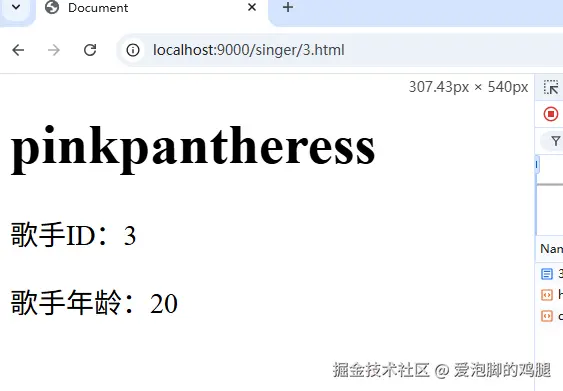
结果: