简介
使用模型,我们自己就不用去维护 情感库了!!!!学会偷懒
一、官网下载模型
下面模型支持100多种语言
https://huggingface.co/cardiffnlp/twitter-xlm-roberta-base-sentiment-multilingual
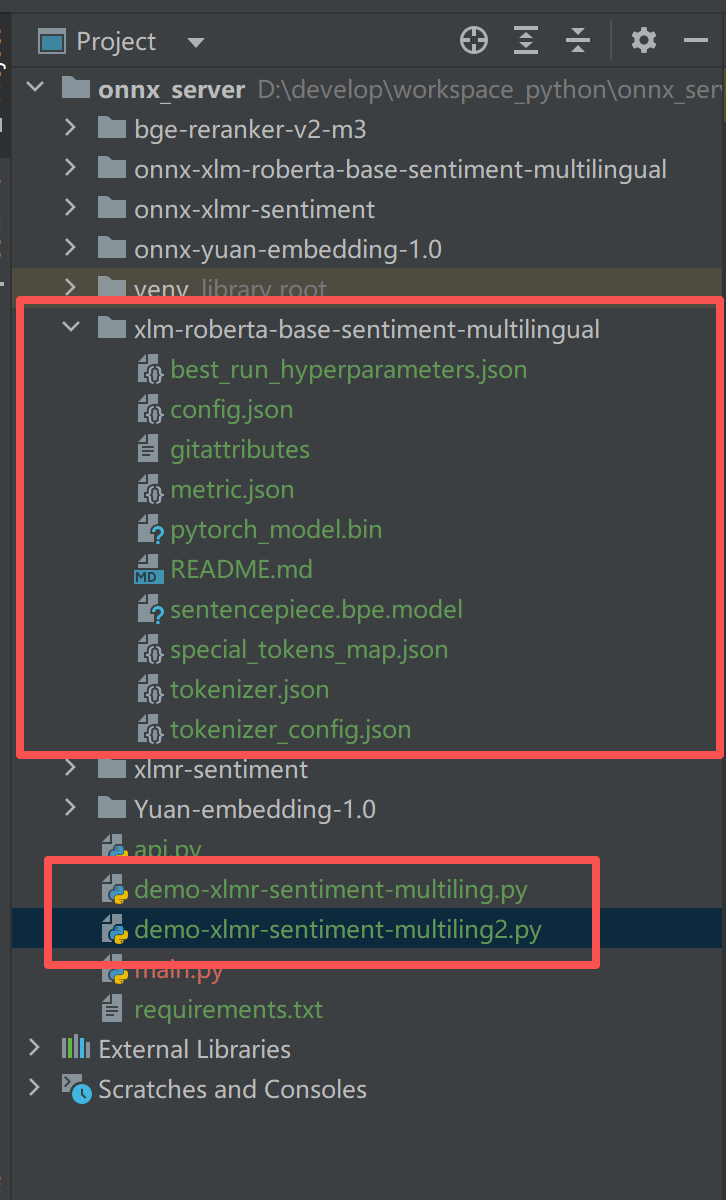
项目目录红色部分是相关代码,代码**未转onnx**,转换为onnx 之后的模型好像是不包含情感。
红色框部分就是本次的业务代码:框1(模型文件) 和 框2(测试demo)
注意:此代码,可后续让python提供api
二、代码 (2个demo)
python
# 【最终版】多语言情感分析(输出中文:正面/负面/中性)
from transformers import AutoTokenizer, AutoModelForSequenceClassification
import torch

# 本地模型路径
MODEL_NAME = "./xlm-roberta-base-sentiment-multilingual"
tokenizer = AutoTokenizer.from_pretrained(MODEL_NAME)
model = AutoModelForSequenceClassification.from_pretrained(MODEL_NAME)

# 🔥 直接修改为中文标签
LABELS = ["负面", "中性", "正面"]

# 全球语言测试
test_texts = [
    "快递用时 2 天",
    "这个产品真的超级好用!",
    "质量非常差,强烈不推荐!",
    "I love this service!",
    "This is the worst product ever!",
    "この商品は最高です!",
    "이 제품 정말 별로에요!",
    "Ce produit est incroyable !",
    "Este producto es pésimo!"
]

print("=" * 50)
print("XLM-R 多语言情感分析")
print("=" * 50)

for text in test_texts:
    inputs = tokenizer(text, return_tensors="pt", truncation=True, max_length=128)
    with torch.no_grad():
        outputs = model(**inputs)

    label_idx = torch.argmax(outputs.logits, dim=1).item()
    sentiment = LABELS[label_idx]

    print(f"文本:{text}")
    print(f"情感结果:{sentiment}")
    print("-" * 50)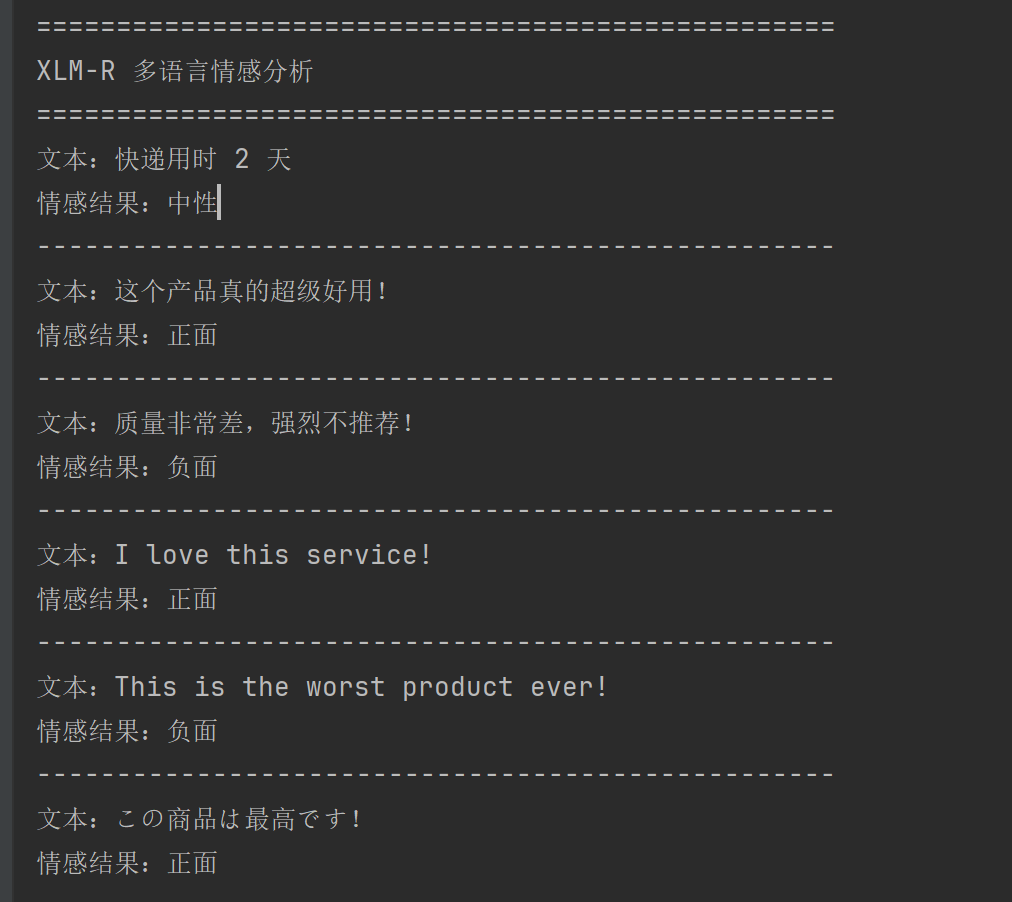
python
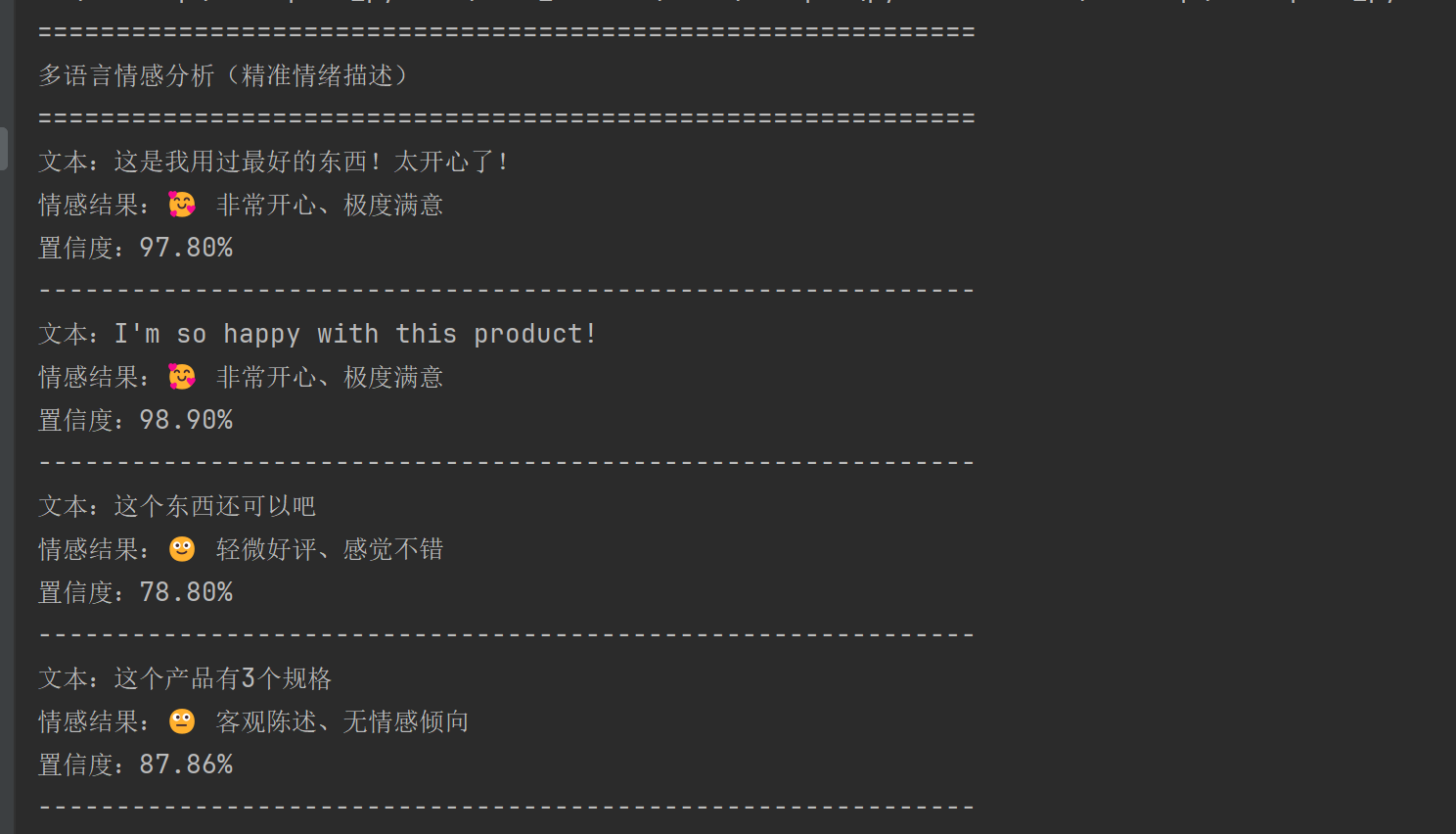
# 【精准情绪描述版】多语言情感分析(输出:非常开心/极度失望等)
from transformers import AutoTokenizer, AutoModelForSequenceClassification
import torch
import torch.nn.functional as F

# 你本地已有的模型(完全不变)
MODEL_NAME = "./xlm-roberta-base-sentiment-multilingual"
tokenizer = AutoTokenizer.from_pretrained(MODEL_NAME)
model = AutoModelForSequenceClassification.from_pretrained(MODEL_NAME)

# 模型分类:0=负面 1=中性 2=正面
LABELS = ["负面", "中性", "正面"]


# 🔥 核心:根据情绪强度,匹配【具体情感描述】
def get_emotion_desc(label_idx, score):
    # 正面情绪(强度越高,表达越强烈)
    if label_idx == 2:
        if score >= 0.95:
            return "🥰 非常开心、极度满意"
        elif score >= 0.8:
            return "😊 满意、认可、感觉很好"
        else:
            return "🙂 轻微好评、感觉不错"
    # 负面情绪
    elif label_idx == 0:
        if score >= 0.95:
            return "😡 非常愤怒、极度失望"
        elif score >= 0.8:
            return "😞 失望、不满意、体验较差"
        else:
            return "🙁 轻微差评、感觉一般"
    # 中性
    else:
        return "😐 客观陈述、无情感倾向"


# 测试各种强度的语句
test_texts = [
    # 强正面
    "这是我用过最好的东西!太开心了!",
    "I'm so happy with this product!",
    # 弱正面
    "这个东西还可以吧",
    # 中性
    "这个产品有3个规格",
    # 弱负面
    "这个东西不太好用",
    # 强负面
    "垃圾产品!气死我了!再也不买了!",
    "最悪!本当にがっかりした!"
]

print("=" * 60)
print("多语言情感分析(精准情绪描述)")
print("=" * 60)

for text in test_texts:
    inputs = tokenizer(text, return_tensors="pt", truncation=True, max_length=128)
    with torch.no_grad():
        outputs = model(**inputs)

    # 计算概率(情绪置信度)
    probs = F.softmax(outputs.logits, dim=1)
    label_idx = torch.argmax(probs, dim=1).item()
    score = probs[0][label_idx].item()

    # 获取情感描述
    emotion = get_emotion_desc(label_idx, score)

    print(f"文本:{text}")
    print(f"情感结果:{emotion}")
    print(f"置信度:{score:.2%}")
    print("-" * 60)