闲来无事,之前有掘友提到可以用taro组件的方式来写flutter,让claude给出了一个技术方案,实现了一个demo,确实可行,目前处于玩具阶段。
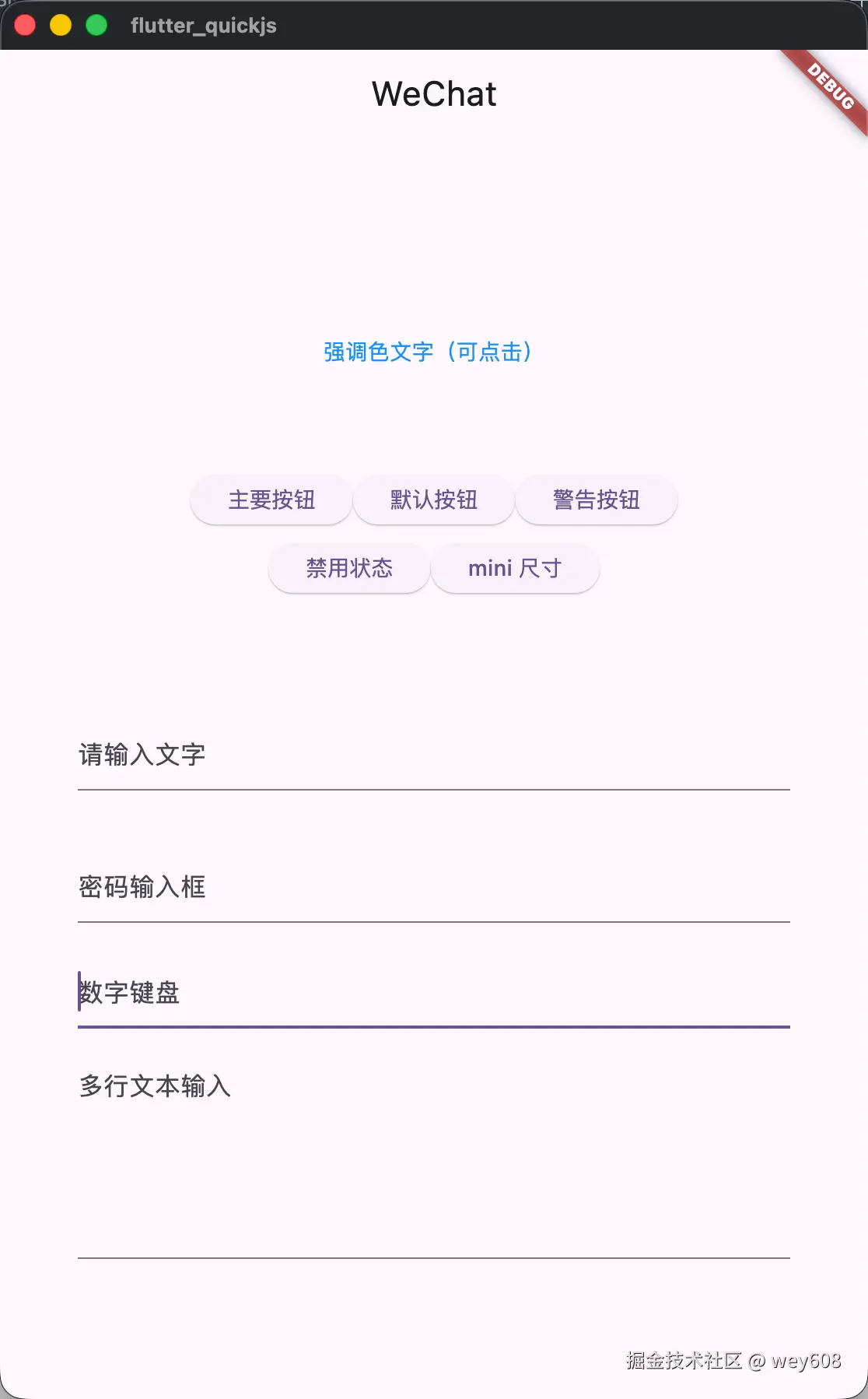
技术方案:Taro 平台插件 for fuickjs (Flutter)
Context
fuickjs(juejin.cn/post/759323...) 是一个基于 React + QuickJS + Flutter 的动态化框架。开发者目前需要使用 fuickjs 特有的组件和 props 式样来开发 UI。目标是让开发者可以用标准 Taro 工程开发,打包后直接在 fuickjs 上运行,开发者无需感知 fuickjs 的存在。
核心洞察: Taro 和 fuickjs 都基于 React 18 + React Reconciler。关键差异在于:
- Taro 的组件集 (View/Text/Button...) vs fuickjs 的组件集 (Container/Text/Button...)
- Taro 用 CSS 样式 vs fuickjs 用 props 样式
- Taro API (Taro.navigateTo...) vs fuickjs 服务 (NavigatorService.push...)
因此方案的核心是:复用 fuickjs 已有的 React Reconciler,只做组件映射、样式转换、API 适配三层。
整体架构
bash
标准 Taro 项目 (JSX + CSS)
    │
    ▼
@tarojs/plugin-platform-fuickjs (构建时 Taro CLI 插件)
    │── webpack/vite + CSS-to-Props PostCSS 插件
    │── 组件别名: @tarojs/components → @tarojs/components-fuickjs
    │── API别名:  @tarojs/taro → @tarojs/taro-fuickjs
    │── 运行时别名: @tarojs/runtime → fuickjs reconciler
    │
    ▼
ESM Bundle (fuickjs runtime + Taro 适配层 + 业务代码)
    │
    ▼  esbuild + qjsc
bundle.js / bundle.qjc
    │
    ▼
QuickJS → React Reconciler → Node → DSL JSON → Flutter Widgets
需要交付的 4 个包
| 包名 | 类型 | 职责 |
|---|---|---|
@tarojs/plugin-platform-fuickjs |
构建时 | Taro CLI 平台插件,控制打包流程 |
@tarojs/components-fuickjs |
运行时 | Taro 组件 → fuickjs 组件映射 |
@tarojs/taro-fuickjs |
运行时 | Taro API → fuickjs 服务适配 |
taro-css-to-fuickjs |
构建时 | CSS → fuickjs props 编译器 (PostCSS 插件) |
1. 组件映射层 (@tarojs/components-fuickjs)
每个 Taro 组件是一个 React 组件,内部 React.createElement 对应的 fuickjs 原始类型。
核心映射表
| Taro 组件 | fuickjs Widget | 说明 |
|---|---|---|
View |
Container / Row / Column |
根据 CSS flex-direction 决定 |
Text |
Text |
style 映射到 fontSize/color/fontWeight 等 |
Button |
Button |
onClick → onTap |
Input |
TextField |
onInput → onChanged, value → text |
Textarea |
TextField |
maxLines > 1 |
Image |
Image |
src → url |
ScrollView |
SingleChildScrollView / ListView |
根据 scrollY/scrollX |
Swiper |
PageView |
autoplay, indicator |
Icon |
Icon |
图标名映射 |
Switch |
Switch |
checked → value |
Checkbox |
Checkbox |
直接映射 |
Slider |
需新增 Parser | Flutter 侧需新增 |
RichText |
RichText |
节点树映射 |
Form / Label |
透明包装 | 直接传递 children |
Navigator |
转 API 调用 | → NavigatorService.push() |
Video |
VideoPlayer |
直接映射 |
Picker |
Dialog 实现 | 用 DialogService |
组件实现模式
typescript
// @tarojs/components-fuickjs/src/View.tsx
import React from 'react';
import { resolveStyle } from './style-resolver';

export const View = React.forwardRef((props, ref) => {
  const { className, style, onClick, onLongPress, children, ...rest } = props;
  const resolved = resolveStyle(className, style);

  // CSS flex-direction 决定用 Row 还是 Column
  const widgetType = resolved._type || 'Container';
  delete resolved._type;

  // 事件映射
  if (onClick || onLongPress) {
    return React.createElement('GestureDetector', {
      ...resolved, onTap: onClick, onLongPress, ...rest
    }, children);
  }

  return React.createElement(widgetType, { ...resolved, ...rest }, children);
});
2. 样式转换层 (taro-css-to-fuickjs)
这是最复杂的部分 。fuickjs 无 CSS,所有样式通过 props 表达。采用构建时编译 + 运行时合并的混合策略。
2.1 构建时:PostCSS 插件
将 CSS/SCSS 文件编译为 JS 样式注册表:
输入 CSS:
css
.container {
  display: flex;
  flex-direction: column;
  padding: 16px;
  background-color: #f5f5f5;
  border-radius: 8px;
}
.title {
  font-size: 18px;
  color: #333;
  font-weight: bold;
}
输出 JS:
javascript
export default {
  "container": {
    _type: "Column",
    padding: { all: 16 },
    decoration: { color: "#f5f5f5", borderRadius: 8 },
  },
  "title": {
    fontSize: 18,
    color: "#333",
    fontWeight: "bold",
  }
};
2.2 CSS 属性映射规则
| CSS 属性 | fuickjs Prop | 说明 |
|---|---|---|
width / height |
width / height |
Container |
padding |
padding: { left, top, right, bottom } |
EdgeInsets |
margin |
margin: { ... } |
EdgeInsets |
background-color |
decoration.color |
BoxDecoration |
border-radius |
decoration.borderRadius |
BoxDecoration |
border |
decoration.border |
BoxDecoration |
box-shadow |
decoration.boxShadow |
BoxDecoration |
font-size |
fontSize |
Text |
color (文本) |
color |
Text |
font-weight |
fontWeight |
Text |
text-align |
textAlign |
Text |
display: flex |
决定 widget 类型 | Row/Column |
flex-direction: row |
_type: "Row" |
元信息 |
flex-direction: column |
_type: "Column" |
元信息 |
justify-content |
mainAxisAlignment |
Row/Column |
align-items |
crossAxisAlignment |
Row/Column |
flex: N |
包裹 Expanded |
结构性 |
overflow: hidden |
clipBehavior: "hardEdge" |
Container |
opacity |
包裹 Opacity |
结构性 |
position: absolute |
包裹 Positioned |
需父级 Stack |
top/left/right/bottom |
Positioned props | 定位 |
max-width 等 |
constraints |
BoxConstraints |
text-overflow: ellipsis |
overflow: "ellipsis" |
Text |
line-clamp |
maxLines |
Text |
2.3 运行时样式解析器
typescript
function resolveStyle(className?: string, inlineStyle?: object): FuickProps {
  let result = {};
  if (className) {
    for (const cls of className.split(/\s+/)) {
      const s = styleRegistry[cls];
      if (s) result = mergeProps(result, s);
    }
  }
  if (inlineStyle) {
    result = mergeProps(result, cssObjectToFuickProps(inlineStyle));
  }
  return result;
}
2.4 结构性 CSS 处理
某些 CSS 属性会改变 widget 树结构,由 View 组件在运行时处理:
display:flex+flex-direction→ 选择 Row 或 Columnposition:absolute子元素 → 父级变 Stack,子级包 Positionedflex:N→ 子级包 Expandedoverflow:scroll→ 包 SingleChildScrollView
3. API 适配层 (@tarojs/taro-fuickjs)
导航
| Taro API | fuickjs 实现 |
|---|---|
Taro.navigateTo({ url }) |
NavigatorService.push(path, params) |
Taro.redirectTo({ url }) |
NavigatorService.pushReplace(path, params) |
Taro.navigateBack() |
NavigatorService.pop() |
Taro.switchTab({ url }) |
自定义 TabBar 切换逻辑 |
Taro.reLaunch({ url }) |
Pop all + push |
URL 解析:Taro 用 /pages/index/index?id=1 → 解析为 path + params
网络
| Taro API | fuickjs 实现 |
|---|---|
Taro.request() |
NetworkService.fetch(url, method, headers, body) |
Taro.uploadFile() |
扩展 NetworkService(需 Flutter 侧补充) |
Taro.downloadFile() |
扩展 NetworkService |
存储
| Taro API | fuickjs 实现 |
|---|---|
Taro.setStorage({ key, data }) |
LocalStorage.setItem(key, JSON.stringify(data)) |
Taro.getStorage({ key }) |
LocalStorage.getItem(key) + JSON.parse |
Taro.removeStorage({ key }) |
LocalStorage.removeItem(key) |
Taro.clearStorage() |
LocalStorage.clear() |
UI 交互
| Taro API | fuickjs 实现 |
|---|---|
Taro.showToast() |
Toast.show(message, duration) |
Taro.showModal() |
Dialog.show(content) |
Taro.showLoading() |
Overlay 服务 |
Taro.hideLoading() |
Overlay.hide() |
Taro.showActionSheet() |
Dialog + 选项列表 |
Taro.setClipboardData() |
ClipboardService.setData() |
Taro.getClipboardData() |
ClipboardService.getData() |
设备信息
| Taro API | fuickjs 实现 |
|---|---|
Taro.getSystemInfo() |
DeviceInfo.getDeviceInfo() |
Taro.getSystemInfoSync() |
缓存的 DeviceInfo |
生命周期
| Taro Hook | fuickjs 实现 |
|---|---|
useDidShow |
fuickjs onVisible 回调 |
useDidHide |
fuickjs onInvisible 回调 |
useReady |
useEffect(() => {}, []) |
usePullDownRefresh |
RefreshIndicator 集成 |
4. 事件映射
| Taro 事件 | fuickjs 事件 |
|---|---|
onClick |
onTap (GestureDetector) |
onLongPress |
onLongPress (GestureDetector) |
onTouchStart/Move/End |
onPanStart/Update/End |
onInput (Input) |
onChanged (TextField) |
onConfirm (Input) |
onSubmitted (TextField) |
onChange (Switch) |
onChanged (Switch) |
onScroll |
需 Flutter 侧支持 |
事件名映射在组件适配层内完成。
5. 路由集成
页面注册
Taro app.config.ts 定义页面:
typescript
export default { pages: ['pages/index/index', 'pages/detail/detail'] }构建插件自动生成路由注册代码:
typescript
import { Router } from 'fuickjs';
import PageIndex from './pages/index/index';
import PageDetail from './pages/detail/detail';

Router.register('/pages/index/index', (params) => (
  <TaroPageWrapper Component={PageIndex} pageConfig={pageIndexConfig} />
));
Router.register('/pages/detail/detail', (params) => (
  <TaroPageWrapper Component={PageDetail} pageConfig={pageDetailConfig} />
));
页面包装器
typescript
function TaroPageWrapper({ Component, pageConfig }) {
  useVisible(() => { /* onShow */ });
  useInvisible(() => { /* onHide */ });

  return (
    <Scaffold
      appBar={pageConfig.navigationBarTitleText ?
        <AppBar title={<Text text={pageConfig.navigationBarTitleText} />} /> : undefined}
      backgroundColor={pageConfig.backgroundColor}
    >
      <Component />
    </Scaffold>
  );
}
TabBar
Taro tabBar 配置 → 生成 fuickjs Scaffold + BottomNavigationBar:
typescript
Router.register('/', () => (
  <Scaffold bottomNavigationBar={<BottomNavigationBar items={...} />}>
    {/* Tab 页面 */}
  </Scaffold>
));
6. 构建流程 (@tarojs/plugin-platform-fuickjs)
插件入口
typescript
export default (ctx) => {
  ctx.registerPlatform({
    name: 'fuickjs',
    useConfigName: 'mini',
    async fn({ config }) {
      const program = new FuickjsPlatform(ctx, config);
      await program.start();
    }
  });
};
构建步骤
markdown
1. Taro CLI 调用插件
2. 读取 app.config.ts (pages, tabBar, window 配置)
3. 生成 entry.ts:
   - import fuickjs polyfills
   - Runtime.bindGlobals()
   - 所有页面的 Router.register()
   - TabBar 配置
4. Webpack/Vite 打包:
   - 模块别名 (components, taro API, runtime)
   - PostCSS 插件处理 CSS → Props
   - 目标: ESM, ES2020
5. esbuild 二次打包 (QuickJS 兼容性)
6. qjsc 编译为字节码 (可选)
7. 输出: bundle.js/bundle.qjc → Flutter assets/js/
CSS 处理管线
scss
SCSS/CSS → sass-loader → PostCSS(taro-css-to-fuickjs) → JS 样式对象 → 打包到 bundlePostCSS 插件将 CSS 规则转为 JS 导出,CSS 文件本身不进入最终 bundle。
7. fuickjs 框架侧改动
JS 侧 (fuickjs 包) --- 最小改动
- 导出更多内部 API :
PageContainer,Node,createHostConfig需导出,供 Taro runtime 复用 - Widget 类型注册查询 :已有
UIService.isWidgetRegistered(),无需修改
Flutter 侧 (fuickjs_flutter) --- Phase 1 无需改动
现有 74 个 WidgetParser 已足够覆盖 Taro 核心组件。后续可能需要新增:
SliderParser(Taro<Slider>)- 滚动事件转发 (onScroll, onScrollToLower)
- TextField focus/blur 事件支持
8. 实施阶段
Phase 1:基础可用 (4 周)
目标:基础 Taro 项目能在 fuickjs 上渲染
| 周 | 任务 |
|---|---|
| 1-2 | @tarojs/plugin-platform-fuickjs:平台注册、入口生成、webpack 配置、模块别名、esbuild 后处理 |
| 2-3 | @tarojs/components-fuickjs 核心子集:View, Text, Image, Button, ScrollView, Input |
| 3-4 | taro-css-to-fuickjs 基础:PostCSS 插件结构、核心 CSS 属性 (width/height/padding/margin/color/font/border-radius) |
| 4 | @tarojs/taro-fuickjs 核心 API:navigateTo/Back, request, storage, showToast/showModal, useDidShow/useDidHide |
Phase 2:布局和功能完善 (4 周)
- Flexbox 布局引擎 (flex-direction, justify-content, align-items, flex:N → Expanded)
- 更多组件:Swiper, Switch, Checkbox, Picker, RichText, TabBar
- 完整 Taro API:getSystemInfo, clipboard, showActionSheet, showLoading, WebSocket
- TabBar 路由完整实现
Phase 3:打磨和边界情况 (4 周)
- 高级 CSS:transform, animation (→ AnimatedContainer), gradient
- 性能优化:样式缓存、增量渲染调优
- 开发体验:source maps, 热重载, 错误提示
- 测试:与 Taro H5 输出对比验证
9. 关键风险
| 风险 | 说明 | 缓解策略 |
|---|---|---|
| CSS Flexbox 保真度 | Flutter flex 模型与 CSS flexbox 有细微差异 | 建立对照测试集,逐属性验证 |
| Taro 内部运行时 | @tarojs/runtime 有内部 hooks 和生命周期管理 |
深入研究 Taro 源码,确定哪些部分复用/替换 |
| CSS 选择器优先级 | 多 class 组合时的样式覆盖规则 | 按 CSS specificity 规范实现合并 |
| 第三方 Taro 插件 | 生态插件兼容性 | Phase 1 不作为目标 |
10. 关键文件参考
| 文件 | 作用 |
|---|---|
fuickjs_framework/fuickjs/src/renderer.ts |
React Reconciler,Taro runtime 需复用 |
fuickjs_framework/fuickjs/src/node.ts |
Node 类和 toDsl(),DSL 序列化核心 |
fuickjs_framework/fuickjs/src/runtime.ts |
bindGlobals() 入口,生成的 entry 需调用 |
fuickjs_framework/fuickjs/src/hostConfig.ts |
Reconciler host config |
fuickjs_framework/fuickjs/src/widgets/types.ts |
EdgeInsets/BoxDecoration 等类型定义,CSS 转换目标格式 |
fuickjs_framework/fuickjs_flutter/lib/core/widgets/widget_factory.dart |
74 个 Widget Parser 注册 |
fuickjs_framework/fuickjs/src/services/ |
14 个服务模块,API 适配目标 |
fuickjs_demo/js/esbuild.js |
现有打包配置参考模板 |
构建
npm run dev:fuickjs
生产构建: npm run build:fuickjs
验证方案
- 单元测试:CSS → Props 转换的属性级测试
- 集成测试 :用标准
taro init创建项目,taro build --type fuickjs,在 Flutter 中运行 - 对照测试:同一 Taro 项目分别 build H5 和 fuickjs,对比渲染结果
- Demo 项目:包含 View/Text/Button/Input/ScrollView/导航/存储 的完整 demo