- 添加
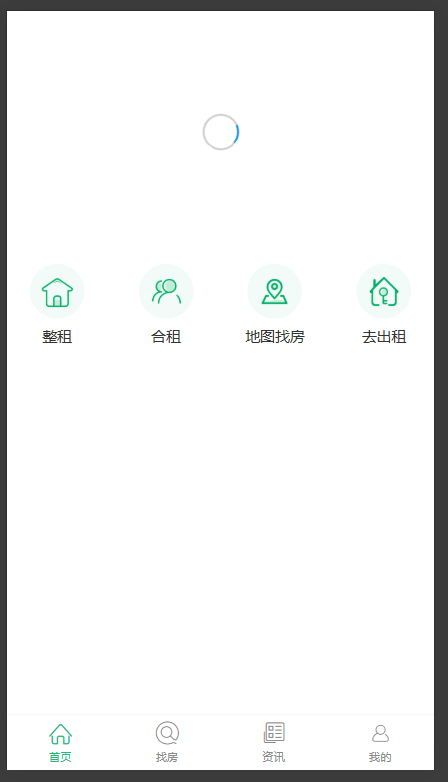
showCarousel状态:控制轮播图何时显示- 延迟显示轮播图:数据加载完成后,等待 300ms 再显示轮播图,让 loading 至少显示一段时间
- 淡入动画:轮播图出现时带有 0.5 秒的淡入效果,使过渡更加平滑自然
- 双重保障:通过延迟 + 动画的组合,彻底消除视觉上的闪烁感
这样修改后,即使数据加载很快,用户也会看到 loading 短暂显示,然后轮播图以淡入的方式平滑出现,不会有突兀的闪烁感了。
js
// ... existing code ...

export default class Index extends React.Component {
  state = {
    swipers: [],
    isSwiperLoaded: false,
    showCarousel: false,
  };

  async getSwipers() {
    const res = await axios.get("http://localhost:8080/home/swiper");

    this.setState({
      swipers: res.data.body,
      isSwiperLoaded: true,
    });

    setTimeout(() => {
      this.setState({
        showCarousel: true,
      });
    }, 300);
  }

  componentDidMount() {
    this.getSwipers();
  }

  renderSwipers() {
    return this.state.swipers.map((item) => (
      <a
        key={item.id}
        href="http://www.alipay.com"
        style={{
          display: "inline-block",
          width: "100%",
          height: 212,
        }}
      >
        <img
          src={`http://localhost:8080${item.imgSrc}`}
          alt=""
          style={{ width: "100%", verticalAlign: "top" }}
        />
      </a>
    ));
  }

  renderNavs() {
    return navs.map((item) => (
      <Flex.Item
        key={item.id}
        onClick={() => {
          this.props.history.push(item.path);
        }}
      >
        <img src={item.img} alt="" />
        <h2>{item.title}</h2>
      </Flex.Item>
    ));
  }

  render() {
    return (
      <div className="index">
        <div className="swiper-container">
          {this.state.isSwiperLoaded && this.state.showCarousel ? (
            <Carousel autoplay={true} infinite autoplayInterval="2000" className="carousel-fade">
              {this.renderSwipers()}
            </Carousel>
          ) : (
            <div className="loading-wrapper">
              <ActivityIndicator size="large" />
            </div>
          )}
        </div>

        <Flex className="nav">{this.renderNavs()}</Flex>
      </div>
    );
  }
}
css
// ... existing code ...

.swiper-container {
  height: 212px;
  position: relative;
}

.loading-wrapper {
  position: absolute;
  top: 0;
  left: 0;
  right: 0;
  bottom: 0;
  display: flex;
  justify-content: center;
  align-items: center;
}

.carousel-fade {
  animation: fadeIn 0.5s ease-in-out;
}

@keyframes fadeIn {
  from {
    opacity: 0;
  }
  to {
    opacity: 1;
  }
}

// ... existing code ...