基础使用
建立CMakeLists.txt
c
cmake_minimum_required(VERSION 3.18) # 设定最小的CMake版本要求

project(first_cmake)    # 定义项目名称

add_executable(first_cmake first_cmake.cpp) # 添加可执行文件,指定源文件为first_cmake.cpp
建立文件first_cmake.cpp
cpp
#include <iostream>
using namespace std;

int main(int argc,char *argv[])
{
    cout<<"first cmake c++"<<endl;
    return 0;
}
生成项目文件
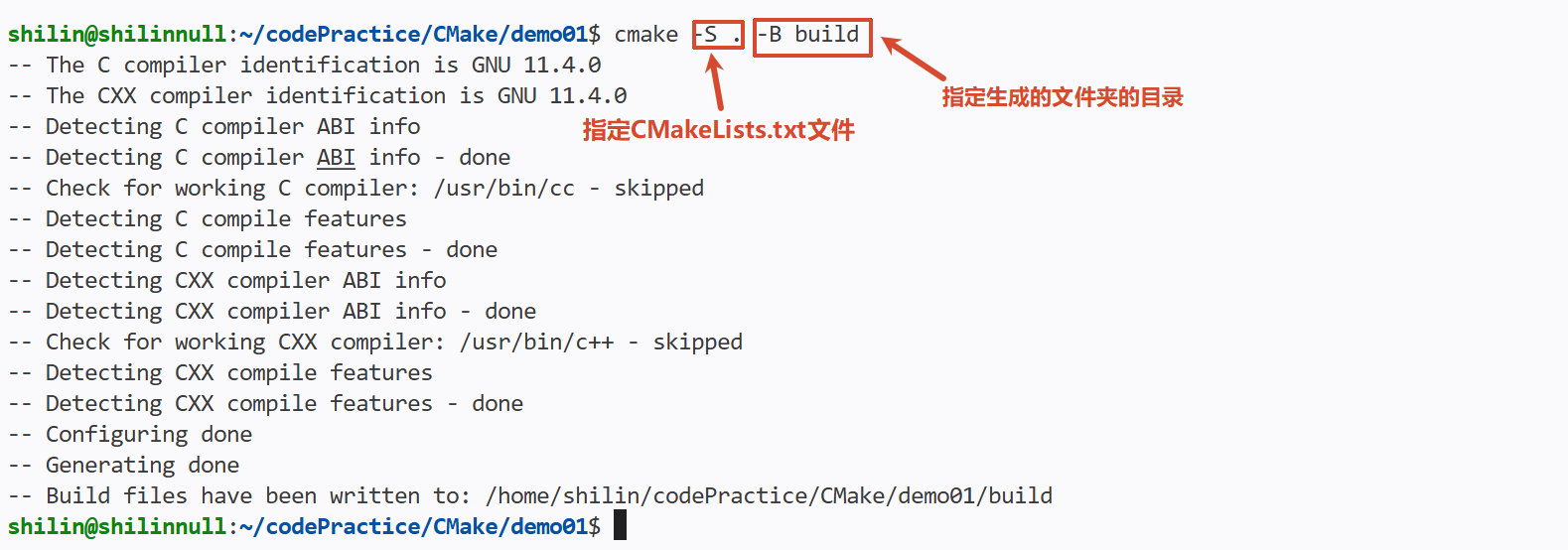
编译

CMake编译静态库
cpp
cmake_minimum_required(VERSION 3.18) # 设定最小的CMake版本要求

project(xlog)    # 定义项目名称
add_library(xlog STATIC xlog.cpp) # 添加静态库,指定源文件为xlog.cpp
add_executable(first_cmake xlog.cpp)
CMake链接静态库
结构:
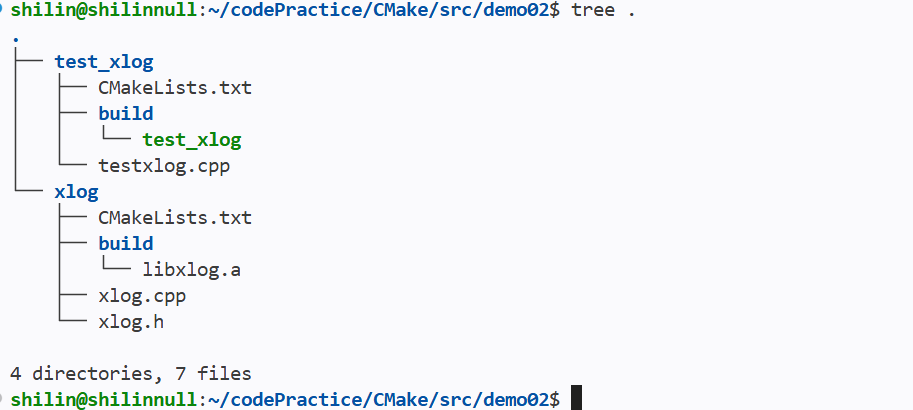
- 先生成静态库
c
cmake_minimum_required(VERSION 3.18)

project(xlog)

add_library(xlog STATIC xlog.cpp)- 包含对应的头文件
cpp
#include <iostream>
using namespace std;
#include "xlog.h"

int main(int argc,char *argv[])
{
    Xlog log;
    cout << "test xlog" << endl;
    return 0;
}- 指定库路径和名称
cpp
cmake_minimum_required(VERSION 3.18)
project(test_xlog)
include_directories("../xlog") # 添加头文件搜索路径,指向xlog目录
link_directories("../xlog/build") # 指定库查找路径
add_executable(test_xlog testxlog.cpp)
target_link_libraries(test_xlog xlog) # 指定加载库
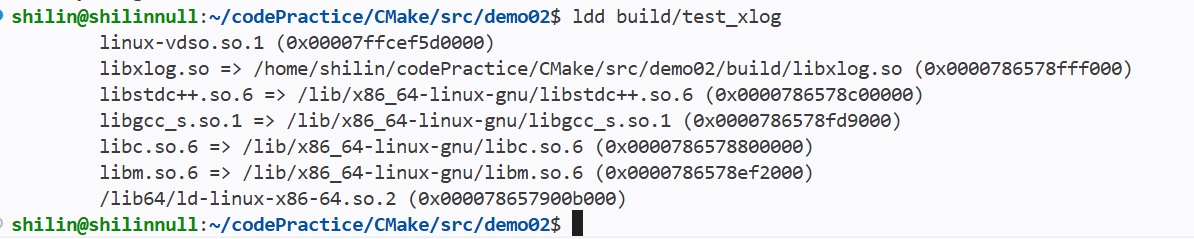
CMake链接动态库
结构: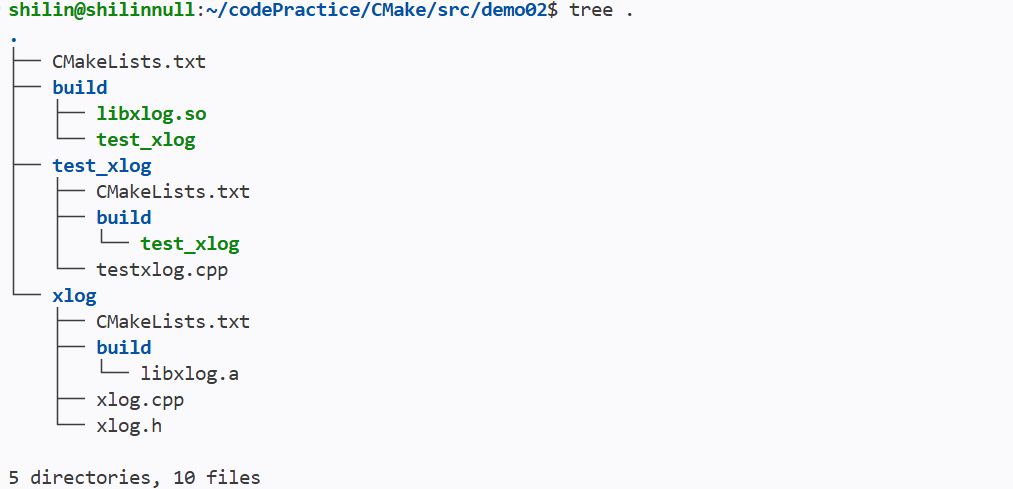
- 创建动态库
- 链接
cpp
cmake_minimum_required(VERSION 3.20)
project(xlog)
include_directories("xlog") # 指定头文件搜索路径
add_library(xlog SHARED xlog/xlog.cpp) # 生成共享库
add_executable(test_xlog test_xlog/testxlog.cpp) # 生成可执行文件
target_link_libraries(test_xlog xlog) # 指定加载库