解剖黑盒:一次对 Claude Code 的"数字考古"之旅

凌晨两点,显示器的蓝光映在脸上。我盯着那个刚下载完的 npm 包,它安静地躺在 node_modules 目录里,像一座密封的金字塔。
Claude Code------这个被无数开发者称为"神级编程助手"的工具,每天帮我们写代码、跑命令、Debug。但它自己呢?它的"大脑"长什么样?当它在终端里优雅地输出答案时,内部究竟在上演怎样的数字风暴?
今天,我们不谈使用技巧,来做一次逆向考古。
⚠️ 免责声明:本文仅作为软件架构学习与技术原理研究,所有操作均在本地隔离环境完成,不构成对 Anthropic 服务条款的违反。
一、Source Map:现代前端的"罗塞塔石碑"

1.1 什么是 Source Map?
现代前端工程就像一场魔术表演。开发者写的 TypeScript 源码经过编译、压缩、混淆,最终变成机器能读懂但人类难以辨认的 bundle。但魔术师总会留下线索------Source Map。
Source Map 本质上是一份"基因图谱",记录着压缩后的代码与原始源码之间的映射关系。它使用 VLQ(Variable Length Quantity)编码,将压缩后的行列号映射回原始源码位置。
1.2 提取 Claude Code 的源码
Claude Code 的 npm 包中包含了完整的 .map 文件。我们可以使用 source-map 库进行解析:
bash
# 安装 source-map 库
npm install source-map

# 使用 Node.js 脚本解析
node extract-source.js
javascript
// extract-source.js
const fs = require('fs');
const { SourceMapConsumer } = require('source-map');

async function extractSource(mapPath) {
  const rawSourceMap = JSON.parse(fs.readFileSync(mapPath, 'utf8'));

  await SourceMapConsumer.with(rawSourceMap, null, (consumer) => {
    // 获取所有原始源文件
    const sources = consumer.sources;
    console.log(`发现 ${sources.length} 个源文件`);

    sources.forEach((source) => {
      // 提取原始源码内容
      const content = consumer.sourceContentFor(source);
      if (content) {
        const outputPath = `./extracted/${source}`;
        fs.mkdirSync(require('path').dirname(outputPath), { recursive: true });
        fs.writeFileSync(outputPath, content);
      }
    });
  });
}

extractSource('./node_modules/@anthropic-ai/claude-code/dist/index.js.map');
1.3 惊人的工程规模
当你真正展开这些文件时,会发现一个惊人的事实:
📊 代码统计
├── 源文件总数: 300+
├── 依赖包数量: 500+
├── 核心模块:
│   ├── React 组件层 (Ink 框架)
│   ├── Agent 循环引擎
│   ├── MCP 协议实现
│   ├── Bash 执行沙盒
│   ├── Git 集成模块
│ └── 权限管理系统这不是几页简单的脚本,而是一个完整的操作系统级工程体系。
二、路径修复:解决模块化地狱

2.1 问题:绝对路径断裂
拿到源码只是第一步。Claude Code 的源码中使用了大量绝对路径导入:
typescript
// 原始代码中的导入方式
import { AgentLoop } from 'src/agent/loop';
import { ToolExecutor } from 'src/tools/executor';
import { UIProvider } from 'src/ui/provider';
这些 src/ 开头的路径在打包后的环境中可以工作(通过构建工具的路径别名配置),但在裸源码状态下会直接导致模块解析失败。
2.2 解决方案:路径重写脚本
我们需要编写一个遍历脚本,将所有绝对路径转换为相对路径:
typescript
// fix-paths.ts
import * as fs from 'fs';
import * as path from 'path';

const SRC_DIR = './extracted/src';

function getRelativePath(from: string, to: string): string {
  const relative = path.relative(path.dirname(from), to);
  return relative.startsWith('.') ? relative : `./${relative}`;
}

function fixImports(filePath: string): void {
  let content = fs.readFileSync(filePath, 'utf8');

  // 匹配所有 src/ 开头的导入
  const importRegex = /from ['"]src\/([^'"]+)['"]/g;

  content = content.replace(importRegex, (match, importPath) => {
    const targetPath = path.join(SRC_DIR, importPath);
    const relativePath = getRelativePath(filePath, targetPath);
    return `from '${relativePath}'`;
  });

  fs.writeFileSync(filePath, content);
}

// 递归遍历所有 .ts 文件
function traverse(dir: string): void {
  const files = fs.readdirSync(dir);

  for (const file of files) {
    const fullPath = path.join(dir, file);
    const stat = fs.statSync(fullPath);

    if (stat.isDirectory()) {
      traverse(fullPath);
    } else if (file.endsWith('.ts') || file.endsWith('.tsx')) {
      fixImports(fullPath);
      console.log(`✓ Fixed: ${fullPath}`);
    }
  }
}

traverse(SRC_DIR);
console.log('路径修复完成!');
2.3 Bun 运行时兼容性处理
Claude Code 基于 Bun 运行时构建,使用了 Bun 特有的 API:
typescript
// Bun 特有的导入方式
import { $ } from 'bun';
import { bundle } from 'bun:bundle';
import { file } from 'bun:file';
这些模块在 Node.js 中不存在。我们需要创建 polyfill:
typescript
// bun-polyfills.ts
// 为 Node.js 环境提供 Bun API 的兼容层

export const $ = (strings: TemplateStringsArray, ...values: any[]) => {
  // 使用 child_process 实现类似功能
  const { execSync } = require('child_process');
  const command = strings.reduce((acc, str, i) =>
    acc + str + (values[i] || ''), ''
  );
  return execSync(command, { encoding: 'utf8' });
};

export const file = (path: string) => ({
  text: () => require('fs').promises.readFile(path, 'utf8'),
  json: () => require('fs').promises.readFile(path, 'utf8').then(JSON.parse),
});

// 更多 polyfill...
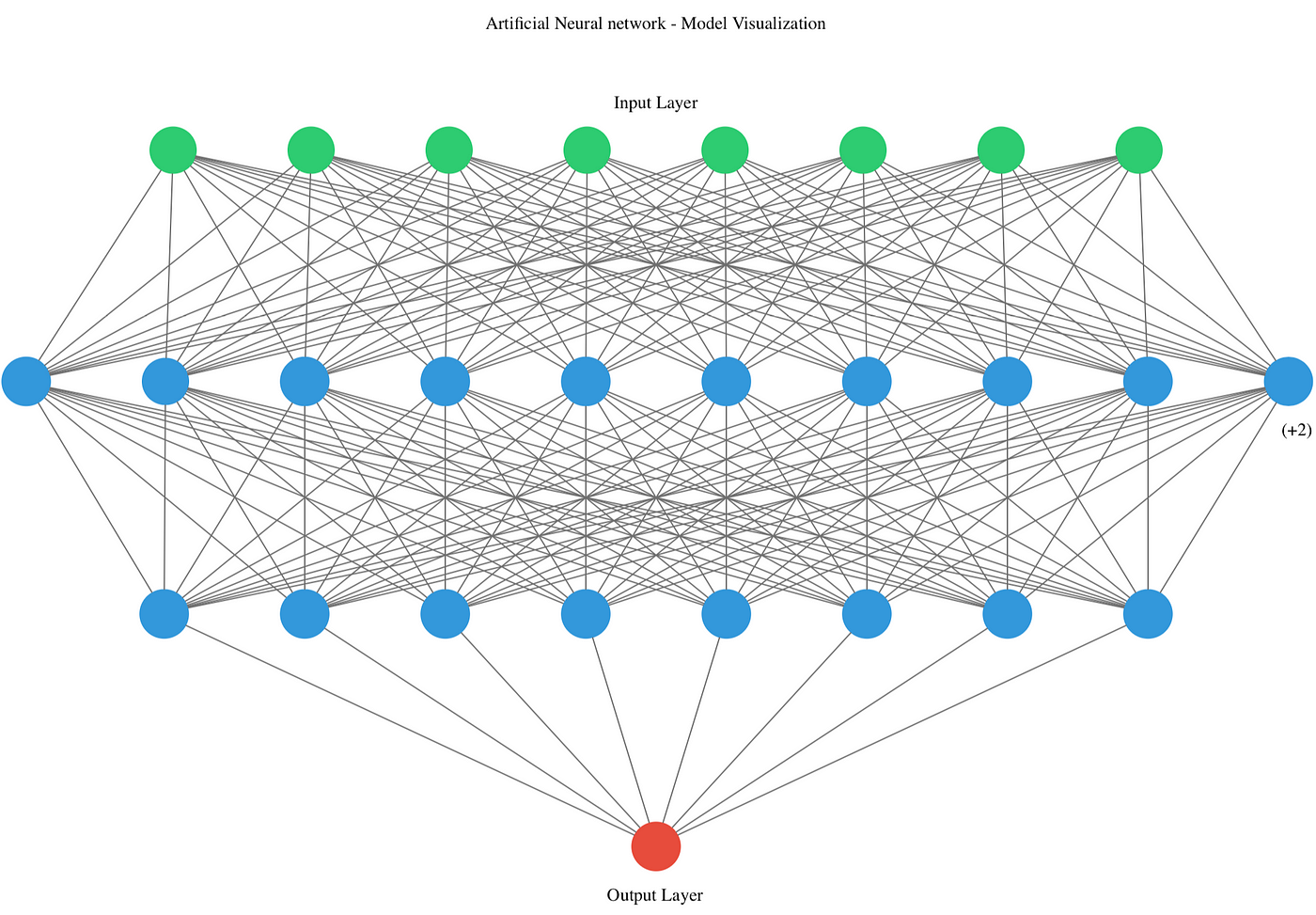
三、架构解剖:三层神经网络
3.1 第一层:感知层(CLI & UI)
Claude Code 使用 Ink 框架------一个让你在终端里写 React 的库:
typescript
// 简化版架构示意
import { render, Box, Text, useInput } from 'ink';

function App() {
  const [messages, setMessages] = useState<Message[]>([]);
  const [input, setInput] = useState('');

  useInput((input, key) => {
    if (key.return) {
      // 提交用户输入到 Agent Loop
      submitToAgent(input);
    }
  });

  return (
    <Box flexDirection="column">
      <MessageList messages={messages} />
      <InputBox value={input} onChange={setInput} />
    </Box>
  );
}

render(<App />);
这种设计让终端 UI 具备了状态管理、事件响应、组件复用等现代前端能力。
3.2 第二层:认知层(Agent Loop)
核心循环代码结构:
typescript
// agent/loop.ts 简化示意
class AgentLoop {
  private context: Context;
  private llmClient: AnthropicClient;
  private toolExecutor: ToolExecutor;

  async run(userInput: string): Promise<void> {
    // 1. 构建上下文
    this.context.addMessage('user', userInput);

    // 2. 调用 LLM
    const response = await this.llmClient.complete({
      messages: this.context.getMessages(),
      tools: this.toolExecutor.getToolSchemas(),
    });

    // 3. 解析意图
    if (response.tool_calls) {
      // 4. 执行工具
      for (const call of response.tool_calls) {
        const result = await this.toolExecutor.execute(
          call.name,
          call.arguments
        );
        this.context.addMessage('tool', result);
      }
    }

    // 5. 反馈结果
    this.renderResponse(response.content);
  }
}
3.3 第三层:执行层(Tools & Sandbox)
工具执行器的关键代码:
typescript
// tools/executor.ts 安全执行封装
class SafeExecutor {
  async executeBash(command: string, options: ExecOptions): Promise<ExecResult> {
    // 1. 风险评估
    const riskLevel = this.assessRisk(command);

    if (riskLevel === 'high') {
      // 2. 敏感操作需用户确认
      const confirmed = await this.promptUser(
        `⚠️ 高危操作:${command}\n确认执行?`
      );
      if (!confirmed) throw new Error('User declined');
    }

    // 3. 超时控制
    const timeout = options.timeout || 30000;

    // 4. 沙盒执行
    return this.spawnSandbox(command, { timeout });
  }

  private assessRisk(command: string): RiskLevel {
    const riskyPatterns = [
      /rm\s+-rf/i,           // 强制删除
      /dd\s+if=/i,           // 磁盘操作
      /mkfs/i,               // 格式化
      />\s*\/etc/i,          // 系统文件写入
      /curl.*\|.*sh/i,       // 管道执行远程脚本
    ];

    return riskyPatterns.some(p => p.test(command))
      ? 'high' : 'low';
  }
}
四、工程细节:魔鬼藏在细节里
4.1 MCP 协议的完整实现
Model Context Protocol 的核心接口定义:
typescript
// mcp/protocol.ts
interface MCPClient {
  // 连接生命周期管理
  connect(): Promise<void>;
  disconnect(): Promise<void>;

  // 能力协商
  negotiateCapabilities(): Promise<Capabilities>;

  // 工具调用
  invokeTool(
    name: string,
    params: Record<string, unknown>
  ): Promise<ToolResult>;

  // 错误处理与重试
  withRetry<T>(
    operation: () => Promise<T>,
    maxRetries: number
  ): Promise<T>;
}

// 实现中的重试策略
class ResilientMCPClient implements MCPClient {
  async withRetry<T>(
    operation: () => Promise<T>,
    maxRetries = 3
  ): Promise<T> {
    for (let i = 0; i < maxRetries; i++) {
      try {
        return await operation();
      } catch (err) {
        if (i === maxRetries - 1) throw err;
        // 指数退避
        await delay(Math.pow(2, i) * 1000);
      }
    }
    throw new Error('Max retries exceeded');
  }
}
4.2 Git 集成的深度实现
Claude Code 不是简单地"调用 git 命令",而是深度解析 git 状态:
typescript
// git/parser.ts
class GitStateParser {
  async getState(): Promise<GitState> {
    const [status, diff, branch] = await Promise.all([
      this.exec('git status --porcelain'),
      this.exec('git diff --stat'),
      this.exec('git branch --show-current'),
    ]);

    return {
      branch: branch.trim(),
      modified: this.parseModifiedFiles(status),
      staged: this.parseStagedFiles(status),
      untracked: this.parseUntrackedFiles(status),
      diffStats: this.parseDiffStats(diff),
    };
  }

  // 自动 stash 保护
  async createStash(message: string): Promise<void> {
    await this.exec(`git stash push -m "${message}"`);
  }

  async popStash(): Promise<void> {
    await this.exec('git stash pop');
  }
}
4.3 多重认证降级策略
typescript
// auth/strategy.ts
class AuthManager {
  private strategies: AuthStrategy[] = [
    new SystemKeychainStrategy(),  // 系统钥匙串
    new OAuthStrategy(),            // OAuth 流程
    new APIKeyStrategy(),           // API Key
  ];

  async getCredentials(): Promise<Credentials> {
    for (const strategy of this.strategies) {
      try {
        const creds = await strategy.getCredentials();
        if (creds) return creds;
      } catch (err) {
        console.log(`${strategy.name} 失败,尝试下一种方式...`);
      }
    }
    throw new Error('所有认证方式均失败');
  }
}
五、启示录:AI 原生应用的工程标杆

5.1 技术收获
通过这次逆向工程,我们可以学到:
| 维度 | 收获 |
|---|---|
| 架构设计 | 如何将 AI 能力封装为安全的本地执行环境 |
| 工程品味 | 类型安全、错误处理、用户体验的平衡艺术 |
| 安全思维 | 每一个 exec 调用都需要被审视和包裹 |
| 协议设计 | MCP 这样的开放标准如何实现工业级健壮性 |
5.2 核心代码目录结构
claude-code/
├── src/
│   ├── agent/
│   │   ├── loop.ts           # 核心对话循环
│   │   ├── context.ts        # 上下文管理
│   │   └── planner.ts        # 任务规划
│   ├── tools/
│   │   ├── executor.ts       # 工具执行器
│   │   ├── bash.ts           # Bash 命令封装
│   │   ├── file.ts           # 文件操作
│   │   └── git.ts            # Git 集成
│   ├── ui/
│   │   ├── app.tsx           # Ink 主应用
│   │   ├── components/       # React 组件
│   │   └── hooks/            # 自定义 hooks
│   ├── mcp/
│   │   ├── client.ts         # MCP 客户端
│   │   ├── protocol.ts       # 协议实现
│   │   └── registry.ts       # 工具注册表
│   └── auth/
│       ├── manager.ts        # 认证管理
│       └── strategies/       # 认证策略
5.3 思维转变
Claude Code 代表了一种新的软件开发范式------AI 原生应用(AI-Native Apps):
- 不是"在应用中加入 AI",而是"以 AI 为核心构建应用"
- 不是"调用 API 获取结果",而是"与 AI 进行多轮协作"
- 不是"工具替代人类",而是"人机共生系统"
结语
当你再次在终端里输入 claude,看着那个熟悉的界面加载出来时,你会知道在那几毫秒的启动时间里:
- Ink React 组件树正在终端里构建
- MCP 客户端正在探测可用工具
- 认证管理器正在尝试多种方式获取凭证
- 权限沙盒已经就绪,等待执行你的第一条指令
源代码就是终极文档。其他的一切,都只是注释。
参考资源
本文所有代码分析仅用于教育目的,请在遵守相关法律法规和服务条款的前提下进行技术研究。
如果这篇文章对你有帮助,欢迎:
- 👍 点赞支持
- 💬 评论区交流你的逆向工程经验
- ⭐ 收藏备用
- 🔗 分享给对 AI 工程架构感兴趣的朋友