1:安装Node.js下载地址:https://nodejs.org/en/download
2:安装git
3:安装与配置 OpenClaw,在管理员PowerShell中,执行以下命令:
bash
npm install -g openclaw@latest4:初始化配置 OpenClaw
bash
openclaw onboard4-1:部署风险提示:选择 YES。
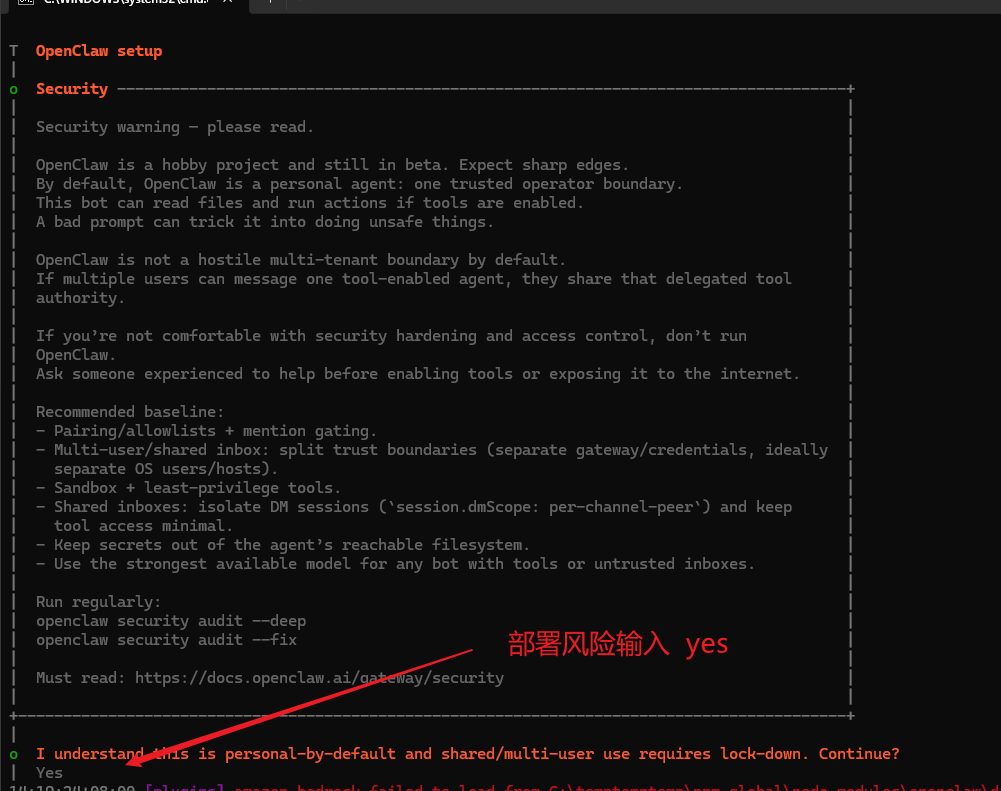
4-2:配置模式:选择 QuickStart并回车。
4-3:选择模型供应商:例如选择 火山引擎,回车确认。
4-4:后续配置:对话工具 (skip for now) 和 Skills (no) 可暂时跳过
5:注意需要启动openclaw gateway命令,网页控制台才能访问。所以打开PowerShell输入openclaw gateway命令
5-1:在主机上启动网关:
bash
openclaw gateway run5-2:获取带令牌的仪表盘 URL:然后自动打开opencode的页面
bash
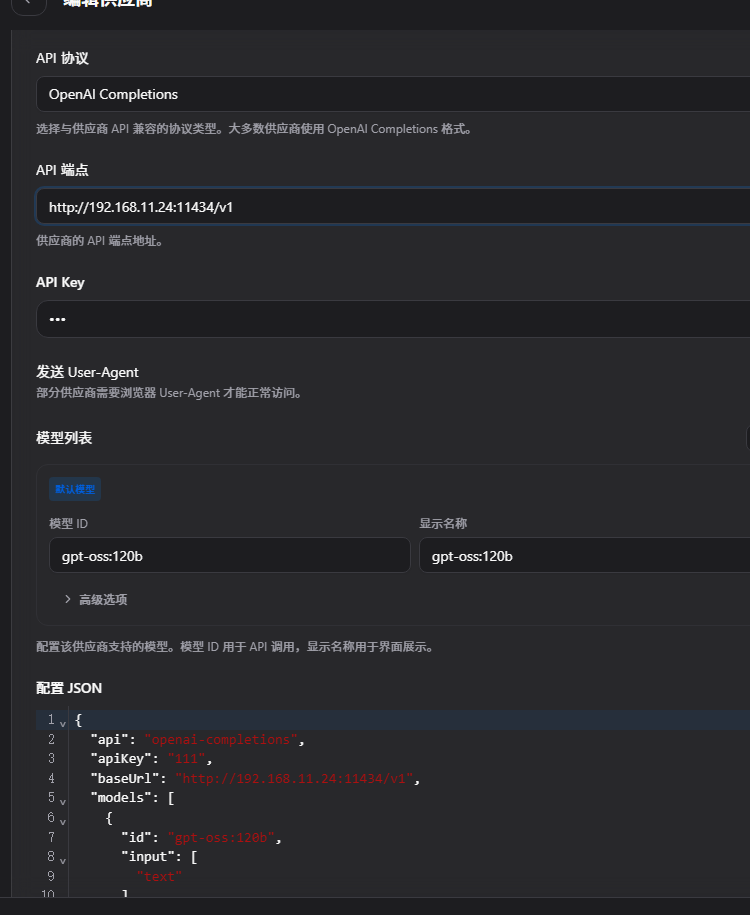
openclaw dashboard6:在用户目录下配置模型信息openclaw.json
json
{
  "agents": {
    "defaults": {
      "model": {
        "primary": "qwen35122b/qwen3.5:122b "
      },
      "models": {
        "ollama/qwen3-coder:30b": {
      }
    },
    "workspace": "C:\\Users\\dell\\.openclaw\\workspace"
  }
  },
  "gateway": {
    "mode": "local",
    "auth": {
      "mode": "token",
      "token": "ddda7c106535bd009537b753b2507e9b2375b75619035846"
    },
    "port": 18789,
    "bind": "loopback",
    "tailscale": {
      "mode": "off",
      "resetOnExit": false
    },
    "controlUi": {
      "allowInsecureAuth": true
    },
    "nodes": {
      "denyCommands": [
        "camera.snap",
        "camera.clip",
        "screen.record",
        "contacts.add",
        "calendar.add",
        "reminders.add",
        "sms.send",
        "sms.search"
      ]
    }
  },
  "session": {
    "dmScope": "per-channel-peer"
  },
  "tools": {
    "profile": "coding"
  },
  "models": {
    "mode": "merge",
    "providers": {
      "gpt-oss120b": {
        "api": "openai-completions",
        "apiKey": "111",
        "baseUrl": "http://192.168.11.24:11434/v1",
        "models": [
          {
            "id": "gpt-oss:120b",
            "input": [
              "text"
            ],
            "name": "gpt-oss:120b"
          }
        ]
      },
      "qwen35122b": {
        "api": "openai-completions",
        "apiKey": "11",
        "baseUrl": "http://192.168.11.240:11434/v1",
        "models": [
          {
            "id": "qwen3.5:122b",
            "input": [
              "text"
            ],
            "name": "qwen3.5:122b"
          }
        ]
      }
    }
  },
  "auth": {
    "profiles": {
      "ollama:default": {
        "provider": "ollama",
        "mode": "api_key"
      }
    }
  },
  "hooks": {
    "internal": {
      "enabled": true,
      "entries": {
        "session-memory": {
          "enabled": true
        }
      }
    }
  },
  "wizard": {
    "lastRunAt": "2026-04-02T06:21:53.021Z",
    "lastRunVersion": "2026.4.1",
    "lastRunCommand": "onboard",
    "lastRunMode": "local"
  },
  "meta": {
    "lastTouchedVersion": "2026.4.1",
    "lastTouchedAt": "2026-04-02T06:21:53.033Z"
  }
}
6-1:使用cc-switch配置模型