场景
一、Neo4j 是什么?
Neo4j = 面向「关系」的图数据库(Graph Database)
核心定位
专门存储实体与实体之间的关系
最擅长:
关系查询、深度遍历、推荐、社交、知识图谱、风控
数据结构 = 节点(Node)+ 关系(Relationship)+ 属性(Property)
一句话记忆
MySQL:存表格
MongoDB:存文档
Neo4j:存关系
典型使用场景
社交关系(好友、关注、互动)
推荐系统(看过 / 买过 / 猜你喜欢)
知识图谱(企业、人物、概念关联)
风控反欺诈(团伙、关联账户)
设备拓扑、电网、组织架构
二、Neo4j 核心概念(必掌握)
- 节点(Node)
实体,比如:用户、设备、商品、公司
用 标签(Label) 区分类型:(:User)、(:Device)
- 关系(Relationship)
节点之间的连接
有方向:->
有类型:FRIEND、REPORT_TO、OWN
示例:(用户)-:OWN->(设备)
- 属性(Property)
节点 / 关系都可以带字段
如:name、age、deviceId、status
- CQL 查询语言
Neo4j 专用,类似 SQL
关键词:
MATCH:匹配
CREATE:创建
RETURN:返回
WHERE:条件
三、Windows 本地安装 Neo4j
- 下载(社区版免费)
https://neo4j.com/download-center/#community
注意版本与jdk版本有对应关系,这里jdk1.8,所以下载3.5版本
具体下载3.5.28的压缩包,到某磁盘目录下解压
进入到解压后的bin目录,打开cmd,输入启动指令
neo4j console看到如下表示成功:
Started @ xxx ms
Remote interface available at http://localhost:7474/
打开网页控制台
默认账号密码:neo4j / neo4j
第一次登录会让你改密码,例如改为:123456
注:
博客:
https://blog.csdn.net/badao_liumang_qizhi
实现
SpringBoot 集成 Neo4j
1、添加依赖
        <dependency>
            <groupId>org.springframework.boot</groupId>
            <artifactId>spring-boot-starter-data-neo4j</artifactId>
        </dependency>
2、完整依赖
        <dependency>
            <groupId>org.springframework.boot</groupId>
            <artifactId>spring-boot-starter-web</artifactId>
        </dependency>
        <dependency>
            <groupId>org.springframework.boot</groupId>
            <artifactId>spring-boot-starter-data-neo4j</artifactId>
        </dependency>
        <dependency>
            <groupId>org.projectlombok</groupId>
            <artifactId>lombok</artifactId>
        </dependency>
3、yml文件添加配置
spring:
  neo4j:
    uri: bolt://localhost:7687
    authentication:
      username: neo4j
      password: 123456
4、新建User实体
import lombok.Data;
import org.springframework.data.neo4j.core.schema.GeneratedValue;
import org.springframework.data.neo4j.core.schema.Id;
import org.springframework.data.neo4j.core.schema.Node;
import org.springframework.data.neo4j.core.schema.Relationship;

import java.util.List;

@Data
@Node // 新版注解是 @Node,不是 @NodeEntity!
public class User {

    @Id
    @GeneratedValue
    private Long id;

    private String name;

    @Relationship(type = "FOLLOW", direction = Relationship.Direction.OUTGOING)
    private List<User> followUsers;
}
注解说明:
@Node
作用:标识这个类是 Neo4j 中的【节点】
对应图数据库里的 节点(Node)
相当于 MySQL 的 @Entity(表)
不加这个注解,框架不知道这是 Neo4j 节点
旧版叫 @NodeEntity,新版统一叫 @Node
@Id
作用:标识这个字段是节点的【唯一标识】
每个节点必须有一个 ID
相当于 MySQL 的主键
框架靠它区分、更新、删除节点
@GeneratedValue
作用:让框架自动生成 ID 值
你不用自己设置 id
插入时框架自动分配
保证唯一不重复
注意:Neo4j 内部会自动分配 long 类型的 id
@Relationship(...)
作用:定义节点之间的【关系】
里面两个参数:
① type = "FOLLOW"
关系名称
图数据库里显示为 ()-:FOLLOW->()
你可以自己写:LIKE、FRIEND、HAS 等
② direction = Relationship.Direction.OUTGOING
关系方向
OUTGOING:向外指向(我 → 别人)
INCOMING:向内指向(别人 → 我)
这里的意思是:我关注了谁 → 关系从我指向对方。
5、新建UserRepository(增加自定义 CQL 查询)
import com.badao.demo.entity.User;
import org.springframework.data.neo4j.repository.Neo4jRepository;
import org.springframework.data.neo4j.repository.query.Query;
import org.springframework.data.repository.query.Param;
import java.util.List;
import java.util.Optional;

public interface UserRepository extends Neo4jRepository<User, Long> {

    // 自定义查询,只查节点,不加载关系
    @Query("MATCH (u:User) RETURN u")
    List<User> findAllUser();

    // 根据ID查询(自定义安全CQL)
    @Query("MATCH (u:User) WHERE id(u) = $id RETURN u")
    Optional<User> findUserById(@Param("id") Long id);

    // 查询我关注的人(专用关系查询,安全)
    @Query("MATCH (u:User)-[:FOLLOW]->(f:User) WHERE id(u) = $id RETURN f")
    List<User> findMyFollow(@Param("id") Long id);

    // ====================== 【关系专用】保存关注关系
    @Query("MATCH (u:User),(f:User) WHERE id(u) = $uid AND id(f) = $fid MERGE (u)-[:FOLLOW]->(f)")
    void saveFollowRelation(@Param("uid") Long uid, @Param("fid") Long fid);

}
6、新建controller
import com.badao.demo.entity.User;
import com.badao.demo.service.UserRepository;
import lombok.RequiredArgsConstructor;
import org.springframework.web.bind.annotation.*;
import java.util.List;

@RestController
@RequestMapping("/user")
@RequiredArgsConstructor
public class UserController {

    private final UserRepository userRepository;

    // ====================== 1. 只保存用户(无关系,100%不报错)
    @PostMapping
    public User add(@RequestBody User user) {
        user.setFollowUsers(null); // 新增时清空关系,只存节点
        return userRepository.save(user);
    }

    // ====================== 2. 建立关注关系(单独接口,最稳定)
    @PostMapping("/follow")
    public String follow(@RequestParam Long uid, @RequestParam Long fid) {
        userRepository.saveFollowRelation(uid, fid);
        return "关注成功";
    }

    // ====================== 3. 查询所有
    @GetMapping
    public List<User> list() {
        return userRepository.findAllUser();
    }

    // ====================== 4. 根据ID查询
    @GetMapping("/{id}")
    public User getById(@PathVariable Long id) {
        return userRepository.findUserById(id).orElse(null);
    }

    // ====================== 5. 查询我关注的人
    @GetMapping("/follow/{id}")
    public List<User> getMyFollow(@PathVariable Long id) {
        return userRepository.findMyFollow(id);
    }
}
7、运行项目,测试接口
第一步:新增张三
{ "name": "张三" }
返回 id=57
第二步:新增李四
{ "name": "李四" }
返回 id=58
第三步:调用接口 让李四关注张三
POST http://localhost:8080/user/follow?uid=58&fid=57
返回:关注成功
第四步:查询所有
GET http://localhost:8080/user
第五步:查询李四关注了谁
GET http://localhost:8080/user/follow/58
返回张三
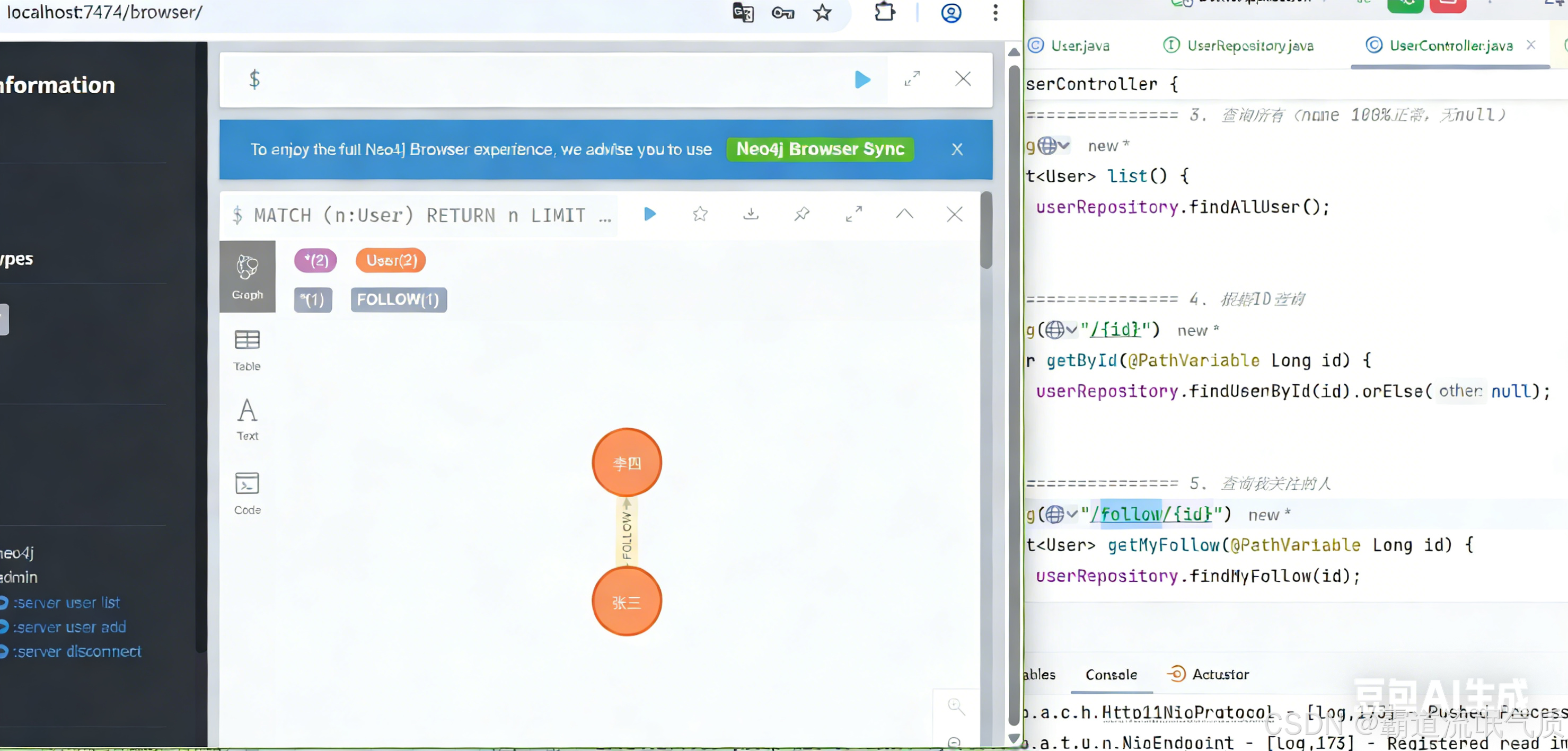
测试验证结果: