在上一篇文章的基础上,实现更改地图的样式,这里做一个下拉选择来切换从官网加载的各种样式,换肤功能
实现效果
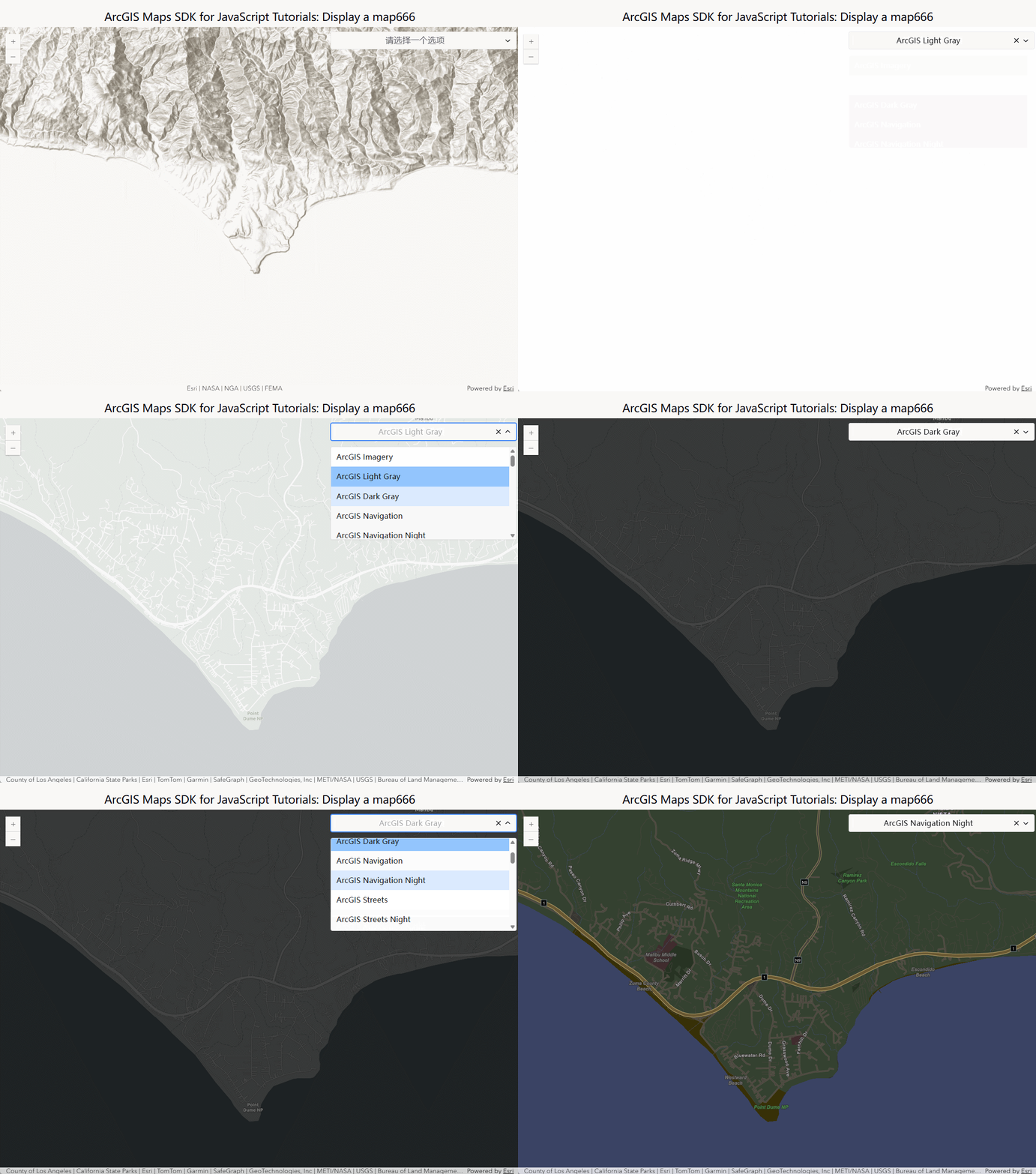
实现步骤
- 安装一个下拉选择组件
json
"vue3-select-component": "^0.16.2"- 注册为全局组件
js
//main.js
import VueSelect from "vue3-select-component";
import "vue3-select-component/styles";
...
app.component('VSelect', VueSelect)
...- 在地图组件中加载样式资源
js
// 更改地图样式
    async function changeMapStyle() {
        const basemapStylesEndpoint =
      "https://basemapstyles-api.arcgis.com/arcgis/rest/services/styles/v2/styles/self";
      const result = await esriRequest(basemapStylesEndpoint, {
        responseType: "json",
      })

      const json = result.data;
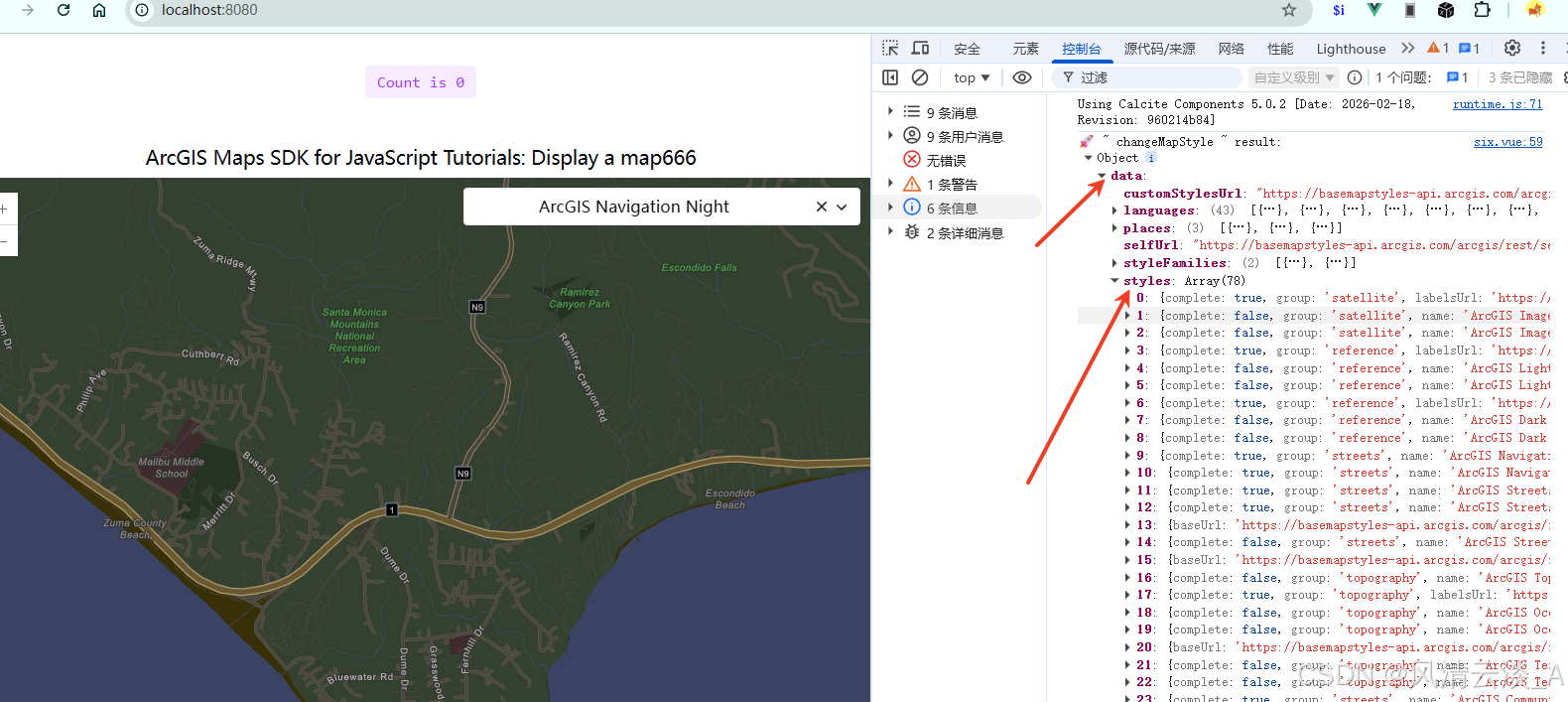
      console.log("🚀 ~ changeMapStyle ~ result:", result)
      json.styles.forEach((style) => {
        // if the style is complete and not deprecated, add it to the select item
        if (style.complete && !style.deprecated) {
          options.value.push({
            label: style.name,
            value: style.path,
          })
        }
  });
- 在地图初始化完成后加载这个下拉组件
js
onMounted(() => {
    initMap()
    changeMapStyle()
})- 组件布局
html
<template>
    <h2>ArcGIS Maps SDK for JavaScript Tutorials: Display a map666</h2>
    <div id="container">
        <div ref="mapDiv" class="map-div">
        </div>
        <div class="select">
            <v-select
                :placeholder="placeholder"
                :options="options"
                v-model="selectedValue"
            >
            </v-select>
        </div>
    </div>
</template>- 定位在地图的右上角
css
<style>
   #container {
      height: 100%;
      margin: 0;
      position: relative;
    }
    .map-div {
        height: 100%;
    }
    .select{
        position: absolute;
        top: 10px;
        right: 10px;
        z-index: 999;
        width: 400px;
        height: 400px;
        z-index:33;
    }
</style>- 监听下拉组件的切换事件,从新加载整个地图
js
watch(selectedValue, (newValue) => {
  if (newValue) {
    baseMap.value = newValue;
    initMap();
  }
})
完整实现代码
js
<script setup>
    import Map from "@arcgis/core/Map";
    import MapView from '@arcgis/core/views/MapView'
    import { onMounted, ref, watch } from "vue";
    import esriRequest from "@arcgis/core/request";
    const mapDiv = ref(null)
    const baseMap = ref('arcgis/topographic')
    let view;
    const initMap = () => {
        const map = new Map({
            basemap: baseMap.value,
        });

        view = new MapView({
            center: [-118.805, 34.020],
            zoom: 13,
            container: mapDiv.value,
            map: map
        });


        view.on('click', (event) => {
            console.log('点击事件:', event);
        });


        view.when(
            () => {
            console.log('地图加载成功')
            },
            (error) => {
            console.error('地图加载失败:', error)
            }
        )
    }

    const placeholder = '请选择一个选项'
    const selectedValue = ref('')

    const options = ref([])


    onMounted(() => {
        initMap()
        changeMapStyle()
    })


    // 更改地图样式
    async function changeMapStyle() {
        const basemapStylesEndpoint =
      "https://basemapstyles-api.arcgis.com/arcgis/rest/services/styles/v2/styles/self";
      const result = await esriRequest(basemapStylesEndpoint, {
        responseType: "json",
      })

      const json = result.data;
      console.log("🚀 ~ changeMapStyle ~ result:", result)
      json.styles.forEach((style) => {

        // if the style is complete and not deprecated, add it to the combobox
        if (style.complete && !style.deprecated) {
          options.value.push({
            label: style.name,
            value: style.path,
          })
        }
      });

      watch(selectedValue, (newValue) => {
        if (newValue) {
          baseMap.value = newValue;
          initMap();
        }
      })
    }
</script>

<template>
    <h2>ArcGIS Maps SDK for JavaScript Tutorials: Display a map666</h2>
    <div id="container">
        <div ref="mapDiv" class="map-div">
        </div>
        <div class="select">

            <v-select
                :placeholder="placeholder"
                :options="options"
                v-model="selectedValue"
            >
            </v-select>
        </div>
    </div>
</template>

<style>
   #container {
      height: 100%;
      margin: 0;
      position: relative;
    }
    .map-div {
        height: 100%;
    }
    .select{
        position: absolute;
        top: 10px;
        right: 10px;
        z-index: 999;
        width: 400px;
        height: 400px;
        z-index:33;
    }

</style>