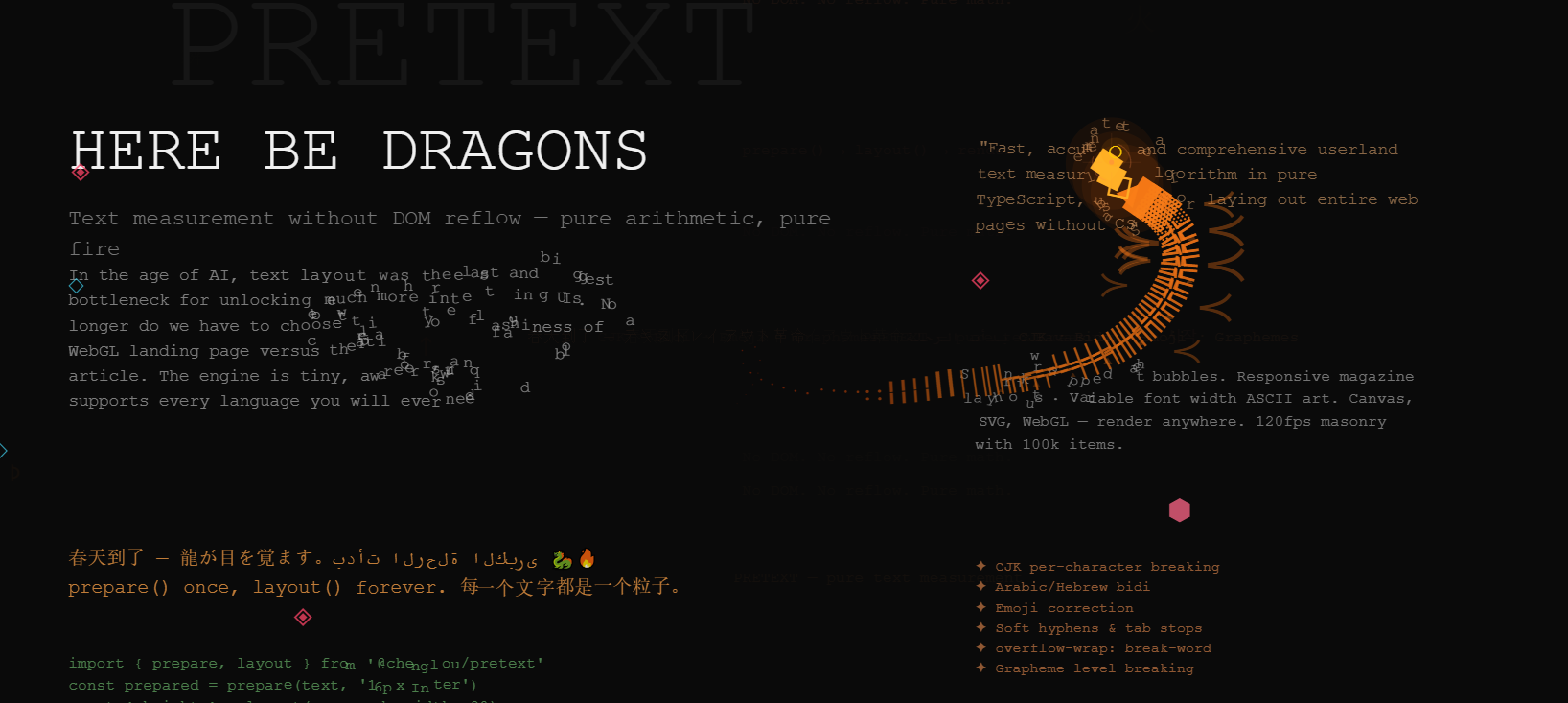
Pretext 是一个纯 JavaScript/TypeScript 库,专门用于多行文本的测量(measurement)和布局(layout)。
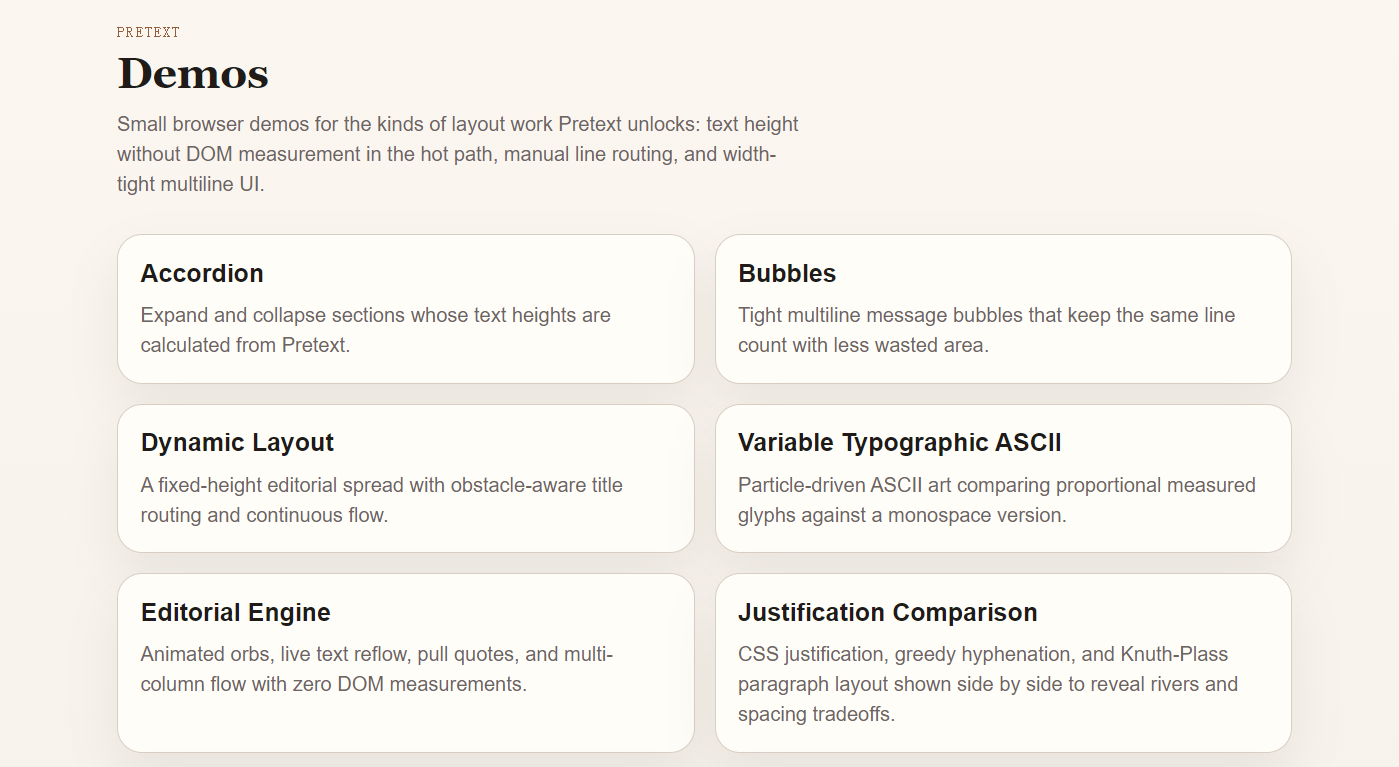
demo
https://pretext-playground.builderz.dev/
Pretext
Pure JavaScript/TypeScript multiline text measurement and layout for browser-grounded typography.
Call
prepare()once, then keep relayout cheap withlayout(): no DOM reads, no reflow, no canvas calls in the hot path. It handles mixed scripts, emoji, bidi-heavy app text, and the browser's annoying little line-breaking habits much better than "count chars and pray".Pretext side-steps DOM measurement APIs like
getBoundingClientRect()andoffsetHeight, which can force synchronous layout. It treats the browser's own font engine as ground truth during prepare time, then keeps resize work arithmetic-only. That's the missing piece for things like virtualization, scroll anchoring, shrinkwrap bubbles, editor-ish textareas, and custom editorial layouts.Installation
npm install @chenglou/pretextDemos
Clone the repo, run
bun install, thenbun start, and open/demos/indexlocally.Live demos:
Useful stops:
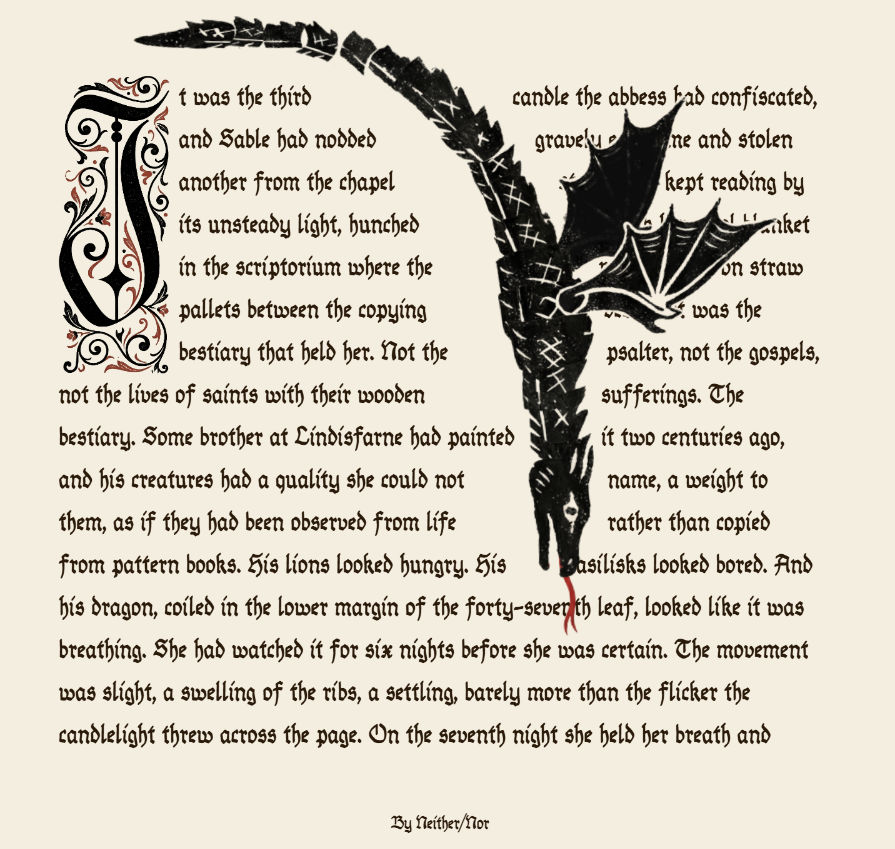
/demos/bubblesfor multiline shrinkwrap withwalkLineRanges()/demos/dynamic-layoutfor obstacle-aware streaming layout withlayoutNextLine()/demos/markdown-chatfor virtualized rich chat layout/demos/rich-notefor mixed inline runs, chips, and the inline-flow sidecar/accuracyand/benchmarkfor the browser-oracle and performance pagesMental Model
prepare()andprepareWithSegments()do the one-time work: normalize whitespace, segment text, apply glue rules, and measure with canvas.layout()and the rich line APIs consume that prepared handle at whatever width andlineHeightyou need.prepare()is the opaque fast path.prepareWithSegments()is the richer escape hatch for custom rendering, cursor-based reflow, geometry-only line walking, and bidi-aware manual layout.- If width changed but text/font/options did not, rerun
layout(), notprepare().1. Fast Height Prediction
import { prepare, layout } from '@chenglou/pretext' const prepared = prepare('AGI 春天到了. بدأت الرحلة 🚀', '16px Inter') const { height, lineCount } = layout(prepared, textWidth, 20)
prepare()is width-independent. Do it once when the text or font changes.layout()is the cheap resize-time pass after that.If you want textarea-like text where ordinary spaces,
\ttabs, and\nhard breaks stay visible, pass{ whiteSpace: 'pre-wrap' }:
const prepared = prepare(textareaValue, '16px Inter', { whiteSpace: 'pre-wrap' })
const { height } = layout(prepared, textareaWidth, 20)
If you want CSS-style
word-break: keep-allbehavior for CJK/Hangul text and CJK-leading no-space mixed-script runs, pass{ wordBreak: 'keep-all' }:
const prepared = prepare(headline, '16px Inter', { wordBreak: 'keep-all' })
const { height } = layout(prepared, columnWidth, 20)
This is the path for:
- virtualization without DOM measuring loops
- scroll anchoring when late text arrives
- browser-free overflow checks during development
- UI layout systems that need text height as an input instead of a side effect
Current accuracy and benchmark snapshots live in STATUS.md and status/dashboard.json. Keep numeric claims there, not hard-coded into app code or old README prose.
2. Rich Line Layout And Manual Reflow
When you need actual lines, stable cursors, or variable-width flow, switch to
prepareWithSegments().Fixed-width layout:
import { prepareWithSegments, layoutWithLines } from '@chenglou/pretext'

const prepared = prepareWithSegments('AGI 春天到了. بدأت الرحلة 🚀', '18px "Helvetica Neue"')
const { lines } = layoutWithLines(prepared, 320, 26)

for (let i = 0; i < lines.length; i++) {
  ctx.fillText(lines[i].text, 0, i * 26)
}
Geometry-only layout, no line strings:
import { measureLineGeometry, walkLineRanges } from '@chenglou/pretext'

const { lineCount, maxLineWidth } = measureLineGeometry(prepared, 320)
let maxWidth = 0

walkLineRanges(prepared, 320, line => {
  if (line.width > maxWidth) maxWidth = line.width
})
Streaming layout when width changes as you go:
import {
  layoutNextLineRange,
  materializeLineRange,
  prepareWithSegments,
  type LayoutCursor,
} from '@chenglou/pretext'

const prepared = prepareWithSegments(article, BODY_FONT)
let cursor: LayoutCursor = { segmentIndex: 0, graphemeIndex: 0 }
let y = 0

while (true) {
  const width = y < image.bottom ? columnWidth - image.width : columnWidth
  const range = layoutNextLineRange(prepared, cursor, width)
  if (range === null) break

  const line = materializeLineRange(prepared, range)
  ctx.fillText(line.text, 0, y)

  cursor = range.end
  y += 26
}
The rich APIs all carry line boundary cursors (
start/end), so you can keep flowing text through columns, obstacles, or custom renderers without falling back to string offsets.3. Experimental Inline-Flow Sidecar
If your "rich text" problem is really "a few inline runs with different fonts, plus some atomic chips and browser-like boundary whitespace collapse", there is a deliberately small sidecar at
@chenglou/pretext/inline-flow.
import { prepareInlineFlow, walkInlineFlowLines } from '@chenglou/pretext/inline-flow'

const prepared = prepareInlineFlow([
  { text: 'Ship ', font: '500 17px Inter' },
  { text: '@maya', font: '700 12px Inter', break: 'never', extraWidth: 22 },
  { text: "'s rich-note", font: '500 17px Inter' },
])

walkInlineFlowLines(prepared, 320, line => {
  // each fragment keeps its source item index, text slice, gapBefore, and cursors
})
It is intentionally narrow:
- raw inline text in, including boundary spaces
- caller-owned
extraWidthfor pill chromebreak: 'never'for atomic items like chips and mentionswhite-space: normalonly- not a nested markup tree and not a general CSS inline formatting engine
API Reference
Core Fast Path
prepare(
  text: string,
  font: string,
  options?: { whiteSpace?: 'normal' | 'pre-wrap', wordBreak?: 'normal' | 'keep-all' },
): PreparedText

layout(
  prepared: PreparedText,
  maxWidth: number,
  lineHeight: number,
): { height: number, lineCount: number }
Rich Layout
prepareWithSegments(
  text: string,
  font: string,
  options?: { whiteSpace?: 'normal' | 'pre-wrap', wordBreak?: 'normal' | 'keep-all' },
): PreparedTextWithSegments

layoutWithLines(
  prepared: PreparedTextWithSegments,
  maxWidth: number,
  lineHeight: number,
): { height: number, lineCount: number, lines: LayoutLine[] }

walkLineRanges(
  prepared: PreparedTextWithSegments,
  maxWidth: number,
  onLine: (line: LayoutLineRange) => void,
): number

measureLineGeometry(
  prepared: PreparedTextWithSegments,
  maxWidth: number,
): { lineCount: number, maxLineWidth: number }

measureNaturalWidth(
  prepared: PreparedTextWithSegments,
): number

layoutNextLineRange(
  prepared: PreparedTextWithSegments,
  start: LayoutCursor,
  maxWidth: number,
): LayoutLineRange | null

materializeLineRange(
  prepared: PreparedTextWithSegments,
  line: LayoutLineRange,
): LayoutLine

layoutNextLine(
  prepared: PreparedTextWithSegments,
  start: LayoutCursor,
  maxWidth: number,
): LayoutLine | null
Inline-Flow Sidecar
prepareInlineFlow(items: InlineFlowItem[]): PreparedInlineFlow

layoutNextInlineFlowLineRange(
  prepared: PreparedInlineFlow,
  maxWidth: number,
  start?: InlineFlowCursor,
): InlineFlowLineRange | null

layoutNextInlineFlowLine(
  prepared: PreparedInlineFlow,
  maxWidth: number,
  start?: InlineFlowCursor,
): InlineFlowLine | null

walkInlineFlowLineRanges(
  prepared: PreparedInlineFlow,
  maxWidth: number,
  onLine: (line: InlineFlowLineRange) => void,
): number

walkInlineFlowLines(
  prepared: PreparedInlineFlow,
  maxWidth: number,
  onLine: (line: InlineFlowLine) => void,
): number

measureInlineFlowGeometry(
  prepared: PreparedInlineFlow,
  maxWidth: number,
): { lineCount: number, maxLineWidth: number }

measureInlineFlow(
  prepared: PreparedInlineFlow,
  maxWidth: number,
  lineHeight: number,
): { height: number, lineCount: number }
Diagnostics And Maintenance
profilePrepare(
  text: string,
  font: string,
  options?: { whiteSpace?: 'normal' | 'pre-wrap', wordBreak?: 'normal' | 'keep-all' },
): {
  analysisMs: number
  measureMs: number
  totalMs: number
  analysisSegments: number
  preparedSegments: number
  breakableSegments: number
}

clearCache(): void

setLocale(locale?: string): void
profilePrepare()is mainly for benchmark and diagnostic work. It splitsprepare()into analysis and measurement phases without changing the public data model.Useful Public Types
type LayoutCursor = {
  segmentIndex: number
  graphemeIndex: number
}
type LayoutLine = {
  text: string
  width: number
  start: LayoutCursor
  end: LayoutCursor
}

type LayoutLineRange = {
  width: number
  start: LayoutCursor
  end: LayoutCursor
}

type InlineFlowItem = {
  text: string
  font: string
  break?: 'normal' | 'never'
  extraWidth?: number
}

type InlineFlowCursor = {
  itemIndex: number
  segmentIndex: number
  graphemeIndex: number
}

type InlineFlowFragment = {
  itemIndex: number
  text: string
  gapBefore: number
  occupiedWidth: number
  start: LayoutCursor
  end: LayoutCursor
}

type InlineFlowLine = {
  fragments: InlineFlowFragment[]
  width: number
  end: InlineFlowCursor
}

type InlineFlowFragmentRange = {
  itemIndex: number
  gapBefore: number
  occupiedWidth: number
  start: LayoutCursor
  end: LayoutCursor
}

type InlineFlowLineRange = {
  fragments: InlineFlowFragmentRange[]
  width: number
  end: InlineFlowCursor
}
Notes:
PreparedTextis the opaque fast-path handle.PreparedTextWithSegmentsis the richer manual-layout handle.LayoutCursoris a segment/grapheme cursor, not a raw string offset.- If a soft hyphen wins the break, rich
line.textmaterialization includes the visible trailing-.measureNaturalWidth()returns the widest forced line. Hard breaks still count.prepare()andprepareWithSegments()do horizontal-only work.lineHeightstays a layout-time input.Caveats
Pretext is not trying to be a full browser inline formatting engine. The current target is:
white-space: normalword-break: normaloverflow-wrap: break-wordline-break: autoIf you pass
{ whiteSpace: 'pre-wrap' }, ordinary spaces,\ttabs, and\nhard breaks are preserved instead of collapsed. Tabs follow the default browser-styletab-size: 8. The other wrapping defaults stay the same.If you pass
{ wordBreak: 'keep-all' }, Pretext suppresses ordinary CJK/Hangul intra-word breaks and keeps CJK-leading no-space mixed-script runs cohesive, while keeping the sameoverflow-wrap: break-wordfallback for overlong runs.Other important caveats:
system-uiis unsafe for accuracy on macOS. Canvas and DOM can resolve different optical variants.- Very narrow widths can still break inside words, but only at grapheme boundaries. That's the
overflow-wrap: break-wordpart.- The inline-flow sidecar is intentionally
white-space: normal-only.- Browser environments are the supported target today. Server canvas is still "maybe later", not a documented promise.
Develop
See DEVELOPMENT.md for commands and STATUS.md for the checked-in browser-accuracy and benchmark snapshots.
Credits
Sebastian Markbage first planted the seed with text-layout last decade. Canvas
measureTextfor shaping, bidi from pdf.js, and streaming line breaking were the original spark. Pretext kept the basic instinct, then pushed much harder on browser-oracle accuracy, preprocessing, and userland layout APIs.