方法:通过设置修改,可以精确控制字体大小。
打开设置:点击左下角的齿轮图标,选择"设置";或者使用快捷键 Ctrl + ,(Windows/Linux) / Cmd + ,(Mac)。
搜索设置项:在顶部的搜索框中输入 terminal font 或 terminal.integrated.fontSize。
勾选: Zoom the font of the terminal when using mouse wheel and holding ctrl.
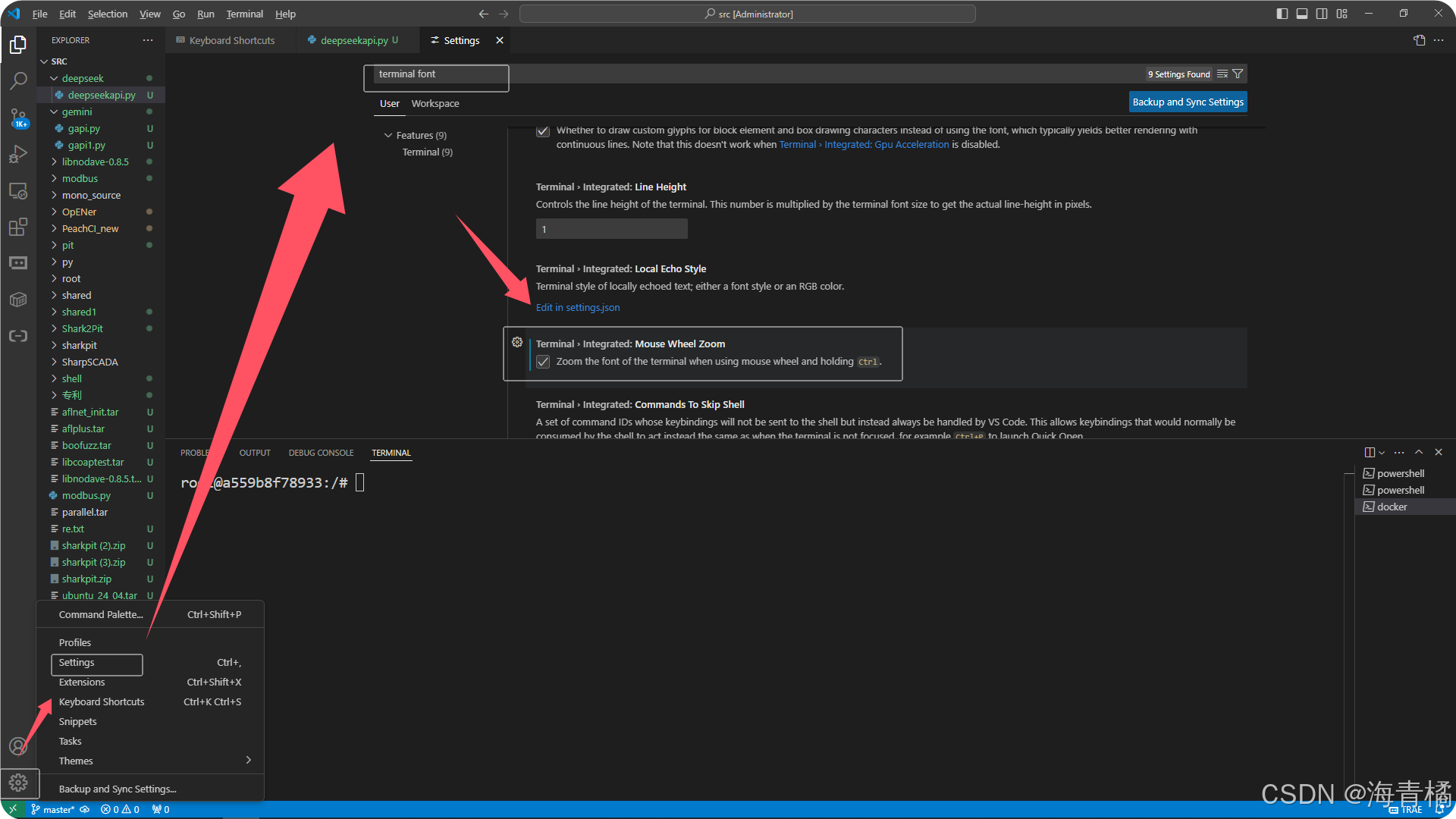
方法:通过设置修改,可以精确控制字体大小。
打开设置:点击左下角的齿轮图标,选择"设置";或者使用快捷键 Ctrl + ,(Windows/Linux) / Cmd + ,(Mac)。
搜索设置项:在顶部的搜索框中输入 terminal font 或 terminal.integrated.fontSize。
勾选: Zoom the font of the terminal when using mouse wheel and holding ctrl.