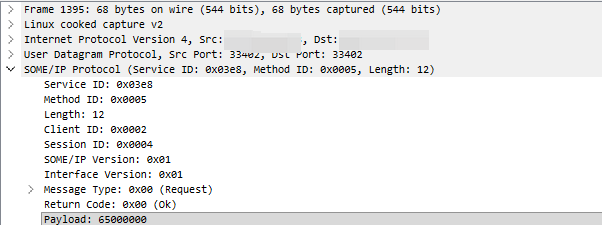
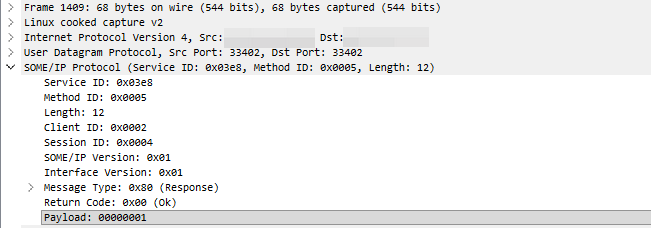
最近研究了好几天终于把vsomei python和davinci AP someip通信搭建成功了。后续就可以基于此完成someip上位机的搭建了。
两台linux电脑,一台运行vsomeip的python脚本,作为client,另一台运行davinci AP 的someip,作为server
部署时要注意防火墙最好是关掉,不然通信存在问题
sudo ufw disablevsomeip_py编译
c++版本拉取及编译
后续python版本其实也是运行在c++编译好的模块上,每次修改c++代码后,均需要重新编译,install和ldconfig才行
git clone https://github.com/COVESA/vsomeip.git

cd vsomeip
mkdir build && cd build

cmake -DCMAKE_BUILD_TYPE=Release -DBUILD_SHARED_LIBS=ON ..
make -j$(nproc)
sudo make install

# 刷新动态链接库
sudo ldconfig
python版本拉取
# 回到上级目录,克隆 Python 绑定仓库
cd ..
git clone https://github.com/COVESA/vsomeip_py.gitcd ./vsomeip_py/examples/clientsclients.py代码需要作一定修改
"""
SPDX-FileCopyrightText: Copyright (c) 2023 Contributors to COVESA

See the NOTICE file(s) distributed with this work for additional
information regarding copyright ownership.

Licensed under the Apache License, Version 2.0 (the "License");
you may not use this file except in compliance with the License.
You may obtain a copy of the License at

    http://www.apache.org/licenses/LICENSE-2.0

Unless required by applicable law or agreed to in writing, software
distributed under the License is distributed on an "AS IS" BASIS,
WITHOUT WARRANTIES OR CONDITIONS OF ANY KIND, either express or implied.
See the License for the specific language governing permissions and
limitations under the License.
SPDX-FileType: SOURCE
SPDX-License-Identifier: Apache-2.0
"""

import time
from typing import Final
from vsomeip_py.vsomeip import vSOMEIP

import struct


APPLICATION_NAME: Final = 'super_cool_app_client'
APPLICATION_ID: Final = 0x0002  # client ID

SERVICE_ID: Final = 0x03E8
SERVICE_INSTANCE: Final = 0x0001
SERVICE_VERSION: Final = (0x01, 0x00)  # Major version 和 Minor version, 1.0
SERVICE_PORT: Final = 33402
CLIENT_IP: Final = "<本机IP地址>"
CLIENT_MASK: Final = "255.255.255.0"
SERVICE_DISCOVERY_IP: Final = "224.224.224.245"
SERVICE_DISCOVERY_PORT: Final = 30490
SERVICE_DISCOVERY_ENABLE = 'true'

configuration = vSOMEIP.configuration()  # template
# application
configuration["applications"].append({'name': APPLICATION_NAME, 'id': APPLICATION_ID})
configuration["clients"].append({'service': SERVICE_ID, 'instance': SERVICE_INSTANCE, "unreliable": [SERVICE_PORT]})
# host
configuration["unicast"] = CLIENT_IP
configuration["netmask"] = CLIENT_MASK
# multicasting
configuration["service-discovery"]["multicast"] = SERVICE_DISCOVERY_IP
configuration["service-discovery"]["port"] = SERVICE_DISCOVERY_PORT
configuration["service-discovery"]["enable"] = SERVICE_DISCOVERY_ENABLE

# 回调函数需要增加一个变量,new_parameter
def callback(type: int, service: int, id: int, new_parameter: int, data: bytearray, request_id: int) -> bytearray:
    print(f"{hex(id)} -> {hex(type)}({hex(request_id)}) {hex(service)}, data: {data}")
    return data  # return data if want response to the request, else None


client = vSOMEIP(APPLICATION_NAME, SERVICE_ID, SERVICE_INSTANCE, SERVICE_VERSION, configuration=configuration)
client.create()

client.on_event(0x8001, callback, 0x0001)  # event ID 需要修改为davinci AP 配置的,0x0001作为event group ID,需要加进来,不然订阅0xFFFF,订阅不成功
client.register()
client.start()

while True:
    # client.request(0x0005, data=bytearray(bytearray(b'hello somebody!')))

    my_number = 0x00000065
    payload_data = struct.pack('<i', my_number)  # 实际还是应该为I, log里显示为i的结果,这里就先这样了
    client.request(0x0005, data=bytearray(payload_data))  # method: 0x0005,发送method请求

    time.sleep(3)
上述代码在发送method请求时,在服务端会一直显示interface version 不对(error code: 0x08, 提示instance ID not found.
但是interface version 没有开放接口,直接侵入修改协议栈代码
代码路径:
vsomeip/implementation/message/src/message_base_impl.cpp
修改这个函数:
void message_base_impl::set_interface_version(interface_version_t _interface_version) {
    header_.interface_version_ = _interface_version;  // 保留,不然编译报错,编译选项设置的问题
    header_.interface_version_ = 0x01;
}
改完c++代码后一定记得重新编译,安装,链接
运行
server
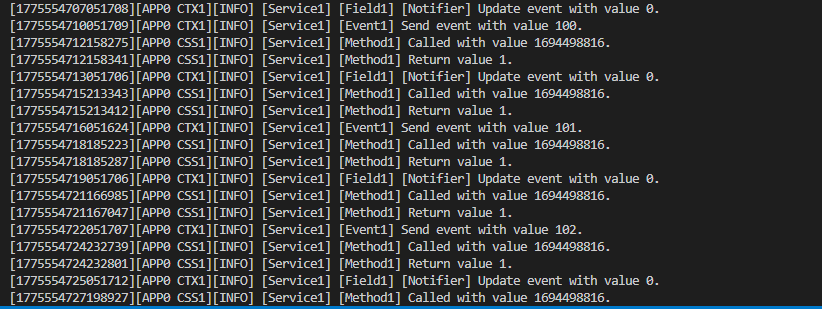
Davinci AP:
client
vsomeip_py:
接收到event会打印:

报文:
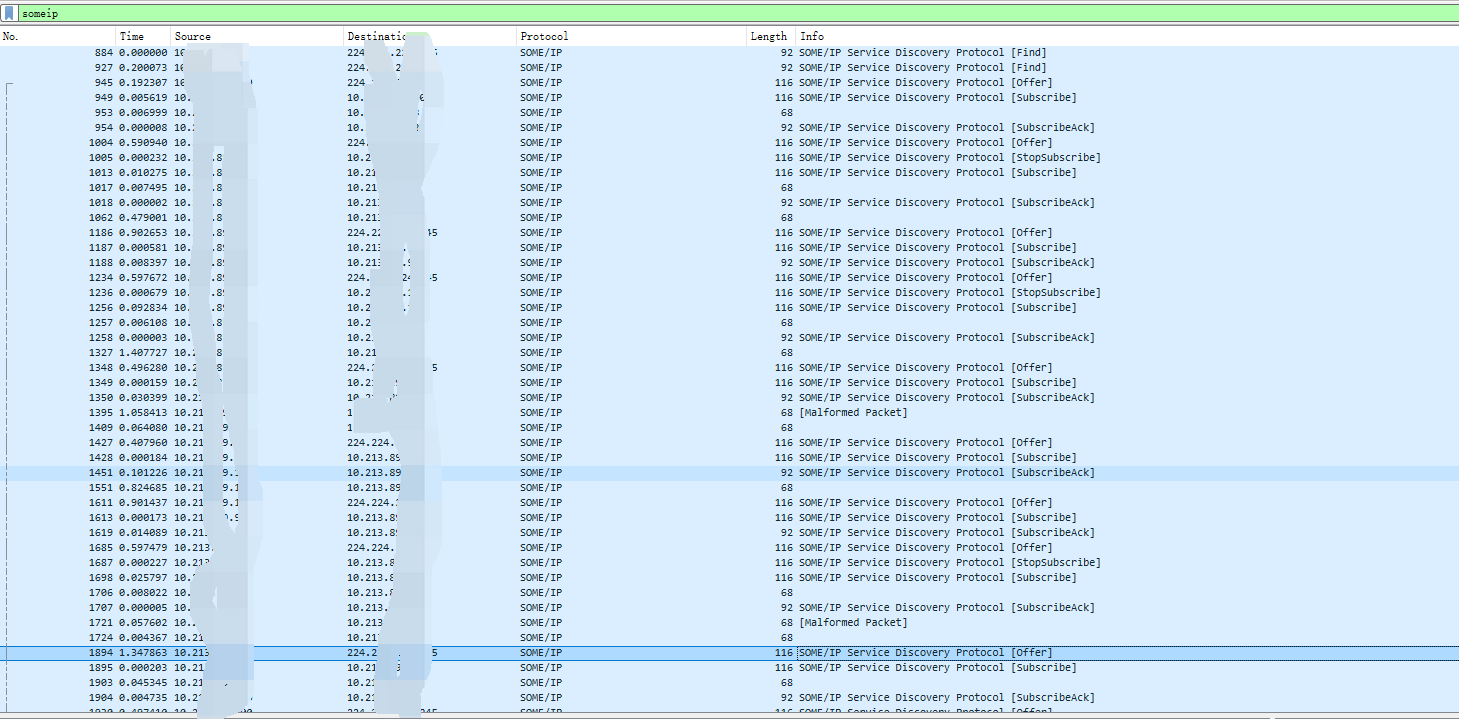
event:
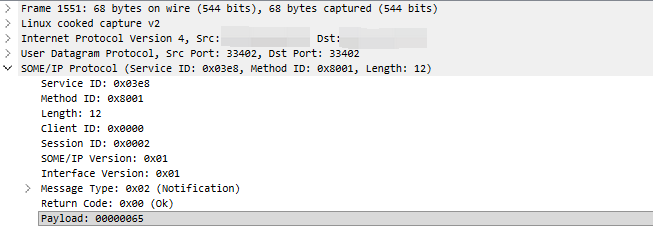
method: