社交星系应用
欢迎加入开源鸿蒙跨平台社区:
https://openharmonycrossplatform.csdn.net
一、项目概述
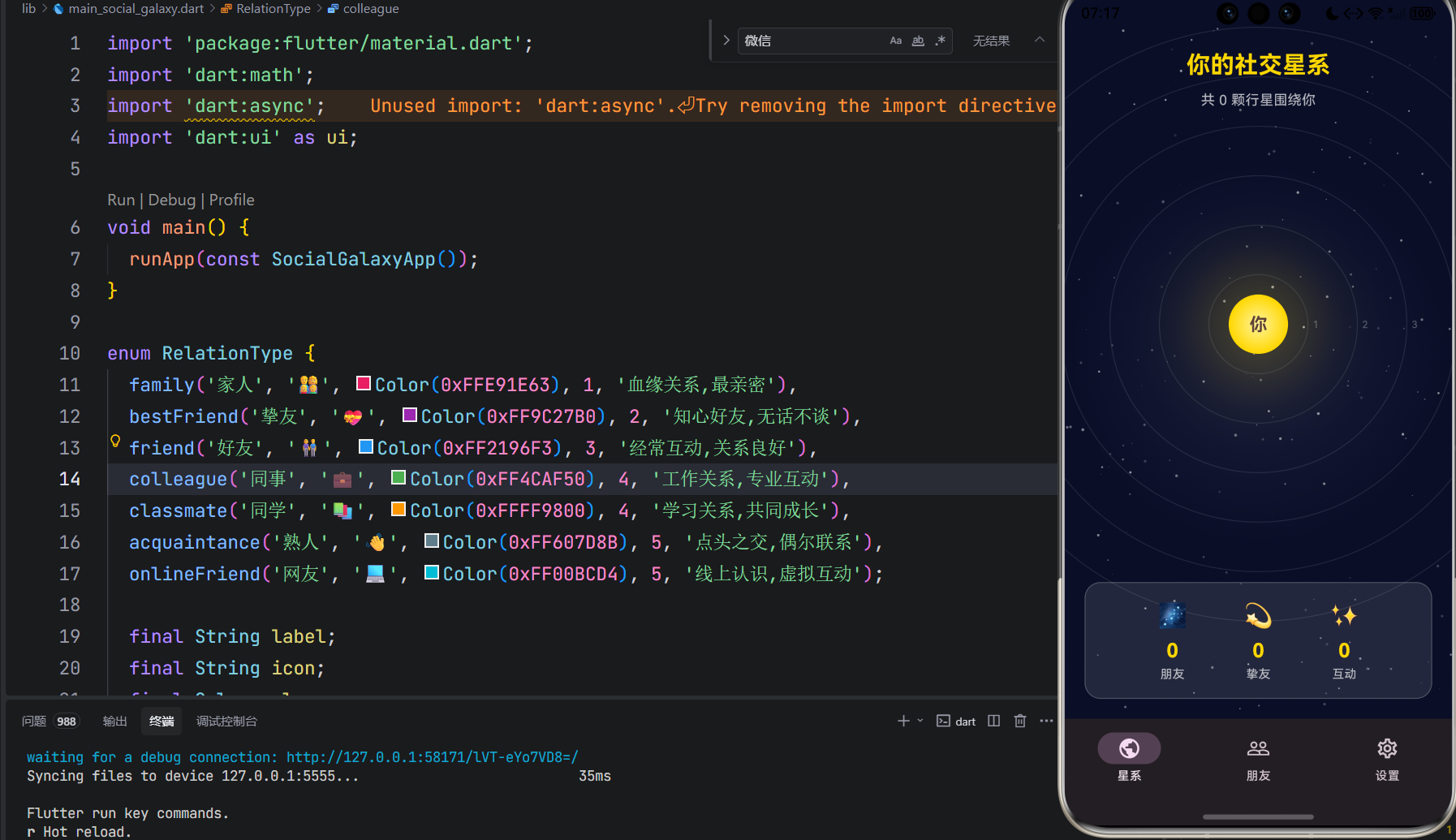
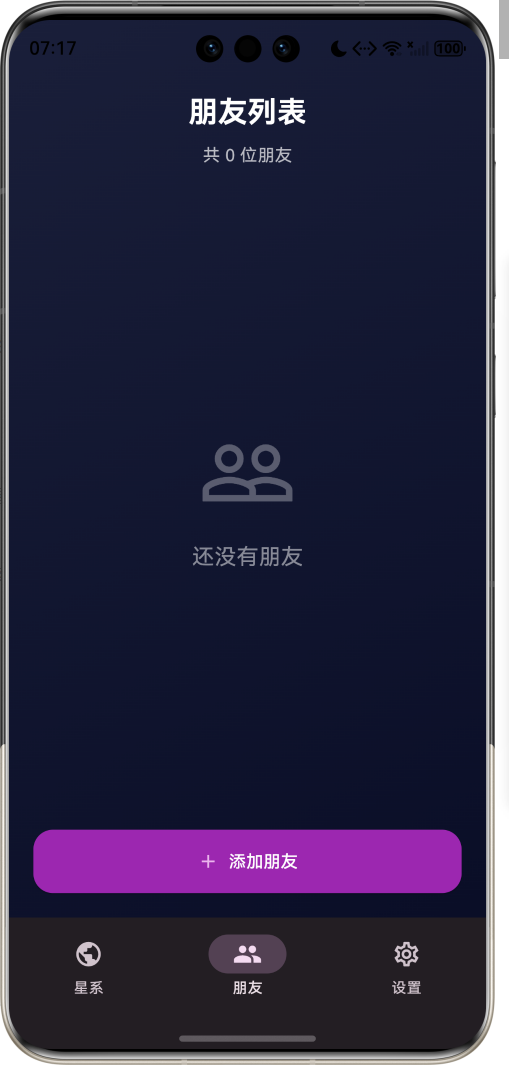
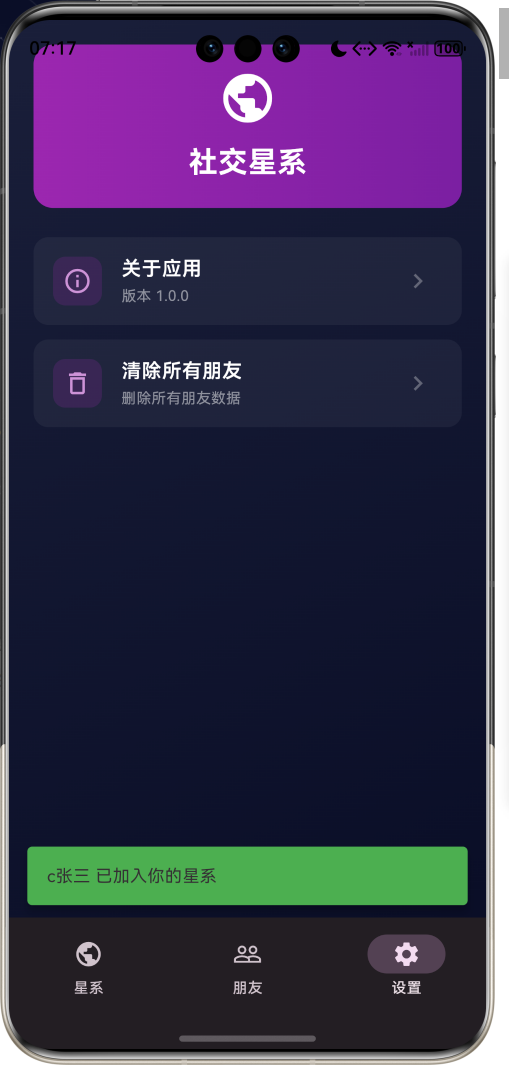
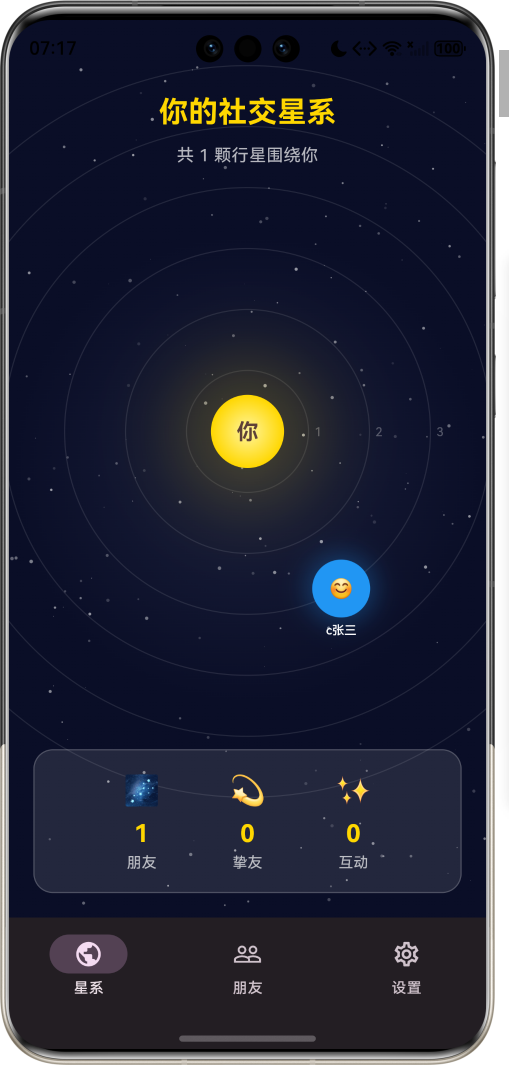
运行效果图
1.1 应用简介
社交星系是一款创新的社交关系可视化应用,将用户的社交网络映射为一个独特的星系。在这个星系中,用户是中心的恒星,而朋友则是围绕恒星运行的行星。行星与恒星的距离代表亲密程度,行星的大小代表互动频率,颜色代表关系类型。
应用以宇宙星空为主题,营造神秘而浪漫的氛围。用户可以直观地看到自己的社交星系,了解与不同朋友的关系亲密度,发现那些渐行渐远或日益亲密的关系,并可以添加新朋友、调整关系距离、记录互动历史。
1.2 核心理念
人际关系如同宇宙星系,每个人都是自己世界的中心。社交星系的设计理念基于以下原则:
| 设计原则 | 理论基础 | 应用体现 |
|---|---|---|
| 关系可视化 | 社会网络分析 | 将社交关系映射为星系 |
| 距离隐喻 | 人际距离理论 | 距离代表亲密程度 |
| 动态演化 | 关系动力学 | 关系随时间变化 |
| 情感映射 | 情感心理学 | 颜色代表关系类型 |
1.3 核心功能
社交星系
核心功能
星系展示
用户
朋友
轨道动画
关系管理
添加朋友
调整距离
设置类型
互动记录
添加互动
查看历史
统计分析
辅助功能
星系截图
分享功能
数据导出
1.4 关系类型分类
应用支持多种关系类型:
| 类型 | 图标 | 颜色 | 描述 | 典型距离 |
|---|---|---|---|---|
| 家人 | 👨👩👧👦 | #E91E63 | 血缘关系,最亲密 | 1-2轨道 |
| 挚友 | 💝 | #9C27B0 | 知心好友,无话不谈 | 2-3轨道 |
| 好友 | 👫 | #2196F3 | 经常互动,关系良好 | 3-4轨道 |
| 同事 | 💼 | #4CAF50 | 工作关系,专业互动 | 4-5轨道 |
| 同学 | 📚 | #FF9800 | 学习关系,共同成长 | 4-5轨道 |
| 熟人 | 👋 | #607D8B | 点头之交,偶尔联系 | 5-6轨道 |
| 网友 | 💻 | #00BCD4 | 线上认识,虚拟互动 | 5-6轨道 |
1.5 技术栈
| 技术领域 | 技术选型 | 版本要求 |
|---|---|---|
| 开发框架 | Flutter | >= 3.0.0 |
| 编程语言 | Dart | >= 2.17.0 |
| 设计规范 | Material Design 3 | - |
| 动画控制 | AnimationController | - |
| 状态管理 | setState | - |
| 目标平台 | 鸿蒙OS / Web | API 21+ |
1.6 项目结构
lib/
└── main_social_galaxy.dart
    ├── SocialGalaxyApp         # 应用入口
    ├── RelationType            # 关系类型枚举
    ├── Friend                  # 朋友模型
    ├── Interaction             # 互动模型
    ├── SocialGalaxyPage        # 主页面
    ├── _buildGalaxyView        # 星系视图
    ├── _buildFriendList        # 朋友列表
    └── _buildSettingsPage      # 设置页面
二、系统架构
2.1 整体架构图
Business Logic Layer
Presentation Layer
Data Layer
RelationType
关系类型枚举
Friend
朋友模型
Interaction
互动模型
主页面
SocialGalaxyPage
星系视图
朋友列表
互动记录
设置页面
恒星展示
行星轨道
动画效果
朋友卡片
添加朋友
编辑关系
星系生成器
轨道计算器
关系分析器
互动统计器
2.2 类图设计
manages
has
contains
SocialGalaxyApp
+Widget build()
<<enumeration>>
RelationType
+String label
+String icon
+Color color
+int defaultOrbit
+family()
+bestFriend()
+friend()
+colleague()
+classmate()
+acquaintance()
+onlineFriend()
Friend
+String id
+String name
+String avatar
+RelationType relationType
+int orbit
+double size
+List<Interaction> interactions
+DateTime addedAt
+String notes
Interaction
+String id
+String friendId
+String type
+String description
+DateTime timestamp
+int impact
SocialGalaxyPage
-List<Friend> _friends
-Friend? _selectedFriend
+Widget build()
-_addFriend()
-_updateOrbit()
-_addInteraction()
2.3 星系生成流程
轨道计算器 星系生成器 应用 用户 轨道计算器 星系生成器 应用 用户 打开应用 加载朋友数据 遍历朋友列表 计算轨道位置 根据亲密程度计算距离 计算行星大小 确定行星颜色 返回轨道数据 生成星系视图 展示社交星系
2.4 关系距离映射
高频
中频
低频
朋友数据
获取关系类型
确定基础轨道
计算互动频率
轨道内移
轨道不变
轨道外移
计算最终轨道
映射到星系距离
生成行星位置
三、核心模块设计
3.1 数据模型设计
3.1.1 关系类型枚举 (RelationType)
dart
enum RelationType {
family('家人', '👨👩👧👦', Color(0xFFE91E63), 1),
bestFriend('挚友', '💝', Color(0xFF9C27B0), 2),
friend('好友', '👫', Color(0xFF2196F3), 3),
colleague('同事', '💼', Color(0xFF4CAF50), 4),
classmate('同学', '📚', Color(0xFFFF9800), 4),
acquaintance('熟人', '👋', Color(0xFF607D8B), 5),
onlineFriend('网友', '💻', Color(0xFF00BCD4), 5);
final String label;
final String icon;
final Color color;
final int defaultOrbit;
}3.1.2 朋友模型 (Friend)
dart
class Friend {
  final String id;              // 唯一标识
  final String name;            // 姓名
  final String avatar;          // 头像(emoji)
  final RelationType relationType; // 关系类型
  int orbit;                    // 轨道(1-6)
  double size;                  // 行星大小
  final List<Interaction> interactions; // 互动列表
  final DateTime addedAt;       // 添加时间
  final String notes;           // 备注
}
3.1.3 互动模型 (Interaction)
dart
class Interaction {
  final String id;              // 唯一标识
  final String friendId;        // 朋友ID
  final String type;            // 互动类型
  final String description;     // 描述
  final DateTime timestamp;     // 时间
  final int impact;             // 影响值(-2到+2)
}
3.1.4 关系分布统计
25% 19% 15% 13% 13% 10% 6% 社交关系类型分布 家人 挚友 好友 同事 同学 熟人 网友
3.2 页面结构设计
3.2.1 主页面布局
渲染错误: Mermaid 渲染失败: Parse error on line 5: ... B --> B1恒星(用户) B --> B2[行 ----------------------^ Expecting 'SQE', 'DOUBLECIRCLEEND', 'PE', '-)', 'STADIUMEND', 'SUBROUTINEEND', 'PIPE', 'CYLINDEREND', 'DIAMOND_STOP', 'TAGEND', 'TRAPEND', 'INVTRAPEND', 'UNICODE_TEXT', 'TEXT', 'TAGSTART', got 'PS'
3.2.2 星系视图结构
星系视图
Canvas画布
背景层
轨道层
行星层
恒星层
星空背景
星云效果
轨道圆环
轨道标签
行星动画
行星标签
恒星光芒
用户信息
3.3 轨道计算算法
高频>10次/月
中频3-10次/月
低频<3次/月
是
否
是
否
开始计算
获取关系类型
确定基础轨道
计算互动次数
互动频率?
轨道-1
轨道不变
轨道+1
边界检查
轨道<1?
设置为1
轨道>6?
设置为6
使用计算值
返回最终轨道
3.4 行星动画实现
dart
class PlanetAnimation extends StatefulWidget {
  final Friend friend;
  final double orbitRadius;

  @override
  State<PlanetAnimation> createState() => _PlanetAnimationState();
}

class _PlanetAnimationState extends State<PlanetAnimation>
    with SingleTickerProviderStateMixin {
  late AnimationController _controller;

  @override
  void initState() {
    super.initState();
    _controller = AnimationController(
      duration: Duration(seconds: 10 + widget.orbit * 5),
      vsync: this,
    )..repeat();
  }

  @override
  Widget build(BuildContext context) {
    return AnimatedBuilder(
      animation: _controller,
      builder: (context, child) {
        final angle = _controller.value * 2 * pi;
        final x = widget.orbitRadius * cos(angle);
        final y = widget.orbitRadius * sin(angle);

        return Transform.translate(
          offset: Offset(x, y),
          child: child,
        );
      },
      child: _buildPlanet(),
    );
  }
}
四、UI设计规范
4.1 配色方案
应用采用宇宙星空主题配色:
| 颜色类型 | 色值 | 用途 |
|---|---|---|
| 背景 | #0A0E27 (深蓝) | 星空背景 |
| 恒星 | #FFD700 (金色) | 用户恒星 |
| 家人 | #E91E63 | 粉红色行星 |
| 挚友 | #9C27B0 | 紫色行星 |
| 好友 | #2196F3 | 蓝色行星 |
| 同事 | #4CAF50 | 绿色行星 |
| 同学 | #FF9800 | 橙色行星 |
| 熟人 | #607D8B | 灰色行星 |
| 网友 | #00BCD4 | 青色行星 |
4.2 字体规范
| 元素 | 字号 | 字重 | 颜色 |
|---|---|---|---|
| 恒星名称 | 24px | Bold | #FFD700 |
| 行星名称 | 14px | Medium | #FFFFFF |
| 轨道标签 | 12px | Regular | #B0BEC5 |
| 关系类型 | 12px | Medium | 主题色 |
| 统计数字 | 32px | Bold | #FFD700 |
4.3 组件规范
4.3.1 星系视图
┌─────────────────────────────────────────────────┐
│                                                 │
│                    ·  ·  ·                      │
│              ·                ·                 │
│           ·    ┌─────────┐    ·                │
│          ·     │   ☀️    │     ·               │
│          ·     │  你     │     ·               │
│           ·    └─────────┘    ·                │
│              ·      💜      ·                  │
│                 ·   💙  ·                     │
│                    ·  ·                        │
│                                                 │
│         你的社交星系                            │
│                                                 │
└─────────────────────────────────────────────────┘
4.3.2 朋友卡片
┌─────────────────────────────────────────────────┐
│  💜 小明 · 挚友                                │
│                                                 │
│  📍 第2轨道 · 距离很近                          │
│                                                 │
│  ━━━━━━━━━━━━━━━━━━━━━━━━━━━━━━━━━━━━━━━━━━  │
│                                                 │
│  📊 互动: 15次    📅 添加: 2024-01-15          │
│                                                 │
│         [查看详情]    [调整距离]                │
│                                                 │
└─────────────────────────────────────────────────┘
4.3.3 统计面板
┌─────────────────────────────────────────────────┐
│                                                 │
│  🌌 你的星系统计                               │
│                                                 │
│  ┌─────┐  ┌─────┐  ┌─────┐                    │
│  │  42 │  │  8  │  │ 156 │                    │
│  │朋友 │  │挚友 │  │互动 │                    │
│  └─────┘  └─────┘  └─────┘                    │
│                                                 │
└─────────────────────────────────────────────────┘
五、核心功能实现
5.1 星系绘制
dart
class GalaxyPainter extends CustomPainter {
  final List<Friend> friends;
  final double centerX;
  final double centerY;

  @override
  void paint(Canvas canvas, Size size) {
    // 绘制星空背景
    _drawStarfield(canvas, size);

    // 绘制轨道
    for (int i = 1; i <= 6; i++) {
      _drawOrbit(canvas, i);
    }

    // 绘制恒星(用户)
    _drawSun(canvas, centerX, centerY);

    // 绘制行星(朋友)
    for (var friend in friends) {
      _drawPlanet(canvas, friend);
    }
  }

  void _drawOrbit(Canvas canvas, int orbit) {
    final radius = orbit * 60.0;
    final paint = Paint()
      ..color = Colors.white.withOpacity(0.1)
      ..style = PaintingStyle.stroke
      ..strokeWidth = 1;

    canvas.drawCircle(Offset(centerX, centerY), radius, paint);
  }

  void _drawSun(Canvas canvas, double x, double y) {
    final paint = Paint()
      ..color = const Color(0xFFFFD700)
      ..style = PaintingStyle.fill;

    canvas.drawCircle(Offset(x, y), 30, paint);

    // 绘制光芒
    final glowPaint = Paint()
      ..color = const Color(0xFFFFD700).withOpacity(0.3)
      ..maskFilter = const MaskFilter.blur(BlurStyle.normal, 20);

    canvas.drawCircle(Offset(x, y), 50, glowPaint);
  }
}
5.2 添加朋友
dart
void _addFriend({
  required String name,
  required RelationType relationType,
  String notes = '',
}) {
  final friend = Friend(
    id: DateTime.now().millisecondsSinceEpoch.toString(),
    name: name,
    avatar: _getRandomAvatar(),
    relationType: relationType,
    orbit: relationType.defaultOrbit,
    size: 20.0,
    interactions: [],
    addedAt: DateTime.now(),
    notes: notes,
  );

  setState(() {
    _friends.add(friend);
  });

  ScaffoldMessenger.of(context).showSnackBar(
    SnackBar(
      content: Text('$name 已加入你的星系'),
      backgroundColor: Colors.green,
    ),
  );
}
5.3 调整轨道
dart
void _updateOrbit(String friendId, int newOrbit) {
  setState(() {
    final index = _friends.indexWhere((f) => f.id == friendId);
    if (index != -1) {
      _friends[index].orbit = newOrbit.clamp(1, 6);
    }
  });

  final friend = _friends.firstWhere((f) => f.id == friendId);
  final distance = _getDistanceDescription(newOrbit);

  ScaffoldMessenger.of(context).showSnackBar(
    SnackBar(
      content: Text('${friend.name} 已移至第$newOrbit轨道($distance)'),
      backgroundColor: Colors.blue,
    ),
  );
}

String _getDistanceDescription(int orbit) {
  if (orbit <= 2) return '非常亲密';
  if (orbit <= 3) return '关系良好';
  if (orbit <= 4) return '一般关系';
  return '逐渐疏远';
}
5.4 添加互动
dart
void _addInteraction({
  required String friendId,
  required String type,
  required String description,
  required int impact,
}) {
  final interaction = Interaction(
    id: DateTime.now().millisecondsSinceEpoch.toString(),
    friendId: friendId,
    type: type,
    description: description,
    timestamp: DateTime.now(),
    impact: impact,
  );

  setState(() {
    final index = _friends.indexWhere((f) => f.id == friendId);
    if (index != -1) {
      _friends[index].interactions.add(interaction);

      // 根据互动影响调整轨道
      if (impact > 0) {
        _friends[index].orbit = max(1, _friends[index].orbit - 1);
      } else if (impact < 0) {
        _friends[index].orbit = min(6, _friends[index].orbit + 1);
      }
    }
  });
}
六、交互设计
6.1 星系浏览交互
详情页 行星 星系视图 用户 详情页 行星 星系视图 用户 查看星系 显示行星动画 点击行星 显示朋友详情 查看互动历史 添加新互动 更新轨道
6.2 关系管理流程
是
否
点击添加朋友
输入朋友信息
选择关系类型
确定初始轨道
保存朋友
继续添加?
返回星系
查看新行星
调整轨道
添加互动
七、运行说明
7.1 环境要求
| 环境 | 版本要求 |
|---|---|
| Flutter SDK | >= 3.0.0 |
| Dart SDK | >= 2.17.0 |
| 鸿蒙OS | API 21+ |
7.2 运行命令
bash
# 查看可用设备
flutter devices

# 运行到Web服务器
flutter run -d web-server -t lib/main_social_galaxy.dart --web-port 8136

# 运行到鸿蒙设备
flutter run -d 127.0.0.1:5555 lib/main_social_galaxy.dart

# 运行到Windows
flutter run -d windows -t lib/main_social_galaxy.dart

# 代码分析
flutter analyze lib/main_social_galaxy.dart
八、总结
社交星系应用将用户的社交网络映射为一个独特的星系,用户是中心的恒星,朋友是围绕运行的行星。行星与恒星的距离代表亲密程度,行星的大小代表互动频率,颜色代表关系类型。
核心功能涵盖星系展示、关系管理、互动记录三大模块。星系展示以可视化方式呈现社交网络;关系管理支持添加朋友和调整轨道;互动记录帮助用户追踪与朋友的互动历史。
应用采用Material Design 3设计规范,以宇宙星空为主题,营造神秘而浪漫的氛围。通过本应用,希望能够帮助用户直观地了解自己的社交网络,发现关系的变化趋势,珍惜身边的人。
你是宇宙的中心,朋友是围绕你的星辰