uni-app开发微信小程序,如何使用towxml去渲染md格式和html标签格式的内容?
前言
一次偶然的面试,面试官问到,你有没有用过towxml?
我:没有。
于是面试结束后,就开始在百度查了,查到了它的githup地址towxml地址,然后就把代码拉下来,好好扒开看看。
最终做出了一个来渲染面试题答案的组件,实现了一个刷面试题的小程序。
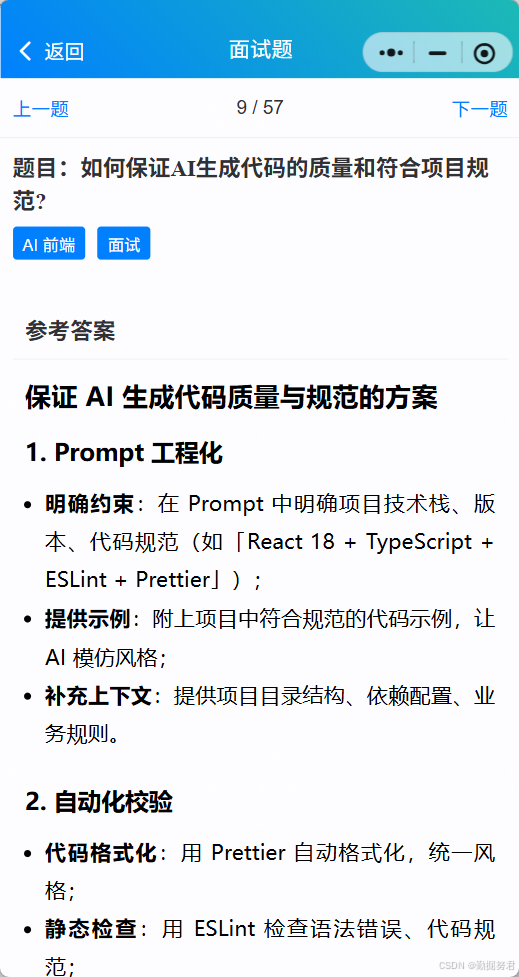
先看效果
下面这个截图是从蝌蚪智汇 小程序里面截出来的,有兴趣的可以去看看
如何在项目中使用towxml
第一步
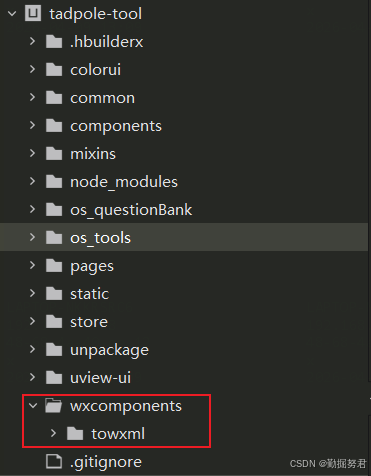
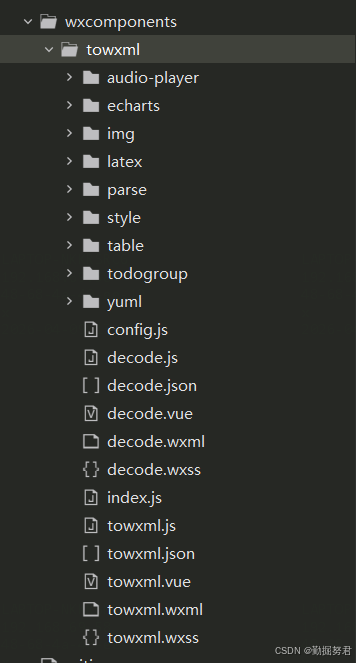
先在项目的根目录创建一个wxcomponents的文件夹,然后把towxml的源码放进去,如下图所示
第二步
直接引入towxml方法使用,完整代码如下:
javascript
<template>
	<view class="md-view">
		<!-- 页面头部 -->
		<cu-custom bgColor="bg-gradual-pink" :isBack="true" :isCustomBackFn="true">
			<block slot="backText">返回</block>
			<block slot="content">md文档展示</block>
		</cu-custom>
		<towxml :nodes="html" />
	</view>
</template>

<script>
	import towxml from "@/wxcomponents/towxml/index.js";
	import { text, htmlText } from './md-text.js';

	export default {
		name: 'md-view',
		data(){
			return {
				html: ''
			}
		},
		mounted() {
			// 还可以直接渲染html代码towxml(htmlText, 'html')
			this.html = towxml(text, 'markdown')
			console.log(this.html);
		}
	}
</script>

<style lang="scss" scoped>
</style>
md-text.js文件代码:
javascript
export const text = `

## 渲染 code 方法, 如下

\`\`\`html
<!DOCTYPE html>
<html lang="en">
<head>
  <meta charset="UTF-8">
  <meta http-equiv="X-UA-Compatible" content="IE=edge">
  <meta name="viewport" content="width=device-width, initial-scale=1.0">
  <title></title>
</head>

<body>

</body>
</html>

<script>

</script>

\`\`\`
`

export const htmlText =
	"<p style=\"line-height: 2;\"><span style=\"font-family: Pacifico;\">当一个Vue实例创建时,Vue会遍历</span><strong style=\"font-family: Pacifico;\">data</strong><span style=\"font-family: Pacifico;\">中的属性,用 </span><strong style=\"font-family: Pacifico;\">Object.defineProperty</strong><span style=\"font-family: Pacifico;\">(vue3.0使用proxy )将它们转为 </span><strong style=\"font-family: Pacifico;\">getter/setter</strong><span style=\"font-family: Pacifico;\">,并且在内部追踪相关依赖,在属性被访问和修改时通知变化。 每个组件实例都有相应的 </span><strong style=\"font-family: Pacifico;\">watcher </strong><span style=\"font-family: Pacifico;\">程序实例,它会在组件渲染的过程中把属性记录为依赖,之后当依赖项的setter被调用时,会通知watcher重新计算,从而致使它关联的组件得以更新。</span></p>"
总结
towxml使用起来倒是不难,但有的效果展示还是不太理想,可以去改改源码达到你想要的效果哦
关注我不迷路
不定期发表前端开发技巧类的文章