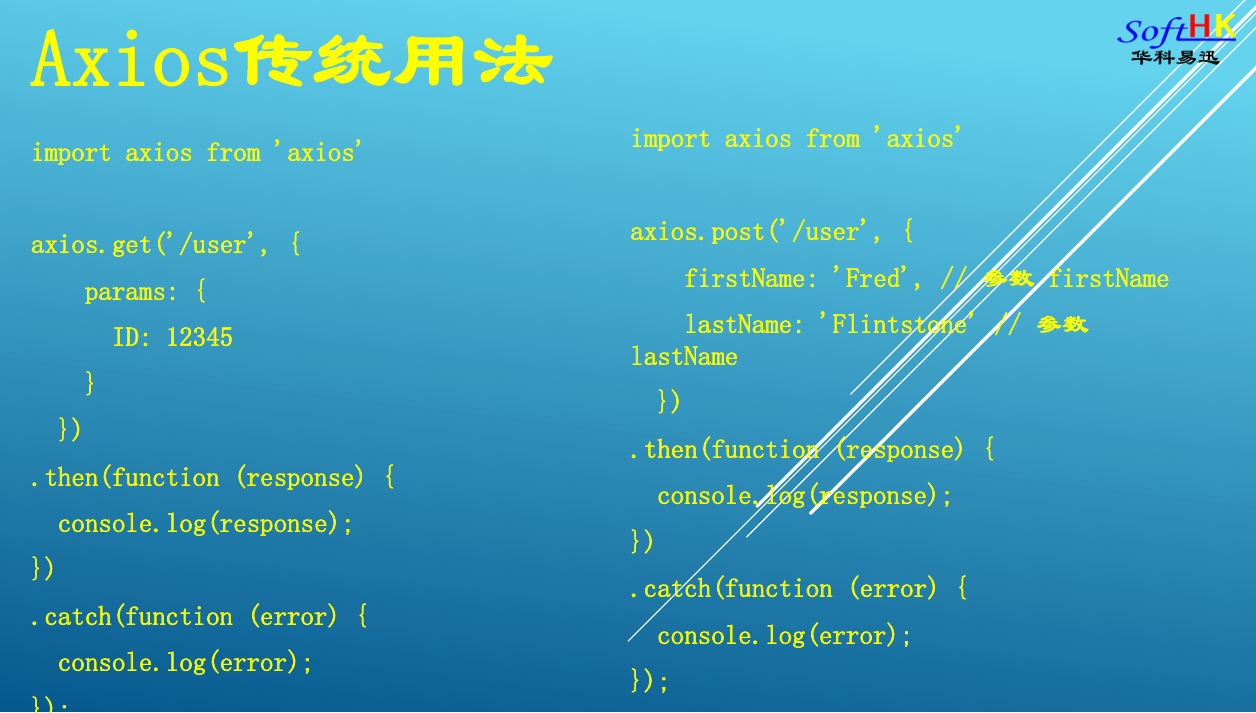
为了方便使用Ajax,Vue前端项目可以对Axios进一步封装,提高前端项目开发效率。
Axios安装
npm install axios@0.18.0
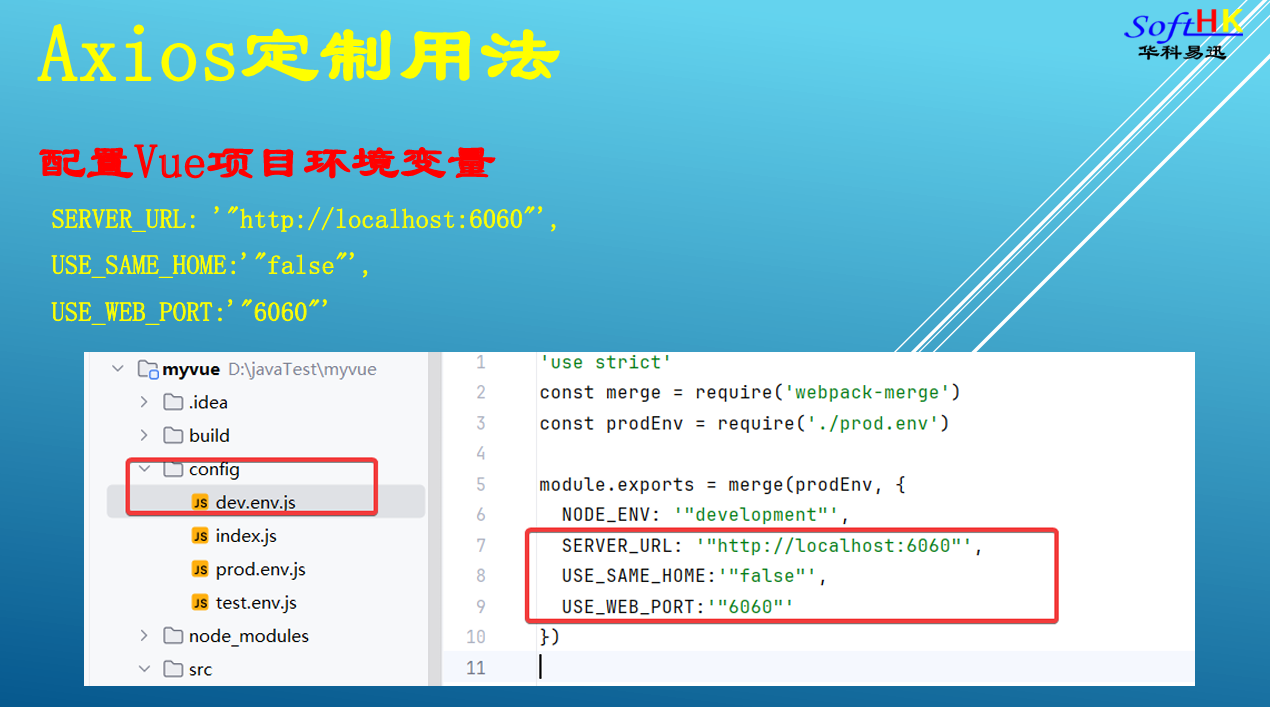
定义前端环境变量
封装Ajax请求,添加请求与响应拦截器
request.js
html
import Vue from 'vue'
import axios from 'axios'
import store from '@/store'
import { Message } from 'element-ui'
let apiBaseUrl = 'http://'+window.location.hostname + ":6060/";
if(process.env.USE_SAME_HOME=='true')
{
  if(process.env.USE_WEB_PORT != '')
    apiBaseUrl = 'http://'+window.location.hostname + ":"+process.env.USE_WEB_PORT+"/";
  else
    apiBaseUrl = 'http://'+window.location.hostname + "/";
}
else
{
  apiBaseUrl = process.env.SERVER_URL;
}

console.log("apiBaseUrl= ",apiBaseUrl)
// 创建 axios 实例
const service = axios.create({
  baseURL: apiBaseUrl, // api base_url
  timeout: 60000 // 请求超时时间
})

const err = (error) => {
  if (error.response) {
    let data = error.response.data
    switch (error.response.status) {
      case 403:
        Message.error('拒绝访问')
        break
      case 500:
        Message.error('后台错误:'+error.response)
        break
      case 404:
          Message.error('很抱歉,资源未找到!')
        break
      case 504:
        Message.error('网络超时')
        break
      case 401:
        Message.error('未授权,请重新登录')
        break
      default:
        Message.error({
          message: '系统提示',
          description: data.message,
          duration: 4
        })
        break
    }
  }
  return Promise.reject(error)
};

// request interceptor
service.interceptors.request.use(config => {
  if(config.method=='get'){
    //添加请求随机参数,避免Nginx配置缓存导致问题
    config.params = {
      _t: Date.parse(new Date())/1000,
      ...config.params
    }
  }
  return config
},(error) => {
  return Promise.reject(error)
})

// response interceptor
service.interceptors.response.use((response) => {
    return response.data
  }, err)

export {
  service as axios
}
封装Http协议方法
http.js
html
import Vue from 'vue'
import { axios } from '@/util/request'

export function postAction(url,parameter) {
  return axios({
    url: url,
    method:'post' ,
    data: parameter
  })
}

export function httpAction(url,parameter,method) {
  return axios({
    url: url,
    method:method ,
    data: parameter
  })
}

export function putAction(url,parameter) {
  return axios({
    url: url,
    method:'put',
    data: parameter
  })
}

export function getAction(url,parameter) {
  return axios({
    url: url,
    method: 'get',
    params: parameter
  })
}

export function deleteAction(url,parameter) {
  return axios({
    url: url,
    method: 'delete',
    params: parameter
  })
}

/**
export function downFile(url,parameter){
  return axios({
    url: url,
    params: parameter,
    method:'get' ,
    responseType: 'blob'
  })
}

export function downloadFile(url, fileName, parameter) {
  return downFile(url, parameter).then((data) => {
    if (!data || data.size === 0) {
      Vue.prototype['$message'].warning('文件下载失败')
      return
    }
    if (typeof window.navigator.msSaveBlob !== 'undefined') {
      window.navigator.msSaveBlob(new Blob([data]), fileName)
    } else {
      let url = window.URL.createObjectURL(new Blob([data]))
      let link = document.createElement('a')
      link.style.display = 'none'
      link.href = url
      link.setAttribute('download', fileName)
      document.body.appendChild(link)
      link.click()
      document.body.removeChild(link) //下载完成移除元素
      window.URL.revokeObjectURL(url) //释放掉blob对象
    }
  })
}

export function uploadAction(url,parameter){
  return axios({
    url: url,
    data: parameter,
    method:'post' ,
    headers: {
      'Content-Type': 'multipart/form-data',  // 文件上传
    },
  })
}
*/

export function getFileAccessHttpUrl(avatar,subStr) {
  if(!subStr) subStr = 'http'
  try {
    if(avatar && avatar.startsWith(subStr)){
      return avatar;
    }else{
      if(avatar && avatar.length>0 && avatar.indexOf('[')==-1){
        return window._CONFIG['staticDomainURL'] + "/" + avatar;
      }
    }
  }catch(err){
   return;
  }
}
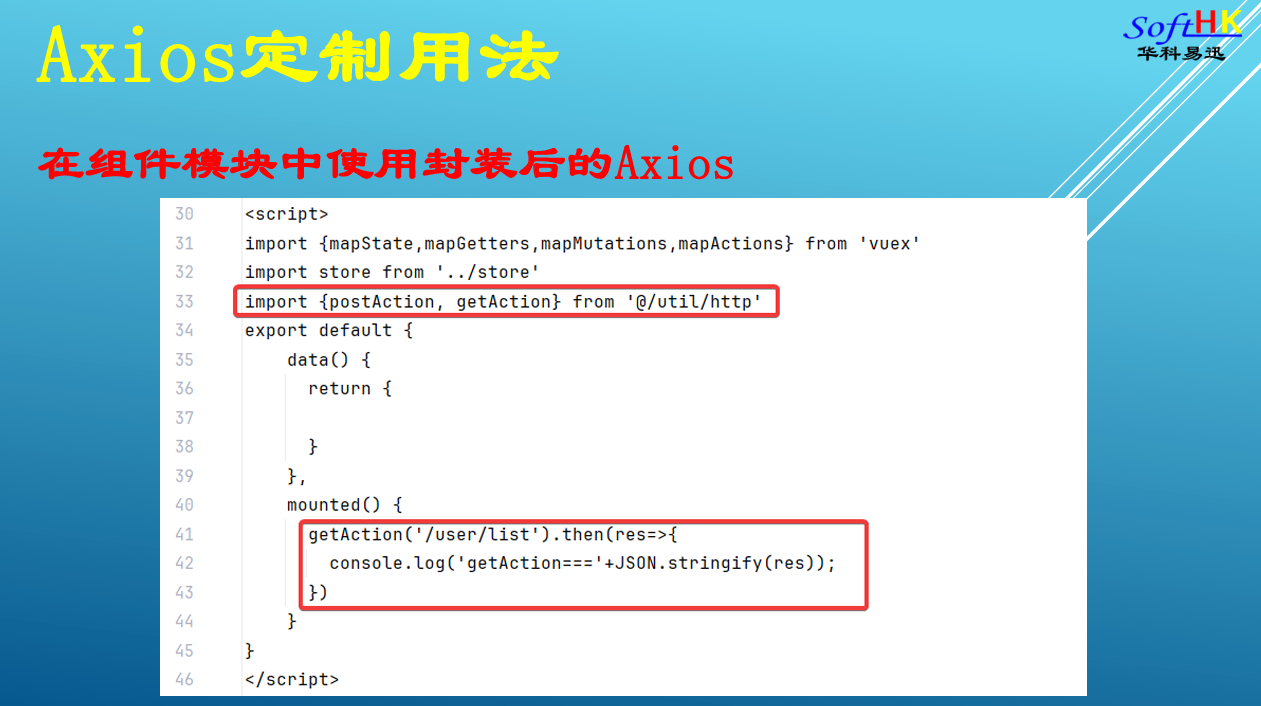
在组件中使用Axios的封装方法
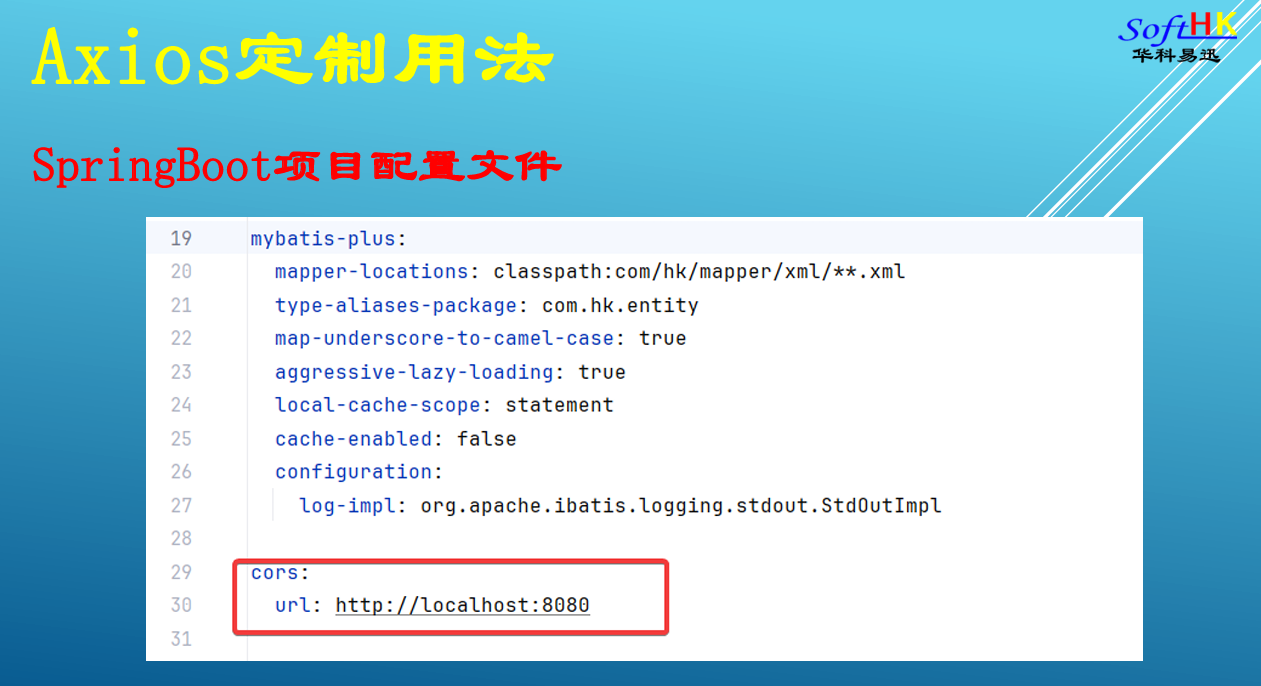
SpringBoot后台项目添加跨域访问
java
package com.hk.config;


import org.springframework.beans.factory.annotation.Value;
import org.springframework.context.annotation.Configuration;
import org.springframework.web.servlet.config.annotation.CorsRegistry;
import org.springframework.web.servlet.config.annotation.WebMvcConfigurerAdapter;

@Configuration
public class CrosConfiguration extends WebMvcConfigurerAdapter {
    @Value("${cors.url}")
    private String corsUrl = null;

    @Override
    public void addCorsMappings(CorsRegistry registry) {
        System.out.println("corsUrl==="+corsUrl);
        String[] dimCors = corsUrl.split(",");
        registry
                .addMapping("/**")
                .allowedMethods("GET", "POST", "PUT", "DELETE")
                .allowCredentials(true)
                .allowedOrigins(dimCors)
                .maxAge(3600);
    }

}
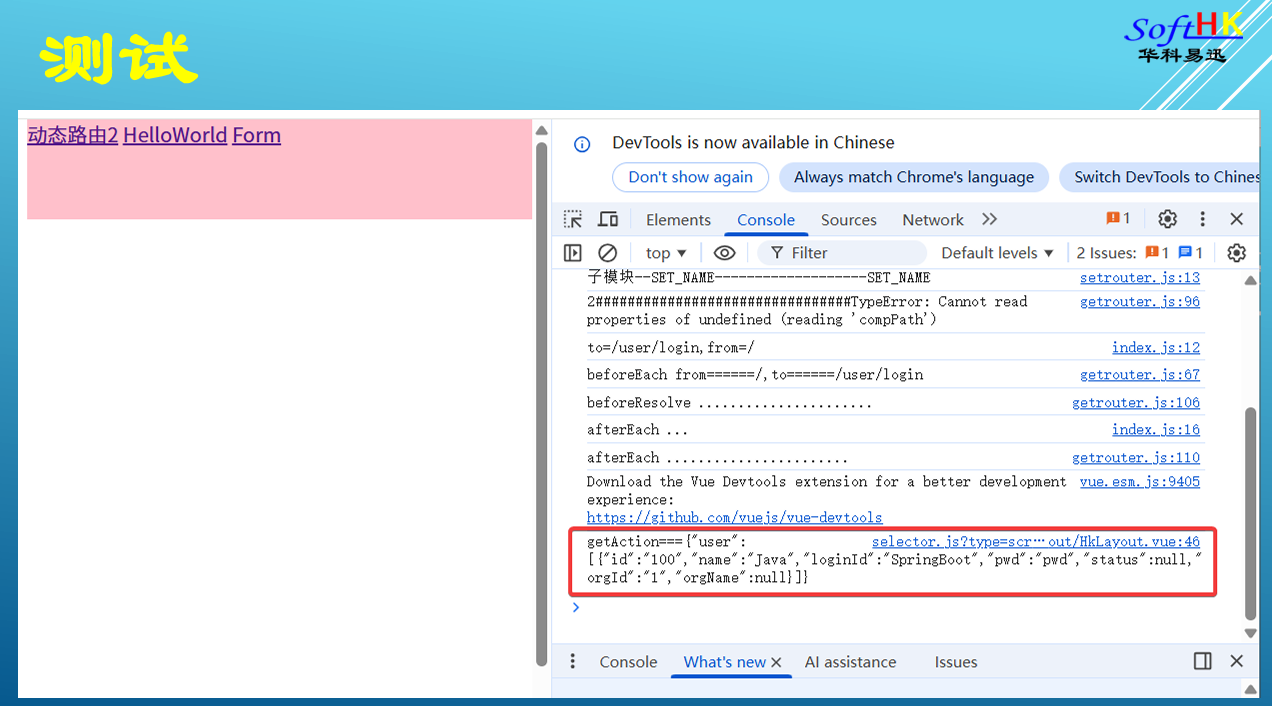
测试