目录
[1.1 创建基本的网络拓扑](#1.1 创建基本的网络拓扑)
[1.2 测试丢包率](#1.2 测试丢包率)
[1.3 测试带宽](#1.3 测试带宽)
[1.4 测试延迟](#1.4 测试延迟)
1.1 创建基本的网络拓扑
TypeScript
ubuntu@sdnhubvm:~[08:34]$ cd mininet/examples/
ubuntu@sdnhubvm:~/mininet/examples[08:39] (master)$ sudo mn
*** Creating network
*** Adding controller
*** Adding hosts:
h1 h2
*** Adding switches:
s1
*** Adding links:
(h1, s1) (h2, s1)
*** Configuring hosts
h1 h2
*** Starting controller
c0
*** Starting 1 switches
s1 ...
*** Starting CLI:
1.2 测试丢包率
设置网络参数,丢包率
TypeScript
ubuntu@sdnhubvm:~/mininet/examples[08:41] (master)$ sudo mn --link=tc,loss=5
*** Creating network
*** Adding controller
*** Adding hosts:
h1 h2
*** Adding switches:
s1
*** Adding links:
(5.00000% loss) (5.00000% loss) (h1, s1) (5.00000% loss) (5.00000% loss) (h2, s1)
*** Configuring hosts
h1 h2
*** Starting controller
c0
*** Starting 1 switches
s1 ...(5.00000% loss) (5.00000% loss)
*** Starting CLI:
mininet>
测试:(h1 ping h2 1000次,间隔为0.01s)
TypeScript
mininet> h1 ping -c 1000 -i 0.01 h2
PING 10.0.0.2 (10.0.0.2) 56(84) bytes of data.
64 bytes from 10.0.0.2: icmp_seq=1 ttl=64 time=5.63 ms
64 bytes from 10.0.0.2: icmp_seq=2 ttl=64 time=0.153 ms
64 bytes from 10.0.0.2: icmp_seq=3 ttl=64 time=0.111 ms
64 bytes from 10.0.0.2: icmp_seq=4 ttl=64 time=0.087 ms
64 bytes from 10.0.0.2: icmp_seq=6 ttl=64 time=0.064 ms
64 bytes from 10.0.0.2: icmp_seq=7 ttl=64 time=0.266 ms
64 bytes from 10.0.0.2: icmp_seq=9 ttl=64 time=0.119 ms


64 bytes from 10.0.0.2: icmp_seq=994 ttl=64 time=0.126 ms
64 bytes from 10.0.0.2: icmp_seq=995 ttl=64 time=0.074 ms
64 bytes from 10.0.0.2: icmp_seq=996 ttl=64 time=0.045 ms
64 bytes from 10.0.0.2: icmp_seq=997 ttl=64 time=0.040 ms
64 bytes from 10.0.0.2: icmp_seq=999 ttl=64 time=0.455 ms
64 bytes from 10.0.0.2: icmp_seq=1000 ttl=64 time=0.274 ms

--- 10.0.0.2 ping statistics ---
1000 packets transmitted, 820 received, 18% packet loss, time 11989ms
rtt min/avg/max/mdev = 0.038/0.122/5.637/0.227 ms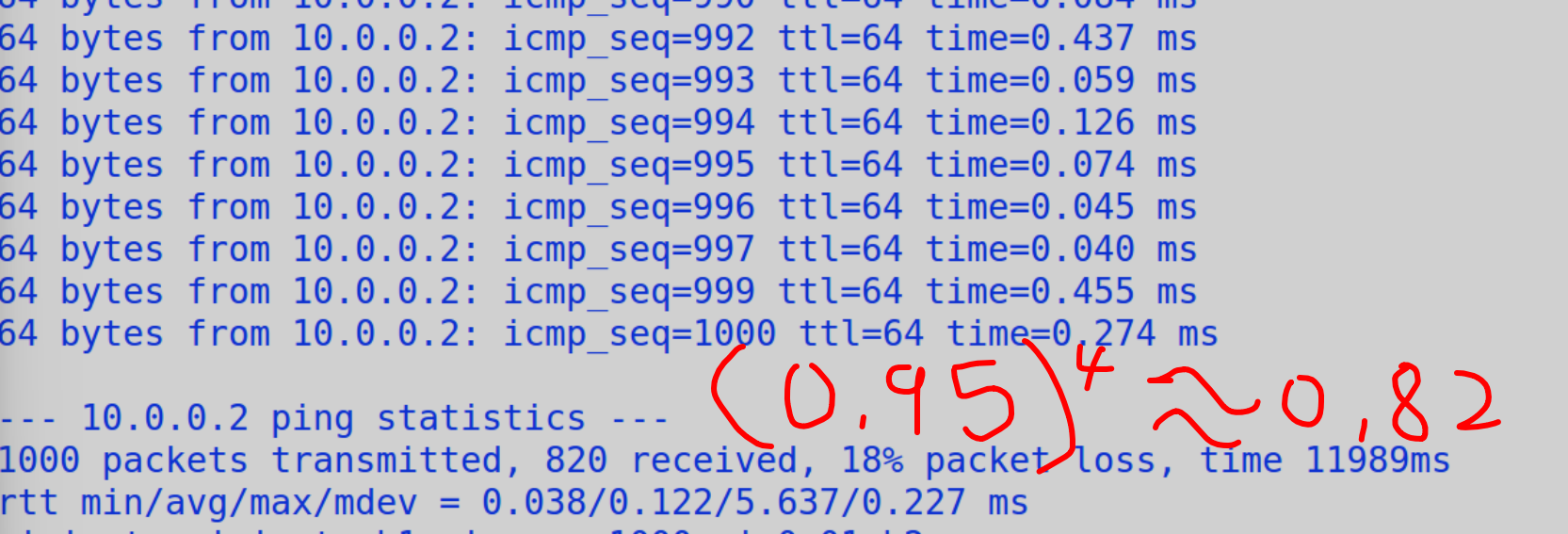
1.3 测试带宽
设置带宽为10M
TypeScript
ubuntu@sdnhubvm:~/mininet/examples[08:48] (master)$ sudo mn --link=tc,loss=0,bw=10
*** Creating network
*** Adding controller
*** Adding hosts:
h1 h2
*** Adding switches:
s1
*** Adding links:
(10.00Mbit 0.00000% loss) (10.00Mbit 0.00000% loss) (h1, s1) (10.00Mbit 0.00000% loss) (10.00Mbit 0.00000% loss) (h2, s1)
*** Configuring hosts
h1 h2
*** Starting controller
c0
*** Starting 1 switches
s1 ...(10.00Mbit 0.00000% loss) (10.00Mbit 0.00000% loss)
*** Starting CLI:
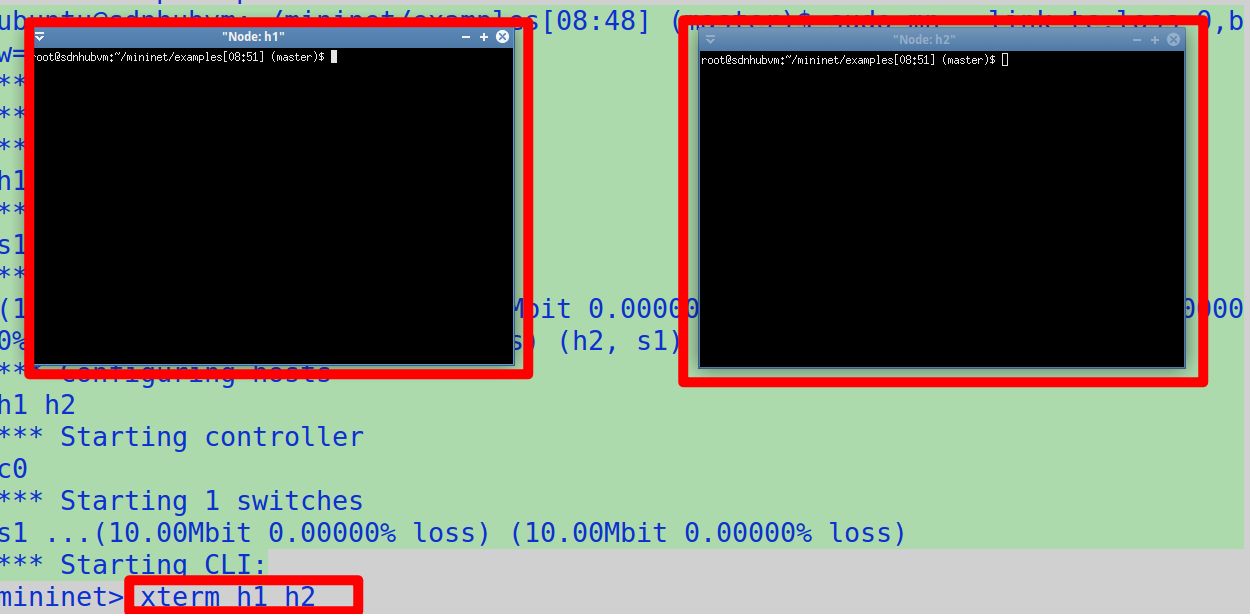
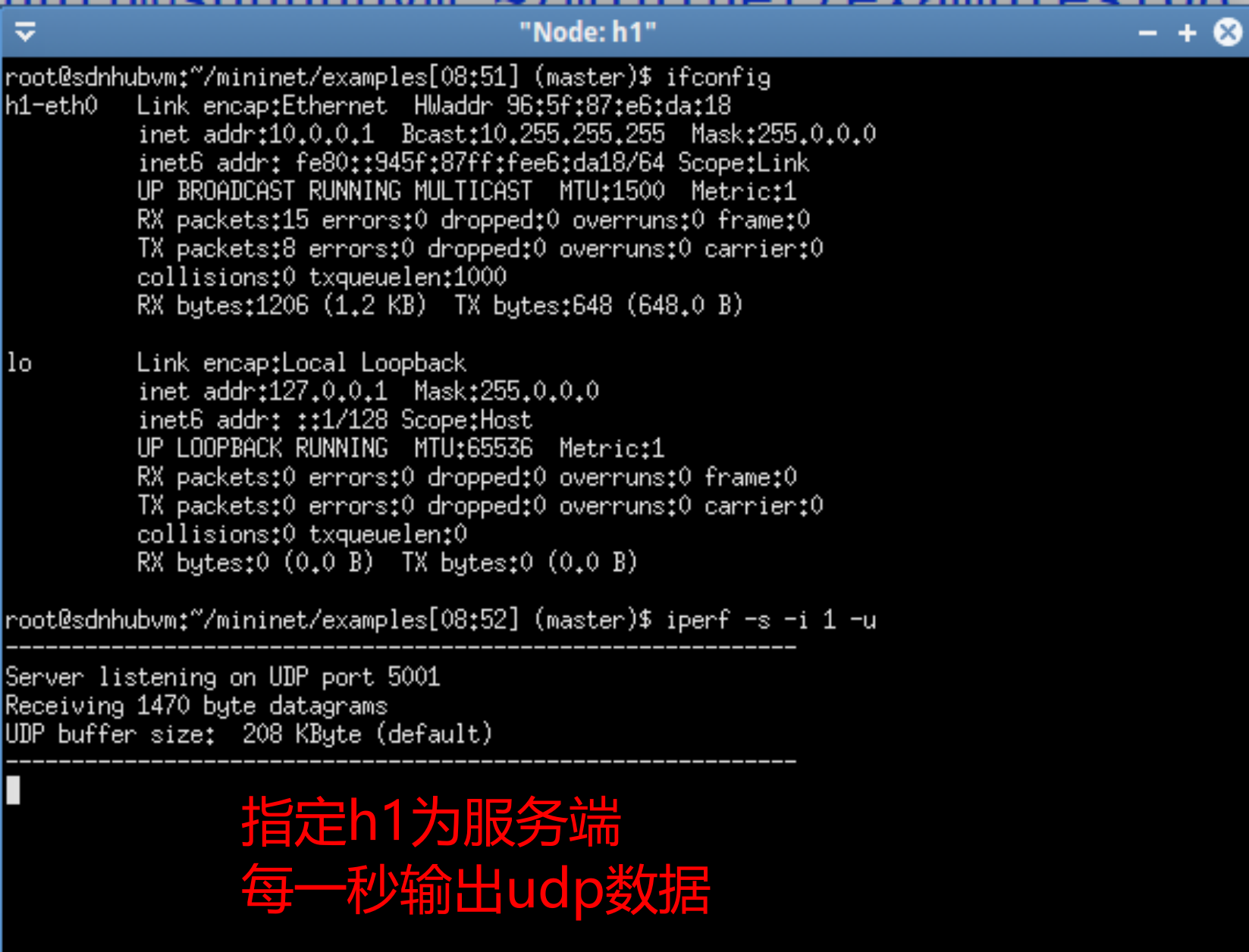
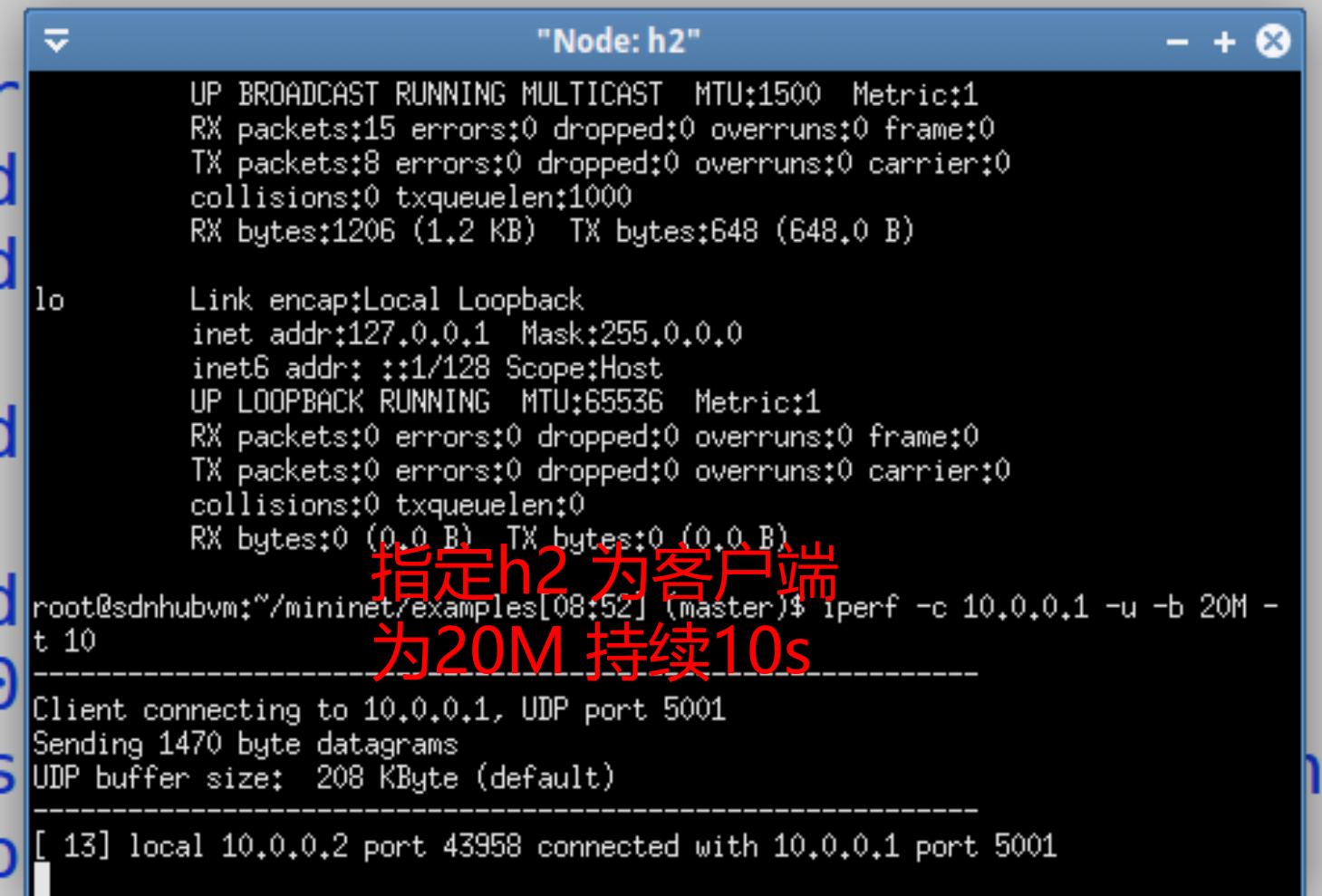
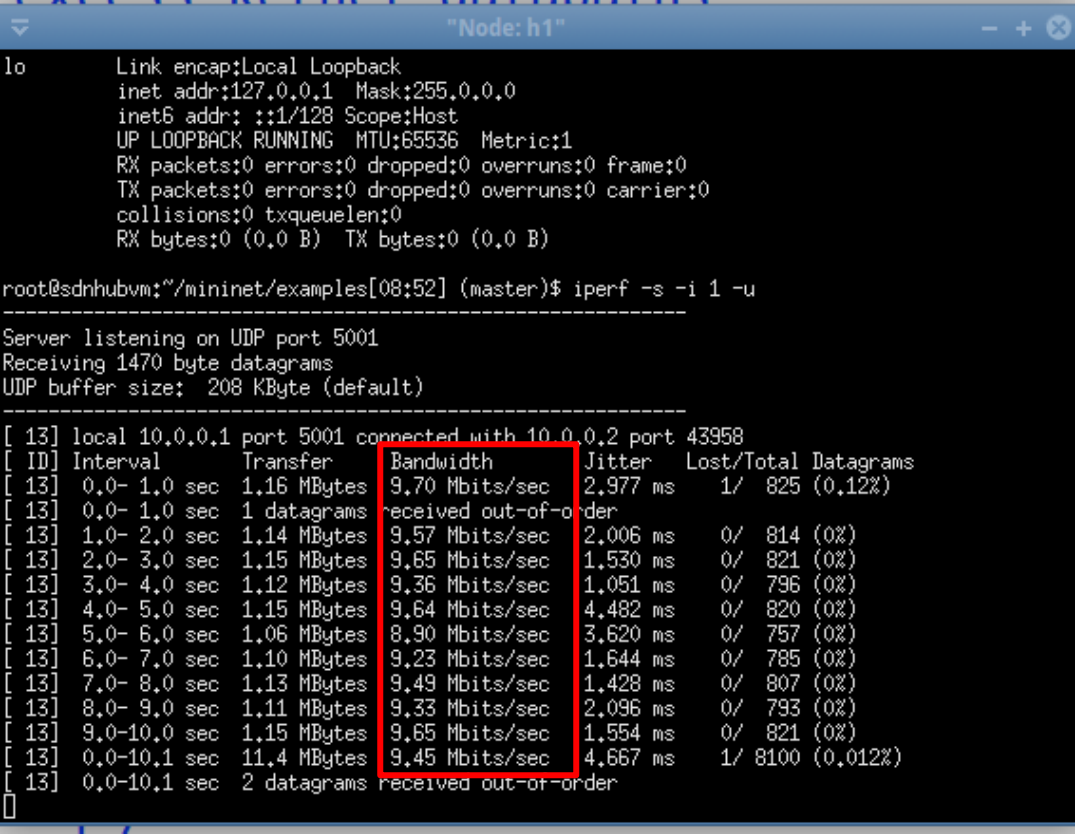
验证
1.4 测试延迟
TypeScript
ubuntu@sdnhubvm:~/mininet/examples[09:01] (master)$ sudo mn --link=tc,loss=0,bw=10,delay='1ms'
*** Creating network
*** Adding controller
*** Adding hosts:
h1 h2
*** Adding switches:
s1
*** Adding links:
(10.00Mbit 1ms delay 0.00000% loss) (10.00Mbit 1ms delay 0.00000% loss) (h1, s1) (10.00Mbit 1ms delay 0.00000% loss) (10.00Mbit 1ms delay 0.00000% loss) (h2, s1)
*** Configuring hosts
h1 h2
*** Starting controller
c0
*** Starting 1 switches
s1 ...(10.00Mbit 1ms delay 0.00000% loss) (10.00Mbit 1ms delay 0.00000% loss)
*** Starting CLI:
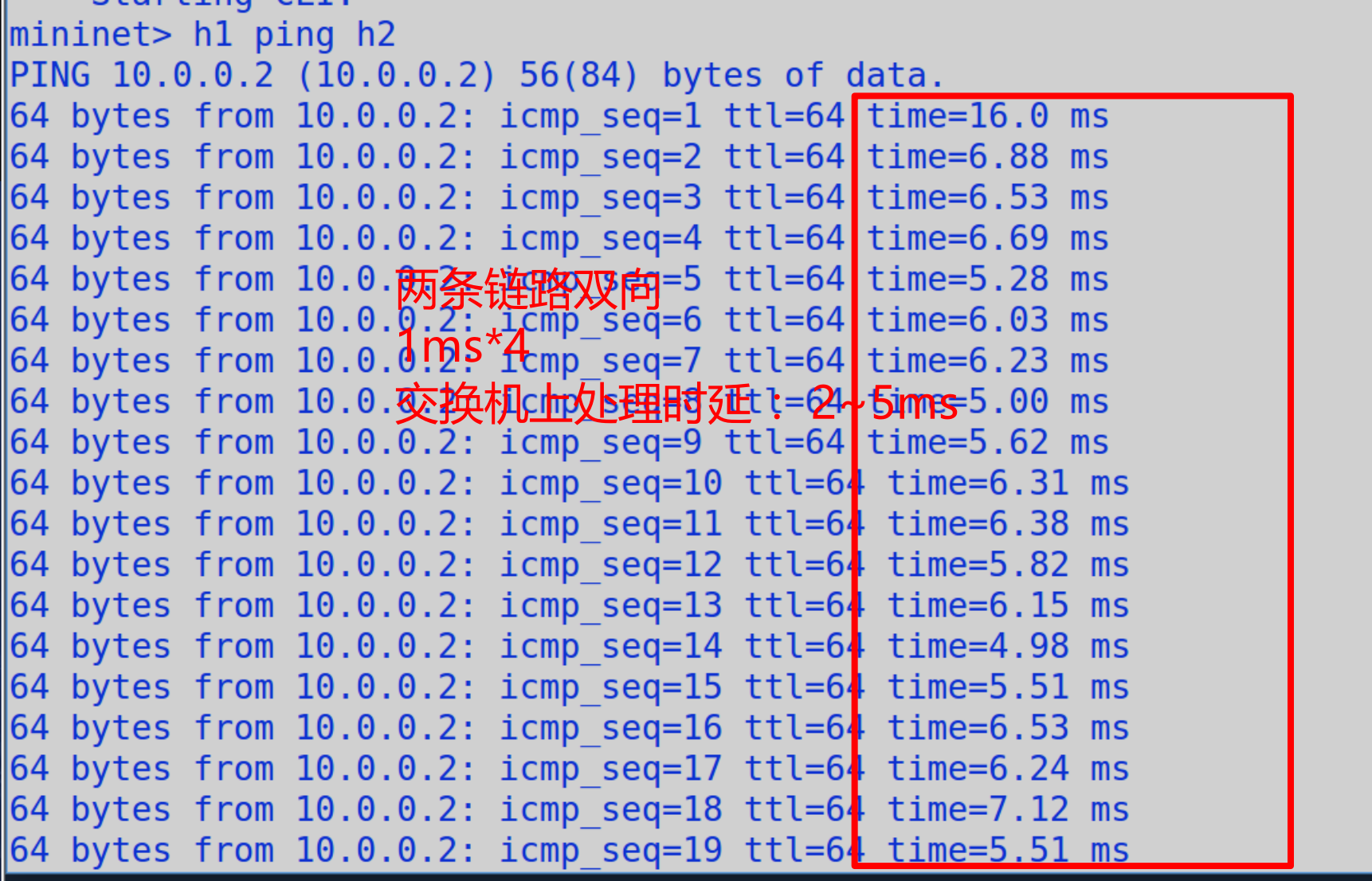
mininet>