目录
1.openclaw部署
1.1前置准备
#升级系统及安装必要工具
|------------------------------------------------------------------------------------------------------------------------------------------------------------------------------------------------------------------------------------------------------------------------------------------------------------------------------------------------------------------------------------------------------------------------------------------------------------------------------------------------------------------------------------------------------------------------------------------------------------------------------------------------------------------------------------------------------------------------------------------------------------------------------------------|
| root@ubuntu:~# apt update && apt upgrade -y sudo apt install -y curl ca-certificates git sudo vim python3 make g++ libvips-dev |
| Pending kernel upgrade! Running kernel version: 6.8.0-88-generic Diagnostics: The currently running kernel version is not the expected kernel version 6.8.0-107-generic. Restarting the system to load the new kernel will not be handled automatically, so you should consider rebooting. Restarting services... Service restarts being deferred: /etc/needrestart/restart.d/dbus.service systemctl restart getty@tty1.service systemctl restart systemd-logind.service systemctl restart unattended-upgrades.service No containers need to be restarted. User sessions running outdated binaries: root @ session #1: sshd957 root @ session #3: sshd997 root @ user manager service: systemd962 No VM guests are running outdated hypervisor (qemu) binaries on this host. |
#添加nodesource仓库
|--------------------------------------------------------------------------------------------------------------------------------------------------------------------------------------------------------------------------------------------------------------------------------------------------------------------------------------------------------------------------------------------------------------------------------------------------------|
| root@ubuntu:~# curl -fsSL https://deb.nodesource.com/setup_24.x | sudo -E bash - |
| etched 2374 kB in 3s (681 kB/s) Reading package lists... Done Building dependency tree... Done Reading state information... Done All packages are up to date. 2026-04-13 14:06:47 - Repository configured successfully. 2026-04-13 14:06:47 - To install Node.js, run: apt install nodejs -y 2026-04-13 14:06:47 - You can use N|solid Runtime as a node.js alternative 2026-04-13 14:06:47 - To install N|solid Runtime, run: apt install nsolid -y |
#安装node.js(包含npm)
|------------------------------------------------------------------------------------------------------------------------------------------------------------------------------------------------------------------------------------------------------------------------------------------------------------------------------------------------------------------------------------------------------------------------------------------------------------------------|
| root@ubuntu:~# apt install nodejs |
| Service restarts being deferred: /etc/needrestart/restart.d/dbus.service systemctl restart getty@tty1.service systemctl restart systemd-logind.service systemctl restart unattended-upgrades.service No containers need to be restarted. User sessions running outdated binaries: root @ session #1: sshd957 root @ session #3: sshd997 root @ user manager service: systemd962 No VM guests are running outdated hypervisor (qemu) binaries on this host. |
#验证node.js版本
|-------------------------|
| root@ubuntu:~# node -v |
| v24.14.1 |
| root@ubuntu:~# npm -v |
| 11.11.0 |
#为了更好的效果,将npm切换成国内的源
|-----------------------------------------------------------------------------------------------------------------------------------------------------------------------------------|
| root@ubuntu:~# npm config set registry https://registry.npmmirror.com root@ubuntu:~# npm config get registry |
| https://registry.npmmirror.com |
1.2安装openclaw
1.2.1一键安装脚本执行
它会自动安装Node.js等相关依赖,但还是建议自己提前安装好
|-------------------------------------------------------------------------------------------------------------------------------------------|
| root@ubuntu:~# curl -fsSL https://openclaw.ai/install.sh | sudo bash |
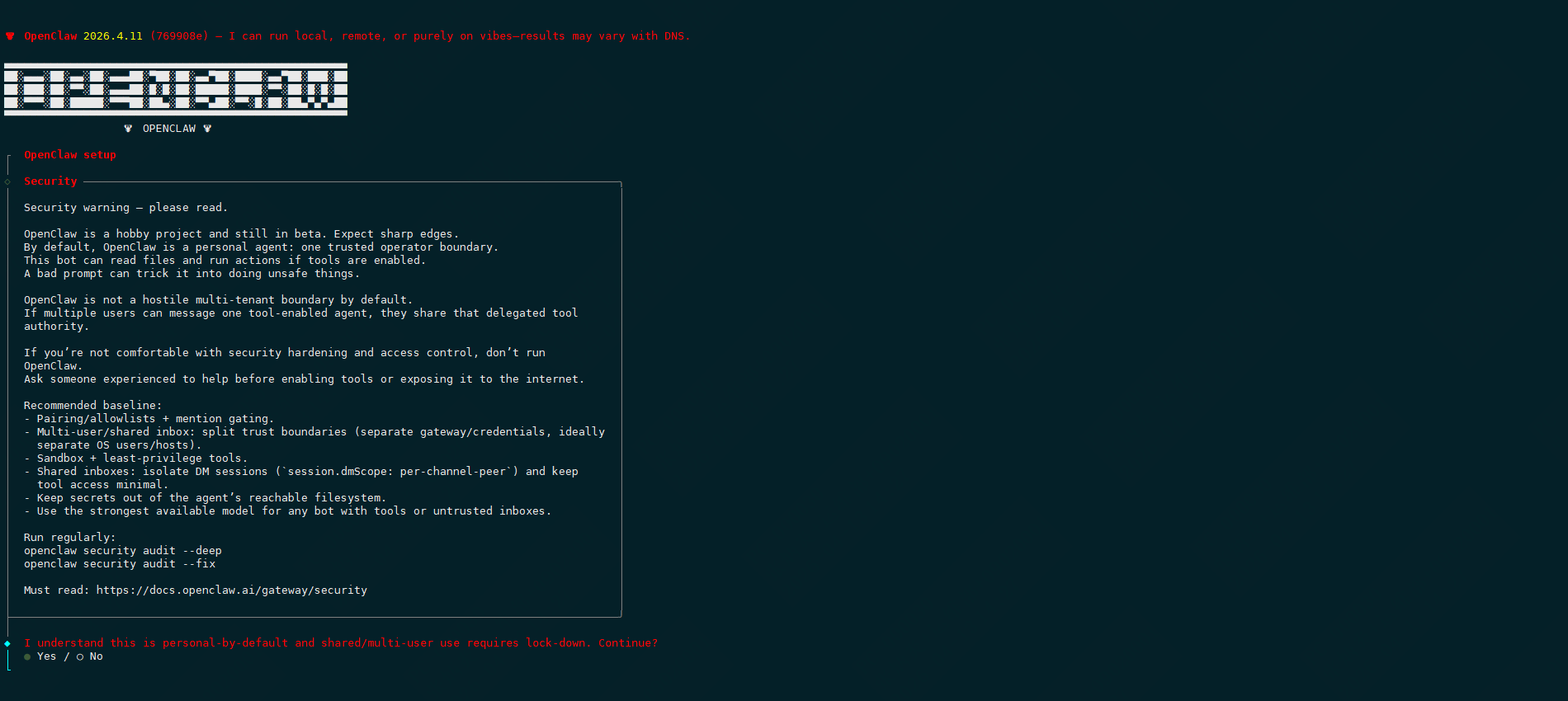
#安全免责声明确认,选择yes
#选择快速安装模式

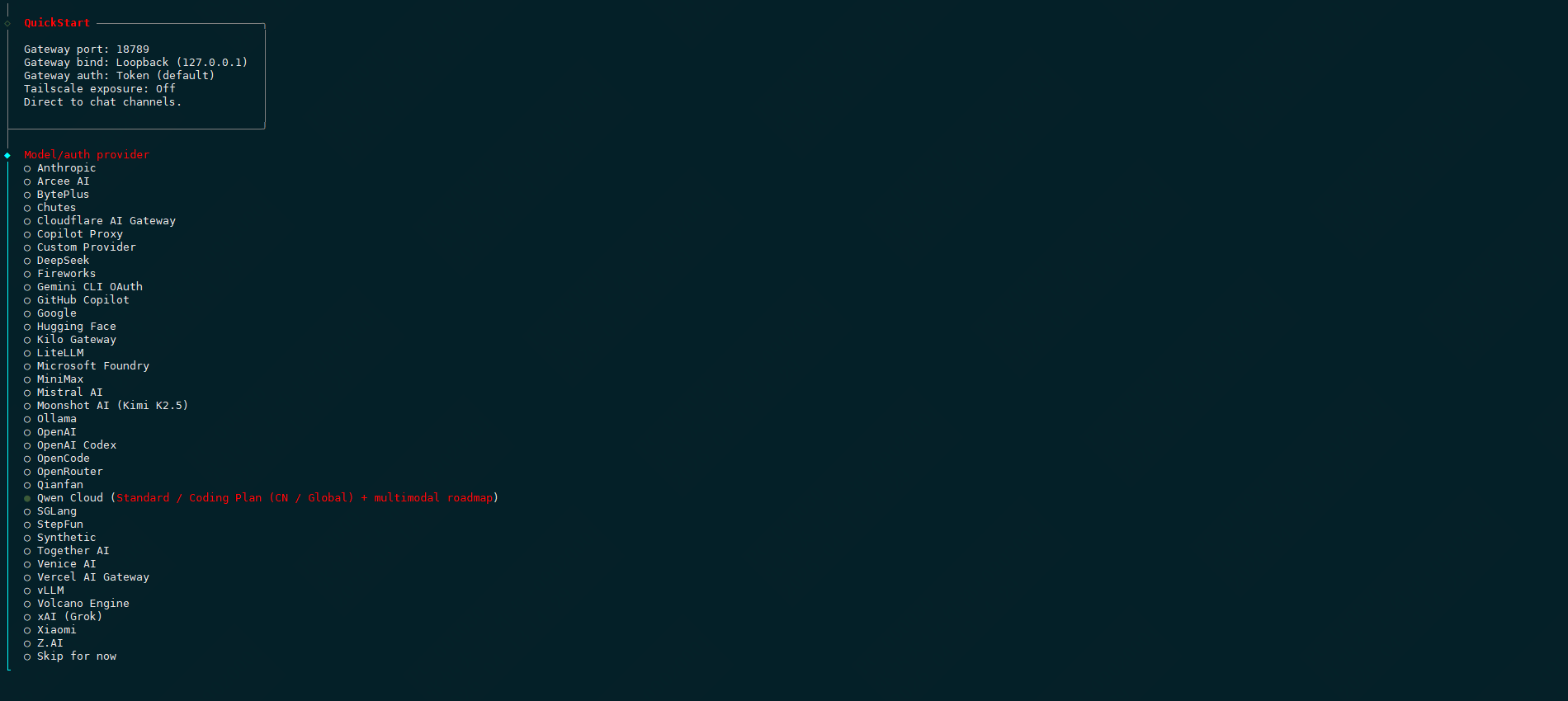
#选择大模型,本次选择千问qwen cloud
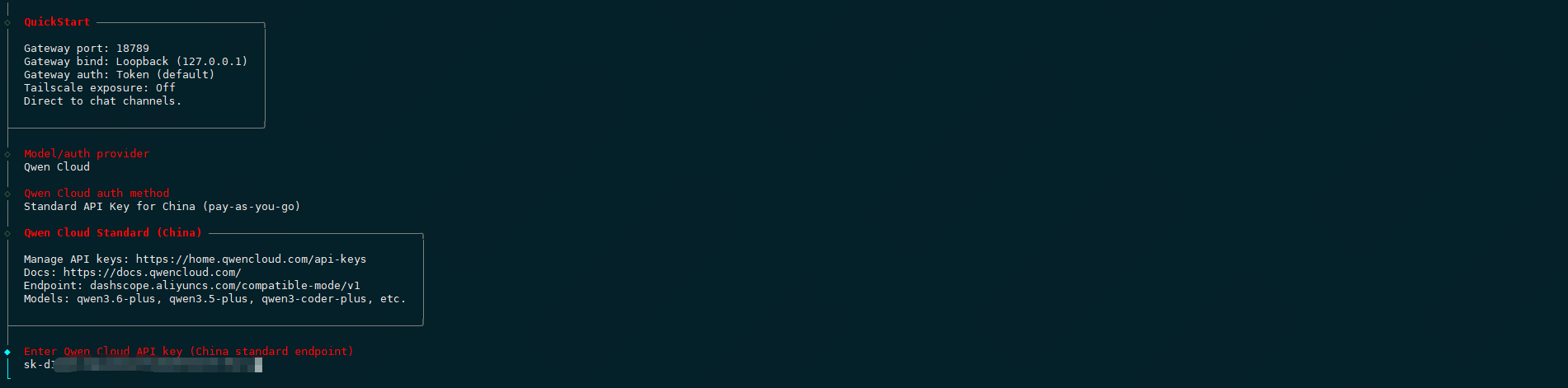
#配置大模型,选择国内标准api

#保持qwen大模型
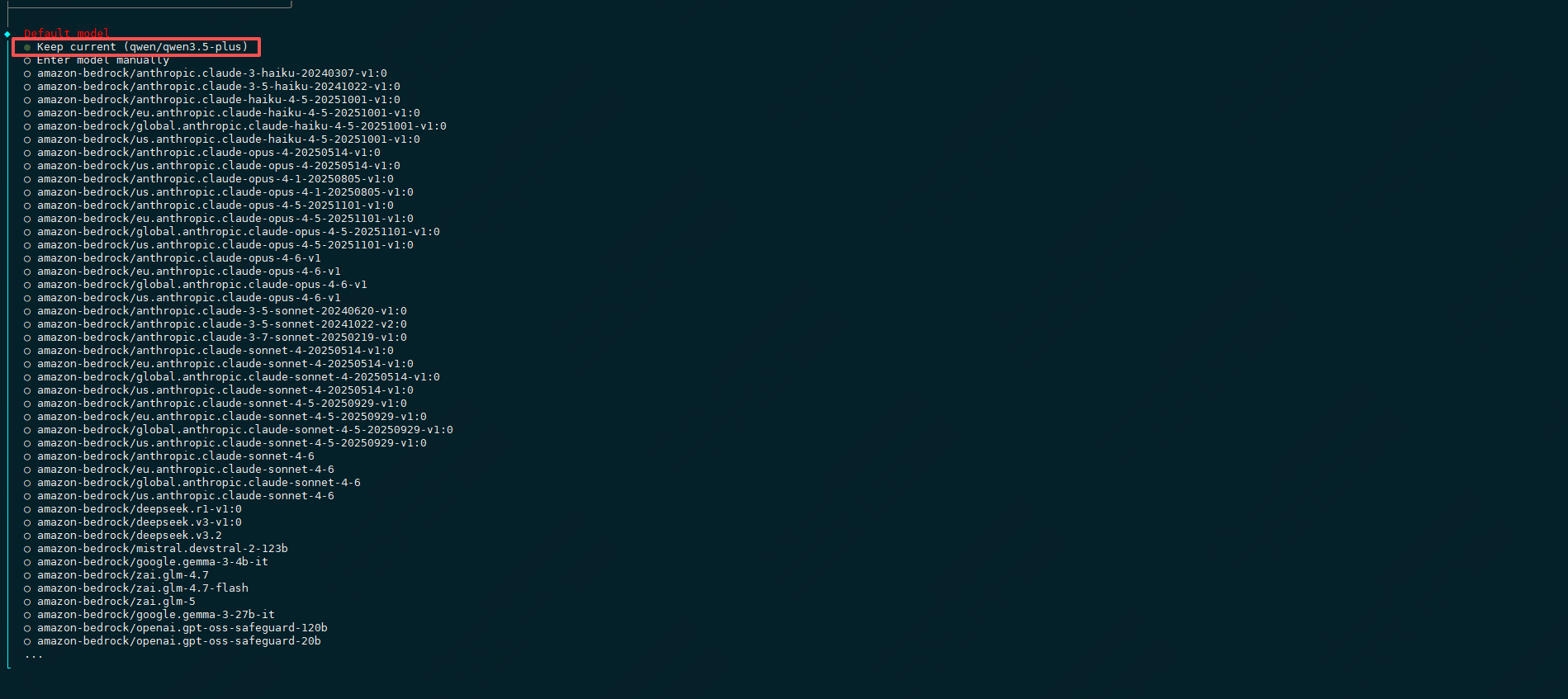
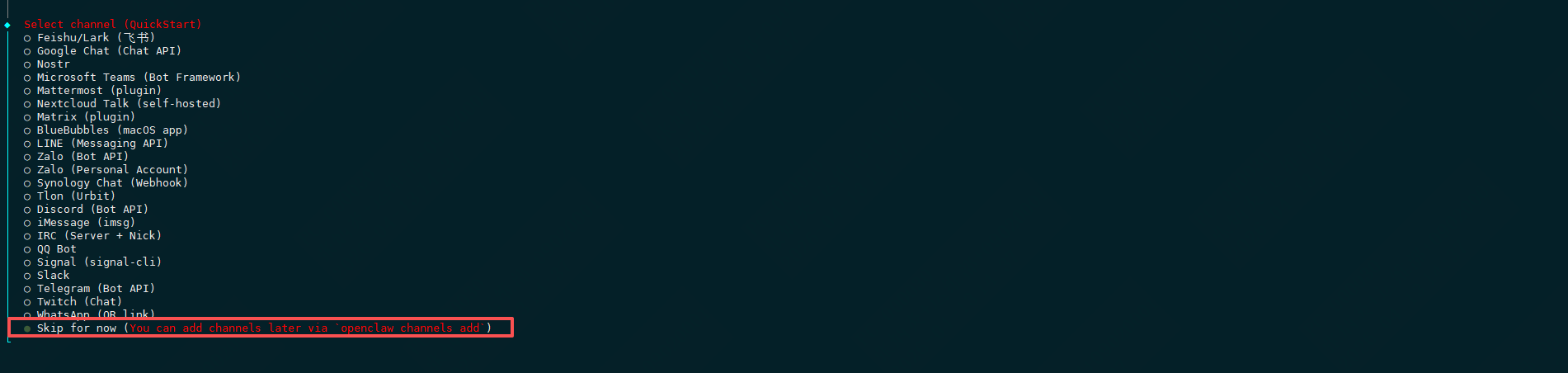
#选择对话渠道,先跳过,选择skip for now
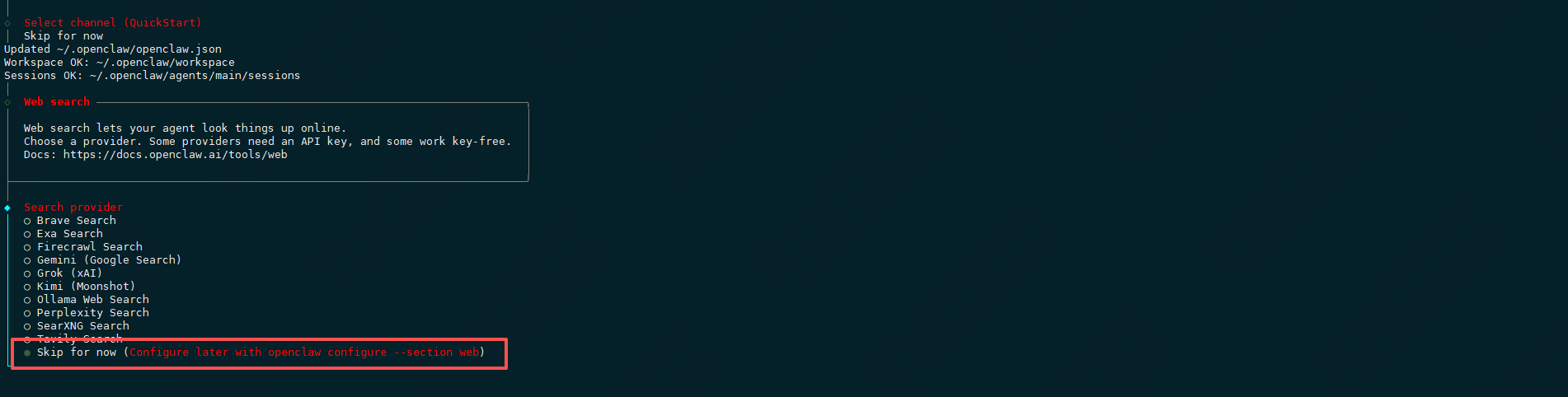
#选择web search搜索引擎,先跳过,选择skip for now
#配置skills,选择yes

#选择一个安装skill的工具
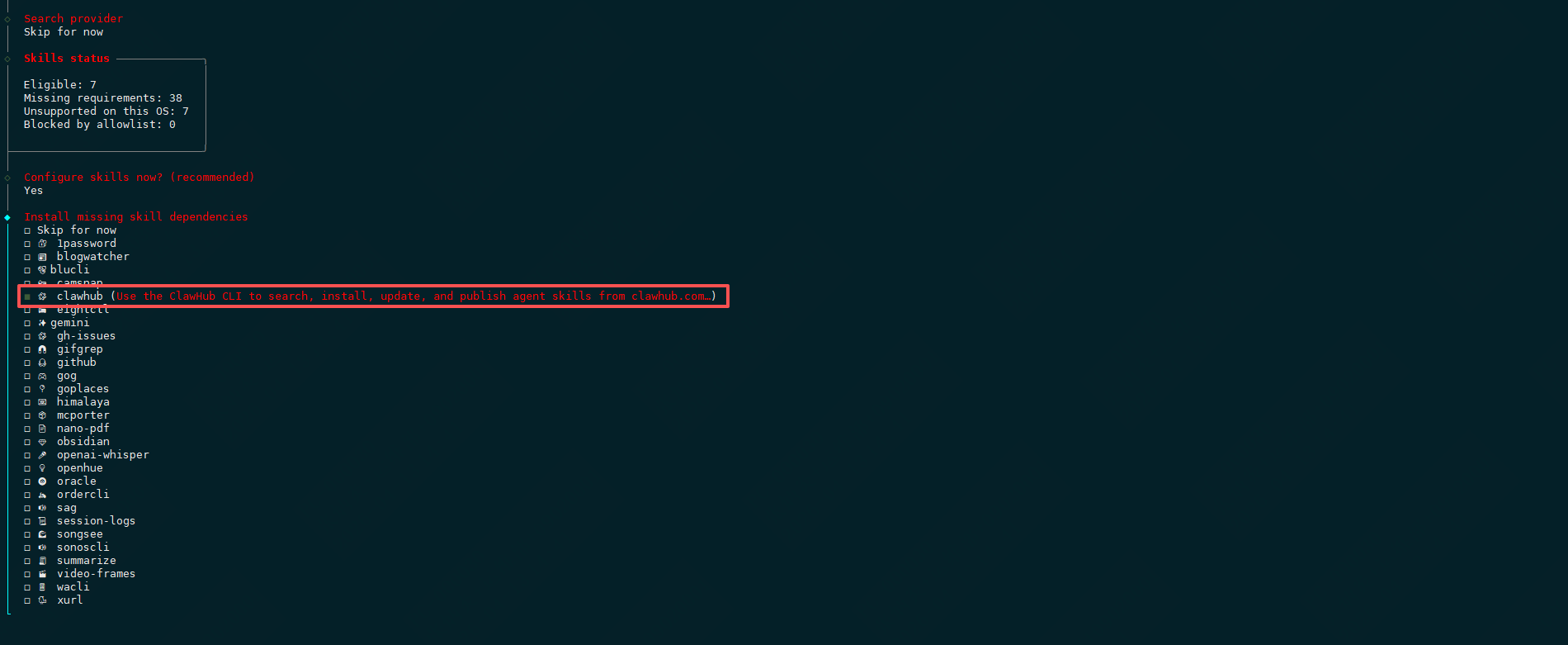
#选择npm安装方式
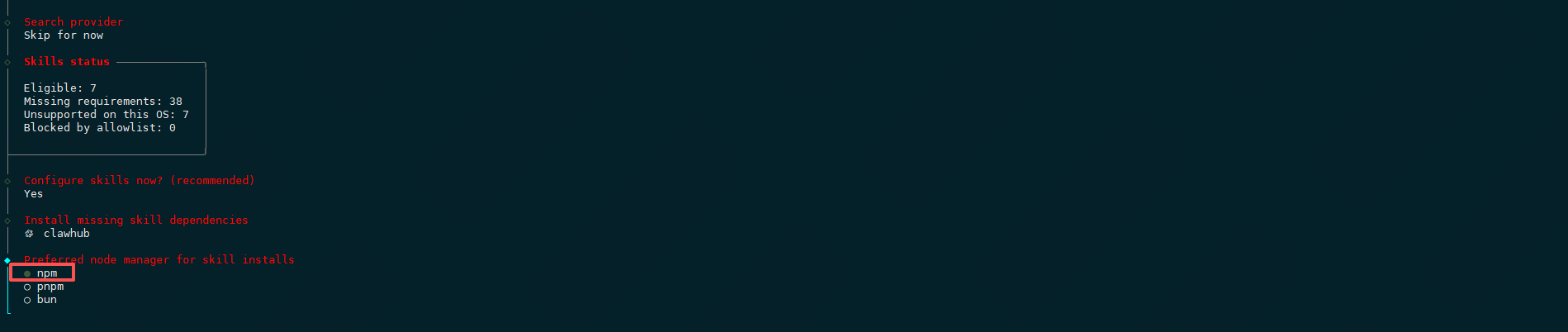
#接下来都是国外的api,全部选no

#暂不配置hooks,选择skip for now

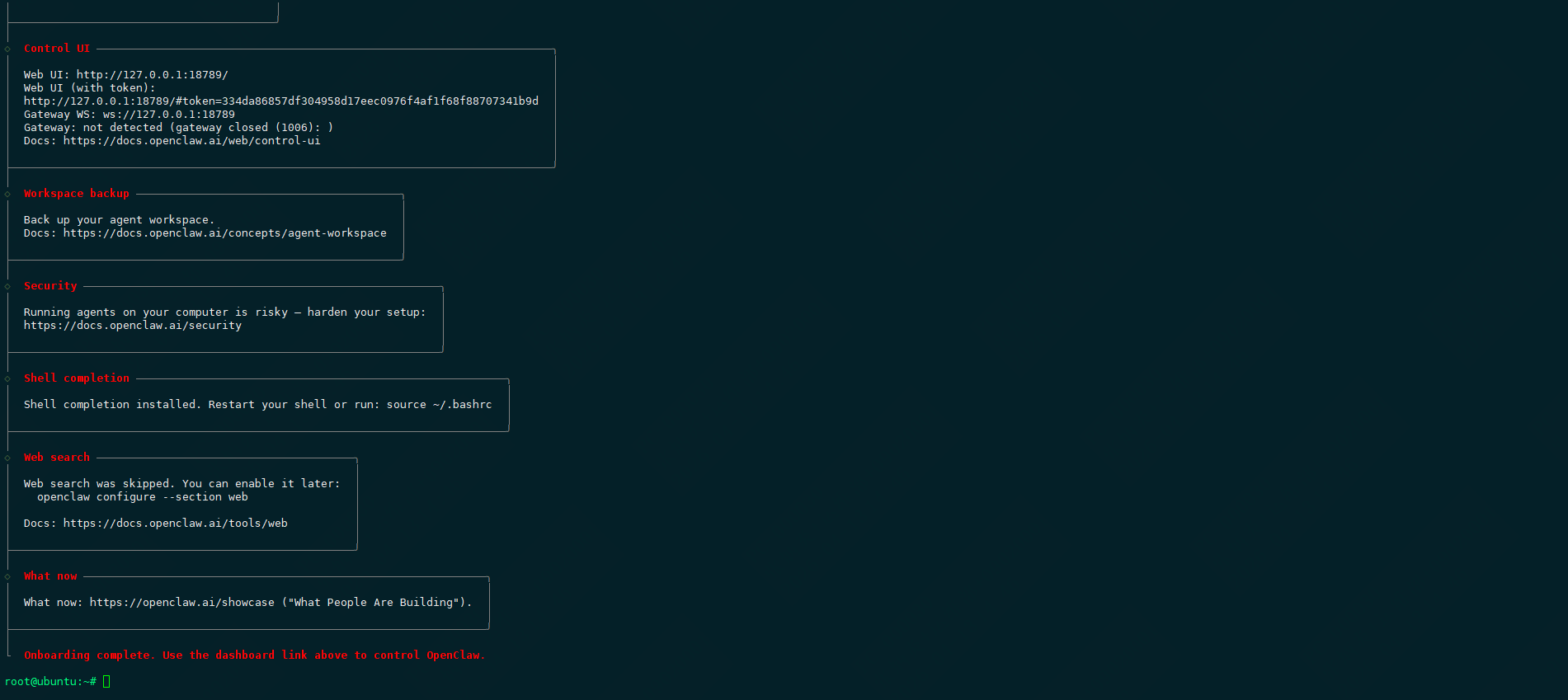
#安装完毕
1.2.2安装gateway
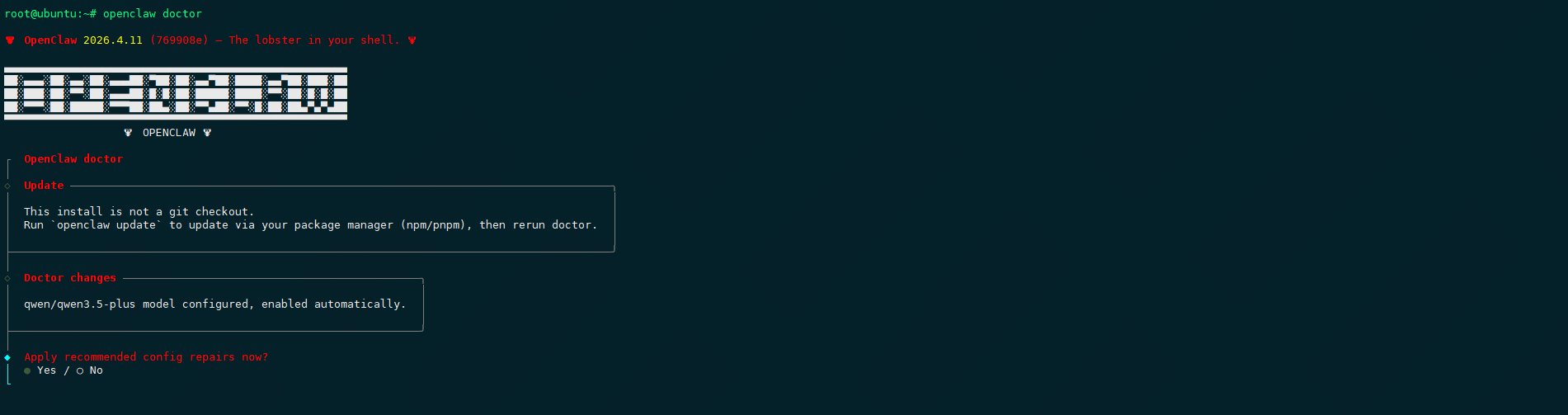
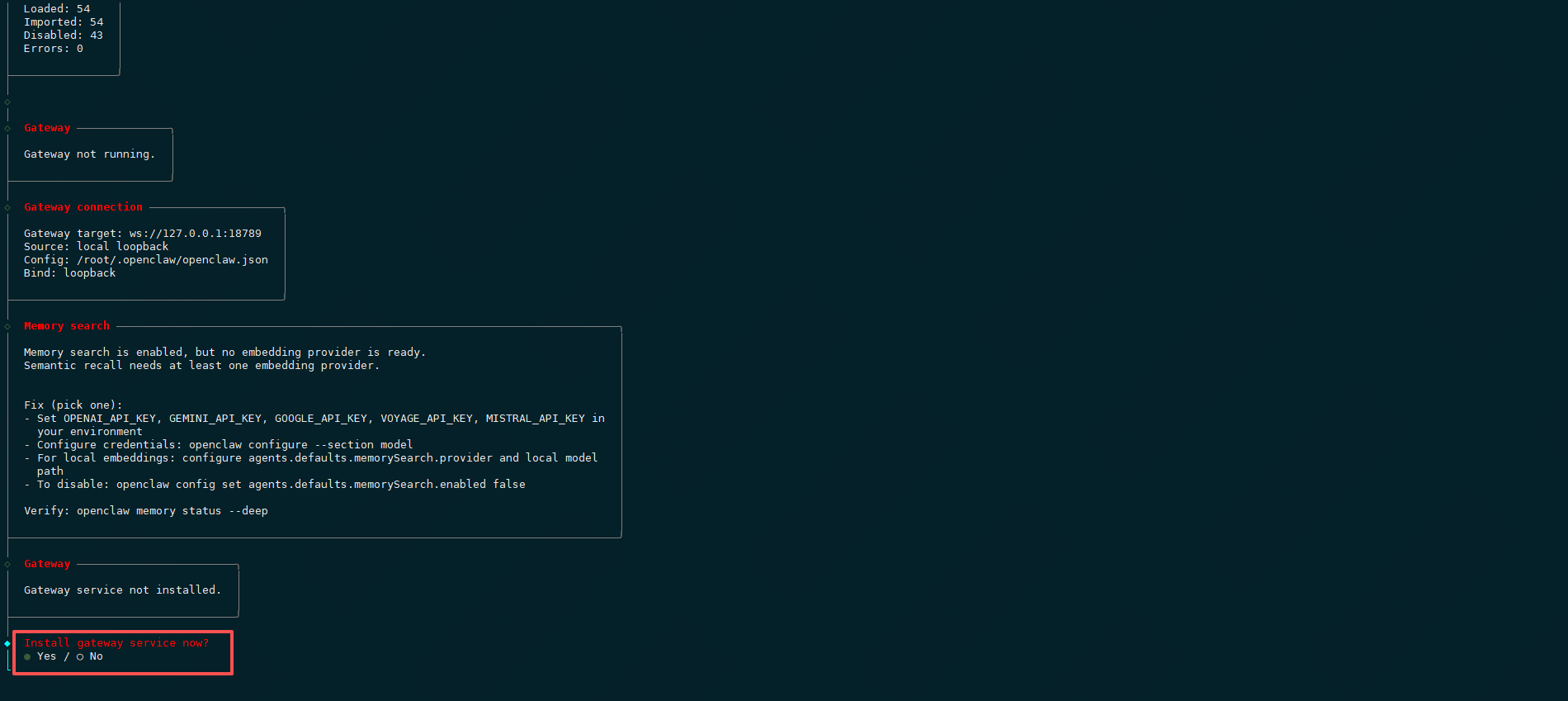
直接运行openclaw doctor,它将引导你配置完整,一路 yes完成。
|---------------------------------|
| root@ubuntu:~# openclaw doctor |

1.3安装后查看
1.3.1启动gateway
|------------------------------------------------------------------------------------------------------------------------------------------------------------------------------|
| root@ubuntu:~# openclaw gateway start |
| 🦞 OpenClaw 2026.4.11 (769908e) --- I'm the assistant your terminal demanded, not the one your sleep schedule requested. Restarted systemd service: openclaw-gateway.service |
#再次运行 openclaw doctor,把它提示的问题都修复。
|-------------------------------------------------------------------------------------------------------------------------------------------------------------------------------------------------------------------------------------------------------------------------------------------------------------------------------------------------------------------------------------------------------------------------------------------------------------------------------------------------------------------------------------------------------------------------------------------------------------------------------------------------------------------------------------------------------------------------------------------|
| root@ubuntu:~# openclaw doctor |
| Doctor complete. |
| root@ubuntu:~# openclaw gateway start |
| Restarted systemd service: openclaw-gateway.service |
| root@ubuntu:~# netstat -ntlp |
| Active Internet connections (only servers) Proto Recv-Q Send-Q Local Address Foreign Address State PID/Program name tcp 0 0 127.0.0.53:53 0.0.0.0:* LISTEN 5798/systemd-resolv tcp 0 0 127.0.0.54:53 0.0.0.0:* LISTEN 5798/systemd-resolv tcp 0 0 127.0.0.1:6010 0.0.0.0:* LISTEN 957/sshd: root@pts/ tcp 0 0 127.0.0.1:18789 0.0.0.0:* LISTEN 24559/openclaw-gate tcp 0 0 127.0.0.1:18791 0.0.0.0:* LISTEN 24559/openclaw-gate tcp 0 0 127.0.0.1:26543 0.0.0.0:* LISTEN 24559/openclaw-gate tcp 0 0 0.0.0.0:22 0.0.0.0:* LISTEN 1/systemd tcp6 0 0 ::1:18789 :::* LISTEN 24559/openclaw-gate tcp6 0 0 :::5201 :::* LISTEN 15380/iperf3 tcp6 0 0 ::1:6010 :::* LISTEN 957/sshd: root@pts/ tcp6 0 0 :::22 :::* LISTEN 1/systemd |
1.3.2启动dashboard
|----------------------------------------------------------------------------------------------------------------------------------------------------------------------------------------------------------------------------------------------------------------------------------------------------------------------------------------------------------------------------------------------------------------------------------------------------------------------------------------------------------------------------------------------------------------------------------------------------------------------------------------------------------------------------------------------------------------------------------------------------------------------------------------------------------------------------------------------------------------------------------------------------------------------------------------------------------------------------------------------------------------------------------------------------------------------------------------------------------------------|
| root@ubuntu:~# openclaw dashboard |
| 🦞 OpenClaw 2026.4.11 (769908e) --- I'm like tmux: confusing at first, then suddenly you can't live without me. Dashboard URL: http://127.0.0.1:18789/#token=334da86857df304958d17eec0976f4af1f68f88707341b9d Copy to clipboard unavailable. No GUI detected. Open from your computer: ssh -N -L 18789:127.0.0.1:18789 root@10.9.254.72 Then open: http://localhost:18789/ http://localhost:18789/#token=334da86857df304958d17eec0976f4af1f68f88707341b9d Docs: https://docs.openclaw.ai/gateway/remote https://docs.openclaw.ai/web/control-ui |
2.openclaw访问
2.1查看当前能够访问的设备
|------------------------------------------------------------------------------------------------|
| root@ubuntu:~# openclaw devices list --token=334da86857df304958d17eec0976f4af1f68f88707341b9d |
| 此设备应为本机 |

2.2配置nginx反向代理
#添加域名解析
|---------------------------------|
| root@ubuntu:~# vim /etc/hosts |
| 10.9.254.72 openclaw.cywetc.com |
#安装nginx
|-------------------------------------------------------------------------------------------------------------------------------------------------------------------------------------------------------------------------------------------------------------------------------------------------------------------------------------------------------------------------------------------------------------------------------------------------------------------------------------------------------------------------------------------------------------------------------------------------------------------------------------------------------------------------------------------------------------------------------------------------------------------------------------------------------------------------------------------------------------------------------------------------------------------------------------------------------------------------------------------------------------------------------------------------------------------------------------------------------------------------------------------------------------------------------------------------------------|
| root@ubuntu:~# apt -y install nginx root@ubuntu:~# systemctl status nginx |
| ● nginx.service - A high performance web server and a reverse proxy server Loaded: loaded (/usr/lib/systemd/system/nginx.service; enabled; preset: enabled) Active: active (running) since Mon 2026-04-13 15:16:01 CST; 25s ago Docs: man:nginx(8) Process: 24995 ExecStartPre=/usr/sbin/nginx -t -q -g daemon on; master_process on; (code=exited, status=0/SUCCESS) Process: 24996 ExecStart=/usr/sbin/nginx -g daemon on; master_process on; (code=exited, status=0/SUCCESS) Main PID: 25032 (nginx) Tasks: 9 (limit: 19039) Memory: 6.4M (peak: 14.6M) CPU: 137ms CGroup: /system.slice/nginx.service ├─25032 "nginx: master process /usr/sbin/nginx -g daemon on; master_process on;" ├─25035 "nginx: worker process" ├─25036 "nginx: worker process" ├─25037 "nginx: worker process" ├─25038 "nginx: worker process" ├─25039 "nginx: worker process" ├─25040 "nginx: worker process" ├─25041 "nginx: worker process" └─25042 "nginx: worker process" Apr 13 15:16:01 ubuntu systemd1: Starting nginx.service - A high performance web server and a reverse proxy server... Apr 13 15:16:01 ubuntu systemd1: Started nginx.service - A high performance web server and a reverse proxy server. |
#下载并解压域名证书
|------------------------------------------------------------------------------------------------------------------------|
| root@ubuntu:~# ll |
| -rw-r--r-- 1 root root 4943 Apr 13 15:24 22377294_cywetc.com_nginx.zip |
| root@ubuntu:~# unzip 22377294_cywetc.com_nginx.zip |
| Archive: 22377294_cywetc.com_nginx.zip Aliyun Certificate Download inflating: cywetc.com.pem inflating: cywetc.com.key |
| root@ubuntu:~# ll |
| -rw-r--r-- 1 root root 1679 Apr 13 15:20 cywetc.com.key -rw-r--r-- 1 root root 5510 Apr 13 15:20 cywetc.com.pem |
| root@ubuntu:~# mv cywetc.com.pem /etc/ssl/certs/ root@ubuntu:~# mv cywetc.com.key /etc/ssl/private/ |
#修改nginx配置
|----------------------------------------------------------------------------------------------------------------------------------------------------------------------------------------------------------------------------------------------------------------------------------------------------------------------------------------------------------------------------------------------------------------------------------------------------------------------------------------------------------------------------------------------------------------------------------------------------------------------------------------------------------------------------------------------------------------------------------------------------------------------------------------------------------------------------------------------------------------------------------------------------------------------------------------------------------------------------------------------------------------------------------------------------------------------------------------------------------------------------------------------------------------------------------------------------------------------------------------------------------------------------------------------------------------------------------------------------------------------------------------------------------------------------------------------------------------------------------------------------------------------------------------------------------------------------------------------------------------------------------------------------------------------------------------------------------------------------------------------------------------------------------------------------------------------------------------------------------------------------------------------------------------------------------------------------------------------------------------------------------------------------------------------------------------------------------------------------------------------------------------------------------------------------|
| root@ubuntu:~# vim /etc/nginx/conf.d/openclaw.conf |
| server { listen 80; server_name openclaw.cywetc.com cywetc.com; # 强制跳转 HTTPS (建议) return 301 https://server_namerequest_uri; } server { listen 443 ssl http2; server_name openclaw.cywetc.com cywetc.com; # SSL 证书路径 ssl_certificate /etc/ssl/certs/cywetc.com.pem; ssl_certificate_key /etc/ssl/private/cywetc.com.key; # SSL 安全配置 ssl_protocols TLSv1.2 TLSv1.3; ssl_ciphers ECDHE-ECDSA-AES128-GCM-SHA256:ECDHE-RSA-AES128-GCM-SHA256:ECDHE-ECDSA-AES256-GCM-SHA384:ECDHE-RSA-AES256-GCM-SHA384; ssl_prefer_server_ciphers off; ssl_session_cache shared:SSL:10m; ssl_session_timeout 10m; #安全头 add_header Strict-Transport-Security "max-age=63072000; includeSubDomains; preload" always; add_header X-Frame-Options DENY always; add_header X-Content-Type-Options nosniff always; add_header X-XSS-Protection "1; mode=block" always; #主代理配置 location / { proxy_pass http://127.0.0.1:18789; # 假设 OpenClaw 运行在本地 18789 端口 # 关键:传递真实 IP proxy_set_header Host host; proxy_set_header X-Real-IP remote_addr; proxy_set_header X-Forwarded-For proxy_add_x_forwarded_for; proxy_set_header X-Forwarded-Proto scheme; proxy_set_header X-Forwarded-Host host; proxy_set_header X-Forwarded-Port server_port; # 关键:WebSocket 支持 proxy_http_version 1.1; proxy_set_header Upgrade http_upgrade; proxy_set_header Connection "upgrade"; #重要:禁用缓冲,确保实时通信 proxy_buffering off; proxy_cache off; proxy_request_buffering off; # 超时设置(长连接) proxy_connect_timeout 7d; proxy_send_timeout 7d; proxy_read_timeout 7d; #增加缓冲区大小 proxy_buffer_size 128k; proxy_buffers 4 256k; proxy_busy_buffers_size 256k; #增加最大body大小 client_max_body_size 100M; #禁用重试 proxy_next_upstream off; } #健康检查端点 location = /health { proxy_pass [http://127.0.0.1:18789/health;](http://127.0.0.1:18789/health; "http://127.0.0.1:18789/health;") proxy_set_header Host host; proxy_set_header X-Real-IP remote_addr; proxy_set_header X-Forwarded-For proxy_add_x_forwarded_for; proxy_set_header X-Forwarded-Proto $scheme; access_log off; #健康检查不需要长超时 proxy_connect_timeout 5s; proxy_send_timeout 5s; proxy_read_timeout 5s; } } |
| root@ubuntu:~# nginx -t |
| nginx: the configuration file /etc/nginx/nginx.conf syntax is ok nginx: configuration file /etc/nginx/nginx.conf test is successful |
| root@ubuntu:~# nginx -s reload |
| 2026/04/13 16:22:40 notice 25895#25895: signal process started |
| root@ubuntu:~# systemctl restart nginx |
2.3客户端访问
添加域名解析
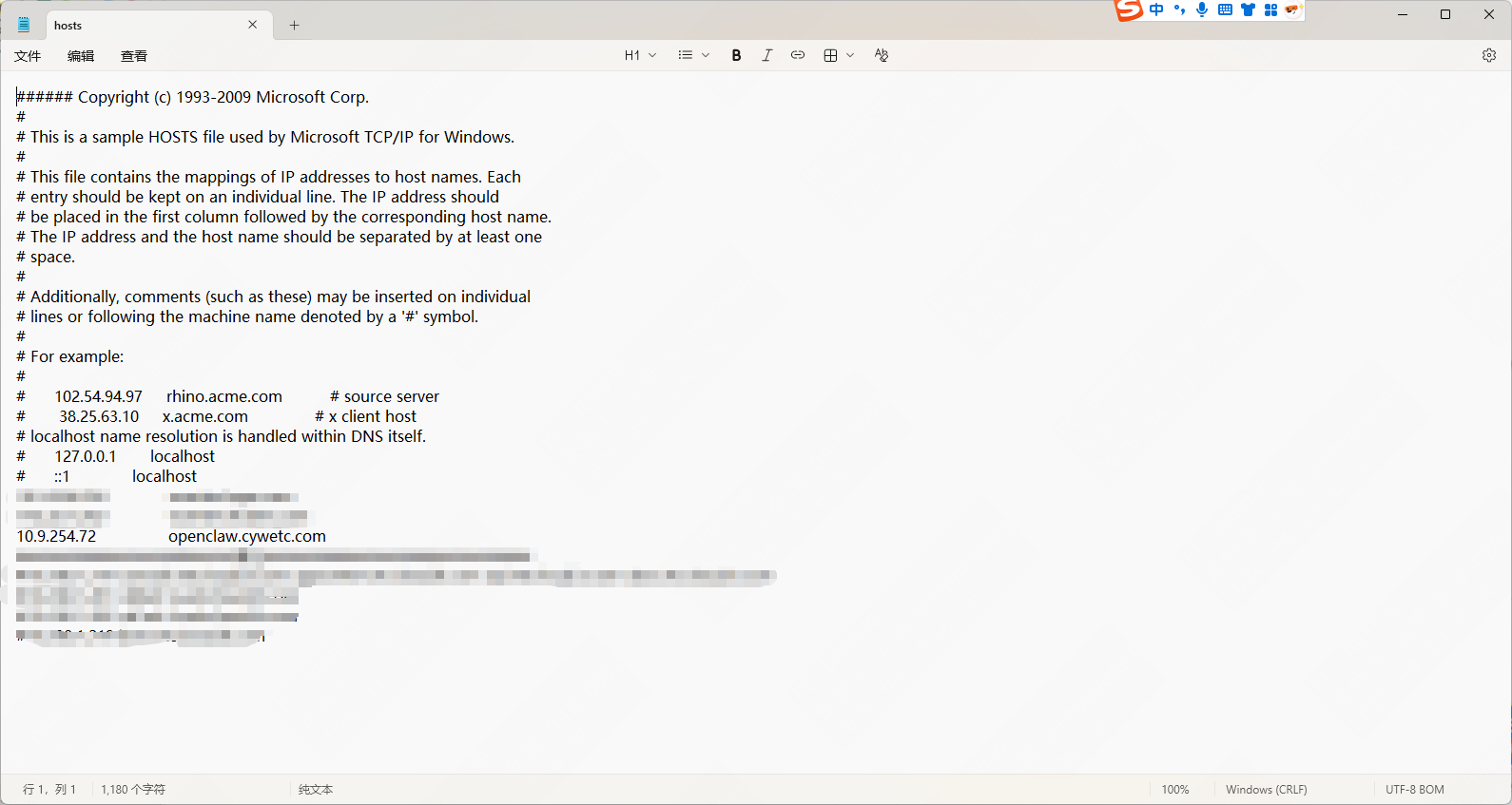
https://openclaw.cywetc.com/#token=334da86857df304958d17eec0976f4af1f68f88707341b9d
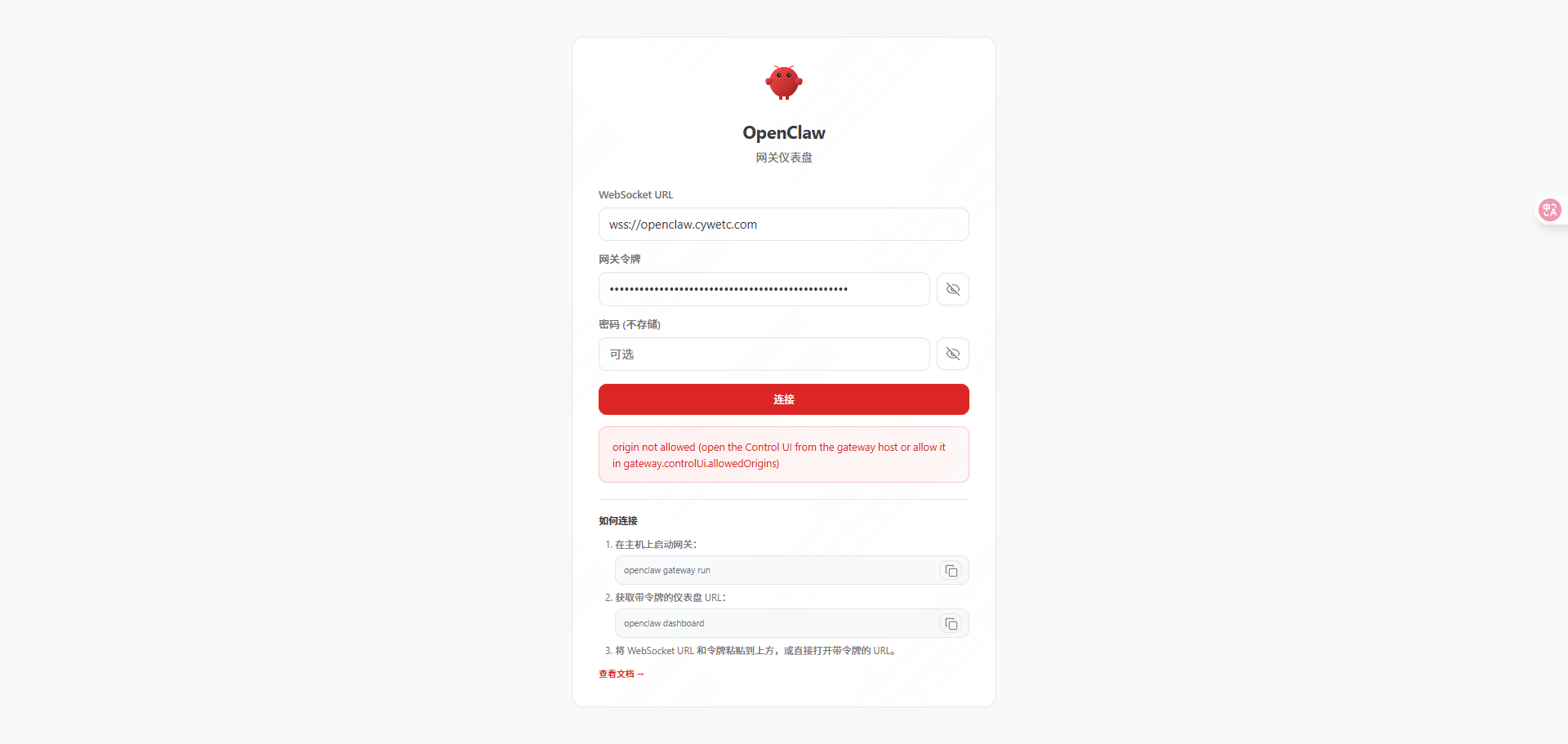
#服务端配置
|-------------------------------------------------------------------------------------------------------------------------------------------------------------------------------------------------------------------------------------------------------------------------------------|
| root@ubuntu:~# vim /root/.openclaw/openclaw.json |
| "gateway": { "mode": "local", "auth": { "mode": "token", "token": "334da86857df304958d17eec0976f4af1f68f88707341b9d" }, "port": 18789, "bind": "lan", "tailscale": { "mode": "off", "resetOnExit": false }, "controlUi": { "allowInsecureAuth": true, "allowedOrigins": "\*" }, |
| root@ubuntu:~# openclaw doctor --fix root@ubuntu:~# openclaw gateway restart |
| 🦞 OpenClaw 2026.4.11 (769908e) --- I'll do the boring stuff while you dramatically stare at the logs like it's cinema. Restarted systemd service: openclaw-gateway.service |
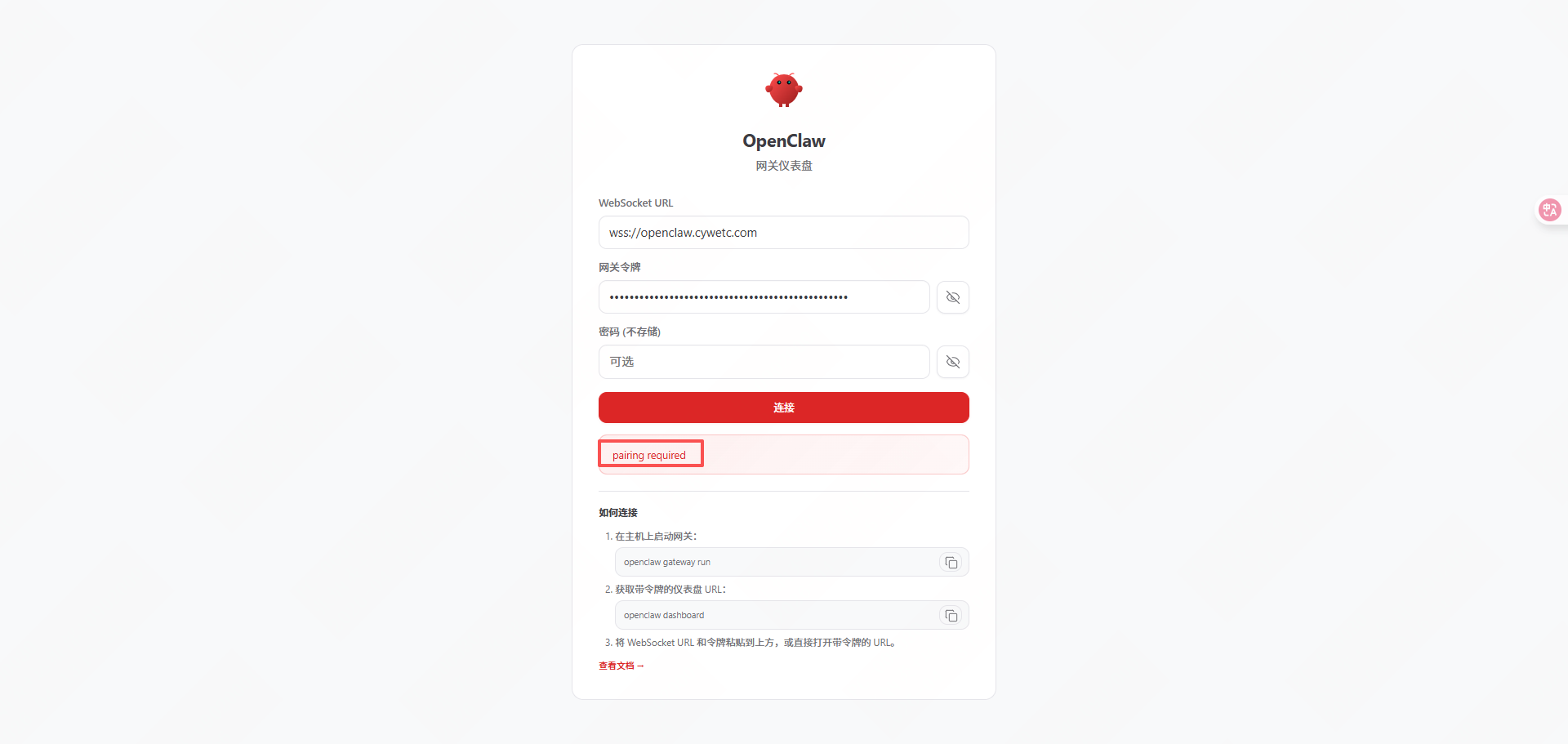
"Pairing required"是 OpenClaw 设备的配对安全机制提示,当新设备首次连接

|------------------------------------------------------------------------------------------------------------------------------------------------------------------------------------------------------------------------|
| root@ubuntu:~# openclaw devices list --token=334da86857df304958d17eec0976f4af1f68f88707341b9d |
| root@ubuntu:~# openclaw devices approve 990eb8cc-ff42-4976-b1e9-c157307645c9 --url=http://127.0.0.1:18789 --token=334da86857df304958d17eec0976f4af1f68f88707341b9d |
| 🦞 OpenClaw 2026.4.11 (769908e) --- I read logs so you can keep pretending you don't have to. │ ◇ Approved cb587265d3d537ce2d61ee67ceb8041e19d77e6bbe23f9c9250f21a46daba72a (990eb8cc-ff42-4976-b1e9-c157307645c9) |
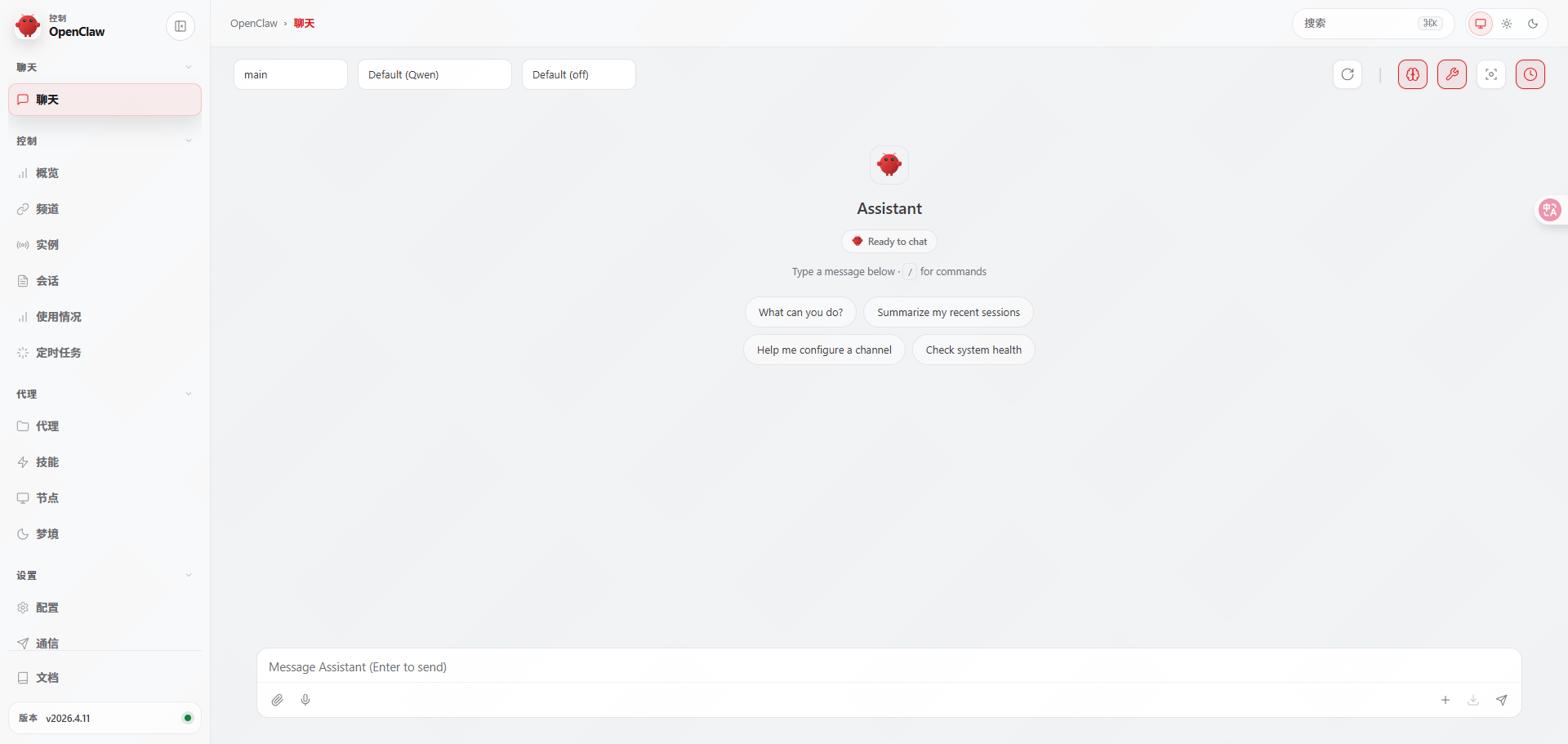
https://openclaw.cywetc.com/#token=334da86857df304958d17eec0976f4af1f68f88707341b9d