nohup "/Applications/Google Chrome.app/Contents/MacOS/Google Chrome" \
--remote-debugging-port=9222 \
--remote-allow-origins=http://127.0.0.1:9222 \
--user-data-dir=/Users/luca/chrome-profile \
>/tmp/chrome-cdp.log 2>&1 &
和
chrome://inspect/#remote-debugging 中勾选 Allow remote debugging for this browser instance 的
区别是什么
区别
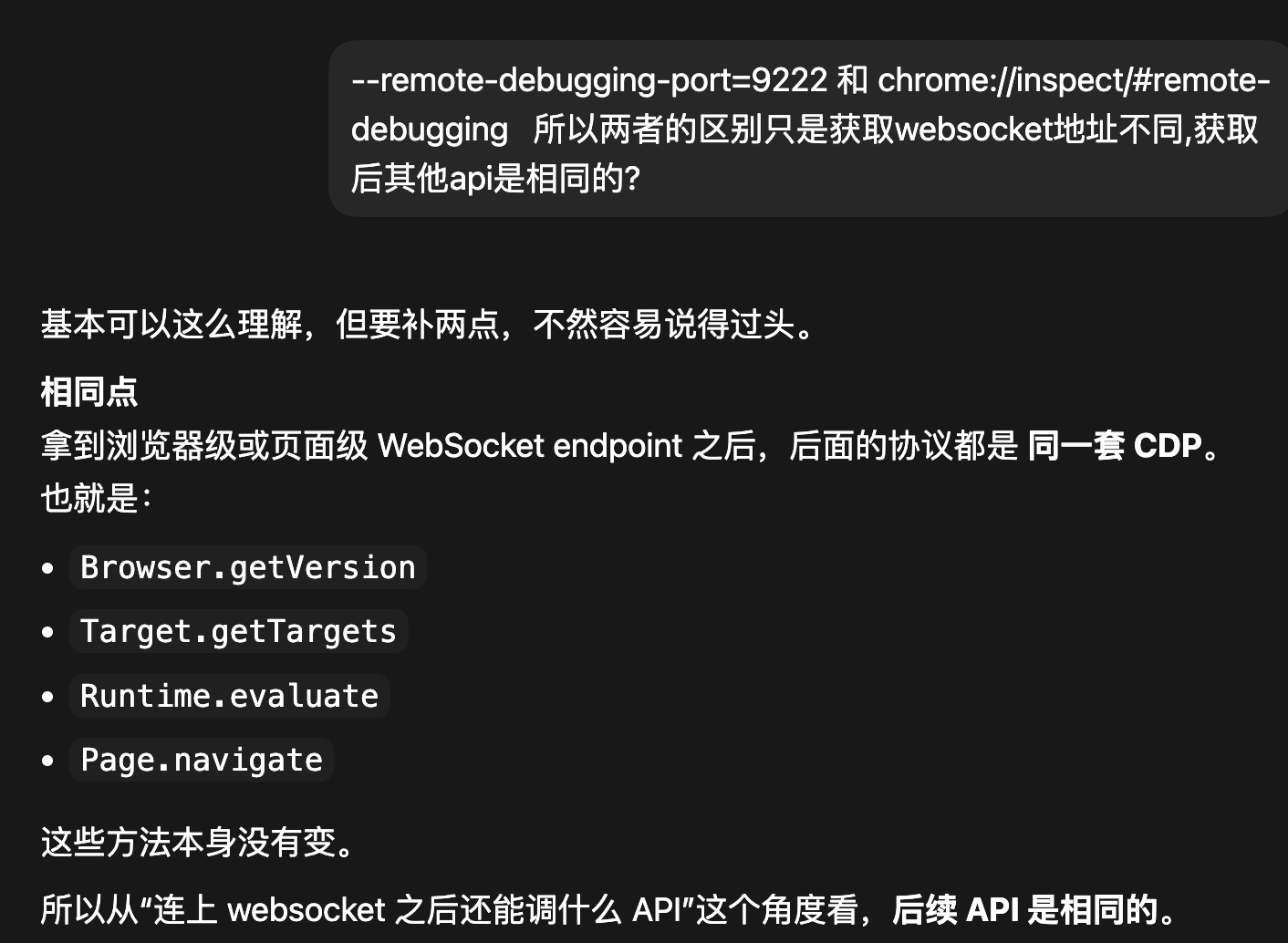
--remote-debugging-port=9222
本质:开启一个真正的 CDP HTTP/WebSocket 服务
特点
-
会启动一个 监听端口(9222)
-
提供接口:
-
ws://127.0.0.1:9222/devtools/...
-
外部程序可以直接连接(你自己的 Python / Codex / Puppeteer 都是走这个)
你的程序 (Python / Codex)
↓
HTTP / WebSocket
↓
Chrome (9222端口)
✔️ 标准方式(自动化、爬虫、Agent 必用)
✔️ 真正"远程调试"
✔️ 可以 headless / 多实例
连接测试
curl http://127.0.0.1:9222/json/version
有json响应体
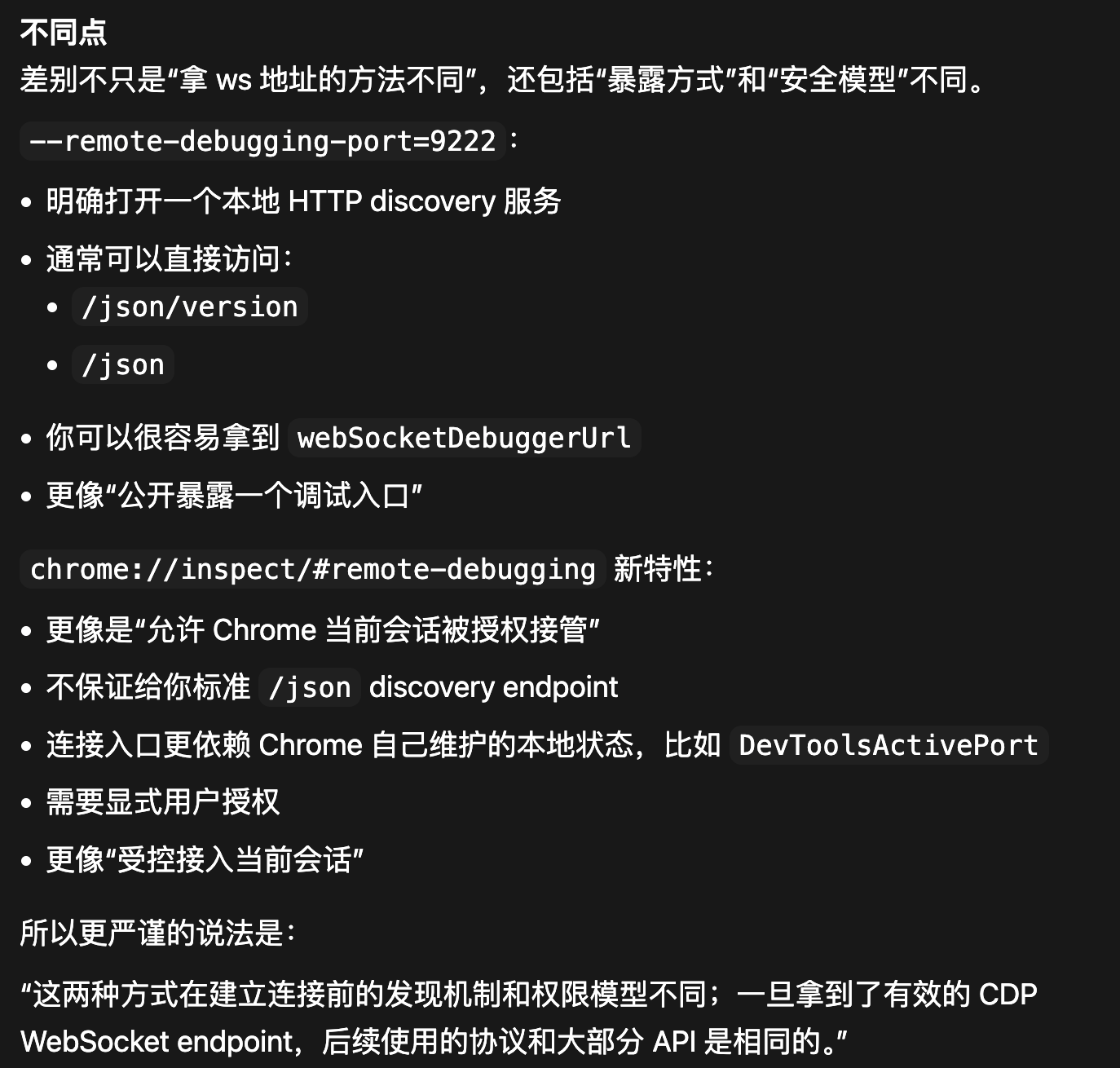
chrome://inspect/#remote-debugging
本质:只是 DevTools UI 的一个调试开关
新特性:
https://developer.chrome.com/blog/chrome-devtools-mcp-debug-your-browser-session?hl=zh-cn
它做了什么?
-
允许 DevTools 去"附加(attach)"已有浏览器
-
方便你用 Chrome 自己调试 Chrome(或远程设备)
关键点
❗ 它不会启动 9222 端口服务
❗ 它不会创建 CDP endpoint
❗ 它只是 UI 层的"允许调试"
新特性连接方式
// 连接并打印标签页
python
#!/usr/bin/env python3
"""
Validate Chrome's new auto-connect remote debugging flow without MCP.

This script mimics the core mechanism used by chrome-devtools-mcp --autoConnect:
1. Locate Chrome's user data dir.
2. Read DevToolsActivePort from that directory.
3. Connect directly to the browser WebSocket endpoint.
4. Send a few CDP commands to prove connectivity.

Notes:/Users/thomas990p/.cursor/skills/jumpserver-terminal
- This is different from the traditional "curl http://127.0.0.1:9222/json".
- In the new flow, the browser-level WebSocket endpoint from DevToolsActivePort
  is the reliable source of truth.
"""

from __future__ import annotations

import argparse
import asyncio
import json
import sys
from pathlib import Path
from typing import Any

import websockets


CHROME_USER_DATA_DIRS = {
    "stable": Path.home() / "Library/Application Support/Google/Chrome",
    "beta": Path.home() / "Library/Application Support/Google/Chrome Beta",
    "dev": Path.home() / "Library/Application Support/Google/Chrome Dev",
    "canary": Path.home() / "Library/Application Support/Google/Chrome Canary",
    "chromium": Path.home() / "Library/Application Support/Chromium",
}


class CdpClient:
    def __init__(self, ws_url: str):
        self.ws_url = ws_url
        self._next_id = 0
        self._ws: websockets.ClientConnection | None = None

    async def __aenter__(self) -> "CdpClient":
        self._ws = await websockets.connect(self.ws_url)
        return self

    async def __aexit__(self, exc_type, exc, tb) -> None:
        if self._ws is not None:
            await self._ws.close()

    async def call(self, method: str, params: dict[str, Any] | None = None) -> dict[str, Any]:
        if self._ws is None:
            raise RuntimeError("WebSocket is not connected")
        self._next_id += 1
        msg_id = self._next_id
        await self._ws.send(
            json.dumps(
                {
                    "id": msg_id,
                    "method": method,
                    "params": params or {},
                }
            )
        )
        while True:
            raw = await self._ws.recv()
            data = json.loads(raw)
            if data.get("id") != msg_id:
                continue
            if "error" in data:
                raise RuntimeError(f"{method} failed: {json.dumps(data['error'], ensure_ascii=False)}")
            return data.get("result", {})


def read_devtools_active_port(user_data_dir: Path) -> tuple[int, str]:
    port_file = user_data_dir / "DevToolsActivePort"
    if not port_file.exists():
        raise FileNotFoundError(
            f"DevToolsActivePort not found: {port_file}\n"
            "Make sure Chrome is running and chrome://inspect/#remote-debugging is enabled."
        )

    lines = [line.strip() for line in port_file.read_text().splitlines() if line.strip()]
    if len(lines) < 2:
        raise RuntimeError(f"Invalid DevToolsActivePort contents: {lines!r}")

    port = int(lines[0])
    ws_path = lines[1]
    return port, ws_path


async def validate(ws_url: str) -> None:
    async with CdpClient(ws_url) as cdp:
        version = await cdp.call("Browser.getVersion")
        targets = await cdp.call("Target.getTargets")

    page_targets = [t for t in targets.get("targetInfos", []) if t.get("type") == "page"]

    print("CDP connection: OK")
    print(f"WebSocket endpoint: {ws_url}")
    print(f"Browser: {version.get('product')}")
    print(f"Protocol version: {version.get('protocolVersion')}")
    print(f"User agent: {version.get('userAgent')}")
    print(f"Targets: {len(targets.get('targetInfos', []))} total, {len(page_targets)} page(s)")

    if page_targets:
        print("\nOpen pages:")
        for idx, target in enumerate(page_targets[:10], start=1):
            title = target.get("title") or "(no title)"
            url = target.get("url") or "(no url)"
            print(f"{idx}. {title} -> {url}")


def parse_args() -> argparse.Namespace:
    parser = argparse.ArgumentParser(
        description="Test Chrome auto-connect remote debugging without MCP."
    )
    parser.add_argument(
        "--channel",
        choices=sorted(CHROME_USER_DATA_DIRS),
        default="stable",
        help="Chrome channel to inspect. Default: stable",
    )
    parser.add_argument(
        "--user-data-dir",
        help="Override Chrome user data dir. If set, channel is ignored.",
    )
    parser.add_argument(
        "--print-only",
        action="store_true",
        help="Only print the resolved WebSocket endpoint without connecting.",
    )
    return parser.parse_args()


def main() -> int:
    args = parse_args()
    user_data_dir = Path(args.user_data_dir).expanduser() if args.user_data_dir else CHROME_USER_DATA_DIRS[args.channel]

    try:
        port, ws_path = read_devtools_active_port(user_data_dir)
    except Exception as exc:
        print(f"Failed to read DevToolsActivePort: {exc}", file=sys.stderr)
        return 1

    ws_url = f"ws://127.0.0.1:{port}{ws_path}"

    print(f"User data dir: {user_data_dir}")
    print(f"DevToolsActivePort: {user_data_dir / 'DevToolsActivePort'}")
    print(f"Resolved port: {port}")
    print(f"Resolved browser ws path: {ws_path}")
    print(f"Resolved browser ws endpoint: {ws_url}")

    if args.print_only:
        return 0

    print("\nTrying Browser.getVersion and Target.getTargets ...")
    try:
        asyncio.run(validate(ws_url))
    except Exception as exc:
        print(f"CDP connection failed: {exc}", file=sys.stderr)
        return 2

    print(
        "\nNote: with this new Chrome feature, HTTP discovery endpoints like "
        "`/json` may still be unavailable. The browser WebSocket endpoint from "
        "DevToolsActivePort is the authoritative connection target."
    )
    return 0


if __name__ == "__main__":
    raise SystemExit(main())
脚本返回:
chrome会先弹窗请求授权
bash
/Users/thomas990p/test/.venv/bin/python /Users/thomas990p/test/test.py
User data dir: /Users/thomas990p/Library/Application Support/Google/Chrome
DevToolsActivePort: /Users/thomas990p/Library/Application Support/Google/Chrome/DevToolsActivePort
Resolved port: 9222
Resolved browser ws path: /devtools/browser/9d99e088-a380-48c6-8128-1bab7bc6e3b2
Resolved browser ws endpoint: ws://127.0.0.1:9222/devtools/browser/9d99e088-a380-48c6-8128-1bab7bc6e3b2

Trying Browser.getVersion and Target.getTargets ...
CDP connection: OK
WebSocket endpoint: ws://127.0.0.1:9222/devtools/browser/9d99e088-a380-48c6-8128-1bab7bc6e3b2
Browser: Chrome/146.0.7680.178
Protocol version: 1.3
User agent: Mozilla/5.0 (Macintosh; Intel Mac OS X 10_15_7) AppleWebKit/537.36 (KHTML, like Gecko) Chrome/146.0.0.0 Safari/537.36
Targets: 16 total, 9 page(s)

Open pages:
1. 写文章-CSDN创作中心 -> https://mp.csdn.net/mp_blog/creation/editor/160104340
2. Inspect with Chrome Developer Tools -> chrome://inspect/#remote-debugging
3. 沧元图-15-免费在线观看-爱壹帆 -> https://www.iyf.tv/play/6JRY7zOGLcD?id=i4FszrsbHbR&clearCache=0.3255039135217819

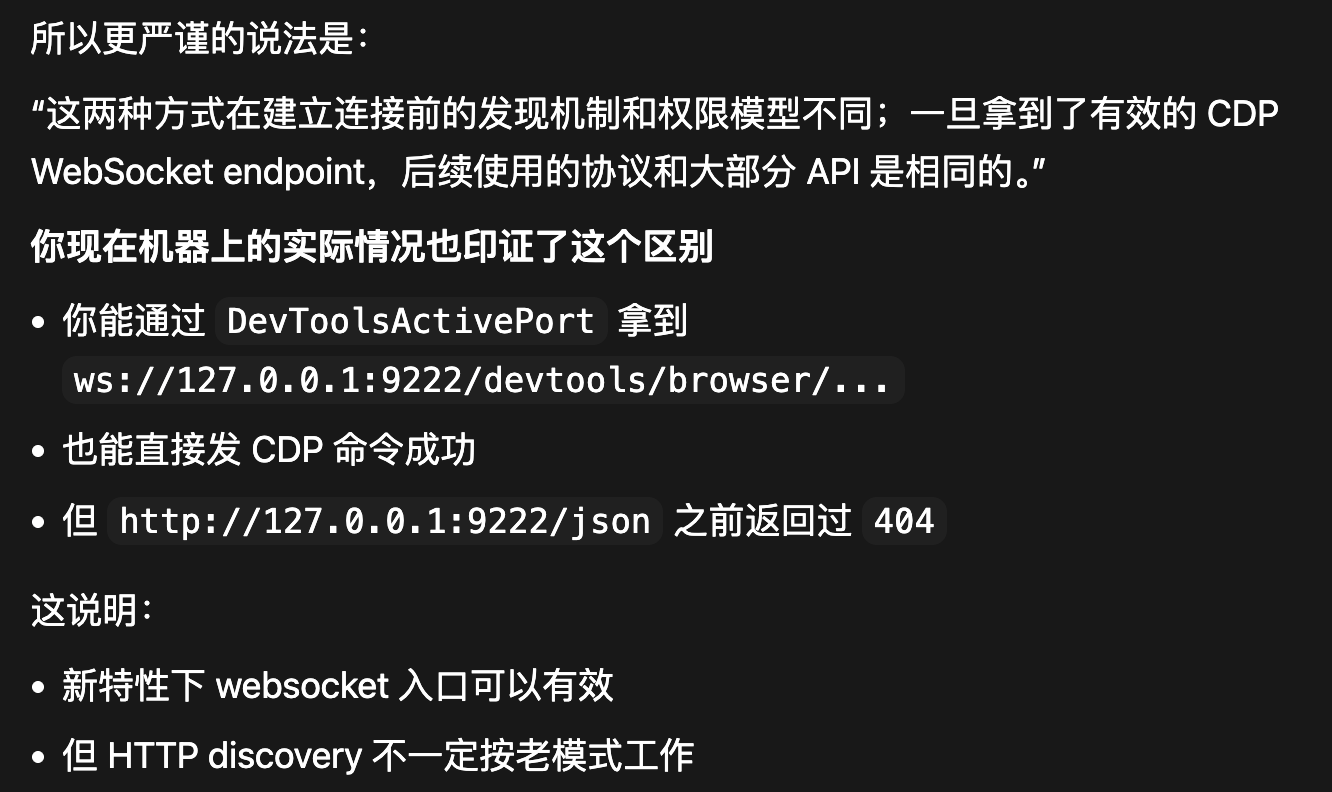
Note: with this new Chrome feature, HTTP discovery endpoints like `/json` may still be unavailable. The browser WebSocket endpoint from DevToolsActivePort is the authoritative connection target.

Process finished with exit code 0
这个脚本不是走 curl 127.0.0.1:9222/json,而是按 Chrome 新特性的真实链路去连:
- 读 Chrome 用户目录里的 DevToolsActivePort
- 解析出浏览器级 WebSocket 地址
- 直接发 CDP 命令 Browser.getVersion 和 Target.getTargets
- Chrome 版本:146.0.7680.178
- Protocol version:1.3
- 当前共发现 15 个 target,其中 9 个 page
- 连接的 ws endpoint 是 ws://127.0.0.1:9222/devtools/browser/9d99e088-a380-48c6-8128-1bab7bc6e3b2
你现在可以这样用:
python3 /Users/thomas990p/test/test.py
如果只想看解析出的 ws endpoint,不实际连:
python3 /Users/thomas990p/test/test.py --print-only
如果要换 channel:
python3 /Users/thomas990p/test/test.py --channel beta
这份脚本也能顺便解释你之前的现象:在这个新特性下,/json 这类 HTTP discovery endpoint 可能不可用,但 DevToolsActivePort 给出的 browser websocket 仍然是可用的,所以不能用 curl /json 作为唯一判据。
连接方法2
本质上关系是这样:
- chrome-devtools-mcp = MCP 服务端
- mcp-inspector = MCP 客户端
- 只有"客户端调用服务端工具",Chrome 连接才会发生
bash
mcp-inspector --cli --method tools/call --tool-name list_pages --transport stdio -- chrome-devtools-mcp --autoConnect会弹窗,但是没输出 貌似 chrome-devtools-mcp 还没适配好新特性
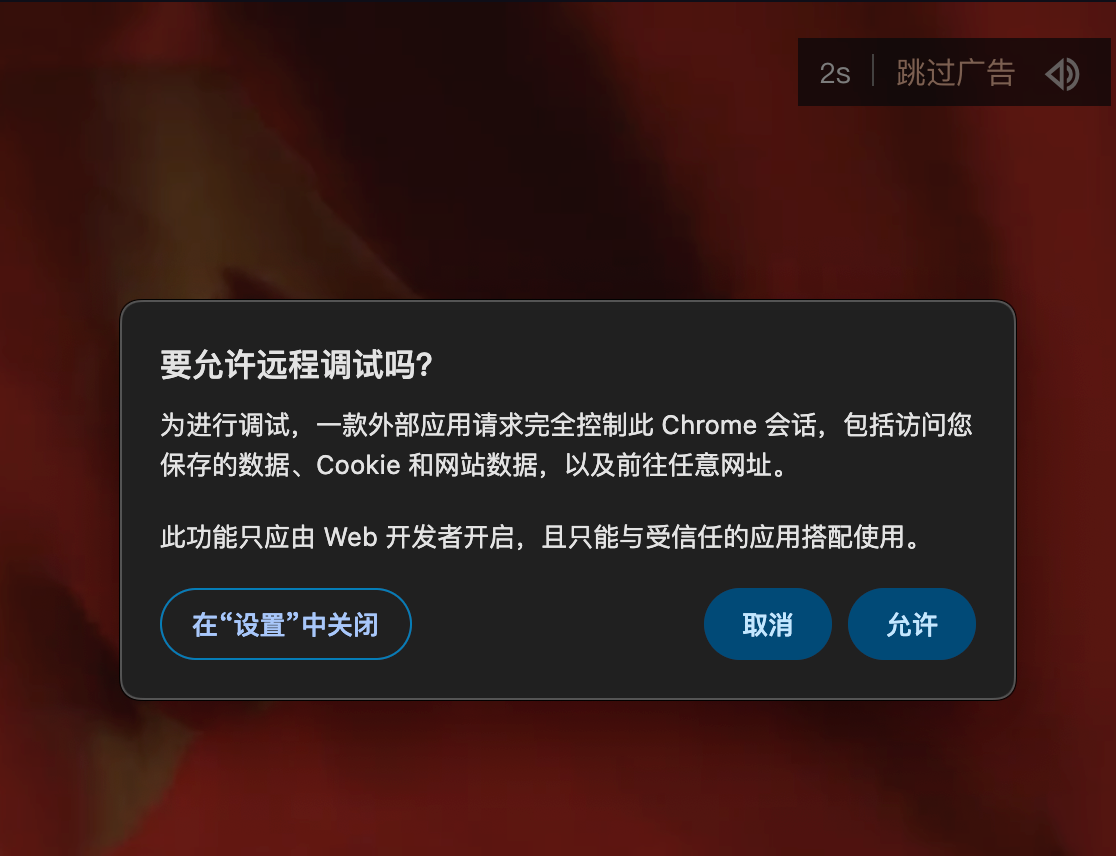
注意:
curl http://127.0.0.1:9222/json/version
没有json响应体

对比