我的环境:
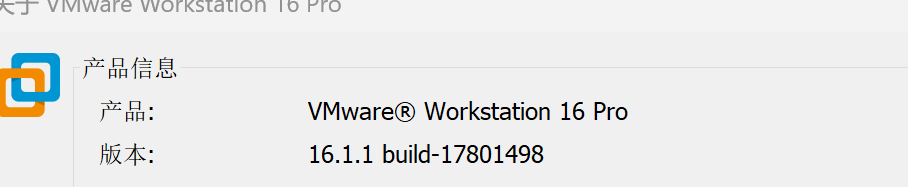
VMware:
Ubuntu:22.04
bash
#106~22.04.1-Ubuntu SMP PREEMPT_DYNAMIC Fri Mar 6 08:44:59 UTC 由于我当时解决问题时,没有进行实时截图,所以后面的是没有截图的,纯文字(桀桀)。
标题步骤如下:
- 我进入启动Ubuntu,弹出的黑色界面中有如下的报错;
bash
3.667625] Kernel Offset: 0x2da00000 from 0xffffffff81000000 (relocation range: 0xffffffff80000000-0xffffffffbfffffff)
3.6678631 ---[ end Kernel panic - not syncing: UFS: Unable to Mount root fs on unknown-block(8,0) 1--问题原因:无法挂载根文件系统
- 重启Ubuntu,直至出现如下的GRUB 菜单,选择Advanced options for Ubuntu,回车;

- 选择带有 (recovery mode) 的旧版本内核,回车;
- 如果能进入 Recovery 菜单,选择fsck,回车,选择 检查并修复文件系统,回车;
- 选择root回车,进入 root shell(后续的所有修复操作都是在该界面中进行,如果没有进入该界面,桀桀桀。问问AI,AI很强的);
- 查看分区表,确认根分区设备名,输入如下指令:
bash
fdisk -l 我得到是如下结果:
| 分区 | 类型 | 用途 |
|---|---|---|
| BIOS boot | 极小(通常 1-4MB) | GRUB 引导程序存储(无文件系统) |
| EFI system | 通常 100-500MB,FAT32 | UEFI 启动分区(/boot/efi) |
| Linux filesystem | 通常最大,ext4/xfs | ← 我的根分区 / |
后续我们要使用的就是"Linux filesystem"分区,记住Linux filesystem分区的设备名,我的是/dev/sda3(记录该设备名,后面的指令会用到)
- 检查文件系统类型,输入指令:
bash
blkid /dev/sda3输出类似如下的结果,我的TYPE="ext4"
bash
/dev/sda3: UUID="xxxxx" TYPE="ext4" # 或 xfs、btrfs- 卸载文件系统,输入指令:
bash
umount /dev/sda3 2>/dev/null- 将分区以读写方式重新挂载,输入指令:
bash
mount -o remount,rw /- 执行文件系统检查,先不修复,输入指令:
bash
e2fsck -n /dev/sda3我的得到的结果如下:
bash
root@tianxia-virtual-machine:# mount -o remount,rw /
root@tianxia-virtual-machine:~# e2fsck -n /dev/sda3
e2fsck 1.46.5 (30-Dec-2021) Warning! /dev/sda3 is mounted. Harning: skipping journal recovery because doing a read-only filesystem check.l /dev/sda3: clean, 728125/6520832 files, 10236881/26082304 bl0cks
从结果得知 :
我的文件系统是 clean 的,没有损坏。这说明问题不在文件系统本身,而是 initramfs(初始化内存文件系统) 或 GRUB 配置 的问题。
- 修复 initramfs,重新生成所有内核的 initramfs(解决无法挂载根分区的关键步骤),输入指令:
bash
update-initramfs -u -k all我的输出结果中出现了一些错误,但是因为输出内容太长了,我只能截取到如下的输出信息(可能换行的位置不对,但是不影响,桀桀桀桀)
bash
ound1inux image:
/boot/vmlinuz-6.8.0-106-genericFioundinitrd image:
/boot/initrd.img-6.8.0-106-genericFi1inux image: /boot/vmlinuz-6.8.0-90-genericoundFoundinitrd image: /boot/initrd.img-6.8.0-90-genericound1inux image:
/boot/vmlinuz-6.8.0-87-genericFoundinitrd image:
/boot/initrd.img-6.8.0-87-genericmemtest86+ image: /boot/memtest86+.elfFoundFound memtest86+ image: /boot/memtest86+.binWarning: os-prober will not be executed to detect other bootable partitions.Systems on them will not be added to the GRUB boot configuration.Check GRUB_DISABLE_0S_PROBER documentation entry.done
从结果得知:
update-initramfs 已经成功执行,为所有内核生成了新的 initramfs 镜像
- 更新 GRUB 配置,输入指令:
bash
update-grub输入如下结果:
bash
ound1inux image: /boot/vmlinuz-6.8.0-106-genericFioundinitrd image:
/boot/initrd.img-6.8.0-106-genericFi1inux image:
/boot/vmlinuz-6.8.0-90-genericoundFoundinitrd image: /boot/initrd.img-6.8.0-90-genericound1inux image:
/boot/vmlinuz-6.8.0-87-genericFoundinitrd image:
/boot/initrd.img-6.8.0-87-genericmemtest86+ image: /boot/memtest86+.elfFoundFound memtest86+ image: /boot/memtest86+.binWarning: os-prober will not be executed to detect other bootable partitions.Systems on them will not be added to the GRUB boot configuration.Check GRUB_DISABLE_0S_PROBER documentation entry.done
从输出结果得知: update-grub 已经成功执行了!GRUB 配置已更新,识别到了三个内核版本(6.8.0-106、90、87)。
- 安装 GRUB 引导程序,将 GRUB 安装到磁盘 MBR(主引导记录),输入指令:
bash
grub-install /dev/sda注意:这里是/dev/sda,不是/dev/sda3。不是写错,不是写错,不是写错。
输出结果如下:
bash
root@tianxia-virtual-machine: #Installing for i386-pc plattorm.Installation finished. No error reported.
grub-install /dev/sda- 输入指令:
bash
sync- 重新系统,输入指令:
bash
reboot -f正常指令执行完之后,系统应该能正常进入 Ubuntu 登录界面,不再出现 Kernel Panic 错误。(当然如果出现了,可以AI一下。桀桀)
我的已经进入系统了哟哈哈哈哈哈哈哈哈哈。