mac安装wireshark
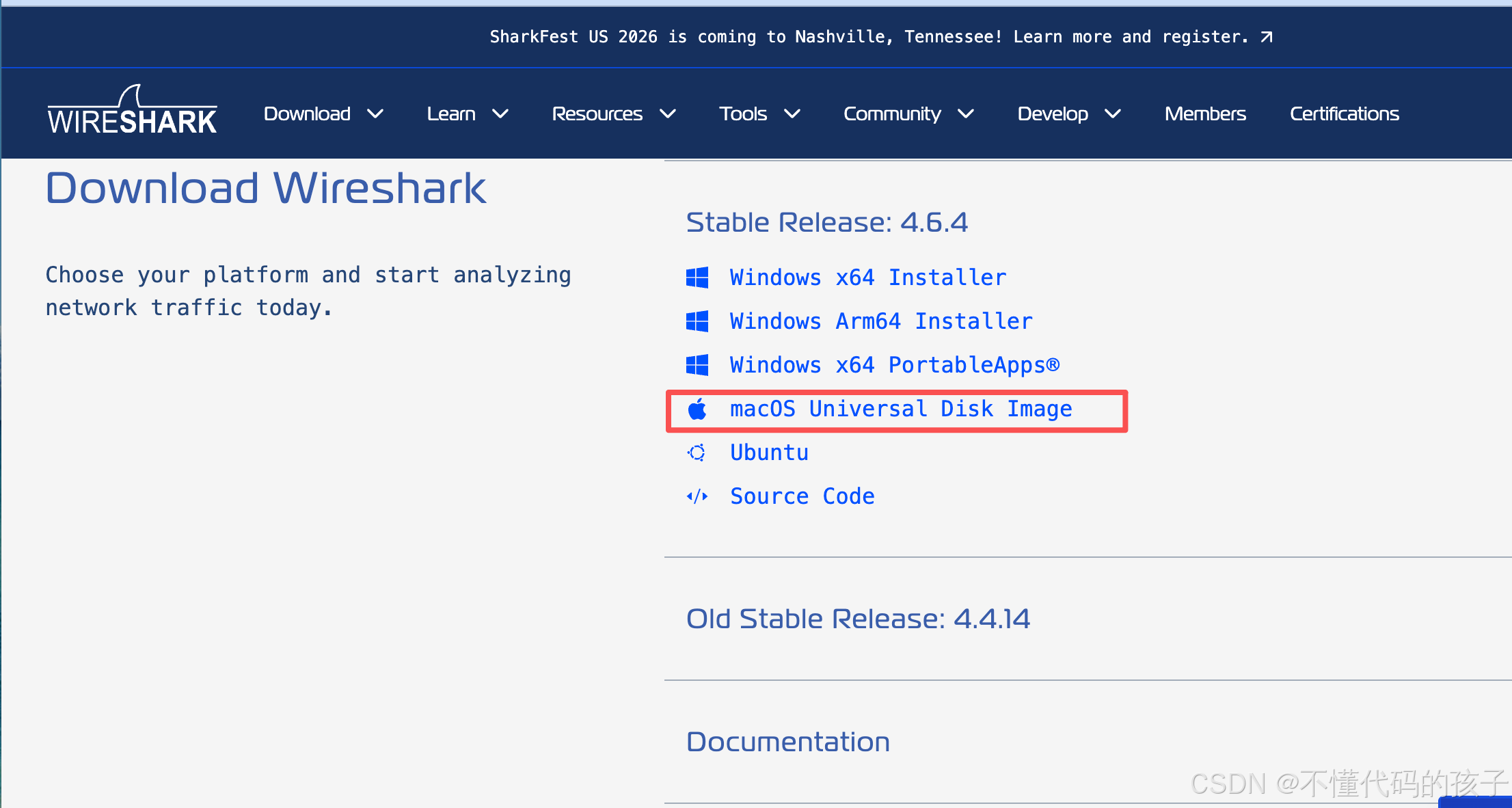
1.下载地址
https://www.wireshark.org/#download
选择适合自己mac的版本
2.安装
正常安装即可
3.怎么切换中文
打开 Wireshark,点击顶部菜单 Edit(编辑) → Preferences(首选项)。
右侧找到 Language(语言) 下拉框,选择 Chinese (Simplified) (zh_CN)(简体中文)。
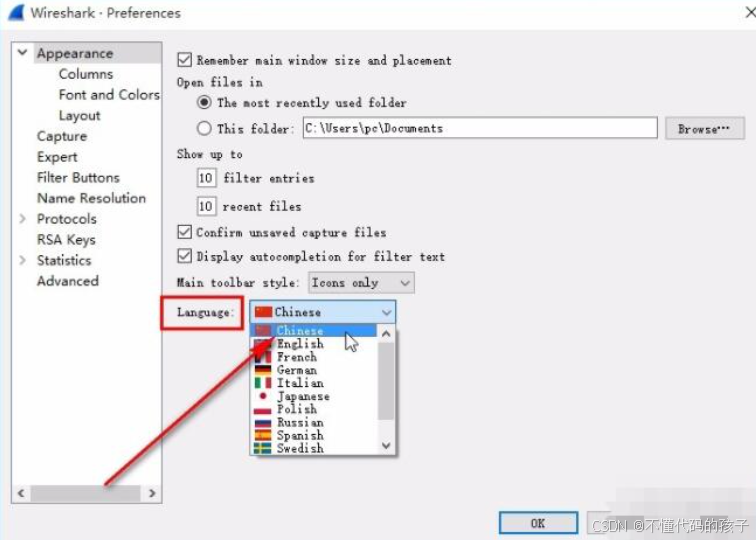
点击 OK,重启 Wireshark 后界面就变成中文了。
4.安装ChmodBPF
正常直接抓包的话会出现一个权限报错。
Please check to make sure you have sufficient permissions.

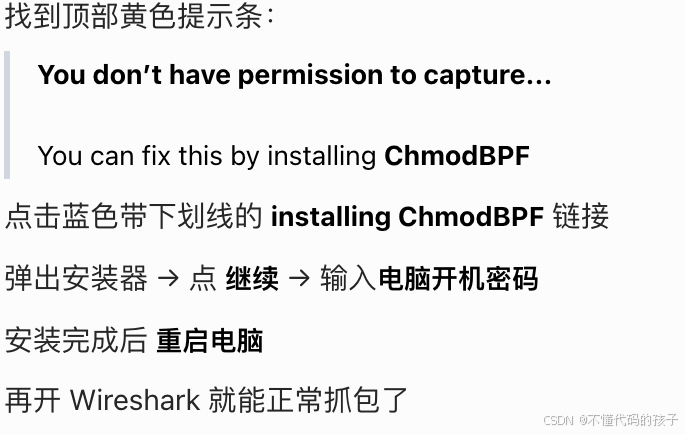
If you installed Wireshark using the package from wireshark.org, close this dialog and click on the "installing ChmodBPF" link in "You can fix this by installing ChmodBPF." on the main screen, and then complete the installation procedure
这个提示是 macOS 上 Wireshark 最常见的权限错误:你当前用户没有权限访问系统的 BPF 抓包设备(/dev/bpf*)。
按提示的官方方法,安装 ChmodBPF 即可永久修复。
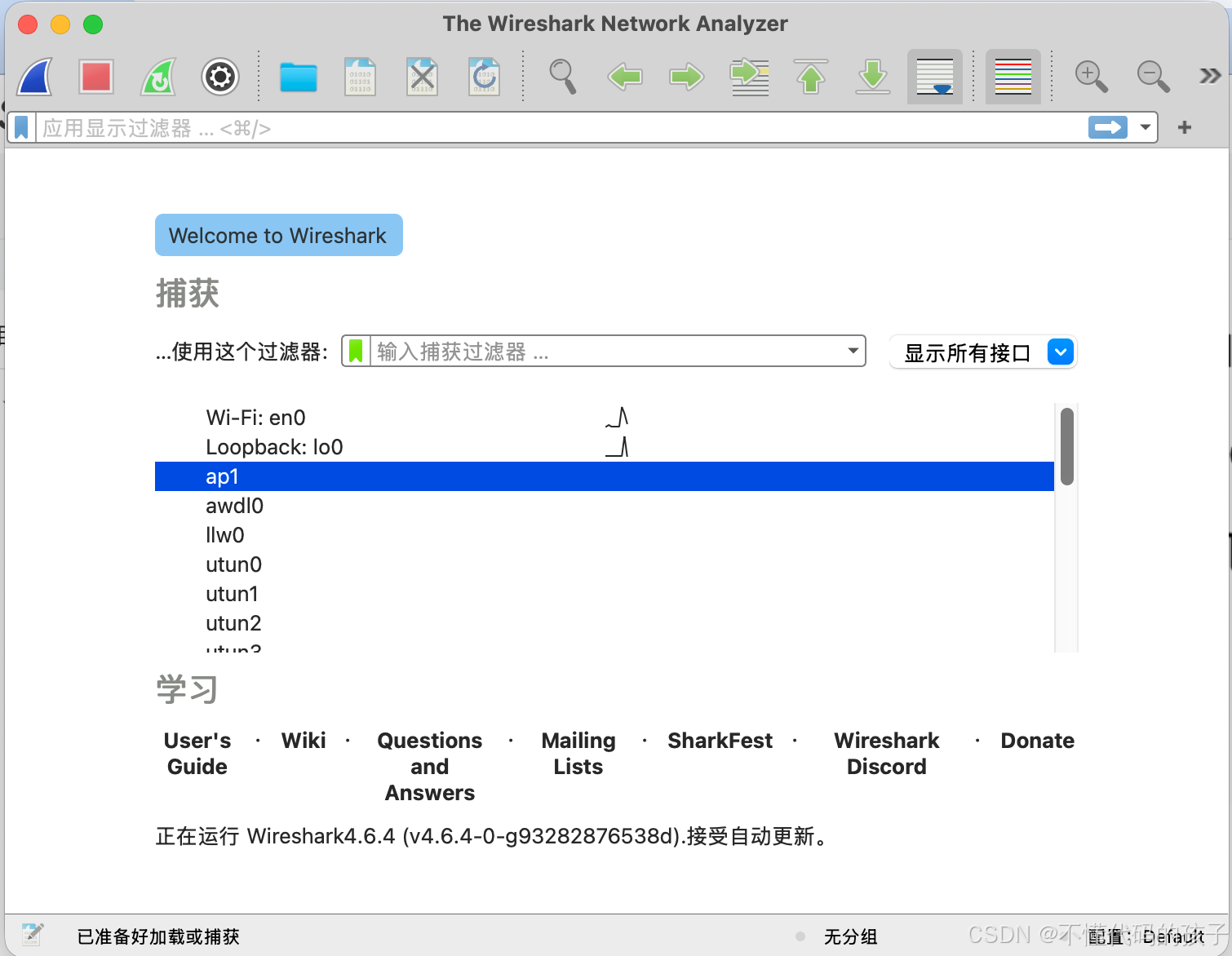
5.成功效果图
如果有问题可以留言或者是在线私聊博主~~~