踩坑记录05:borderWidth_API签名的类型陷阱
阅读时长 :6分钟 | 难度等级 :初级 | 适用版本 :HarmonyOS NEXT (API 12+)
关键词 :borderWidth、类型系统、ArkTS API签名
声明:本文基于真实项目开发经历编写,所有代码片段均来自实际踩坑场景。
欢迎加入开源鸿蒙PC社区 :https://harmonypc.csdn.net/
项目 Git 仓库 :https://atomgit.com/Dgr111-space/HarmonyOS
📖 前言导读
在 HarmonyOS 的 ArkTS 开发中,踩坑记录05:borderWidth API 签名的类型陷阱 是很多新手都会遇到的问题。本文记录了完整的踩坑经历------从错误复现到根因定位再到解决方案,希望能帮助你在遇到类似问题时快速定位方向。
踩坑记录05:borderWidth API 签名的类型陷阱
严重程度 :⭐⭐ | 发生频率 :中
涉及模块 :UI 组件样式、BorderWidth类型系统
一、问题现象
Error: Argument of type '{ width: number; }' is not assignable to parameter
of type 'Length | EdgeWidths | LocalizedEdgeWidths'.
Object literal may only specify known properties, and 'width' does not exist
in type...
ArkTS 编译器拒绝接受看似合理的 { width: 1.5 } 参数格式。
二、错误代码
typescript
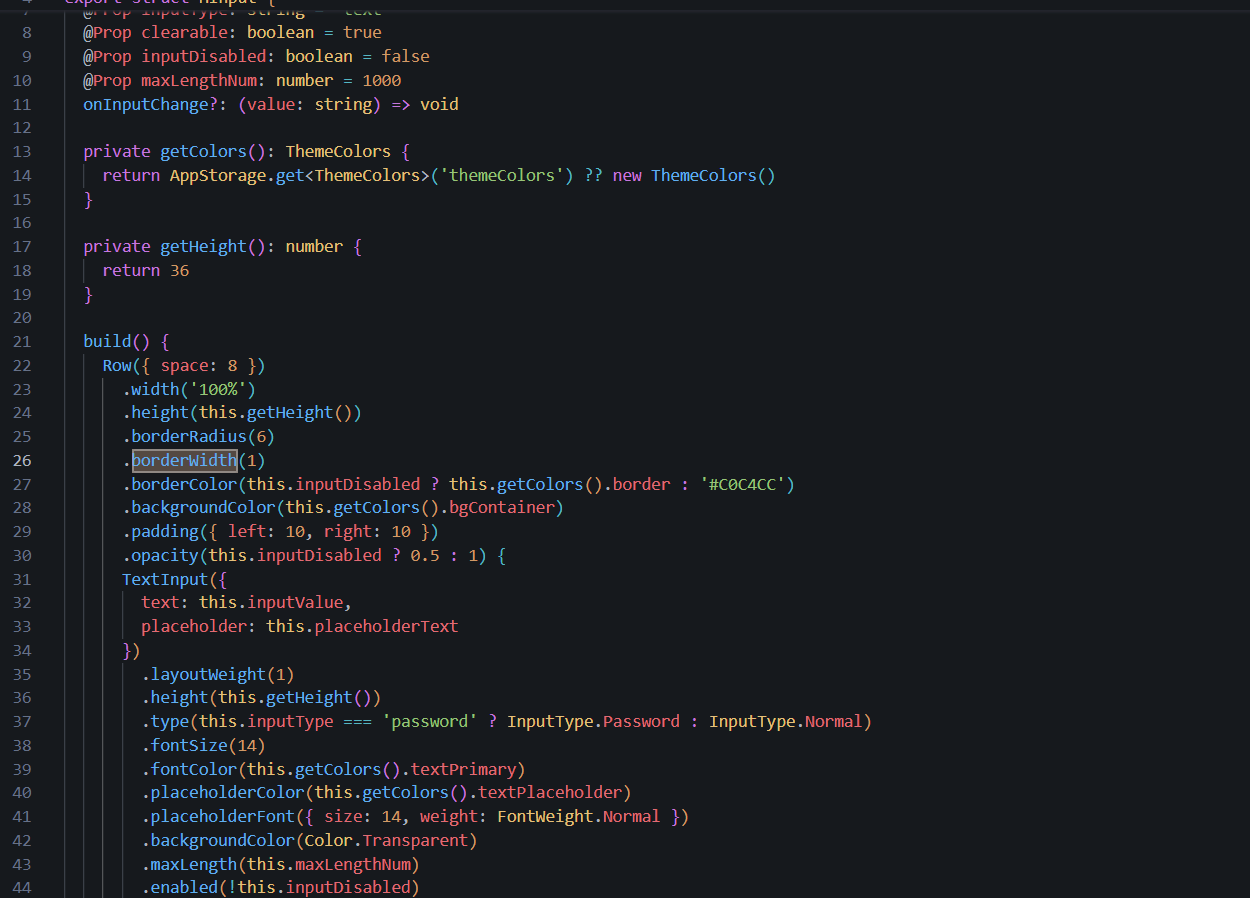
// HInput.ets 第26行 - 编译失败
Row()
  .borderWidth({ width: 1.5 })  // ❌ 类型不匹配
  .borderColor('#C0C4CC')
开发者直觉上认为边框宽度应该用对象形式传入,毕竟很多其他属性都支持这种写法。
三、根因分析
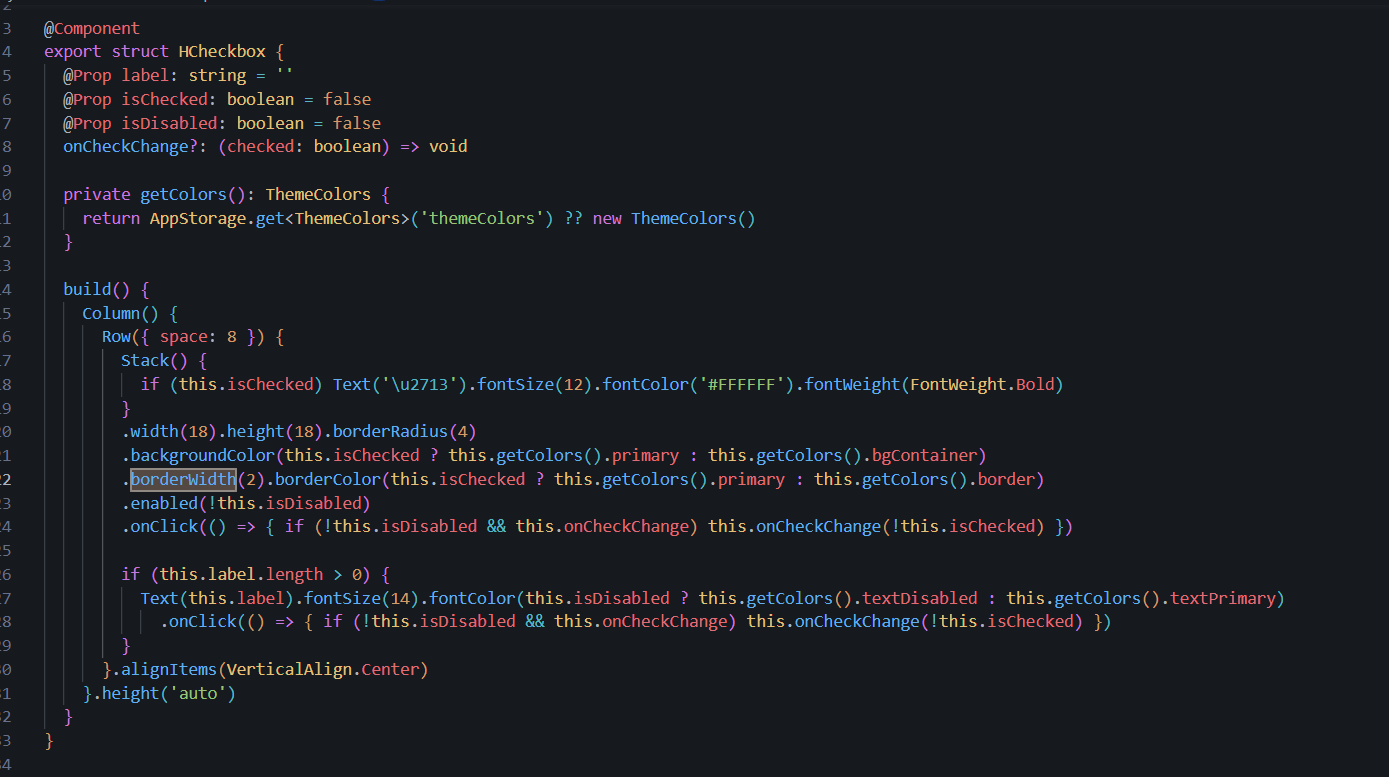
ArkTS 的 borderWidth() 方法签名如下表所示:
borderWidth参数
Length - 数字或字符串
EdgeWidths - 四边分别设置
LocalizedEdgeWidths - 本地化边框
1 或 '1vp'
{ left:1, right:1, top:1, bottom:1 }
start/end 边距
关键点 :不支持 { width: number } 这种单属性对象形式!
四、解决方案
typescript
// ✅ 正确写法一:直接传数字
.borderWidth(1)

// ✅ 正确写法二:传字符串
.borderWidth('1vp')

// ✅ 正确写法三:四边不同时用 EdgeWidths
.borderWidth({ left: 1, right: 1, top: 2, bottom: 2 })

// ❌ 错误写法:不存在的类型
.borderWidth({ width: 1.5 })
五、完整修正案例
typescript
// HInput.ets 完整修复
build() {
  Row({ space: 8 })
    .width('100%')
    .height(this.getHeight())
    .borderRadius(6)
    .borderWidth(1)                    // 直接传数字
    .borderColor('#C0C4CC')
    .backgroundColor(this.getColors().bgContainer)
    .padding({ left: 10, right: 10 }) {
    TextInput({
      text: this.inputValue,
      placeholder: this.placeholderText
    })
      .layoutWeight(1)
      .height(this.getHeight())
      // ...其他属性
  }
}
六、同类 API 对照表
| 属性方法 | 支持的参数形式 | 备注 |
|---|---|---|
borderWidth(value) |
`Length | EdgeWidths` |
borderRadius(value) |
`Length | EdgeLengths` |
padding(value) |
`Padding | Length` |
margin(value) |
`Margin | Length` |
size(value) |
SizeOptions |
支持 {width, height} |
七、经验总结
- 查阅官方 API 文档:ArkTS 的类型约束比 Web 前端严格得多,不能凭直觉猜测
- 利用 IDE 提示:DevEco Studio 会实时显示可接受的参数类型
- 统一代码风格:团队内约定使用哪种形式,避免混用导致困惑
参考资源与延伸阅读
官方文档
> 系列导航:本文是「HarmonyOS 开发踩坑记录」系列的第 05 篇。该系列共 30 篇,涵盖 ArkTS 语法、组件开发、状态管理、网络请求、数据库、多端适配等全方位实战经验。
工具与资源### 工具与资源
- DevEco Studio 官方下载 --- HarmonyOS 官方IDE
- HarmonyOS 开发者社区 --- 技术问答与经验分享
👇 如果这篇对你有帮助,欢迎点赞、收藏、评论!
你的支持是我持续输出高质量技术内容的动力 💪