animation 和 transition 不能同时控制同一个属性(width),否则会发生冲突:
animation:通常在元素创建时执行一次,执行完后属性就固定了,后续数据变化不会触发。
transition:只有在元素已存在且属性值发生变化时才生效,初始渲染时通常不生效。
要想同时拥有"首屏加载动画"和"数据更新动画",最佳方案是分离职责:
首屏加载动画:使用 animation 控制 transform: scaleX()(视觉上的缩放),不影响布局。
数据更新动画:使用 transition 控制 width(实际宽度的变化)。
这样既保证了第一次加载时有"生长"效果,又保证了后续数据变动时有"平滑过渡"效果。
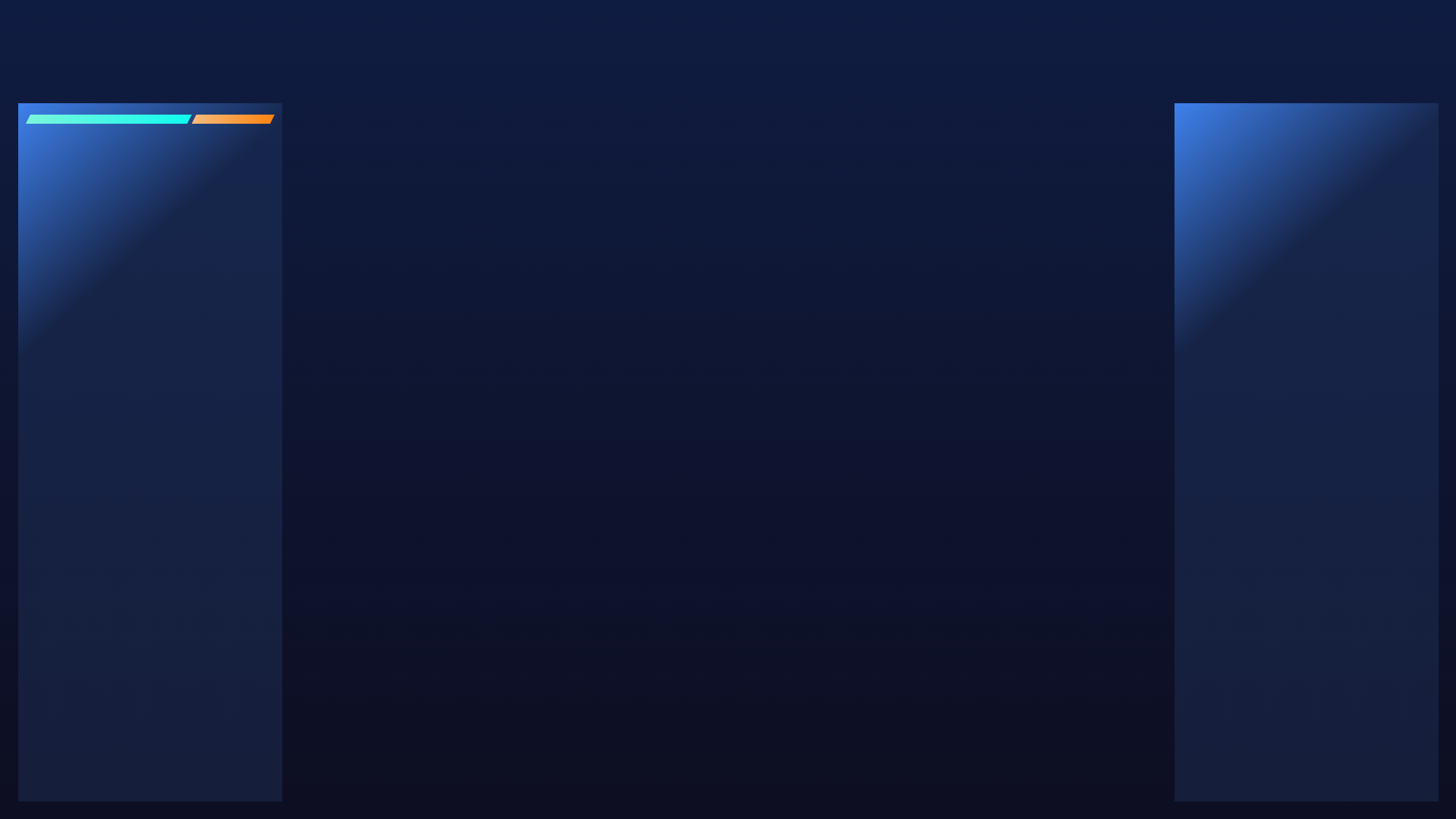
html
<template>
  <div class="home-page">
    <div class="left-panel">
      <div class="bar-wrap">
        <div class="left-bar" :style="{ width: leftBarWidth }"></div>
        <div class="right-bar" :style="{ width: rightBarWidth }"></div>
      </div>
    </div>
    <div class="right-panel"></div>
  </div>
</template>

<script setup>
import { ref, computed } from 'vue'

const info = ref({
  inNum: 0,
  outNum: 0,
  total: 0
})

const leftBarWidth = computed(() => {
  if (info.value.total) {
    return `${info.value.inNum / info.value.total * 100}%`
  } else {
    return '0'
  }
})

const rightBarWidth = computed(() => {
  if (info.value.total) {
    return `${info.value.outNum / info.value.total * 100}%`
  } else {
    return '0'
  }
})

setTimeout(() => {
  info.value = {
    inNum: 10,
    outNum: 5,
    total: 15
  }
}, 1000)

setTimeout(() => {
  info.value = {
    inNum: 5,
    outNum: 10,
    total: 15
  }
}, 3000)

setTimeout(() => {
  info.value = {
    inNum: 10,
    outNum: 5,
    total: 15
  }
}, 5000)
</script>

<style lang="scss" scoped>
.home-page {
  width: 100%;
  height: 100%;
  background: linear-gradient(180.00deg, rgba(15, 28, 65, 1), rgba(13, 14, 33, 1));
  position: relative;
  padding: 136px 24px 24px 24px;

  .left-panel,
  .right-panel {
    width: 348px;
    height: 100%;
    background: linear-gradient(138.01deg, rgba(67, 140, 255, 0.96) -1.974%, rgba(39, 65, 113, 0.31) 27.287%);
    float: left;
    animation: fromLeft .5s ease-out forwards;	// 快速启动,缓慢结束
    /* 确保动画在合成层运行 */
    backface-visibility: hidden;
    /* 或者 (旧版 Webkit) */
    -webkit-backface-visibility: hidden;
    padding: 10px;
  }

  .right-panel {
    float: right;
    animation: fromRight .5s ease-out forwards;
  }

  .bar-wrap {
    width: 100%;
    height: 22px;
    display: flex;
    align-items: center;

    .left-bar {
      height: 12px;
      background: linear-gradient(90.00deg, rgba(124.6, 244.75, 217.88, 1), rgba(15, 251, 240, 1) 99.419%);
      clip-path: polygon(6px 0%, 100% 0%, calc(100% - 6px) 100%, 0% 100%);
      transition: all 1.2s ease-out;
    }

    .right-bar {
      height: 12px;
      background: linear-gradient(90.00deg, rgba(245, 187, 125, 1), rgba(251, 130, 15, 1) 99.419%);
      clip-path: polygon(6px 0%, 100% 0%, calc(100% - 6px) 100%, 0% 100%);
      transition: all 1.2s ease-out;
    }
  }

  @keyframes fromLeft {
    from {
      transform: translateX(-100%);
    }

    to {
      transform: translateX(0);
    }
  }

  @keyframes fromRight {
    from {
      transform: translateX(100%);
    }

    to {
      transform: translateX(0);
    }
  }
}
</style>