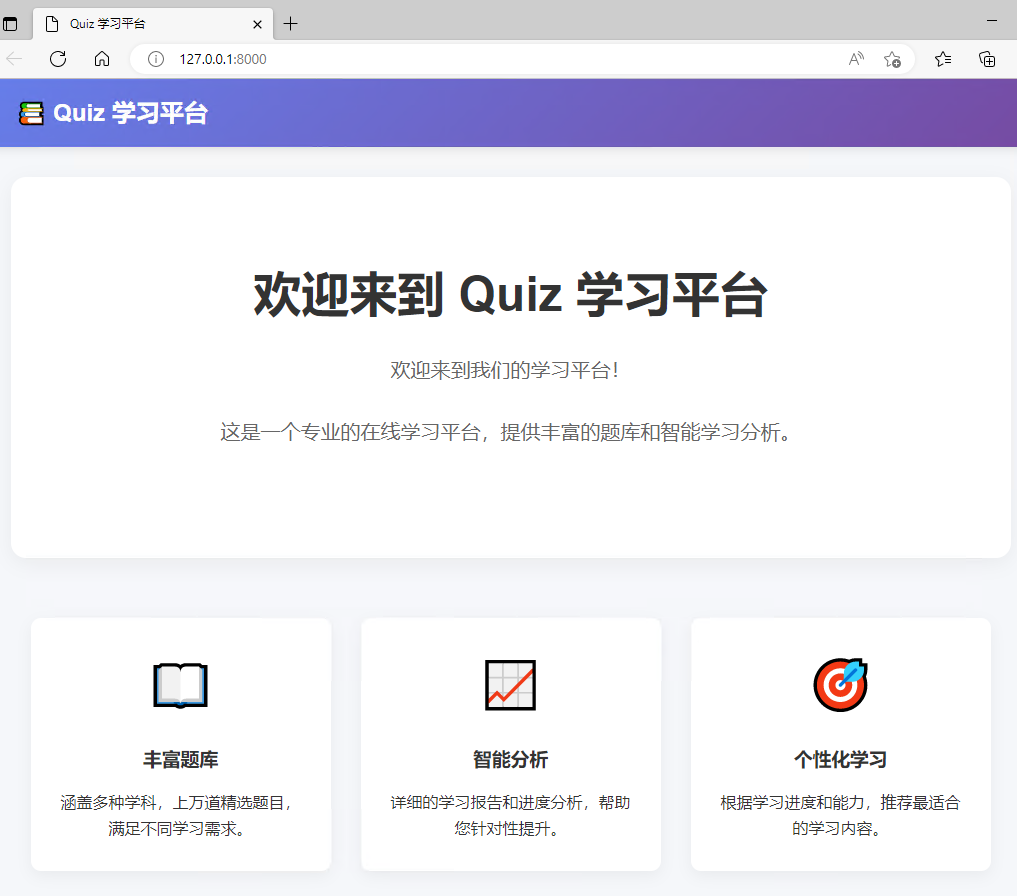
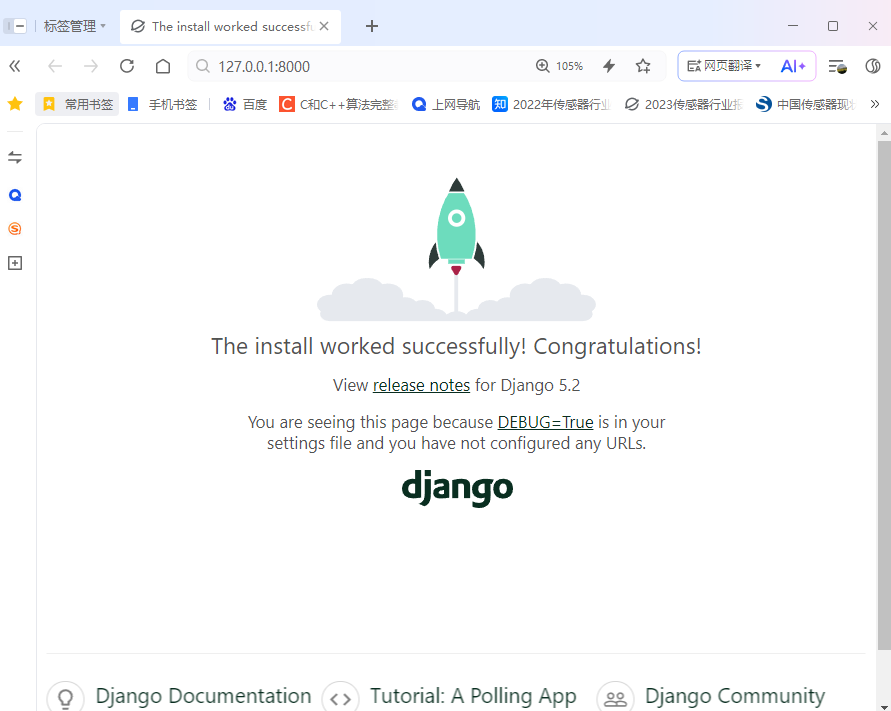
1、原始的初始页
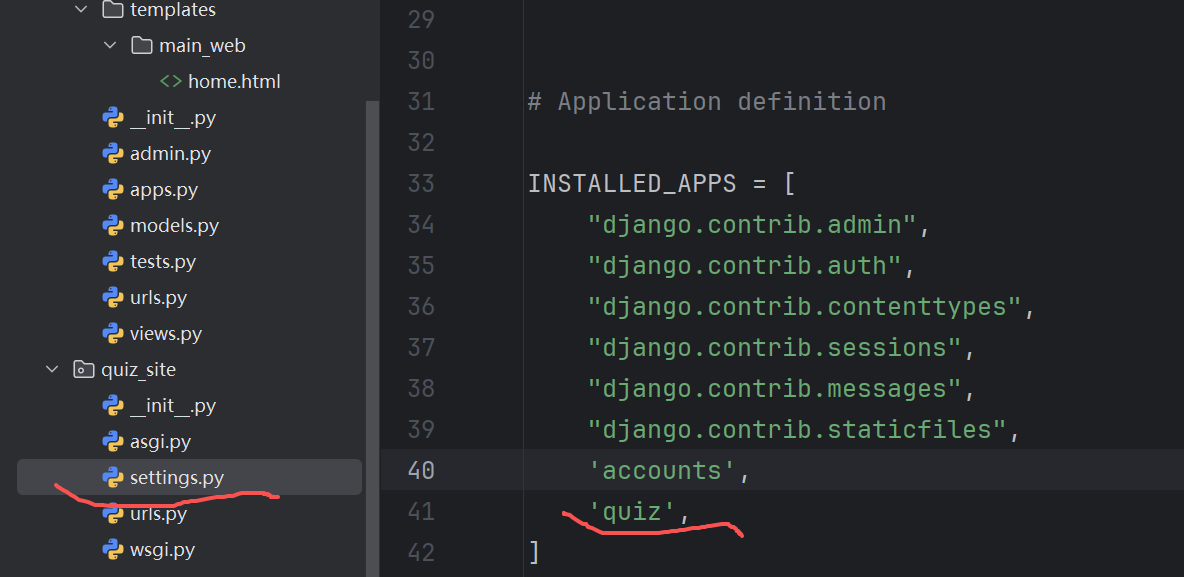
2、setting.py中添加应用
在quiz_site的setting.py 进行应用到的设置(对应的是一个根目录下的文件夹)
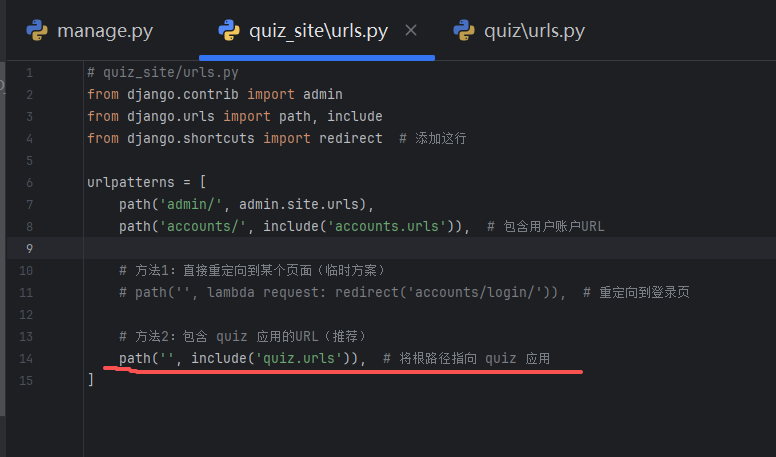
3、Quiz_site\urls.py中的设置
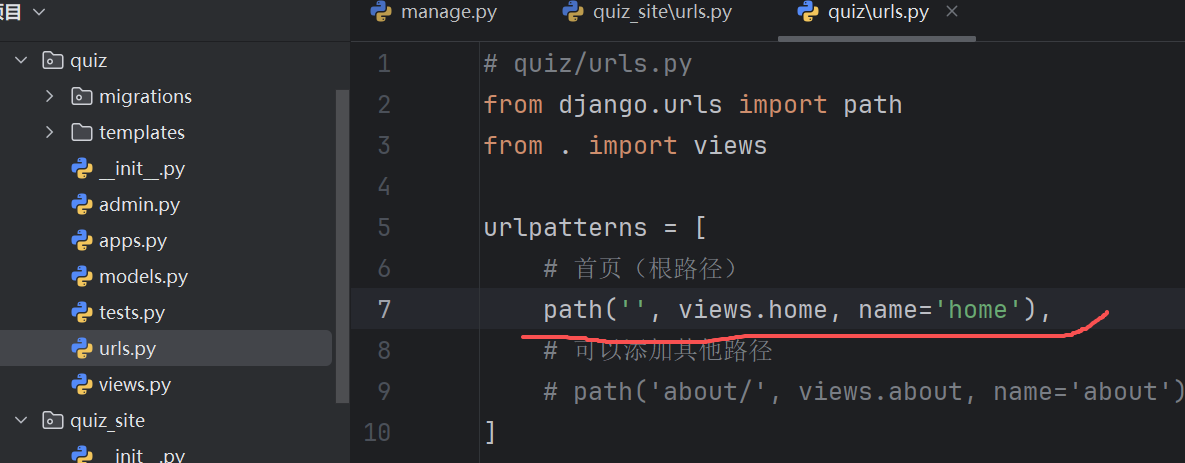
4、修改quiz/urls.py
修改后的内容如下:
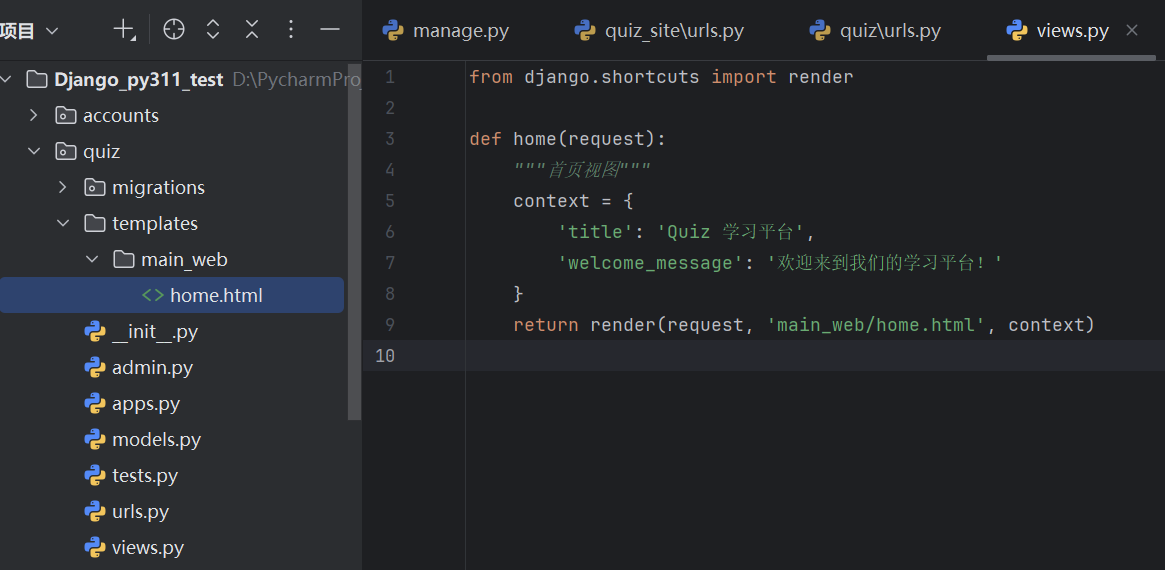
5、views.py的设置
如图:
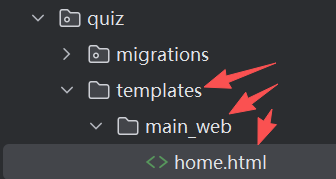
6、建立主页
在quiz目录下建立2级目录,并建立对应的home.html,路径和views.py中对应,如图:
Home.html中的内容如下:
html
!DOCTYPE html>
<html lang="zh-CN">
<head>
    <meta charset="UTF-8">
    <meta name="viewport" content="width=device-width, initial-scale=1.0">
    <title>{{ title }}</title>
    <style>
        * {
            margin: 0;
            padding: 0;
            box-sizing: border-box;
        }

        body {
            font-family: Arial, sans-serif;
            background-color: #f5f7fa;
            color: #333;
            line-height: 1.6;
        }

        .navbar {
            background: linear-gradient(135deg, #667eea 0%, #764ba2 100%);
            color: white;
            padding: 15px 30px;
            display: flex;
            justify-content: space-between;
            align-items: center;
            box-shadow: 0 2px 10px rgba(0,0,0,0.1);
        }

        .navbar-brand {
            font-size: 24px;
            font-weight: bold;
            text-decoration: none;
            color: white;
        }

        .nav-links {
            display: flex;
            gap: 20px;
            align-items: center;
        }

        .nav-links a {
            color: white;
            text-decoration: none;
            padding: 8px 16px;
            border-radius: 4px;
            transition: background 0.3s;
        }

        .nav-links a:hover {
            background: rgba(255, 255, 255, 0.1);
        }

        .btn-register {
            background: white;
            color: #667eea !important;
            font-weight: bold;
        }

        .hero {
            text-align: center;
            padding: 80px 20px;
            background: white;
            margin: 30px auto;
            max-width: 1000px;
            border-radius: 15px;
            box-shadow: 0 5px 20px rgba(0,0,0,0.05);
        }

        .hero h1 {
            font-size: 48px;
            margin-bottom: 20px;
            color: #333;
        }

        .hero p {
            font-size: 20px;
            color: #666;
            margin-bottom: 30px;
            max-width: 700px;
            margin-left: auto;
            margin-right: auto;
        }

        .cta-buttons {
            display: flex;
            gap: 20px;
            justify-content: center;
            margin-top: 40px;
        }

        .btn {
            padding: 15px 30px;
            font-size: 18px;
            border-radius: 8px;
            text-decoration: none;
            font-weight: bold;
            transition: all 0.3s;
            display: inline-block;
        }

        .btn-primary {
            background: linear-gradient(135deg, #667eea 0%, #764ba2 100%);
            color: white;
            border: none;
        }

        .btn-primary:hover {
            transform: translateY(-3px);
            box-shadow: 0 10px 20px rgba(102, 126, 234, 0.3);
        }

        .btn-secondary {
            background: white;
            color: #667eea;
            border: 2px solid #667eea;
        }

        .btn-secondary:hover {
            background: #f8f9fa;
            transform: translateY(-3px);
        }

        .features {
            display: grid;
            grid-template-columns: repeat(auto-fit, minmax(300px, 1fr));
            gap: 30px;
            max-width: 1000px;
            margin: 60px auto;
            padding: 0 20px;
        }

        .feature-card {
            background: white;
            padding: 30px;
            border-radius: 10px;
            box-shadow: 0 5px 15px rgba(0,0,0,0.05);
            text-align: center;
        }

        .feature-icon {
            font-size: 48px;
            margin-bottom: 20px;
            color: #667eea;
        }

        .feature-card h3 {
            margin-bottom: 15px;
            color: #333;
        }

        footer {
            text-align: center;
            padding: 30px;
            margin-top: 60px;
            background: #2c3e50;
            color: white;
        }

        .user-info {
            display: flex;
            align-items: center;
            gap: 15px;
        }

        .user-welcome {
            color: white;
        }
    </style>
</head>
<body>
    <!-- 导航栏 -->
    <nav class="navbar">
        <a href="/" class="navbar-brand">📚 Quiz 学习平台</a>
        <!-- 用户登录状态 -->
    </nav>

    <!-- 主要内容区域 -->
    <main>
        <section class="hero">
            <h1>欢迎来到 Quiz 学习平台</h1>
            <p>{{ welcome_message }}</p>
            <p>这是一个专业的在线学习平台,提供丰富的题库和智能学习分析。</p>
        </section>

        <!-- 功能特色 -->
        <section class="features">
            <div class="feature-card">
                <div class="feature-icon">📖</div>
                <h3>丰富题库</h3>
                <p>涵盖多种学科,上万道精选题目,满足不同学习需求。</p>
            </div>
            <div class="feature-card">
                <div class="feature-icon">📈</div>
                <h3>智能分析</h3>
                <p>详细的学习报告和进度分析,帮助您针对性提升。</p>
            </div>
            <div class="feature-card">
                <div class="feature-icon">🎯</div>
                <h3>个性化学习</h3>
                <p>根据学习进度和能力,推荐最适合的学习内容。</p>
            </div>
        </section>
    </main>

    <!-- 页脚 -->
    <footer>
        <p>© 2024 Quiz 学习平台. 保留所有权利.</p>
        <p>Django 5.2 | Python 3.11</p>
    </footer>
</body>
</html>
Home.html的代码是DeepSeek帮我生成的。
7、打开网站
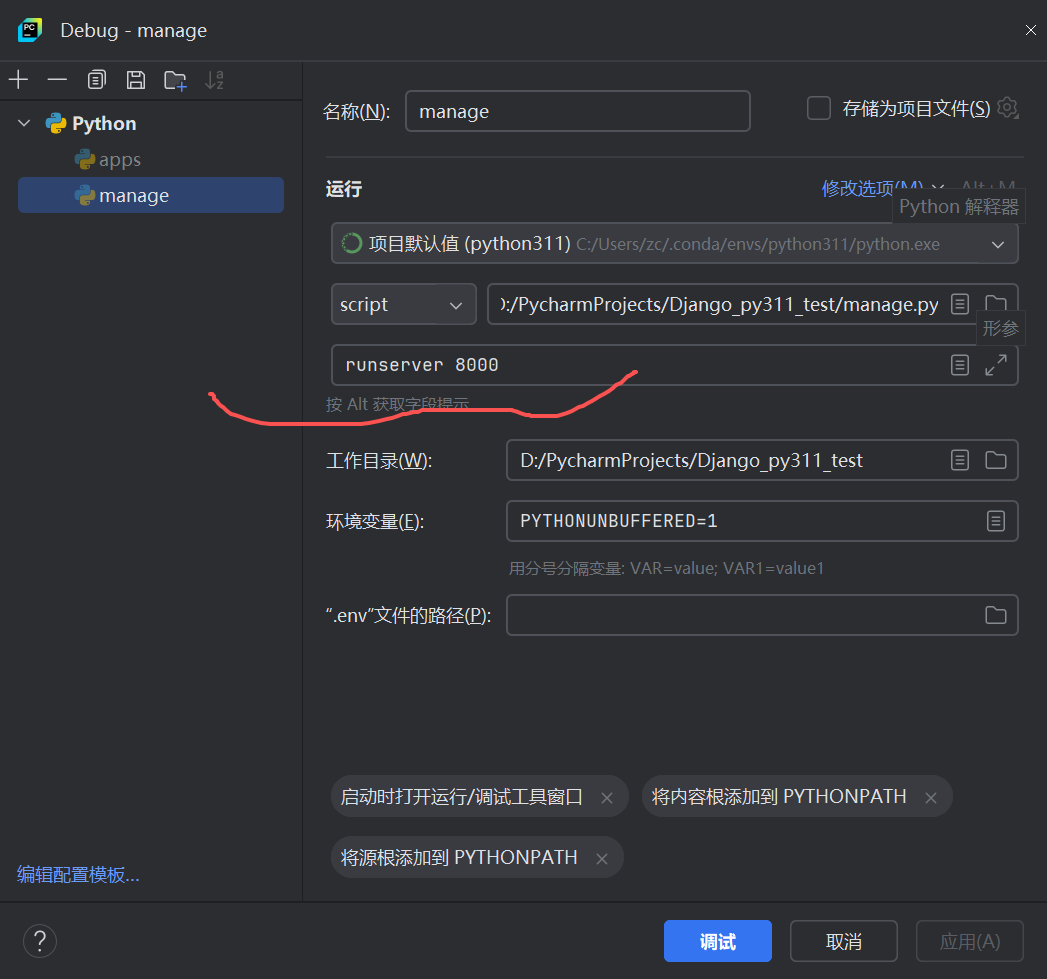
运行manage
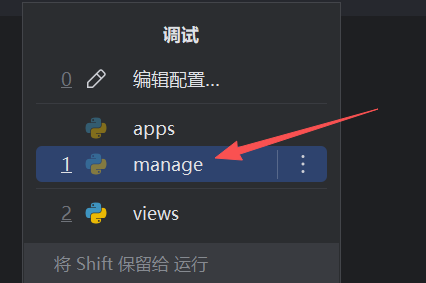
对应的参数设置:
点击链接,如下图:
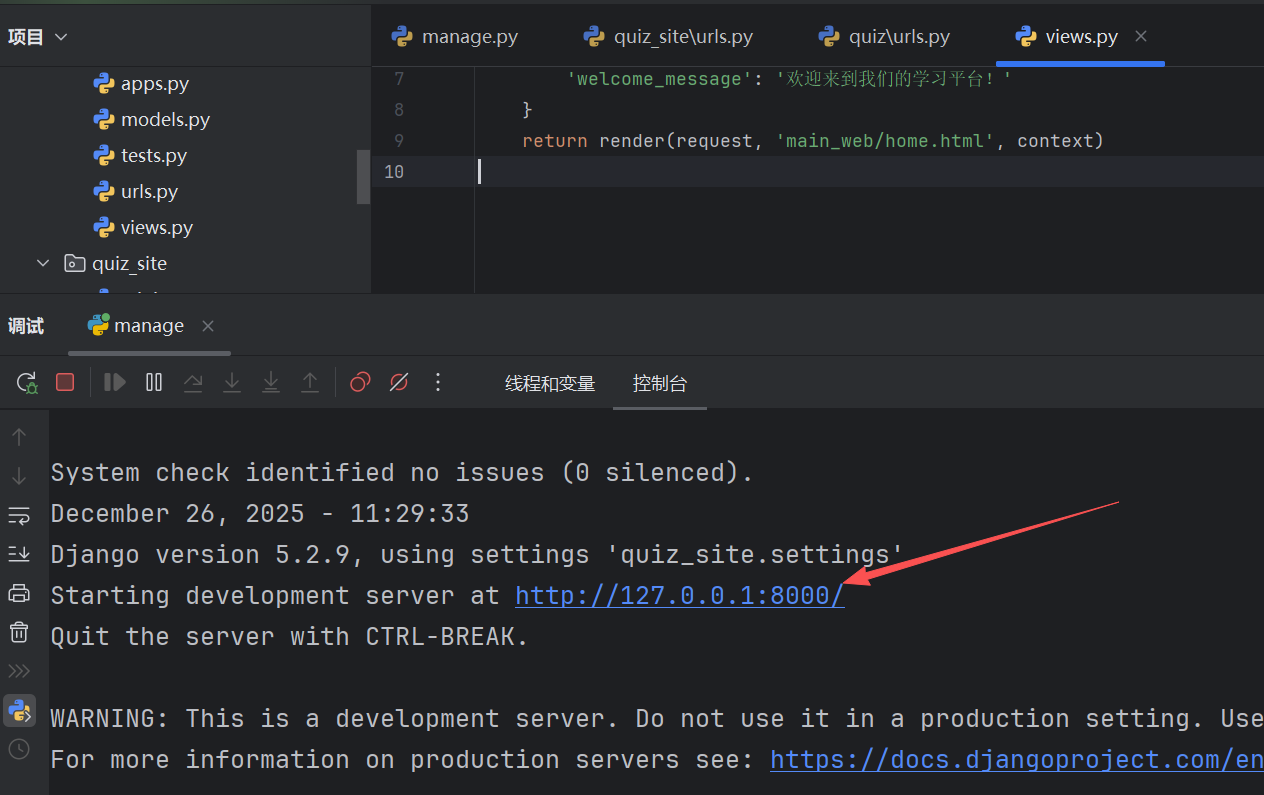
得到新的主页,如下图: