DPDK
环境: wsl2 Ubuntu (不建议用wsl)
编译安装
安装必要的工具
bash
sudo apt install -y \
  build-essential \
  meson ninja-build \
  python3-pip python3-pyelftools \
  libnuma-dev \
  pciutils ethtool \
  git wget
下载安装dpdk
bash
wget https://fast.dpdk.org/rel/dpdk-22.11.4.tar.xz
tar xf dpdk-22.11.4.tar.xz
cd dpdk-stable-22.11.4
mkdir build && cd build
meson setup ..
ninja
sudo ninja install
HugePage(大页内存)
bash
sudo nano /etc/sysctl.conf
# 添加:
vm.nr_hugepages=1024

sudo nano /etc/fstab
# 添加:
hugetlbfs /dev/hugepages hugetlbfs defaults 0 0
重启后生效
题主用的是wsl Ubuntu, powershell 执行wsl --shutdown
-
检查是否生效
mount | grep huge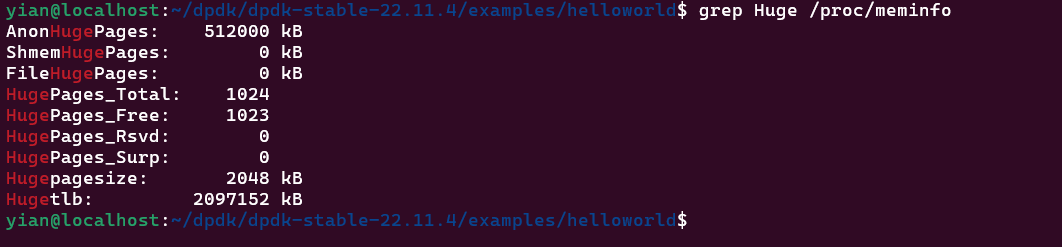
-
mount | grep huge

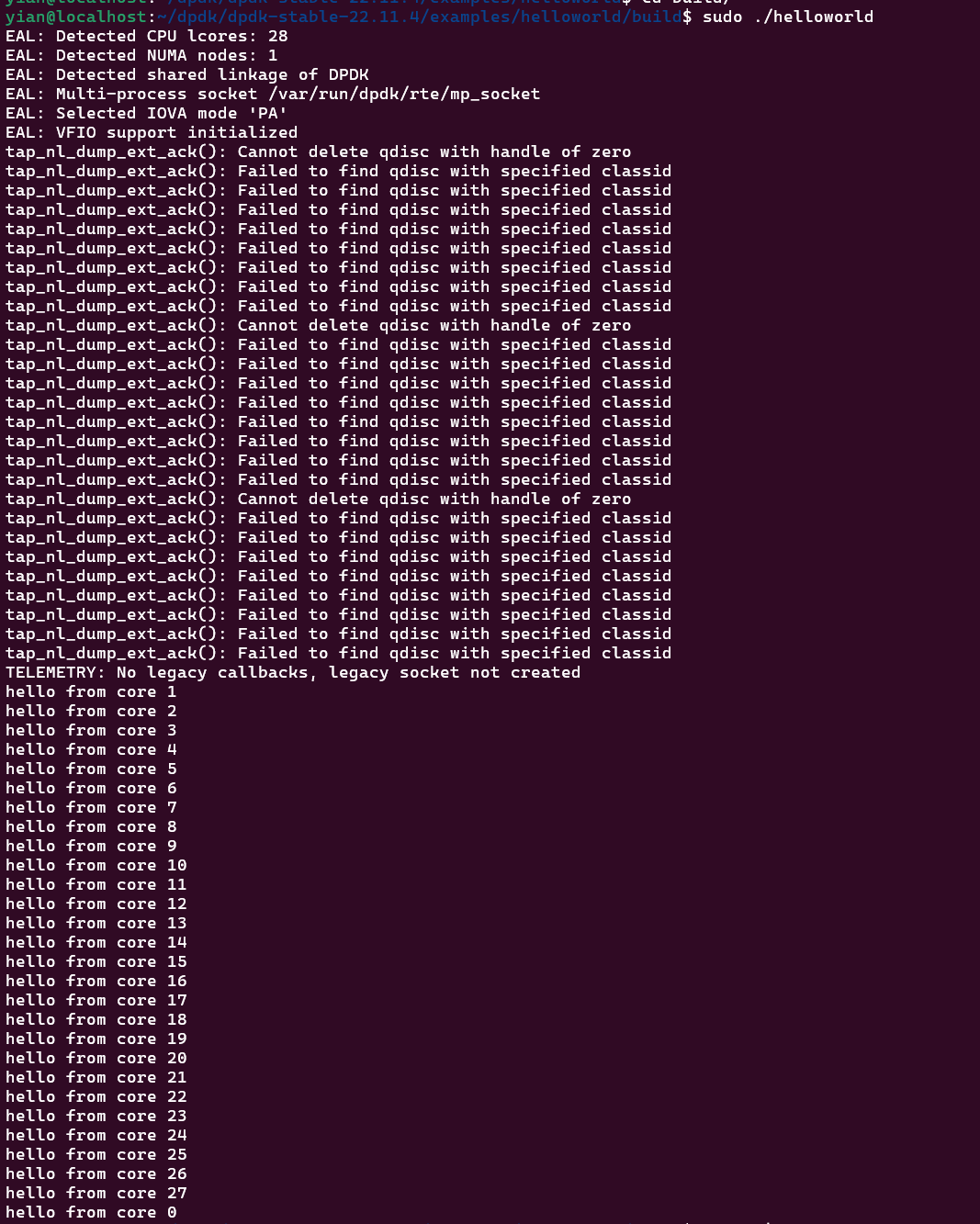
Hello 程序
c
#include <stdio.h>
#include <rte_eal.h>
#include <rte_lcore.h>

/* 每个 lcore 上执行的函数 */
static int
lcore_hello(__rte_unused void *arg)
{
    unsigned lcore_id;

    /* 获取当前执行代码的逻辑核 ID */
    lcore_id = rte_lcore_id();

    /* 打印当前核信息 */
    printf("hello from core %u\n", lcore_id);

    return 0;   /* 返回值会被 EAL 收集 */
}

/* 主函数 */
int
main(int argc, char **argv)
{
    int ret;
    unsigned lcore_id;

    /* ================================
     * 1. 初始化 EAL(核心入口)
     * ================================ */
    ret = rte_eal_init(argc, argv);
    if (ret < 0)
        rte_panic("Cannot init EAL\n");

    /*
     * rte_eal_init 做的事情:
     * - 解析命令行参数(如 -l coremask)
     * - 初始化 hugepage 内存
     * - 初始化多核环境(lcore)
     * - 初始化设备(PCI/VFIO)
     * - 建立主从线程模型
     */

    /* ================================
     * 2. 在每个 worker lcore 上启动任务
     * ================================ */
    RTE_LCORE_FOREACH_WORKER(lcore_id) {

        /*
         * 在指定 lcore 上异步执行函数
         *
         * 参数:
         *  - 函数指针(每个核执行的函数)
         *  - 参数(这里传 NULL)
         *  - 指定的 lcore ID
         */
        rte_eal_remote_launch(lcore_hello, NULL, lcore_id);
    }

    /* ================================
     * 3. 主核(main lcore)也执行同样函数
     * ================================ */
    lcore_hello(NULL);

    /* ================================
     * 4. 等待所有 worker 核执行完成
     * ================================ */
    rte_eal_mp_wait_lcore();

    /* ================================
     * 5. 释放 EAL 资源(⚠️ 建议打开)
     * ================================ */
    // rte_eal_cleanup();

    return 0;
}- wsl 上执行该程序有段错误,不知道具体原因,先把rte_eal_cleanup注释掉
- 其他错误暂时忽略掉