- 安装 phpunit
composer require --dev phpunit/phpunit - 项目根目录新增配置文件
phpunit.xml
引用 webman 官方文档
xml
<?xml version="1.0" encoding="UTF-8"?>
<phpunit xmlns:xsi="http://www.w3.org/2001/XMLSchema-instance"
    xsi:noNamespaceSchemaLocation="vendor/phpunit/phpunit/phpunit.xsd"
    bootstrap="support/bootstrap.php"
    cacheDirectory=".phpunit.cache"
    executionOrder="depends,defects"
    shortenArraysForExportThreshold="10"
    requireCoverageMetadata="false"
    beStrictAboutCoverageMetadata="true"
    beStrictAboutOutputDuringTests="true"
    displayDetailsOnPhpunitDeprecations="true"
    failOnPhpunitDeprecation="true"
    failOnRisky="true"
    failOnWarning="true"
    colors="true">
    <testsuites>
        <testsuite name="tests">
            <directory>./tests</directory>
        </testsuite>
    </testsuites>
    <source>
        <include>
            <directory suffix=".php">./app</directory>
        </include>
    </source>
</phpunit>- 根目录下新建文件夹
tests - 新建测试类并继承
PHPUnit\Framework\TestCase
php
namespace tests;

use PHPUnit\Framework\TestCase;

class CswmClientTest extends TestCase
{

    public function testGet()
    {
        $this->assertEquals(1, 1);
    }
}- 使用
./vendor/bin/phpunit [路径]运行测试
- 运行全部测试: ./vendor/bin/phpunit
- 运行 a 目录下的: ./vendor/bin/phpunit test/a
- 运行指定实例: ./vendor/bin/phpunit tests/TestConfig.php
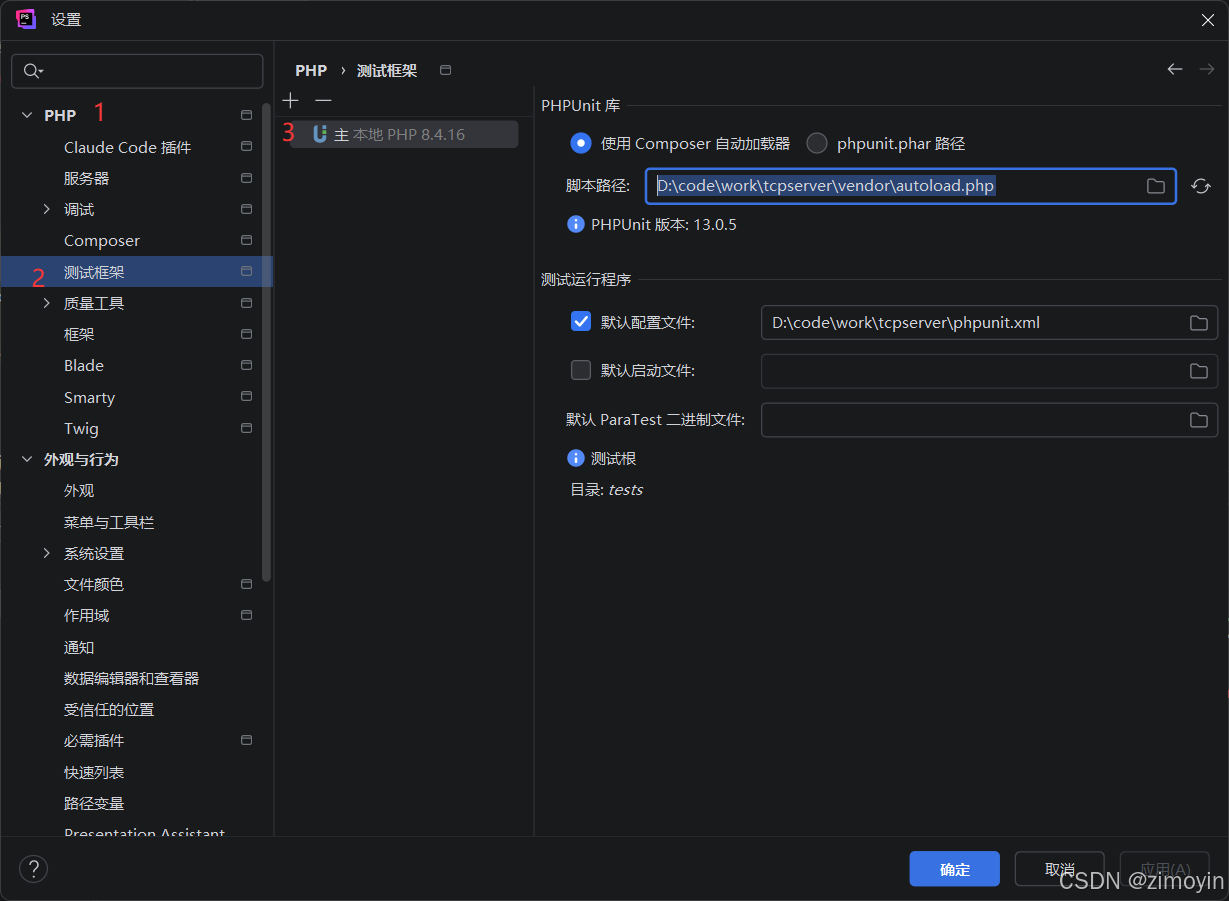
- 与IDE 集成
在IDE 里面新建一个测试配置,并使用 Composer 加载配置
- 脚本路径是项目中
vendor\autoload.php - 配置就是刚刚创建的配置