1. "协议"
协议是一种"约定",Socket API 本身只认字节 / 字符串 ,在读写数据时,都是按 "字符串" 的方式来发送接收的,但 Socket 只能发字符串,怎么办?自己定一个协议,或者用现成的标准协议!
协议就是双方约定好的结构化的数据
2. 序列化和反序列化
应用层协议 = 通信双方约定好的数据格式规则 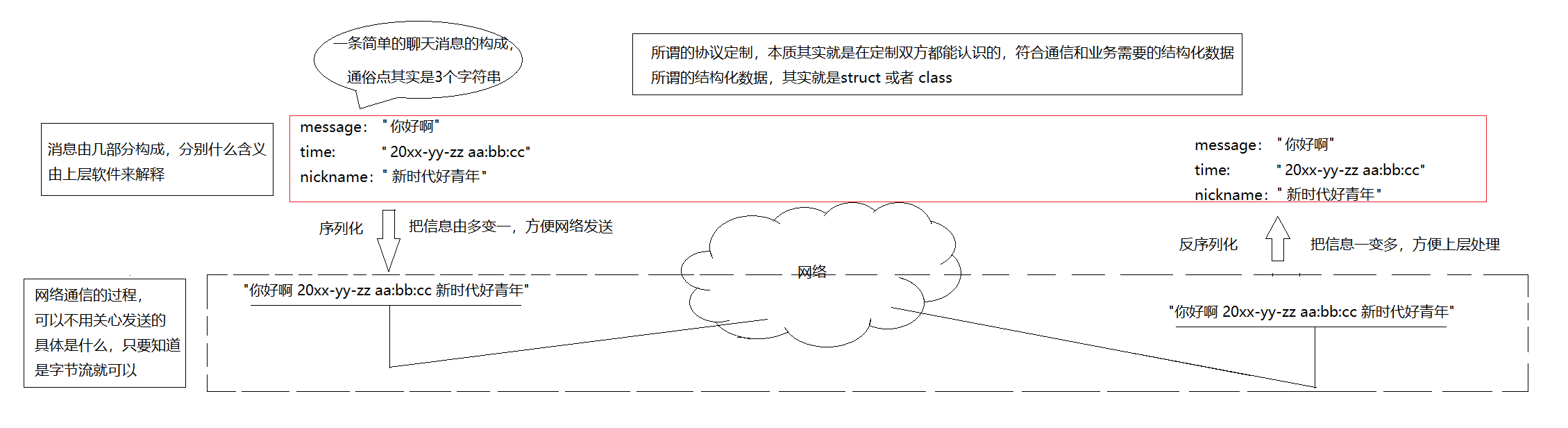
3. 网络计算器代码实现
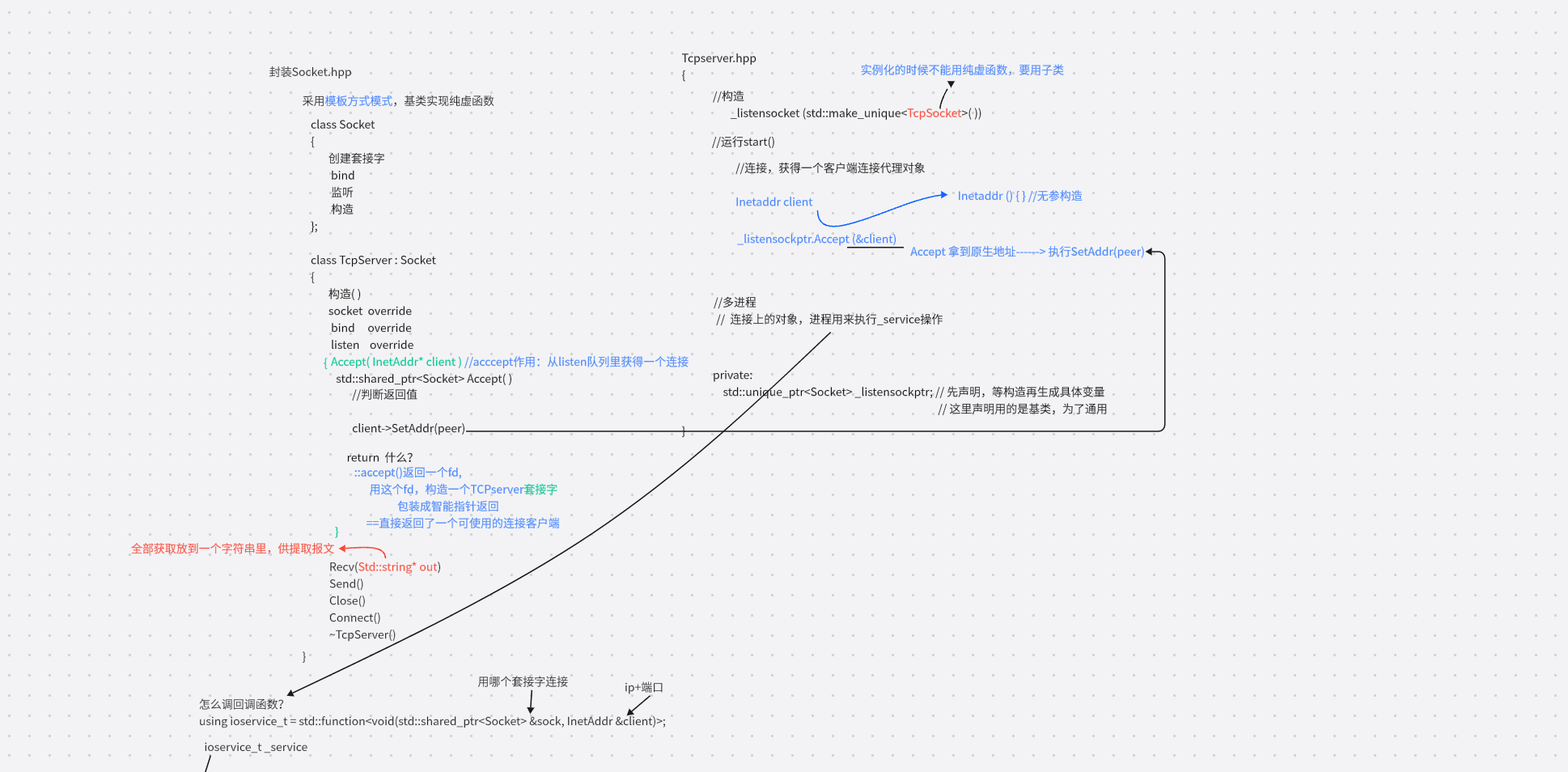
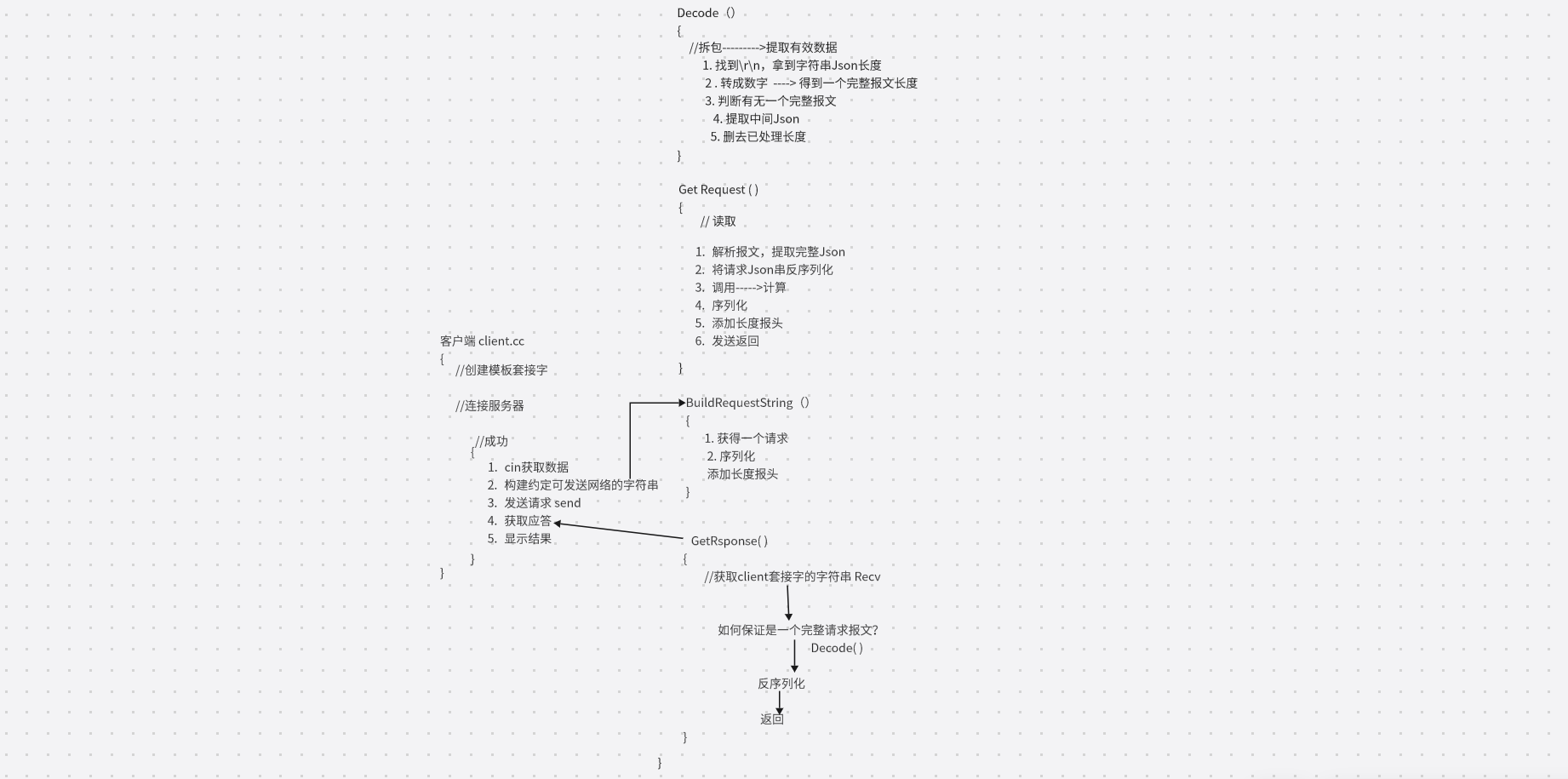
流程:需要客户端把要计算的两个加数发过去,然后由服务器进行计算,最后再把结果返回给客户端
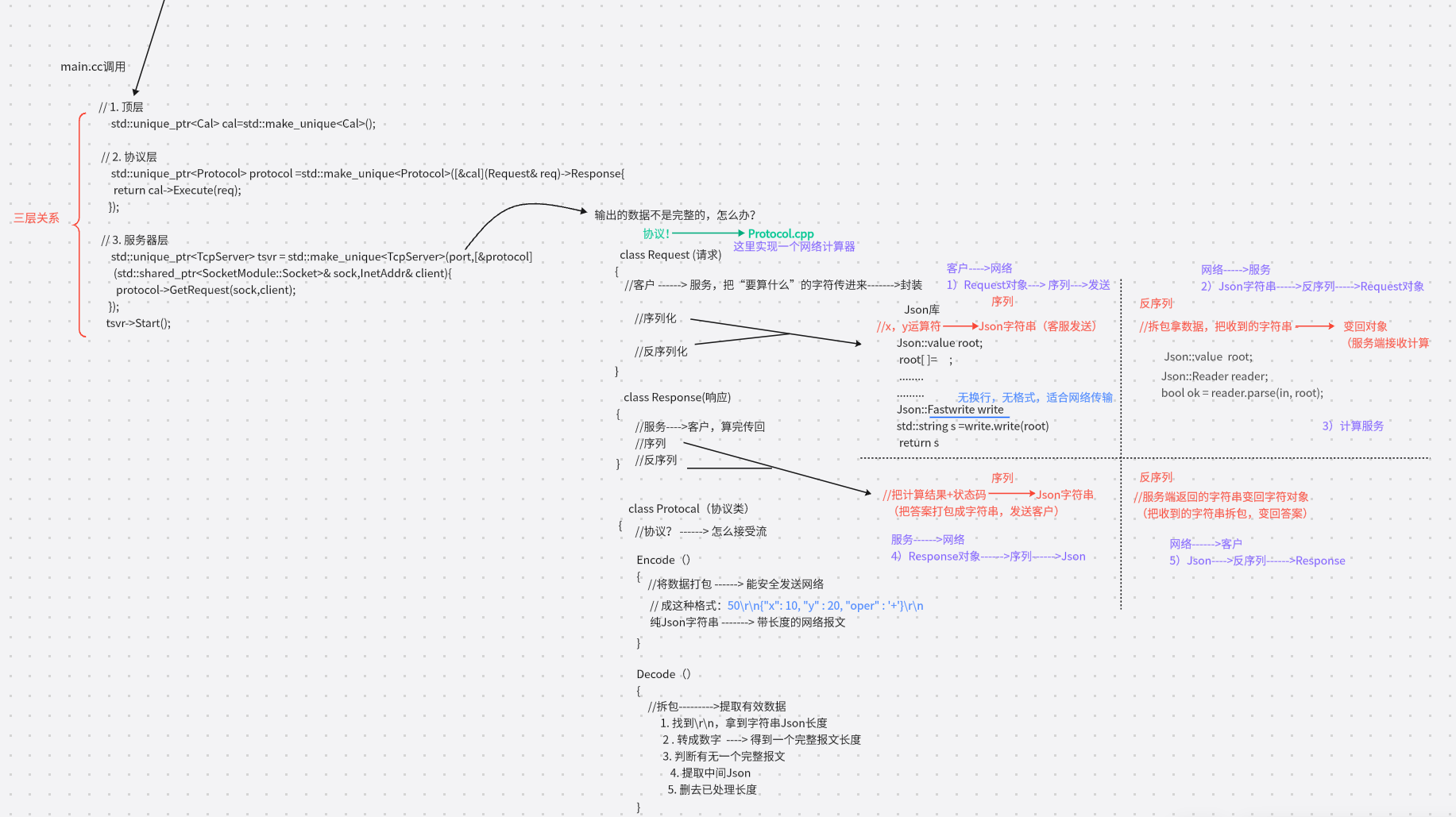
3.1 整体思路梳理
3.2 Socket封装
3.3 定制协议
期望的报文格式: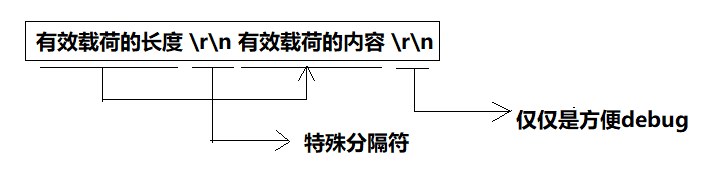
3.4 完整代码实现
4. Jsoncpp
Jsoncpp是一个用于处理JSON数据的C++库。它提供了将JSON数据序列化为字符串以及从字符串 反序列化为C++数据结构的功能
Json::Value 是Jsoncpp库中的一个重要类,用于表示和操作JSON数据结构
4.1 安装
bash
ubuntu:sudo apt-get install libjsoncpp-dev
Centos: sudo yum install jsoncpp-devel
4.2 序列化
序列化指的是将数据结构或对象转换为⼀种格式,以便在网络上传输或存储到文件中。Jsoncpp提供 了多种方式进行序列化
1)直接调用 Json::Value 的成员函数toStyledString()
调试打印用 toStyledString()(简单、好看)
cpp
#include <iostream>
#include <string>
#include <jsoncpp/json/json.h>
int main()
{
    Json::Value root;
    root["name"] = "joe";
    root["sex"] = "男";
    std::string s = root.toStyledString();
    std::cout << s << std::endl;
    return 0;
}
$ ./test.exe
{
 "name" : "joe",
 "sex" : "男"
}
2). StyledWriter
- 带格式、换行、缩进
- 可读性好
- 适合调试、打印日志
cpp
#include <iostream>
#include <string>
#include <sstream>
#include <memory>
#include <jsoncpp/json/json.h>
int main()
{
    Json::Value root;
    root["name"] = "joe";
    root["sex"] = "男";
    Json::StyledWriter writer;
    std::string s = writer.write(root);
    std::cout << s << std::endl;
    return 0;
}
$ ./test.exe
{
 "name" : "joe",
 "sex" : "男"
}
3)使用 Json::FastWriter
- 它不添加额外的空格和换⾏符。 压缩无格式 :
{"x":10,"y":20} - 最快、体积最小
- 网络传输首选
cpp
#include <iostream>
#include <string>
#include <sstream>
#include <memory>
#include <jsoncpp/json/json.h>
int main()
{
    Json::Value root;
    root["name"] = "joe";
    root["sex"] = "男";
    Json::FastWriter writer;
    std::string s = writer.write(root);
    std::cout << s << std::endl;
    return 0;
}
$ ./test.exe
{"name":"joe","sex":"男"}
4.3 反序列化
反序列化指的是将序列化后的数据重新转换为原来的数据结构或对象。Jsoncpp提供了以下方法进行反序列化
1) Json::Reader
提供详细的错误信息和错误位置
cpp
#include <iostream>
#include <string>
#include <jsoncpp/json/json.h>

int main()
{
    // JSON 字符串
    std::string json_string = "{\"name\":\"张三\", \"age\":30,
\"city\":\"北京\"}";

    // 解析 JSON 字符串
    Json::Reader reader;
    Json::Value root;

    // 从字符串中读取 JSON 数据
    bool parsingSuccessful = reader.parse(json_string, root);

    if (!parsingSuccessful)
    {
        // 解析失败,输出错误信息
        std::cout << "Failed to parse JSON: "
        << reader.getFormattedErrorMessages() << std::endl;
        return 1;
    }

    // 访问 JSON 数据
    std::string name = root["name"].asString();
    int age = root["age"].asInt();
    std::string city = root["city"].asString();

    // 输出结果
    std::cout << "Name: " << name << std::endl;
    std::cout << "Age: " << age << std::endl;
    std::cout << "City: " << city << std::endl;

    return 0;
}
$ ./test.exe
Name: 张三
Age: 30
City: 北京2)不推荐使用:Json::CharReader 派生类
仅在需要精细控制解析过程的特殊场景使用,日常开发完全不需要