前言:c# winform UI控件系列,做不到最好用,但愿是更好用!
一、效果图 (七种样式)
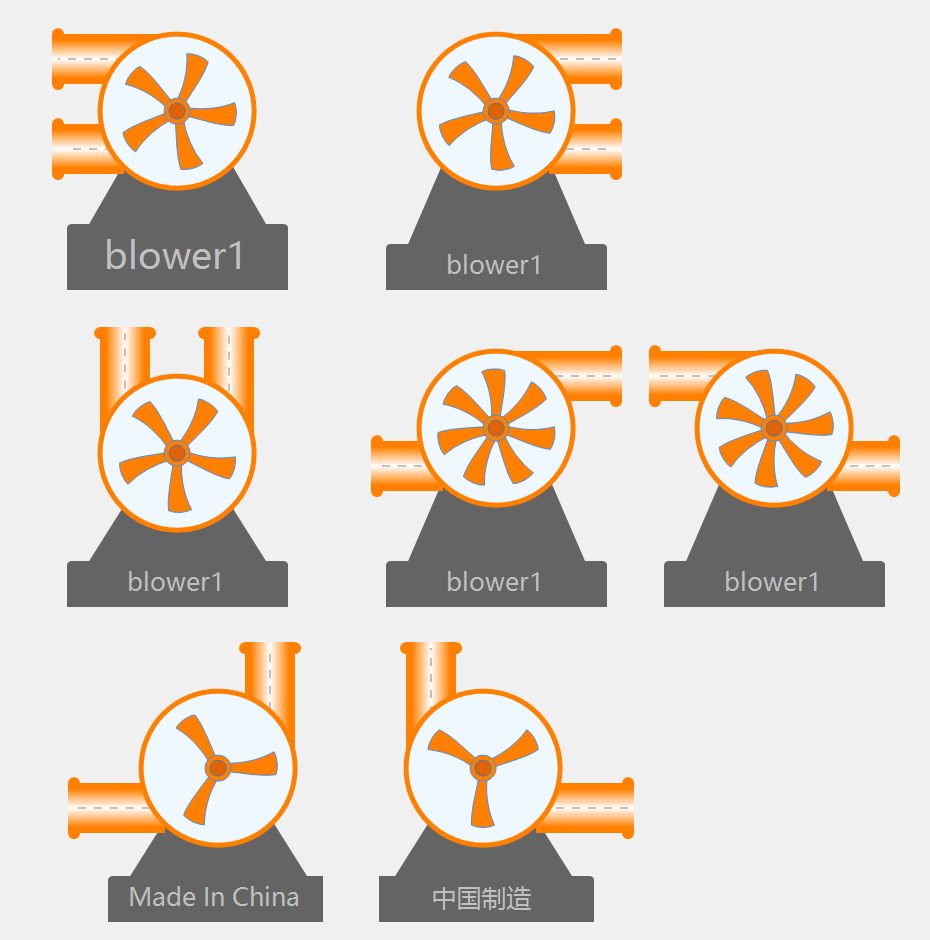
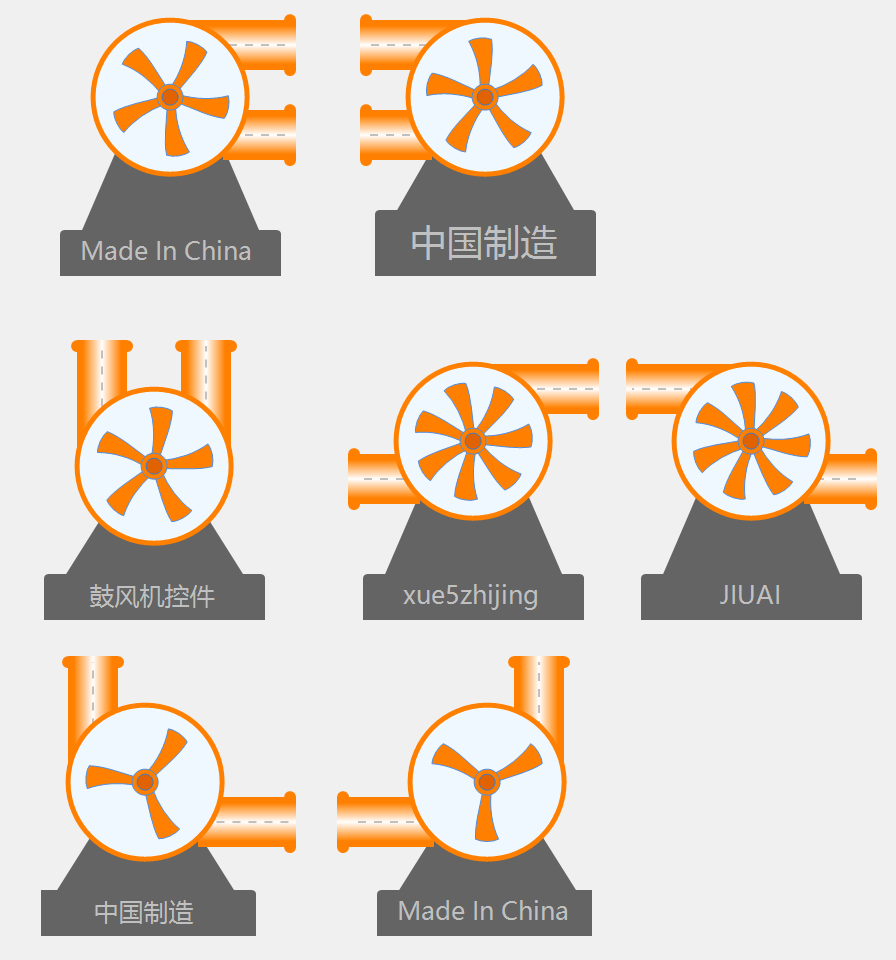
支持叶片数3-5-7,支持顺时针、逆时针旋转,支持流动动画,支持铭牌...
二、使用说明
Blower 鼓风机控件
控件名称
Blower
中文名称
鼓风机控件
控件优点
Blower 是一个鼓风机/风机控件,支持多种朝向、叶轮旋转动画和颜色自定义。适用于工业通风系统、风机控制等场景。
主要特性
- 多种朝向:支持双口朝左、双口朝右、双口朝上、左进右出、右进左出、左进上出、右进上出
- 叶轮旋转:支持叶轮旋转动画效果
- 叶片数量:支持3、5、7叶片设置
- 颜色自定义:支持机身、叶轮、管道等颜色设置
- 旋转方向:支持顺时针和逆时针旋转
重要参数说明
基本属性
| 属性名 | 类型 | 默认值 | 说明 |
|---|---|---|---|
Direction |
BlowerDirection | DoubleLeft | 鼓风机朝向 |
BladeCount |
BladeCountEnum | Five | 叶轮叶片数量 |
RotationDirection |
RotationDirection | Clockwise | 旋转方向 |
IsRunning |
bool | false | 是否运行 |
AnimationSpeed |
int | 5 | 动画速度 |
鼓风机朝向(BlowerDirection)
| 朝向值 | 说明 |
|---|---|
DoubleLeft |
双口朝左 |
DoubleRight |
双口朝右 |
DoubleUp |
双口朝上 |
LeftInRightOut |
左进右出 |
RightInLeftOut |
右进左出 |
LeftInUpOut |
左进上出 |
RightInUpOut |
右进上出 |
叶片数量(BladeCountEnum)
| 数量值 | 说明 |
|---|---|
Three |
3叶片 |
Five |
5叶片 |
Seven |
7叶片 |
外观属性
| 属性名 | 类型 | 默认值 | 说明 |
|---|---|---|---|
BodyColor |
Color | 220, 80, 60 | 机身颜色 |
BladeColor |
Color | 255, 128, 0 | 叶轮颜色 |
PipeColor |
Color | 255, 128, 0 | 管道颜色 |
BaseColor |
Color | Gray | 底座颜色 |
FixtureColor |
Color | 100, 100, 100 | 固定架颜色 |
BodyBorderColor |
Color | 255, 128, 0 | 机身边框颜色 |
BodyBorderWidth |
int | 5 | 机身边框宽度 |
PipeDiameter |
int | 0 | 管道直径(0自动计算) |
Text |
string | "" | 固定架显示文本 |
TextColor |
Color | Silver | 文本颜色 |
重要事件
| 事件名 | 说明 |
|---|---|
StateChanged |
状态改变时触发 |
PropertyChanged |
属性值改变时触发 |
使用示例
基本使用
csharp
// 创建鼓风机控件
Blower blower = new Blower();
blower.Size = new Size(150, 100);
this.Controls.Add(blower);

// 状态改变事件
blower.StateChanged += (sender, e) =>
{
    Console.WriteLine($"鼓风机状态:{(blower.IsRunning ? "运行" : "停止")}");
};
运行控制
csharp
// 开始运行
blower.IsRunning = true;

// 停止运行
blower.IsRunning = false;
朝向设置
csharp
// 设置朝向
blower.Direction = Blower.BlowerDirection.DoubleLeft;
blower.Direction = Blower.BlowerDirection.DoubleRight;
blower.Direction = Blower.BlowerDirection.LeftInRightOut;
叶片设置
csharp
// 设置叶片数量
blower.BladeCount = Blower.BladeCountEnum.Three;
blower.BladeCount = Blower.BladeCountEnum.Five;
blower.BladeCount = Blower.BladeCountEnum.Seven;
旋转方向
csharp
// 设置旋转方向
blower.RotationDirection = Blower.RotationDirection.Clockwise;
blower.RotationDirection = Blower.RotationDirection.CounterClockwise;
颜色自定义
csharp
// 设置颜色
blower.BodyColor = Color.FromArgb(220, 80, 60);
blower.BladeColor = Color.FromArgb(255, 128, 0);
blower.PipeColor = Color.FromArgb(255, 128, 0);
blower.BaseColor = Color.Gray;
文本设置
csharp
// 设置固定架文本
blower.Text = "1号风机";
blower.TextColor = Color.Silver;
注意事项
- 朝向选择:Direction 支持多种进出风方向组合
- 叶片数量:BladeCount 只能是 Three、Five 或 Seven
- 动画速度:AnimationSpeed 值越大旋转越快
- 运行状态:IsRunning 控制叶轮旋转动画的启停
三、后记
陆续补充完善中,如有需求,有好的建议,请留言(xue5zhijing)