Flutter SQLite 本地数据库的鸿蒙化适配与实战指南
欢迎加入开源鸿蒙跨平台社区:https://openharmonycrossplatform.csdn.net
各位小伙伴们好呀!👋 我是那个上海某高校的大一计算机学生,继续来给大家分享 Flutter for OpenHarmony 开发的学习心得!
今天要聊的是 SQLite 本地数据库!之前我们学了 SharedPreferences,它可以存储简单的键值对数据。但如果要存储大量有结构的数据,比如商品列表、聊天记录、订单信息... 那就得靠数据库了!
说实话,数据库听起来很高大上,但我自己实现了一套之后发现,也没有想象中那么难嘛~ 今天就给大家详细分享一下!
一、功能引入介绍 📱
1.1 什么时候需要数据库?
SharedPreferences 只适合存储小数据:
- ✅ 用户设置
- ✅ 搜索历史
- ✅ 登录状态
但如果是这些场景,就需要数据库了:
- 📦 商品列表(几百上千条)
- 💬 聊天记录(需要查询、分页)
- 📋 订单列表(复杂查询条件)
- 📁 文件元数据
1.2 SQLite vs 其他方案
| 方案 | 适用场景 | 优点 | 缺点 |
|---|---|---|---|
| SQLite | 结构化数据、复杂查询 | SQL 强大、跨平台 ✅ | 需要写 SQL |
| Hive | 键值对、对象存储 | 速度快、无 SQL | 不适合复杂查询 |
| Firebase | 云端同步 | 免服务端 | 国内访问不稳定 |
我们选择 sqflite,它是 Flutter 官方支持的 SQLite 插件!
二、环境与依赖配置 🔧
2.1 pubspec.yaml 依赖
yaml
dependencies:
  flutter:
    sdk: flutter

  # ========== 数据库 ==========
  sqflite: ^2.4.1

  # ========== 路径工具 ==========
  path: ^1.9.0
三、分步实现完整代码 🚀
3.1 DatabaseService 数据库服务
这是一个完整的数据库服务封装:
dart
import 'package:sqflite/sqflite.dart';
import 'package:path/path.dart';

/// 数据库服务
///
/// 使用 SQLite 实现本地数据持久化
/// 支持商品、收藏夹、浏览历史、购物车、聊天记录等数据管理
class DatabaseService {
  // 单例模式
  static Database? _database;

  // 数据库名称
  static const String _dbName = 'my_ohos_app.db';

  // 数据库版本(用于升级)
  static const int _dbVersion = 1;

  /// 获取数据库实例(单例)
  static Future<Database> get database async {
    if (_database != null) return _database!;
    _database = await _initDatabase();
    return _database!;
  }

  /// 初始化数据库
  static Future<Database> _initDatabase() async {
    // 获取数据库路径
    final dbPath = await getDatabasesPath();
    final path = join(dbPath, _dbName);

    return await openDatabase(
      path,
      version: _dbVersion,
      onCreate: _onCreate,      // 首次创建时调用
      onUpgrade: _onUpgrade,  // 版本升级时调用
    );
  }

  /// 创建数据库表
  static Future<void> _onCreate(Database db, int version) async {
    // ============ 商品表 ============
    await db.execute('''
      CREATE TABLE products (
        id INTEGER PRIMARY KEY AUTOINCREMENT,
        product_id TEXT UNIQUE NOT NULL,
        name TEXT NOT NULL,
        description TEXT,
        price REAL NOT NULL,
        original_price REAL,
        image_url TEXT,
        category TEXT,
        stock INTEGER DEFAULT 0,
        sales INTEGER DEFAULT 0,
        rating REAL DEFAULT 0.0,
        is_favorite INTEGER DEFAULT 0,
        created_at TEXT DEFAULT CURRENT_TIMESTAMP,
        updated_at TEXT DEFAULT CURRENT_TIMESTAMP
      )
    ''');

    // ============ 收藏表 ============
    await db.execute('''
      CREATE TABLE favorites (
        id INTEGER PRIMARY KEY AUTOINCREMENT,
        product_id TEXT NOT NULL,
        user_id TEXT,
        created_at TEXT DEFAULT CURRENT_TIMESTAMP,
        UNIQUE(product_id, user_id)
      )
    ''');

    // ============ 浏览历史表 ============
    await db.execute('''
      CREATE TABLE browse_history (
        id INTEGER PRIMARY KEY AUTOINCREMENT,
        product_id TEXT NOT NULL,
        product_name TEXT NOT NULL,
        product_image TEXT,
        product_price REAL,
        viewed_at TEXT DEFAULT CURRENT_TIMESTAMP
      )
    ''');

    // ============ 购物车表 ============
    await db.execute('''
      CREATE TABLE cart_items (
        id INTEGER PRIMARY KEY AUTOINCREMENT,
        product_id TEXT NOT NULL,
        product_name TEXT NOT NULL,
        product_image TEXT,
        price REAL NOT NULL,
        quantity INTEGER DEFAULT 1,
        selected INTEGER DEFAULT 1,
        created_at TEXT DEFAULT CURRENT_TIMESTAMP
      )
    ''');

    // ============ 聊天消息表 ============
    await db.execute('''
      CREATE TABLE chat_messages (
        id INTEGER PRIMARY KEY AUTOINCREMENT,
        conversation_id TEXT NOT NULL,
        sender_id TEXT NOT NULL,
        sender_name TEXT NOT NULL,
        content TEXT NOT NULL,
        message_type TEXT DEFAULT 'text',
        is_read INTEGER DEFAULT 0,
        created_at TEXT DEFAULT CURRENT_TIMESTAMP
      )
    ''');

    // ============ 设置表 ============
    await db.execute('''
      CREATE TABLE settings (
        key TEXT PRIMARY KEY,
        value TEXT NOT NULL,
        updated_at TEXT DEFAULT CURRENT_TIMESTAMP
      )
    ''');

    // 插入示例数据
    await _insertSampleData(db);
  }

  /// 插入示例数据
  static Future<void> _insertSampleData(Database db) async {
    final sampleProducts = [
      {
        'product_id': 'P001',
        'name': 'iPhone 15 Pro Max',
        'description': '全新A17 Pro芯片,钛金属设计',
        'price': 9999.0,
        'original_price': 10999.0,
        'image_url': 'https://via.placeholder.com/300x300/6366F1/ffffff?text=iPhone',
        'category': '手机',
        'stock': 100,
        'sales': 520,
        'rating': 4.8,
      },
      {
        'product_id': 'P002',
        'name': 'MacBook Pro 14寸',
        'description': 'M3 Pro芯片,性能强劲',
        'price': 14999.0,
        'original_price': 16999.0,
        'image_url': 'https://via.placeholder.com/300x300/8B5CF6/ffffff?text=MacBook',
        'category': '电脑',
        'stock': 50,
        'sales': 280,
        'rating': 4.9,
      },
      {
        'product_id': 'P003',
        'name': 'AirPods Pro 2',
        'description': '主动降噪,空间音频',
        'price': 1899.0,
        'original_price': 1999.0,
        'image_url': 'https://via.placeholder.com/300x300/EC4899/ffffff?text=AirPods',
        'category': '配件',
        'stock': 200,
        'sales': 1200,
        'rating': 4.7,
      },
      {
        'product_id': 'P004',
        'name': 'Apple Watch Series 9',
        'description': '全面屏,健康监测',
        'price': 3299.0,
        'original_price': 3599.0,
        'image_url': 'https://via.placeholder.com/300x300/10B981/ffffff?text=Watch',
        'category': '手表',
        'stock': 80,
        'sales': 450,
        'rating': 4.6,
      },
      {
        'product_id': 'P005',
        'name': 'iPad Pro 12.9寸',
        'description': 'M2芯片,Liquid视网膜XDR屏',
        'price': 9299.0,
        'original_price': 9999.0,
        'image_url': 'https://via.placeholder.com/300x300/3B82F6/ffffff?text=iPad',
        'category': '平板',
        'stock': 60,
        'sales': 320,
        'rating': 4.8,
      },
    ];

    // 批量插入商品
    for (final product in sampleProducts) {
      await db.insert('products', product);
    }

    // 插入默认设置
    await db.insert('settings', {'key': 'theme_mode', 'value': 'light'});
    await db.insert('settings', {'key': 'language', 'value': 'zh_CN'});
  }

  /// 数据库升级处理
  static Future<void> _onUpgrade(
    Database db,
    int oldVersion,
    int newVersion,
  ) async {
    // 如果需要升级数据库结构,可以在这里处理
    // 例如:
    // if (oldVersion < 2) {
    //   await db.execute('ALTER TABLE products ADD COLUMN new_field TEXT');
    // }
  }

  // ============================================================
  // 商品相关操作
  // ============================================================

  /// 获取商品列表
  static Future<List<Map<String, dynamic>>> getProducts({
    String? category,   // 分类筛选
    String? keyword,    // 搜索关键词
    int limit = 20,     // 每页数量
    int offset = 0,     // 偏移量
  }) async {
    final db = await database;

    // 构建 WHERE 条件
    String whereClause = '';
    List<dynamic> whereArgs = [];

    if (category != null && category.isNotEmpty) {
      whereClause = 'category = ?';
      whereArgs.add(category);
    }

    if (keyword != null && keyword.isNotEmpty) {
      if (whereClause.isNotEmpty) {
        whereClause += ' AND ';
      }
      whereClause += '(name LIKE ? OR description LIKE ?)';
      whereArgs.add('%$keyword%');
      whereArgs.add('%$keyword%');
    }

    return await db.query(
      'products',
      where: whereClause.isNotEmpty ? whereClause : null,
      whereArgs: whereArgs.isNotEmpty ? whereArgs : null,
      orderBy: 'sales DESC',  // 按销量排序
      limit: limit,
      offset: offset,
    );
  }

  /// 根据ID获取商品
  static Future<Map<String, dynamic>?> getProductById(String productId) async {
    final db = await database;
    final results = await db.query(
      'products',
      where: 'product_id = ?',
      whereArgs: [productId],
    );
    return results.isNotEmpty ? results.first : null;
  }

  /// 切换商品收藏状态
  static Future<void> toggleFavorite(String productId) async {
    final db = await database;
    final product = await getProductById(productId);
    if (product != null) {
      final currentFavorite = product['is_favorite'] == 1 ? 0 : 1;
      await db.update(
        'products',
        {'is_favorite': currentFavorite, 'updated_at': DateTime.now().toString()},
        where: 'product_id = ?',
        whereArgs: [productId],
      );
    }
  }

  // ============================================================
  // 收藏相关操作
  // ============================================================

  /// 获取收藏列表
  static Future<List<Map<String, dynamic>>> getFavorites() async {
    final db = await database;
    return await db.query(
      'products',
      where: 'is_favorite = 1',
      orderBy: 'updated_at DESC',
    );
  }

  /// 添加收藏
  static Future<void> addFavorite(String productId, {String? userId}) async {
    final db = await database;
    await db.insert(
      'favorites',
      {
        'product_id': productId,
        'user_id': userId ?? 'current_user',
      },
      conflictAlgorithm: ConflictAlgorithm.replace,  // 冲突时替换
    );
  }

  /// 移除收藏
  static Future<void> removeFavorite(String productId) async {
    final db = await database;
    await db.delete(
      'favorites',
      where: 'product_id = ?',
      whereArgs: [productId],
    );
  }

  // ============================================================
  // 浏览历史相关操作
  // ============================================================

  /// 添加浏览历史
  static Future<void> addBrowseHistory(Map<String, dynamic> product) async {
    final db = await database;
    await db.insert('browse_history', {
      'product_id': product['product_id'],
      'product_name': product['name'],
      'product_image': product['image_url'],
      'product_price': product['price'],
    });
  }

  /// 获取浏览历史
  static Future<List<Map<String, dynamic>>> getBrowseHistory({
    int limit = 20,
  }) async {
    final db = await database;
    return await db.query(
      'browse_history',
      orderBy: 'viewed_at DESC',
      limit: limit,
    );
  }

  /// 清空浏览历史
  static Future<void> clearBrowseHistory() async {
    final db = await database;
    await db.delete('browse_history');
  }

  // ============================================================
  // 购物车相关操作
  // ============================================================

  /// 获取购物车商品
  static Future<List<Map<String, dynamic>>> getCartItems() async {
    final db = await database;
    return await db.query('cart_items', orderBy: 'created_at DESC');
  }

  /// 添加到购物车
  static Future<void> addToCart(Map<String, dynamic> item) async {
    final db = await database;

    // 检查是否已存在
    final existing = await db.query(
      'cart_items',
      where: 'product_id = ?',
      whereArgs: [item['product_id']],
    );

    if (existing.isNotEmpty) {
      // 已存在,增加数量
      final quantity = (existing.first['quantity'] as int) +
                        (item['quantity'] as int? ?? 1);
      await db.update(
        'cart_items',
        {'quantity': quantity},
        where: 'product_id = ?',
        whereArgs: [item['product_id']],
      );
    } else {
      // 不存在,插入新记录
      await db.insert('cart_items', item);
    }
  }

  /// 更新购物车商品数量
  static Future<void> updateCartQuantity(
    String productId,
    int quantity,
  ) async {
    final db = await database;

    if (quantity <= 0) {
      // 数量为0或负数,删除记录
      await db.delete(
        'cart_items',
        where: 'product_id = ?',
        whereArgs: [productId],
      );
    } else {
      // 更新数量
      await db.update(
        'cart_items',
        {'quantity': quantity},
        where: 'product_id = ?',
        whereArgs: [productId],
      );
    }
  }

  /// 从购物车移除
  static Future<void> removeFromCart(String productId) async {
    final db = await database;
    await db.delete(
      'cart_items',
      where: 'product_id = ?',
      whereArgs: [productId],
    );
  }

  /// 清空购物车
  static Future<void> clearCart() async {
    final db = await database;
    await db.delete('cart_items');
  }

  // ============================================================
  // 聊天消息相关操作
  // ============================================================

  /// 保存聊天消息
  static Future<void> saveChatMessage(Map<String, dynamic> message) async {
    final db = await database;
    await db.insert('chat_messages', message);
  }

  /// 获取聊天消息
  static Future<List<Map<String, dynamic>>> getChatMessages(
    String conversationId, {
    int limit = 50,
  }) async {
    final db = await database;
    return await db.query(
      'chat_messages',
      where: 'conversation_id = ?',
      whereArgs: [conversationId],
      orderBy: 'created_at DESC',
      limit: limit,
    );
  }

  // ============================================================
  // 设置相关操作
  // ============================================================

  /// 获取设置项
  static Future<String?> getSetting(String key) async {
    final db = await database;
    final results = await db.query(
      'settings',
      where: 'key = ?',
      whereArgs: [key],
    );
    return results.isNotEmpty ? results.first['value'] as String : null;
  }

  /// 保存设置项
  static Future<void> setSetting(String key, String value) async {
    final db = await database;
    await db.insert(
      'settings',
      {'key': key, 'value': value},
      conflictAlgorithm: ConflictAlgorithm.replace,
    );
  }

  // ============================================================
  // 工具方法
  // ============================================================

  /// 清空所有数据(用于测试或退出登录)
  static Future<void> clearAllData() async {
    final db = await database;
    await db.delete('browse_history');
    await db.delete('cart_items');
    await db.delete('chat_messages');
    await db.update('products', {'is_favorite': 0});
  }

  /// 关闭数据库
  static Future<void> close() async {
    final db = await database;
    await db.close();
    _database = null;
  }
}
3.2 在页面中使用数据库
dart
import 'package:flutter/material.dart';
import '../services/database_service.dart';

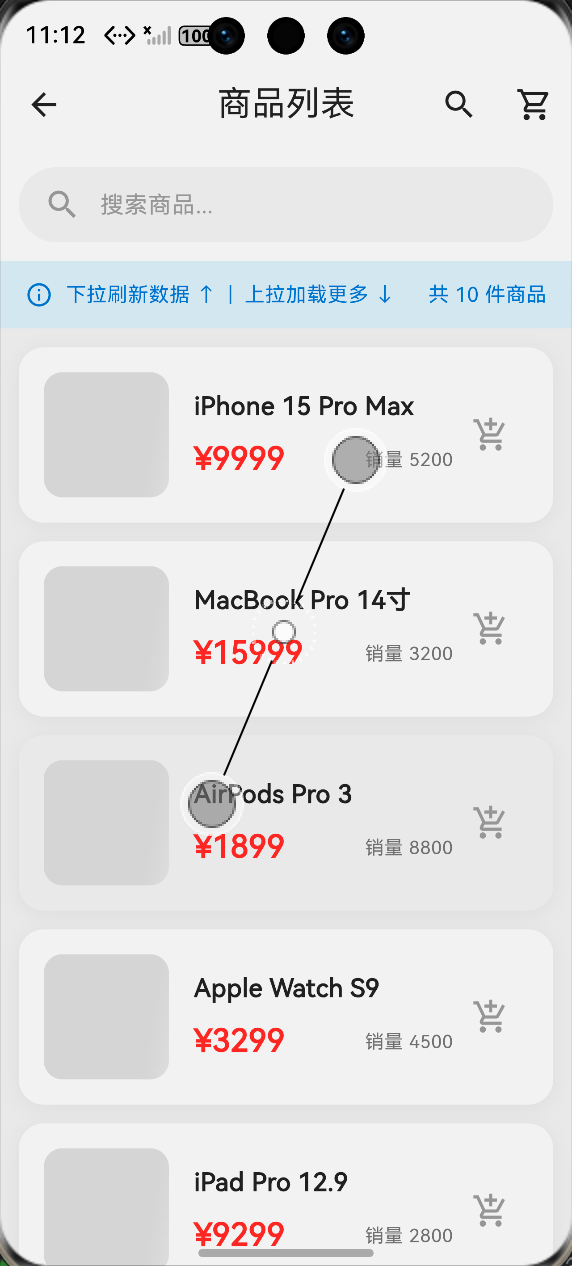
/// 商品列表页面(使用 SQLite 数据)
class ProductListPage extends StatefulWidget {
  const ProductListPage({super.key});

  @override
  State<ProductListPage> createState() => _ProductListPageState();
}

class _ProductListPageState extends State<ProductListPage> {
  List<Map<String, dynamic>> _products = [];
  bool _isLoading = true;
  String? _selectedCategory;

  @override
  void initState() {
    super.initState();
    _loadProducts();
  }

  /// 加载商品数据
  Future<void> _loadProducts() async {
    setState(() => _isLoading = true);

    try {
      final products = await DatabaseService.getProducts(
        category: _selectedCategory,
        limit: 20,
      );

      setState(() {
        _products = products;
        _isLoading = false;
      });
    } catch (e) {
      debugPrint('加载商品失败: $e');
      setState(() => _isLoading = false);
    }
  }

  /// 切换分类
  void _filterByCategory(String? category) {
    setState(() => _selectedCategory = category);
    _loadProducts();
  }

  /// 切换收藏状态
  Future<void> _toggleFavorite(String productId) async {
    await DatabaseService.toggleFavorite(productId);
    _loadProducts();  // 刷新列表
  }

  @override
  Widget build(BuildContext context) {
    return Scaffold(
      appBar: AppBar(
        title: const Text('商品列表'),
        actions: [
          IconButton(
            icon: const Icon(Icons.favorite),
            onPressed: () => _showFavorites(),
          ),
        ],
      ),
      body: Column(
        children: [
          // 分类筛选
          _buildCategoryFilter(),

          // 商品列表
          Expanded(
            child: _isLoading
                ? const Center(child: CircularProgressIndicator())
                : RefreshIndicator(
                    onRefresh: _loadProducts,
                    child: ListView.builder(
                      itemCount: _products.length,
                      itemBuilder: (context, index) {
                        return _buildProductCard(_products[index]);
                      },
                    ),
                  ),
          ),
        ],
      ),
    );
  }

  Widget _buildCategoryFilter() {
    final categories = ['全部', '手机', '电脑', '配件', '手表', '平板'];
    return Container(
      height: 50,
      child: ListView.builder(
        scrollDirection: Axis.horizontal,
        itemCount: categories.length,
        itemBuilder: (context, index) {
          final category = categories[index];
          final isSelected = (_selectedCategory == null && category == '全部') ||
                            _selectedCategory == category;

          return Padding(
            padding: const EdgeInsets.symmetric(horizontal: 4),
            child: FilterChip(
              label: Text(category),
              selected: isSelected,
              onSelected: (_) {
                _filterByCategory(category == '全部' ? null : category);
              },
            ),
          );
        },
      ),
    );
  }

  Widget _buildProductCard(Map<String, dynamic> product) {
    final isFavorite = product['is_favorite'] == 1;

    return Card(
      margin: const EdgeInsets.all(8),
      child: ListTile(
        leading: Image.network(
          product['image_url'] ?? '',
          width: 60,
          height: 60,
          fit: BoxFit.cover,
          errorBuilder: (_, __, ___) => const Icon(Icons.image),
        ),
        title: Text(product['name'] ?? ''),
        subtitle: Text('¥${product['price']}'),
        trailing: IconButton(
          icon: Icon(
            isFavorite ? Icons.favorite : Icons.favorite_border,
            color: isFavorite ? Colors.red : null,
          ),
          onPressed: () => _toggleFavorite(product['product_id']),
        ),
        onTap: () {
          // 添加到浏览历史
          DatabaseService.addBrowseHistory(product);
          // 跳转到详情页...
        },
      ),
    );
  }

  /// 显示收藏列表
  Future<void> _showFavorites() async {
    final favorites = await DatabaseService.getFavorites();

    showModalBottomSheet(
      context: context,
      builder: (context) => ListView.builder(
        itemCount: favorites.length,
        itemBuilder: (context, index) {
          final product = favorites[index];
          return ListTile(
            leading: Image.network(product['image_url'] ?? ''),
            title: Text(product['name'] ?? ''),
            trailing: IconButton(
              icon: const Icon(Icons.favorite, color: Colors.red),
              onPressed: () {
                DatabaseService.toggleFavorite(product['product_id']);
                Navigator.pop(context);
                _loadProducts();
              },
            ),
          );
        },
      ),
    );
  }
}
四、开发踩坑与挫折 😤
4.1 踩坑一:数据库路径问题
问题描述 :
在鸿蒙设备上运行,报错找不到数据库路径。
解决方案:
dart
// 使用 sqflite 提供的方法获取路径
final dbPath = await getDatabasesPath();
final path = join(dbPath, 'my_app.db');
4.2 踩坑二:数据库版本升级
问题描述 :
修改了表结构,但数据库没有更新。
解决方案:
dart
// 修改 onUpgrade 方法
static Future<void> _onUpgrade(
  Database db,
  int oldVersion,
  int newVersion,
) async {
  if (oldVersion < 2) {
    await db.execute('ALTER TABLE products ADD COLUMN new_column TEXT');
  }
}
五、最终实现效果 📸
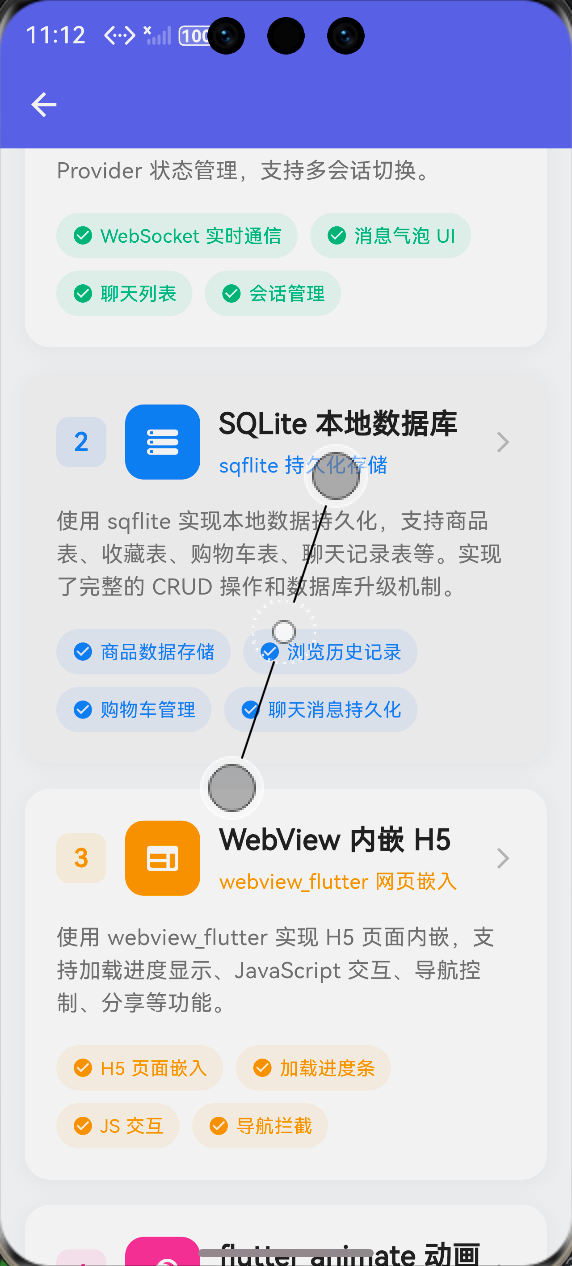
(此处附鸿蒙设备上成功运行的截图)
六、个人学习总结 📝
通过 SQLite 数据库的学习,我收获了很多:
- ✅ 学会了 SQL 的基本使用(CREATE、SELECT、INSERT、UPDATE、DELETE)
- ✅ 理解了数据库表的设计原则
- ✅ 学会了数据库升级的迁移策略
作者:上海某高校大一学生,Flutter 爱好者
发布时间:2026年4月