文章目录
Topics
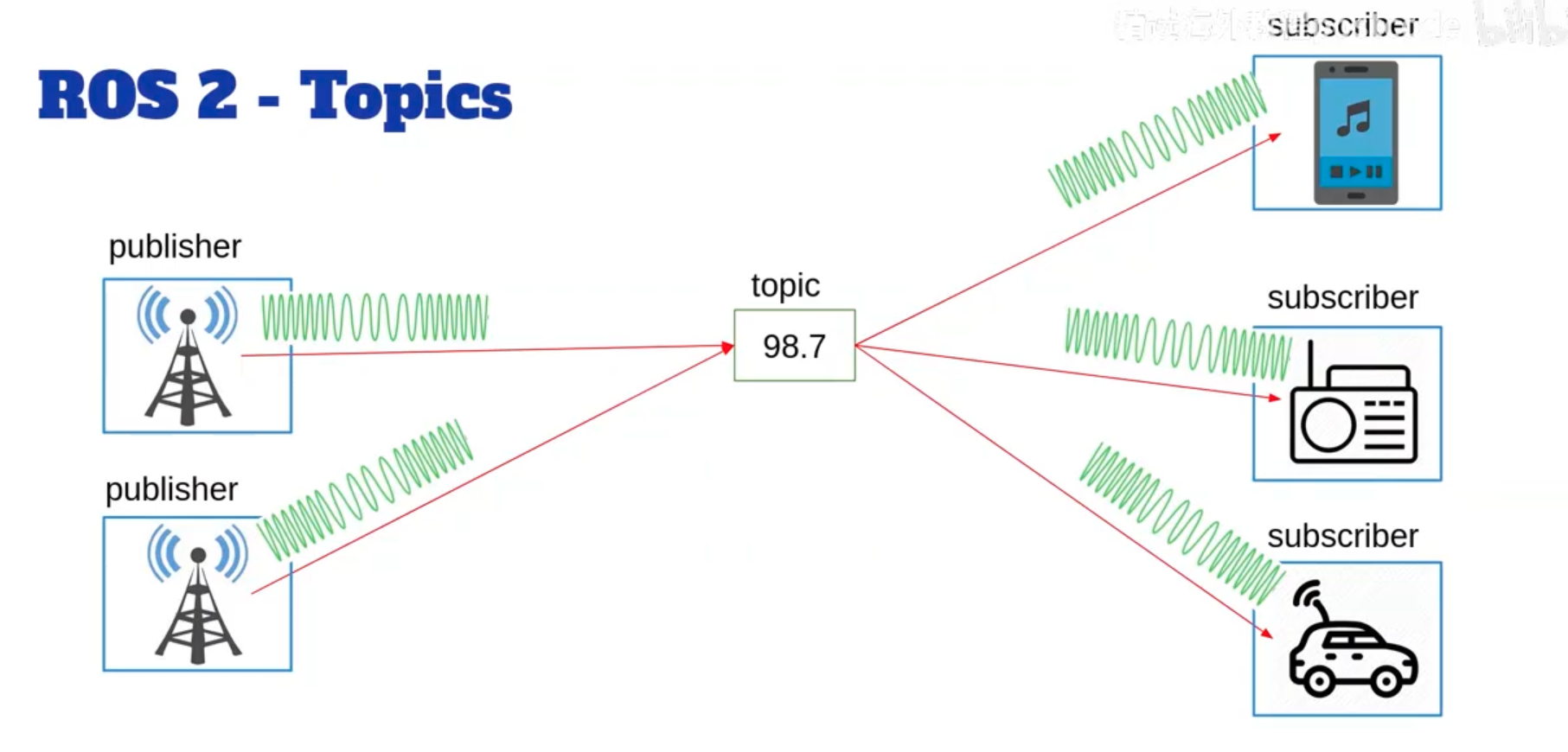
双方都不知道谁发的数据和谁接的数据,所以topic可以没有publishser或者subscriber
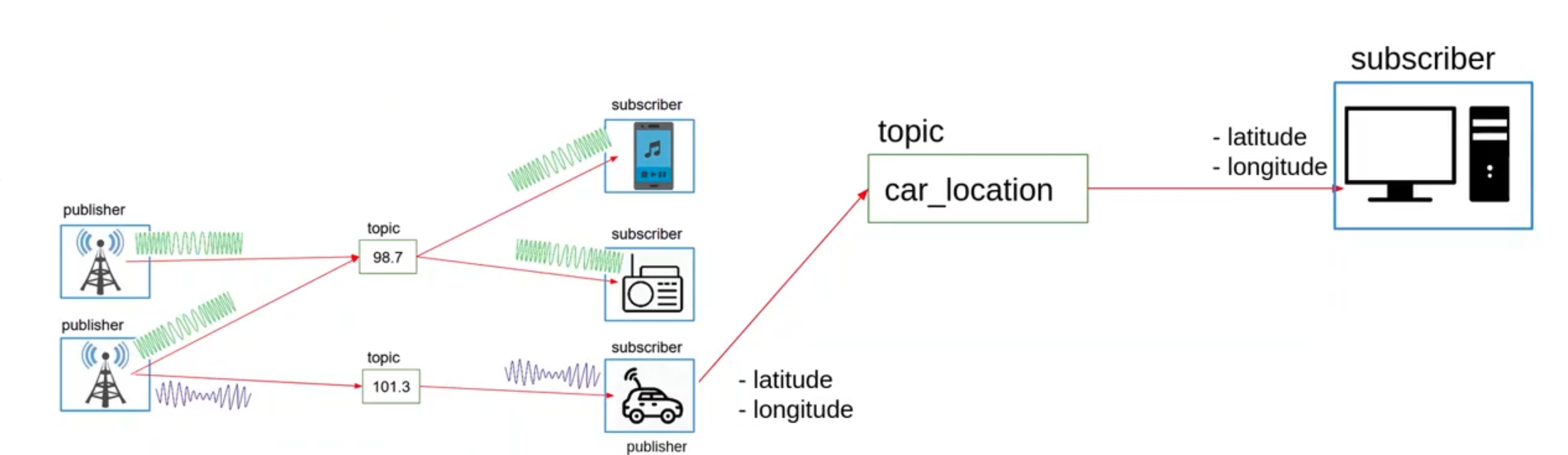
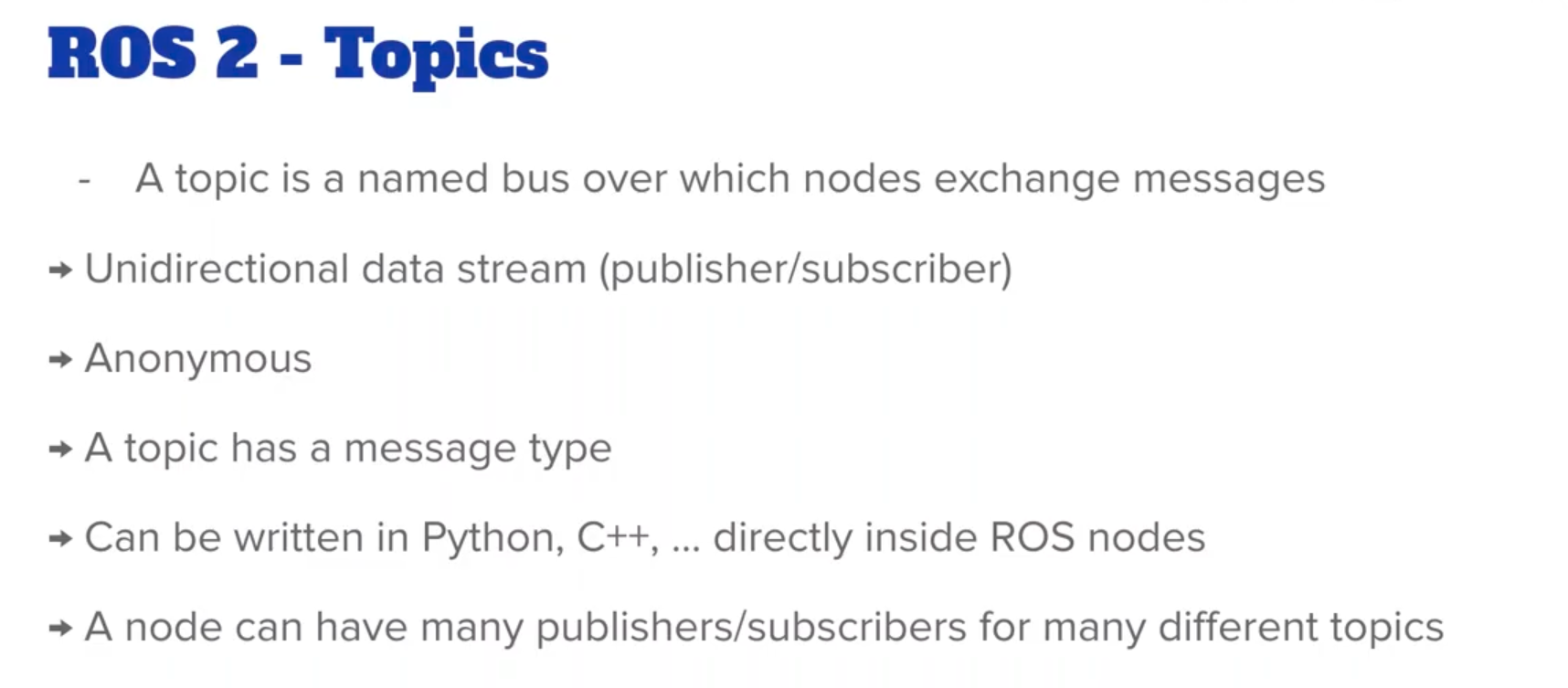
数据只能单向传输
Anonumous 匿名
python
template_python_node.py
python
#! /usr/bin/env python3
import rclpy
from rclpy.node import Node

class MyCustomNode(Node): # MODIFY NAME
    def __init__(self):
        super().__init__("node_name") # MODIFY NAME:node name

def main(args=None):
    rclpy.init(args=args)
    node = MyCustomNode() # MODIFY NAME
    rclpy.spin(node)
    rclpy.shutdown()

if __name__ == "__main__":
    main()
Publisher
robot_news_station.py
python
#! /usr/bin/env python3
import rclpy
from rclpy.node import Node
from example_interfaces.msg import String

class RobotNewsStationNode(Node): # MODIFY NAME
    def __init__(self):
        super().__init__("robot_news_station") # MODIFY NAME:node name
        self.publisher_ = self.create_publisher(String, "robot_news", 10) # data type, topic name, queue size
        self.timer_ = self.create_timer(1.0, self.publish_news)
        self.get_logger().info("Robot News Station Node has been started.")

    def publish_news(self):
        msg = String()
        msg.data = "Breaking news: ROS 2 is awesome!"
        self.publisher_.publish(msg)

def main(args=None):
    rclpy.init(args=args)
    node = RobotNewsStationNode() # MODIFY NAME
    rclpy.spin(node)
    rclpy.shutdown()

if __name__ == "__main__":
main()- 一旦有新的import,在
package.xml中添加依赖示例接口
xml
<depend>example_interfaces</denpend>- 在
setup.py中添加
python
entry_points={
	'console_scripts':[
		"py_node = my_py_pkg.my_first_node:main",
		"robot_news_station = my_py_pkg.robot_news_station:main" # 新增的
	],
},
重新构建packages并运行
bash
cd ~/ros2_ws
colcon build --packages-select my_py_pkg
source install/setup.bash
ros2 run my_py_pkg robot_news_station
可以通过topic指令查看运行的节点
bash
ros2 topic list
ros2 topic echo /robot_news
Subscriber
python
#! /usr/bin/env python3
import rclpy
from rclpy.node import Node
from example_interfaces.msg import String

class SmartphoneNode(Node):
    def __init__(self):
        super().__init__("smartphone")
        self.robot_name = "nyw"
        self.subscriber_ = self.create_subscription(String, "robot_news", self.callback_robot_news, 10) # 使用相同的 topic 名称和publisher
        self.get_logger().info(f"Smartphone node initialized. Subscribed to 'robot_news' topic.")
    def callback_robot_news(self, msg: String):
        self.get_logger().info(f"Received news: {msg.data}")

def main(args=None):
    rclpy.init(args=args)
    node = SmartphoneNode()
    rclpy.spin(node)
    rclpy.shutdown()

if __name__ == "__main__":
main()在setup.py添加
python
entry_points={
	'console_scripts':[
		"py_node = my_py_pkg.my_first_node:main",
		"robot_news_station = my_py_pkg.robot_news_station:main",
		"smartphone = my_py_pkg.smartphone:main"# 新增的
	],
},
重新构建packages并运行
bash
cd ~/ros2_ws
colcon build --packages-select my_py_pkg
source install/setup.bash
ros2 run my_py_pkg
C++
template_cpp_node.cpp
c
#include "rclcpp/rclcpp.hpp"

class MyCustomNode : public rclcpp::Node // MODIFY NAME
{
public:
    MyCustomNode() : Node("node_name") // MODIFY NAME
    {
    }

private:
};

int main(int argc, char **argv)
{
    rclcpp::init(argc, argv);
    auto node = std::make_shared<MyCustomNode>(); // MODIFY NAME
    rclcpp::spin(node);
    rclcpp::shutdown();
    return 0;
}
Publisher
c++
#include "rclcpp/rclcpp.hpp"
#include "example_interfaces/msg/string.hpp"

using namespace std::chrono_literals;

class RobotNewsStationNode : public rclcpp::Node
{
public:
    RobotNewsStationNode() : Node("robot_news_station")
    {
        publisher_ = this->create_publisher<example_interfaces::msg::String>("robot_news", 10), robot_name_ = "c++"; // 10的意思是在缓冲区最多10条信息

        // this->create_wall_timer(std::chrono::seconds(1), timer_callback); 因为前面using namespace std::chrono_literals;所以可以直接使用1s
        timer_ = this->create_wall_timer(1s, std::bind(&RobotNewsStationNode::publishNews, this)); // 绑定成员函数作为回调
        RCLCPP_INFO(this->get_logger(), "Robot News Station Node has been started.");
    }

private:
    void publishNews()
    {
        auto msg = example_interfaces::msg::String();
        msg.data = std::string("Hi, this is ") + robot_name_ + std::string(" reporting the latest news!");
        publisher_->publish(msg);
    }

    std::string robot_name_;
    rclcpp::Publisher<example_interfaces::msg::String>::SharedPtr publisher_; // 下划线是为了说明这是一个attribute
    rclcpp::TimerBase::SharedPtr timer_;
};

int main(int argc, char **argv)
{
    rclcpp::init(argc, argv);
    auto node = std::make_shared<RobotNewsStationNode>();
    rclcpp::spin(node);
    rclcpp::shutdown();
    return 0;
}- 新的include,在
package.xml中加入
xml
<depend>example_interfaces</depend>- 在
CMakeLists.txt加入
c
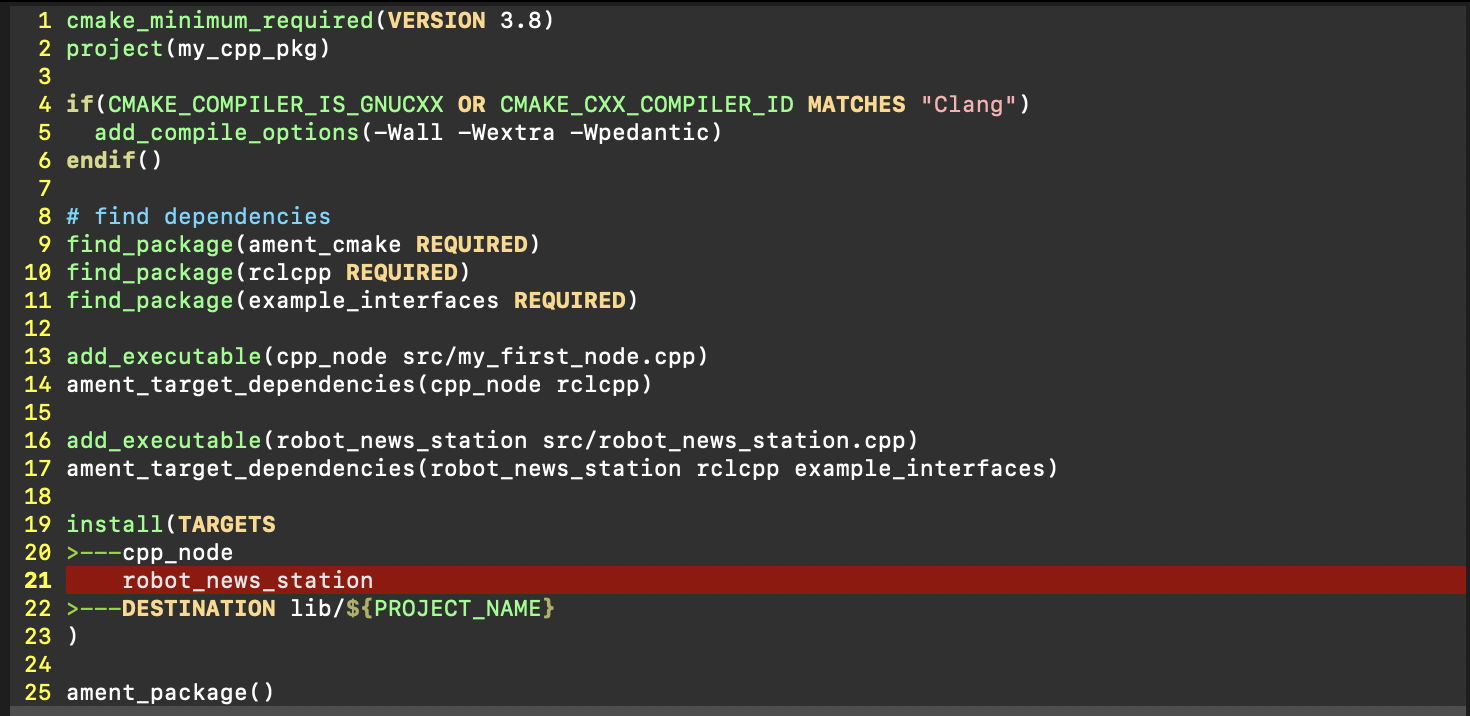
find_package(example_interfaces REQUIRED)- 转换可执行文件
在CMakeLists.txt加入
c++
add_executable(robot_news_station src/robot_news_station.cpp)
ament_target_dependencies(robot_news_station rclcpp example_interfaces)

install(TARGETS
	cpp_node
	robot_news_station
	DESTINATION lib/${PROJECT_NAME}
)
效果如下:
- 构建package和运行
c++
cd ~/ros2_ws
colcon build --packages-select my_cpp_pkg
source install/setup.bash
ros2 run my_cpp_pkg robot_news_station
可以通过topic指令查看运行的节点
bash
ros2 topic list
ros2 topic echo /robot_news_station
也可以启动python的smartphone来接受数据