1.1 Openlayers调用ArcGis地图服务之地图切片(/tile)
地图服务一般分为预先缓存的地图切片(瓦片地图)、动态地图、要素查询、要素查找、要素识别,下面使用ArcGis官方服务作为示例直接调用(如果使用自己的私有服务,可能先要获取token)
各个库版本如下:
javascript
    "ol": "^10.8.0",
    "proj4": "^2.20.8",
    "vue3-openlayers": "^12.2.2"
目录
- [1.1 地图切片【地图服务的切片接口(/tile)】](#1.1 地图切片【地图服务的切片接口(/tile)】)
- [1.1.1 介绍](#1.1.1 介绍)
- [1.1.2 判断](#1.1.2 判断)
- [1.1.3 调用](#1.1.3 调用)
- [1.1.3.1 在线预览](#1.1.3.1 在线预览)
- [1.1.3.2 Openlayers调用](#1.1.3.2 Openlayers调用)
- [1.1.3.3 Vue3-Openlayers调用](#1.1.3.3 Vue3-Openlayers调用)
1.1 地图切片【地图服务的切片接口(/tile)】
1.1.1 介绍
地图切片是指将一幅完整的地图,按照预先设定的比例尺层级(Zoom Levels)和固定的图片尺寸(如 256×256 像素),切割成若干行、列排列的图片文件(jpg,jpeg,png,webp等),并存储在服务器端。客户端在地图上移动或缩放时,仅加载当前视野范围内所需的瓦片图片进行拼接显示。
核心特征:
-
预生成:瓦片在服务发布前或首次访问时已生成好,无需实时渲染。
-
静态:瓦片内容相对固定,不随每次请求而改变。
-
高性能:客户端直接请求现成图片,服务器压力小,响应快,适合大规模并发访问。
-
不实时:如果地图数据更新,需要重新生成瓦片才能体现变化。
-
典型应用:互联网底图(如 Google 地图、高德地图、 的瓦片服务)。
1.1.2 判断
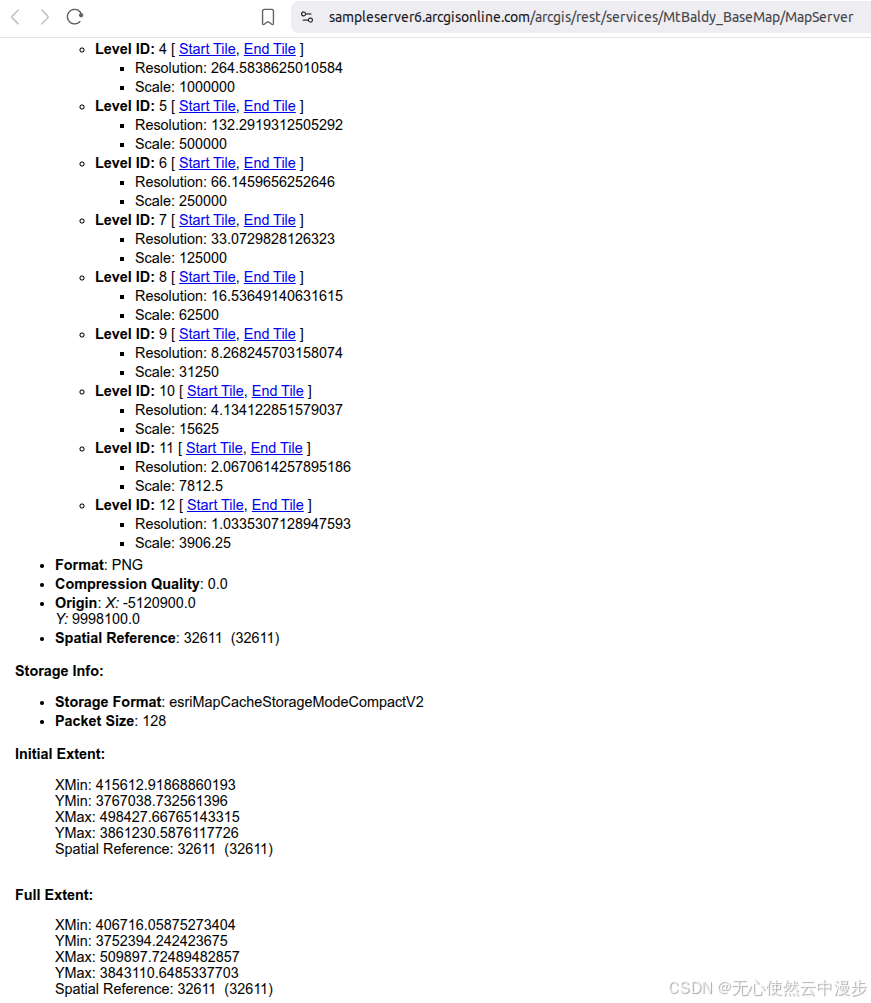
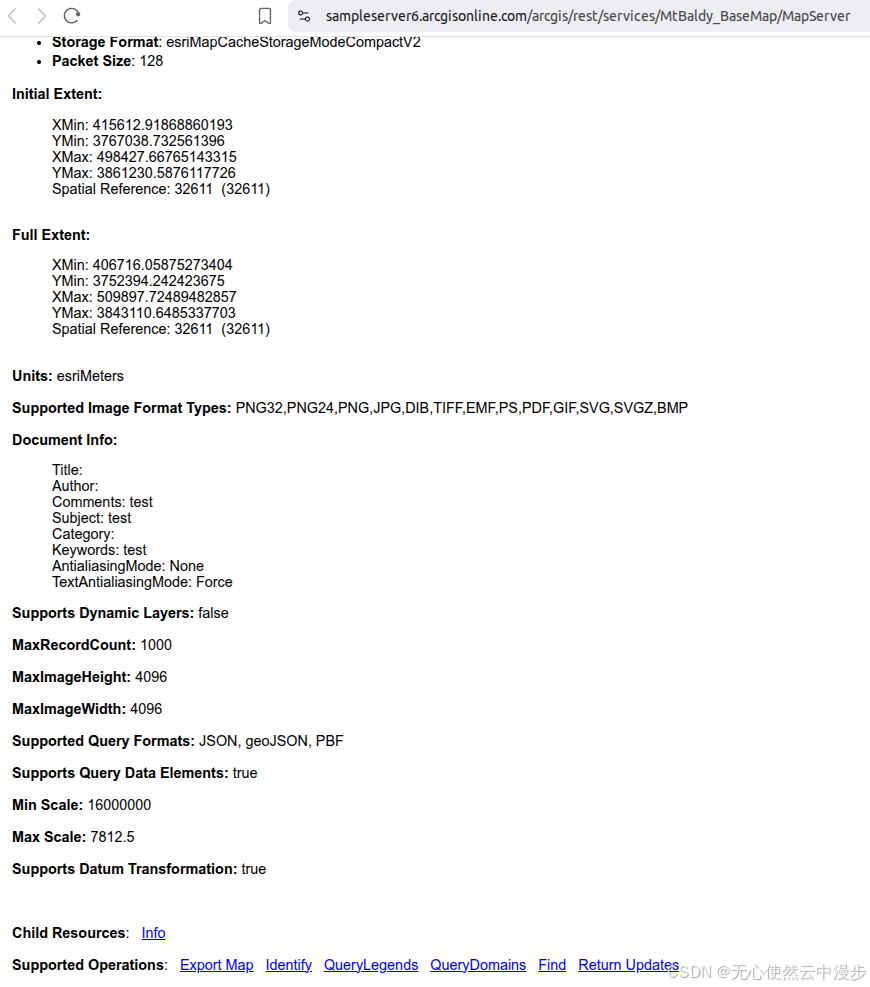
判断一个ArcGis地图服务是否可以使用切片形式调用,可以查看地图服务的基本信息,比如ArcGis官方服务1
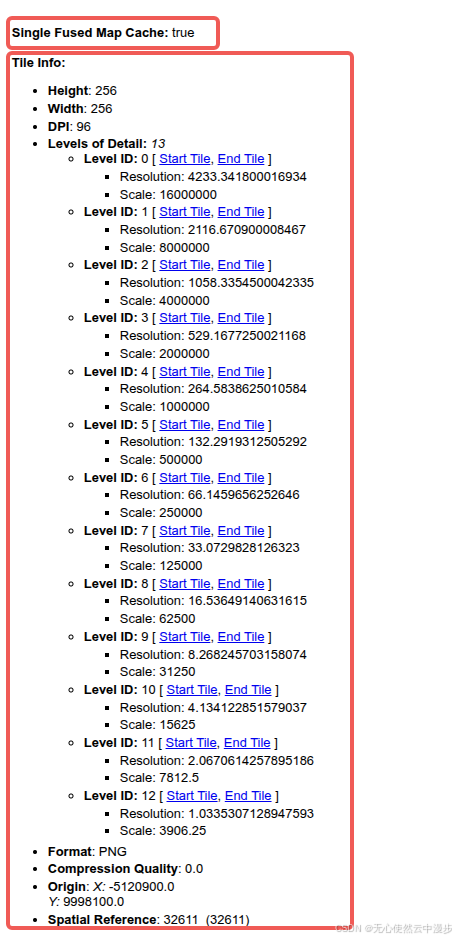
注意 :图中的Single Fused Map Cache: true和Tile Info两个字段就可以说明该地图服务已经被预先切分缓存
1.1.3 调用
1.1.3.1 在线预览
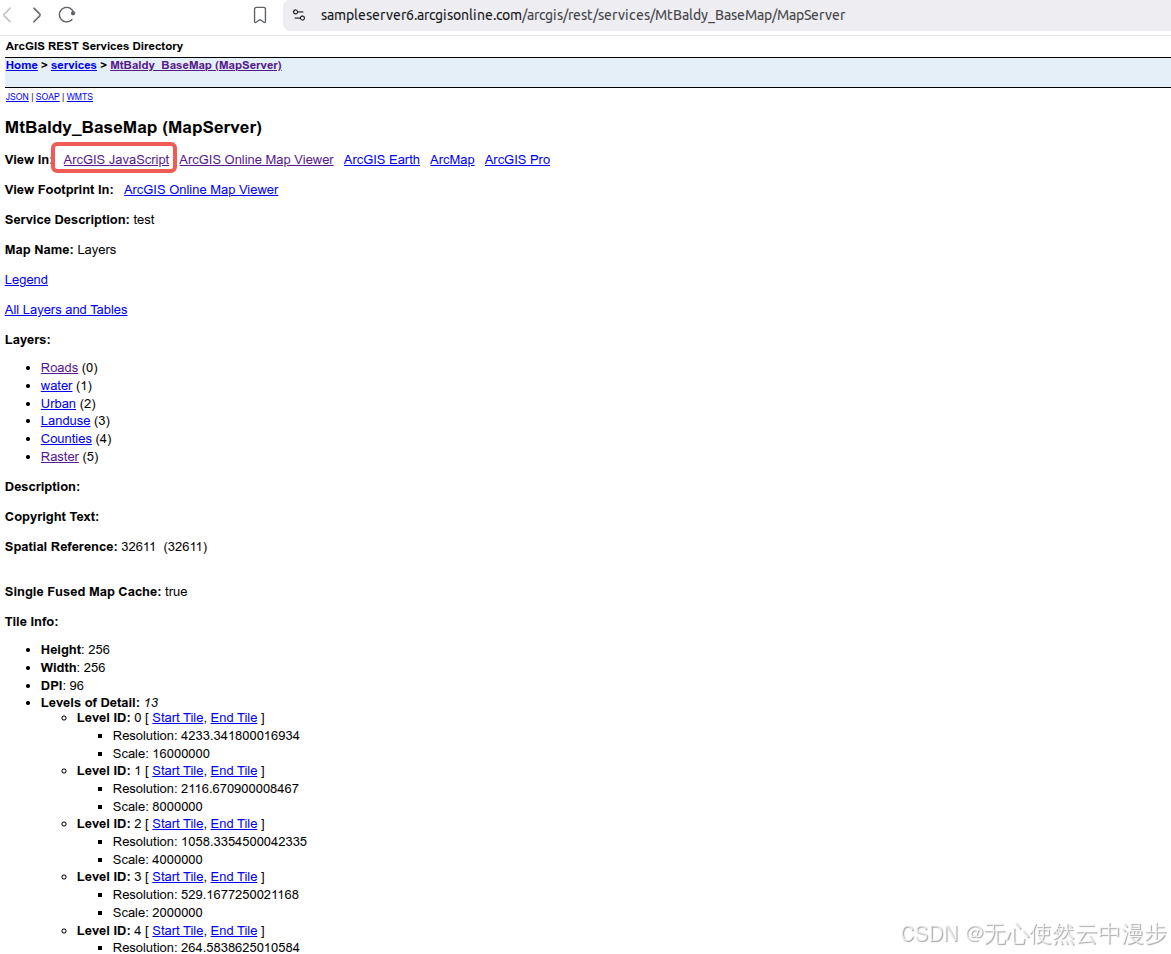
点击红框内的ArcGIS JavaScript,即可在线预览
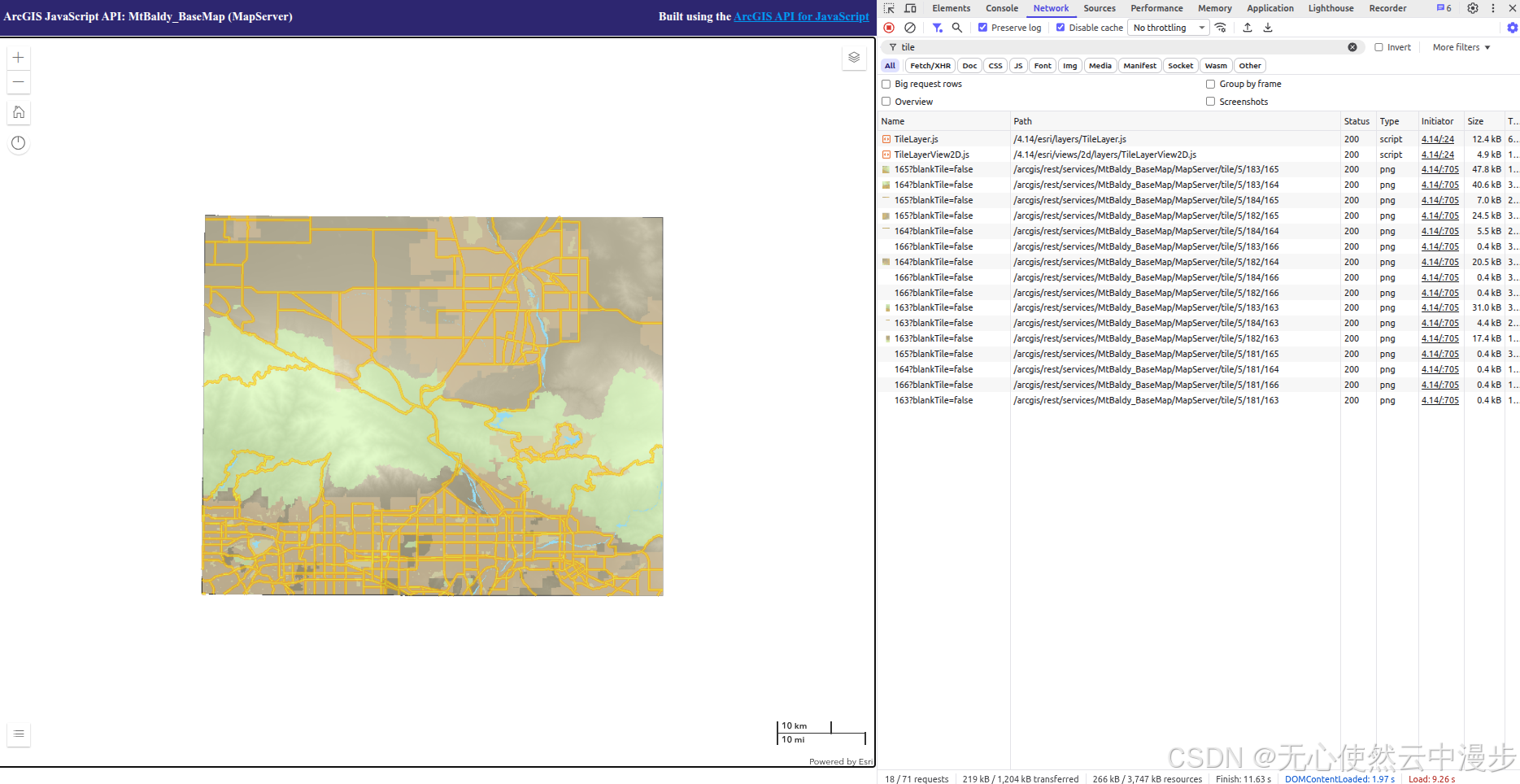
可以看到在线预览使用切片调用
1.1.3.2 Openlayers调用
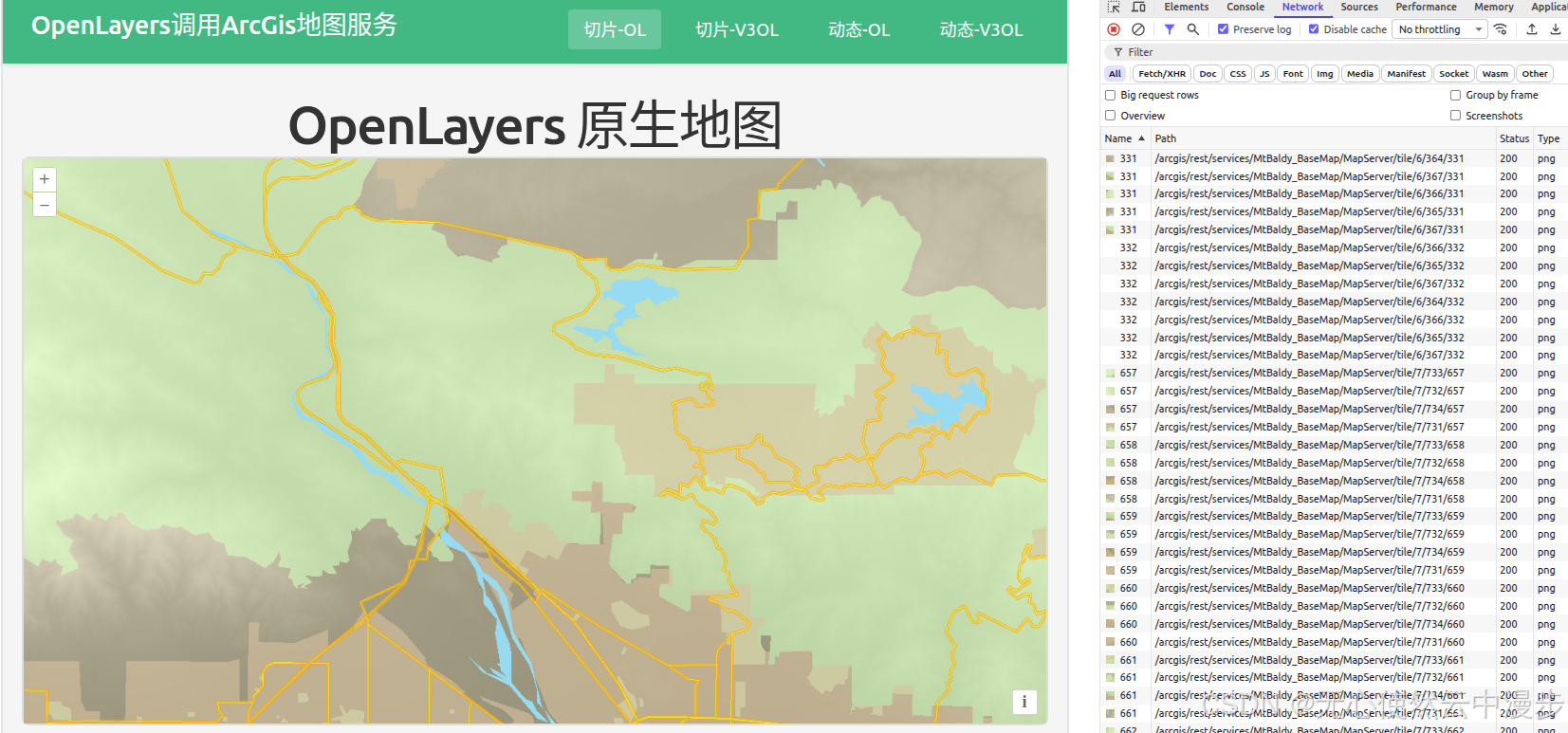
可以看到很多类似
javascript
<template>
  <div class="map-page">
    <h1>OpenLayers 原生地图</h1>
    <div id="ol-map" ref="mapContainer" class="map-container"></div>
  </div>
</template>

<script setup lang="ts">
import { onMounted, onUnmounted, ref } from "vue";
import Map from "ol/Map";
import View from "ol/View";
import TileLayer from "ol/layer/Tile";
import TileGrid from "ol/tilegrid/TileGrid";
import { XYZ } from "ol/source";

const mapContainer = ref<HTMLDivElement>();
let map: Map | null = null;

// 从 MapServer 获取的 resolutions
const resolutions = [
  4233.341800016934, 2116.670900008467, 1058.3354500042335, 529.1677250021168,
  264.5838625010584, 132.2919312505292, 66.1459656252646, 33.0729828126323,
  16.53649140631615, 8.268245703158074, 4.134122851579037, 2.0670614257895186,
  1.0335307128947593,
];

// 创建 TileGrid
const tileGrid = new TileGrid({
  origin: [-5120900, 9998100],
  resolutions: resolutions,
  tileSize: [256, 256],
});

onMounted(() => {
  // 创建 ArcGIS MapServer 切片图层
  const arcgisLayer = new TileLayer({
    source: new XYZ({
      url: "https://sampleserver6.arcgisonline.com/arcgis/rest/services/MtBaldy_BaseMap/MapServer/tile/{z}/{y}/{x}",
      attributions: "ArcGIS",
      projection: "EPSG:32611",
      tileGrid: tileGrid,
    }),
  });

  // 创建地图
  map = new Map({
    target: mapContainer.value!,
    layers: [arcgisLayer],
    view: new View({
      projection: "EPSG:32611",
      center: [457000, 3796000], // UTM zone 11N 坐标 (大约 MtBaldy 区域)
      zoom: 5,
      resolutions: resolutions,
    }),
  });
});

onUnmounted(() => {
  if (map) {
    map.setTarget(undefined);
    map = null;
  }
});
</script>

<style scoped>
.map-page {
  padding: 20px;
}

h1 {
  margin-bottom: 20px;
  color: #333;
}

.map-container {
  width: 100%;
  height: 600px;
  border: 2px solid #ddd;
  border-radius: 8px;
}
</style>
1.1.3.3 Vue3-Openlayers调用
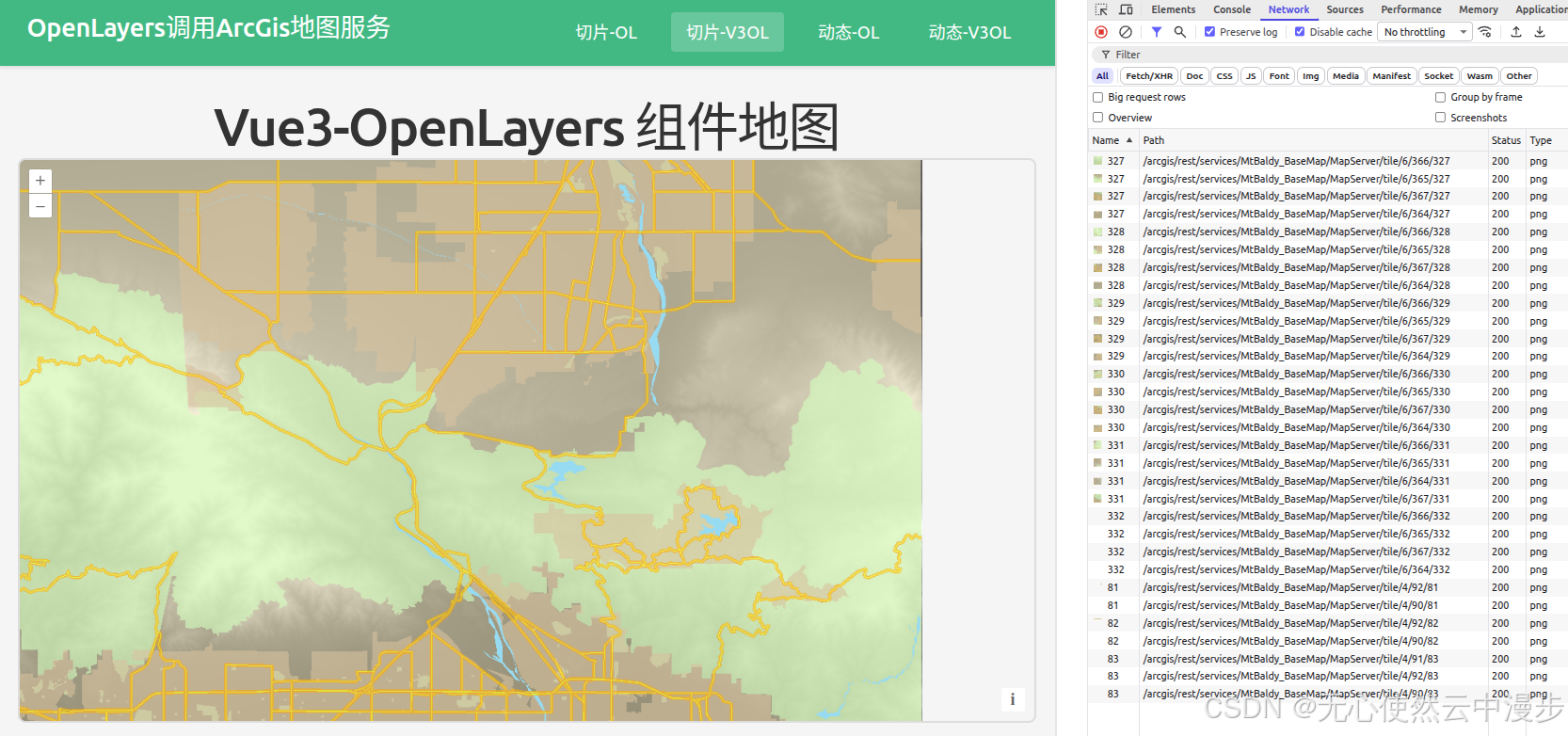
javascript
<template>
  <div class="map-page">
    <h1>Vue3-OpenLayers 组件地图</h1>
    <ol-map
      :loadTilesWhileAnimating="true"
      :loadTilesWhileInteracting="true"
      class="map-container"
    >
      <ol-view
        ref="view"
        :center="center"
        :zoom="zoom"
        :projection="projection"
        :resolutions="resolutions"
      />

      <ol-tile-layer>
        <ol-source-xyz
          url="https://sampleserver6.arcgisonline.com/arcgis/rest/services/MtBaldy_BaseMap/MapServer/tile/{z}/{y}/{x}"
          attributions="ArcGIS"
          :projection="projection"
          :tileGrid="tileGrid"
        />
      </ol-tile-layer>
    </ol-map>
  </div>
</template>

<script setup lang="ts">
import { ref } from "vue";
import TileGrid from "ol/tilegrid/TileGrid";

// 从 MapServer 获取的 resolutions
const resolutions = [
  4233.341800016934, 2116.670900008467, 1058.3354500042335, 529.1677250021168,
  264.5838625010584, 132.2919312505292, 66.1459656252646, 33.0729828126323,
  16.53649140631615, 8.268245703158074, 4.134122851579037, 2.0670614257895186,
  1.0335307128947593,
];

// 创建 TileGrid
const tileGrid = new TileGrid({
  origin: [-5120900, 9998100],
  resolutions: resolutions,
  tileSize: [256, 256],
});

const center = ref([457000, 3796000]); // UTM zone 11N 坐标 (大约 MtBaldy 区域)
const zoom = ref(5);
const projection = ref("EPSG:32611");
</script>

<style scoped>
.map-page {
  padding: 20px;
}

h1 {
  margin-bottom: 20px;
  color: #333;
}

.map-container {
  width: 100%;
  height: 600px;
  border: 2px solid #ddd;
  border-radius: 8px;
  overflow: hidden;
}
</style>