个人简介
👀个人主页: 前端杂货铺
🙋♂️学习方向: 主攻前端方向,正逐渐往全干发展
📃个人状态: 研发工程师,现效力于中国工业软件事业
🚀人生格言: 积跬步至千里,积小流成江海
🥇推荐学习:🍍前端面试宝典 🎨100个小功能 🍉Vue2 🍋Vue3 🍓Vue2/3项目实战 🥝Node.js实战 🍒Three.js
🌕个人推广:每篇文章最下方都有加入方式,旨在交流学习&资源分享,快加入进来吧
文章目录
-
- 前言
- [在 Vue 项目中使用 manifold-3d 实现干涉检查](#在 Vue 项目中使用 manifold-3d 实现干涉检查)
-
- 演示效果
- package.json
- 干涉实现
-
- 构建参与干涉的立方体
- [将网格转换为 Manifold 对象](#将网格转换为 Manifold 对象)
- 计算干涉
- 显示干涉效果
- 完整代码实现
- 小结
前言
Manifold (GitHub 2k Stars) 是一个专门用于创建和操作流形三角形网格的几何库。它以 WASM 模块的形式提供,可在任何现代浏览器中运行。
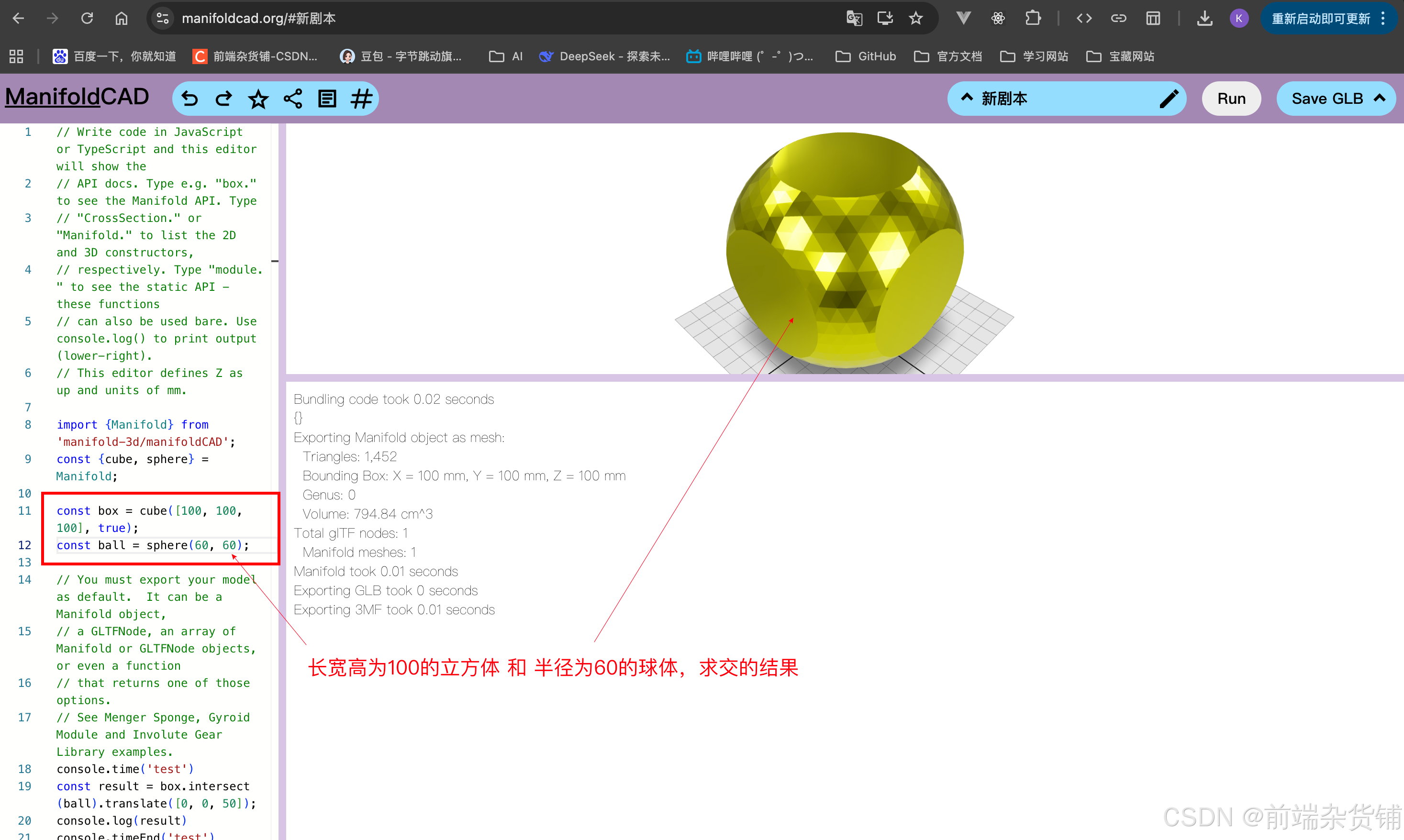
其首要目标是可靠性:保证输出结果完整可靠,没有任何例外或极端情况。其次是性能:高效的算法,充分利用并行化技术,或者在只有单个线程可用时采用流水线技术。
其实能实现模型干涉检查等布尔运算的的库还有一些,比如 three-bvh-csg · (GitHub 898 Stars),其使用 bvh 加速(利用层次包围盒数据结构来避免大量无效的几何求交计算,从而大幅提升射线类空间查询的性能),求解速度会更快,但其在极端场景会出现一些求解错误的情况(比如两模型并不干涉,但被判定为了干涉)。
manifold 相较于 three-bvh-csg 具备更强的 鲁棒性 · 百度百科(其反映一个系统在面临着内部结构或外部环境的改变时也能够维持其功能稳定运行的能力),那么它可能更适合高精确度的计算,尽管它会有些慢,这一点我还需要再验证。
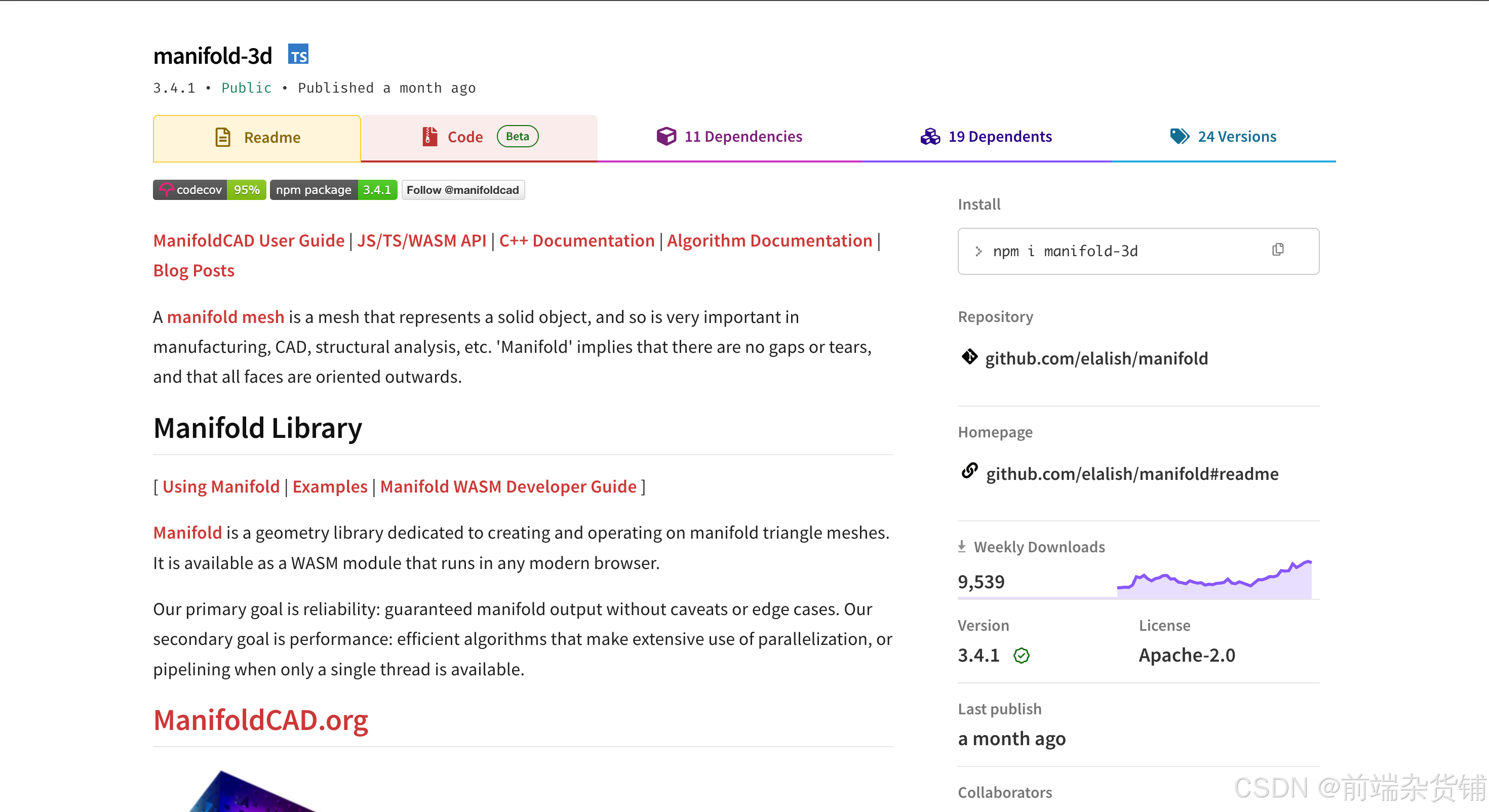
在 web 端的项目中我们不能直接使用 manifold,而是需要使用名为 manifold-3d 的包(可以看到其 Weekly Downloads 还是很高的)。
我把自己调研到的一些资料放到此处供大家参考:
| 说明 | 链接 |
|---|---|
| ManifoldCAD用户指南 | ManifoldCAD用户指南 |
| Manifold · GitHub代码仓库 | Manifold · GitHub代码仓库 |
| manifold-3d · npm包 | manifold-3d · npm包 |
| 在 TS 中使用 Manifold 建模 | 在 TS 中使用 Manifold 建模 |
| Manifold WASM开发指南 | 浏览器中运行高性能3D几何运算 |
| Manifold拓扑修复功能 | 解决3D模型常见几何缺陷 |
在 Vue 项目中使用 manifold-3d 实现干涉检查
演示效果
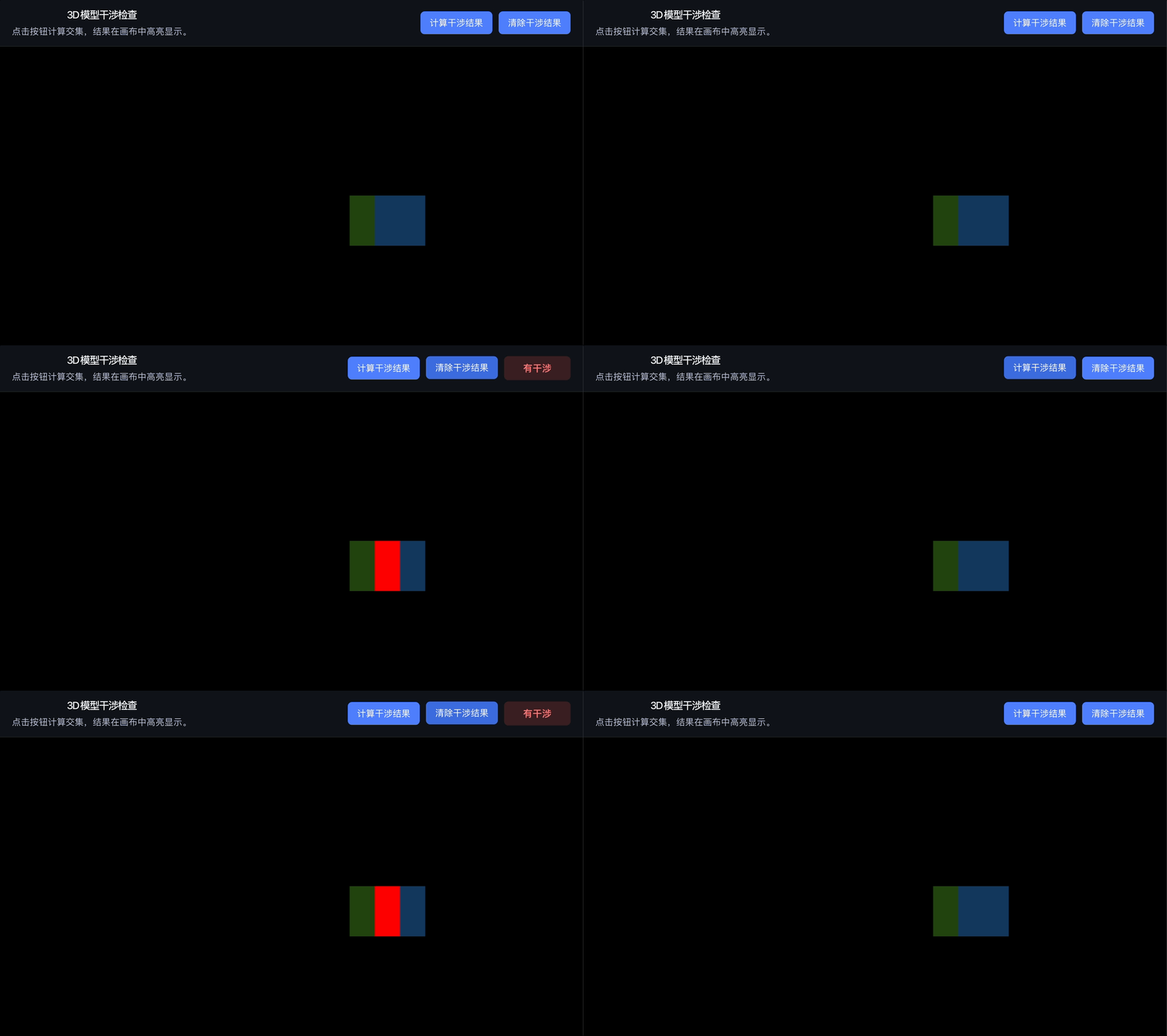
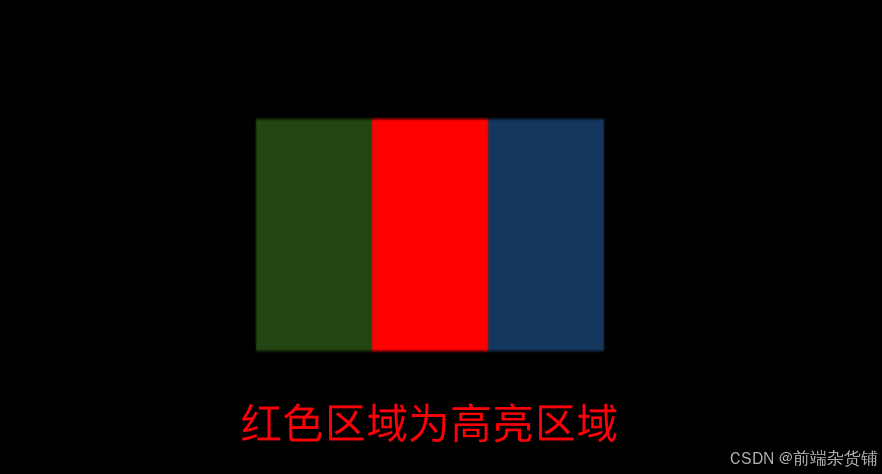
点击计算干涉结果,红色区域为干涉结果的高亮区域。
package.json
manifold-demo 项目是基于 vite + vue3 的,主要的依赖就是 three 和 manifold-3d。
javascript
{
  "name": "manifold-demo",
  "private": true,
  "version": "0.0.0",
  "type": "module",
  "scripts": {
    "dev": "vite",
    "build": "vite build",
    "preview": "vite preview"
  },
  "dependencies": {
    "manifold-3d": "^3.4.1",
    "three": "^0.184.0",
    "vue": "^3.5.32"
  },
  "devDependencies": {
    "@vitejs/plugin-vue": "^6.0.6",
    "vite": "^8.0.10"
  }
}
干涉实现
新建 ManifoldDemo.vue 组件,用于干涉的具体实现(完整代码放在最后)。
构建参与干涉的立方体
首先,我们构建两个简单的立方体,用于后续的干涉检查。
javascript
  cube1 = new THREE.Mesh(
    new THREE.BoxGeometry(1, 1, 1),
    new THREE.MeshStandardMaterial({
      color: 0x67c23a,
    }),
  );

  cube2 = new THREE.Mesh(
    new THREE.BoxGeometry(1, 1, 1),
    new THREE.MeshStandardMaterial({
      color: 0x409eff,
    }),
  );
  cube2.position.x = 0.5;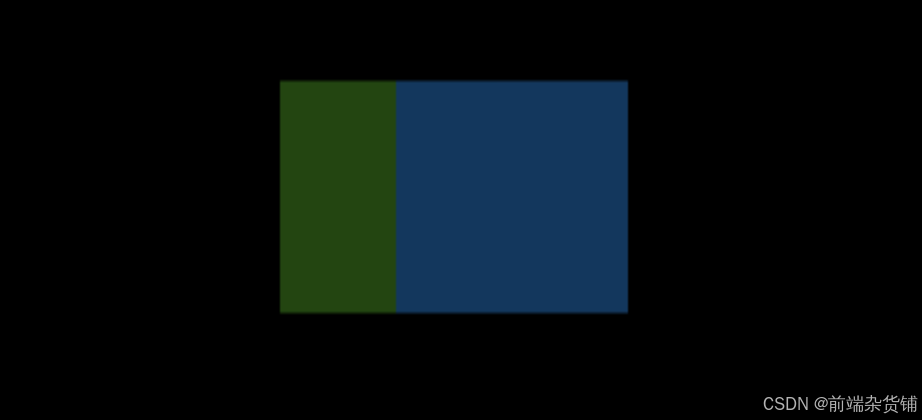
将网格转换为 Manifold 对象
Mesh 网格数据是不能直接给 manifold-3d 库用的,我们需要先把网格转为 Manifold 对象。
javascript
const convertThreeMeshToManifold = (mesh) => {
  // 获取 Three.js 网格的几何体
  const geometry = mesh.geometry;
  // 提取顶点位置数组(Float32Array,包含 x, y, z 坐标)
  const positions = geometry.attributes.position.array;
  // 提取索引数组(如果有索引,否则生成默认索引)
  const indices = geometry.index
    ? Array.from(geometry.index.array) // 有索引时转换为数组
    : [...Array(positions.length / 3).keys()]; // 无索引时生成 0, 1, 2, ... 的序列

  // 去重顶点:Manifold 要求顶点唯一,避免重复
  const uniqueVertices = []; // 存储唯一顶点
  const indexMap = new Map(); // 映射原始索引到去重后索引
  const tolerance = 1e-6; // 去重容差(非常小的数值,用于比较顶点是否相同)

  // 遍历所有顶点,进行去重
  for (let i = 0; i < positions.length / 3; i++) {
    const x = positions[i * 3];
    const y = positions[i * 3 + 1];
    const z = positions[i * 3 + 2];

    // 查找是否已有相同顶点(在容差范围内)
    let found = uniqueVertices.findIndex(
      (v) =>
        Math.abs(v[0] - x) < tolerance &&
        Math.abs(v[1] - y) < tolerance &&
        Math.abs(v[2] - z) < tolerance,
    );

    if (found === -1) {
      // 未找到,添加新顶点
      found = uniqueVertices.length;
      uniqueVertices.push([x, y, z]);
    }
    // 记录原始索引到去重后索引的映射
    indexMap.set(i, found);
  }

  // 重建索引并应用世界变换:将局部坐标转换为世界坐标
  const transformedPositions = new Float32Array(uniqueVertices.length * 3); // 存储变换后的顶点
  const tempVec = new THREE.Vector3(); // 临时向量,用于应用矩阵变换
  const matrixWorld = mesh.matrixWorld; // 网格的世界变换矩阵

  // 对每个唯一顶点应用世界变换
  for (let i = 0; i < uniqueVertices.length; i++) {
    const [x, y, z] = uniqueVertices[i];
    tempVec.set(x, y, z).applyMatrix4(matrixWorld); // 应用变换矩阵
    transformedPositions[i * 3] = tempVec.x;
    transformedPositions[i * 3 + 1] = tempVec.y;
    transformedPositions[i * 3 + 2] = tempVec.z;
  }

  // 根据去重映射重建索引数组
  const newIndices = indices.map((i) => indexMap.get(i));

  // 创建 Manifold 对象:使用去重和变换后的数据
  return Manifold.ofMesh({
    numProp: 3, // 每个顶点的属性数量(x, y, z)
    vertProperties: transformedPositions, // 顶点属性数组
    triVerts: new Uint32Array(newIndices), // 三角形顶点索引(Uint32Array)
  });
};
计算干涉
构建好 manifold 对象后,进行几何体求交的布尔操作。
manifold 提供了很多布尔运算接口,详情可参照 manifold · boolean
javascript
manifold1.intersect(manifold2);显示干涉效果
先从 Manifold 对象获取网格数据,再构建 three 的 mesh 渲染出来即可。
javascript
const displayIntersection = (manifold) => {
  // 从 Manifold 对象获取网格数据
  const meshData = manifold.getMesh();
  const positions = []; // 存储顶点位置数组

  // 提取所有顶点位置(x, y, z)
  for (let i = 0; i < meshData.numVert; i++) {
    positions.push(
      meshData.vertProperties[i * 3], // x 坐标
      meshData.vertProperties[i * 3 + 1], // y 坐标
      meshData.vertProperties[i * 3 + 2], // z 坐标
    );
  }

  // 创建 Three.js 缓冲几何体
  const geometry = new THREE.BufferGeometry();
  // 设置位置属性
  geometry.setAttribute(
    "position",
    new THREE.Float32BufferAttribute(positions, 3), // 每个顶点 3 个分量
  );
  // 设置索引(三角形顶点索引)
  geometry.setIndex(new THREE.BufferAttribute(meshData.triVerts, 1));
  // 计算法线,用于光照和渲染
  geometry.computeVertexNormals();

  // 创建红色材质,双面渲染
  const material = new THREE.MeshBasicMaterial({
    color: 0xff0000, // 红色
    side: THREE.DoubleSide, // 双面渲染
  });

  // 创建网格对象并添加到场景中
  intersectionMesh = new THREE.Mesh(geometry, material);
  scene.add(intersectionMesh);
};
完整代码实现
ManifoldDemo.vue
javascript
<script setup>
import { ref, onMounted } from "vue";
import * as THREE from "three";
import { OrbitControls } from "three/addons/controls/OrbitControls.js";
import { Manifold } from "manifold-3d/manifoldCAD";

// 响应式变量:存储交集检查结果(true 表示有交集,false 表示无交集)
const intersectionResult = ref(null);
// 全局变量:Three.js 渲染器、场景、相机和交集网格对象
let renderer, scene, camera, intersectionMesh;
// 全局变量:两个立方体网格,用于演示交集检查
let cube1, cube2;

// 组件挂载时初始化场景和动画
onMounted(() => {
  initScene();
  startAnimation();
});

const initScene = () => {
  // 创建 Three.js 场景、透视相机和 WebGL 渲染器
  scene = new THREE.Scene();
  camera = new THREE.PerspectiveCamera(
    75, // 视野角度
    window.innerWidth / 2 / window.innerHeight, // 宽高比(这里除以2可能是为了适应布局)
    0.1, // 近裁剪面
    1000, // 远裁剪面
  );
  renderer = new THREE.WebGLRenderer({ antialias: true }); // 启用抗锯齿
  resizeRenderer(); // 根据窗口大小调整渲染器

  // 设置轨道控制器,用于鼠标交互控制相机
  const controls = new OrbitControls(camera, renderer.domElement);
  controls.enableDamping = true; // 启用惯性效果,使移动更平滑
  controls.dampingFactor = 0.05; // 惯性系数
  controls.rotateSpeed = 1.0; // 旋转速度
  controls.zoomSpeed = 1.2; // 缩放速度
  controls.panSpeed = 0.8; // 平移速度
  controls.screenSpacePanning = true; // 平移时保持屏幕空间,避免倾斜时怪异
  controls.maxPolarAngle = Math.PI / 1.8; // 限制俯角范围(约80度),避免看到背面空白
  controls.minDistance = 1.5; // 最小缩放距离
  controls.maxDistance = 12; // 最大缩放距离
  controls.target.set(0, 0.5, 0); // 设置控制焦点为立方体中心偏上一点

  // 将渲染器的 DOM 元素添加到页面中的画布容器
  const mountNode = document.getElementById("three-canvas");
  mountNode?.appendChild(renderer.domElement);

  // 监听窗口大小变化,调整渲染器
  window.addEventListener("resize", resizeRenderer);

  // 添加环境光和方向光,提供基本照明
  scene.add(new THREE.AmbientLight(0x404040)); // 环境光
  const directionalLight = new THREE.DirectionalLight(0xffffff, 0.5); // 方向光
  directionalLight.position.set(1, 1, 1);
  scene.add(directionalLight);

  // 创建两个立方体网格,用于演示交集检查
  cube1 = new THREE.Mesh(
    new THREE.BoxGeometry(1, 1, 1), // 立方体几何
    new THREE.MeshStandardMaterial({
      color: 0x67c23a, // 绿色
    }),
  );

  cube2 = new THREE.Mesh(
    new THREE.BoxGeometry(1, 1, 1), // 立方体几何
    new THREE.MeshStandardMaterial({
      color: 0x409eff, // 蓝色
    }),
  );
  cube2.position.x = 0.5; // 将第二个立方体沿X轴偏移0.5单位,使其与第一个重叠

  // 将立方体添加到场景中
  scene.add(cube1, cube2);
  // 设置相机初始位置
  camera.position.z = 5;
};

const startAnimation = () => {
  // 启动渲染循环,使用 requestAnimationFrame 实现平滑动画
  const animate = () => {
    requestAnimationFrame(animate); // 递归调用,实现连续渲染
    renderer.render(scene, camera); // 渲染场景和相机
  };
  animate(); // 开始动画循环
};

const resizeRenderer = () => {
  // 根据当前窗口大小调整渲染器和相机
  const width = window.innerWidth;
  const height = window.innerHeight;
  renderer.setSize(width, height); // 设置渲染器大小
  camera.aspect = width / height; // 更新相机宽高比
  camera.updateProjectionMatrix(); // 更新投影矩阵
};

const checkIntersection = () => {
  // 检查两个立方体是否存在
  if (!cube1 || !cube2) return;

  // 更新两个立方体的世界矩阵,确保变换(如位置、旋转)被应用
  cube1.updateWorldMatrix(true, false);
  cube2.updateWorldMatrix(true, false);

  // 将 Three.js 网格转换为 Manifold 对象,用于几何计算
  const manifold1 = convertThreeMeshToManifold(cube1);
  const manifold2 = convertThreeMeshToManifold(cube2);

  // 计时开始:测量交集计算的时间
  console.time("Intersection Check");
  // 使用 Manifold 计算两个几何体的交集(核心布尔操作)
  const intersection = manifold1.intersect(manifold2);
  console.timeEnd("Intersection Check"); // 计时结束

  // 更新交集结果:如果交集不为空,则有交集
  intersectionResult.value = !intersection.isEmpty();

  // 清除之前的交集显示网格
  clearIntersectionMesh();

  // 如果有交集,则显示交集结果
  if (!intersection.isEmpty()) {
    displayIntersection(intersection);
  }
};

const convertThreeMeshToManifold = (mesh) => {
  // 获取 Three.js 网格的几何体
  const geometry = mesh.geometry;
  // 提取顶点位置数组(Float32Array,包含 x, y, z 坐标)
  const positions = geometry.attributes.position.array;
  // 提取索引数组(如果有索引,否则生成默认索引)
  const indices = geometry.index
    ? Array.from(geometry.index.array) // 有索引时转换为数组
    : [...Array(positions.length / 3).keys()]; // 无索引时生成 0, 1, 2, ... 的序列

  // 去重顶点:Manifold 要求顶点唯一,避免重复
  const uniqueVertices = []; // 存储唯一顶点
  const indexMap = new Map(); // 映射原始索引到去重后索引
  const tolerance = 1e-6; // 去重容差(非常小的数值,用于比较顶点是否相同)

  // 遍历所有顶点,进行去重
  for (let i = 0; i < positions.length / 3; i++) {
    const x = positions[i * 3];
    const y = positions[i * 3 + 1];
    const z = positions[i * 3 + 2];

    // 查找是否已有相同顶点(在容差范围内)
    let found = uniqueVertices.findIndex(
      (v) =>
        Math.abs(v[0] - x) < tolerance &&
        Math.abs(v[1] - y) < tolerance &&
        Math.abs(v[2] - z) < tolerance,
    );

    if (found === -1) {
      // 未找到,添加新顶点
      found = uniqueVertices.length;
      uniqueVertices.push([x, y, z]);
    }
    // 记录原始索引到去重后索引的映射
    indexMap.set(i, found);
  }

  // 重建索引并应用世界变换:将局部坐标转换为世界坐标
  const transformedPositions = new Float32Array(uniqueVertices.length * 3); // 存储变换后的顶点
  const tempVec = new THREE.Vector3(); // 临时向量,用于应用矩阵变换
  const matrixWorld = mesh.matrixWorld; // 网格的世界变换矩阵

  // 对每个唯一顶点应用世界变换
  for (let i = 0; i < uniqueVertices.length; i++) {
    const [x, y, z] = uniqueVertices[i];
    tempVec.set(x, y, z).applyMatrix4(matrixWorld); // 应用变换矩阵
    transformedPositions[i * 3] = tempVec.x;
    transformedPositions[i * 3 + 1] = tempVec.y;
    transformedPositions[i * 3 + 2] = tempVec.z;
  }

  // 根据去重映射重建索引数组
  const newIndices = indices.map((i) => indexMap.get(i));

  // 创建 Manifold 对象:使用去重和变换后的数据
  return Manifold.ofMesh({
    numProp: 3, // 每个顶点的属性数量(x, y, z)
    vertProperties: transformedPositions, // 顶点属性数组
    triVerts: new Uint32Array(newIndices), // 三角形顶点索引(Uint32Array)
  });
};

const displayIntersection = (manifold) => {
  // 从 Manifold 对象获取网格数据
  const meshData = manifold.getMesh();
  const positions = []; // 存储顶点位置数组

  // 提取所有顶点位置(x, y, z)
  for (let i = 0; i < meshData.numVert; i++) {
    positions.push(
      meshData.vertProperties[i * 3], // x 坐标
      meshData.vertProperties[i * 3 + 1], // y 坐标
      meshData.vertProperties[i * 3 + 2], // z 坐标
    );
  }

  // 创建 Three.js 缓冲几何体
  const geometry = new THREE.BufferGeometry();
  // 设置位置属性
  geometry.setAttribute(
    "position",
    new THREE.Float32BufferAttribute(positions, 3), // 每个顶点 3 个分量
  );
  // 设置索引(三角形顶点索引)
  geometry.setIndex(new THREE.BufferAttribute(meshData.triVerts, 1));
  // 计算法线,用于光照和渲染
  geometry.computeVertexNormals();

  // 创建红色材质,双面渲染
  const material = new THREE.MeshBasicMaterial({
    color: 0xff0000, // 红色
    side: THREE.DoubleSide, // 双面渲染
  });

  // 创建网格对象并添加到场景中
  intersectionMesh = new THREE.Mesh(geometry, material);
  scene.add(intersectionMesh);
};

const clearIntersectionMesh = () => {
  // 如果存在交集网格,则移除并清理资源
  if (intersectionMesh) {
    scene.remove(intersectionMesh); // 从场景中移除
    intersectionMesh.geometry.dispose(); // 释放几何体内存
    intersectionMesh.material.dispose(); // 释放材质内存
    intersectionMesh = null; // 清空引用
    intersectionResult.value = null; // 重置交集结果
  }
};
</script>

<template>
  <!-- 主应用容器 -->
  <div class="app-shell">
    <!-- 顶部栏:标题和工具栏 -->
    <header class="top-bar">
      <div>
        <h1>3D 模型干涉检查</h1>
        <p>点击按钮计算交集,结果在画布中高亮显示。</p>
      </div>
      <!-- 工具栏:按钮和结果显示 -->
      <div class="toolbar">
        <!-- 计算交集按钮 -->
        <button @click="checkIntersection">计算干涉结果</button>
        <!-- 清除交集显示按钮 -->
        <button @click="clearIntersectionMesh">清除干涉结果</button>
        <!-- 交集结果显示:仅在有结果时显示 -->
        <div
          v-if="intersectionResult !== null"
          :class="
            intersectionResult ? 'result result--hit' : 'result result--safe'
          "
        >
          {{ intersectionResult ? "有干涉" : "无干涉" }}
        </div>
      </div>
    </header>

    <!-- 主内容区:3D 画布 -->
    <main class="canvas-area">
      <!-- Three.js 渲染器挂载点 -->
      <div id="three-canvas"></div>
    </main>
  </div>
</template>

<style scoped>
/* 全局样式:重置页面边距和高度 */
html,
body,
#app {
  margin: 0;
  height: 100%;
}

/* 主应用容器:垂直布局,全屏高度 */
.app-shell {
  display: flex;
  flex-direction: column;
  height: 100vh;
  overflow: hidden;
  background: #12131a; /* 深色背景 */
  color: #f5f7ff; /* 浅色文字 */
}

/* 顶部栏:水平布局,包含标题和工具栏 */
.top-bar {
  display: flex;
  align-items: center;
  justify-content: space-between;
  padding: 16px 24px;
  gap: 16px;
  background: rgba(18, 19, 26, 0.95); /* 半透明深色背景 */
  border-bottom: 1px solid rgba(255, 255, 255, 0.08); /* 细边框 */
}

/* 标题样式 */
.top-bar h1 {
  margin: 0;
  font-size: 1.1rem;
}

/* 描述文字样式 */
.top-bar p {
  margin: 6px 0 0;
  color: #b8bed8; /* 灰色文字 */
  font-size: 0.95rem;
}

/* 工具栏:水平布局,按钮和结果 */
.toolbar {
  display: flex;
  align-items: center;
  gap: 12px;
}

/* 按钮样式 */
button {
  appearance: none;
  border: none;
  background: #4f7fff; /* 蓝色背景 */
  color: #fff; /* 白色文字 */
  padding: 10px 18px;
  border-radius: 8px;
  cursor: pointer;
  font-size: 0.95rem;
  transition:
    transform 0.15s ease,
    background 0.15s ease;
}

/* 按钮悬停效果 */
button:hover {
  transform: translateY(-1px); /* 轻微上移 */
  background: #3c6ce0; /* 深蓝色 */
}

/* 结果显示样式 */
.result {
  padding: 10px 16px;
  border-radius: 8px;
  font-weight: 600;
  min-width: 96px;
  text-align: center;
}

/* 有干涉时的结果样式:红色背景 */
.result--hit {
  background: rgba(255, 77, 77, 0.17);
  color: #ff7a7a;
}

/* 无干涉时的结果样式:绿色背景 */
.result--safe {
  background: rgba(76, 214, 120, 0.15);
  color: #8de59d;
}

/* 画布区域:占据剩余空间 */
.canvas-area {
  flex: 1;
  position: relative;
  overflow: hidden;
}

/* Three.js 画布容器 */
#three-canvas {
  width: 100%;
  height: 100%;
}
</style>
小结
本文介绍了 Manifold 几何库及其在 Vue3 + Three.js 项目中实现模型干涉检查的完整方案。Manifold 作为高性能 WASM 模块,凭借出色的鲁棒性和流形网格处理能力,非常适合对准确性要求较高的工业场景。
文章通过一个实际案例演示了核心流程,实现了一个轻量级的 3D 干涉检查工具,验证了 Manifold 在浏览器端的可用性。若未来需处理更复杂的装配体或追求更高性能,可进一步对比 three-bvh-csg 的适用边界。
其他说明:manifold-3d 库其本质也是一个 WebAssembly,可能也会存在集成第三方资源导致无法访问的问题,解决方案参照 此篇文章 的末尾处。
好啦,本篇文章到这里就要和大家说再见啦,祝你这篇文章阅读愉快,你下篇文章的阅读愉快留着我下篇文章再祝!
参考资料:
- 百度 · 百科
- VS Code · Copilot(GPT-4.1)
- ManifoldCAD用户指南
- Manifold · GitHub代码仓库
- manifold-3d · npm包
- 在 TS 中使用 Manifold 建模
- 浏览器中运行高性能3D几何运算
- 解决3D模型常见几何缺陷