public partial class frmXSD : Form
{
SmallDataDict.SmallData ss=null;
public frmXSD()
{
InitializeComponent();
}
private void Form1_Load(object sender, EventArgs e)
{
Init();
this.Text = SmallData.Title;
btnLogo.Image = Image.FromStream(new MemoryStream(SmallData.Image));
}
private void Init()
{
AppInfo api = AppInfo.Load("app.lic");
if (api == null)
{
frmSetMain f = new frmSetMain();
if (f.ShowDialog() == DialogResult.OK)
api = AppInfo.Load("app.lic");
}
if (api == null)
{
this.Close();
return;
}
SmallDataDict.SmallData.Init(api);
ss = new SmallDataDict.SmallData(api.Name);
cmbKey.Items.Clear();
cmbKey.Items.AddRange(ss.LoadSaveKeyList(true,new string\[\] { }));
}
Stopwatch t = new Stopwatch();
//写数据
private void btnIn_Click(object sender, EventArgs e)
{
if (cmbKey.Text == "" || txtIN.Text == "")
return;
t.Restart();
if (!ss.SetData(cmbKey.Text.ToString(), txtIN.Text, out string error))
{
MessageBox.Show(error, "IN", MessageBoxButtons.OK, MessageBoxIcon.Error);
}
else
{
if (cmbKey.SelectedIndex < 0)
cmbKey.Items.Add(cmbKey.Text);
MessageBox.Show(txtIN.Text+"\r\n耗时:"+t.ElapsedMilliseconds.ToString(), "IN", MessageBoxButtons.OK, MessageBoxIcon.Information);
}
t.Stop();
}
//读数据
private void btnOut_Click(object sender, EventArgs e)
{
if (cmbKey.Text == "")
return;
t.Restart();
if (!ss.GetData(cmbKey.Text, out string value, out string error))
{
txtOut.Text = "";
MessageBox.Show(error, "OUT", MessageBoxButtons.OK, MessageBoxIcon.Error);
}
else
{
txtOut.Text = value;
MessageBox.Show(value+"\r\n耗时:" + t.ElapsedMilliseconds.ToString(), "OUT", MessageBoxButtons.OK, MessageBoxIcon.Information);
}
t.Stop();
}
private void Form1_FormClosing(object sender, FormClosingEventArgs e)
{
if (cmbKey.Items.Count > 0 && ss!=null)
{
List<string> xx = ss.LoadSaveKeyList(true, new string\[\] { })?.ToList() ?? new List<string>();
xx.AddRange(cmbKey.Items.Cast<string>());
xx = xx.Distinct<string>().ToList();
ss.LoadSaveKeyList(false, xx.ToArray());
}
ss?.Dispose();
SmallData.Clear();
}
private void button1_Click(object sender, EventArgs e)
{
if(ss.DeleteData(null,out string error))
{
txtOut.Text = string.Empty;
MessageBox.Show("删除成功!","OUT", MessageBoxButtons.OK, MessageBoxIcon.Information);
}
else
{
txtOut.Text = error;
MessageBox.Show(error, "OUT", MessageBoxButtons.OK, MessageBoxIcon.Error);
}
}
private void button2_Click(object sender, EventArgs e)
{
if(!ss.LoadSaveData(out string error))
{
MessageBox.Show(error, "OUT", MessageBoxButtons.OK, MessageBoxIcon.Error);
}
else
{
MessageBox.Show("保存成功!", "OUT", MessageBoxButtons.OK, MessageBoxIcon.Information);
}
}
private void button3_Click(object sender, EventArgs e)
{
if (!ss.LoadSaveData(out string error,false))
{
MessageBox.Show(error, "OUT", MessageBoxButtons.OK, MessageBoxIcon.Error);
}
else
{
MessageBox.Show("重置成功!", "OUT", MessageBoxButtons.OK, MessageBoxIcon.Information);
}
}
private void button4_Click(object sender, EventArgs e)
{
frmSetMain f=new frmSetMain();
if (f.ShowDialog() == DialogResult.OK)
{
Form1_Load(null, null);
}
}
private void btnLogo_Click(object sender, EventArgs e)
{
List<string> list = new List<string>();
list.Add("软件名称:"+SmallData.Title);
MessageBox.Show(string.Join("\r\n", list), "关于我们", MessageBoxButtons.OK, MessageBoxIcon.Information);
}
}
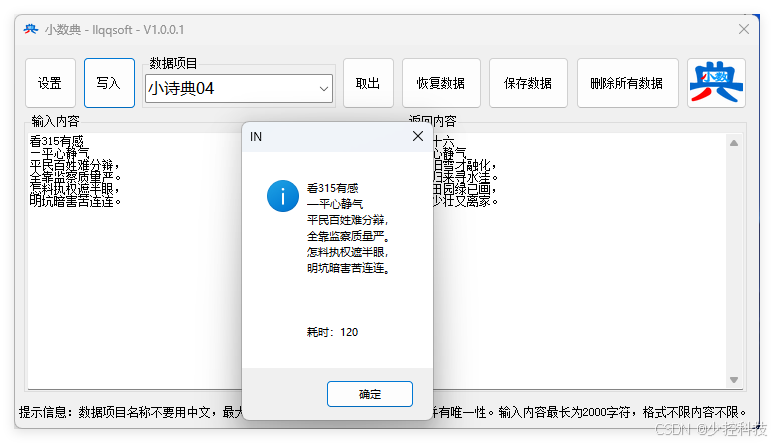
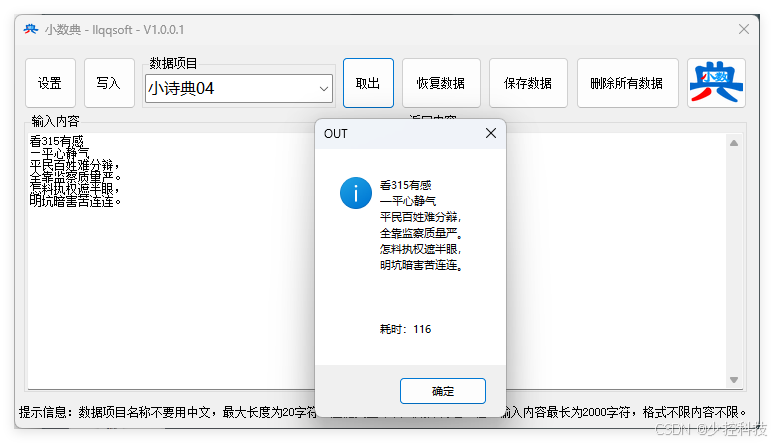
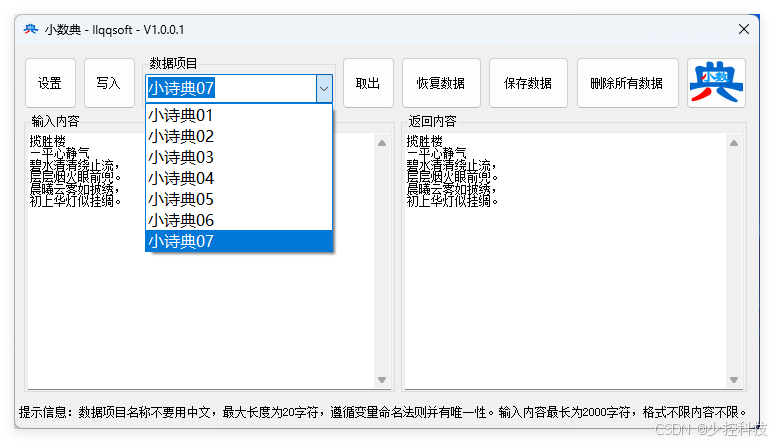
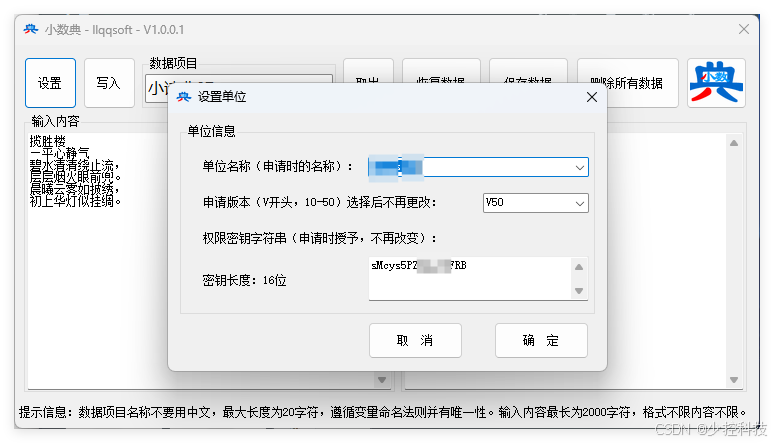
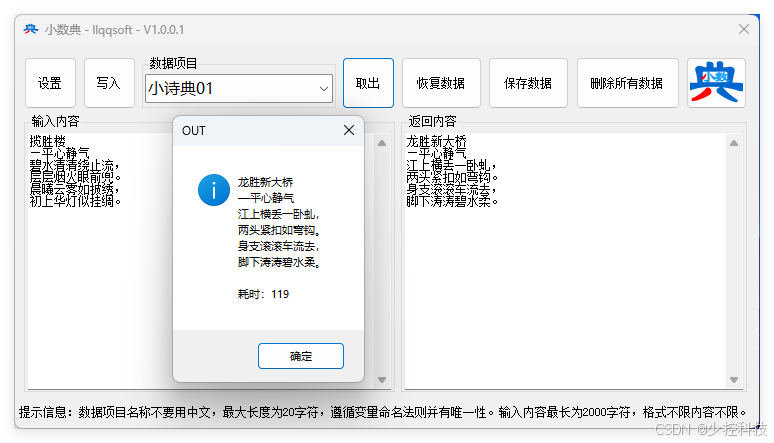
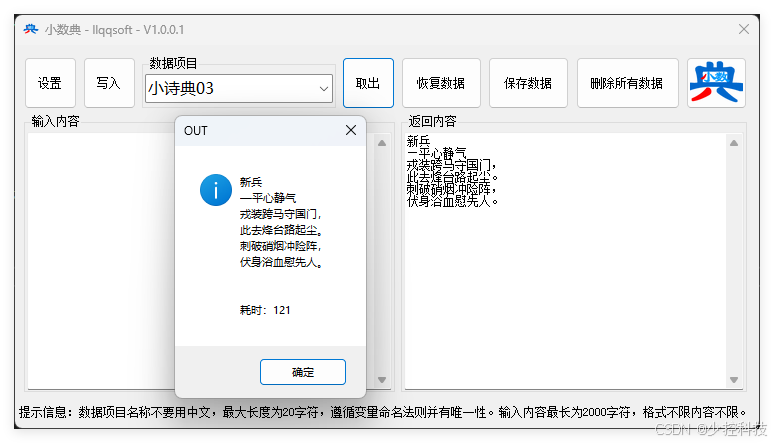
只要用同一个设置,到哪都能读到原来存进去的诗篇。改了又存。随时随地灵感而来,随时随地记录。
点击链接加入群聊【小数典】:https://qm.qq.com/q/uSmCtLJhHG