目录
- 前情回顾与本节目标
- 第一步:签到与缺勤功能
-
- [2.1 按钮配置](#2.1 按钮配置)
- [2.2 记录出勤方法](#2.2 记录出勤方法)
- 第二步:黑名单管理
-
- [2.1 创建黑名单管理页面](#2.1 创建黑名单管理页面)
- [2.2 页面布局](#2.2 页面布局)
- [2.3 添加数据表格](#2.3 添加数据表格)
- [2.4 移除黑名单](#2.4 移除黑名单)
- 最终效果
- 总结
前情回顾与本节目标
在上一节中,我们完成了教务端的预约课程发布功能。本节我们将继续完善预约管理后台,实现预约详情中的签到/缺勤记录,以及黑名单管理功能。
本节核心目标:
- 签到/缺勤记录:记录学员出勤情况,缺勤自动累计次数
- 黑名单管理:缺勤超次自动加入黑名单,支持手动移除
第一步:签到与缺勤功能
2.1 按钮配置
在预约详情表格的操作列,添加两个按钮组件
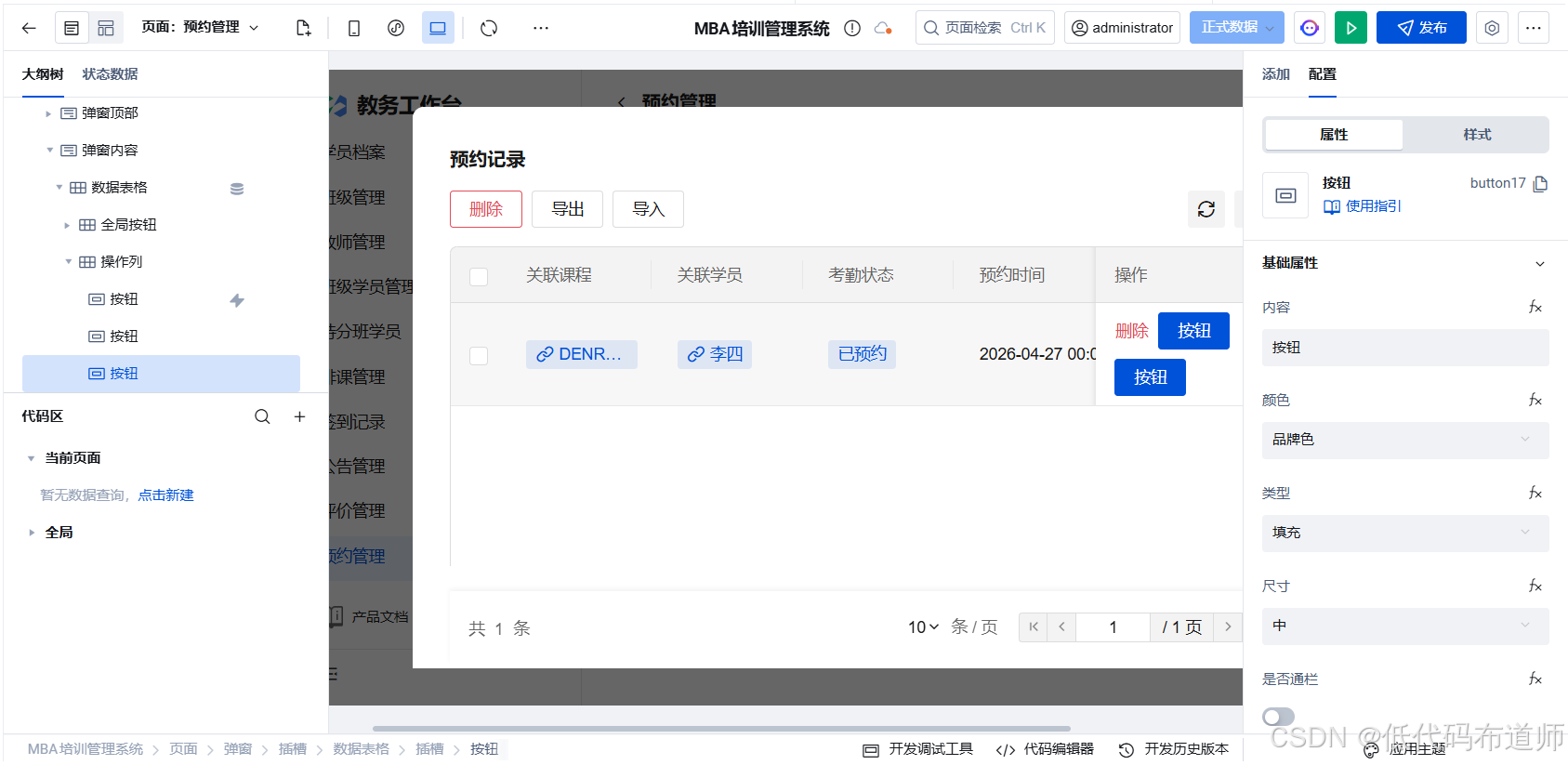
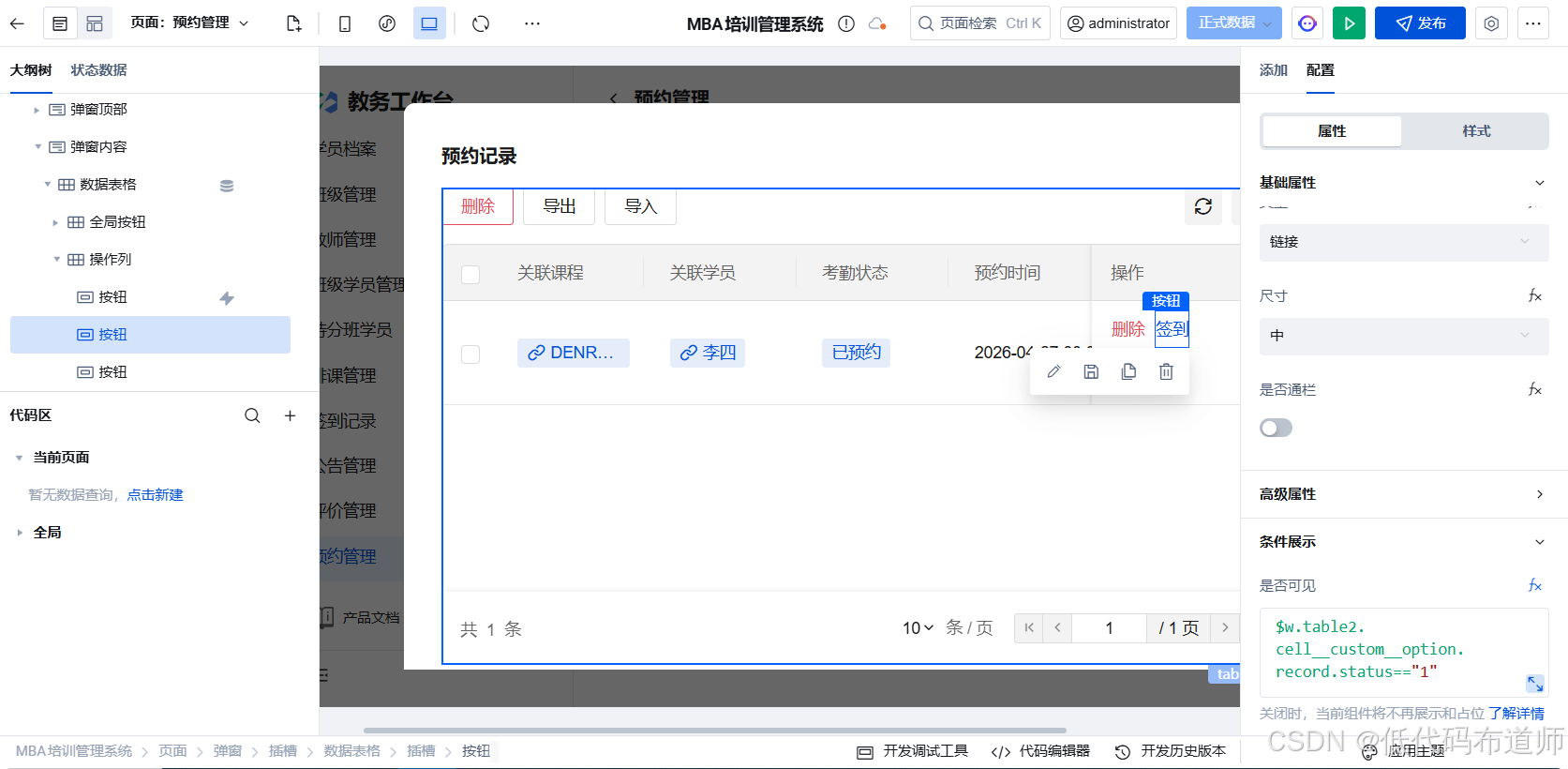
第一个按钮改为签到,绑定条件展示,当状态是1的时候显示
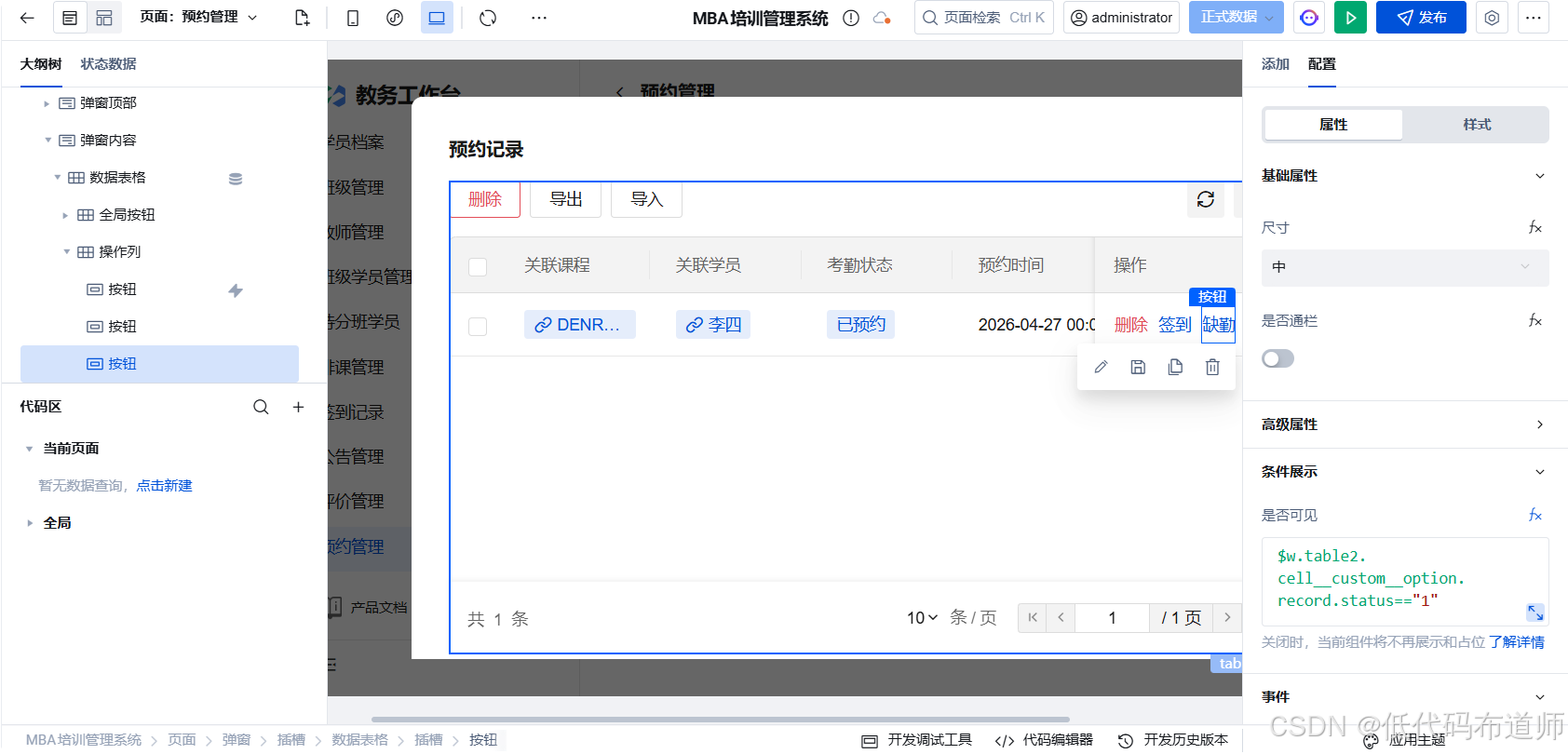
第二个按钮改为缺勤,条件展示和第一个按钮按照同样的方式绑定
2.2 记录出勤方法
创建自定义方法 markAttendance:
javascript
export default async function markAttendance({ event, data }) {
  try {
    const booking = data.target;
    console.log("booking",booking)
    const attendanceType = data.target.attendanceType; // 'checkin' 或 'absent'

    $w.utils.showLoading({ title: '处理中...' });

    // 更新预约状态
    const newStatus = attendanceType === 'checkin' ? '2' : '3';

    await $w.cloud.callDataSource({
      dataSourceName: 'MBA_Bookings',
      methodName: 'wedaUpdateV2',
      params: {
        data: {
          status: newStatus,
        },
        filter: {
          where: {
            _id: { $eq: booking._id }
          }
        }
      }
    });

    // 如果是缺勤,增加学员缺勤次数
    if (attendanceType === 'absent') {
      // 查询学员当前缺勤次数
      const studentRes = await $w.cloud.callDataSource({
        dataSourceName: 'MBA_StudentProfiles',
        methodName: 'wedaGetItemV2',
        params: {
          filter: {
            where: {
              _id: { $eq: booking.rel_student_id._id }
            }
          }
        }
      });

      const student = studentRes;
      const newAbsentCount = (student.absent_count || 0) + 1;

      // 更新学员缺勤次数
      const updateData = {
        absent_count: newAbsentCount,
      };

      // 如果缺勤次数达到2次,自动加入黑名单
      if (newAbsentCount >= 2) {
        updateData.is_blacklisted = true;
        updateData.blacklist_reason = '累计缺勤' + newAbsentCount + '次,自动加入黑名单';
      }

      await $w.cloud.callDataSource({
        dataSourceName: 'MBA_StudentProfiles',
        methodName: 'wedaUpdateV2',
        params: {
          data: updateData,
          filter: {
            where: {
              _id: { $eq: booking.rel_student_id._id }
            }
          }
        }
      });

      // 如果加入黑名单,给出提示
      if (newAbsentCount >= 2) {
        $w.utils.hideLoading();
        $w.utils.showModal({
          title: '提示',
          content: '学员 ' + student.student_name + ' 累计缺勤' + newAbsentCount + '次,已自动加入黑名单',
          showCancel: false
        });

        $w.table2.refresh()
        return;
      }
    }

    $w.utils.hideLoading();
    $w.utils.showToast({ title: '记录成功', icon: 'success' });

    // 刷新预约列表
     $w.table2.refresh()

  } catch (e) {
    console.error('记录出勤失败', e);
    $w.utils.hideLoading();
    $w.utils.showToast({ title: '记录失败', icon: 'error' });
  }
}
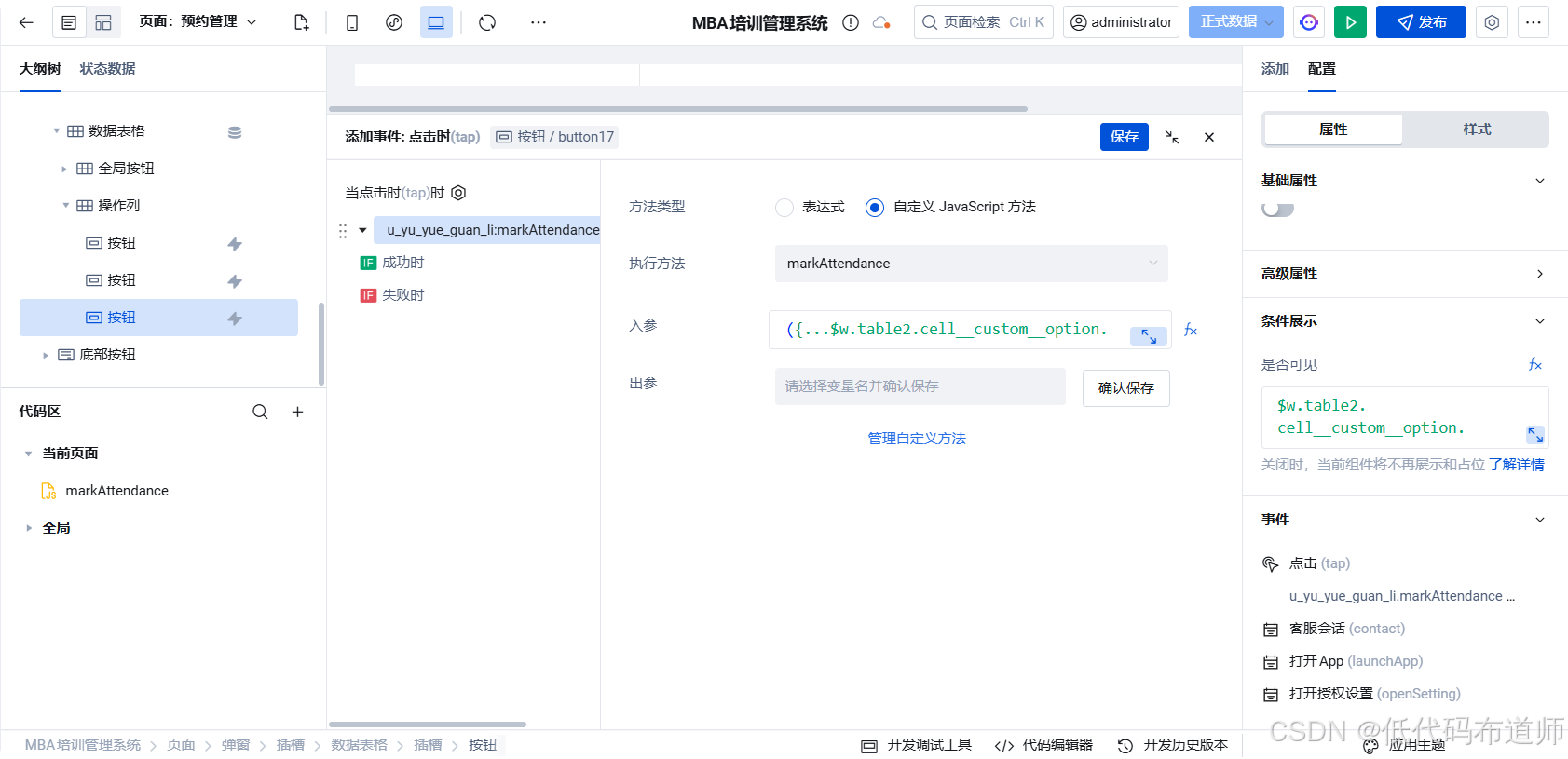
给签到按钮绑定点击事件,调用方法传入入参
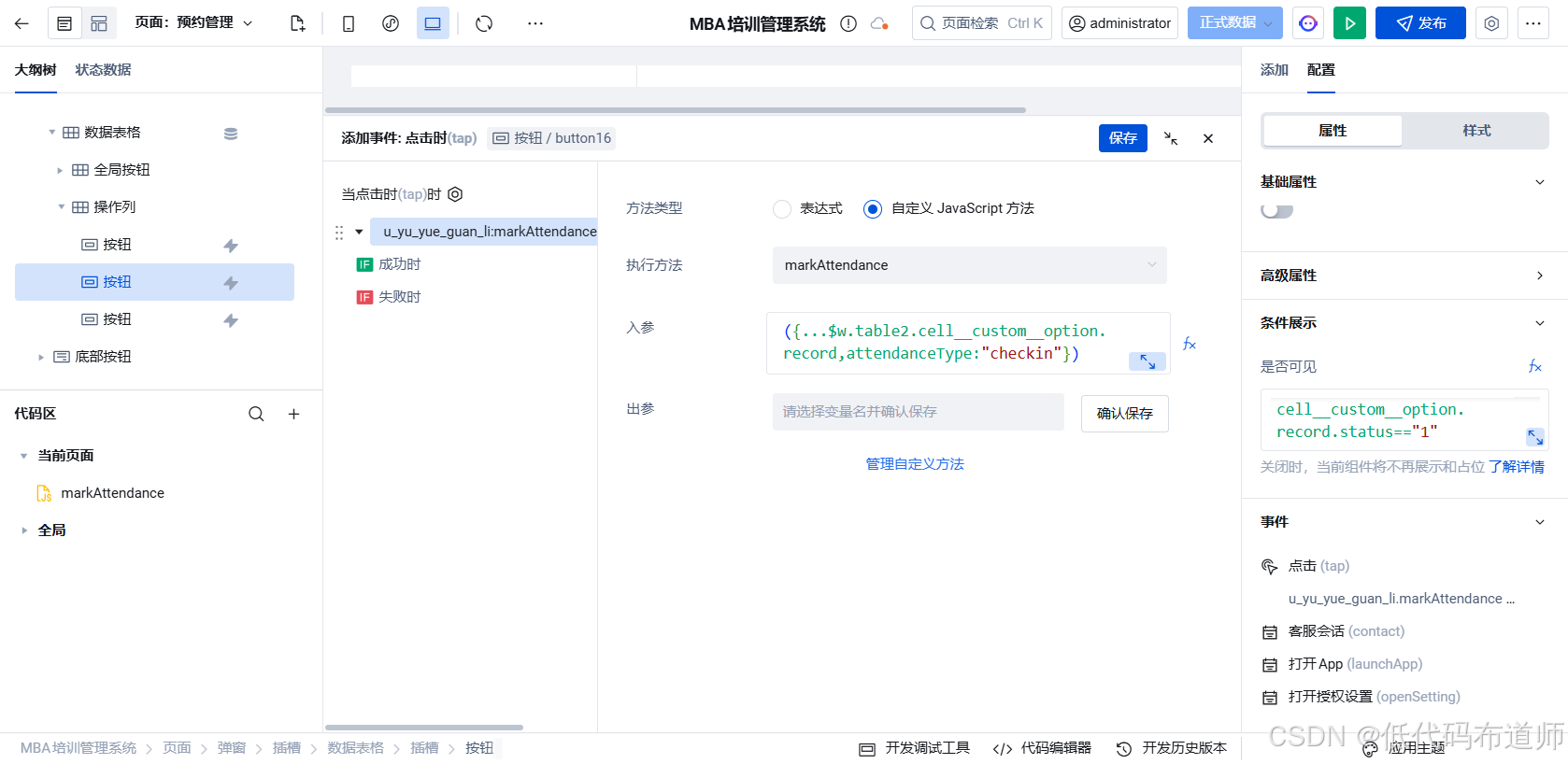
bash
({...$w.table2.cell__custom__option.record,attendanceType:"checkin"})给缺勤按钮绑定点击事件,调用方法,传入入参
bash
({...$w.table2.cell__custom__option.record,attendanceType:"absent"})第二步:黑名单管理
2.1 创建黑名单管理页面
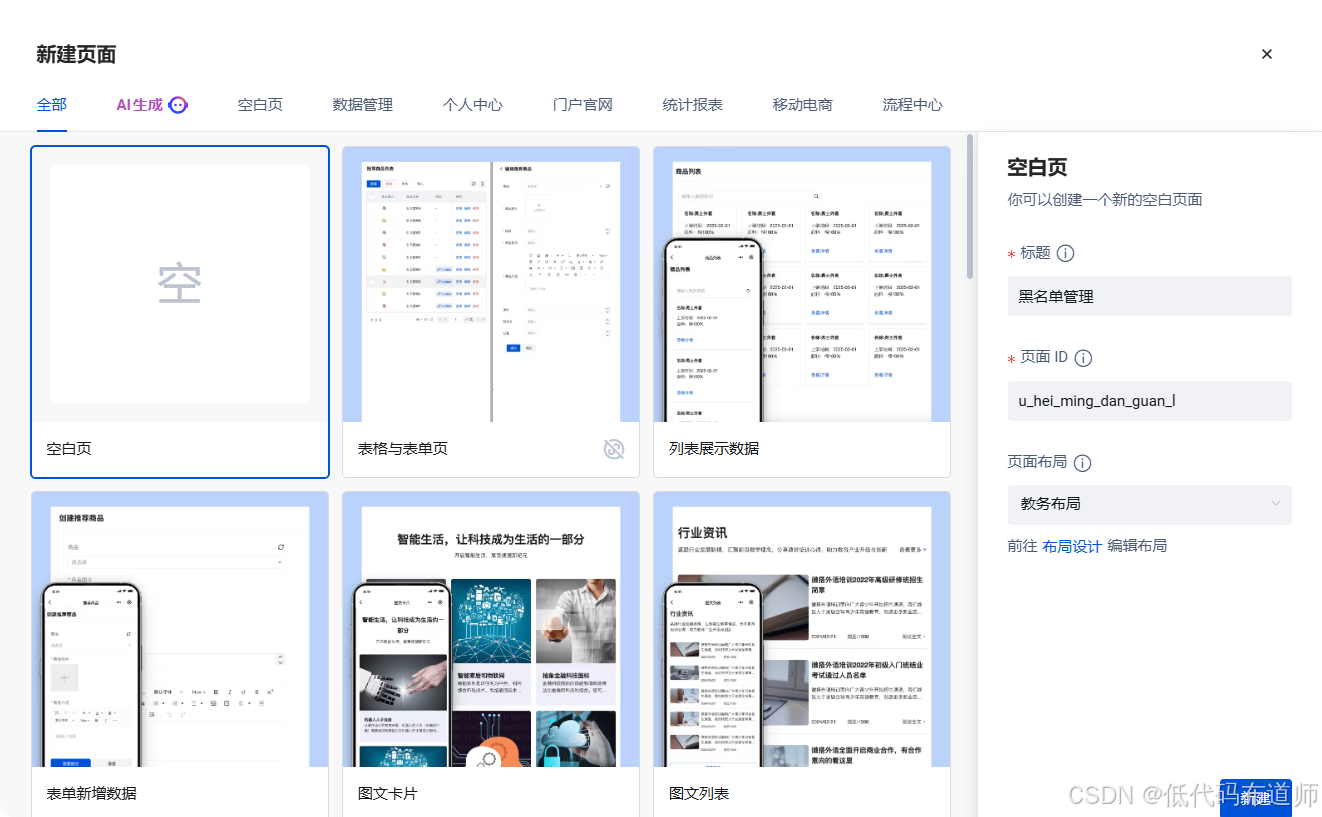
点击创建页面 图标,输入"黑名单管理",选择教务布局
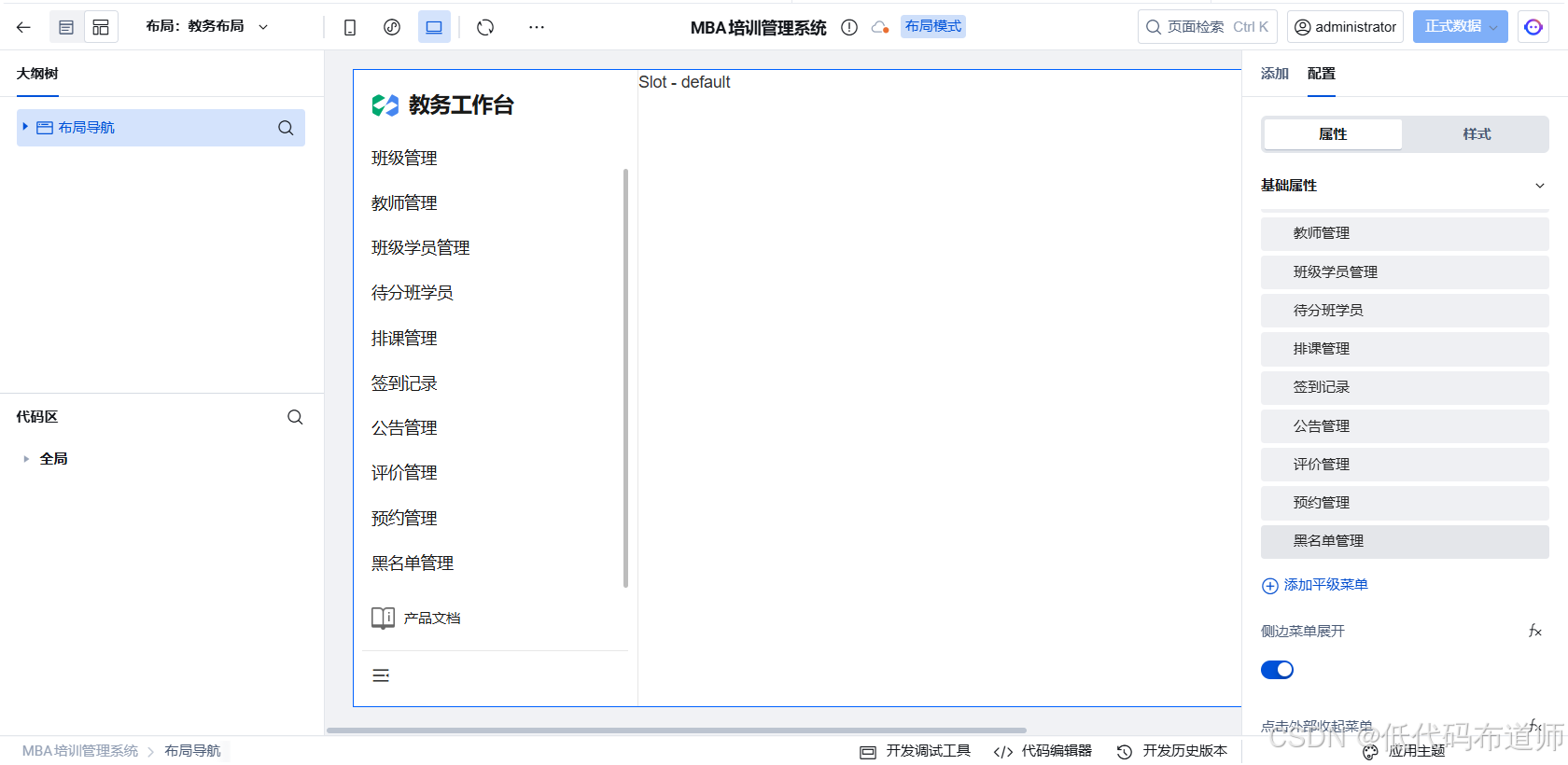
切换到布局管理,在教务布局下添加"黑名单管理"菜单
2.2 页面布局
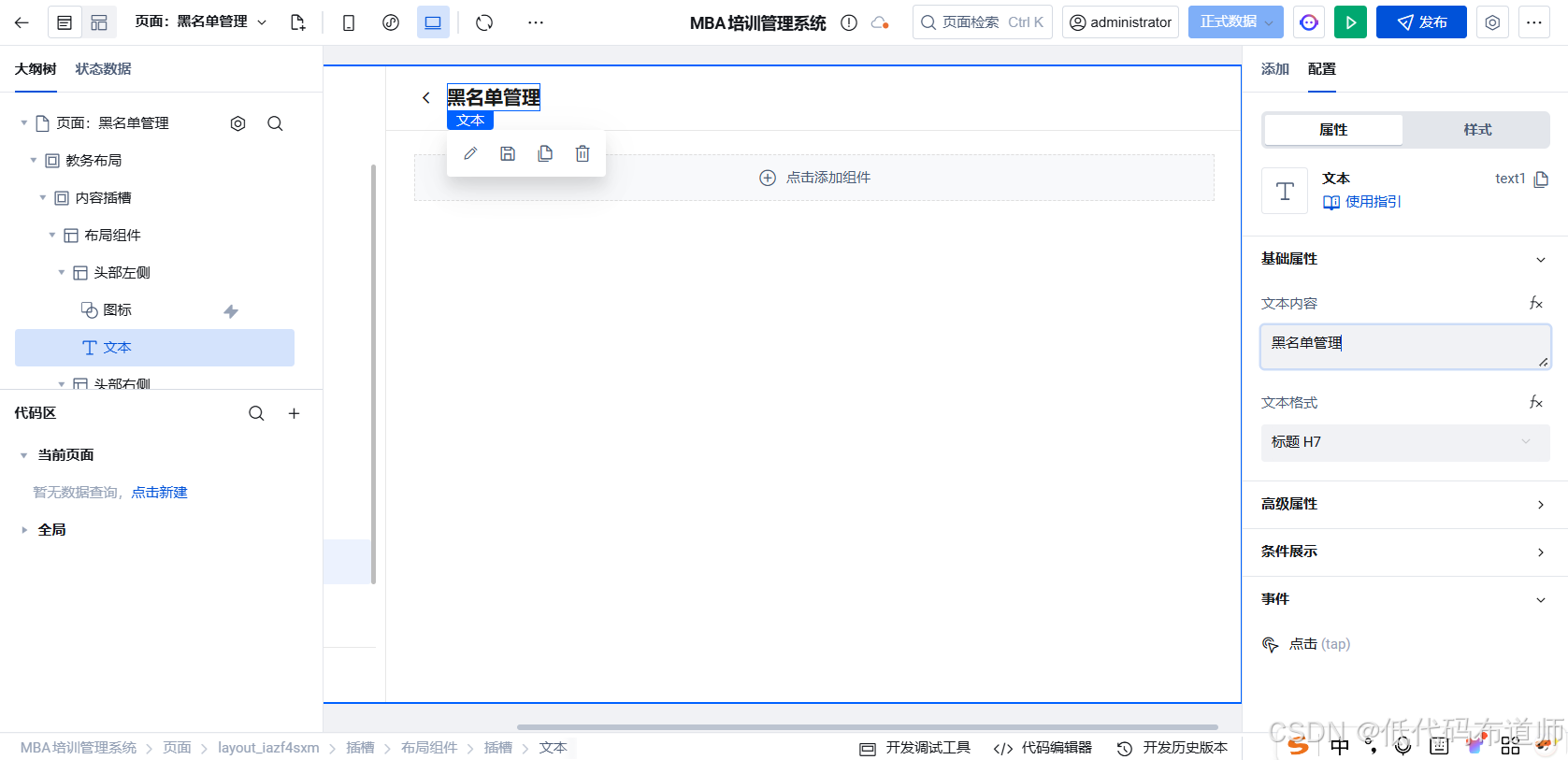
切换回页面设计,在教务布局下添加布局组件
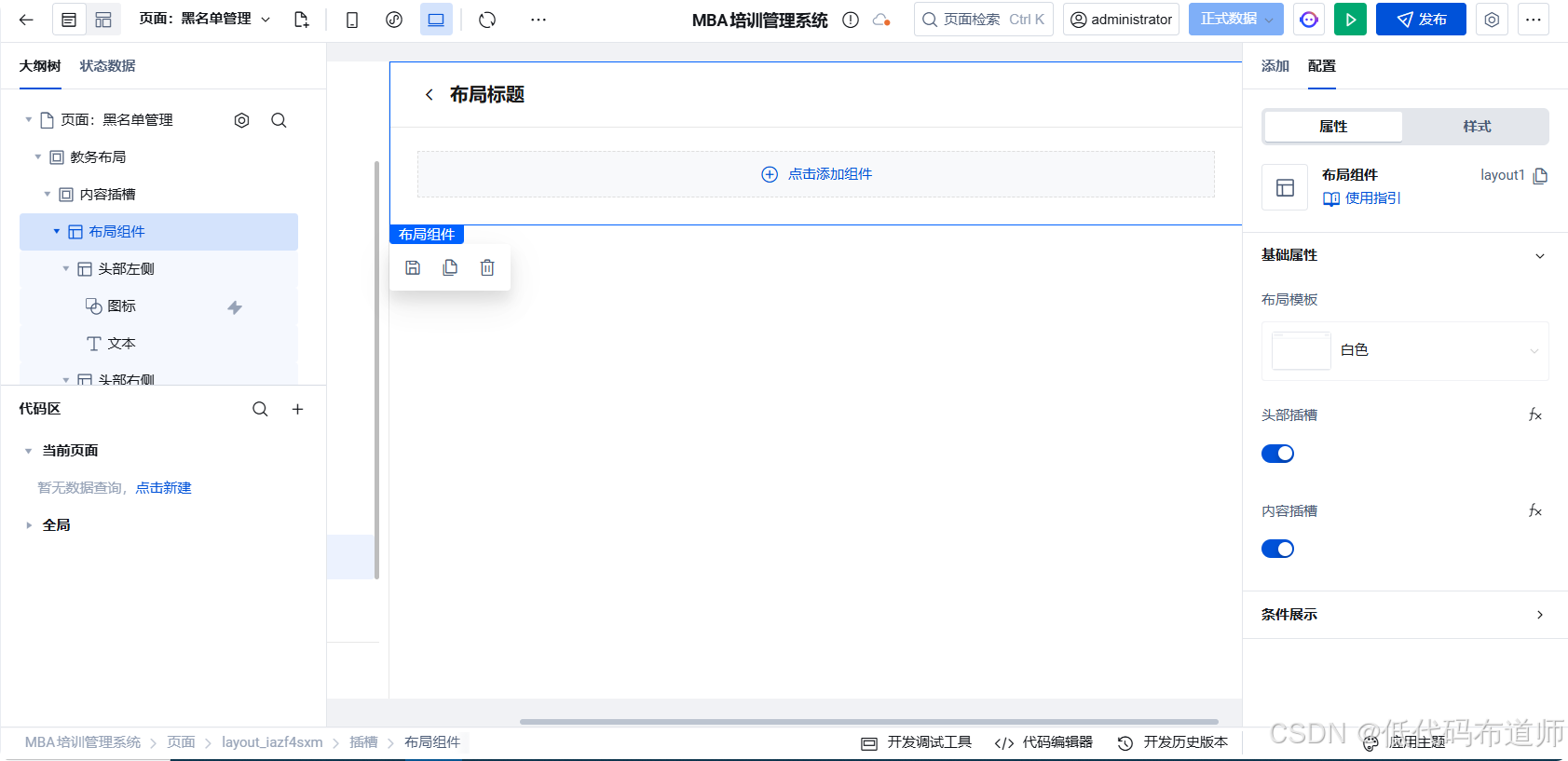
将标题改为黑名单管理
2.3 添加数据表格
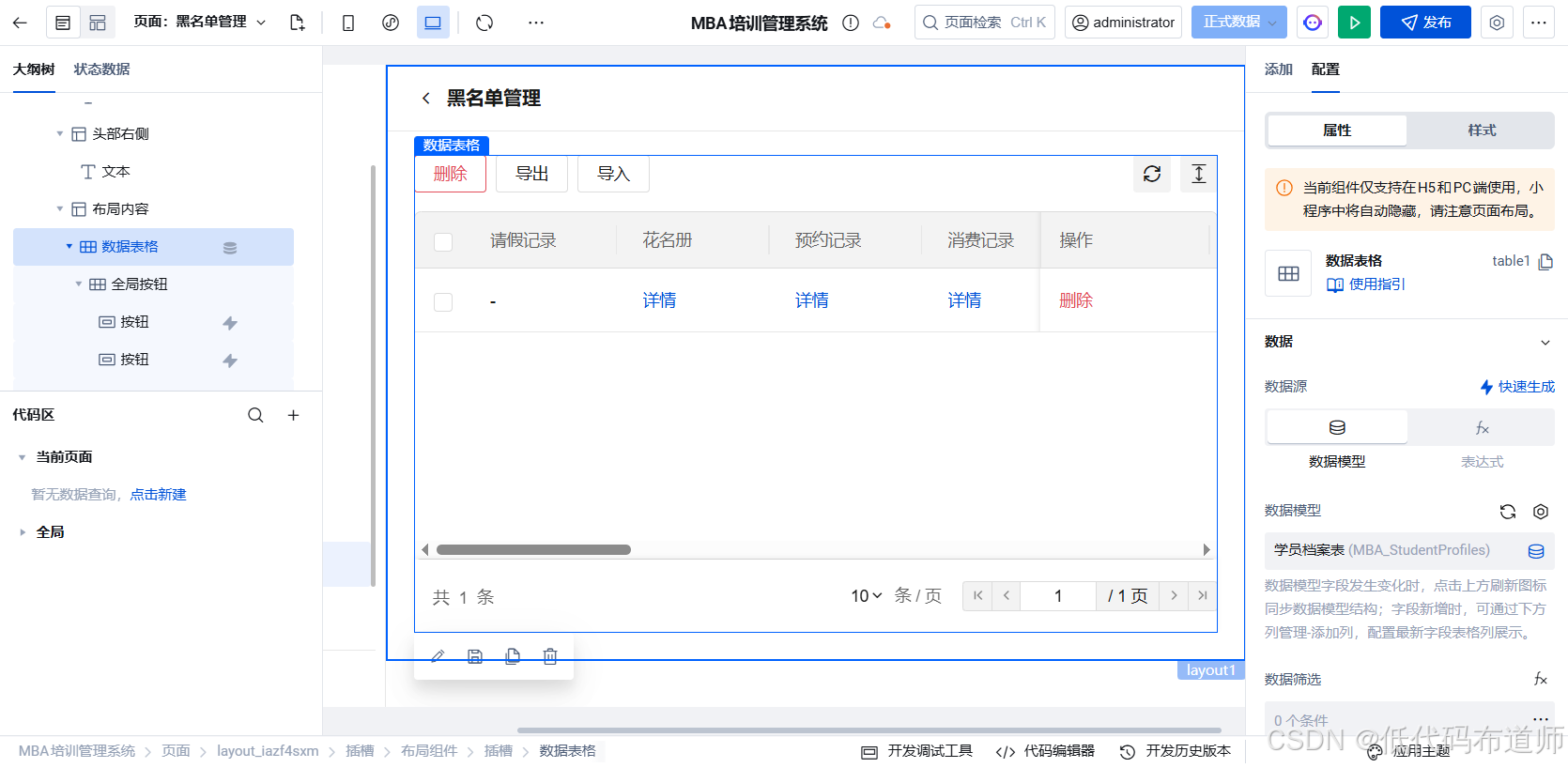
在页面中添加数据表格组件 ,数据模型选择MBA_StudentProfiles 。
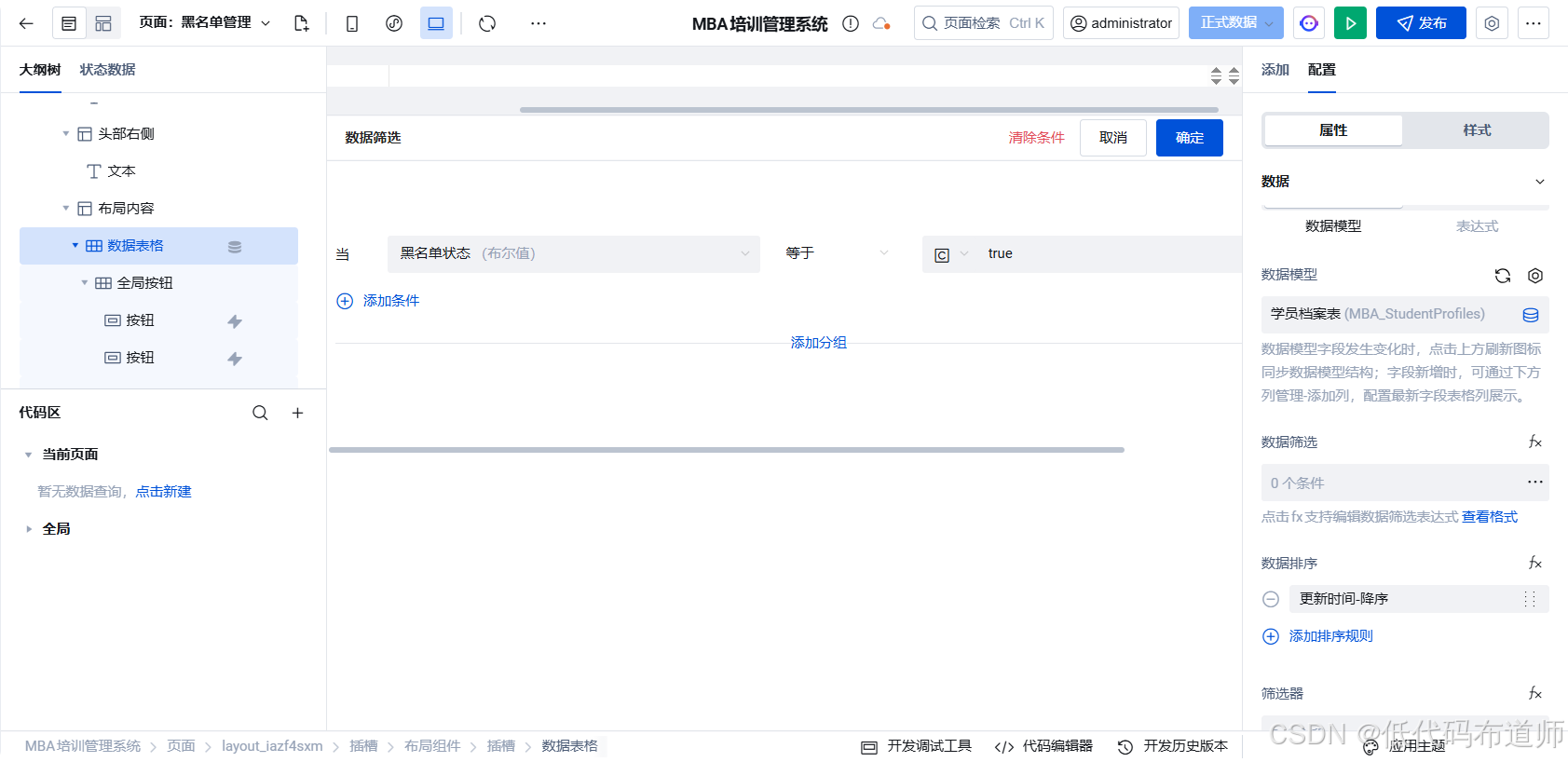
配置表格筛选条件,配置为黑名单状态为true的:
2.4 移除黑名单
操作列增加移除黑名单按钮
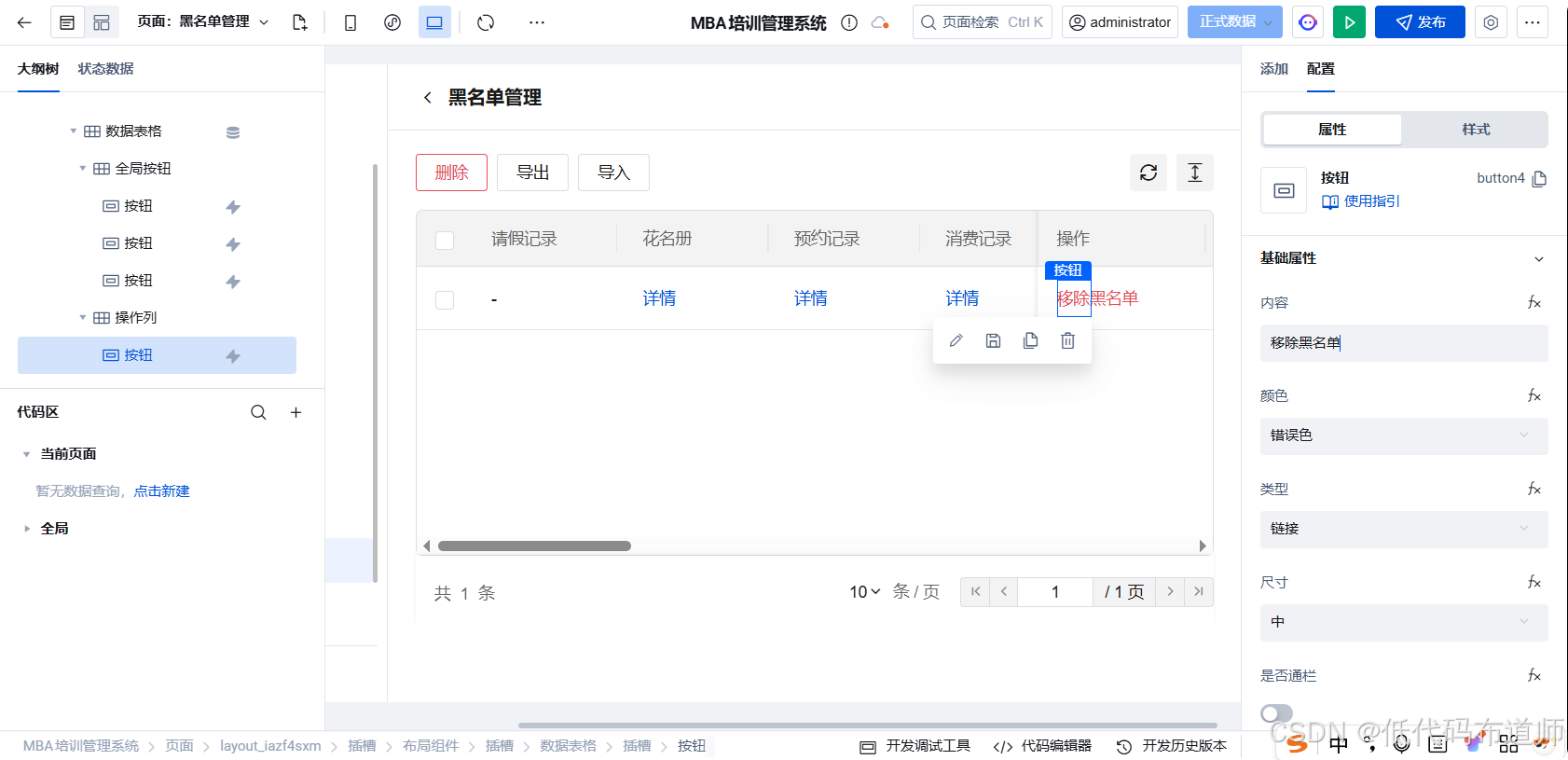
创建自定义方法 removeFromBlacklist:
javascript
export default async function removeFromBlacklist({ event, data }) {
  try {
    const student = data.target;

    // 确认弹窗
    const confirmRes = await $w.utils.showModal({
      title: '确认移除黑名单',
      content: '确定将学员 "' + student.name + '" 从黑名单中移除吗?移除后缺勤次数将清零。',
      showCancel: true
    });

    if (!confirmRes.confirm) {
      return;
    }

    $w.utils.showLoading({ title: '处理中...' });

    await $w.cloud.callDataSource({
      dataSourceName: 'MBA_StudentProfiles',
      methodName: 'wedaUpdateV2',
      params: {
        data: {
          is_blacklisted: false,
          blacklist_reason: '',
          absent_count: 0,
          updated: $w.Now()
        },
        filter: {
          where: {
            _id: { $eq: student._id }
          }
        }
      }
    });

    $w.utils.hideLoading();
    $w.utils.showToast({ title: '已移除黑名单', icon: 'success' });

    // 刷新列表
    $w.table1.refresh();

  } catch (e) {
    console.error('移除黑名单失败', e);
    $w.utils.hideLoading();
    $w.utils.showToast({ title: '操作失败', icon: 'error' });
  }
}
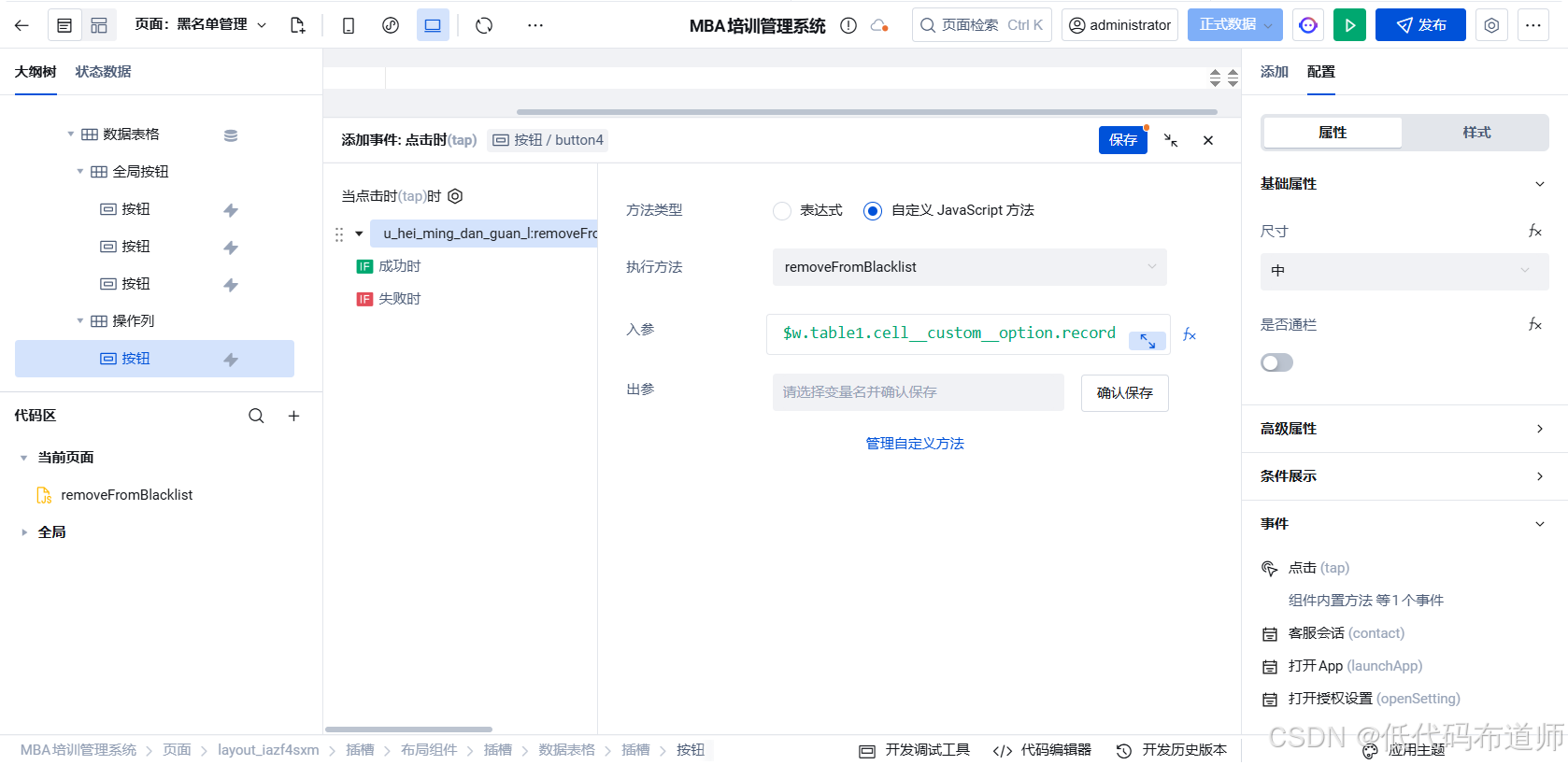
给按钮配置点击事件,调用方法,传入所在行数据
最终效果
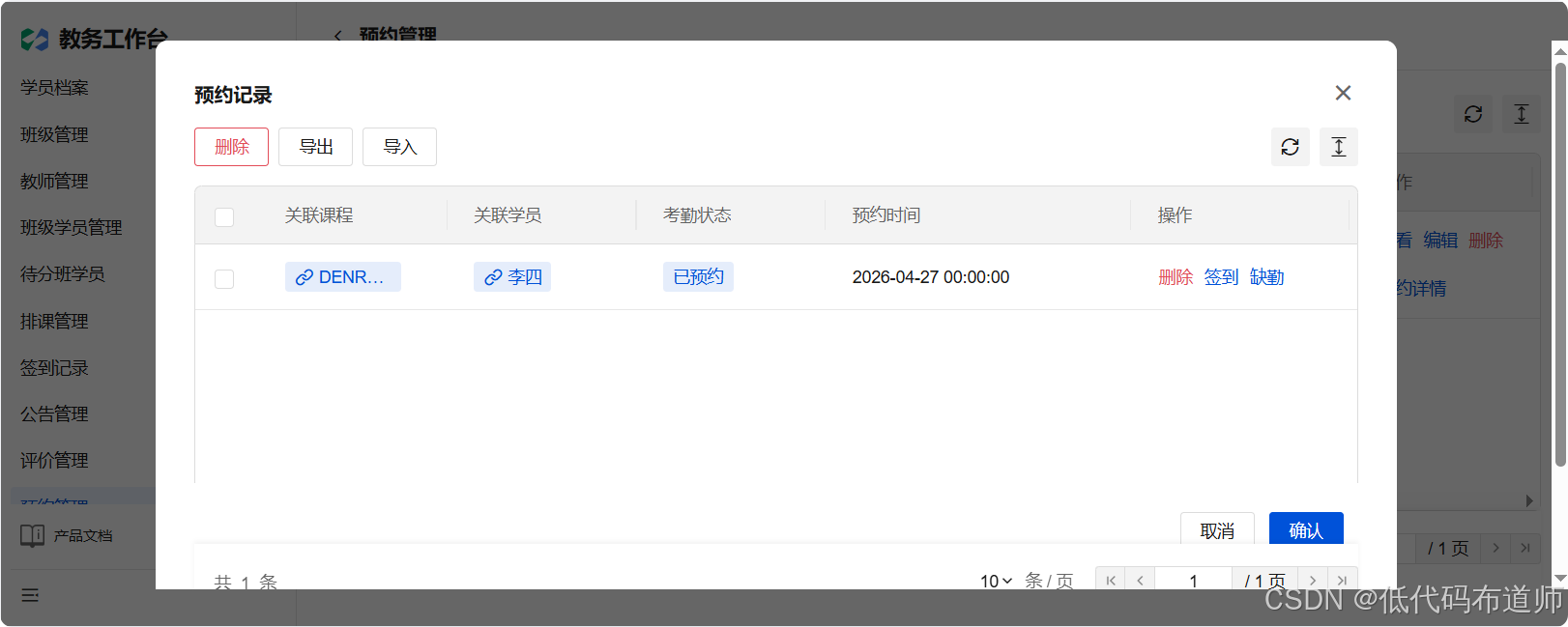
教务可以查看学员的预约记录,标记签到或者缺勤
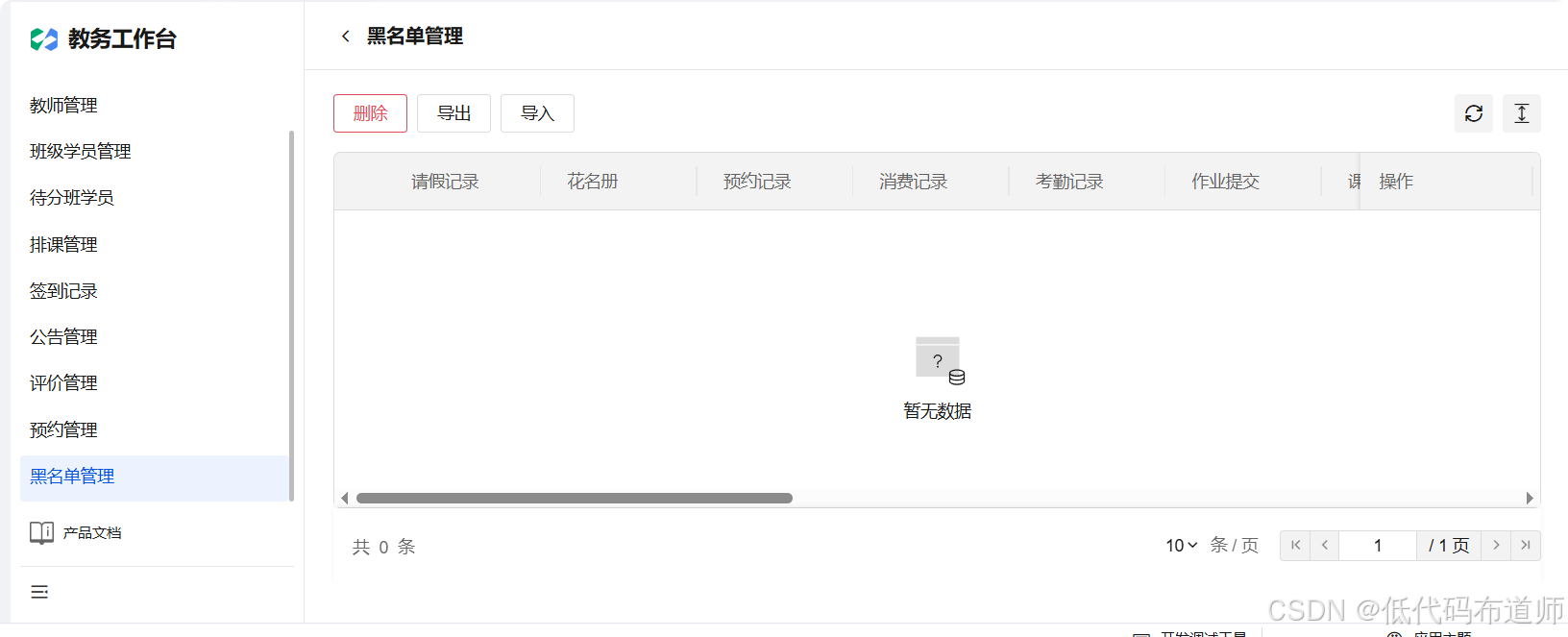
超过2次就加入黑名单,可以手动移除
总结
本节完成了教务端预约详情与黑名单管理的实现:
- 预约详情弹窗:显示学员预约列表,包含学员信息和预约状态
- 签到功能:记录学员签到状态,更新为已签到
- 缺勤功能:记录学员缺勤状态,自动累计缺勤次数
- 自动黑名单:缺勤次数达到2次,自动加入黑名单并提示
- 黑名单管理:查看黑名单学员,支持手动移除