酝酿很久的Idea
早就有一个使用 Netty 开发一款简单易用的 Http Server Framework(暂且叫作 Fast-Http) 想法了,这个想法已经在我头脑里面酝酿了很久了。只不过是一直没有时间来落地这个想法,现在 AI 编程模型已经十分强大了,那么不如就利用 AI 实现我的想法吧!(打算一天之内搞定写出能用的一版 😅)
初始化工程
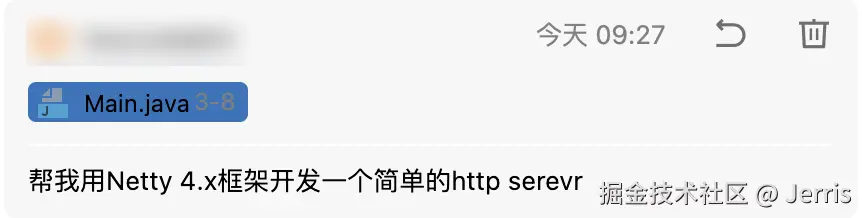
首先我让 AI 利用 Netty 4.x 版本开发一个最简单的 Http Server:
然后 AI 帮我导入了 Netty 的依赖:
xml
<netty.version>4.1.100.Final</netty.version>

<!-- Netty -->
<dependency>
    <groupId>io.netty</groupId>
    <artifactId>netty-all</artifactId>
    <version>${netty.version}</version>
</dependency>
自定义HttpRequestHandler
AI 紧接着定义了 HttpRequestHandler 类,继承了 SimpleChannelInboundHandler 类,泛型是 FullHttpRequest。SimpleChannelInboundHandler 是 Netty 提供的一个简化的入站处理器基类,它的主要作用是:
- 处理入站数据:用于处理从客户端接收到的数据(如 HTTP 请求)。
- 自动资源管理:会自动释放消息的引用计数,避免内存泄漏。
- 简化开发:相比
ChannelInboundHandlerAdapter,它只需要实现一个方法channelRead0。
FullHttpRequest 是 Netty HTTP 模块中的一个接口,代表完整的 HTTP 请求,而且它包含请求行 + 请求头 + 完整请求体还可以一次性获取完整请求。
工作流程图解:
txt
客户端请求
    ↓
┌─────────────────────────┐
│   HttpServerCodec       │  ← HTTP 编解码器
│   (解码为 HttpObject)    │
└─────────────────────────┘
    ↓
┌─────────────────────────┐
│ HttpObjectAggregator    │  ← 聚合多个 HttpObject
│   (聚合成 FullHttpRequest)│
└─────────────────────────┘
    ↓
┌─────────────────────────┐
│ HttpRequestHandler      │  ← 你的处理器
│ (处理 FullHttpRequest)   │
└─────────────────────────┘
    ↓
返回 FullHttpResponse
这种组合让你能够用最简洁的代码处理 HTTP 请求,而无需关心底层的消息分片和内存管理细节。
java
/**
 * HTTP 请求处理器
 */
public class HttpRequestHandler extends SimpleChannelInboundHandler<FullHttpRequest> {

    private static final ObjectMapper objectMapper = new ObjectMapper();

    @Override
    protected void channelRead0(ChannelHandlerContext ctx, FullHttpRequest request) throws Exception {
        // 获取请求信息(仅用于日志)
        String uri = request.uri();
        HttpMethod method = request.method();

        System.out.println("收到请求: " + method + " " + uri);

        // 构建成功响应
        Map<String, Object> response = new HashMap<>();
        response.put("code", 200);
        response.put("msg", "success");

        // 使用 Jackson 转换为 JSON
        String jsonResponse = objectMapper.writeValueAsString(response);

        // 创建响应对象
        FullHttpResponse httpResponse = new DefaultFullHttpResponse(
                HttpVersion.HTTP_1_1,
                HttpResponseStatus.OK,
                Unpooled.copiedBuffer(jsonResponse, CharsetUtil.UTF_8)
        );

        // 设置响应头
        httpResponse.headers().set(HttpHeaderNames.CONTENT_TYPE, "application/json; charset=UTF-8");
        httpResponse.headers().setInt(HttpHeaderNames.CONTENT_LENGTH, httpResponse.content().readableBytes());
        httpResponse.headers().set(HttpHeaderNames.CONNECTION, HttpHeaderValues.KEEP_ALIVE);

        // 发送响应
        ctx.writeAndFlush(httpResponse).addListener(ChannelFutureListener.CLOSE);
    }

    @Override
    public void exceptionCaught(ChannelHandlerContext ctx, Throwable cause) {
        System.err.println("发生异常: " + cause.getMessage());
        cause.printStackTrace();
        ctx.close();
    }
}
HttpServer
这个 HttpServer 支持以下特性:
- ✅ 使用 Netty 4.x 框架
- ✅ 支持 HTTP/1.1 协议
- ✅ Boss-Worker 线程模型(高性能)
- ✅ Keep-Alive 连接保持
- ✅ 自动 HTTP 编解码
- ✅ 异常处理机制
java
/**
 * 简单的 HTTP Server
 */
public class HttpServer {

    private final int port;

    public HttpServer(int port) {
        this.port = port;
    }

    public void start() throws Exception {
        // Boss 线程组:用于接收客户端连接
        EventLoopGroup bossGroup = new NioEventLoopGroup(1);
        // Worker 线程组:用于处理网络读写
        EventLoopGroup workerGroup = new NioEventLoopGroup();

        try {
            ServerBootstrap bootstrap = new ServerBootstrap();
            bootstrap.group(bossGroup, workerGroup)
                    .channel(NioServerSocketChannel.class)
                    .option(ChannelOption.SO_BACKLOG, 128)
                    .childOption(ChannelOption.SO_KEEPALIVE, true)
                    .childHandler(new ChannelInitializer<SocketChannel>() {
                        @Override
                        protected void initChannel(SocketChannel ch) {
                            // 添加 HTTP 编解码器
                            ch.pipeline().addLast(new HttpServerCodec());
                            // 聚合 HTTP 消息(处理大消息)
                            ch.pipeline().addLast(new HttpObjectAggregator(65536));
                            // 添加自定义的 HTTP 请求处理器
                            ch.pipeline().addLast(new HttpRequestHandler());
                        }
                    });

            System.out.println("HTTP Server 启动中...");
            ChannelFuture future = bootstrap.bind(port).sync();
            System.out.println("HTTP Server 已启动,监听端口: " + port);

            // 等待服务器 socket 关闭
            future.channel().closeFuture().sync();
        } finally {
            // 优雅关闭线程组
            workerGroup.shutdownGracefully();
            bossGroup.shutdownGracefully();
            System.out.println("HTTP Server 已关闭");
        }
    }

    public static void main(String[] args) throws Exception {
        int port = 8080;
        if (args.length > 0) {
            port = Integer.parseInt(args[0]);
        }

        new HttpServer(port).start();
    }
}
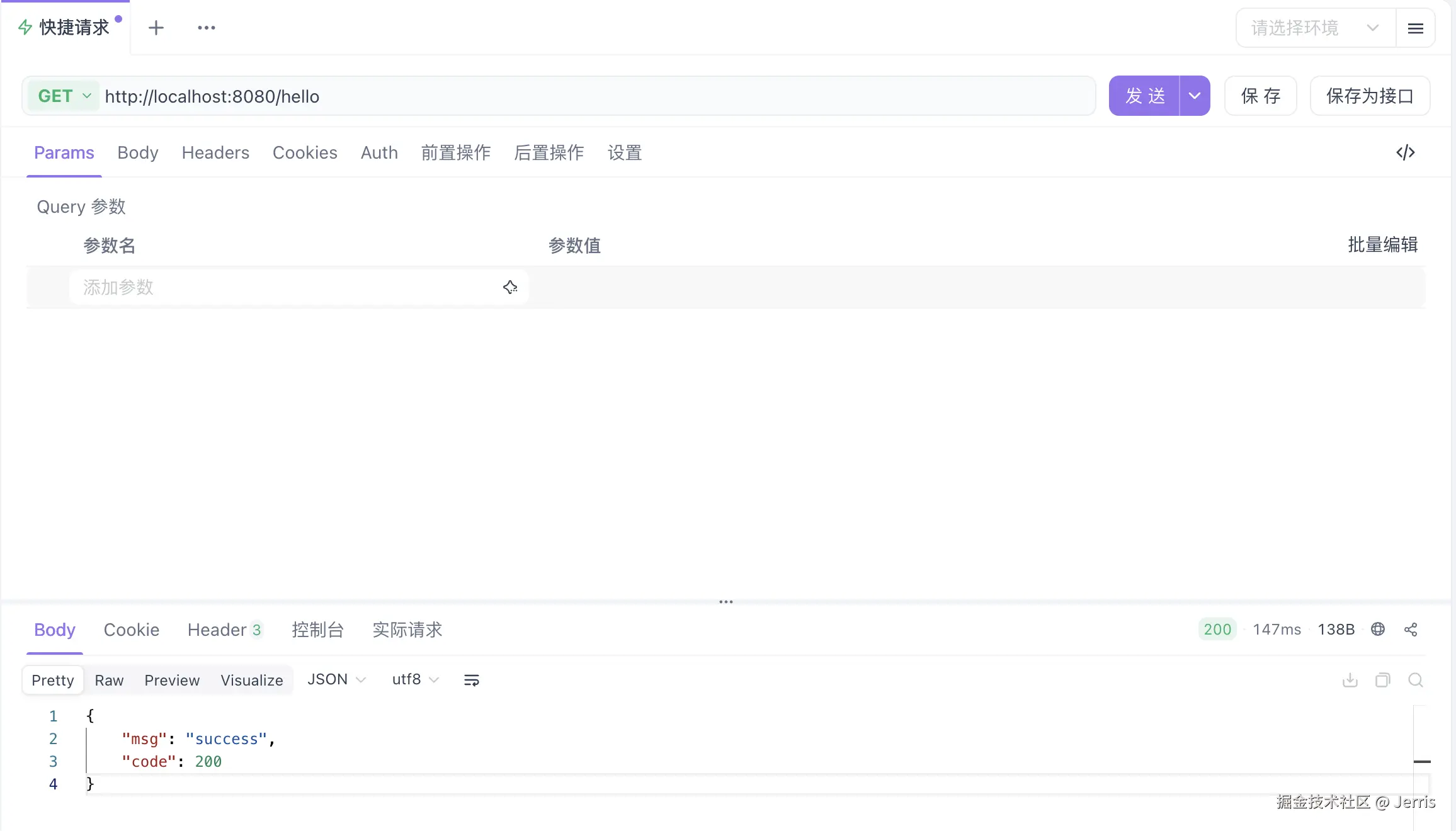
使用 ApiFox 做一下简单的测试可以看到成功地调用了接口:
请求路由注解
那么下一步我就要实现基于注解声明式的路由模块了:
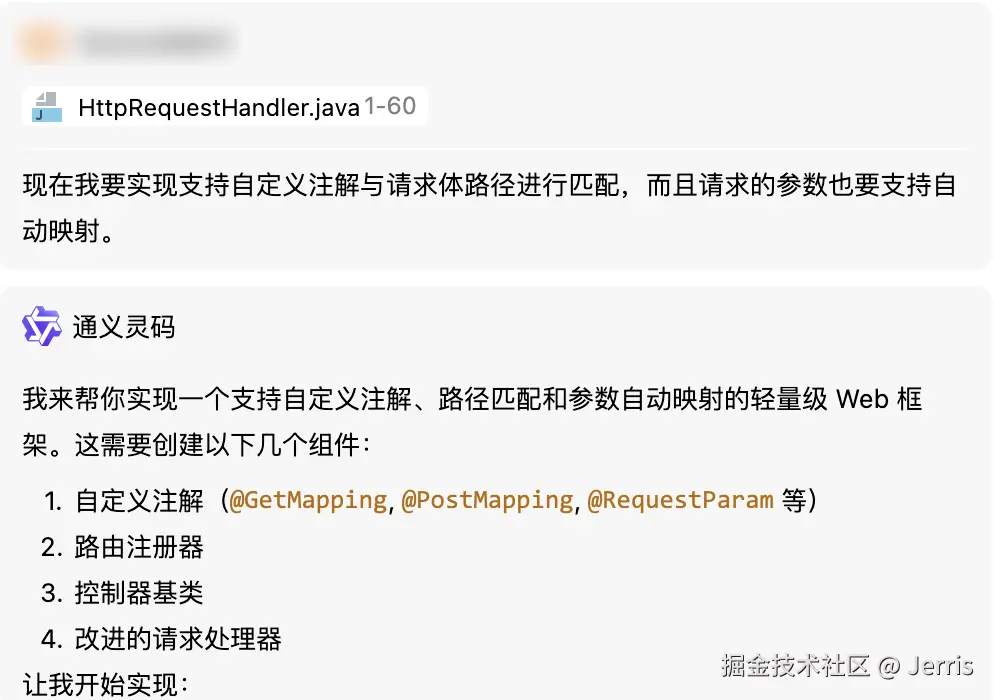
功能特性:
- ✅ 注解驱动路由 - 使用
@GetMapping、@PostMapping定义接口 - ✅ 路径变量 - 支持
/user/{id}形式的动态路径 - ✅ 查询参数 - 自动映射
?name=张三&age=20 - ✅ 请求体 - 自动反序列化 JSON 到对象
- ✅ 参数校验 - 支持必填、默认值
- ✅ 类型转换 - 自动转换
String到Integer、Long、Double等 - ✅ 统一响应 - 标准 JSON 格式 {code, msg, data}
定义注解
AI 定义了如下注解:
@RestController:Rest API 控制器@GetMapping:GET 请求方法映射@PathVariable:路径参数解析@PostMapping:POST 请求方法映射@RequestBody:请求体映射@RequestParam:查询字符串参数映射
组件扫描器ControllerScanner
ControllerScanner 用于扫描并注册控制器,最后再扫描控制器里面的所有方法并解析:
java
/**
 * 控制器扫描器 - 自动扫描并注册带有注解的控制器
 */
public class ControllerScanner {

    private final RouterRegistry routerRegistry = RouterRegistry.getInstance();

    /**
     * 扫描并注册控制器实例
     */
    public void scanAndRegister(Object controller) {
        Class<?> clazz = controller.getClass();
        registerController(clazz, controller);
    }

    /**
     * 注册控制器
     */
    private void registerController(Class<?> clazz, Object instance) {
        // 检查是否有 @Controller 或 @RestController 注解
        if (!clazz.isAnnotationPresent(Controller.class) && !clazz.isAnnotationPresent(RestController.class)) {
            throw new IllegalArgumentException("类 " + clazz.getName() + " 没有 @Controller 或 @RestController 注解");
        }

        // 获取注解(优先使用 RestController)
        String basePath = "";
        if (clazz.isAnnotationPresent(RestController.class)) {
            basePath = clazz.getAnnotation(RestController.class).value();
        } else if (clazz.isAnnotationPresent(Controller.class)) {
            basePath = clazz.getAnnotation(Controller.class).value();
        }

        // 如果没有提供实例,则创建新实例
        Object controller = instance;
        if (controller == null) {
            try {
                controller = clazz.getDeclaredConstructor().newInstance();
            } catch (Exception e) {
                throw new RuntimeException("无法创建控制器实例: " + clazz.getName(), e);
            }
        }

        // 扫描所有方法
        for (Method method : clazz.getDeclaredMethods()) {
            registerMethod(basePath, controller, method);
        }
    }

    /**
     * 注册方法路由
     */
    private void registerMethod(String basePath, Object controller, Method method) {
        // 检查 GetMapping
        if (method.isAnnotationPresent(GetMapping.class)) {
            GetMapping mapping = method.getAnnotation(GetMapping.class);
            String path = combinePath(basePath, mapping.value());
            routerRegistry.registerRoute(HttpMethod.GET, path, controller, method);
        }

        // 检查 PostMapping
        if (method.isAnnotationPresent(PostMapping.class)) {
            PostMapping mapping = method.getAnnotation(PostMapping.class);
            String path = combinePath(basePath, mapping.value());
            routerRegistry.registerRoute(HttpMethod.POST, path, controller, method);
        }
    }

    /**
     * 组合路径
     */
    private String combinePath(String basePath, String methodPath) {
        if (basePath.isEmpty()) {
            return methodPath.isEmpty() ? "/" : methodPath;
        }
        if (methodPath.isEmpty()) {
            return basePath;
        }

        // 确保路径格式正确
        basePath = basePath.startsWith("/") ? basePath : "/" + basePath;
        methodPath = methodPath.startsWith("/") ? methodPath : "/" + methodPath;

        return basePath + methodPath;
    }

    /**
     * 扫描并注册控制器类(自动创建实例)
     */
    public void scanAndRegister(Class<?> controllerClass) {
        registerController(controllerClass, null);
    }
}
路由注册器RouterRegistry
RouteRegistry 用于存储路由信息,HTTP方法 + 路径 -> 路由处理器:
java
/**
 * Router registry
 */
public class RouterRegistry {

    private static final Logger log = LoggerFactory.getLogger(RouterRegistry.class);

    private static final RouterRegistry instance = new RouterRegistry();

    // 存储路由信息:HTTP方法 + 路径 -> 路由处理器
    private final Map<String, RouteHandler> routes = new HashMap<>();

    // 存储路径变量正则表达式
    private final List<RoutePattern> routePatterns = new ArrayList<>();

    private RouterRegistry() {
    }

    public static RouterRegistry getInstance() {
        return instance;
    }

    /**
     * 注册路由
     */
    public void registerRoute(HttpMethod method, String path, Object controller, Method handlerMethod) {
        String key = method.name() + ":" + path;

        // 检查是否包含路径变量
        if (path.contains("{") && path.contains("}")) {
            // 转换为正则表达式
            String regex = path.replaceAll("\{([^}]+)\}", "([^/]+)");
            Pattern pattern = Pattern.compile("^" + regex + "$");
            routePatterns.add(new RoutePattern(method, pattern, path, controller, handlerMethod));
        } else {
            routes.put(key, new RouteHandler(controller, handlerMethod));
        }

        log.info("Registered route: {} {}", method, path);
    }

    /**
     * 查找路由处理器
     */
    public RouteMatch findRoute(HttpMethod method, String uri) {
        // 提取路径部分(去掉查询字符串)
        String path = extractPath(uri);

        // 1. 先尝试精确匹配
        String key = method.name() + ":" + path;
        RouteHandler handler = routes.get(key);
        if (handler != null) {
            return new RouteMatch(handler.controller, handler.method, Collections.emptyMap());
        }

        // 2. 尝试正则匹配(路径变量)
        for (RoutePattern pattern : routePatterns) {
            if (pattern.httpMethod == method) {
                Matcher matcher = pattern.pattern.matcher(path);
                if (matcher.matches()) {
                    Map<String, String> pathVariables = extractPathVariables(pattern.path, matcher);
                    return new RouteMatch(pattern.controller, pattern.handlerMethod, pathVariables);
                }
            }
        }

        return null;
    }

    /**
     * 从 URI 中提取路径部分(去掉查询字符串)
     * 例如:/api/user/list?page=1&size=10 -> /api/user/list
     */
    private String extractPath(String uri) {
        if (uri == null) {
            return "/";
        }
        int queryIndex = uri.indexOf('?');
        if (queryIndex > 0) {
            return uri.substring(0, queryIndex);
        }
        return uri;
    }

    /**
     * 提取路径变量
     */
    private Map<String, String> extractPathVariables(String pathPattern, Matcher matcher) {
        Map<String, String> variables = new HashMap<>();

        // 提取路径中的变量名
        Pattern varPattern = Pattern.compile("\{([^}]+)\}");
        Matcher varMatcher = varPattern.matcher(pathPattern);

        int index = 1;
        while (varMatcher.find()) {
            String varName = varMatcher.group(1);
            if (index <= matcher.groupCount()) {
                variables.put(varName, matcher.group(index));
            }
            index++;
        }

        return variables;
    }

    /**
     * 获取所有注册的路由
     */
    public Set<String> getAllRoutes() {
        Set<String> allRoutes = new HashSet<>(routes.keySet());
        routePatterns.forEach(p -> allRoutes.add(p.httpMethod.name() + ":" + p.path));
        return allRoutes;
    }

    // 内部类:路由处理器
    static class RouteHandler {

        final Object controller;

        final Method method;

        RouteHandler(Object controller, Method method) {
            this.controller = controller;
            this.method = method;
        }
    }

    // 内部类:路由模式(支持路径变量)
    static class RoutePattern {

        final HttpMethod httpMethod;

        final Pattern pattern;

        final String path;

        final Object controller;

        final Method handlerMethod;

        RoutePattern(HttpMethod httpMethod, Pattern pattern, String path, Object controller, Method handlerMethod) {
            this.httpMethod = httpMethod;
            this.pattern = pattern;
            this.path = path;
            this.controller = controller;
            this.handlerMethod = handlerMethod;
        }
    }

    // 内部类:路由匹配结果
    public static class RouteMatch {

        public final Object controller;

        public final Method method;

        public final Map<String, String> pathVariables;

        public RouteMatch(Object controller, Method method, Map<String, String> pathVariables) {
            this.controller = controller;
            this.method = method;
            this.pathVariables = pathVariables;
        }
    }
}
参数解析器ParameterResolver
ParameterResolver 主要用于参数的解析映射:
java
/**
 * 参数解析器 - 自动映射请求参数到方法参数
 */
public class ParameterResolver {

    private static final ObjectMapper objectMapper = new ObjectMapper();

    /**
     * 解析方法参数
     */
    public Object[] resolveParameters(Method method, Map<String, List<String>> queryParams, String body,
                                      Map<String, String> pathVariables) {
        Parameter[] parameters = method.getParameters();
        Object[] args = new Object[parameters.length];

        for (int i = 0; i < parameters.length; i++) {
            Parameter parameter = parameters[i];
            args[i] = resolveParameter(parameter, queryParams, body, pathVariables);
        }

        return args;
    }

    /**
     * 解析单个参数
     */
    private Object resolveParameter(Parameter parameter, Map<String, List<String>> queryParams, String body,
                                    Map<String, String> pathVariables) {
        Class<?> paramType = parameter.getType();

        // 检查 @RequestParam
        if (parameter.isAnnotationPresent(RequestParam.class)) {
            RequestParam requestParam = parameter.getAnnotation(RequestParam.class);
            String paramName = requestParam.value().isEmpty() ? parameter.getName() : requestParam.value();

            List<String> values = queryParams.get(paramName);
            if (values == null || values.isEmpty()) {
                if (requestParam.required() && requestParam.defaultValue().isEmpty()) {
                    throw new IllegalArgumentException("缺少必需参数: " + paramName);
                }
                // 如果有默认值,需要进行类型转换
                if (!requestParam.defaultValue().isEmpty()) {
                    return convertValue(requestParam.defaultValue(), paramType);
                }
                return null;
            }

            String value = values.get(0);
            return convertValue(value, paramType);
        }

        // 检查 @PathVariable
        if (parameter.isAnnotationPresent(PathVariable.class)) {
            PathVariable pathVariable = parameter.getAnnotation(PathVariable.class);
            String varName = pathVariable.value().isEmpty() ? parameter.getName() : pathVariable.value();

            String value = pathVariables.get(varName);
            if (value == null) {
                throw new IllegalArgumentException("缺少路径变量: " + varName);
            }

            return convertValue(value, paramType);
        }

        // 检查 @RequestBody
        if (parameter.isAnnotationPresent(RequestBody.class)) {
            if (body == null || body.isEmpty()) {
                throw new IllegalArgumentException("请求体不能为空");
            }

            try {
                return objectMapper.readValue(body, paramType);
            } catch (Exception e) {
                throw new RuntimeException("解析请求体失败", e);
            }
        }

        // 默认尝试从查询参数中获取(参数名匹配)
        String paramName = parameter.getName();
        List<String> values = queryParams.get(paramName);
        if (values != null && !values.isEmpty()) {
            return convertValue(values.get(0), paramType);
        }

        return null;
    }

    /**
     * 类型转换
     */
    private Object convertValue(String value, Class<?> targetType) {
        if (value == null) {
            return null;
        }

        if (targetType == String.class) {
            return value;
        } else if (targetType == int.class || targetType == Integer.class) {
            return Integer.parseInt(value);
        } else if (targetType == long.class || targetType == Long.class) {
            return Long.parseLong(value);
        } else if (targetType == double.class || targetType == Double.class) {
            return Double.parseDouble(value);
        } else if (targetType == float.class || targetType == Float.class) {
            return Float.parseFloat(value);
        } else if (targetType == boolean.class || targetType == Boolean.class) {
            return Boolean.parseBoolean(value);
        }

        return value;
    }

    /**
     * 解析查询参数
     */
    public Map<String, List<String>> parseQueryParams(String uri) {
        QueryStringDecoder decoder = new QueryStringDecoder(uri, StandardCharsets.UTF_8);
        return decoder.parameters();
    }
}
channelRead0方法反射调用controller
现在 channelRead0 方法中要做的就是对传进来的 uri 进行匹配,然后解析请求参数绑定到方法的参数,最后使用反射调用对应的方法:
java
@Override
protected void channelRead0(ChannelHandlerContext ctx, FullHttpRequest request) throws Exception {
    String uri = request.uri();
    HttpMethod method = request.method();
    String body = request.content().toString(CharsetUtil.UTF_8);

    log.debug("Received request: {} {}", method, uri);

    // 查找匹配的路由
    RouterRegistry.RouteMatch routeMatch = routerRegistry.findRoute(method, uri);

    if (routeMatch == null) {
        // 未找到路由,返回 404
        sendResponse(ctx, 404, "Not Found", Map.of("path", uri, "hint", "可用路由: " + routerRegistry.getAllRoutes()));
        return;
    }

    try {
        // 解析查询参数
        Map<String, java.util.List<String>> queryParams = parameterResolver.parseQueryParams(uri);

        // 解析方法参数
        Object[] args = parameterResolver.resolveParameters(routeMatch.method, queryParams, body, routeMatch.pathVariables);

        // 调用控制器方法
        Object result = routeMatch.method.invoke(routeMatch.controller, args);

        // 发送成功响应
        sendResponse(ctx, 200, "success", result);

    } catch (Exception e) {
        log.error("Failed to process request: {}", e.getMessage(), e);
        sendResponse(ctx, 500, "Internal Server Error", Map.of("error", e.getMessage()));
    }
}

/**
 * 发送 JSON 响应
 */
private void sendResponse(ChannelHandlerContext ctx, int code, String msg, Object data) throws Exception {
    Map<String, Object> response = new HashMap<>();
    response.put("code", code);
    response.put("msg", msg);
    if (data != null) {
        response.put("data", data);
    }

    String jsonResponse = objectMapper.writeValueAsString(response);

    FullHttpResponse httpResponse = new DefaultFullHttpResponse(HttpVersion.HTTP_1_1, code == 200 ? HttpResponseStatus.OK : code == 404 ? HttpResponseStatus.NOT_FOUND : HttpResponseStatus.INTERNAL_SERVER_ERROR, Unpooled.copiedBuffer(jsonResponse, CharsetUtil.UTF_8));

    httpResponse.headers().set(HttpHeaderNames.CONTENT_TYPE, "application/json; charset=UTF-8");
    httpResponse.headers().setInt(HttpHeaderNames.CONTENT_LENGTH, httpResponse.content().readableBytes());
    httpResponse.headers().set(HttpHeaderNames.CONNECTION, HttpHeaderValues.KEEP_ALIVE);

    ctx.writeAndFlush(httpResponse).addListener(ChannelFutureListener.CLOSE);
}

@Override
public void exceptionCaught(ChannelHandlerContext ctx, Throwable cause) {
    log.error("Exception occurred: {}", cause.getMessage(), cause);
    ctx.close();
}
ExampleController
定义一个 ExampleController 用于测试:
java
@RestController("/api")
public class ExampleController {

    /**
     * 首页接口
     * GET /api/
     */
    @GetMapping("/")
    public Map<String, Object> index() {
        Map<String, Object> data = new HashMap<>();
        data.put("message", "欢迎使用基于注解的 Netty HTTP Server");
        data.put("version", "1.0.0");
        data.put("timestamp", LocalDateTime.now().format(DateTimeFormatter.ofPattern("yyyy-MM-dd HH:mm:ss")));
        return data;
    }
}
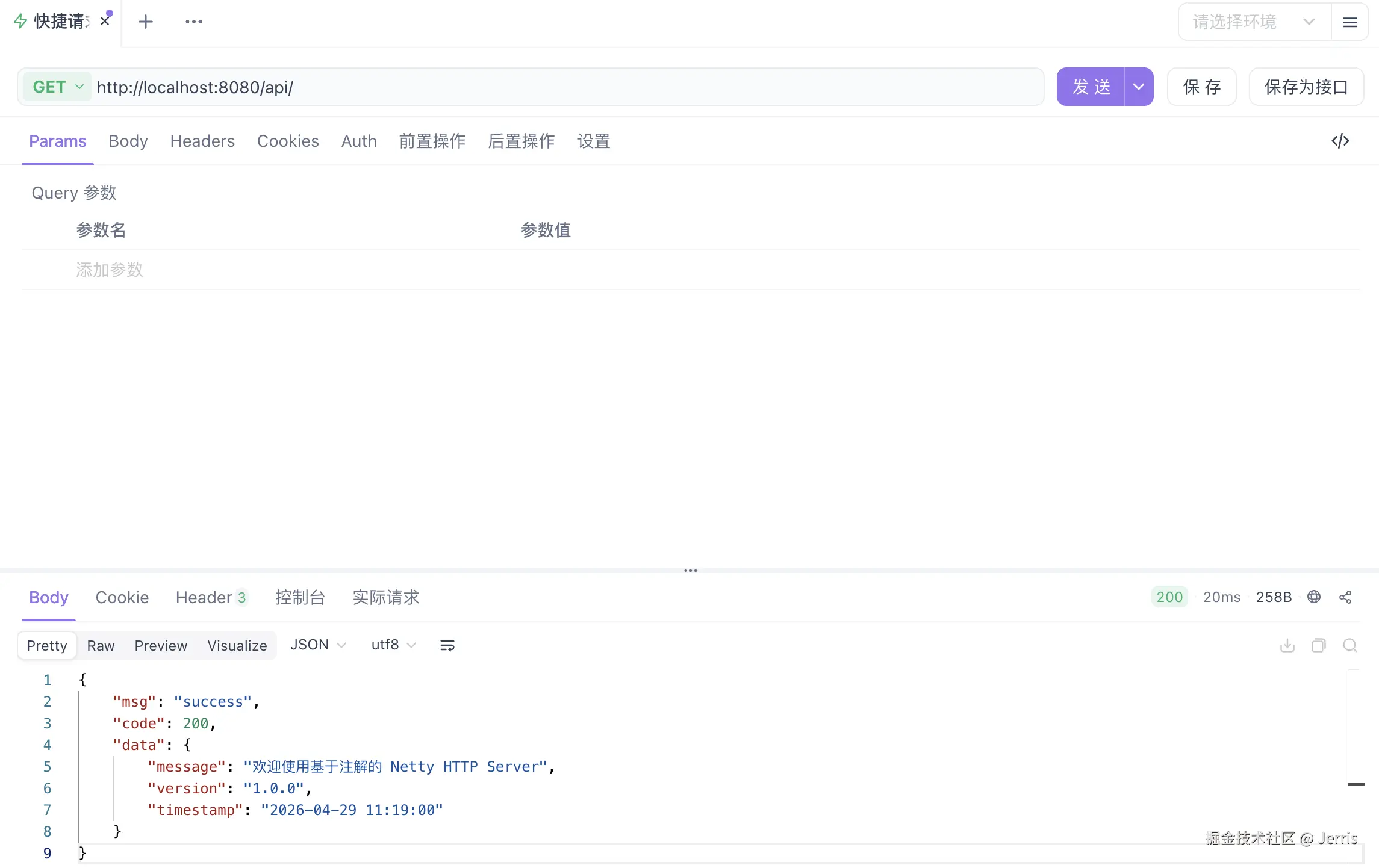
可以看到成功调用了接口返回了响应:
扫描组件优化
现在注册 Controller 的逻辑是注册单个 Controller,而不能同时批量注册:
java
public void start() throws Exception {
    // 注册控制器
    System.out.println("正在注册控制器...");
    HttpRequestHandler.registerController(new ExampleController());
    System.out.println("控制器注册完成\n");
}
现在修改为扫描包路径注册 Controller:
java
/**
 * Scan package path and register all controllers
 */
public static void scanAndRegisterControllers(String basePackage) {
    log.info("Scanning package: {}", basePackage);
    ClassPathScanner scanner = new ClassPathScanner();
    List<Class<?>> controllerClasses = scanner.scanControllers(basePackage);

    log.info("Found {} controllers", controllerClasses.size());
    for (Class<?> controllerClass : controllerClasses) {
        try {
            controllerScanner.scanAndRegister(controllerClass);
        } catch (Exception e) {
            log.error("Failed to register controller: {}, error: {}", controllerClass.getName(), e.getMessage());
        }
    }
    log.info("Controller registration completed");
}
在 start 方法里面调用:
java
/**
 * Start HTTP Server (specify package path via Class object)
 * @param callerClass Class object of the caller, will scan this class's package and sub-packages
 */
public void start(Class<?> callerClass) throws Exception {
    // Resolve package path
    resolveBasePackage(callerClass);

    // Scan and register controllers
    log.info("Scanning package: {}", basePackage);
    HttpRequestHandler.scanAndRegisterControllers(basePackage);
    // ...
}
打包发布成库被其他工程引用
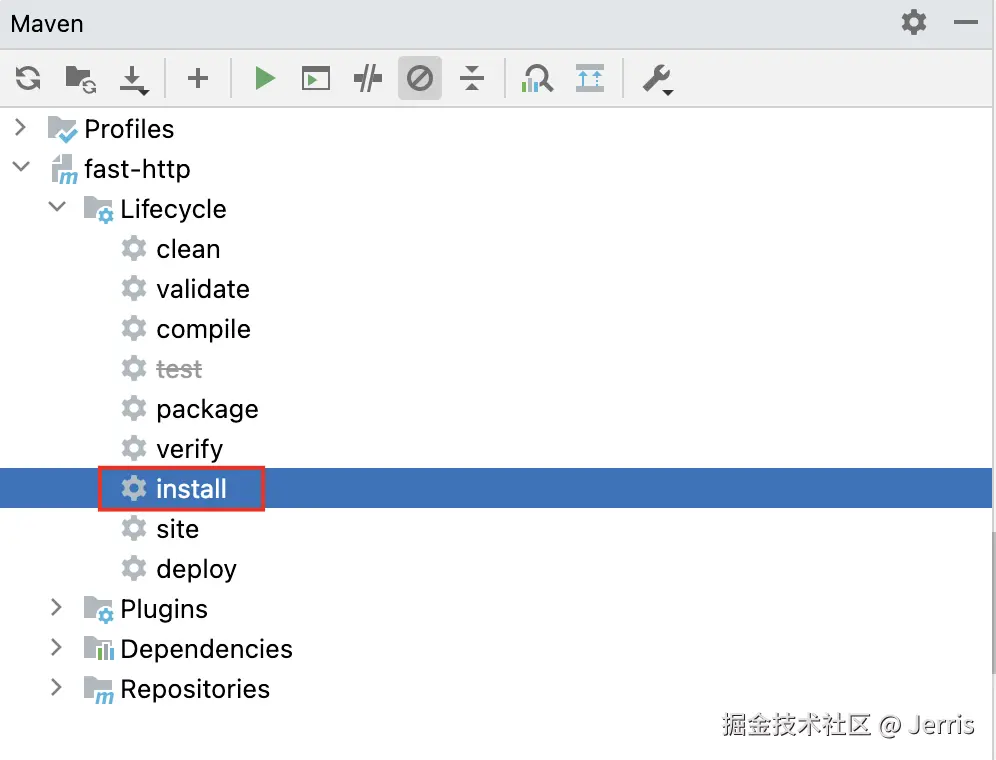
执行 mvn install 命令把工程打包并安装到本地仓库:
创建一个新的工程,引入这个库:
xml
<dependency>
    <groupId>org.codeart</groupId>
    <artifactId>fast-http</artifactId>
    <version>1.0-SNAPSHOT</version>
</dependency>
编写一个 main 方法:
java
package org.codeart;

import org.codeart.fasthttp.HttpServer;

public class Main {

    public static void main(String[] args) throws Exception {
        HttpServer server = new HttpServer(8080);
        server.start(Main.class);
    }
}
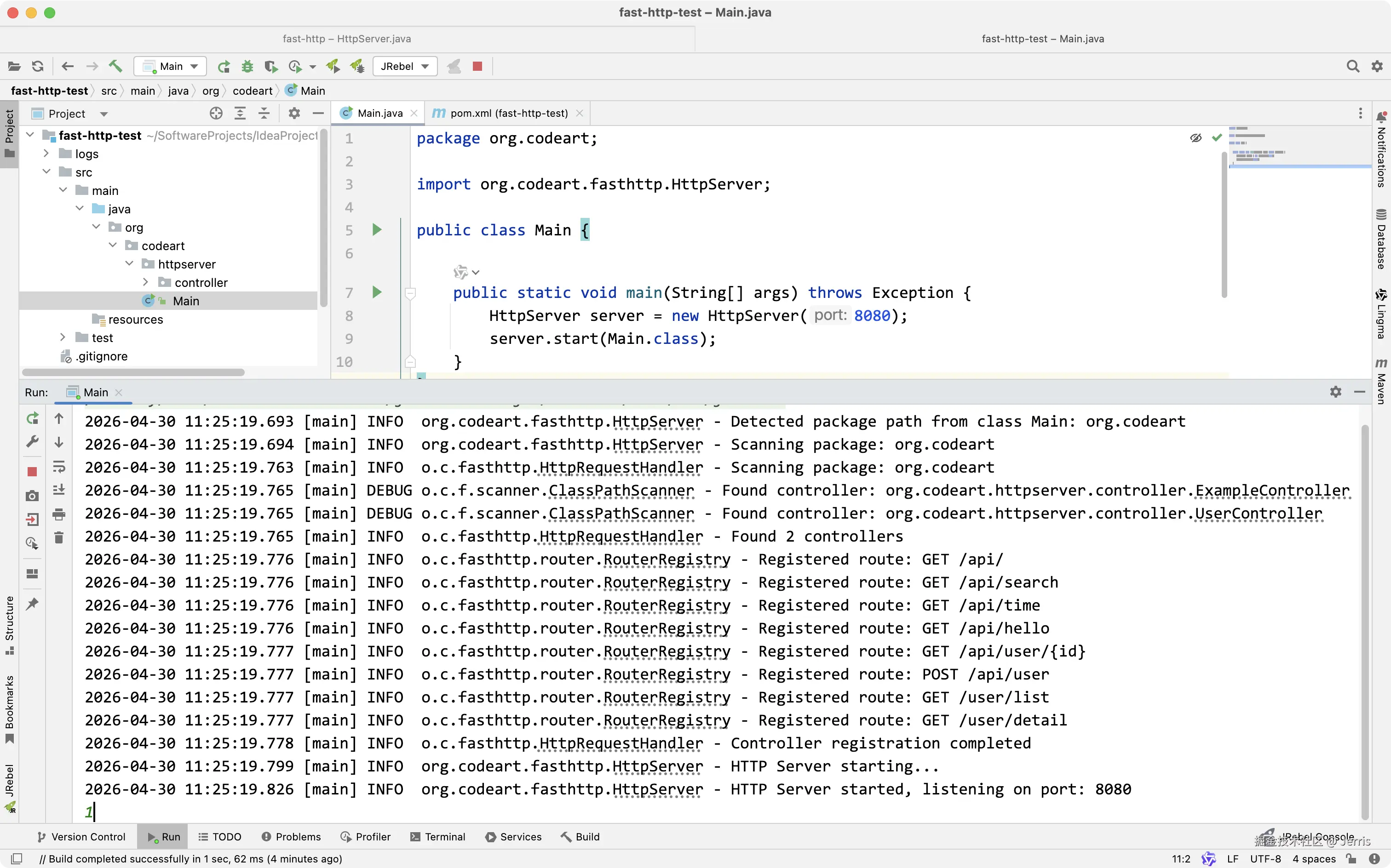
启动一下 main 方法,是不是有点似曾相识的感觉(致敬 SpringBoot 的优秀设计🐶)?
源码地址
写在最后:AI时代的编程技术转变
AI 时代的编程技术在于设计思想而不是写代码本身!
AI 时代的编程技术在于设计思想而不是写代码本身!
AI 时代的编程技术在于设计思想而不是写代码本身!
你如果让一个对于技术狗屁不懂的人来利用 AI 做开发,对于偏底层技术层面的范畴那么都无从下手,即使写出来也是一坨 Shit Code!
我现在真的发现好好地利用 AI 做开发真的能让我极速上手之前都不怎么熟悉的技术。我只要对那些陌生的技术懂一点点概念就足够了,然后利用 AI 实现我要的效果,但是你要处理一些基于那些技术很底层复杂的问题你单纯懂一点点并依靠 AI 还是远远不够,你还是要花大量时间来学习技术的深层次原理,不然整个系统对你来说就是一个黑盒。