文本类Text是openxml中用于保存纯文本内容的核心类,命名空间为DocumentFormat. OpenXml.Wordprocessing,对应document.xml文件内的<w:t>元素,负责保存word文档里真正可读、可编辑的文字信息。
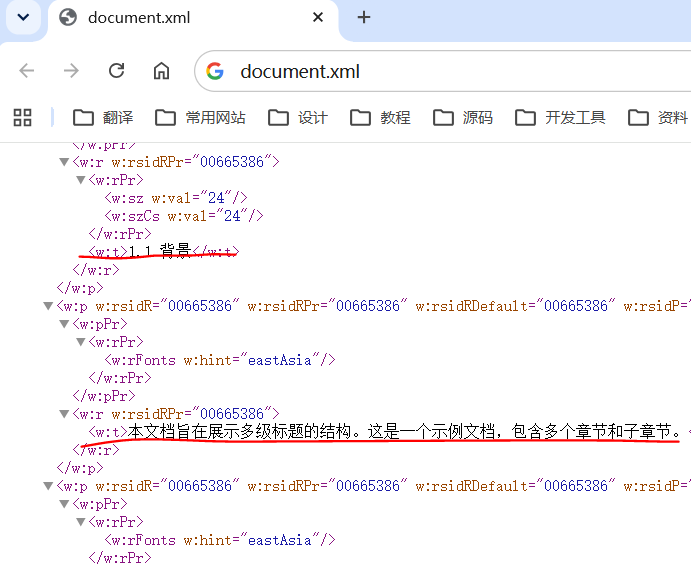
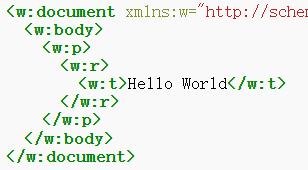
在openxml的wrod文档结构里,文本不能直接放在段落(Paragraph)下,必须按照段落类(Paragraph)、文本运行类(Run)、文本类(Text)的层级关系创建对象,Text对象保存文本内容,文本格式放在文本运行类中,而段落格式在放在段落类中,最简单的wrod文档的xml结构如下所示(参考文献6)。
文本类Text的类继承链为OpenXmlElement -> OpenXmlLeafElement -> OpenXmlLeafTextElement -> TextType -> Text,其主要属性包括以下两个:
1)Text属性:保存纯文本字符串内容;
2)Space属性:设置文本中空白字符的处理方式(应该主要针对文本两头的空白字符),从枚举值SpaceProcessingModeValues内取值,值为Default会合并连续空格,值为Preserve则可保留。
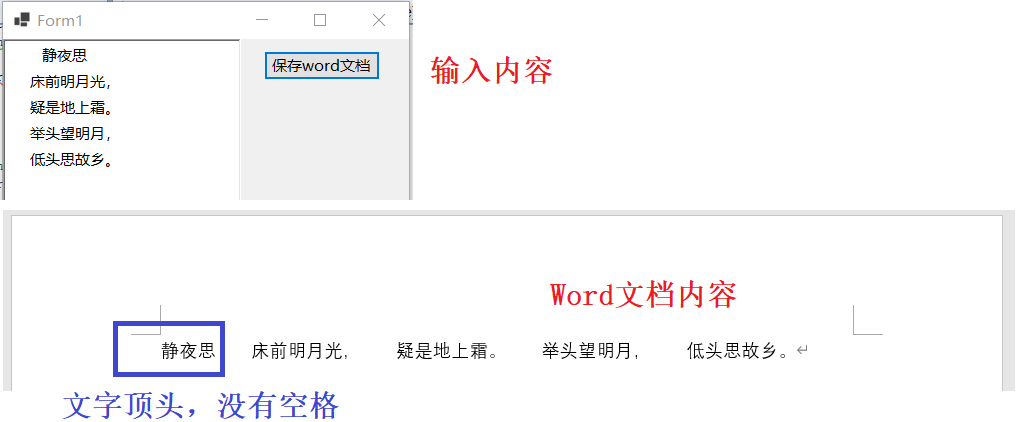
下面示例程序用于将输入的文本保存为word文档,由运行结果截图可知,文本内部的空格保留不变,但开头的空格默认去掉了。
csharp
using (WordprocessingDocument wordDocument = WordprocessingDocument.Create(sfd.FileName, WordprocessingDocumentType.Document))
{
    MainDocumentPart mainPart = wordDocument.AddMainDocumentPart();
    mainPart.Document = new Document();
    Body body = mainPart.Document.AppendChild(new Body());

    Paragraph paragraph = body.AppendChild(new Paragraph());
    Run run = paragraph.AppendChild(new Run());

    Text text = new Text();
    text.Text = txtContent.Text;
    run.AppendChild(text);
}
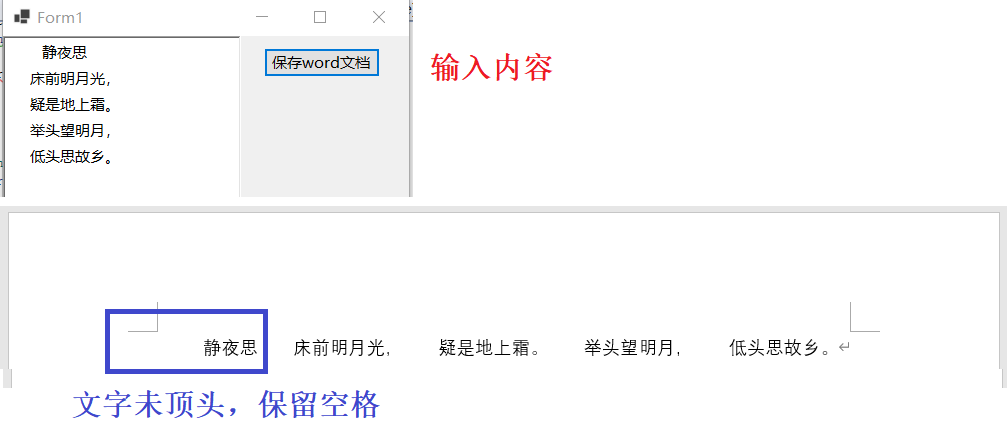
将Space属性设置为Preserve,再次运行程序,则在word文档中会保留开头处的空格。
csharp
using (WordprocessingDocument wordDocument = WordprocessingDocument.Create(sfd.FileName, WordprocessingDocumentType.Document))
{
    MainDocumentPart mainPart = wordDocument.AddMainDocumentPart();
    mainPart.Document = new Document();
    Body body = mainPart.Document.AppendChild(new Body());

    Paragraph paragraph = body.AppendChild(new Paragraph());
    Run run = paragraph.AppendChild(new Run());

    Text text = new Text();
    text.Space = SpaceProcessingModeValues.Preserve;
    text.Text = txtContent.Text;
    run.AppendChild(text);
}
参考文献
1https://github.com/dotnet/Open-XML-SDK
2https://learn.microsoft.com/zh-cn/office/open-xml/open-xml-sdk
4https://blog.csdn.net/i042416/article/details/126228816