一、检查系统要求
- Windows 10 2004+ 或 Windows 11(推荐)
- 主板开启虚拟化(Intel VT-x / AMD-V),一般在 BIOS 里设置
二、一键安装(推荐)
-
以管理员身份打开 PowerShell
- Win+X → 选择 "终端 (管理员)" 或 "PowerShell (管理员)"
-
执行:
bashwsl --install --web-download- 自动启用 WSL、虚拟机平台、安装 WSL2 内核、下载 UbuntuMicrosoft Learn

- 自动启用 WSL、虚拟机平台、安装 WSL2 内核、下载 UbuntuMicrosoft Learn
-
重启电脑(必须)
三、首次启动 Ubuntu
重启后会自动弹出 Ubuntu 窗口,或手动打开 "Ubuntu" 应用:
- 提示输入 用户名 :必须小写字母开头,只能是小写字母、数字、-
- 输入密码(输入时不显示)
- 确认密码
示例:
Enter new UNIX username: user01
New password:
Retype new password: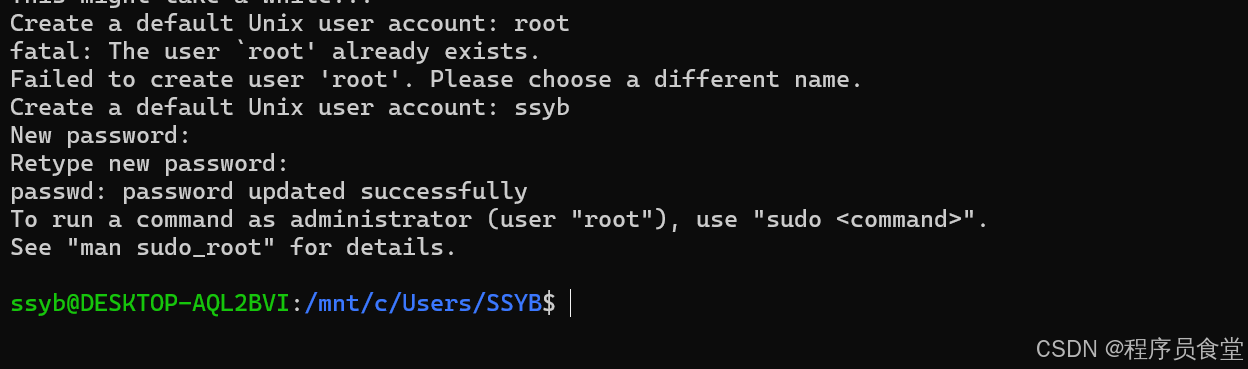
四、验证安装
回到 PowerShell:
bash
wsl -l -v看到类似:
bash
NAME STATE VERSION
* Ubuntu Running 2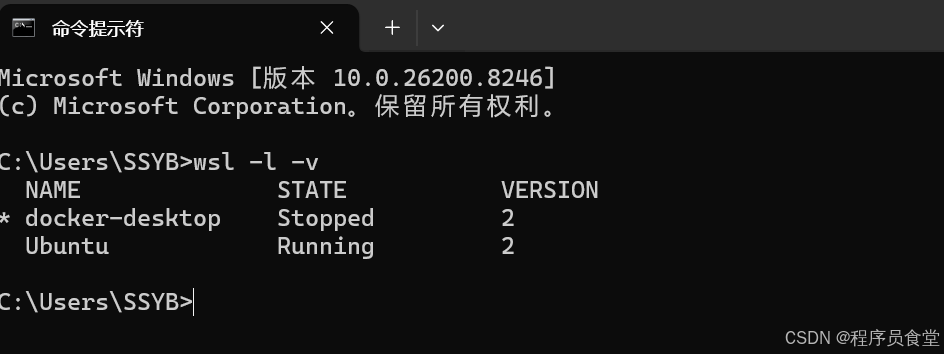 即成功。
即成功。
五、国内常用初始化(换源 + 更新)
进入 Ubuntu 后:
# 备份原有源
sudo cp /etc/apt/sources.list /etc/apt/sources.list.bak

# 替换为清华源(复制整段)
echo "deb https://mirrors.tuna.tsinghua.edu.cn/ubuntu/ noble main restricted universe multiverse
deb https://mirrors.tuna.tsinghua.edu.cn/ubuntu/ noble-updates main restricted universe multiverse
deb https://mirrors.tuna.tsinghua.edu.cn/ubuntu/ noble-security main restricted universe multiverse
deb https://mirrors.tuna.tsinghua.edu.cn/ubuntu/ noble-backports main restricted universe multiverse" | sudo tee /etc/apt/sources.list

# 更新
sudo apt update
sudo apt upgrade -y
六、常见问题
1. 提示 0x800701bc
-
原因:缺少 WSL2 内核
-
解决:
wsl --update或手动下载安装:https://aka.ms/wsl2kernel
2. 下载慢 / 卡住
-
重置商店缓存:
wsreset.exe -
或用离线包安装(适合国内)
3. 用户名报错 NAME_REGEX
- 只能用 小写字母、数字、- ,必须字母开头
4. 想装指定版本(如 22.04)
wsl --install -d Ubuntu-22.04查看可安装列表:
wsl --list --online七、卸载
wsl --unregister Ubuntu