多租户中间件适配
这里笔者分享下在进行多租户改造的时候,对中间件的适配
这里改造的中间件有:
- mysql
- redis
- redisson
后续适配更多中间件,将持续更新
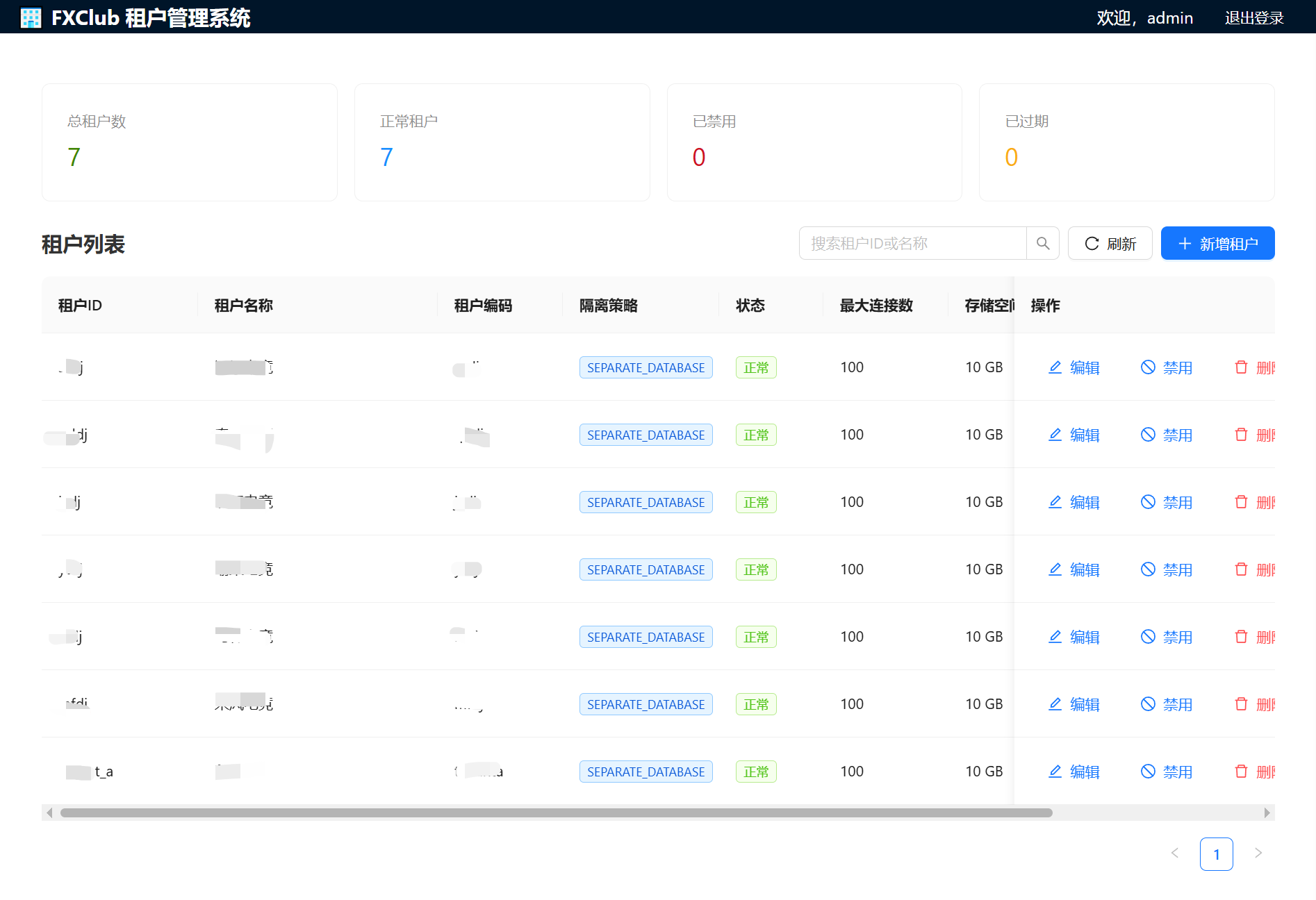
mysql
采用的是每个租户单独一个DB的方案
shell
┌─────────────────────────────────────────────┐
│                 请求入口                      │
│    (携带租户标识: tenant_id/club_id)          │
└───────────────┬─────────────────────────────┘
                │
┌───────────────▼─────────────────────────────┐
│          租户上下文拦截器                      │
│   (从Header/Cookie/Subdomain提取租户ID)      │
└───────────────┬─────────────────────────────┘
                │
┌───────────────▼─────────────────────────────┐
│         动态数据源路由器                       │
│   (根据租户ID选择对应的DataSource)           │
└───────────────┬─────────────────────────────┘
                │
        ┌───────┴───────┐
        ▼               ▼
┌─────────────┐ ┌─────────────┐
│  Club_A     │ │  Club_B     │
│  数据源      │ │  数据源      │
│  DB + Redis │ │  DB + Redis │
└─────────────┘ └─────────────┘
核心表结构设计
sql
-- 租户表
CREATE TABLE IF NOT EXISTS fx_tenant (
    id BIGINT PRIMARY KEY AUTO_INCREMENT COMMENT '主键ID',
    tenant_id VARCHAR(64) UNIQUE NOT NULL COMMENT '租户ID(唯一标识)',
    tenant_name VARCHAR(128) NOT NULL COMMENT '租户名称',
    tenant_code VARCHAR(64) COMMENT '租户编码(用于子域名)',
    status VARCHAR(32) NOT NULL DEFAULT 'ACTIVE' COMMENT '状态: ACTIVE, EXPIRED, DISABLED',
    strategy VARCHAR(32) NOT NULL DEFAULT 'SEPARATE_DATABASE' COMMENT '隔离策略: SEPARATE_DATABASE, SINGLE_DATABASE, SCHEMA',

    -- 数据库配置(独立数据库模式)
    db_config JSON COMMENT '数据库配置: {"jdbcUrl": "...", "username": "...", "password": "..."}',

    -- 缓存配置
    cache_config JSON COMMENT '缓存配置: {"prefix": "tenant:xxx:", "suffix": false}',

    -- 其他配置
    expire_at DATETIME COMMENT '过期时间(NULL表示永久)',
    max_connections INT DEFAULT 100 COMMENT '最大连接数',
    max_storage_gb INT DEFAULT 10 COMMENT '最大存储空间(GB)',

    -- 元数据
    extra JSON COMMENT '扩展信息(JSON格式)',
    created_at DATETIME DEFAULT CURRENT_TIMESTAMP COMMENT '创建时间',
    updated_at DATETIME DEFAULT CURRENT_TIMESTAMP ON UPDATE CURRENT_TIMESTAMP COMMENT '更新时间',
    deleted_at DATETIME COMMENT '删除时间(软删除)',

    INDEX idx_tenant_id (tenant_id),
    INDEX idx_tenant_code (tenant_code),
    INDEX idx_status (status),
    INDEX idx_deleted_at (deleted_at)
) ENGINE=InnoDB DEFAULT CHARSET=utf8mb4 COLLATE=utf8mb4_unicode_ci COMMENT='租户表';
步骤1:定义租户上下文
java
// TenantContext.java - 租户上下文管理器
public class TenantContext {
    private static final ThreadLocal<String> currentTenant = new ThreadLocal<>();

    public static void setTenantId(String tenantId) {
        currentTenant.set(tenantId);
    }

    public static String getTenantId() {
        return currentTenant.get();
    }

    public static void clear() {
        currentTenant.remove();
    }
}

// TenantConstant.java - 常量定义
public class TenantConstant {
    public static final String TENANT_HEADER = "X-Tenant-ID";
    public static final String TENANT_PARAM = "tenantId";
    public static final String DEFAULT_TENANT = "default";
}
步骤2:拦截器提取租户信息
java
// TenantInterceptor.java
@Component
public class TenantInterceptor implements HandlerInterceptor {

    @Override
    public boolean preHandle(HttpServletRequest request,
                           HttpServletResponse response,
                           Object handler) {
        // 1. 从Header获取
        String tenantId = request.getHeader(TenantConstant.TENANT_HEADER);

        // 2. 从请求参数获取(可选)
        if (StringUtils.isEmpty(tenantId)) {
            tenantId = request.getParameter(TenantConstant.TENANT_PARAM);
        }

        // 3. 从子域名获取(可选)
        if (StringUtils.isEmpty(tenantId)) {
            tenantId = extractTenantFromDomain(request.getServerName());
        }

        // 4. 验证租户是否存在且有效
        if (StringUtils.isNotEmpty(tenantId) && tenantService.isValidTenant(tenantId)) {
            TenantContext.setTenantId(tenantId);
        } else {
            // 返回错误或使用默认租户
            throw new TenantNotFoundException("租户不存在或已被禁用");
        }

        return true;
    }

    @Override
    public void afterCompletion(HttpServletRequest request,
                              HttpServletResponse response,
                              Object handler,
                              Exception ex) {
        // 清理线程上下文,防止内存泄漏
        TenantContext.clear();
    }
}
思路:设计一个公共库master存多租户信息,启动的时候读取,然后构建动态db
这里需要注意,注入的
DataSource是多租户的,需要单独创建公共库master的多租户信息
java
@Slf4j
@Configuration
@EnableConfigurationProperties(TenantProperties.class)
@ConditionalOnProperty(prefix = "fxclub.tenant", name = "enabled", havingValue = "true")
@Import(WebMvcConfig.class)
public class TenantAutoConfiguration {

    private final TenantProperties properties;

    public TenantAutoConfiguration(TenantProperties properties) {
        this.properties = properties;
        log.info("多租户功能已启用,策略: {}", properties.getStrategy());
    }

    /**
     * 配置事务管理器
     */
    @Bean
    @Primary
    public PlatformTransactionManager transactionManager(DataSource tenantDataSource) {
        log.info("初始化租户事务管理器");
        return new DataSourceTransactionManager(tenantDataSource);
    }

    /**
     * 配置动态数据源
     */
    @Bean
    @Primary
    public DataSource tenantDataSource(DataSourceStrategy dataSourceStrategy) {
        log.info("初始化租户动态数据源,策略: {}", dataSourceStrategy.getType());

        // 创建默认数据源
        DataSource defaultDataSource = createDefaultDataSource();
        dataSourceStrategy.setDefaultDataSource(defaultDataSource);
        // 创建动态数据源
        TenantDynamicDataSource dynamicDataSource = new TenantDynamicDataSource(
            defaultDataSource,
            new HashMap<>(),
            dataSourceStrategy
        );

        log.info("租户动态数据源初始化完成");
        return dynamicDataSource;
    }
}
java
/**
 * 动态数据源路由器 根据租户上下文动态切换到对应的数据源
 *
 * @author Eureka
 * @since 2025/12/28
 */
@Slf4j
public class TenantDynamicDataSource extends AbstractRoutingDataSource {

    private final DataSourceStrategy dataSourceStrategy;
    /**
     * 返回管理多租户配置的默认数据源
     */
    @Getter
    private final DataSource defaultDataSource;

    public TenantDynamicDataSource(DataSource defaultDataSource,
        Map<Object, Object> targetDataSources,
        DataSourceStrategy strategy) {
        this.dataSourceStrategy = strategy;
        this.defaultDataSource = defaultDataSource;
        super.setDefaultTargetDataSource(defaultDataSource);
        super.setTargetDataSources(targetDataSources);
    }

    @Override
    protected Object determineCurrentLookupKey() {
        String tenantId = TenantContext.getTenantId();

        if (tenantId == null || tenantId.isEmpty()) {
            log.debug("未获取到租户ID,使用默认数据源");
            return "default";
        }

        log.debug("当前租户ID: {}", tenantId);
        return tenantId;
    }

    @Override
    protected DataSource determineTargetDataSource() {
        String tenantId = TenantContext.getTenantId();

        if (tenantId == null || tenantId.isEmpty()) {
            DataSource defaultDataSource = dataSourceStrategy.getDefaultDataSource();
            if (defaultDataSource == null) {
                throw new RuntimeException("租户ID不能为空,且未配置默认数据源");
            }
            return defaultDataSource;
        }

        // 使用策略获取租户数据源
        DataSource dataSource = dataSourceStrategy.getTenantDataSource(tenantId);

        if (dataSource == null) {
            log.warn("未找到租户数据源: tenantId={}", tenantId);
            throw new RuntimeException("未找到租户数据源: tenantId=" + tenantId);
        }

        return dataSource;
    }
}
redis
spring.data.redis 在项目启动的时候就会自动装配到spring容器中,需要使用注解@AutoConfigureBefore(RedisAutoConfiguration.class)在redis自动装配前,进行自定义注入,否则无法判断哪个地方注册bean会快一些
这里我采用的方式,是自定义key序列化器的方式
java
package com.fx.club.tenant.core.cache;

import com.alibaba.fastjson.support.spring.GenericFastJsonRedisSerializer;
import com.fx.club.tenant.api.config.TenantProperties;
import com.fx.club.tenant.api.config.TenantProperties.Cache;
import com.fx.club.tenant.api.context.TenantContext;
import com.fx.club.tenant.core.util.TenantUtil;
import org.apache.commons.lang3.StringUtils;
import org.springframework.beans.factory.annotation.Autowired;
import org.springframework.boot.autoconfigure.AutoConfigureBefore;
import org.springframework.boot.autoconfigure.condition.ConditionalOnClass;
import org.springframework.boot.autoconfigure.condition.ConditionalOnMissingBean;
import org.springframework.boot.autoconfigure.condition.ConditionalOnProperty;
import org.springframework.boot.autoconfigure.data.redis.RedisAutoConfiguration;
import org.springframework.boot.autoconfigure.data.redis.RedisProperties;
import org.springframework.boot.context.properties.EnableConfigurationProperties;
import org.springframework.cache.CacheManager;
import org.springframework.context.annotation.Bean;
import org.springframework.context.annotation.Configuration;
import org.springframework.context.annotation.Primary;
import org.springframework.data.redis.cache.RedisCacheConfiguration;
import org.springframework.data.redis.cache.RedisCacheWriter;
import org.springframework.data.redis.connection.RedisConnectionFactory;
import org.springframework.data.redis.core.RedisOperations;
import org.springframework.data.redis.core.RedisTemplate;
import org.springframework.data.redis.core.StringRedisTemplate;
import org.springframework.data.redis.serializer.GenericJackson2JsonRedisSerializer;
import org.springframework.data.redis.serializer.RedisSerializationContext;
import org.springframework.data.redis.serializer.RedisSerializer;
import org.springframework.data.redis.serializer.StringRedisSerializer;
import org.springframework.stereotype.Component;

import java.util.Collections;
import java.util.List;
import java.util.Optional;

/**
 * 多租户 Redis 自动配置
 *
 * <p>通过自定义 Redis 序列化器实现租户隔离,在 Key 前添加租户前缀:
 * <pre>
 *   原始 Key: "user:123"
 *   序列化后: "tenant:tenant_a:user:123" (租户 tenant_a)
 * </pre>
 *
 * <p>特性:
 * <ul>
 *   <li>自动添加租户前缀,无需修改业务代码</li>
 *   <li>支持系统 Key 白名单(通过 fxclub.tenant.cache.ignore-cache-key-prefix 配置)</li>
 *   <li>可自定义前缀格式(通过 fxclub.tenant.cache.key-prefix 配置)</li>
 *   <li>支持动态开关(通过 fxclub.tenant.cache.enabled 配置)</li>
 *   <li>为 Spring Cache 提供多租户支持的 CacheManager</li>
 * </ul>
 *
 * <p>配置示例:
 * <pre>
 *   fxclub:
 *     tenant:
 *       cache:
 *         enabled: true
 *         key-prefix: "tenant:"
 *         ignore-cache-key-prefix:
 *           - "system:"
 *           - "public:"
 * </pre>
 *
 * @author Eureka <liangfengyuan1024@gmail.com>
 * @since 2025/12/28 14:47
 */
@Configuration
@ConditionalOnClass(RedisOperations.class)
@EnableConfigurationProperties({RedisProperties.class, TenantProperties.class})
@AutoConfigureBefore(RedisAutoConfiguration.class)  // 在自动配置之前执行
@ConditionalOnProperty(prefix = "fxclub.tenant.cache", name = "enabled", havingValue = "true", matchIfMissing = true)
public class TenantRedisAutoConfiguration {

    /**
     * RedisTemplate 替换默认的RedisTemplate
     *
     * @param redisConnectionFactory
     * @return
     */
    @Bean
    @Primary
    public RedisTemplate<String, Object> redisTemplate(
        RedisConnectionFactory redisConnectionFactory) {

        RedisTemplate<String, Object> template = new RedisTemplate<>();
        template.setConnectionFactory(redisConnectionFactory);

        // 自定义序列化
        RedisSerializer<String> keySerializer = new TenantKeySerializer();
        GenericJackson2JsonRedisSerializer valueSerializer =
            new GenericJackson2JsonRedisSerializer();

        template.setKeySerializer(keySerializer);
        template.setValueSerializer(valueSerializer);
        template.setHashKeySerializer(keySerializer);
        template.setHashValueSerializer(valueSerializer);

        // 开启事务支持
        template.setEnableTransactionSupport(true);

        template.afterPropertiesSet();
        return template;
    }

    /**
     * 多租户 CacheManager
     * 用于支持 @Cacheable 等注解的租户隔离
     *
     * @param redisConnectionFactory Redis 连接工厂
     * @return 多租户 CacheManager
     */
    @Bean
    @Primary
    public CacheManager tenantCacheManager(RedisConnectionFactory redisConnectionFactory) {
        // 使用非阻塞模式的缓存写入器
        RedisCacheWriter redisCacheWriter = RedisCacheWriter.nonLockingRedisCacheWriter(redisConnectionFactory);

        // 构建默认缓存配置
        RedisCacheConfiguration defaultCacheConfig = RedisCacheConfiguration.defaultCacheConfig()
            // 禁止缓存 null 值,避免缓存穿透 这里先允许,兼容admin的代码,但是还是建议使用 unless = "#result == null"
//            .disableCachingNullValues()
            .computePrefixWith(cacheName -> "cache:" + cacheName + ":")
            // 使用 FastJSON 序列化缓存值,支持复杂对象(包括 LocalDateTime)
            .serializeValuesWith(RedisSerializationContext.SerializationPair
                .fromSerializer(new GenericFastJsonRedisSerializer()));

        // 返回多租户缓存管理器,支持 cacheName#ttl 格式与租户隔离
        return new TenantRedisCacheManager(redisCacheWriter, defaultCacheConfig);
    }

    @Bean
    @ConditionalOnMissingBean(name = "stringRedisTemplate")
    @Primary
    public StringRedisTemplate stringRedisTemplate(
        RedisConnectionFactory redisConnectionFactory) {

        StringRedisTemplate template = new StringRedisTemplate();
        template.setConnectionFactory(redisConnectionFactory);

        // 设置自定义的Key序列化器
        template.setKeySerializer(new TenantKeySerializer());

        template.afterPropertiesSet();
        return template;
    }

    /**
     * 租户 Key 序列化器
     *
     * <p>在序列化时自动添加租户前缀,实现租户隔离
     * <p>在反序列化时自动移除租户前缀,还原原始 Key
     */
    @Component
    static class TenantKeySerializer implements RedisSerializer<String> {

        @Autowired
        private TenantProperties tenantProperties;

        private final StringRedisSerializer delegate = new StringRedisSerializer();

        @Override
        public byte[] serialize(String key) {
            if (key == null) return null;

            String tenantId = StringUtils.firstNonBlank(TenantContext.getTenantId(), TenantUtil.getHeaderTenantId());
            if (StringUtils.isEmpty(tenantId) || isSystemKey(key)) {
                return delegate.serialize(key);
            }

            String keyPrefix = Optional.ofNullable(tenantProperties)
                .map(TenantProperties::getCache)
                .map(TenantProperties.Cache::getKeyPrefix)
                .orElse("tenant:");
            // 如果已经包含了租户前缀,则不需要重复添加
            String prefixedKey = key;
            if (!key.contains(tenantId)) {
                prefixedKey = String.format("%s%s:%s", keyPrefix, tenantId, key);
            }
            return delegate.serialize(prefixedKey);
        }

        @Override
        public String deserialize(byte[] bytes) {
            String prefixedKey = delegate.deserialize(bytes);
            if (prefixedKey == null) return null;

            // 解析租户前缀
            return parseOriginalKey(prefixedKey);
        }

        private String parseOriginalKey(String prefixedKey) {
            String tenantId = StringUtils.firstNonBlank(TenantContext.getTenantId(), TenantUtil.getHeaderTenantId());
            if (StringUtils.isEmpty(tenantId)) {
                return prefixedKey;
            }

            String keyPrefix = Optional.ofNullable(tenantProperties)
                .map(TenantProperties::getCache)
                .map(TenantProperties.Cache::getKeyPrefix)
                .orElse("tenant:");
            String prefix = keyPrefix + tenantId + ":";

            if (prefixedKey.startsWith(prefix)) {
                return prefixedKey.substring(prefix.length());
            }
            return prefixedKey;
        }

        /**
         * 系统Key列表
         */
        private boolean isSystemKey(String key) {
            List<String> ignoreCacheKeyPrefix = Optional.ofNullable(tenantProperties)
                .map(TenantProperties::getCache)
                .map(Cache::getIgnoreCacheKeyPrefix)
                .orElse(Collections.emptyList());
            for (String cacheKeyPrefix : ignoreCacheKeyPrefix) {
                if (key.startsWith(cacheKeyPrefix)) {
                    return true;
                }
            }
            return false;
        }
    }
}
Redisson
Redisson多租户适配
Redisson同理,需要在自动装配前完成我们的bean注入,然后这里采用Redisson官方提供的NameMapper来完成多租户适配
java
package com.fx.club.tenant.core.cache.redisson;

import com.fx.club.tenant.api.config.TenantProperties;
import java.util.Optional;
import org.apache.commons.lang3.StringUtils;
import org.redisson.Redisson;
import org.redisson.api.RedissonClient;
import org.redisson.config.ClusterServersConfig;
import org.redisson.config.Config;
import org.redisson.config.SentinelServersConfig;
import org.redisson.config.SingleServerConfig;
import org.redisson.spring.starter.RedissonAutoConfiguration;
import org.springframework.beans.factory.annotation.Autowired;
import org.springframework.boot.autoconfigure.AutoConfigureBefore;
import org.springframework.boot.autoconfigure.data.redis.RedisProperties;
import org.springframework.boot.autoconfigure.data.redis.RedisProperties.Cluster;
import org.springframework.boot.autoconfigure.data.redis.RedisProperties.Sentinel;
import org.springframework.boot.autoconfigure.data.redis.RedisProperties.Ssl;
import org.springframework.context.annotation.Bean;
import org.springframework.context.annotation.Configuration;

/**
 * Redisson 多租户配置
 *
 * <p>手动创建带 NameMapper 的 {@link RedissonClient},
 * 在 RedissonAutoConfiguration 之前注册 Bean,使自动装配不再创建默认实例。 所有 Redisson 操作的 Key 自动添加租户前缀。
 *
 * <p>支持三种 Redis 部署模式,根据 {@link RedisProperties} 自动判断:
 * <ul>
 *   <li>集群模式:{@code spring.data.redis.cluster.nodes} 不为空时生效</li>
 *   <li>哨兵模式:{@code spring.data.redis.sentinel} 不为空时生效</li>
 *   <li>单机模式:默认,使用 host:port 或 url</li>
 * </ul>
 *
 * @author Eureka
 * @since 2026/5/3
 */
@Configuration
@AutoConfigureBefore(RedissonAutoConfiguration.class)
public class MultiTenantRedissonConfig {

    @Autowired
    private RedisProperties redisProperties;

    @Autowired
    private TenantProperties tenantProperties;

    @Bean
    public RedissonClient redissonClient() {
        Config config = new Config();
        String password = StringUtils.isNotBlank(redisProperties.getPassword())
            ? redisProperties.getPassword() : null;
        int timeout = Optional.ofNullable(redisProperties.getTimeout())
            .map(t -> (int) t.toMillis()).orElse(3000);
        int connectTimeout = Optional.ofNullable(redisProperties.getConnectTimeout())
            .map(t -> (int) t.toMillis()).orElse(10000);
        TenantRedissonNameMapper nameMapper = new TenantRedissonNameMapper(tenantProperties);

        if (isClusterMode()) {
            configureCluster(config, password, timeout, connectTimeout, nameMapper);
        } else if (isSentinelMode()) {
            configureSentinel(config, password, timeout, connectTimeout, nameMapper);
        } else {
            configureSingleServer(config, password, timeout, connectTimeout, nameMapper);
        }

        return Redisson.create(config);
    }

    // ==================== 单机模式 ====================

    private void configureSingleServer(Config config, String password,
        int timeout, int connectTimeout,
        TenantRedissonNameMapper nameMapper) {
        int database = Optional.of(redisProperties.getDatabase()).orElse(0);
        SingleServerConfig sc = config.useSingleServer()
            .setAddress(resolveSingleAddress())
            .setPassword(password)
            .setDatabase(database)
            .setTimeout(timeout)
            .setConnectTimeout(connectTimeout)
            .setNameMapper(nameMapper);
    }

    // ==================== 哨兵模式 ====================

    private void configureSentinel(Config config, String password,
        int timeout, int connectTimeout,
        TenantRedissonNameMapper nameMapper) {
        Sentinel sentinel = redisProperties.getSentinel();
        SentinelServersConfig sc = config.useSentinelServers()
            .setMasterName(sentinel.getMaster())
            .setPassword(password)
            .setDatabase(Optional.of(redisProperties.getDatabase()).orElse(0))
            .setTimeout(timeout)
            .setConnectTimeout(connectTimeout)
            .setNameMapper(nameMapper);

        sentinel.getNodes().forEach(node -> {
            String addr = node.startsWith("redis://") ? node : "redis://" + node;
            sc.addSentinelAddress(addr);
        });
    }

    // ==================== 集群模式 ====================

    private void configureCluster(Config config, String password,
        int timeout, int connectTimeout,
        TenantRedissonNameMapper nameMapper) {
        Cluster cluster = redisProperties.getCluster();
        ClusterServersConfig cc = config.useClusterServers()
            .setPassword(password)
            .setTimeout(timeout)
            .setConnectTimeout(connectTimeout)
            .setNameMapper(nameMapper);

        cluster.getNodes().forEach(node -> {
            String addr = node.startsWith("redis://") ? node : "redis://" + node;
            cc.addNodeAddress(addr);
        });
    }

    // ==================== 模式判断 ====================

    private boolean isClusterMode() {
        Cluster cluster = redisProperties.getCluster();
        return cluster != null && cluster.getNodes() != null && !cluster.getNodes().isEmpty();
    }

    private boolean isSentinelMode() {
        Sentinel sentinel = redisProperties.getSentinel();
        return sentinel != null && sentinel.getMaster() != null
            && sentinel.getNodes() != null && !sentinel.getNodes().isEmpty();
    }

    // ==================== 地址解析 ====================

    private String resolveSingleAddress() {
        if (StringUtils.isNotBlank(redisProperties.getUrl())) {
            String url = redisProperties.getUrl();
            if (!url.startsWith("redis://") && !url.startsWith("rediss://")) {
                url = "redis://" + url;
            }
            return url;
        }
        String host = Optional.ofNullable(redisProperties.getHost()).orElse("localhost");
        int port = Optional.of(redisProperties.getPort()).orElse(6379);
        boolean ssl = Optional.ofNullable(redisProperties.getSsl())
            .map(Ssl::isEnabled).orElse(false);
        return (ssl ? "rediss://" : "redis://") + host + ":" + port;
    }
}
java
package com.fx.club.tenant.core.cache.redisson;

import com.fx.club.tenant.api.config.TenantProperties;
import com.fx.club.tenant.api.context.TenantContext;
import java.util.Optional;
import org.apache.commons.lang3.StringUtils;
import org.redisson.api.NameMapper;

/**
 * Redisson 多租户 NameMapper
 *
 * <p>与 {@code TenantKeySerializer} 的前缀逻辑对齐。
 * Key 格式:{@code {keyPrefix}{tenantId}:{originalKey}}
 *
 * @author Eureka
 * @since 2026/5/3
 */
public class TenantRedissonNameMapper implements NameMapper {

    private final String keyPrefix;

    public TenantRedissonNameMapper(TenantProperties tenantProperties) {
        this.keyPrefix = Optional.ofNullable(tenantProperties)
            .map(TenantProperties::getCache)
            .map(TenantProperties.Cache::getKeyPrefix)
            .orElse("tenant:");
    }

    @Override
    public String map(String name) {
        if (StringUtils.isBlank(name)) {
            return name;
        }
        String tenantId = TenantContext.getTenantId();
        if (StringUtils.isBlank(tenantId)) {
            return name;
        }
        String fullPrefix = keyPrefix + tenantId + ":";
        if (name.startsWith(fullPrefix)) {
            return name;
        }
        return fullPrefix + name;
    }

    @Override
    public String unmap(String name) {
        if (StringUtils.isBlank(name)) {
            return name;
        }
        String tenantId = TenantContext.getTenantId();
        if (StringUtils.isBlank(tenantId)) {
            return name;
        }
        String fullPrefix = keyPrefix + tenantId + ":";
        if (name.startsWith(fullPrefix)) {
            return name.substring(fullPrefix.length());
        }
        return name;
    }
}
关于多租户防御性编程
在进行多租户改造的时候,发现Redisson通过redis的配置,自动装配进入spring的容器进行使用,这部分刚开始并没有进行多租户改造,导致不同租户之间出现干扰
如果防止后续项目演化的过程中,有没进行多租户适配的中间件在项目中使用呢?从SDK开发者的角度看,需要及时对项目中的中间件进行检查,对没有适配的中间件进行警报,并阻断项目的启动
可以参考下面的代码,如果发现没有多租户改造的中间件,直接阻断启动
java
package com.fx.club.tenant.core.checker;

import com.fx.club.tenant.api.config.TenantProperties;
import com.fx.club.tenant.core.cache.TenantRedisCacheManager;
import com.fx.club.tenant.core.datasource.TenantDynamicDataSource;
import java.util.ArrayList;
import java.util.HashSet;
import java.util.List;
import java.util.Map;
import java.util.Set;
import java.util.function.Function;
import javax.sql.DataSource;
import org.slf4j.Logger;
import org.slf4j.LoggerFactory;
import org.springframework.boot.ApplicationArguments;
import org.springframework.boot.ApplicationRunner;
import org.springframework.boot.autoconfigure.condition.ConditionalOnProperty;
import org.springframework.cache.CacheManager;
import org.springframework.context.ApplicationContext;
import org.springframework.context.ConfigurableApplicationContext;
import org.springframework.core.type.classreading.MetadataReader;
import org.springframework.core.type.classreading.SimpleMetadataReaderFactory;
import org.springframework.data.redis.core.RedisTemplate;
import org.springframework.data.redis.serializer.RedisSerializer;
import org.springframework.stereotype.Component;

/**
 * 多租户兼容性检查器
 *
 * <p>在应用启动完成后,检查所有租户敏感中间件是否已正确适配多租户。
 * 防止引入新中间件时遗漏多租户适配,导致租户间数据泄漏。
 *
 * <h3>检查项:</h3>
 * <ul>
 *   <li><b>DataSource</b> - 是否使用 {@link TenantDynamicDataSource},而非 Spring 默认的 DataSource</li>
 *   <li><b>RedisTemplate</b> - KeySerializer 是否为 TenantKeySerializer(自动添加租户前缀)</li>
 *   <li><b>Redisson</b> - 是否配置了 redissonTenantKeyMapper(分布式锁/集合等操作的 Key 隔离)</li>
 *   <li><b>Sa-Token</b> - SaTokenDao 是否为 TenantSaTokenDao(登录状态/权限隔离)</li>
 *   <li><b>Spring Cache</b> - CacheManager 是否为 {@link TenantRedisCacheManager}(@Cacheable 注解隔离)</li>
 *   <li><b>自动配置扫描</b> - 扫描 classpath 中数据/缓存/会话相关的自动配置,发现未经批准的中间件</li>
 * </ul>
 *
 * <h3>配置示例:</h3>
 * <pre>
 * fxclub:
 *   tenant:
 *     checker:
 *       enabled: true
 *       mode: WARN          # WARN 或 STRICT
 *       approved-auto-configurations:
 *         - org.springframework.boot.autoconfigure.data.redis.RedisAutoConfiguration
 * </pre>
 *
 * @author Eureka
 * @since 2026/5/2
 */
@Component
@ConditionalOnProperty(prefix = "fxclub.tenant", name = "enabled", havingValue = "true")
public class MultiTenantCompatibilityChecker implements ApplicationRunner {

    private static final Logger log = LoggerFactory.getLogger(
        MultiTenantCompatibilityChecker.class);

    private static final String SEPARATOR = "=======================================================";

    /**
     * 默认已批准的自动配置类(已有租户适配或不需要适配)
     */
    private static final Set<String> DEFAULT_APPROVED_AUTO_CONFIGS = Set.of(
        // 被 TenantRedisAutoConfiguration 的 @Primary bean 覆盖,KeySerializer 已适配
        "org.springframework.boot.autoconfigure.data.redis.RedisAutoConfiguration",
        // 被 TenantRedissonCustomizer 通过 NameMapper 适配
        "org.redisson.spring.starter.RedissonAutoConfiguration",
        // 被 TenantRedisCacheManager 覆盖
        "org.springframework.boot.autoconfigure.cache.CacheAutoConfiguration",
        // 使用 TenantDynamicDataSource,通过 DataSource bean 注入
        "org.springframework.boot.autoconfigure.jdbc.JdbcTemplateAutoConfiguration",
        // 使用 TenantDynamicDataSource
        "com.baomidou.mybatisplus.spring.boot.MybatisPlusAutoConfiguration",
        // Sa-Token 通过 TenantSaTokenDao 适配
        "cn.dev33.satoken.spring.SaTokenBeanRegister",
        // Druid 连接池由 TenantAutoConfiguration 管理
        "com.alibaba.druid.spring.boot3.autoconfigure.DruidDataSourceAutoConfigure"
    );

    /**
     * 租户敏感的自动配置类关键词(用于扫描未知的中间件)
     */
    private static final List<String> TENANT_SENSITIVE_KEYWORDS = List.of(
        "Redis", "Cache", "DataSource", "Session",
        "Mongo", "Elasticsearch", "Jpa", "Hibernate",
        "Couchbase", "Cassandra", "Neo4j", "Lettuce", "Jedis"
    );

    /**
     * 需要被排除的自动配置类(多租户模式下不应激活)
     */
    private static final Set<String> REQUIRED_EXCLUSIONS = Set.of(
        "org.springframework.boot.autoconfigure.jdbc.DataSourceAutoConfiguration"
    );

    private final ApplicationContext applicationContext;
    private final TenantProperties tenantProperties;

    public MultiTenantCompatibilityChecker(ApplicationContext applicationContext,
        TenantProperties tenantProperties) {
        this.applicationContext = applicationContext;
        this.tenantProperties = tenantProperties;
    }

    @Override
    public void run(ApplicationArguments args) {
        TenantProperties.Checker checkerConfig = tenantProperties.getChecker();
        if (checkerConfig == null || !Boolean.TRUE.equals(checkerConfig.getEnabled())) {
            log.debug("多租户兼容性检查已禁用");
            return;
        }

        log.info(SEPARATOR);
        log.info("开始多租户兼容性检查...");
        log.info(SEPARATOR);

        List<CheckResult> results = new ArrayList<>();

        // 1. Bean 级别检查:验证每个中间件的租户适配状态
        checkDataSource(results);
        checkRedisTemplate(results);
        checkRedisson(results);
        checkSaToken(results);
        checkSpringCache(results);

        // 2. 自动配置扫描:发现未知的租户敏感中间件
        scanAutoConfigurations(results, checkerConfig);

        // 3. 排除检查:验证关键的自动配置类是否已被排除
        checkRequiredExclusions(results);

        // 输出报告
        printReport(results);

        // 处理违规项
        handleViolations(results, checkerConfig);

        log.info(SEPARATOR);
    }

    // ==================== Bean 级别检查 ====================

    /**
     * 检查 DataSource 是否使用 TenantDynamicDataSource
     */
    private void checkDataSource(List<CheckResult> results) {
        String name = "DataSource";
        try {
            DataSource dataSource = applicationContext.getBean(DataSource.class);
            if (dataSource instanceof TenantDynamicDataSource) {
                results.add(
                    CheckResult.adapted(name, "已使用 TenantDynamicDataSource,租户数据已隔离"));
            } else {
                results.add(CheckResult.notAdapted(name,
                    "当前 DataSource 实现为 " + dataSource.getClass().getName()
                        + ",应使用 TenantDynamicDataSource。"
                        + "请在启动类上排除 DataSourceAutoConfiguration,"
                        + "并确保 TenantAutoConfiguration 生效"));
            }
        } catch (Exception e) {
            results.add(CheckResult.notPresent(name));
        }
    }

    /**
     * 检查 RedisTemplate 的 KeySerializer 是否为 TenantKeySerializer
     */
    private void checkRedisTemplate(List<CheckResult> results) {
        String name = "RedisTemplate";
        if (!isClassPresent("org.springframework.data.redis.core.RedisOperations")) {
            results.add(CheckResult.notPresent(name));
            return;
        }

        try {
            RedisTemplate<?, ?> redisTemplate = applicationContext.getBean(RedisTemplate.class);
            RedisSerializer<?> keySerializer = redisTemplate.getKeySerializer();
            String serializerClassName = keySerializer.getClass().getName();

            if (serializerClassName.contains("TenantKeySerializer")) {
                results.add(CheckResult.adapted(name,
                    "KeySerializer 已使用 TenantKeySerializer,Key 自动添加租户前缀"));
            } else {
                results.add(CheckResult.notAdapted(name,
                    "RedisTemplate 的 KeySerializer 为 " + keySerializer.getClass().getName()
                        + ",未使用 TenantKeySerializer。"
                        + "不同租户的缓存数据可能发生混淆,"
                        + "请确保 TenantRedisAutoConfiguration 生效"));
            }
        } catch (Exception e) {
            results.add(CheckResult.notAdapted(name, "获取 RedisTemplate 失败: " + e.getMessage()));
        }
    }

    /**
     * 检查 Redisson 是否配置了多租户 Key 映射
     */
    private void checkRedisson(List<CheckResult> results) {
        String name = "Redisson";
        if (!isClassPresent("org.redisson.api.RedissonClient")) {
            results.add(CheckResult.notPresent(name));
            return;
        }

        try {
            String[] beanNames = applicationContext.getBeanNamesForType(Function.class);
            boolean hasTenantMapper = false;
            for (String beanName : beanNames) {
                if ("redissonTenantKeyMapper".equals(beanName)) {
                    hasTenantMapper = true;
                    break;
                }
            }
            if (hasTenantMapper) {
                results.add(CheckResult.adapted(name,
                    "已配置 redissonTenantKeyMapper,分布式锁/集合等操作的 Key 已隔离"));
            } else {
                results.add(CheckResult.notAdapted(name,
                    "未发现 redissonTenantKeyMapper bean,Redisson 操作的 Key 不会自动添加租户前缀。"
                        + "请确保 RedissonTenantKeyConfiguration 已被正确加载"));
            }
        } catch (Exception e) {
            results.add(CheckResult.notAdapted(name, "检查失败: " + e.getMessage()));
        }
    }

    /**
     * 检查 Sa-Token 的 SaTokenDao 是否为 TenantSaTokenDao
     *
     * <p>使用反射检查,因为 sa-token-core 是 optional 依赖
     */
    private void checkSaToken(List<CheckResult> results) {
        String name = "Sa-Token";
        if (!isClassPresent("cn.dev33.satoken.SaManager")) {
            results.add(CheckResult.notPresent(name));
            return;
        }

        try {
            Class<?> saTokenDaoClass = Class.forName("cn.dev33.satoken.dao.SaTokenDao");
            Object saTokenDao = applicationContext.getBean(saTokenDaoClass);
            String daoClassName = saTokenDao.getClass().getName();

            if (daoClassName.contains("TenantSaTokenDao")) {
                results.add(CheckResult.adapted(name,
                    "SaTokenDao 已使用 TenantSaTokenDao,登录状态/权限已隔离"));
            } else {
                results.add(CheckResult.notAdapted(name,
                    "SaTokenDao 实现为 " + daoClassName
                        + ",未使用 TenantSaTokenDao。"
                        + "不同租户的登录状态、权限信息可能发生混淆,"
                        + "请确保 TenantSaTokenAutoConfiguration 生效"));
            }
        } catch (ClassNotFoundException e) {
            results.add(CheckResult.notPresent(name));
        } catch (Exception e) {
            results.add(CheckResult.notAdapted(name, "获取 SaTokenDao 失败: " + e.getMessage()));
        }
    }

    /**
     * 检查 Spring CacheManager 是否为 TenantRedisCacheManager
     */
    private void checkSpringCache(List<CheckResult> results) {
        String name = "Spring Cache";
        try {
            CacheManager cacheManager = applicationContext.getBean(CacheManager.class);
            if (cacheManager instanceof TenantRedisCacheManager) {
                results.add(CheckResult.adapted(name,
                    "CacheManager 已使用 TenantRedisCacheManager,@Cacheable 注解已隔离"));
            } else {
                results.add(CheckResult.notAdapted(name,
                    "CacheManager 实现为 " + cacheManager.getClass().getName()
                        + ",未使用 TenantRedisCacheManager。"
                        + "@Cacheable 等注解的缓存数据可能发生租户混淆"));
            }
        } catch (Exception e) {
            results.add(CheckResult.notPresent(name));
        }
    }

    // ==================== 自动配置扫描 ====================

    /**
     * 扫描已激活的自动配置类,发现未经批准的租户敏感中间件
     *
     * <p>通过 Spring 的 ConditionEvaluationReport 获取所有已匹配的自动配置类,
     * 筛选出数据/缓存/会话相关的配置,检查是否在批准列表中。
     */
    private void scanAutoConfigurations(List<CheckResult> results,
        TenantProperties.Checker checkerConfig) {
        if (!(applicationContext instanceof ConfigurableApplicationContext cac)) {
            log.debug("ApplicationContext 不是 ConfigurableApplicationContext,跳过自动配置扫描");
            return;
        }

        try {
            // 构建批准列表 = 默认批准 + 用户自定义批准
            Set<String> approved = new HashSet<>(DEFAULT_APPROVED_AUTO_CONFIGS);
            if (checkerConfig.getApprovedAutoConfigurations() != null) {
                approved.addAll(checkerConfig.getApprovedAutoConfigurations());
            }

            // 从 AutoConfigurationMetadata 中读取已激活的自动配置
            List<String> suspicious = findSuspiciousAutoConfigs(cac, approved);

            if (!suspicious.isEmpty()) {
                results.add(CheckResult.notAdapted("自动配置扫描",
                    "发现 " + suspicious.size() + " 个未批准的租户敏感自动配置: "
                        + String.join(", ", suspicious)
                        + "。如果这些已适配多租户,请添加到 fxclub.tenant.checker.approved-auto-configurations 中"));
            } else {
                results.add(CheckResult.adapted("自动配置扫描",
                    "所有已激活的租户敏感自动配置均在批准列表中"));
            }
        } catch (Exception e) {
            log.debug("自动配置扫描失败: {}", e.getMessage());
        }
    }

    /**
     * 从 Spring 容器中查找可疑的自动配置类
     */
    private List<String> findSuspiciousAutoConfigs(ConfigurableApplicationContext cac,
        Set<String> approved) {
        List<String> suspicious = new ArrayList<>();

        // 获取所有已注册的 bean 定义,查找自动配置类
        String[] beanNames = cac.getBeanNamesForType(Object.class);
        for (String beanName : beanNames) {
            // 自动配置的 bean 通常以类全限定名作为 bean name
            if (!beanName.contains(".")) {
                continue;
            }
            if (isTenantSensitiveClassName(beanName) && !approved.contains(beanName)) {
                suspicious.add(beanName);
            }
        }

        // 补充:通过 SimpleMetadataReaderFactory 检查常见的自动配置类路径
        checkCommonAutoConfigPaths(cac, approved, suspicious);

        return suspicious;
    }

    /**
     * 检查常见的自动配置类是否在 classpath 中存在且未批准
     */
    private void checkCommonAutoConfigPaths(ConfigurableApplicationContext cac,
        Set<String> approved,
        List<String> suspicious) {
        // 常见的需要关注租户隔离的自动配置类
        List<String> knownSensitiveConfigs = List.of(
            "org.springframework.boot.autoconfigure.data.redis.RedisRepositoriesAutoConfiguration",
            "org.springframework.boot.autoconfigure.session.SessionAutoConfiguration",
            "org.springframework.boot.autoconfigure.data.mongo.MongoRepositoriesAutoConfiguration",
            "org.springframework.boot.autoconfigure.data.elasticsearch.ElasticsearchRepositoriesAutoConfiguration",
            "org.springframework.boot.autoconfigure.data.web.SpringDataWebAutoConfiguration",
            "org.springframework.boot.autoconfigure.orm.jpa.HibernateJpaAutoConfiguration",
            "org.springframework.boot.autoconfigure.data.couchbase.CouchbaseRepositoriesAutoConfiguration",
            "org.springframework.boot.autoconfigure.data.cassandra.CassandraRepositoriesAutoConfiguration",
            "org.springframework.boot.autoconfigure.data.neo4j.Neo4jRepositoriesAutoConfiguration",
            "org.springframework.boot.autoconfigure.data.redis.RedisReactiveAutoConfiguration",
            "org.springframework.session.data.redis.config.annotation.web.http.RedisHttpSessionConfiguration"
        );

        for (String configClass : knownSensitiveConfigs) {
            if (!approved.contains(configClass) && isClassPresent(configClass)) {
                // 进一步检查该自动配置是否实际激活(是否有对应的 bean)
                if (isAutoConfigActive(cac, configClass)) {
                    suspicious.add(configClass);
                }
            }
        }
    }

    /**
     * 检查自动配置类是否实际激活
     */
    private boolean isAutoConfigActive(ConfigurableApplicationContext cac, String configClassName) {
        try {
            // 尝试读取自动配置类的元数据,检查是否有 @Conditional 相关注解
            SimpleMetadataReaderFactory readerFactory = new SimpleMetadataReaderFactory(
                cac.getBeanFactory().getBeanClassLoader());
            MetadataReader reader = readerFactory.getMetadataReader(
                configClassName.replace('.', '/').replace(
                    configClassName.substring(configClassName.lastIndexOf('.')),
                    ".class"));
            // 简化检查:如果类存在就认为可能激活
            // 实际是否激活取决于 @Conditional 条件,这里做保守估计
            return true;
        } catch (Exception e) {
            return false;
        }
    }

    /**
     * 检查关键的自动配置类是否已被排除
     *
     * <p>多租户模式下,DataSourceAutoConfiguration 必须被排除,
     * 因为数据源由 TenantAutoConfiguration 管理。
     */
    private void checkRequiredExclusions(List<CheckResult> results) {
        // 检查 DataSourceAutoConfiguration 是否被排除
        try {
            // 如果能获取到 DataSourceAutoConfiguration 的 bean,说明它没有被排除
            Map<String, ?> dsBeans = applicationContext.getBeansOfType(
                Class.forName(
                    "org.springframework.boot.autoconfigure.jdbc.DataSourceAutoConfiguration"));
            // 实际上 DataSourceAutoConfiguration 不会直接注册为 bean
            // 我们通过检查是否存在非 TenantDynamicDataSource 的 DataSource 来间接判断
        } catch (ClassNotFoundException e) {
            // DataSourceAutoConfiguration 不在 classpath,无需检查
            return;
        } catch (Exception e) {
            // 忽略
        }

        // 通过更直接的方式检查:如果 DataSourceAutoConfiguration 在 classpath 上,
        // 且 DataSource 不是 TenantDynamicDataSource,则说明可能没有排除
        try {
            if (isClassPresent(
                "org.springframework.boot.autoconfigure.jdbc.DataSourceAutoConfiguration")) {
                DataSource ds = applicationContext.getBean(DataSource.class);
                if (!(ds instanceof TenantDynamicDataSource)) {
                    results.add(CheckResult.notAdapted("DataSourceAutoConfiguration 排除检查",
                        "DataSourceAutoConfiguration 似乎未被排除,"
                            + "当前 DataSource 不是 TenantDynamicDataSource。"
                            + "请在启动类的 @SpringBootApplication 中添加:"
                            + "exclude = {DataSourceAutoConfiguration.class}"));
                }
            }
        } catch (Exception e) {
            log.debug("DataSourceAutoConfiguration 排除检查失败: {}", e.getMessage());
        }
    }

    // ==================== 工具方法 ====================

    /**
     * 检查类是否在 classpath 中存在
     */
    private boolean isClassPresent(String className) {
        try {
            Class.forName(className, false, getClass().getClassLoader());
            return true;
        } catch (ClassNotFoundException e) {
            return false;
        }
    }

    /**
     * 判断类名是否属于租户敏感的中间件
     */
    private boolean isTenantSensitiveClassName(String className) {
        for (String keyword : TENANT_SENSITIVE_KEYWORDS) {
            if (className.contains(keyword)) {
                return true;
            }
        }
        return false;
    }

    // ==================== 报告输出 ====================

    /**
     * 输出检查报告
     */
    private void printReport(List<CheckResult> results) {
        int passCount = 0;
        int failCount = 0;
        int skipCount = 0;

        for (CheckResult result : results) {
            switch (result.status) {
                case ADAPTED -> {
                    log.info("  [PASS] {} - {}", result.name, result.message);
                    passCount++;
                }
                case NOT_ADAPTED -> {
                    log.warn("  [FAIL] {} - {}", result.name, result.message);
                    failCount++;
                }
                case NOT_PRESENT -> {
                    log.debug("  [SKIP] {} - 未安装", result.name);
                    skipCount++;
                }
            }
        }

        log.info("检查结果: 通过={}, 失败={}, 跳过={}", passCount, failCount, skipCount);
    }

    /**
     * 处理检查违规项
     */
    private void handleViolations(List<CheckResult> results, TenantProperties.Checker config) {
        List<CheckResult> violations = results.stream()
            .filter(r -> r.status == CheckStatus.NOT_ADAPTED)
            .toList();

        if (violations.isEmpty()) {
            log.info("多租户兼容性检查通过,所有中间件均已正确适配");
            return;
        }

        String errorMessage = buildErrorMessage(violations);

        if ("STRICT".equalsIgnoreCase(config.getMode())) {
            log.error("多租户兼容性检查未通过!以下中间件未正确适配多租户:\n{}", errorMessage);
            throw new IllegalStateException(
                "多租户兼容性检查未通过,存在 " + violations.size()
                    + " 项未适配的中间件。请修复上述问题,"
                    + "或设置 fxclub.tenant.checker.mode=WARN 切换为警告模式。\n"
                    + errorMessage);
        } else {
            log.warn("多租户兼容性检查发现 {} 项警告,以下中间件可能未正确适配多租户:\n{}",
                violations.size(), errorMessage);
        }
    }

    /**
     * 构建错误信息
     */
    private String buildErrorMessage(List<CheckResult> violations) {
        StringBuilder sb = new StringBuilder();
        for (int i = 0; i < violations.size(); i++) {
            CheckResult v = violations.get(i);
            sb.append("  ").append(i + 1).append(". ").append(v.name).append(": ")
                .append(v.message).append("\n");
        }
        return sb.toString();
    }

    // ==================== 内部类 ====================

    /**
     * 检查状态
     */
    enum CheckStatus {
        /**
         * 已适配多租户
         */
        ADAPTED,
        /**
         * 未适配多租户
         */
        NOT_ADAPTED,
        /**
         * 中间件未安装,跳过
         */
        NOT_PRESENT
    }

    /**
     * 检查结果
     */
    static class CheckResult {

        /**
         * 中间件名称
         */
        final String name;
        /**
         * 检查状态
         */
        final CheckStatus status;
        /**
         * 详细信息
         */
        final String message;

        private CheckResult(String name, CheckStatus status, String message) {
            this.name = name;
            this.status = status;
            this.message = message;
        }

        static CheckResult adapted(String name, String message) {
            return new CheckResult(name, CheckStatus.ADAPTED, message);
        }

        static CheckResult notAdapted(String name, String message) {
            return new CheckResult(name, CheckStatus.NOT_ADAPTED, message);
        }

        static CheckResult notPresent(String name) {
            return new CheckResult(name, CheckStatus.NOT_PRESENT, "未安装");
        }
    }
}