1.某列单元格和表头的样式
2.鼠标滑过的样式
3.奇偶行的样式
4.表格透明色
5.表格加默认颜色
6.选择及其单选多选样式 可以参考之前发的文章:vue2+element ui 中的el-table表格 选中当前行当前行变色
7.需要那个解开注释即可
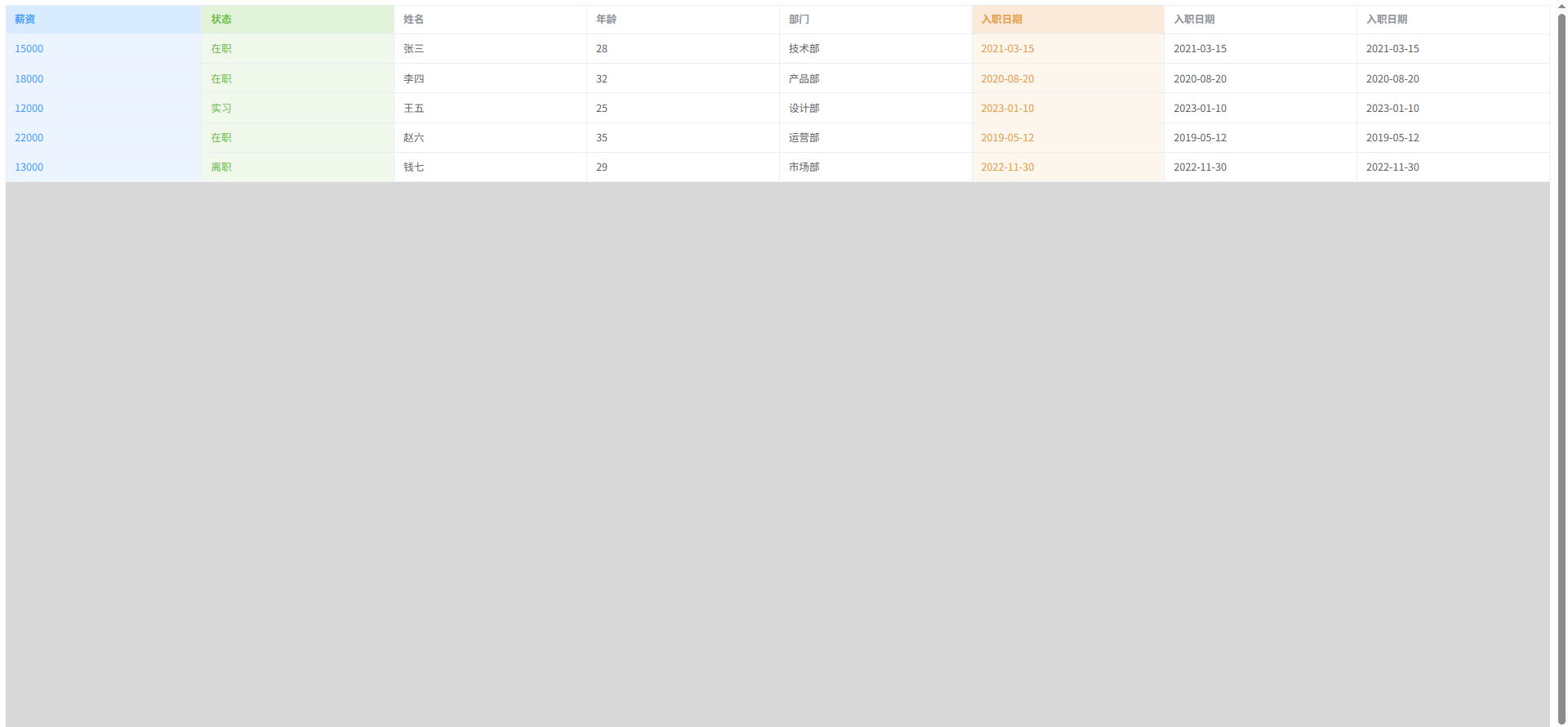

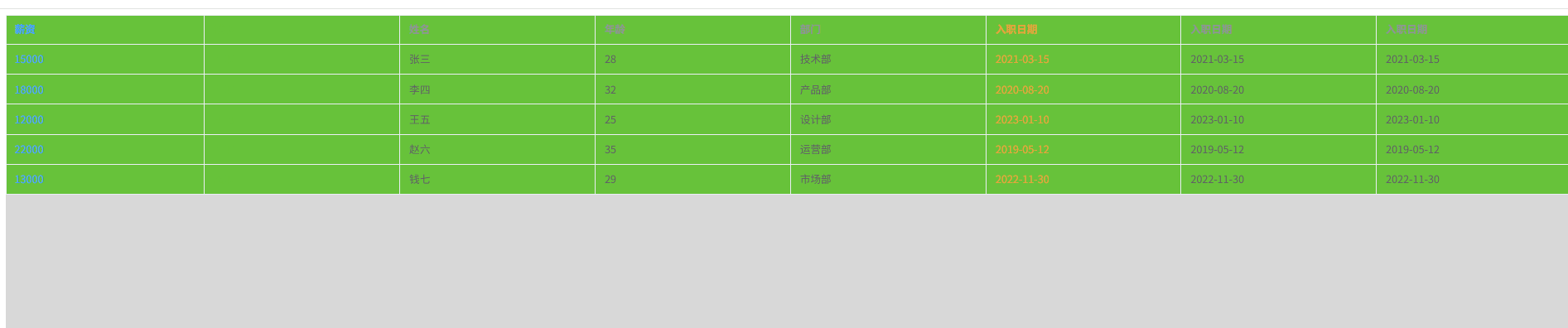
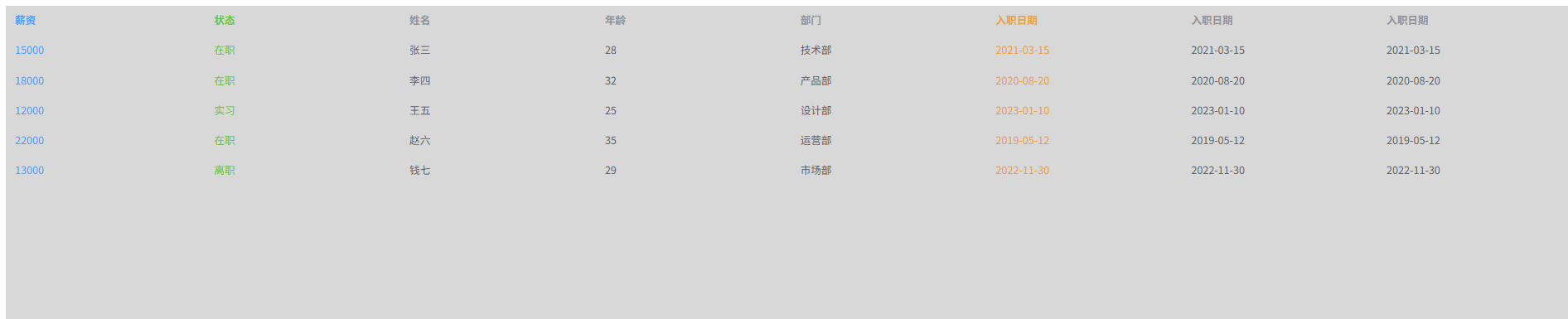
html
<!DOCTYPE html>
<html lang="zh-CN">

<head>
    <meta charset="UTF-8">
    <meta name="viewport" content="width=device-width, initial-scale=1.0">
    <title>Element Plus 表格多列颜色</title>
    <!-- 引入 Element Plus CSS -->
    <link rel="stylesheet" href="https://unpkg.com/element-plus/dist/index.css">
    <!-- 引入 Vue 3 -->
    <script src="https://unpkg.com/vue@3/dist/vue.global.js"></script>
    <!-- 引入 Element Plus JS -->
    <script src="https://unpkg.com/element-plus/dist/index.full.js"></script>
    <style>
        .container {
            height: 100vh;
            background: #d8d8d8;
        }

        /* 需要改变的列样式 */
        .col-0 {
            background-color: #ecf5ff !important;
            color: #409eff;
        }

        .col-1 {
            background-color: #f0f9eb !important;
            color: #67c23a;
        }

        .col-2 {
            background-color: #fdf6ec !important;
            color: #e6a23c;
        }

        /* 结束 */

        /* 需要改变的表头样式 */
        .header-col-0 {
            background-color: #d9ecff !important;
            color: #409eff;
        }

        .header-col-1 {
            background-color: #e1f3d8 !important;
            color: #67c23a;
        }

        .header-col-2 {
            background-color: #fbe9d9 !important;
            color: #e6a23c;
        }

        /* 结束 */


        /* el-table 全透明 */
        /* .el-table {
            --el-table-bg-color: transparent;
            --el-table-tr-bg-color: transparent;
            --el-table-header-bg-color: transparent;
            --el-table-row-hover-bg-color: transparent;
            --el-table-current-row-bg-color: transparent;
            --el-table-border-color: transparent;
        }


        .el-table,
        .el-table__body-wrapper,
        .el-table__inner-wrapper {
            background: transparent !important;
        }

        .el-table__body tr>td,
        .el-table__header tr>th {
            background: transparent !important;
        } */

        /* 结束 */


        /* 表头和单元格加默认颜色 */
        /* .el-table__body tr>td,
        .el-table__header tr>th {
            background: #67c23a !important;
        } */

        /* 结束 */

        /* 偶数 行*/
        /* .even-row td {
            background: blue !important;
            color: #fff;
        } */

        /* 奇数行 */
        /* .odd-row td {
            background: yellow !important;
            color: #333;
        } */
        /* 结束 */
        /* 鼠标划过 */
        /* .el-table__body tr:hover>td {
            background: pink !important;
        } */
        /* 结束 */
    </style>
</head>

<body>
    <div id="app">
        <div class="container">
            <el-table :data="tableData" style="width: 100%" border :row-class-name="tableRowClassName"
                :cell-class-name="tableCellClassName" :header-cell-class-name="tableHeaderCellClassName">
                <el-table-column prop="salary" label="薪资">
                </el-table-column>
                <el-table-column prop="status" label="状态">
                </el-table-column>
                <el-table-column prop="name" label="姓名">
                </el-table-column>
                <el-table-column prop="age" label="年龄">
                </el-table-column>
                <el-table-column prop="department" label="部门">
                </el-table-column>
                <el-table-column prop="date" label="入职日期">
                </el-table-column>
                <el-table-column prop="date" label="入职日期">
                </el-table-column>
                <el-table-column prop="date" label="入职日期">
                </el-table-column>
            </el-table>
        </div>
    </div>

    <script>
        const { createApp } = Vue;
        const app = createApp({
            data() {
                return {
                    tableData: [
                        { id: 1, name: '张三', age: 28, department: '技术部', position: '前端工程师', salary: 15000, status: '在职', date: '2021-03-15' },
                        { id: 2, name: '李四', age: 32, department: '产品部', position: '产品经理', salary: 18000, status: '在职', date: '2020-08-20' },
                        { id: 3, name: '王五', age: 25, department: '设计部', position: 'UI设计师', salary: 12000, status: '实习', date: '2023-01-10' },
                        { id: 4, name: '赵六', age: 35, department: '运营部', position: '运营总监', salary: 22000, status: '在职', date: '2019-05-12' },
                        { id: 5, name: '钱七', age: 29, department: '市场部', position: '市场专员', salary: 13000, status: '离职', date: '2022-11-30' }
                    ]
                }
            },
            methods: {
                // 1. 设置行类名(实现奇偶行)
                tableRowClassName({ row, rowIndex }) {
                    if (rowIndex % 2 == 0) {
                        return 'even-row';  // 偶数行
                    } else {
                        return 'odd-row';   // 奇数行
                    }
                },

                // 2. 设置单元格类名
                tableCellClassName({ columnIndex, rowIndex }) {
                    const classes = [];

                    // 基础列颜色
                    if (columnIndex == 0) classes.push('col-0');
                    else if (columnIndex == 1) classes.push('col-1');
                    // else if (columnIndex == 2) classes.push('col-2');
                    // else if (columnIndex == 3) classes.push('col-0');  // 第4列用第1列的颜色
                    // else if (columnIndex == 4) classes.push('col-1');  // 第5列用第2列的颜色
                    else if (columnIndex == 5) classes.push('col-2');  // 第6列用第3列的颜色

                    return classes.join(' ');
                },

                // 3. 设置表头类名
                tableHeaderCellClassName({ columnIndex }) {
                    if (columnIndex == 0) return 'header-col-0';
                    if (columnIndex == 1) return 'header-col-1';
                    // if (columnIndex == 2) return 'header-col-2';
                    // if (columnIndex == 3) return 'header-col-0';
                    // if (columnIndex == 4) return 'header-col-1';
                    if (columnIndex == 5) return 'header-col-2';
                    return '';
                }
            }
        });

        app.use(ElementPlus);
        app.mount('#app');
    </script>
</body>

</html>